— Scott Spendolini
—scott.spendolini@enkitec.com
— @sspendol
— Ex-Oracle Employee of 10 years
— Senior Product Manager for Oracle APEX
from 2002 through 2005
— Founded Sumner Technologies
in October 2005
— Co-Founded Sumneva in January 2010
— Joined Enkitec in June 2012
— Oracle Ace Director
— Author, Expert Oracle Application Express Security
— Co-Author, Pro Oracle Application Express
— “Scott” on OTN Forums
About the Presenter
3
4.
About Enkitec
— OraclePlatinum Partner
— Established in 2004
— Headquartered in Dallas, TX
— Locations throughout the US & EMEA
— Specialties include
— Exadata Implementations
— Development Services
— PL/SQL / Java / APEX
— DBA/Data Warehouse/RAC
— Business Intelligence
4
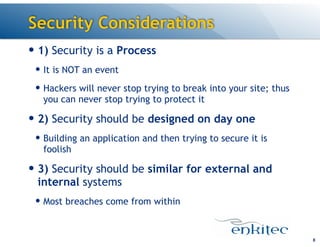
Security Considerations
— 1)Security is a Process
— It is NOT an event
— Hackers will never stop trying to break into your site; thus
you can never stop trying to protect it
— 2) Security should be designed on day one
— Building an application and then trying to secure it is
foolish
— 3) Security should be similar for external and
internal systems
— Most breaches come from within
8
9.
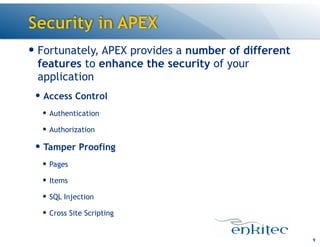
Security in APEX
9
—Fortunately, APEX provides a number of different
features to enhance the security of your
application
— Access Control
— Authentication
— Authorization
— Tamper Proofing
— Pages
— Items
— SQL Injection
— Cross Site Scripting
Authentication
— In APEX,Authentication is the event when the
user provides a set of credentials - typically a
username & password - and they are verified or
rejected by the corresponding Authentication
Scheme
— Result is a boolean
— From a technical point of view, it is irrelevant as
to how APEX arrives at the result
— Typically will be based on a valid username & password
combination
— But could be something as simple as “guess my number”
11
12.
Authentication Schemes
— Outof the box, APEX can use the following
Authentication Schemes:
— APEX Users
— Database Users
— HTTP Header Variable
— LDAP
— Open Door
— Oracle Application Server Single Sign On
— None
— Additionally, a Custom scheme - which can interface
with almost anything - can be developed
12
DEMO: Show all authentication schemes from the gallery
13.
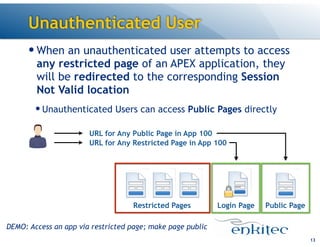
Unauthenticated User
— Whenan unauthenticated user attempts to access
any restricted page of an APEX application, they
will be redirected to the corresponding Session
Not Valid location
— Unauthenticated Users can access Public Pages directly
13
URL for Any Restricted Page in App 100
Login PageRestricted Pages Public Page
URL for Any Public Page in App 100
DEMO: Access an app via restricted page; make page public
14.
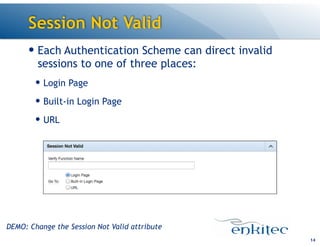
Session Not Valid
—Each Authentication Scheme can direct invalid
sessions to one of three places:
— Login Page
— Built-in Login Page
— URL
14
DEMO: Change the Session Not Valid attribute
15.
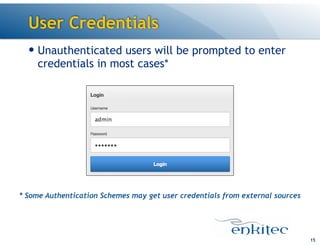
User Credentials
— Unauthenticatedusers will be prompted to enter
credentials in most cases*
15
* Some Authentication Schemes may get user credentials from external sources
16.
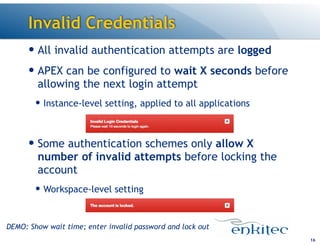
Invalid Credentials
— Allinvalid authentication attempts are logged
— APEX can be configured to wait X seconds before
allowing the next login attempt
— Instance-level setting, applied to all applications
!
— Some authentication schemes only allow X
number of invalid attempts before locking the
account
— Workspace-level setting
16
DEMO: Show wait time; enter invalid password and lock out
17.
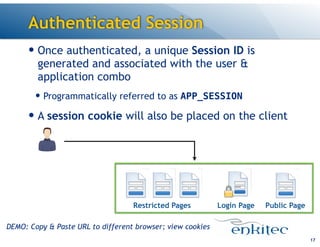
Authenticated Session
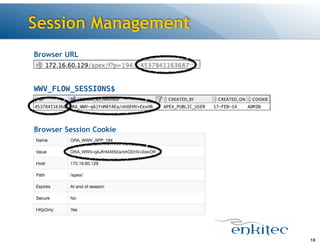
— Onceauthenticated, a unique Session ID is
generated and associated with the user &
application combo
— Programmatically referred to as APP_SESSION
— A session cookie will also be placed on the client
17
Login PageRestricted Pages Public Page
DEMO: Copy & Paste URL to different browser; view cookies
Session Duration
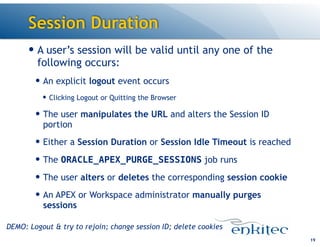
— Auser’s session will be valid until any one of the
following occurs:
— An explicit logout event occurs
— Clicking Logout or Quitting the Browser
— The user manipulates the URL and alters the Session ID
portion
— Either a Session Duration or Session Idle Timeout is reached
— The ORACLE_APEX_PURGE_SESSIONS job runs
— The user alters or deletes the corresponding session cookie
— An APEX or Workspace administrator manually purges
sessions
19
DEMO: Logout & try to rejoin; change session ID; delete cookies
20.
Session State
— Anyvalues that are saved to a user’s session
state will be automatically secured from all
other sessions
— Nothing to do to enable this - it’s default behavior
20
DEMO: Edit a record and show the session for that user
21.
Reports
— Login Attempts
—Displays all login attempts w/results
— Administration > Monitor Activity > Login Attempts
— Session State
— Shows all active users & their session state
— Administration > Monitor Activity > Active Sessions
21
DEMO: Show both reports
Authorization Schemes
— InAPEX, Authorization Schemes determine what
an Authenticated user can or can’t see/access/
execute based on some predefined condition
— Result is boolean
— Source can be derived from:
— SQL Query
— PL/SQL Function
— Item Value Comparison
— Preference Value Comparison
23
24.
Association
— Authorization Schemescan be associated with
every APEX component - from the application
itself to a page to a column in a report, and
everything in between
— Best practice to create a “gatekeeper” scheme
for each application
— This scheme is associated with the application itself and
only allows authorized users to use it
24
25.
Integration
— There areAPEX APIs available which allow easy
integration of external user-to-role mappings to
an APEX Authorization Scheme
— LDAP
— APEX_LDAP.IS_MEMBER
— APEX Users
— APEX_UTIL.GET_GROUPS_USER_BELONGS_TO
25
26.
Efficiency
— Authorization Schemescan be evaluated two
different ways:
— Per Session
— The scheme is evaluated only upon a successful login, and the result of
the scheme is static for the duration of the session
— More efficient, less “real time”
— Per Page View
— The scheme is evaluated upon each and every page view, and the result
of the scheme can change over the duration of the session
— Less efficient, more “real time”
26
27.
Reports
— Batch Assignto Pages
— Allows quick & easy assignment of Authorization Schemes
to all Pages
— Application > Utilities > Cross Page Utilities > Grid Edit of All Pages
— Authorization Scheme Utilization
— Displays which components are associated with which
Authorization Schemes
— Shared Components > Authorization Schemes > Utilization
27
DEMO: Show both reports
28.
Best Practices
— Startadding Authorization Schemes at the page
level and work up from there
— Securing navigational controls - tabs, lists, buttons, etc. -
is simply not enough, as users can easily manipulate the
URL to access any page
— Use a federated model that managed access
across all applications & all workspaces vs. stove-
piping on a per-app basis
— Consider a hybrid approach (LDAP
authentication, table-based authorization) when
it is not possible to easily change user-to-role
mappings in LDAP
28
Tampering
30
— Every webapplication is subject to tampering
— Malicious users may try to exploit weaknesses in
your APEX application using a number of different
techniques
— Page Attributes
— URL Tampering
— SQL Injection
— Cross Site Scripting
— Fortunately, steps can be taken to prevent these
types of attacks
Pages
32
— Each APEXpage has a number of attributes that
can enhance its security
— Depending on your business rules, it may be OK
and secure to choose a “less secure” option for
some attributes
— For example: if you need a page to be public, thats OK -
as long as you mitigate what can be done on that page
with other mechanisms
33.
Authorization
33
— Pages canhave Authorization Schemes
associated with them
— Authorization Scheme must return true for the user to
see the corresponding page(s)
— Best to set Authorization Scheme to Once Per Session
— User will have to log out & log in to see changes
— By default, set to No Authorization Scheme
— Slightly more secure to set to Must Not Be Public User
34.
Authentication
34
— Page Authenticationhas two options
— Page Requires Authentication
— User must be logged in to view this page
— Authorization Schemes & Build Options must also be met
— Page is Public
— User can be the public user and view this page
— Authorization Schemes & Build Options must also be met
35.
Browser Cache
35
— Bestto set to Application Default and set it to
Disabled at the Application Level
— Can override the Application Level setting on a
page-by-page basis
— Enabled
— Browser will cache pages in both memory & disk, introducing potential
security and usability risks
— Disabled
— Browser will not cache pages, resulting in a mode secure
and usable application
36.
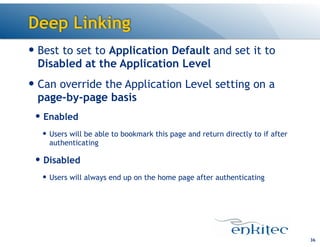
Deep Linking
36
— Bestto set to Application Default and set it to
Disabled at the Application Level
— Can override the Application Level setting on a
page-by-page basis
— Enabled
— Users will be able to bookmark this page and return directly to if after
authenticating
— Disabled
— Users will always end up on the home page after authenticating
37.
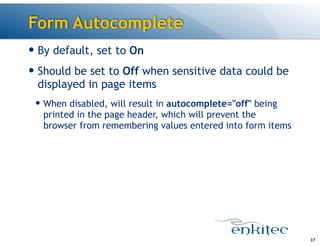
Form Autocomplete
37
— Bydefault, set to On
— Should be set to Off when sensitive data could be
displayed in page items
— When disabled, will result in autocomplete="off" being
printed in the page header, which will prevent the
browser from remembering values entered into form items
38.
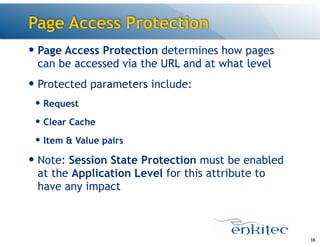
Page Access Protection
38
—Page Access Protection determines how pages
can be accessed via the URL and at what level
— Protected parameters include:
— Request
— Clear Cache
— Item & Value pairs
— Note: Session State Protection must be enabled
at the Application Level for this attribute to
have any impact
39.
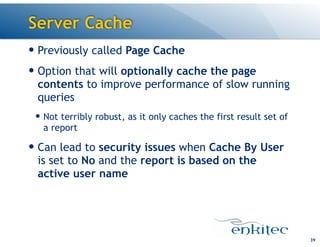
Server Cache
39
— Previouslycalled Page Cache
— Option that will optionally cache the page
contents to improve performance of slow running
queries
— Not terribly robust, as it only caches the first result set of
a report
— Can lead to security issues when Cache By User
is set to No and the report is based on the
active user name
URL Tampering
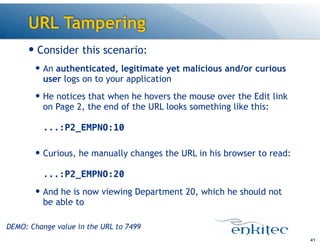
— Considerthis scenario:
— An authenticated, legitimate yet malicious and/or curious
user logs on to your application
— He notices that when he hovers the mouse over the Edit link
on Page 2, the end of the URL looks something like this:
...:P2_EMPNO:10
— Curious, he manually changes the URL in his browser to read:
...:P2_EMPNO:20
— And he is now viewing Department 20, which he should not
be able to
41
DEMO: Change value in the URL to 7499
42.
URL Tampering
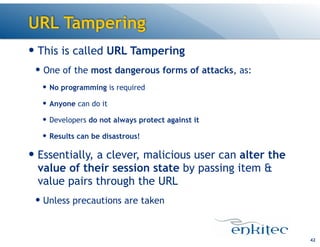
— Thisis called URL Tampering
— One of the most dangerous forms of attacks, as:
— No programming is required
— Anyone can do it
— Developers do not always protect against it
— Results can be disastrous!
— Essentially, a clever, malicious user can alter the
value of their session state by passing item &
value pairs through the URL
— Unless precautions are taken
42
43.
Session State Protection
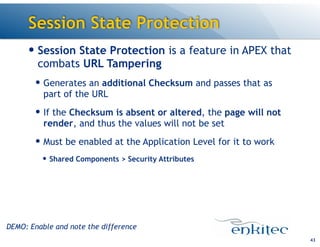
—Session State Protection is a feature in APEX that
combats URL Tampering
— Generates an additional Checksum and passes that as
part of the URL
— If the Checksum is absent or altered, the page will not
render, and thus the values will not be set
— Must be enabled at the Application Level for it to work
— Shared Components > Security Attributes
43
DEMO: Enable and note the difference
44.
Page Access Protection
—Once Session State Protection is enabled, Page
Access Protection should then be enabled on a
per-page basis in your application
— Four options for Page Access Protection
— Unrestricted
— Default and Least Secure
— Arguments Must Have Checksum
— No Arguments Allows
— No URL Access
44
DEMO: Enable PAP at each level
45.
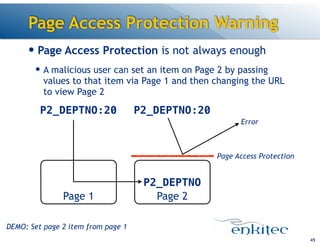
— Page AccessProtection is not always enough
— A malicious user can set an item on Page 2 by passing
values to that item via Page 1 and then changing the URL
to view Page 2
Page Access Protection Warning
45
Page 2
P2_DEPTNO
Page 1
P2_DEPTNO:20P2_DEPTNO:20
Page Access Protection
Error
DEMO: Set page 2 item from page 1
46.
Item Protection
— ItemProtection will restrict how an item’s value
can be set
— Five Options:
— Unrestricted
— Default and Least Secure
— Checksum Required - Application
— Checksum Required - User
— Checksum Required - Session
— Restricted - may not be set from a browser
46
47.
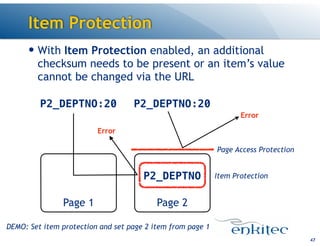
Item Protection
— WithItem Protection enabled, an additional
checksum needs to be present or an item’s value
cannot be changed via the URL
47
Page 2
P2_DEPTNO
Page 1
P2_DEPTNO:20P2_DEPTNO:20
Page Access Protection
Error
Item Protection
Error
DEMO: Set item protection and set page 2 item from page 1
48.
Hidden Items
48
— Hiddenitems do not display when an HTML page
is rendered
— But, they can contain a value that is sent back to the
server when the page is POSTed
— While this value is not displayed, that doesn’t
mean that it can’t be easily edited by a
malicious user
49.
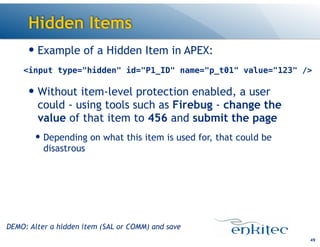
Hidden Items
— Exampleof a Hidden Item in APEX:
!
— Without item-level protection enabled, a user
could - using tools such as Firebug - change the
value of that item to 456 and submit the page
— Depending on what this item is used for, that could be
disastrous
49
<input type="hidden" id="P1_ID" name="p_t01" value="123" />
DEMO: Alter a hidden item (SAL or COMM) and save
50.
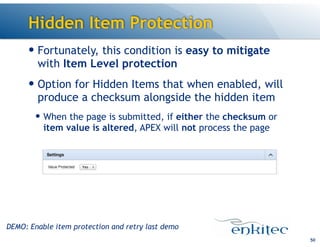
Hidden Item Protection
—Fortunately, this condition is easy to mitigate
with Item Level protection
— Option for Hidden Items that when enabled, will
produce a checksum alongside the hidden item
— When the page is submitted, if either the checksum or
item value is altered, APEX will not process the page
50
DEMO: Enable item protection and retry last demo
51.
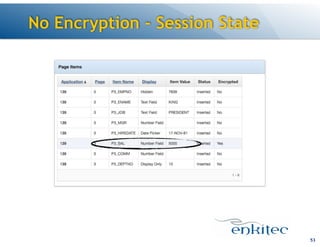
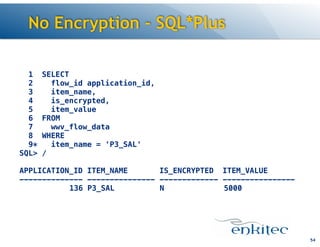
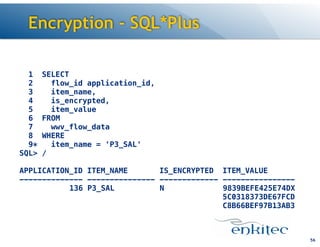
Item-Level Encryption
— APEXstores session state values in the database
in clear text in the table WWV_FLOW_DATA
— There is adequate security in place so that unauthorized
users cannot see session state values from other sessions
— However, a curious DBA or APEX administrator can
view anyones session state
— Even if you do not want them to!
51
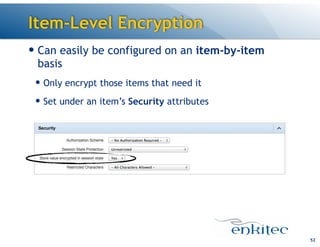
52.
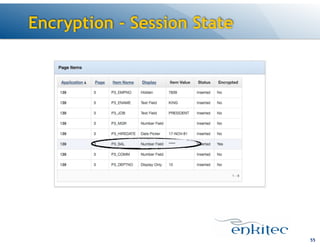
Item-Level Encryption
— Caneasily be configured on an item-by-item
basis
— Only encrypt those items that need it
— Set under an item’s Security attributes
52
SQL Injection
58
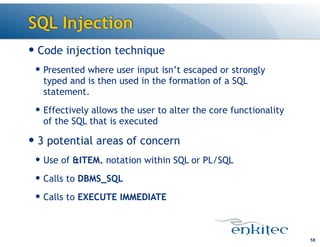
— Codeinjection technique
— Presented where user input isn’t escaped or strongly
typed and is then used in the formation of a SQL
statement.
— Effectively allows the user to alter the core functionality
of the SQL that is executed
— 3 potential areas of concern
— Use of &ITEM. notation within SQL or PL/SQL
— Calls to DBMS_SQL
— Calls to EXECUTE IMMEDIATE
59.
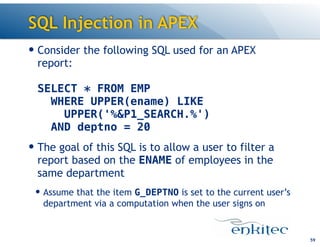
SQL Injection inAPEX
— Consider the following SQL used for an APEX
report:
SELECT * FROM EMP
WHERE UPPER(ename) LIKE
UPPER('%&P1_SEARCH.%')
AND deptno = 20
— The goal of this SQL is to allow a user to filter a
report based on the ENAME of employees in the
same department
— Assume that the item G_DEPTNO is set to the current user’s
department via a computation when the user signs on
59
60.
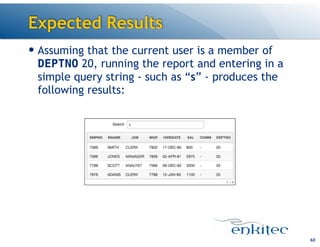
Expected Results
— Assumingthat the current user is a member of
DEPTNO 20, running the report and entering in a
simple query string - such as “s” - produces the
following results:
60
61.
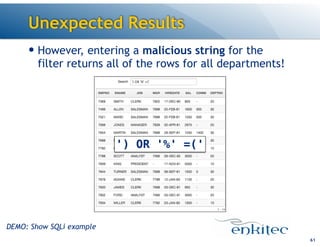
Unexpected Results
— However,entering a malicious string for the
filter returns all of the rows for all departments!
61
') OR '%' =('
DEMO: Show SQLi example
62.
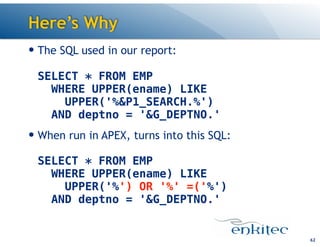
Here’s Why
— TheSQL used in our report:
SELECT * FROM EMP
WHERE UPPER(ename) LIKE
UPPER('%&P1_SEARCH.%')
AND deptno = '&G_DEPTNO.'
— When run in APEX, turns into this SQL:
SELECT * FROM EMP
WHERE UPPER(ename) LIKE
UPPER('%') OR '%' =('%')
AND deptno = '&G_DEPTNO.'
62
63.
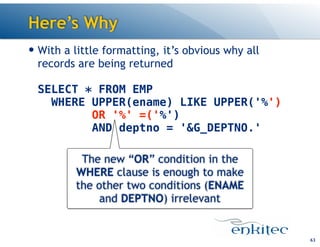
Here’s Why
— Witha little formatting, it’s obvious why all
records are being returned
SELECT * FROM EMP
WHERE UPPER(ename) LIKE UPPER('%')
OR '%' =('%')
AND deptno = '&G_DEPTNO.'
63
The new “OR” condition in the
WHERE clause is enough to make
the other two conditions (ENAME
and DEPTNO) irrelevant
64.
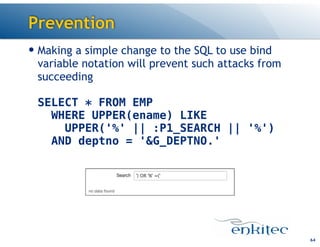
Prevention
— Making asimple change to the SQL to use bind
variable notation will prevent such attacks from
succeeding
SELECT * FROM EMP
WHERE UPPER(ename) LIKE
UPPER('%' || :P1_SEARCH || '%')
AND deptno = '&G_DEPTNO.'
64
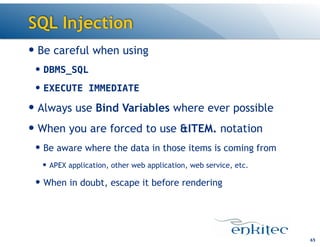
65.
SQL Injection
— Becareful when using
— DBMS_SQL
— EXECUTE IMMEDIATE
— Always use Bind Variables where ever possible
— When you are forced to use &ITEM. notation
— Be aware where the data in those items is coming from
— APEX application, other web application, web service, etc.
— When in doubt, escape it before rendering
65
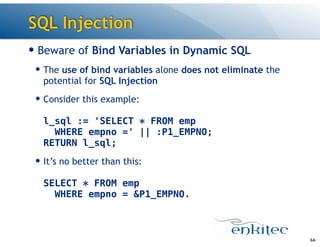
66.
SQL Injection
— Bewareof Bind Variables in Dynamic SQL
— The use of bind variables alone does not eliminate the
potential for SQL Injection
— Consider this example:
l_sql := 'SELECT * FROM emp
WHERE empno =' || :P1_EMPNO;
RETURN l_sql;
— It’s no better than this:
SELECT * FROM emp
WHERE empno = &P1_EMPNO.
66
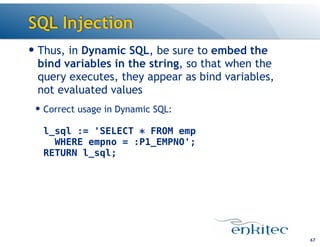
67.
SQL Injection
— Thus,in Dynamic SQL, be sure to embed the
bind variables in the string, so that when the
query executes, they appear as bind variables,
not evaluated values
— Correct usage in Dynamic SQL:
l_sql := 'SELECT * FROM emp
WHERE empno = :P1_EMPNO';
RETURN l_sql;
67
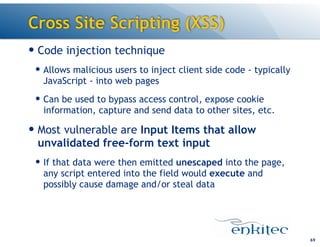
Cross Site Scripting(XSS)
69
— Code injection technique
— Allows malicious users to inject client side code - typically
JavaScript - into web pages
— Can be used to bypass access control, expose cookie
information, capture and send data to other sites, etc.
— Most vulnerable are Input Items that allow
unvalidated free-form text input
— If that data were then emitted unescaped into the page,
any script entered into the field would execute and
possibly cause damage and/or steal data
70.
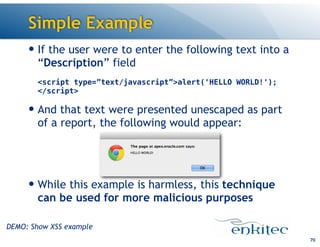
Simple Example
— Ifthe user were to enter the following text into a
“Description” field
<script type=”text/javascript”>alert('HELLO WORLD!');
</script>
— And that text were presented unescaped as part
of a report, the following would appear:
!
!
— While this example is harmless, this technique
can be used for more malicious purposes
70
DEMO: Show XSS example
71.
Cross Site Scripting(XSS)
— While JavaScript doesn’t have access to the end
user’s computer it does have access to:
— The entire DOM of the current page
— Your APEX items
— APEX managed session state items
— Cookie information
— Fortunately, there are a number of features and
tools in APEX to combat XSS attacks - both when
entering and displaying data
71
72.
Restricted Characters
— Therange of valid characters can be restricted
on an item-by-item basis
— All Characters
— Whitelist for a-Z, 0-9 and space
— Blacklist HTML command characters (<>”)
— Blacklist &<>"/;,*|=% and —
— Blacklist &<>"/;,*|=% or -- and new line
— Keep in mind that data in your application may
originate where no such restrictions exist
— Thus, always also escape when rendering
72
73.
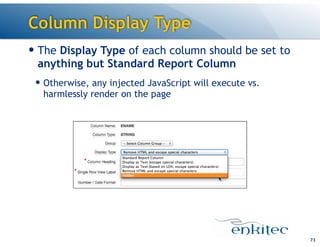
Column Display Type
—The Display Type of each column should be set to
anything but Standard Report Column
— Otherwise, any injected JavaScript will execute vs.
harmlessly render on the page
73
74.
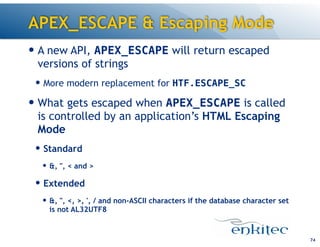
APEX_ESCAPE & EscapingMode
— A new API, APEX_ESCAPE will return escaped
versions of strings
— More modern replacement for HTF.ESCAPE_SC
— What gets escaped when APEX_ESCAPE is called
is controlled by an application’s HTML Escaping
Mode
— Standard
— &, ", < and >
— Extended
— &, ", <, >, ', / and non-ASCII characters if the database character set
is not AL32UTF8
74
Summary
76
— APEX providesa comprehensive set of features -
most of which are declarative - to manage the
security of your application
— But you must be familiar with them and how to use them
properly
— Security should not be an afterthought
— Start considering security on day one and never stop
77.
Download
— This andall other Enkitec presentations can be
downloaded for free from:
http://enkitec.com/presentations
77