Evaluation Question 4
How did use new technologies in the
construction and research, planning
and evaluation stages?
Construction
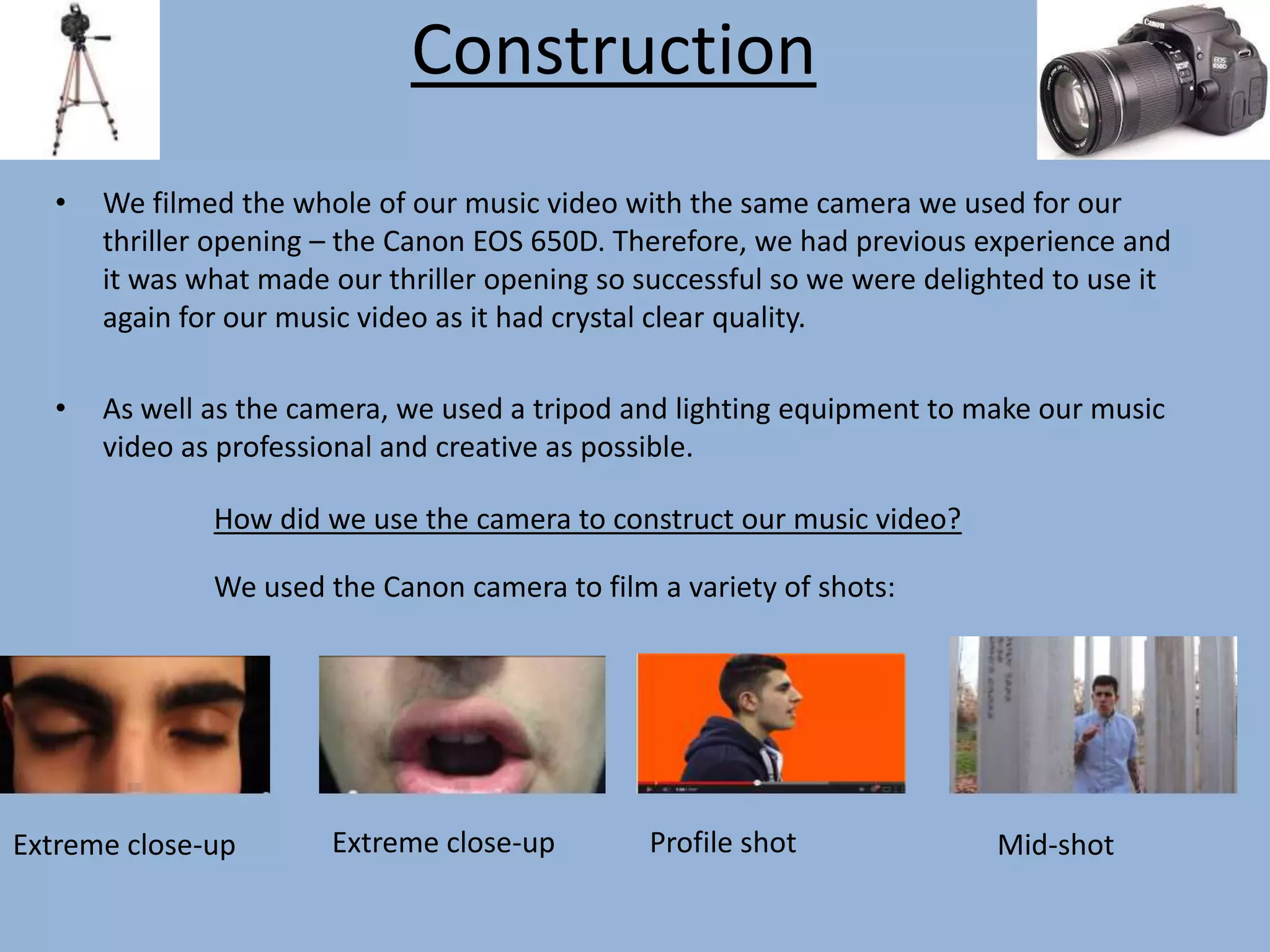
• We filmed the whole of our music video with the same camera we used for our
thriller opening – the Canon EOS 650D. Therefore, we had previous experience and
it was what made our thriller opening so successful so we were delighted to use it
again for our music video as it had crystal clear quality.
• As well as the camera, we used a tripod and lighting equipment to make our music
video as professional and creative as possible.
How did we use the camera to construct our music video?
We used the Canon camera to film a variety of shots:
Extreme close-up Extreme close-up Profile shot Mid-shot
Construction (2)
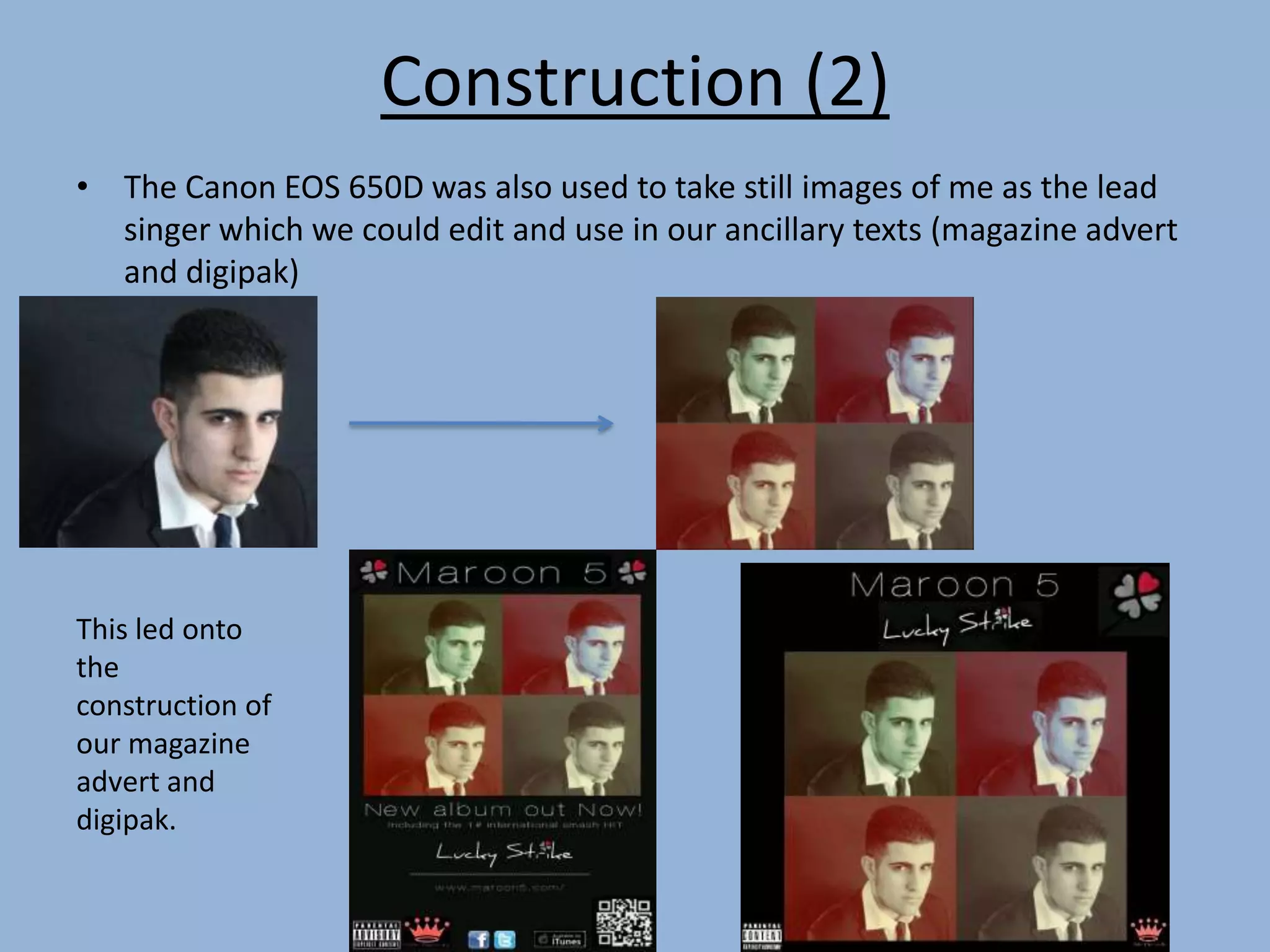
• The Canon EOS 650D was also used to take still images of me as the lead
singer which we could edit and use in our ancillary texts (magazine advert
and digipak)
This led onto
the
construction of
our magazine
advert and
digipak.
Construction (Post-production)
Instead of using iMovie which we had used for our thriller opening, we decided to
edit on Final Cut Pro, a more advanced editing software and we weren’t
disappointed.
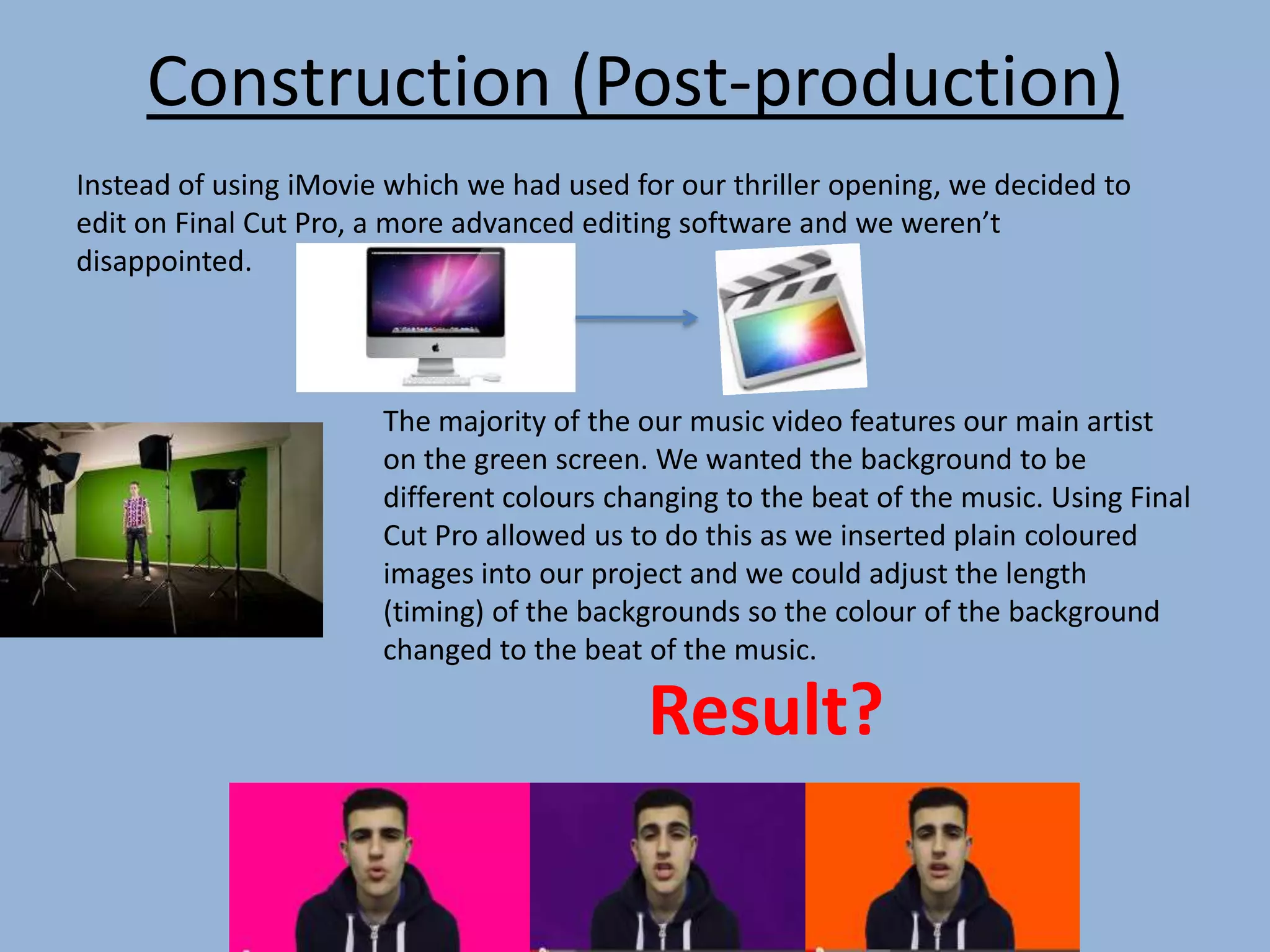
The majority of the our music video features our main artist
on the green screen. We wanted the background to be
different colours changing to the beat of the music. Using Final
Cut Pro allowed us to do this as we inserted plain coloured
images into our project and we could adjust the length
(timing) of the backgrounds so the colour of the background
changed to the beat of the music.
Result?
Construction (Post-production
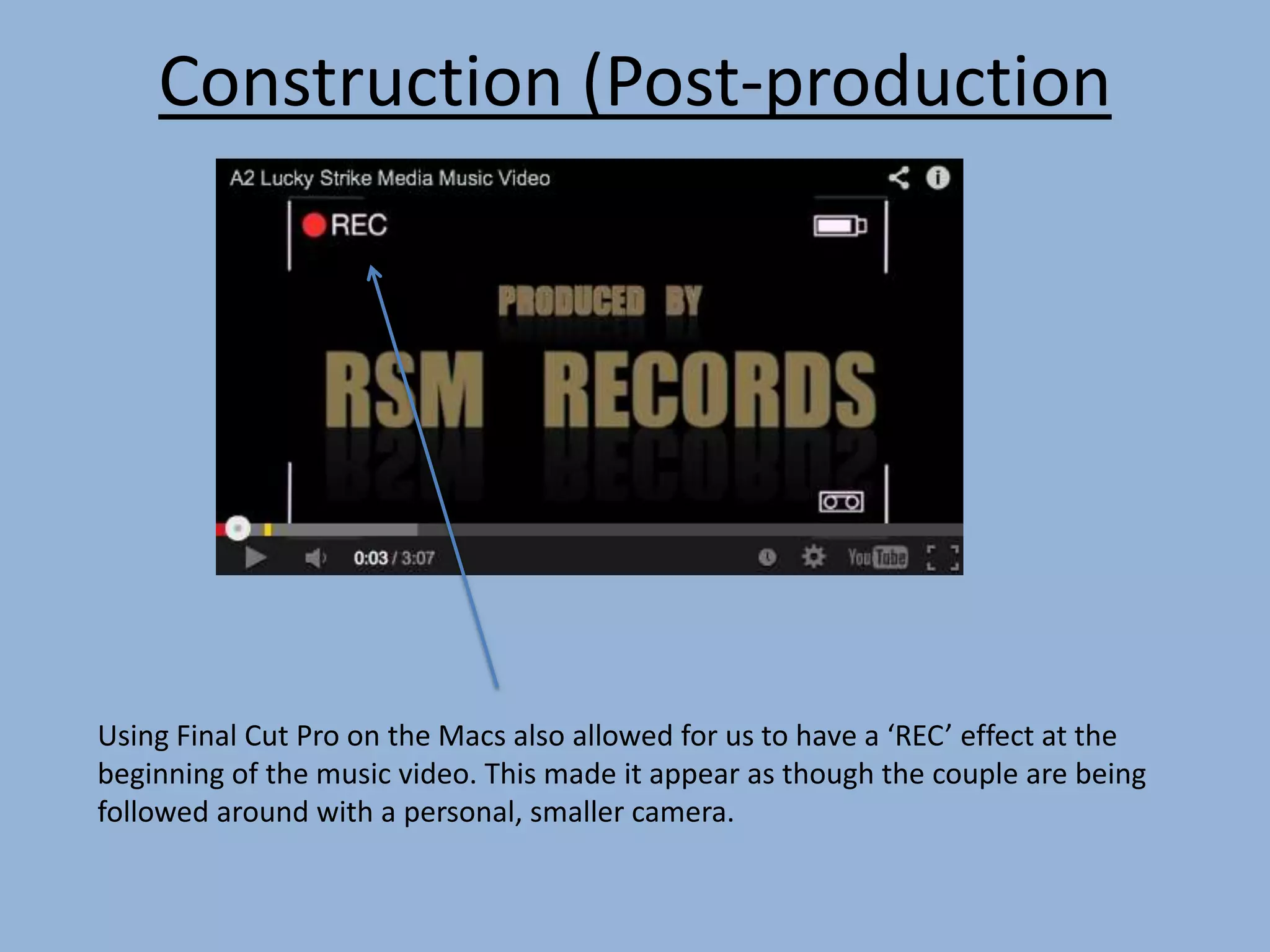
Using Final Cut Pro on the Macs also allowed for us to have a ‘REC’ effect at the
beginning of the music video. This made it appear as though the couple are being
followed around with a personal, smaller camera.
Constructing our digipak
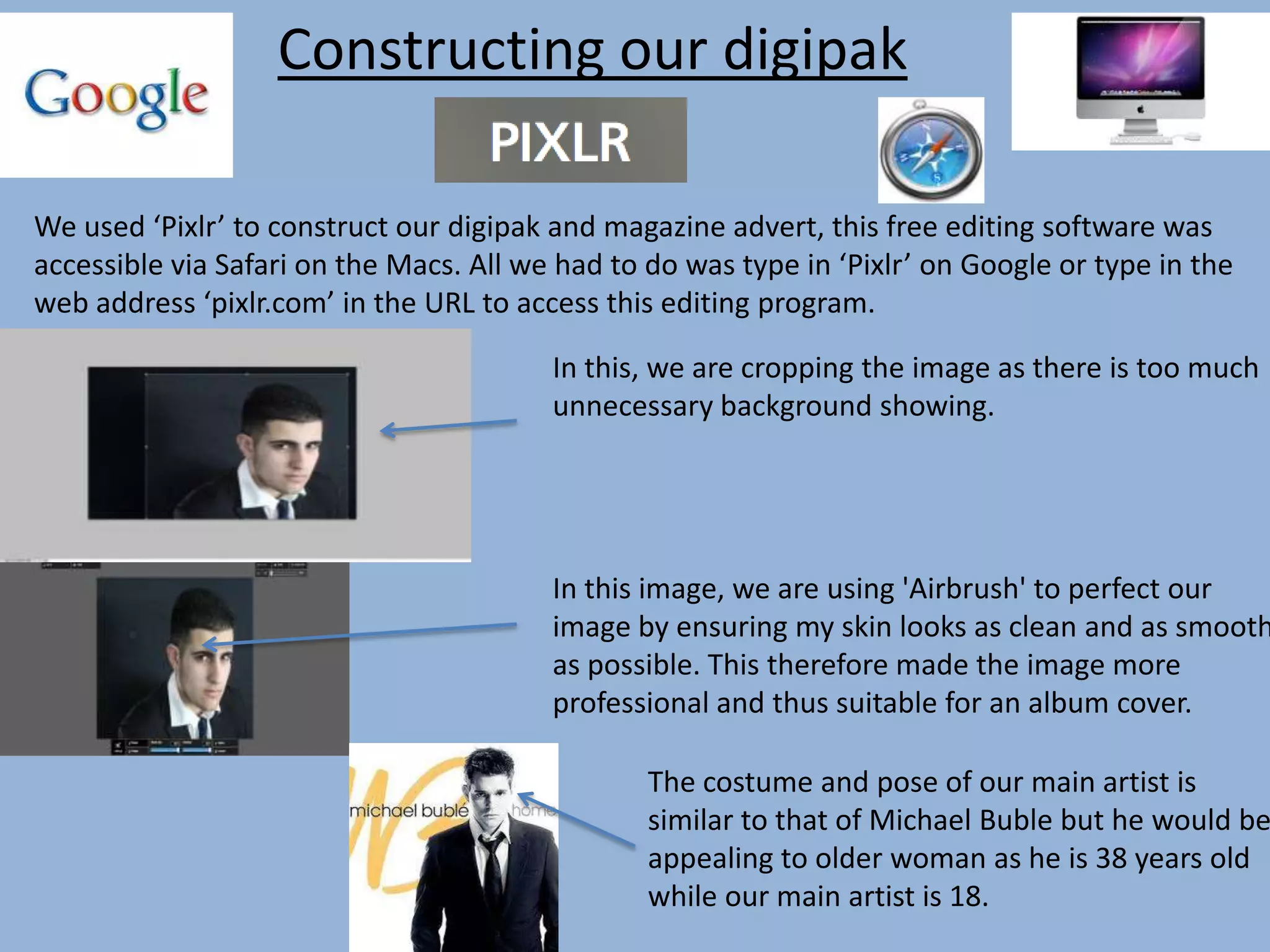
We used ‘Pixlr’ to construct our digipak and magazine advert, this free editing software was
accessible via Safari on the Macs. All we had to do was type in ‘Pixlr’ on Google or type in the
web address ‘pixlr.com’ in the URL to access this editing program.
In this, we are cropping the image as there is too much
unnecessary background showing.
In this image, we are using 'Airbrush' to perfect our
image by ensuring my skin looks as clean and as smooth
as possible. This therefore made the image more
professional and thus suitable for an album cover.
The costume and pose of our main artist is
similar to that of Michael Buble but he would be
appealing to older woman as he is 38 years old
while our main artist is 18.
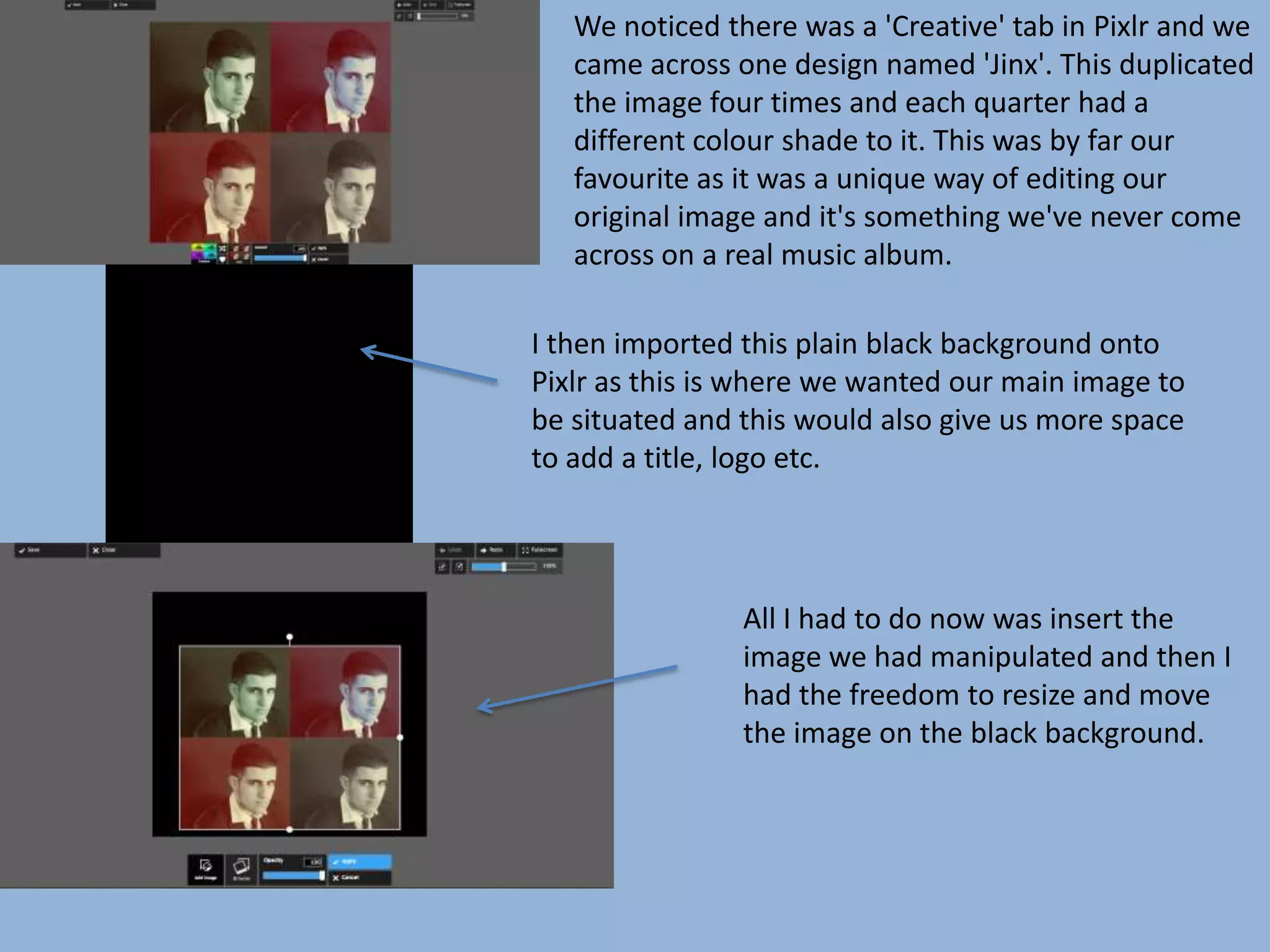
We noticed there was a 'Creative' tab in Pixlr and we
came across one design named 'Jinx'. This duplicated
the image four times and each quarter had a
different colour shade to it. This was by far our
favourite as it was a unique way of editing our
original image and it's something we've never come
across on a real music album.
I then imported this plain black background onto
Pixlr as this is where we wanted our main image to
be situated and this would also give us more space
to add a title, logo etc.
All I had to do now was insert the
image we had manipulated and then I
had the freedom to resize and move
the image on the black background.
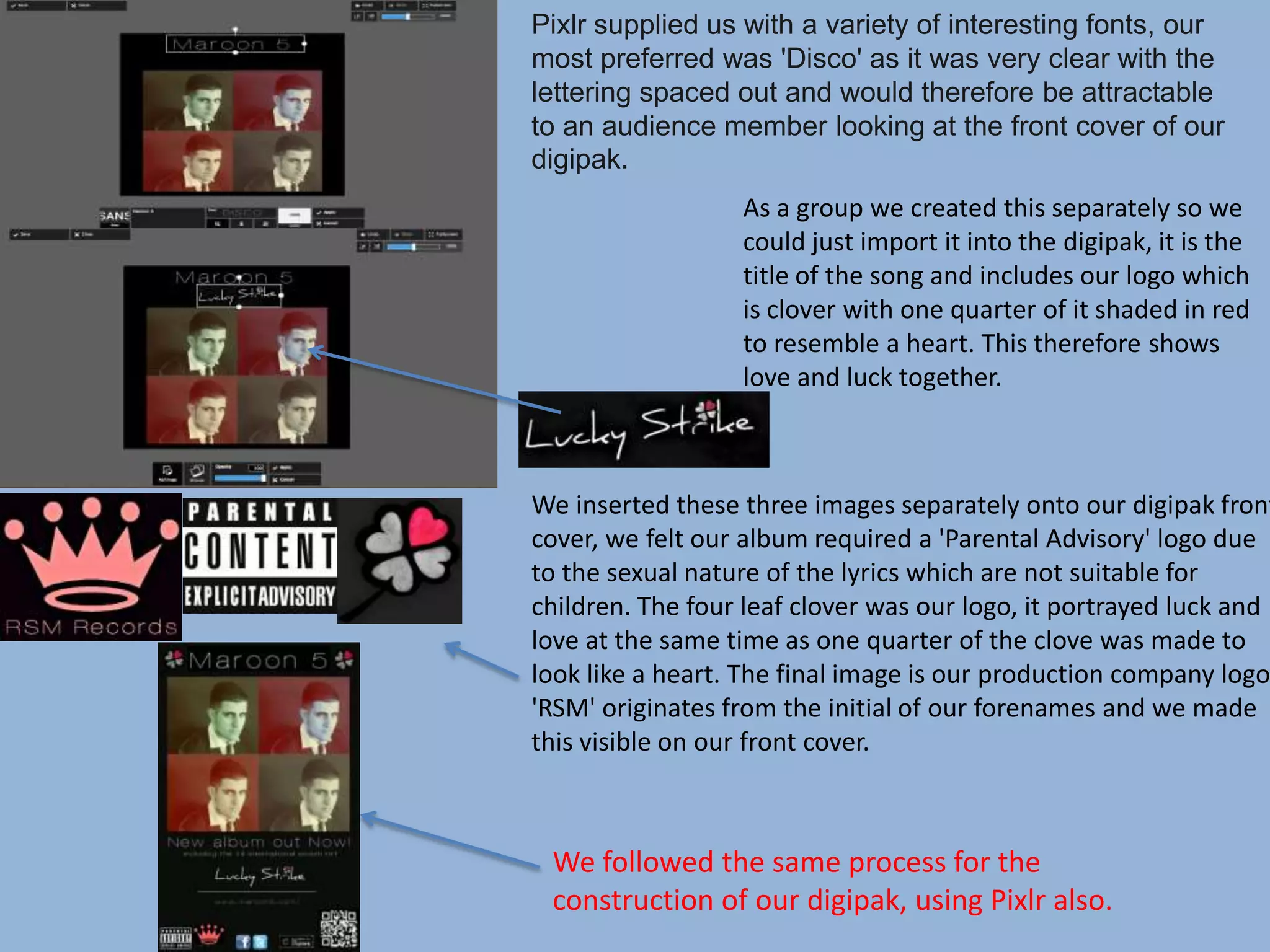
Pixlr supplied us with a variety of interesting fonts, our
most preferred was 'Disco' as it was very clear with the
lettering spaced out and would therefore be attractable
to an audience member looking at the front cover of our
digipak.
As a group we created this separately so we
could just import it into the digipak, it is the
title of the song and includes our logo which
is clover with one quarter of it shaded in red
to resemble a heart. This therefore shows
love and luck together.
We inserted these three images separately onto our digipak front
cover, we felt our album required a 'Parental Advisory' logo due
to the sexual nature of the lyrics which are not suitable for
children. The four leaf clover was our logo, it portrayed luck and
love at the same time as one quarter of the clove was made to
look like a heart. The final image is our production company logo,
'RSM' originates from the initial of our forenames and we made
this visible on our front cover.
We followed the same process for the
construction of our digipak, using Pixlr also.
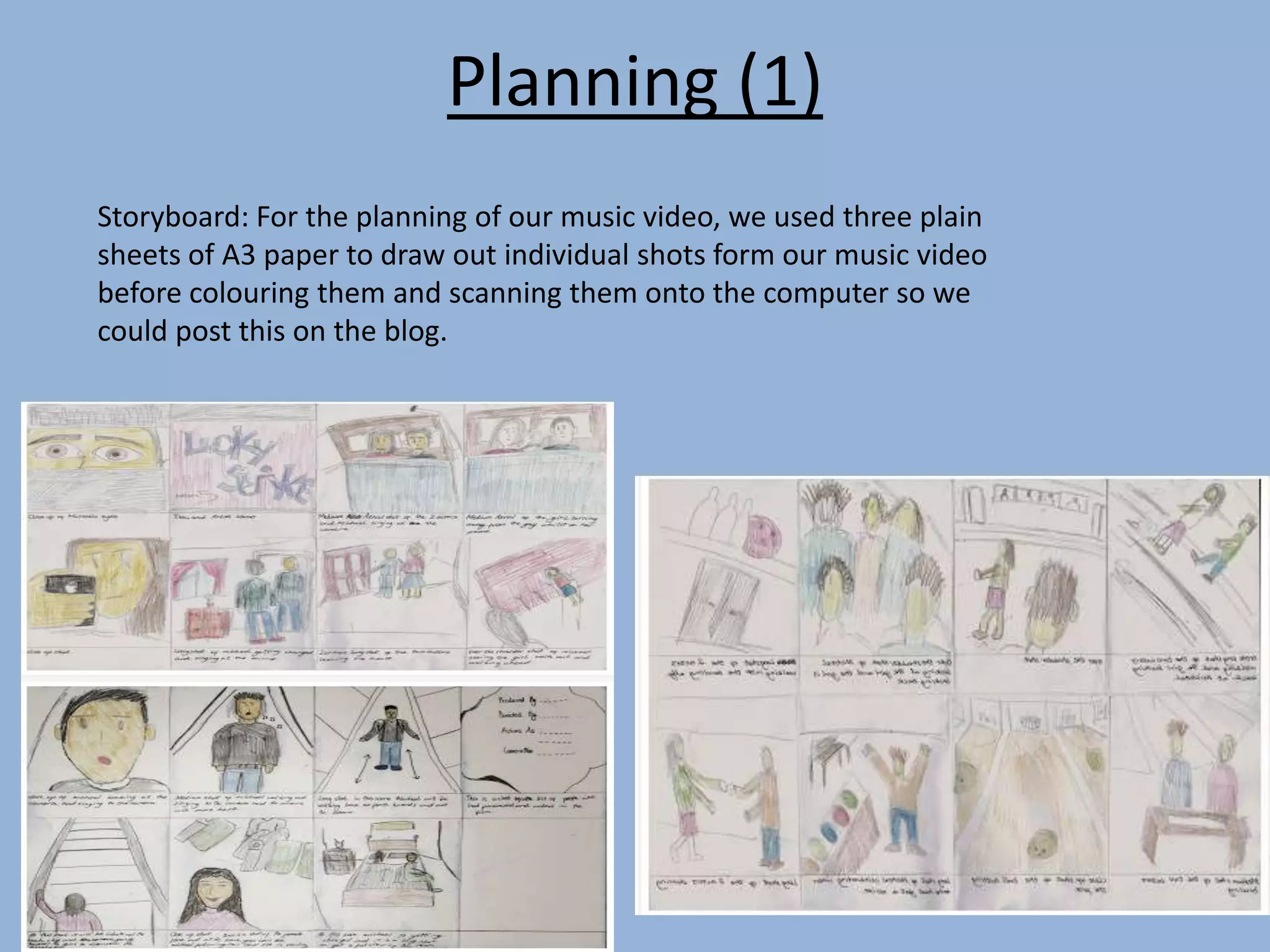
Planning (1)
Storyboard: For the planning of our music video, we used three plain
sheets of A3 paper to draw out individual shots form our music video
before colouring them and scanning them onto the computer so we
could post this on the blog.
Planning (2)
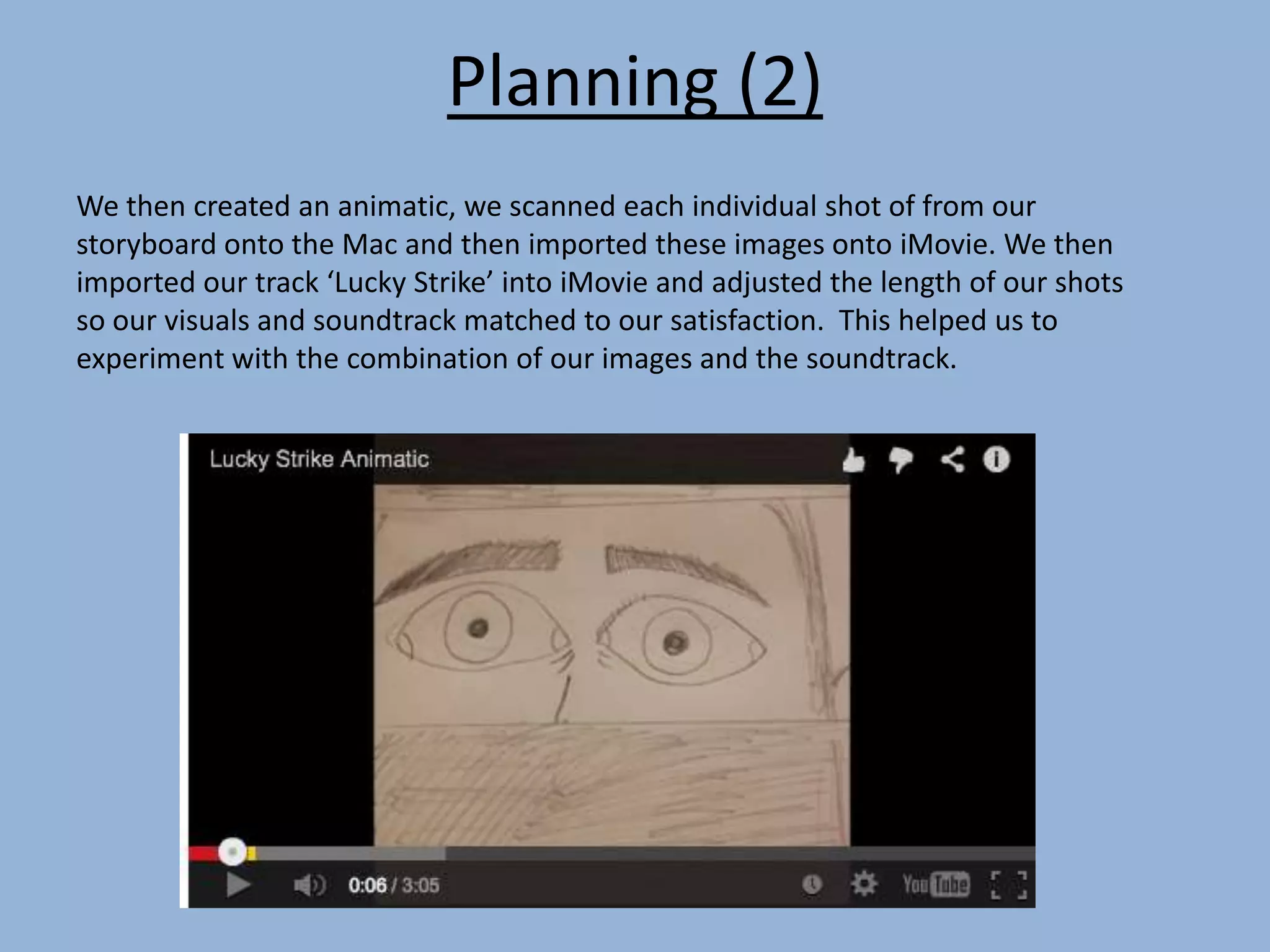
We then created an animatic, we scanned each individual shot of from our
storyboard onto the Mac and then imported these images onto iMovie. We then
imported our track ‘Lucky Strike’ into iMovie and adjusted the length of our shots
so our visuals and soundtrack matched to our satisfaction. This helped us to
experiment with the combination of our images and the soundtrack.
Planning (3)
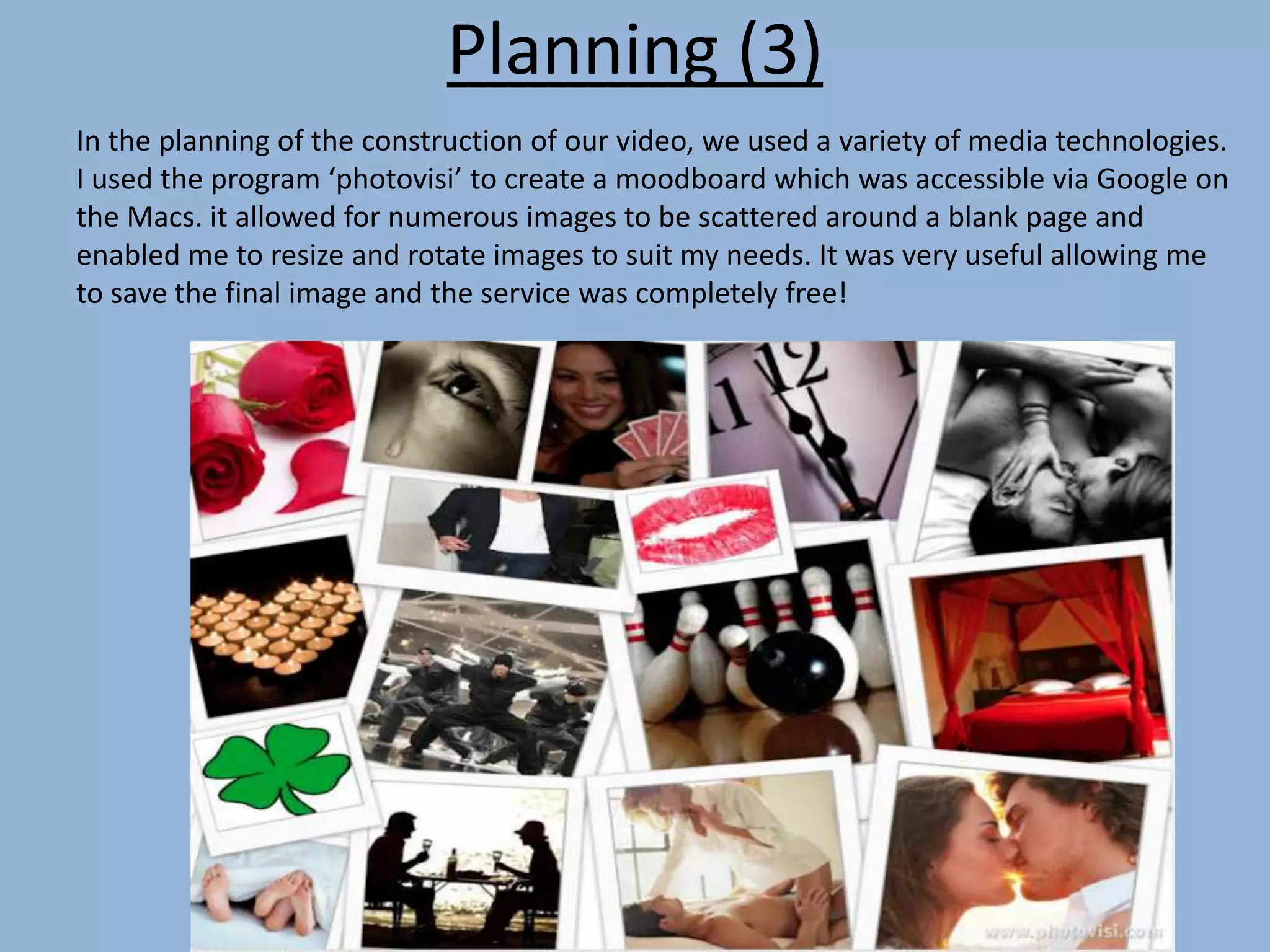
In the planning of the construction of our video, we used a variety of media technologies.
I used the program ‘photovisi’ to create a moodboard which was accessible via Google on
the Macs. it allowed for numerous images to be scattered around a blank page and
enabled me to resize and rotate images to suit my needs. It was very useful allowing me
to save the final image and the service was completely free!
Research
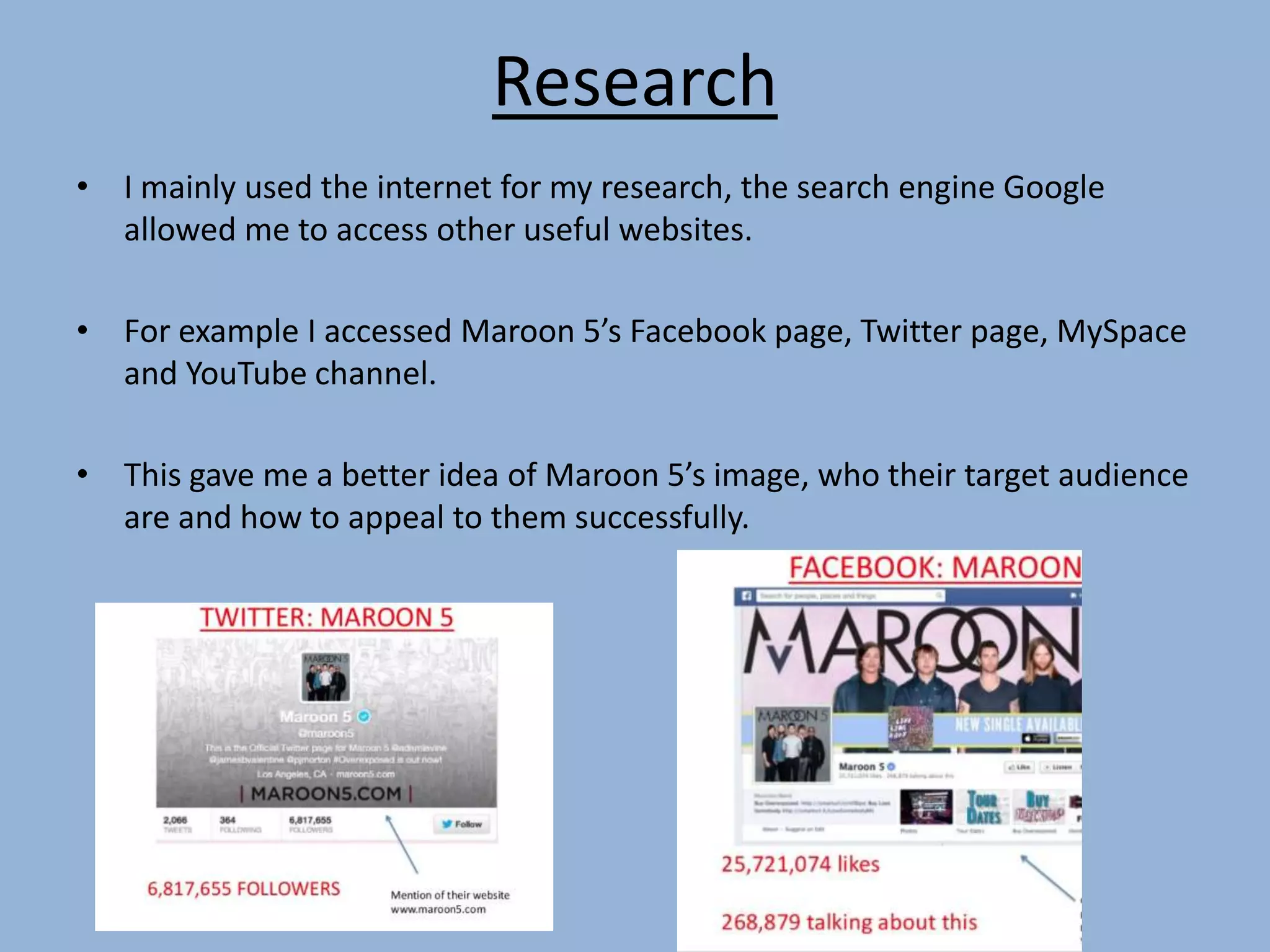
• I mainly used the internet for my research, the search engine Google
allowed me to access other useful websites.
• For example I accessed Maroon 5’s Facebook page, Twitter page, MySpace
and YouTube channel.
• This gave me a better idea of Maroon 5’s image, who their target audience
are and how to appeal to them successfully.
Research (2)
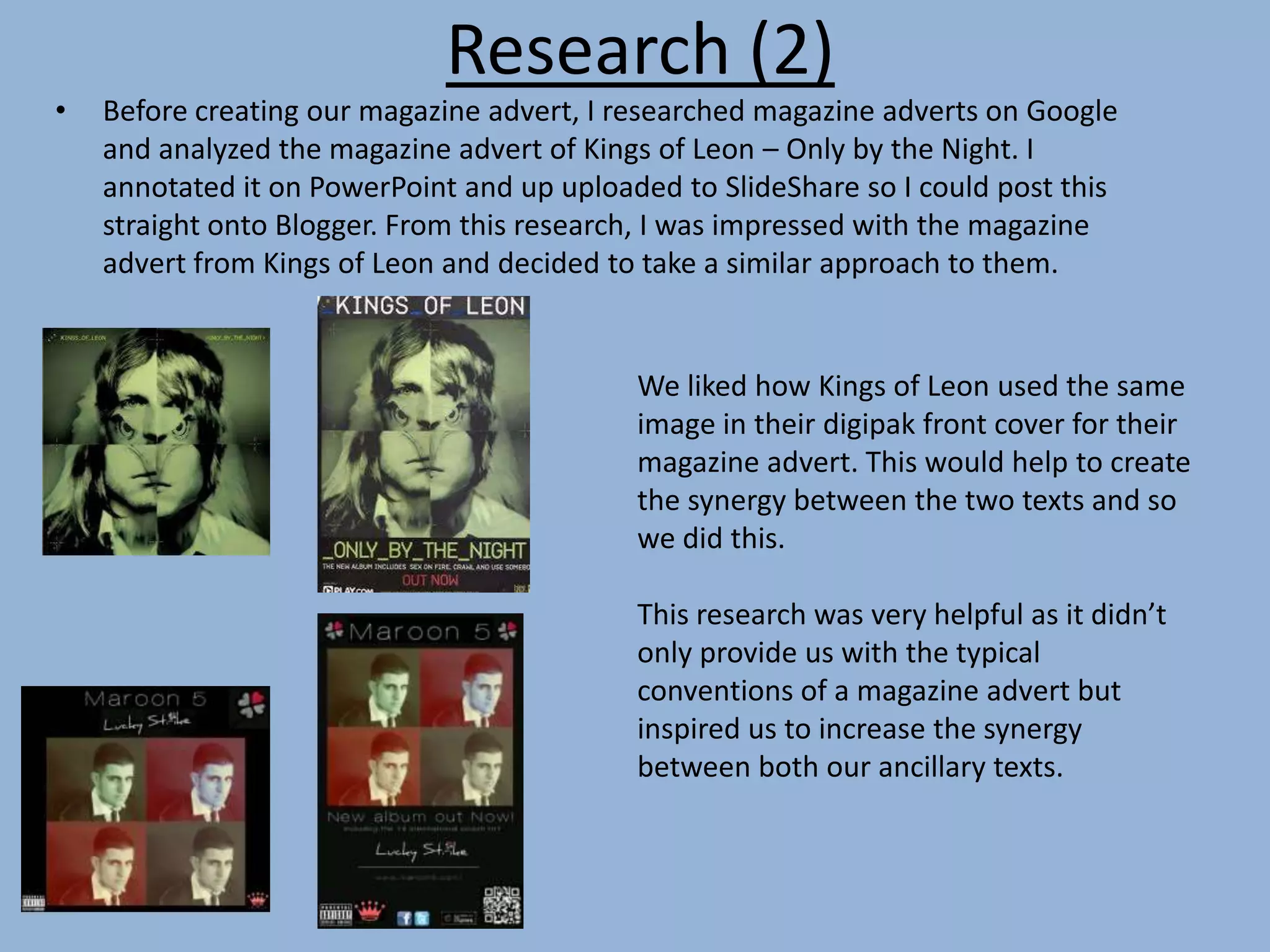
• Before creating our magazine advert, I researched magazine adverts on Google
and analyzed the magazine advert of Kings of Leon – Only by the Night. I
annotated it on PowerPoint and up uploaded to SlideShare so I could post this
straight onto Blogger. From this research, I was impressed with the magazine
advert from Kings of Leon and decided to take a similar approach to them.
We liked how Kings of Leon used the same
image in their digipak front cover for their
magazine advert. This would help to create
the synergy between the two texts and so
we did this.
This research was very helpful as it didn’t
only provide us with the typical
conventions of a magazine advert but
inspired us to increase the synergy
between both our ancillary texts.
Research (3)
In my analysis of three music videos I used Prezi to present this on my blog. Prezi
allowed me to add still images from music videos, the music video itself e.g. Michael
Jacksons – Thriller. However, I found Prezi irritating to use and was more time
consuming as I wasn’t comfortable with the controls of it
I used Powerpoint to present my research of conventions of the pop genre and I
uploaded this to SlideShare so I could then upload this onto my blog. I was only
introduced to Prezi a year ago while I have used Powerpoint for many years so I felt
more comfortable using it and was less time consuming trying to figure out how to
navigate.
For my final cut audience feedback, I recorded my audience on Photo Booth, then
edited this on iMovie by trimming down unnecessary clips before uploading to YouTube
where I could upload straight to my blog.
In our animatic audience feedback, I recorded one male and one female on SoundCloud
and then uploaded this to the blog, so you could only hear their voice but this allowed
us to refer back and hear their actual opinions.
Research (4)
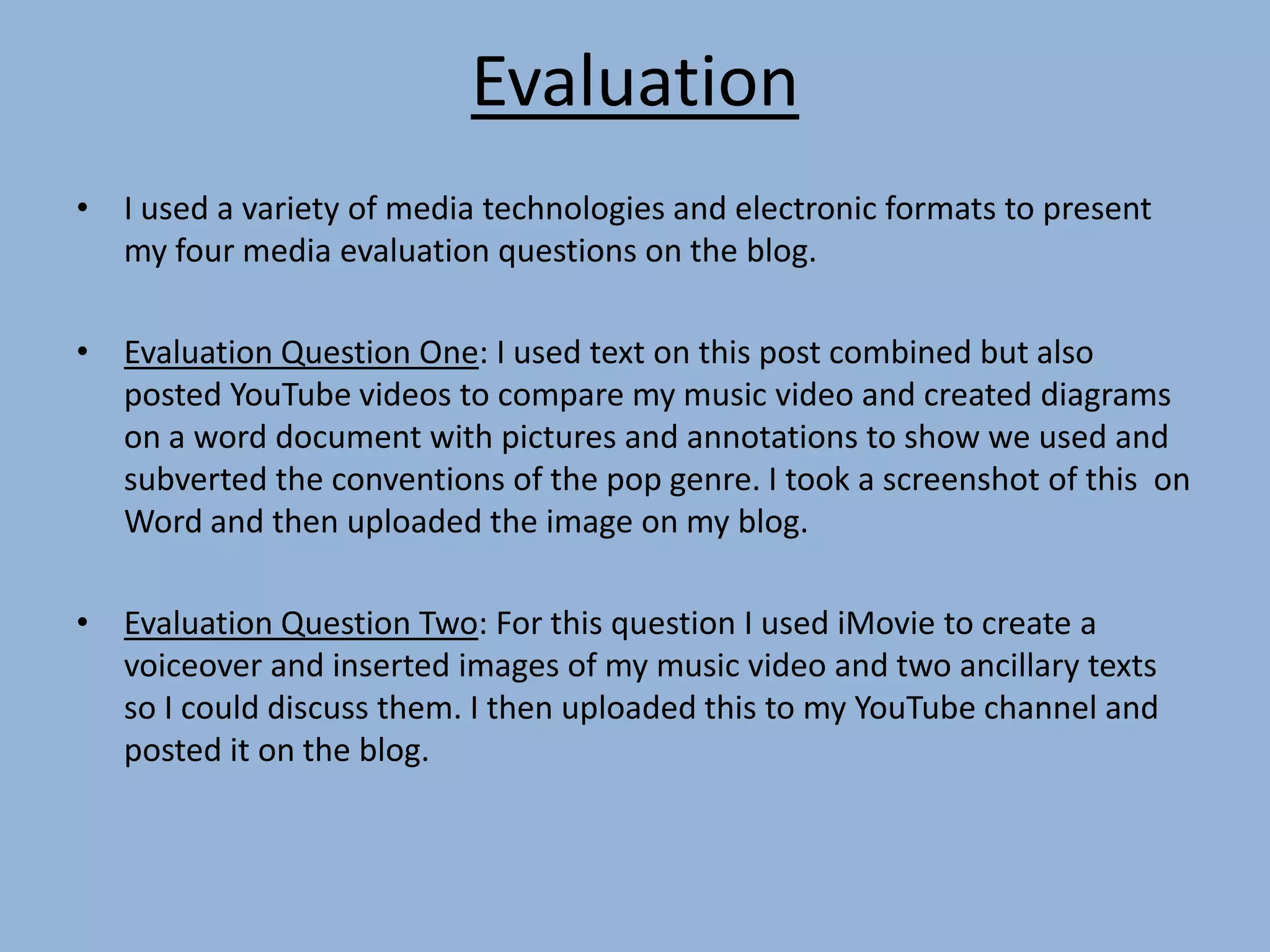
All evidence of our research and planning was presented on the blogs and using it
was very straightforward and useful. Blogger allowed us to add text of different
size, font and colour. It also allowed us to post images and videos straight from
YouTube. We could also post audio from Soundcloud and this was particularly
useful in the audience feedback for our animatic as we could hear exactly what
their opinions were.
I could also post Powerpoint presentations via Slideshare and Prezi’s straight from
www.prezi.com by copying the embed URL and pasting this straight into blogger.
Using a blog helped us to be organized our posts were in chronological order and
using different technologies such as Powerpoint and Prezi helped our blog to look
more neat and appealing to view rather than seeing blocks of text.
Evaluation
• I used a variety of media technologies and electronic formats to present
my four media evaluation questions on the blog.
• Evaluation Question One: I used text on this post combined but also
posted YouTube videos to compare my music video and created diagrams
on a word document with pictures and annotations to show we used and
subverted the conventions of the pop genre. I took a screenshot of this on
Word and then uploaded the image on my blog.
• Evaluation Question Two: For this question I used iMovie to create a
voiceover and inserted images of my music video and two ancillary texts
so I could discuss them. I then uploaded this to my YouTube channel and
posted it on the blog.
Evaluation
• Evaluation Question Three: I used Prezi to present question three
which was an imaginative and creative way of presenting information.
It was a more creative way of presenting information but was also
more time consuming to use as I wasn’t extremely comfortable with
it. It allowed me to add images and videos straight from YouTube
which was useful in discussing my points.
• Evaluation Question Four: I used Powerpoint to create a slideshow
when answering this question before uploading to Slideshare as this
would allow me to present this on the blog

Evaluation question 4

  • 1.
    Evaluation Question 4 Howdid use new technologies in the construction and research, planning and evaluation stages?
  • 2.
    Construction • We filmedthe whole of our music video with the same camera we used for our thriller opening – the Canon EOS 650D. Therefore, we had previous experience and it was what made our thriller opening so successful so we were delighted to use it again for our music video as it had crystal clear quality. • As well as the camera, we used a tripod and lighting equipment to make our music video as professional and creative as possible. How did we use the camera to construct our music video? We used the Canon camera to film a variety of shots: Extreme close-up Extreme close-up Profile shot Mid-shot
  • 3.
    Construction (2) • TheCanon EOS 650D was also used to take still images of me as the lead singer which we could edit and use in our ancillary texts (magazine advert and digipak) This led onto the construction of our magazine advert and digipak.
  • 4.
    Construction (Post-production) Instead ofusing iMovie which we had used for our thriller opening, we decided to edit on Final Cut Pro, a more advanced editing software and we weren’t disappointed. The majority of the our music video features our main artist on the green screen. We wanted the background to be different colours changing to the beat of the music. Using Final Cut Pro allowed us to do this as we inserted plain coloured images into our project and we could adjust the length (timing) of the backgrounds so the colour of the background changed to the beat of the music. Result?
  • 5.
    Construction (Post-production Using FinalCut Pro on the Macs also allowed for us to have a ‘REC’ effect at the beginning of the music video. This made it appear as though the couple are being followed around with a personal, smaller camera.
  • 6.
    Constructing our digipak Weused ‘Pixlr’ to construct our digipak and magazine advert, this free editing software was accessible via Safari on the Macs. All we had to do was type in ‘Pixlr’ on Google or type in the web address ‘pixlr.com’ in the URL to access this editing program. In this, we are cropping the image as there is too much unnecessary background showing. In this image, we are using 'Airbrush' to perfect our image by ensuring my skin looks as clean and as smooth as possible. This therefore made the image more professional and thus suitable for an album cover. The costume and pose of our main artist is similar to that of Michael Buble but he would be appealing to older woman as he is 38 years old while our main artist is 18.
  • 7.
    We noticed therewas a 'Creative' tab in Pixlr and we came across one design named 'Jinx'. This duplicated the image four times and each quarter had a different colour shade to it. This was by far our favourite as it was a unique way of editing our original image and it's something we've never come across on a real music album. I then imported this plain black background onto Pixlr as this is where we wanted our main image to be situated and this would also give us more space to add a title, logo etc. All I had to do now was insert the image we had manipulated and then I had the freedom to resize and move the image on the black background.
  • 8.
    Pixlr supplied uswith a variety of interesting fonts, our most preferred was 'Disco' as it was very clear with the lettering spaced out and would therefore be attractable to an audience member looking at the front cover of our digipak. As a group we created this separately so we could just import it into the digipak, it is the title of the song and includes our logo which is clover with one quarter of it shaded in red to resemble a heart. This therefore shows love and luck together. We inserted these three images separately onto our digipak front cover, we felt our album required a 'Parental Advisory' logo due to the sexual nature of the lyrics which are not suitable for children. The four leaf clover was our logo, it portrayed luck and love at the same time as one quarter of the clove was made to look like a heart. The final image is our production company logo, 'RSM' originates from the initial of our forenames and we made this visible on our front cover. We followed the same process for the construction of our digipak, using Pixlr also.
  • 9.
    Planning (1) Storyboard: Forthe planning of our music video, we used three plain sheets of A3 paper to draw out individual shots form our music video before colouring them and scanning them onto the computer so we could post this on the blog.
  • 10.
    Planning (2) We thencreated an animatic, we scanned each individual shot of from our storyboard onto the Mac and then imported these images onto iMovie. We then imported our track ‘Lucky Strike’ into iMovie and adjusted the length of our shots so our visuals and soundtrack matched to our satisfaction. This helped us to experiment with the combination of our images and the soundtrack.
  • 11.
    Planning (3) In theplanning of the construction of our video, we used a variety of media technologies. I used the program ‘photovisi’ to create a moodboard which was accessible via Google on the Macs. it allowed for numerous images to be scattered around a blank page and enabled me to resize and rotate images to suit my needs. It was very useful allowing me to save the final image and the service was completely free!
  • 12.
    Research • I mainlyused the internet for my research, the search engine Google allowed me to access other useful websites. • For example I accessed Maroon 5’s Facebook page, Twitter page, MySpace and YouTube channel. • This gave me a better idea of Maroon 5’s image, who their target audience are and how to appeal to them successfully.
  • 13.
    Research (2) • Beforecreating our magazine advert, I researched magazine adverts on Google and analyzed the magazine advert of Kings of Leon – Only by the Night. I annotated it on PowerPoint and up uploaded to SlideShare so I could post this straight onto Blogger. From this research, I was impressed with the magazine advert from Kings of Leon and decided to take a similar approach to them. We liked how Kings of Leon used the same image in their digipak front cover for their magazine advert. This would help to create the synergy between the two texts and so we did this. This research was very helpful as it didn’t only provide us with the typical conventions of a magazine advert but inspired us to increase the synergy between both our ancillary texts.
  • 14.
    Research (3) In myanalysis of three music videos I used Prezi to present this on my blog. Prezi allowed me to add still images from music videos, the music video itself e.g. Michael Jacksons – Thriller. However, I found Prezi irritating to use and was more time consuming as I wasn’t comfortable with the controls of it I used Powerpoint to present my research of conventions of the pop genre and I uploaded this to SlideShare so I could then upload this onto my blog. I was only introduced to Prezi a year ago while I have used Powerpoint for many years so I felt more comfortable using it and was less time consuming trying to figure out how to navigate. For my final cut audience feedback, I recorded my audience on Photo Booth, then edited this on iMovie by trimming down unnecessary clips before uploading to YouTube where I could upload straight to my blog. In our animatic audience feedback, I recorded one male and one female on SoundCloud and then uploaded this to the blog, so you could only hear their voice but this allowed us to refer back and hear their actual opinions.
  • 15.
    Research (4) All evidenceof our research and planning was presented on the blogs and using it was very straightforward and useful. Blogger allowed us to add text of different size, font and colour. It also allowed us to post images and videos straight from YouTube. We could also post audio from Soundcloud and this was particularly useful in the audience feedback for our animatic as we could hear exactly what their opinions were. I could also post Powerpoint presentations via Slideshare and Prezi’s straight from www.prezi.com by copying the embed URL and pasting this straight into blogger. Using a blog helped us to be organized our posts were in chronological order and using different technologies such as Powerpoint and Prezi helped our blog to look more neat and appealing to view rather than seeing blocks of text.
  • 16.
    Evaluation • I useda variety of media technologies and electronic formats to present my four media evaluation questions on the blog. • Evaluation Question One: I used text on this post combined but also posted YouTube videos to compare my music video and created diagrams on a word document with pictures and annotations to show we used and subverted the conventions of the pop genre. I took a screenshot of this on Word and then uploaded the image on my blog. • Evaluation Question Two: For this question I used iMovie to create a voiceover and inserted images of my music video and two ancillary texts so I could discuss them. I then uploaded this to my YouTube channel and posted it on the blog.
  • 17.
    Evaluation • Evaluation QuestionThree: I used Prezi to present question three which was an imaginative and creative way of presenting information. It was a more creative way of presenting information but was also more time consuming to use as I wasn’t extremely comfortable with it. It allowed me to add images and videos straight from YouTube which was useful in discussing my points. • Evaluation Question Four: I used Powerpoint to create a slideshow when answering this question before uploading to Slideshare as this would allow me to present this on the blog