Evaluating Anti-Spam
Filtering Solutions
Michael Lamont
Senior Software Engineer
Process Software
Agenda
• Examine in detail several sets of criteria for
evaluating spam filters.
• How to setup and run both lab and production
tests.
• Best practices for testing spam filters.
• Some common mistakes made while testing spam
filters.
Introduction
• There’s a lot of spam out there,
• it’s ticking off everybody with an email account,
• and there are a LOT of companies that would love
to help you solve the problem.
• Solution quality varies.
• Every site has different needs.
Goals
• Have a stack of criteria you can use for
constructing RFPs and formal evaluations.
• Learn how to construct good, objective filter tests.
Why Evaluate?
• Spam has gotten so bad, that life is tough without
some kind of filter.
• You (or your users) may be unhappy with your
current solution.
• Even if you’re happy, there might be something
better out there.
Different Solution Classes
• Integrated
− Works with your existing MTA
− Usually installed on same system as MTA
• Proxy
− Separate system running the filter sits in front of MTA
− Intercepts and filters mail before it reaches the MTA
• Appliance
− Works like a proxy, but more plug’n’play
• Service
− All mail routes through vendor’s systems at a data center
to be filtered
Basic Criteria - Supported Platforms
• Operating system and email server software.
• If you have an esoteric OS or email server,
consider a proxy.
• Make sure software supports multiple filtering
systems for a domain.
Basic Criteria - User Authentication
• User interfaces for personalized settings,
quarantined messages, etc need to be able to
authenticate users.
• Lots of solutions require LDAP for user
functionality.
• Ability to authenticate multiple ways against
multiple sources.
Basic Criteria - Site Specific Needs
• Make sure solution supports any special needs
you have.
• Example: Change colors & images in user
interface to match site’s email portal.
Basic Criteria - Cost
• If a solution costs too much, it’s not a solution.
• Lots of vendors are willing to negotiate deals that
take budgetary constraints into account.
• Ask about applicable discounts - i.e. educational
institution.
Basic Criteria - Technical Support
• Tech support costs should be included in price
quote.
• Make sure telephone support is available.
• Look for 24/7 support, if your site needs it.
Basic Criteria - Geographical Location
• Can affect problem resolution times.
• Time zone differences
• Language differences
Basic Criteria - Vendor Stability
• How long has company been in business?
• How long have they been selling/supporting anti-
spam?
Evaluation Criteria - Accuracy
• High spam detection rate
• Low false positive rate
• Good filters strike a balance between spam
detection and false positives.
• Provide a way for users and admins to
view/release filtered messages (quarantine).
• Be able to recognize a message as spam without
having to write a rule for each message.
Evaluation Criteria - Configurability
• Filter should be tailorable to fit your site’s definition
of spam.
• Filter should be effective out of the box.
• Admins should be able to modify each individual
rule used to filter spam.
• Users should be able to determine how “spammy”
a message is before it’s filtered.
• System-wide & per-user whitelists and blacklists.
• Admin interface should be user-friendly
• No software to be installed on desktops
Evaluation Criteria - Logging/Information
• Both users and admins should be able to tell why a
message was filtered.
• Information about why the message was filtered
should be available in the message headers.
• Master log file should contain one entry for each
message, and reasons it was filtered.
• Product should provide statistics on message
filtering activity.
Evaluation Criteria - Filtering Methods
• Filter should use proven methods that balance
accuracy and system resource usage.
• Filters that use more than one filtering method are
harder for spammers to circumvent.
• Using too many methods eats up lots of system
resources for no significant gains in accuracy.
Evaluation Criteria - Performance
• Email is a “highly visible application”
• If messages are delayed by spam filter, users will
let you know.
• Email volume is constantly increasing, so filter
should be scaleable.
Evaluation Criteria - Security
• Spam filter should make sure confidential email
stays that way.
• Filter shouldn’t send information about your site to
anyone without your permission.
• Automated rule updates.
• Proxies and services should support TLS.
Evaluation Criteria - Time Cost
• Quick installation and integration.
• Minimal admin requirements.
• Push as many tasks as possible out to end users.
User Interface Criteria
• Simple instructions and labels
• Natural language support
• Minimize user memory load
• Consistency
• Feedback
• Clearly marked exits
• Good error messages
• Help and documentation easily available
Non-Production (Lab) Evaluation
• Good way to play with lots of products
simultaneously.
• Doesn’t interfere with end users or production mail
stream.
• Easiest way to conduct fair accuracy tests.
Corpus Testing
• Uses large bodies of collected messages (a
corpus).
• Each corpus contains thousands of messages that
are either spam or non-spam.
• Entire corpus is sent through filter; count is kept of
filtered messages.
Corpus Messages - Spam
• Set up a public IMAP folder that users can place
spam messages in.
• Online spam sources - www.spamarchive.org
• Watch out for missing/invalid headers/
Corpus Messages - Non-Spam
• Public IMAP folder; less participation
• UseNet newsgroups
• Watch the headers!
Forking User Mail
• Sends copies of user messages through the filter.
• Lets you see how the filter handles real mail send
to your site.
• Still invisible to end users (if you want it to be)
Forking User Mail - Method
• Start by selecting appropriate group of users.
• Create alias that “forks” mail to test system:
jdoe: jdoe@example.com, jdoe@test.example.com
• Users can log into interface on test system.
Production Evaluation
• Uses filtering system on your production mail
stream.
• Opt-in/opt-out feature lets you select small test
groups.
• Good idea to start with least intrusive features, and
work up to full functionality.
• Some filters can be set to scan messages and log
results w/o altering the message.
Best Practices For Production Testing
• Select sizeable group of users to participate in
testing.
• Give test users plenty of warning before
starting/stopping test.
• Customize user interface to be in language end
users are most familiar with.
• Create mailing list for test users to post problems
and suggestions to.
• Set up accounts for users to forward false
positives and false negatives to.
• At the end of the testing period, solicit feedback.
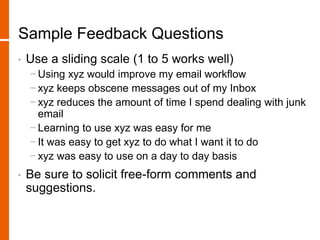
Sample Feedback Questions
• Use a sliding scale (1 to 5 works well)
− Using xyz would improve my email workflow
− xyz keeps obscene messages out of my Inbox
− xyz reduces the amount of time I spend dealing with junk
email
− Learning to use xyz was easy for me
− It was easy to get xyz to do what I want it to do
− xyz was easy to use on a day to day basis
• Be sure to solicit free-form comments and
suggestions.
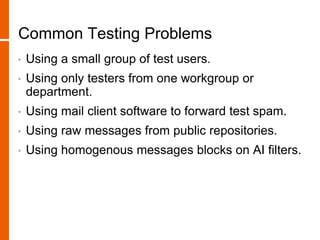
Common Testing Problems
• Using a small group of test users.
• Using only testers from one workgroup or
department.
• Using mail client software to forward test spam.
• Using raw messages from public repositories.
• Using homogenous messages blocks on AI filters.
Quick Review
• We talked about:
− Lots of criteria for evaluating spam filters.
− How to setup and run both lab and production tests.
− Some best practices for testing spam filters.
− A few common mistakes made while testing spam filters.

Evaluating Anti-Spam Filtering Solutions

  • 1.
    Evaluating Anti-Spam Filtering Solutions MichaelLamont Senior Software Engineer Process Software
  • 2.
    Agenda • Examine indetail several sets of criteria for evaluating spam filters. • How to setup and run both lab and production tests. • Best practices for testing spam filters. • Some common mistakes made while testing spam filters.
  • 3.
    Introduction • There’s alot of spam out there, • it’s ticking off everybody with an email account, • and there are a LOT of companies that would love to help you solve the problem. • Solution quality varies. • Every site has different needs.
  • 4.
    Goals • Have astack of criteria you can use for constructing RFPs and formal evaluations. • Learn how to construct good, objective filter tests.
  • 5.
    Why Evaluate? • Spamhas gotten so bad, that life is tough without some kind of filter. • You (or your users) may be unhappy with your current solution. • Even if you’re happy, there might be something better out there.
  • 6.
    Different Solution Classes •Integrated − Works with your existing MTA − Usually installed on same system as MTA • Proxy − Separate system running the filter sits in front of MTA − Intercepts and filters mail before it reaches the MTA • Appliance − Works like a proxy, but more plug’n’play • Service − All mail routes through vendor’s systems at a data center to be filtered
  • 7.
    Basic Criteria -Supported Platforms • Operating system and email server software. • If you have an esoteric OS or email server, consider a proxy. • Make sure software supports multiple filtering systems for a domain.
  • 8.
    Basic Criteria -User Authentication • User interfaces for personalized settings, quarantined messages, etc need to be able to authenticate users. • Lots of solutions require LDAP for user functionality. • Ability to authenticate multiple ways against multiple sources.
  • 9.
    Basic Criteria -Site Specific Needs • Make sure solution supports any special needs you have. • Example: Change colors & images in user interface to match site’s email portal.
  • 10.
    Basic Criteria -Cost • If a solution costs too much, it’s not a solution. • Lots of vendors are willing to negotiate deals that take budgetary constraints into account. • Ask about applicable discounts - i.e. educational institution.
  • 11.
    Basic Criteria -Technical Support • Tech support costs should be included in price quote. • Make sure telephone support is available. • Look for 24/7 support, if your site needs it.
  • 12.
    Basic Criteria -Geographical Location • Can affect problem resolution times. • Time zone differences • Language differences
  • 13.
    Basic Criteria -Vendor Stability • How long has company been in business? • How long have they been selling/supporting anti- spam?
  • 14.
    Evaluation Criteria -Accuracy • High spam detection rate • Low false positive rate • Good filters strike a balance between spam detection and false positives. • Provide a way for users and admins to view/release filtered messages (quarantine). • Be able to recognize a message as spam without having to write a rule for each message.
  • 15.
    Evaluation Criteria -Configurability • Filter should be tailorable to fit your site’s definition of spam. • Filter should be effective out of the box. • Admins should be able to modify each individual rule used to filter spam. • Users should be able to determine how “spammy” a message is before it’s filtered. • System-wide & per-user whitelists and blacklists. • Admin interface should be user-friendly • No software to be installed on desktops
  • 16.
    Evaluation Criteria -Logging/Information • Both users and admins should be able to tell why a message was filtered. • Information about why the message was filtered should be available in the message headers. • Master log file should contain one entry for each message, and reasons it was filtered. • Product should provide statistics on message filtering activity.
  • 17.
    Evaluation Criteria -Filtering Methods • Filter should use proven methods that balance accuracy and system resource usage. • Filters that use more than one filtering method are harder for spammers to circumvent. • Using too many methods eats up lots of system resources for no significant gains in accuracy.
  • 18.
    Evaluation Criteria -Performance • Email is a “highly visible application” • If messages are delayed by spam filter, users will let you know. • Email volume is constantly increasing, so filter should be scaleable.
  • 19.
    Evaluation Criteria -Security • Spam filter should make sure confidential email stays that way. • Filter shouldn’t send information about your site to anyone without your permission. • Automated rule updates. • Proxies and services should support TLS.
  • 20.
    Evaluation Criteria -Time Cost • Quick installation and integration. • Minimal admin requirements. • Push as many tasks as possible out to end users.
  • 21.
    User Interface Criteria •Simple instructions and labels • Natural language support • Minimize user memory load • Consistency • Feedback • Clearly marked exits • Good error messages • Help and documentation easily available
  • 22.
    Non-Production (Lab) Evaluation •Good way to play with lots of products simultaneously. • Doesn’t interfere with end users or production mail stream. • Easiest way to conduct fair accuracy tests.
  • 23.
    Corpus Testing • Useslarge bodies of collected messages (a corpus). • Each corpus contains thousands of messages that are either spam or non-spam. • Entire corpus is sent through filter; count is kept of filtered messages.
  • 24.
    Corpus Messages -Spam • Set up a public IMAP folder that users can place spam messages in. • Online spam sources - www.spamarchive.org • Watch out for missing/invalid headers/
  • 25.
    Corpus Messages -Non-Spam • Public IMAP folder; less participation • UseNet newsgroups • Watch the headers!
  • 26.
    Forking User Mail •Sends copies of user messages through the filter. • Lets you see how the filter handles real mail send to your site. • Still invisible to end users (if you want it to be)
  • 27.
    Forking User Mail- Method • Start by selecting appropriate group of users. • Create alias that “forks” mail to test system: jdoe: jdoe@example.com, jdoe@test.example.com • Users can log into interface on test system.
  • 28.
    Production Evaluation • Usesfiltering system on your production mail stream. • Opt-in/opt-out feature lets you select small test groups. • Good idea to start with least intrusive features, and work up to full functionality. • Some filters can be set to scan messages and log results w/o altering the message.
  • 29.
    Best Practices ForProduction Testing • Select sizeable group of users to participate in testing. • Give test users plenty of warning before starting/stopping test. • Customize user interface to be in language end users are most familiar with. • Create mailing list for test users to post problems and suggestions to. • Set up accounts for users to forward false positives and false negatives to. • At the end of the testing period, solicit feedback.
  • 30.
    Sample Feedback Questions •Use a sliding scale (1 to 5 works well) − Using xyz would improve my email workflow − xyz keeps obscene messages out of my Inbox − xyz reduces the amount of time I spend dealing with junk email − Learning to use xyz was easy for me − It was easy to get xyz to do what I want it to do − xyz was easy to use on a day to day basis • Be sure to solicit free-form comments and suggestions.
  • 31.
    Common Testing Problems •Using a small group of test users. • Using only testers from one workgroup or department. • Using mail client software to forward test spam. • Using raw messages from public repositories. • Using homogenous messages blocks on AI filters.
  • 32.
    Quick Review • Wetalked about: − Lots of criteria for evaluating spam filters. − How to setup and run both lab and production tests. − Some best practices for testing spam filters. − A few common mistakes made while testing spam filters.