Ethical Hacking
&
Penetration Testing
Center of Computer
Center of Computer Education and Training
Institute of Professional Studies
December 23,2014
By: Rishabh Upadhyay
Batch: BCA[2012-15]
Under the Guidence of
Prof. R.R.Tewa
Pen Test University of Allahabad Local Area Network.
Network Mapping: Locate Important Host and Services,
Firewall and Switches and Hubs.
Develop a Simple Network Scanner.
Demonstrate Some Attacks.
What is a Penetration Testing?
Penetration Testing
“The process of evaluating systems,
applications, and protocols with the intent
of identifying vulnerabilities usually from the
perspective of an unprivileged or
anonymous user to determine potential real
world impacts…”
In short ...
Penetration Testing
…trying to break into stuff
before the bad guys do
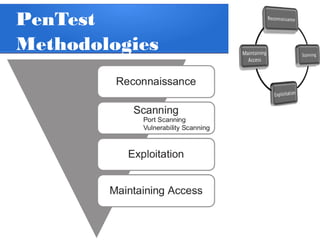
PenTest
Methodologies
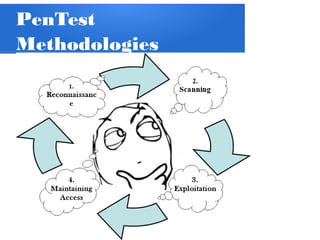
PenTest
Methodologies
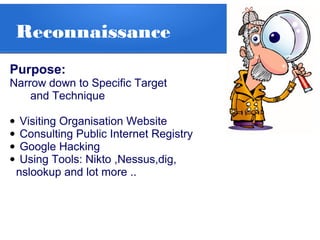
Reconnaissance
Purpose:
Narrow down to Specific Target
and Technique
• Visiting Organisation Website
• Consulting Public Internet Registry
• Google Hacking
• Using Tools: Nikto ,Nessus,dig,
nslookup and lot more ..
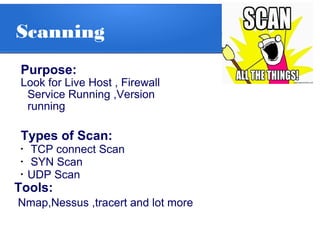
Scanning
Purpose:
Look for Live Host , Firewall
Service Running ,Version
running
Types of Scan:
•
TCP connect Scan
•
SYN Scan
•
UDP Scan
Tools:
Nmap,Nessus ,tracert and lot more
Exploitation
Purpose:
To exploit the vulnerability and
to deploy payload on the remote
system
Tools:
Metasploit,Wireshark,Cain,Aircrack-ng,
Etherape,
Maintaining Access
Ways to Maintain Access
• Netcat,Crypt
•RootKits
•Remote Access Trojan(RAT)
Vulnerability Assessment
&
Penetration Testing
for
University Of Allahabad
Network Mapping
Why to Map network??
• Mapping Networks gives a better
understanding of underlying Internet and
network infrastructure.
• Network mapping makes testing ,evaluating
security of network easy and efficient.
Network Mapping
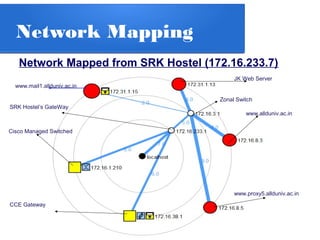
Network Mapped from SRK Hostel (172.16.233.7)
www.mail1.allduniv.ac.in
JK Web Server
www.allduniv.ac.in
www.proxy5.allduniv.ac.in
Cisco Managed Switched
SRK Hostel’s GateWay
Zonal Switch
CCE Gateway
Network Mapping
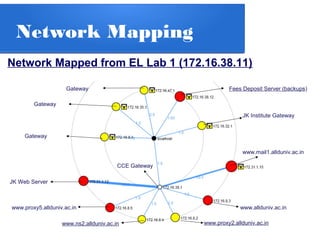
Network Mapped from EL Lab 1 (172.16.38.11)
www.mail1.allduniv.ac.in
www.proxy5.allduniv.ac.in www.allduniv.ac.in
www.ns2.allduniv.ac.in www.proxy2.allduniv.ac.in
JK Web Server
CCE Gateway
JK Institute Gateway
Fees Deposit Server (backups)
Gateway
Gateway
Gateway
Discoveries and
Findings …
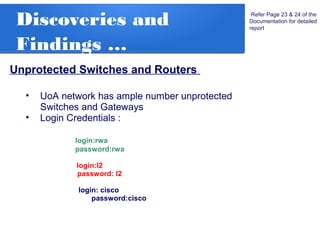
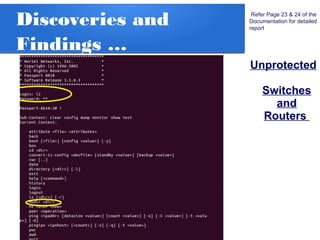
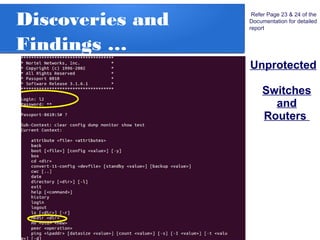
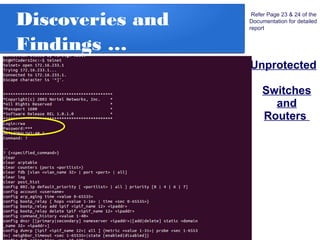
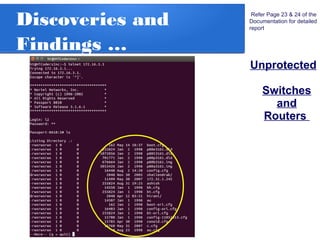
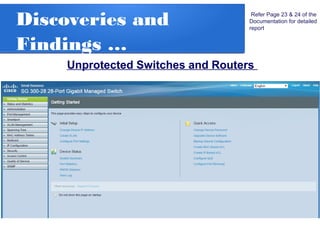
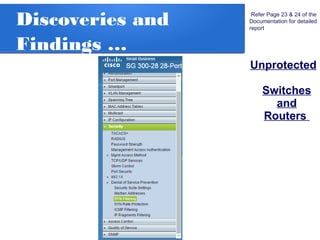
Unprotected Switches and Routers
• UoA network has ample number unprotected
Switches and Gateways
• Login Credentials :
login:rwa
password:rwa
login:l2
password: l2
login: cisco
password:cisco
Refer Page 23 & 24 of the
Documentation for detailed
report
Discoveries and
Findings …
Unprotected
Switches
and
Routers
Refer Page 23 & 24 of the
Documentation for detailed
report
Discoveries and
Findings …
Unprotected
Switches
and
Routers
Refer Page 23 & 24 of the
Documentation for detailed
report
Discoveries and
Findings …
Unprotected
Switches
and
Routers
Refer Page 23 & 24 of the
Documentation for detailed
report
Discoveries and
Findings …
Unprotected
Switches
and
Routers
Refer Page 23 & 24 of the
Documentation for detailed
report
Discoveries and
Findings …
Unprotected Switches and Routers
Refer Page 23 & 24 of the
Documentation for detailed
report
Discoveries and
Findings …
Unprotected
Switches
and
Routers
Refer Page 23 & 24 of the
Documentation for detailed
report
Discoveries and
Findings …
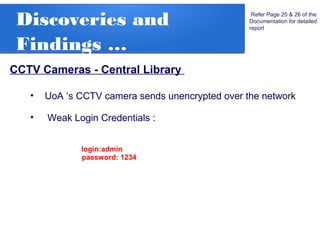
CCTV Cameras - Central Library
Refer Page 25 & 26 of the
Documentation for detailed
report
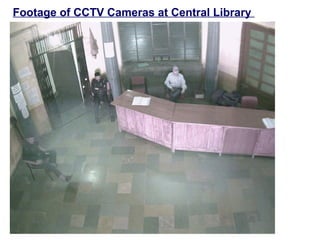
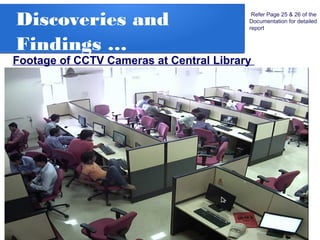
• UoA ‘s CCTV camera sends unencrypted over the network
• Weak Login Credentials :
login:admin
password: 1234
Footage of CCTV Cameras at Central Library
Discoveries and
Findings …
Refer Page 25 & 26 of the
Documentation for detailed
report
Footage of CCTV Cameras at Central Library
Discoveries and
Findings …
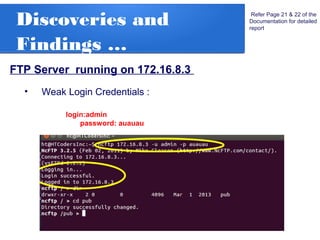
FTP Server running on 172.16.8.3
Refer Page 21 & 22 of the
Documentation for detailed
report
• Weak Login Credentials :
login:admin
password: auauau
UoA Hacking
Incident
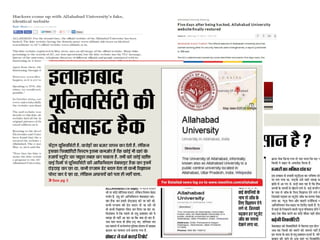
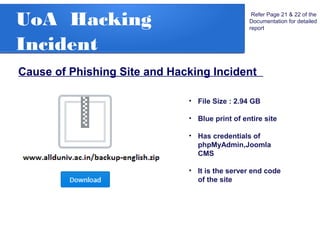
Cause of Phishing Site and Hacking Incident
Refer Page 21 & 22 of the
Documentation for detailed
report
• File Size : 2.94 GB
• Blue print of entire site
• Has credentials of
phpMyAdmin,Joomla
CMS
• It is the server end code
of the site
UoA Hacking
Incident
Refer Page 21 & 22 of the
Documentation for detailed
report
UoA Hacking
Incident
Refer Page 21 & 22 of the
Documentation for detailed
report
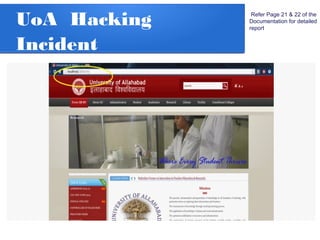
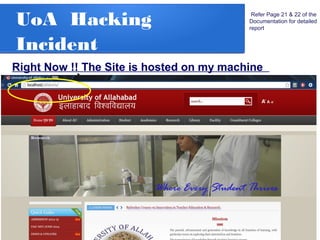
Right Now !! The Site is hosted on my machine
UoA Hacking
Incident
Refer Page 21 & 22 of the
Documentation for detailed
report
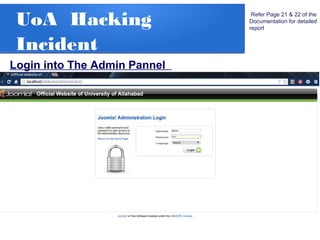
Login into The Admin Pannel
UoA Hacking
Incident
Refer Page 21 & 22 of the
Documentation for detailed
report
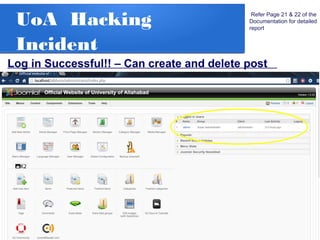
Log in Successful!! – Can create and delete post
UoA Hacking
Incident
Refer Page 21 & 22 of the
Documentation for detailed
report
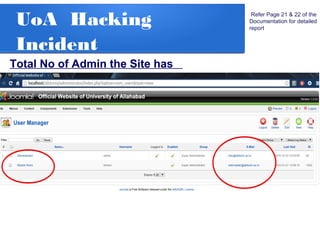
Total No of Admin the Site has
UoA Hacking
Incident
Refer Page 21 & 22 of the
Documentation for detailed
report
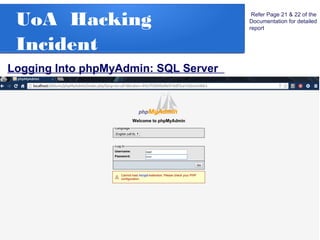
Logging Into phpMyAdmin: SQL Server
UoA Hacking
Incident
Refer Page 21 & 22 of the
Documentation for detailed
report
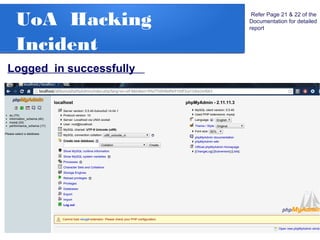
Logged in successfully
UoA Hacking
Incident
Refer Page 21 & 22 of the
Documentation for detailed
report
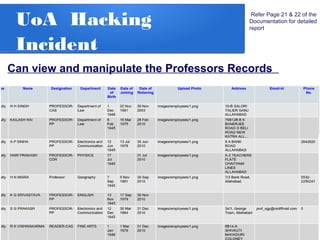
Can view and manipulate the Professors Records
UoA Hacking
Incident
Refer Page 21 & 22 of the
Documentation for detailed
report
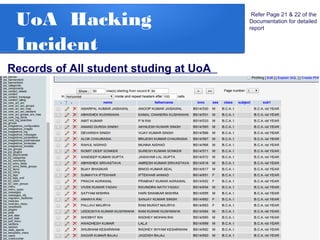
Records of All student studing at UoA
UoA Hacking
Incident
Refer Page 21 & 22 of the
Documentation for detailed
report
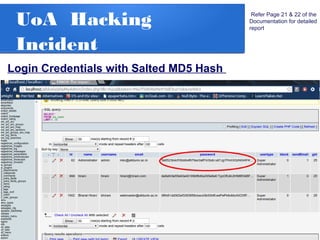
Login Credentials with Salted MD5 Hash
Live Demonstration
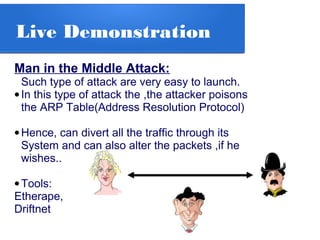
Man in the Middle Attack:
Such type of attack are very easy to launch.
•In this type of attack the ,the attacker poisons
the ARP Table(Address Resolution Protocol)
•Hence, can divert all the traffic through its
System and can also alter the packets ,if he
wishes..
•Tools:
Etherape,
Driftnet
Live Demonstration
Man in the Middle Attack
***Caution****
1.The attack may or may not be successful
2.It may show some objectionable content
Simple Network
Scanner in C#
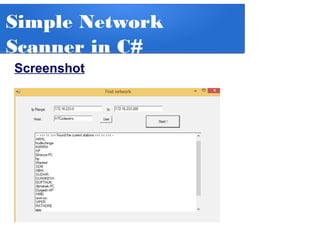
This simple network scanner scans the given work
group/domain for computers in Directory Services
The Developed Network Scanner take the limit of I P
addresses as Input and scans the entire domain and
outputs the Computer Name.
It uses the following Namespaces:
using System.Net;
using System.Net.Dns;
Methods:
Dns.GetHostByAddress();
Simple Network
Scanner in C#
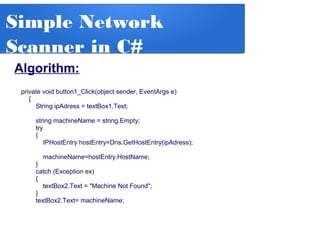
Algorithm:
private void button1_Click(object sender, EventArgs e)
{
String ipAdress = textBox1.Text;
string machineName = string.Empty;
try
{
IPHostEntry hostEntry=Dns.GetHostEntry(ipAdress);
machineName=hostEntry.HostName;
}
catch (Exception ex)
{
textBox2.Text = "Machine Not Found";
}
textBox2.Text= machineName;
Simple Network
Scanner in C#
Screenshot
Thank You !!
Center of ComputerCenter of Computer Education and Training
Institute of Professional Studies
December 23,2014
By: Rishabh Upadhyay
Batch: BCA[2012-15]

Ethical Hacking and Penetration Testing