







LTMS 510 Learning Technologies and Solutions Class 13, Tuesday, April 13, 2010 Review Student Presentation: Assessment Technology Topic 1: Assessment ePortfolio Assignment Reflection
Review Classroom Technology Podcasts Games &  Sims Olympics Learning Technology Selection
Learning Technology Presentation
Reading
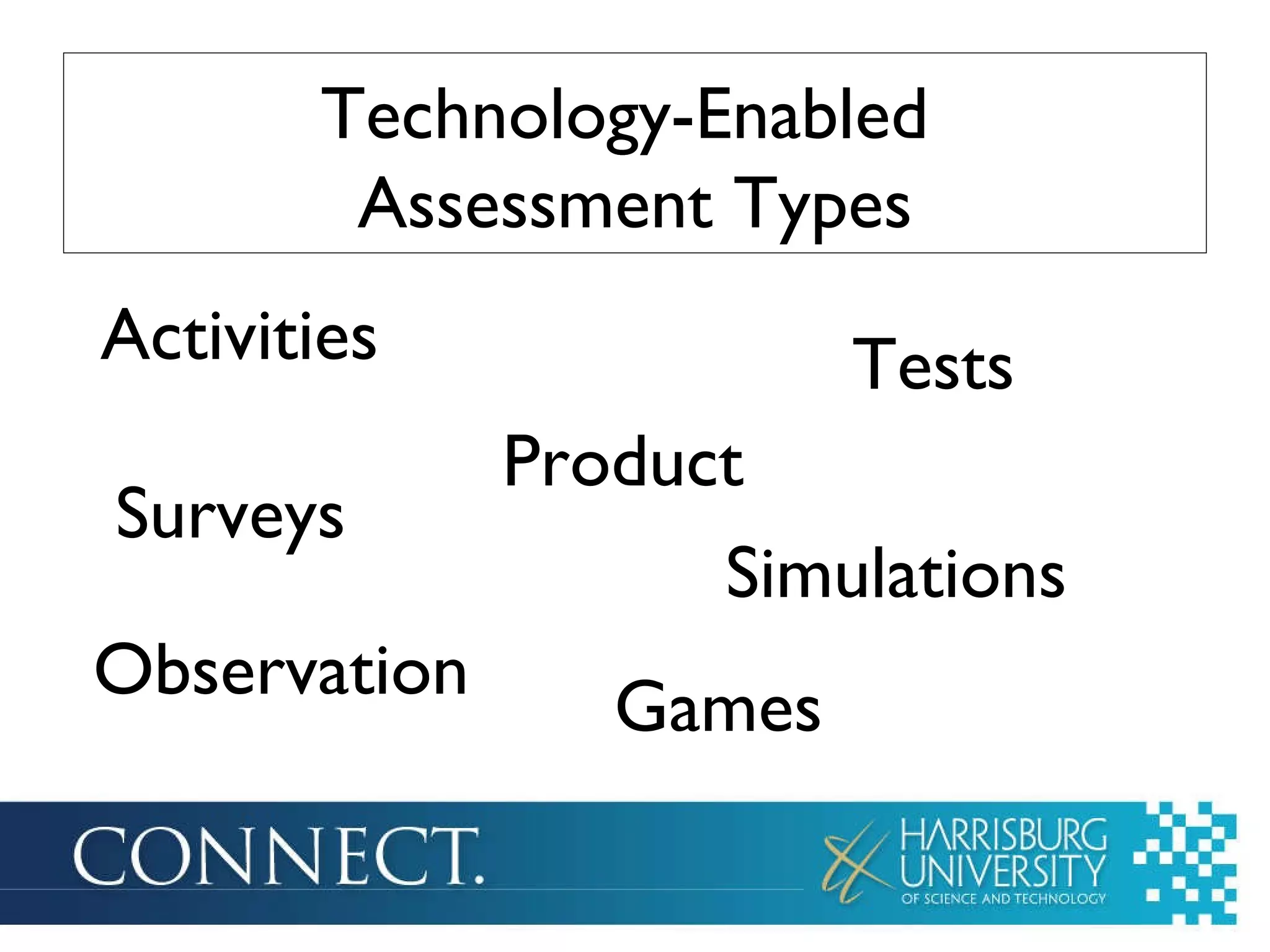
Technology-Enabled  Assessment Types Activities Observation Tests Games Simulations Surveys Product
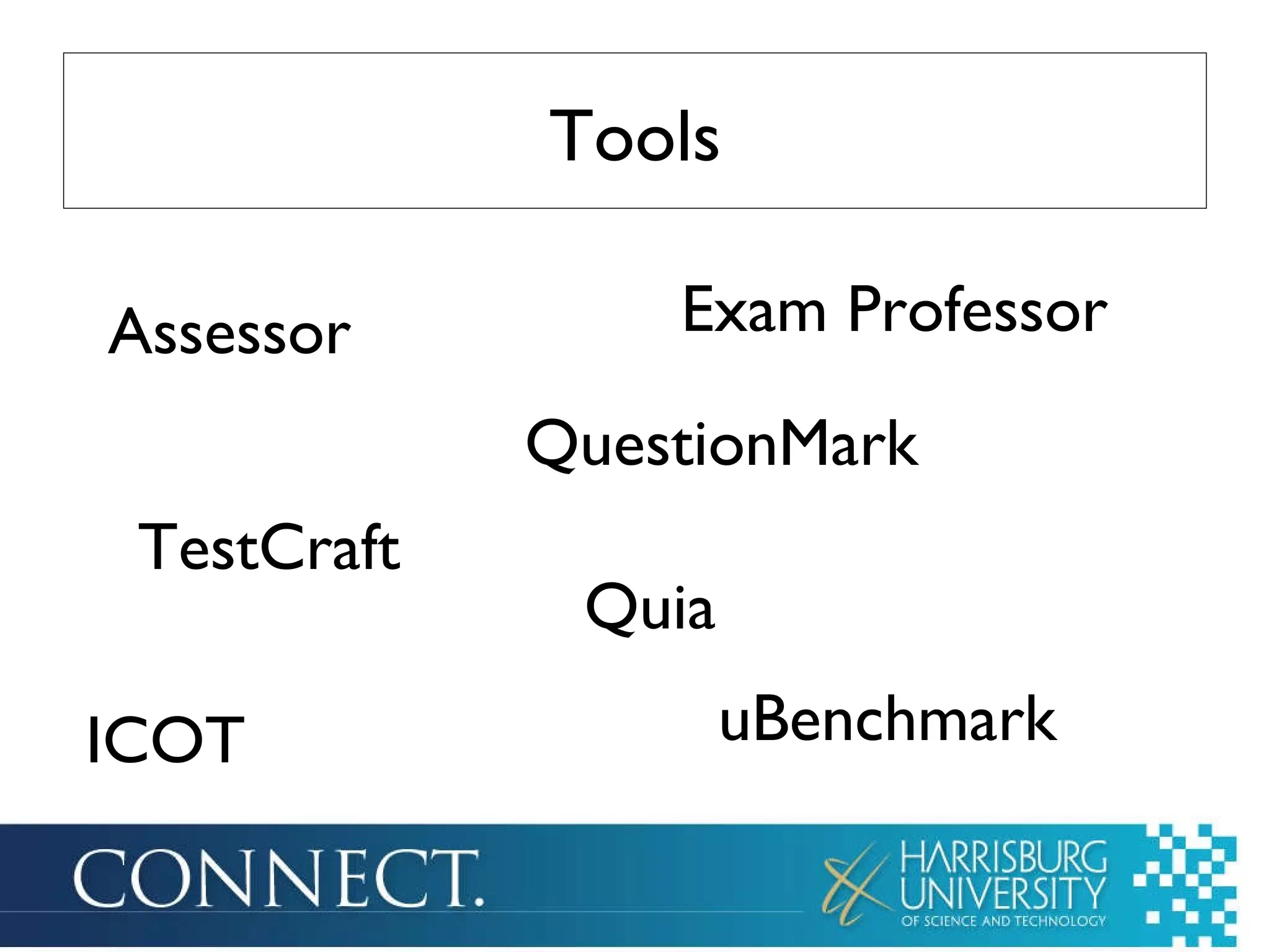
Tools Assessor Exam Professor TestCraft Quia ICOT uBenchmark QuestionMark
Discussion
BREAK
Technology-Based Assessment Strengths Weaknesses Considerations
 
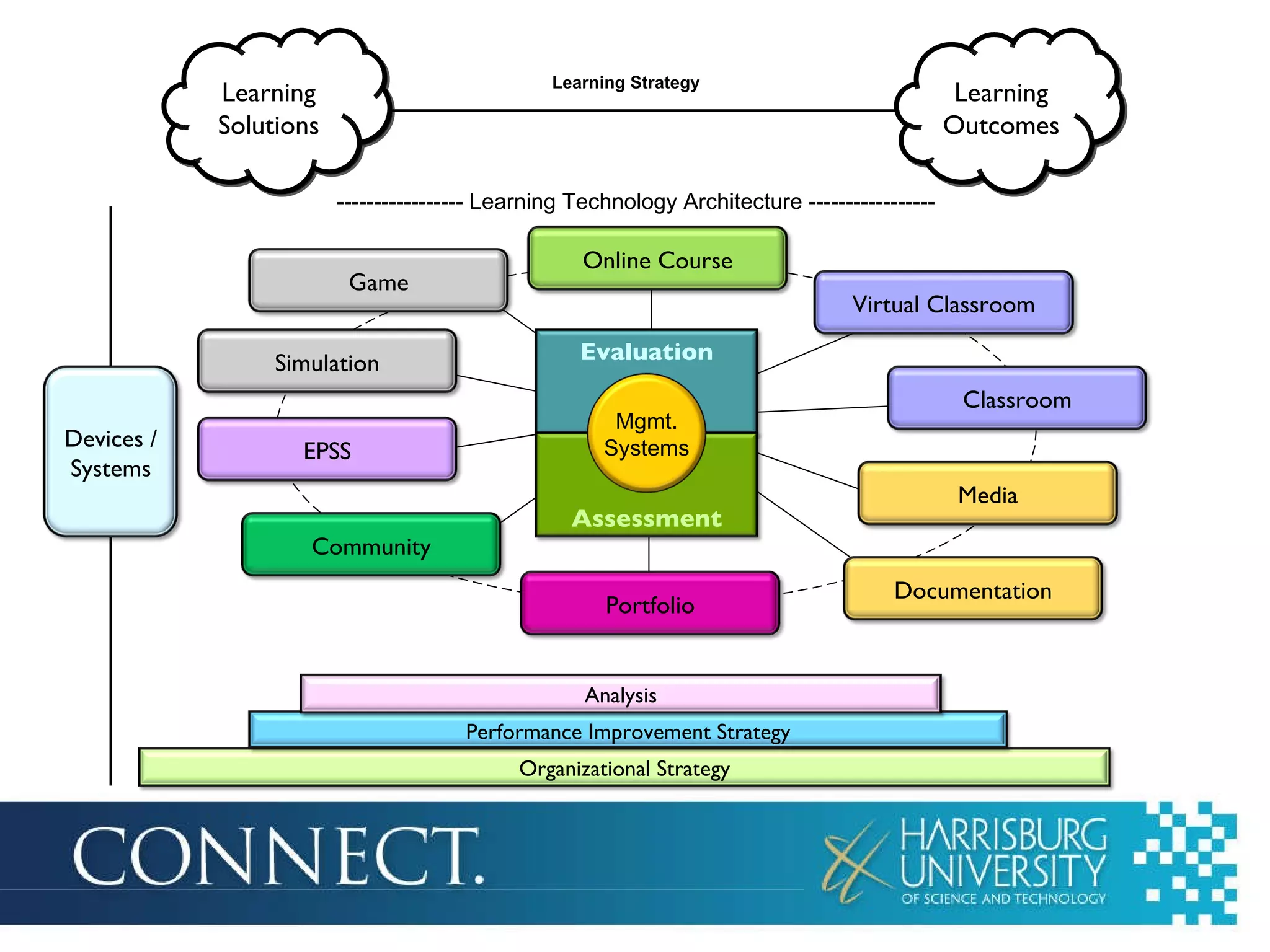
Evaluation Assessment Learning Strategy Mgmt. Systems ----------------- Learning Technology Architecture ----------------- Learning Solutions Learning Outcomes Virtual Classroom Classroom Media Documentation Portfolio Community EPSS Simulation Game Online Course Mgmt. Systems Devices / Systems Organizational Strategy Performance Improvement Strategy Analysis
Future
ePortfolio
Assignments
LTMS 510:  Learning Technologies and Solutions

LTMS 510: Learning Technologies and Solutions - Class 13

Editor's Notes

  • #2 Note: Agenda – Display as students enter the room Review Student Presentation: Assessment Technology Topic 1: Assessment ePortfolio Assignment Reflection
  • #3 Note: Review (10 minutes) 6:00-6:10PM Any question or any additional thoughts: Classroom Technology refer to Mike’s forum comment on assessment Podcasts: Podbean player in Ning – should update automatically Viewing and review of other students’ podcasts Games & Sims Olympics: 2Ks – Jeapordy = 103,000 Burger Shop = 8,119 (111,119) Narli – Jeapordy = 127,200 Burger Shop = 9,652 (136,852) Digital Duo – Jeaporday = 11,900 Burger Shop = 195 (12,095) – 18,143 for three Learning Technology Selection: Due date of final report . . . Want to move it a few days?
  • #4 Note: Assessment Technology (25 minutes – 5 prep, 15 min. pres., 5 debrief) 6:10-6:35PM
  • #5 Note: 6:35-6:50PM Ask questions through polls in Wimba: http://www.educationworld.com/a_tech/tech/tech125.shtml Motivate While You Integrate Technology: Online Assessment Do you agree with the author’s notion of using assessment technology as a stepping stone into technology integration? Yes No I would disagree. Wording questions, feedback, gathering data, testing . . . All could be difficult for the first time tech user. If you lose the data, students need to retake. It’s a great use of technology, just a lot to consider for a first time user. Plus, need to consider all of the alternatives for short answer questions. But, it’s something that’s easy to integrate from a lesson plan level. You’re already going to test/assess . . . Why not do it through technology. In general, what do you think is the most useful benefit of online testing: increased student engagement in the curriculum a flexible test environment practice with technology-based test formats a painless way to integrate technology a time-saver Also some good tips for using online tests. http://www.astd.org/LC/2008/1108_thompson.htm Adaptive and Interactive Assessments with E-Learning Computerized Adaptive Testing How would you characterize assessments you create?: Too easy and need to make them more challenging Too difficult and need to make them more appropriate I have not created test/assessment questions I once saw training material in which the assessments were delivered in a game show format, complete with a loud salesman-pitch announcer: “Ding, ding ding! That’s corrrrrect! The next question is worth 20 points…” Not only was it incredibly annoying to have to listen to it, but it took twice as long as if the student was simply allowed to read the question and answer. Moreover, the most likely thing that a learner would remember is the irritating voice, not the material. We’ve talked about games in the course. This comment/perspective also reminds us that techniques and technologies need to be used appropriately. Games can be engaging, but can also get in the way, depending on what your goal is. Comment: Why bombard learners for two hours with multiple-choice items when the same effective measurement can be had in less than an hour?  This is still a long test. The ASTD article was about a unique approach to interactive testing. It’s one that is not easily implemented, but I wanted you to have a sense of the variety of techniques and technologies that are part of the assessment technology realm. This is a large and important arena . . . One that we’re only beginning to determine best practices for. It will continue to involve. What do you think about the adaptive testing model? Kathy mentioned the WRAT test – adaptive paper test. Summary: Technology can be used to deliver assessments, but also create/adapt assessment and learning to the individual
  • #6 Note: 6:50-6:55PM The second half of the ASTD article talked about interactive assessment – which would relate to simulations in this list. Any questions about any of these types technology-enabled assessment? Observation could be done with cameras/recordings (in the classroom or otherwise)
  • #7 Note: 6:55-7PM Also – vision software from Kati in LTMS 510 sp 10 Assessor http://www.sewardinc.com/assessor/ TestCraft http://www.ingeniousgroup.com/ Quia http://www.quia.com/web QuestionMark http://www.questionmark.com/us/index.aspx Show ICOT tool from ISTE – Classroom Observation Tool http://www.iste.org/ICOT/ Exam Professor www.examprofessor.com Show RWD – uBenchmark – http://www.rwd.com/solutions/products/uBenchmark.aspx Interaction monitoring for assessment Assessment tools built into LMS & course management systems . . . And authoring tools
  • #8 Note: 7-7:10 PM Online Discussion – will work on this more onTuesday after everyone has chimed in on the discussion What are the potential positives and negatives of using technology for assessment? Positives: Save time Immediate Feedback Take tests multiple times (vary questions) to achieve mastery Address cheating (random questions and answers) Negatives: Technology Cheating Presentation of Feedback (may need to consultative) Inability to evaluate “sort of correct” answers (in some systems). Kathy described systems where the teacher can override the test. Art – mixture of online and other assessment Kathy – like the concept of asking the kids to write the test questions - Also mentioned by being able to test often, it becomes a less anxious moment for the student
  • #9 Note: Break (20 minutes) 7:10-7:30PM
  • #10 Note: 7:30-7:40 PM In the chat, indicate the following (do one at a time) Strengths: Instant Results Easy analysis Easy distribution – (green) Easy way to manage information – easily edit up to last minute or change tests after a sample group Weaknesses: Technology layer = troubleshooting and learning curve for software. (It’s not difficult, but not always easy either) Potential for cheating Potential loss of data Not a great solution for open-ended test questions (at least evaluating them) Considerations: Test assessment component as you would any other development (backup data) Consider ways to assess other than traditional tests – observations On-screen reading, versus paper-based reading (consider this when writing the tests) Assessment success is usually about the writing (questions and answers) (that’s regardless of the technology)
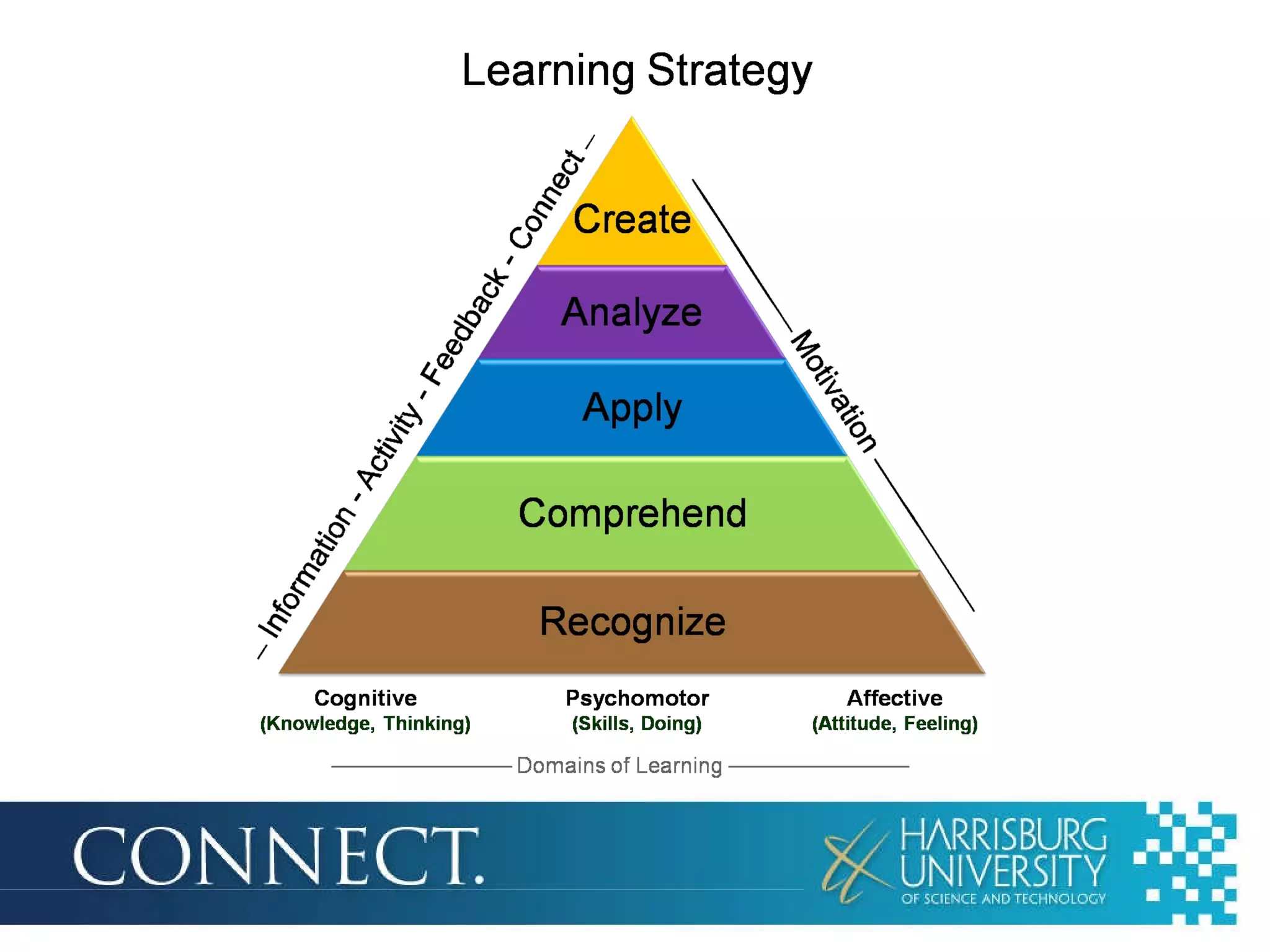
  • #11 Note: 7:40-7:45PM Activity Feedback Motivation Affective?
  • #12 Note: 7:45-7:50PM Organizational Strategy and Performance Improvement Strategy can have a big impact on your assessment (Technology or assessment in general.) Tell Highmark story of creating a challenging assessment Analysis should drive assessment Overall, the learning technology you use can have an impact on how you implement assessment as part of your learning solution Why do you think evaluation and assessment are in the middle of the learning technology architecture? The results should play a key role in your activities The data can work with your management systems to deliver individualized instruction and resources
  • #13 Note: 7:50-8PM Simulations Adaptive Assessment and Augmented Instruction / Individualized Instruction based on assessment (Assessment integrated with instruction/learning) Observation tools like ICOT and uBenchmark ePortfolio (authentic assessment, assessment of level of expertise) Neuroscience assessment, feeback/discussion based on emotional/physical reactions during activities http://www.engrammetron.net/ http://www.sfu.ca/cognitive-science/5Ws/GraduateProfiles.html (Picture of someone getting wired up for an session) Quoted from Ken MacAllister The thing that interests me most about this research is the possibility of making computer systems that can decipher and respond to changes in the mental states of learners as they are learning. While wiring someone up to a 256 channel EEG and EKG is impractical, I believe that there is a possibility for very rich feedback from facial expression, eye tracking and body posture that could all be obtained from a computer's built-in camera. I also think that multi-touch interfaces like those found on many smart phones or devices like the iPad could be used to provide the equivalent of galvanic skin response (GSR) feedback in addition to pure touch locations. GSR is a very strong indicator of changes in the mental states of learners that I think has enormous and as-yet untapped potential for creating new ways of monitoring engagement. Search on computer-aided affective learning systems to learn more. Emotiv http://www.youtube.com/watch?v=ZMiQx4Mhh_U This is a game design interface, but has potential for affective learning systems NeuroSky Mindset http://www.neurosky.com/ (play video) Mattel Mindflex http://mindflexgames.com/ (play video)
  • #14 Note: 8-8:30PM We talked earlier in the semester about ePortfolio as an assessment tool and how the university is using it as an assessment tool. Tonight we’re going to work on some elements of the ePortfolio assignment and will continue to do so over the next couple of weeks. ePortfolio Write Intro (if you haven’t done so, please do this. This is how you edit the intro) Upload and link to photo in description (go over linking to photo – though copy/paste photo URL in skydrive and embedding that into the intro) Enter LTMS 510 course description for this semester (Summer 2009) in My Courses (go over creating the tabs in that section and entering content in the content editor web part) Above is all review New activities: On LTMS 510 page in ePortfolio Link to RSS feed for your podcast in your course description – RSS feed web part – link to feed OR use the embed code for the Podbean player and put that into a content editor web part Upload your presentation to slideshare and display it in your course description – embed in content editor web part All files to SkyDrive – to save them
  • #15 Note: 8:30-8:45PM Learning Technology Selection Report Technology evaluation done Report – was due April 19. Final podcast due April 19 also. Podcast (final one due April 19) Blog post Disappointed in lack of responses (some, but not a lot) What has been your reaction to your blog posts? Games & Simulations Olympics Game 3 Learning Technology Encylopedia Thursday, April 15: Classroom Technology Learning Technology Encyclopedia What did you like about the Learning Technology Encylopedia project? (The project and the learning experience) What did you not like about the project? What did you think about collaboratively working on a wiki with a dispersed group? Do you think it’s a resource you’ll use in the future? Learning Technology Presentation What did you like about the assignment (The organization and the learning experience)? What did you not like about it? Was 15 minutes too short, too long?
  • #16 Reading assignments for devices topic are in Moodle Moodle discussion Cell phone numbers? Bring cell phones to class next week If you haven’t given them to me through the survey at the beginning of class, please provide me your cell phone number. I’m not connecting phone numbers with students, I just need to have the numbers. There are some other assignments in the syllabus (ePortfolio blog post). I’m delaying those and will let you know when those are due. Blog post 3 which is in the Ning is due Thursday, April 22 Next class: In class at Harrisburg U for our final two classes Devices Some more ePortfolio work Some more assignment/project reflection