EQUIPMENT GUIDE LIST
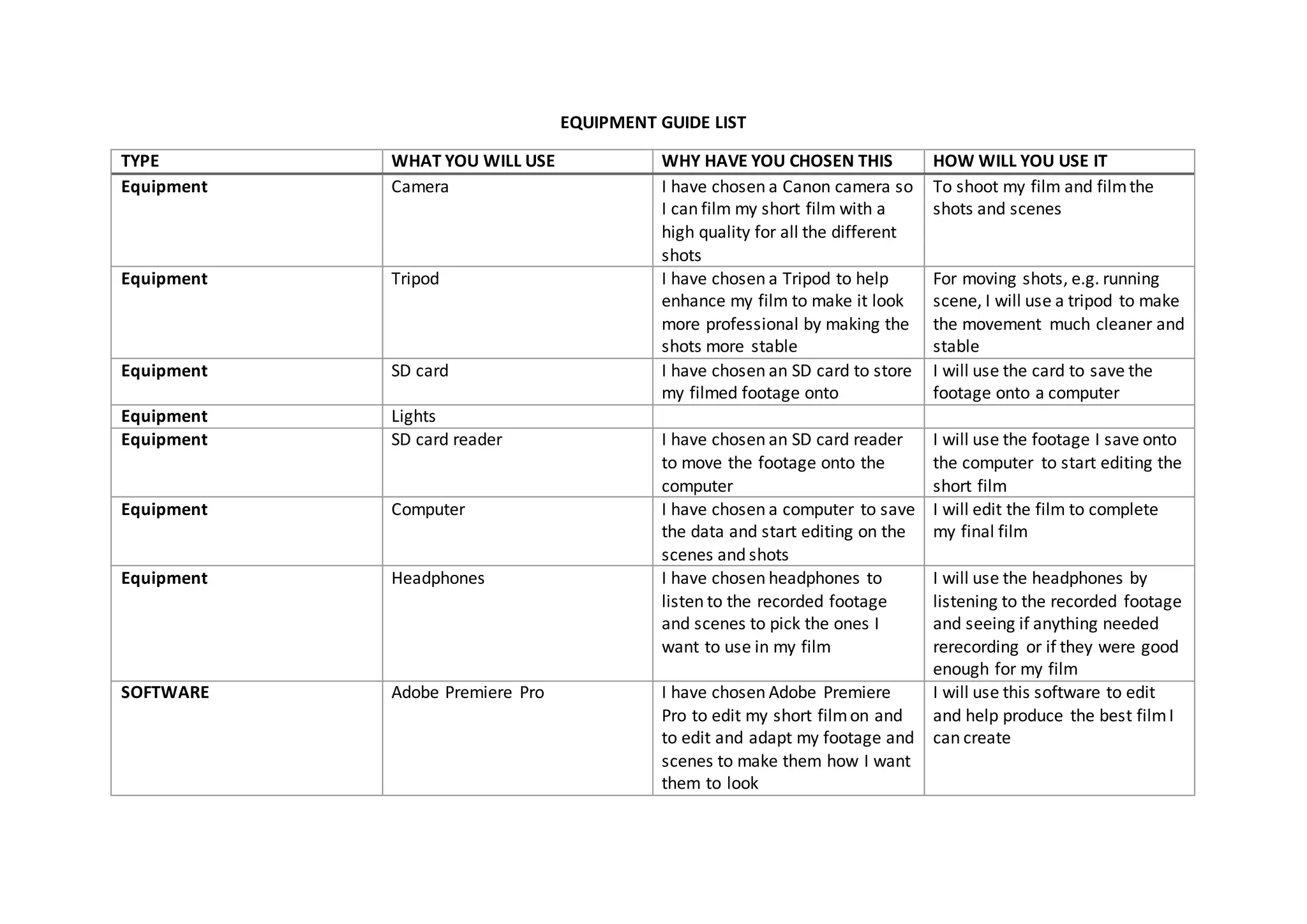
TYPE WHAT YOU WILL USE WHY HAVE YOU CHOSEN THIS HOW WILL YOU USE IT
Equipment Camera I have chosen a Canon camera so
I can film my short film with a
high quality for all the different
shots
To shoot my film and filmthe
shots and scenes
Equipment Tripod I have chosen a Tripod to help
enhance my film to make it look
more professional by making the
shots more stable
For moving shots, e.g. running
scene, I will use a tripod to make
the movement much cleaner and
stable
Equipment SD card I have chosen an SD card to store
my filmed footage onto
I will use the card to save the
footage onto a computer
Equipment Lights
Equipment SD card reader I have chosen an SD card reader
to move the footage onto the
computer
I will use the footage I save onto
the computer to start editing the
short film
Equipment Computer I have chosen a computer to save
the data and start editing on the
scenes and shots
I will edit the film to complete
my final film
Equipment Headphones I have chosen headphones to
listen to the recorded footage
and scenes to pick the ones I
want to use in my film
I will use the headphones by
listening to the recorded footage
and seeing if anything needed
rerecording or if they were good
enough for my film
SOFTWARE Adobe Premiere Pro I have chosen Adobe Premiere
Pro to edit my short filmon and
to edit and adapt my footage and
scenes to make them how I want
them to look
I will use this software to edit
and help produce the best filmI
can create
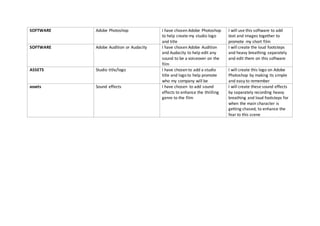
SOFTWARE Adobe Photoshop I have chosen Adobe Photoshop
to help create my studio logo
and title
I will use this software to add
text and images together to
promote my short film
SOFTWARE Adobe Audition or Audacity I have chosen Adobe Audition
and Audacity to help edit any
sound to be a voiceover on the
film
I will create the loud footsteps
and heavy breathing separately
and edit them on this software
ASSETS Studio title/logo I have chosen to add a studio
title and logo to help promote
who my company will be
I will create this logo on Adobe
Photoshop by making its simple
and easy to remember
assets Sound effects I have chosen to add sound
effects to enhance the thrilling
genre to the film
I will create these sound effects
by separately recording heavy
breathing and loud footsteps for
when the main character is
getting chased, to enhance the
fear to this scene

EQUIPMENT LIST

  • 1.
    EQUIPMENT GUIDE LIST TYPEWHAT YOU WILL USE WHY HAVE YOU CHOSEN THIS HOW WILL YOU USE IT Equipment Camera I have chosen a Canon camera so I can film my short film with a high quality for all the different shots To shoot my film and filmthe shots and scenes Equipment Tripod I have chosen a Tripod to help enhance my film to make it look more professional by making the shots more stable For moving shots, e.g. running scene, I will use a tripod to make the movement much cleaner and stable Equipment SD card I have chosen an SD card to store my filmed footage onto I will use the card to save the footage onto a computer Equipment Lights Equipment SD card reader I have chosen an SD card reader to move the footage onto the computer I will use the footage I save onto the computer to start editing the short film Equipment Computer I have chosen a computer to save the data and start editing on the scenes and shots I will edit the film to complete my final film Equipment Headphones I have chosen headphones to listen to the recorded footage and scenes to pick the ones I want to use in my film I will use the headphones by listening to the recorded footage and seeing if anything needed rerecording or if they were good enough for my film SOFTWARE Adobe Premiere Pro I have chosen Adobe Premiere Pro to edit my short filmon and to edit and adapt my footage and scenes to make them how I want them to look I will use this software to edit and help produce the best filmI can create
  • 2.
    SOFTWARE Adobe PhotoshopI have chosen Adobe Photoshop to help create my studio logo and title I will use this software to add text and images together to promote my short film SOFTWARE Adobe Audition or Audacity I have chosen Adobe Audition and Audacity to help edit any sound to be a voiceover on the film I will create the loud footsteps and heavy breathing separately and edit them on this software ASSETS Studio title/logo I have chosen to add a studio title and logo to help promote who my company will be I will create this logo on Adobe Photoshop by making its simple and easy to remember assets Sound effects I have chosen to add sound effects to enhance the thrilling genre to the film I will create these sound effects by separately recording heavy breathing and loud footsteps for when the main character is getting chased, to enhance the fear to this scene