Enterprising JavaFX
Richard & Jasper (and Tor!)
Sun Microsystems
www.devoxx.com
Overall presentation goal
Show that JavaFX can rock in the enterprise!
www.devoxx.com
Speaker’s qualifications
Core Engineers on JavaFX at Sun Microsystems
Jasper is the design wizard for FX and author of
the Charts API
Richard is API design lead for FX, UI Controls lead,
and key scenegraph developer
Both write lots of cool stuff
www.devoxx.com
Agenda
Web Services
Controls
Styling
Tooling
www.devoxx.com
Web Services
www.devoxx.com
Many Choices
HTTP
JSON
XML
JDBC
JAX-*
SOAP
REST
XML-RPC
www.devoxx.com
Threading
All data access should occur on background thread
JavaFX Script is currently single threaded
Never create JavaFX objects on a background thread!
Use the Task API
Subclass from JavaTaskBase
www.devoxx.com
Task
Create the task
Initialize callbacks
Bind to state you want to observe
Start it
www.devoxx.com
Read-onlyVariables
started
stopped
failed
succeeded
done
percentDone
www.devoxx.com
Events
onStart
onDone
www.devoxx.com
Functions
start
stop
www.devoxx.com
JavaTaskBase
Used for all custom Tasks
create():RunnableFuture*
www.devoxx.com
Writing a Custom Task
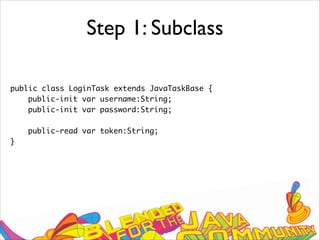
Step 1: Subclass from JavaTaskBase
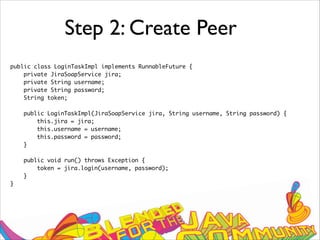
Step 2: Create a Java implementation peer
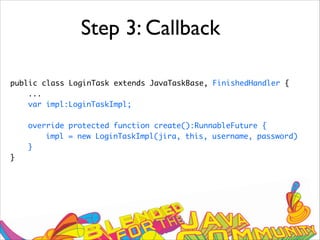
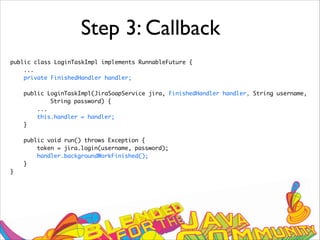
Step 3: Callback from the peer to the task on
completion
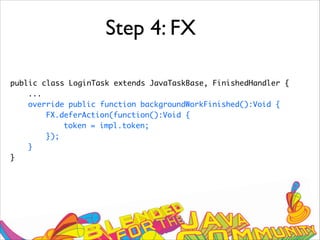
Step 4: Create FX objects, do FX work on the FX
thread
Step 1: Subclass
public class LoginTask extends JavaTaskBase {
public-init var username:String;
public-init var password:String;
public-read var token:String;
}
Step 2: Create Peer
public class LoginTaskImpl implements RunnableFuture {
private JiraSoapService jira;
private String username;
private String password;
String token;
public LoginTaskImpl(JiraSoapService jira, String username, String password) {
this.jira = jira;
this.username = username;
this.password = password;
}
public void run() throws Exception {
token = jira.login(username, password);
}
}
Step 3: Callback
public class LoginTask extends JavaTaskBase, FinishedHandler {
...
var impl:LoginTaskImpl;
override protected function create():RunnableFuture {
impl = new LoginTaskImpl(jira, this, username, password)
}
}
Step 3: Callback
public class LoginTaskImpl implements RunnableFuture {
...
private FinishedHandler handler;
public LoginTaskImpl(JiraSoapService jira, FinishedHandler handler, String username,
String password) {
...
this.handler = handler;
}
public void run() throws Exception {
token = jira.login(username, password);
handler.backgroundWorkFinished();
}
}
Step 4: FX
public class LoginTask extends JavaTaskBase, FinishedHandler {
...
override public function backgroundWorkFinished():Void {
FX.deferAction(function():Void {
token = impl.token;
});
}
}
www.devoxx.com
DEMO
www.devoxx.com
Controls
www.devoxx.com
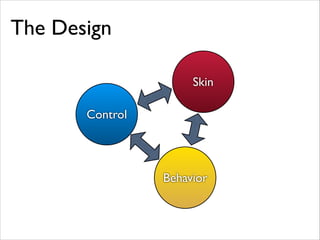
Our Goals
Simple
Useful
Rich
Control
Behavior
Skin
The Design
www.devoxx.com
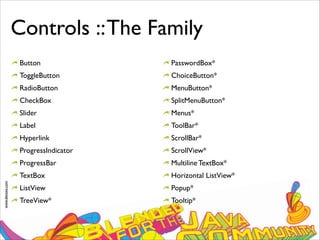
Controls ::The Family
Button
ToggleButton
RadioButton
CheckBox
Slider
Label
Hyperlink
ProgressIndicator
ProgressBar
TextBox
ListView
TreeView*
PasswordBox*
ChoiceButton*
MenuButton*
SplitMenuButton*
Menus*
ToolBar*
ScrollBar*
ScrollView*
Multiline TextBox*
Horizontal ListView*
Popup*
Tooltip*
www.devoxx.com
Controls ::The Family
Button
ToggleButton
RadioButton
CheckBox
Slider
Label
Hyperlink
ProgressIndicator
ProgressBar
TextBox
ListView
TreeView*
PasswordBox*
ChoiceButton*
MenuButton*
SplitMenuButton*
Menus*
ToolBar*
ScrollBar*
ScrollView*
Multiline TextBox*
Horizontal ListView*
Popup*
Tooltip*
www.devoxx.com
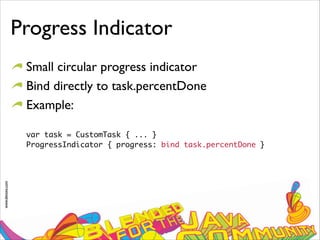
Progress Indicator
Small circular progress indicator
Bind directly to task.percentDone
Example:
var task = CustomTask { ... }

ProgressIndicator { progress: bind task.percentDone }
www.devoxx.com
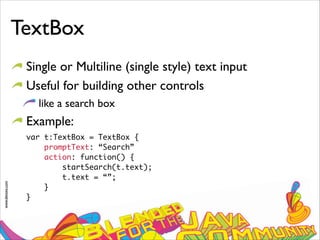
TextBox
Single or Multiline (single style) text input
Useful for building other controls
like a search box
Example:
var t:TextBox = TextBox {

promptText: “Search”

action: function() {

startSearch(t.text);

t.text = “”;

}

}
www.devoxx.com
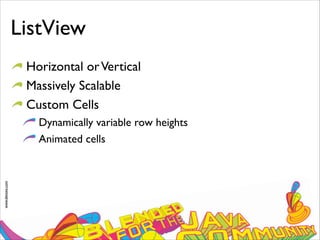
ListView
Horizontal orVertical
Massively Scalable
Custom Cells
Dynamically variable row heights
Animated cells
Standard ListView
var list = ListView {
items: [“Apples”, “Oranges”, “Pears”]
}
Custom Cell
var list = ListView {
items: [“Apples”, “Oranges”, “Pears”]
cellFactory: function() {
ListCell {
node: ...
}
}
}
www.devoxx.com
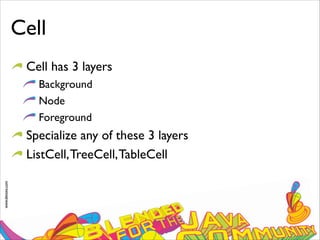
Cell
Cell has 3 layers
Background
Node
Foreground
Specialize any of these 3 layers
ListCell,TreeCell,TableCell
www.devoxx.com
DEMO
www.devoxx.com
Styling
www.devoxx.com
Styling
Easy and Powerful (CSS)
Highly Customized (fxz)
Complete Control (code)
www.devoxx.com
Styling
Easy and Powerful (CSS)
Highly Customized (fxz)
Complete Control (code)
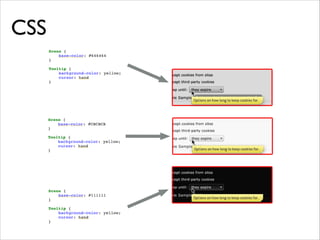
CSS
www.devoxx.com
CSS
CSS is our strategy for styling. If you use our UI
Controls, you use CSS.
Caspian is our default CSS stylesheet
CSS is fast, and works on mobile, desktop, and tv
Stick to the spirit of HTML CSS, but do not be
bound by it
www.devoxx.com
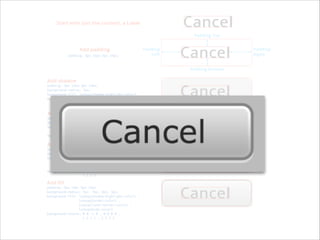
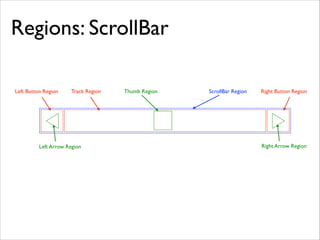
Regions
Break control skins in stylable parts
In some ways similar to HTML CSS’s Box but not
that same
Can be Rectangle with independently rounded
corners or any arbitrary path
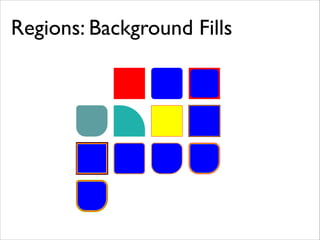
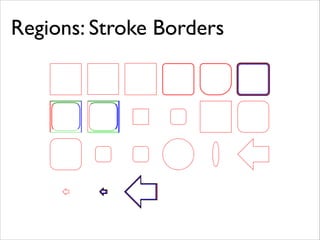
Can have multiple background fills, background
images, border strokes and border images
Regions: Background Fills
Regions: Stroke Borders
Regions: ScrollBar
ScrollBar RegionThumb RegionTrack RegionLeft Button Region Right Button Region
Left Arrow Region Right Arrow Region
www.devoxx.com
DEMO
www.devoxx.com
Tooling
www.devoxx.com
JavaFX Authoring Tool
Lead Engineer:Tor Norbye
Tool for creating JavaFX Content
Built completely on top of JavaFX and Controls
www.devoxx.com
DEMO
www.devoxx.com
Summary
JavaFX is serious about the enterprise
it is what we do
Many additional controls coming in next release
Extensive support for styling controls
www.devoxx.com
Thanks for your attention!
http://fxexperience.com
http://javafx.com

Enterprising JavaFX