From Shabby To Chic
Jasper Potts & Richard Bair
Oracle
Why Design Matters
Good Design Makes People Happy
3
-- Don Norman, UX Week, Jan 26, 2009
So you don’t need to have everything perfect…
they do a really good job of making the lines [at
Disneyland] as bearable as possible. And that’s
what user experience design is about, it’s about
memories… that in the end, you love it.
-- Don Norman, UX Week, Jan 26, 2009
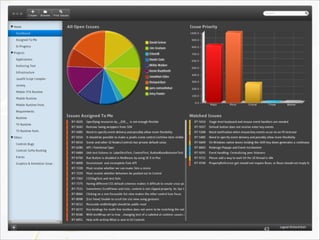
Our Project For Today: JIRA
5
Our Project For Today: JIRA
6
Dashboard
7
Dashboard
8
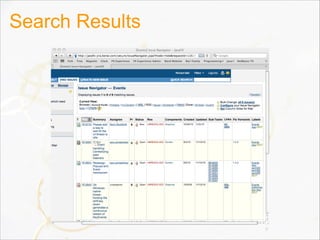
Search Results
9
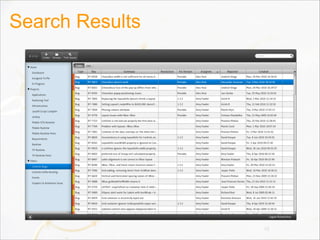
Search Results
10
Detail Page
11
Detail Page
12
Demo
CSS In JavaFX 2.0
Why CSS?
• CSS is a domain specific language
–Very good for declaring visual states
• CSS empowers designers
• CSS is a standard
• CSS is widely adopted
• Separation of concerns
• Interoperability
–Ability to use a single HTML stylesheet and have it
apply to the page + the applet
–Ability to have a single JavaFX stylesheet and have it
apply to the app + embedded HTML 15
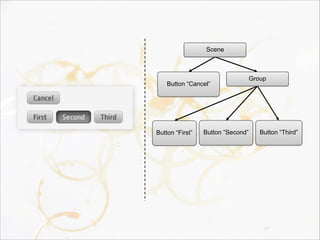
What Is A Scene Graph?
• A directed acyclic graph (or tree)
–Each parent has 0 or more children
–Each child has at most a single parent
–There are no cycles (i.e. a-> b->a)
• Each node represents a visual element
–Rectangle
–Button
–Text
• Each node has visual state
–Transforms
–Paints 16
17
Scene
Button “Cancel”
Button “First”
Group
Button “Second” Button “Third”
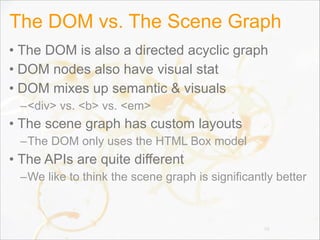
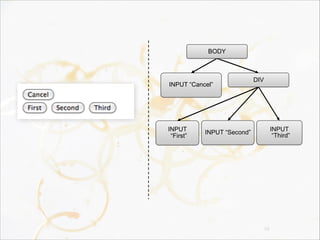
The DOM vs. The Scene Graph
• The DOM is also a directed acyclic graph
• DOM nodes also have visual stat
• DOM mixes up semantic & visuals
–<div> vs. <b> vs. <em>
• The scene graph has custom layouts
–The DOM only uses the HTML Box model
• The APIs are quite different
–We like to think the scene graph is significantly better
18
19
BODY
INPUT “Cancel”
INPUT
“First”
DIV
INPUT “Second”
INPUT
“Third”
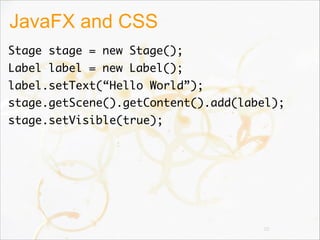
JavaFX and CSS
Stage stage = new Stage();
Label label = new Label();
label.setText(“Hello World”);
stage.getScene().getContent().add(label);
stage.setVisible(true);
20
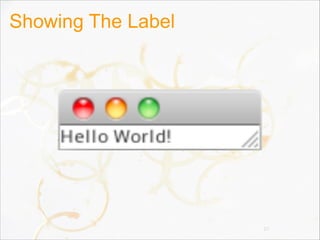
Showing The Label
21
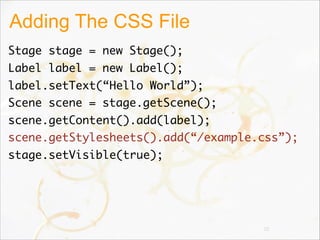
Adding The CSS File
Stage stage = new Stage();
Label label = new Label();
label.setText(“Hello World”);
Scene scene = stage.getScene();
scene.getContent().add(label);
scene.getStylesheets().add(“/example.css”);
stage.setVisible(true);
22
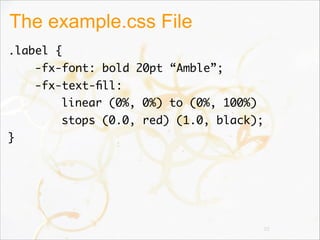
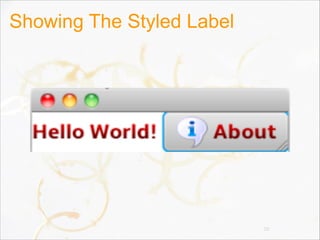
The example.css File
.label {
-fx-font: bold 20pt “Amble”;
-fx-text-fill:
linear (0%, 0%) to (0%, 100%)
stops (0.0, red) (1.0, black);
}
23
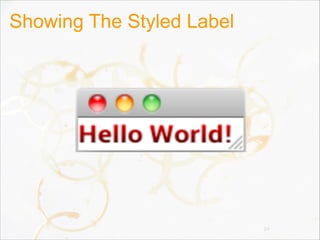
Showing The Styled Label
24
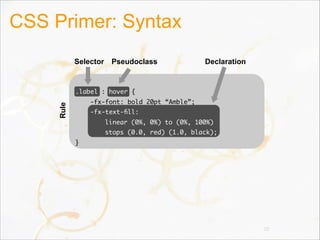
CSS Primer: Syntax
25
Rule Selector DeclarationPseudoclass
.label : hover {
-fx-font: bold 20pt “Amble”;
-fx-text-fill:
linear (0%, 0%) to (0%, 100%)
stops (0.0, red) (1.0, black);
}
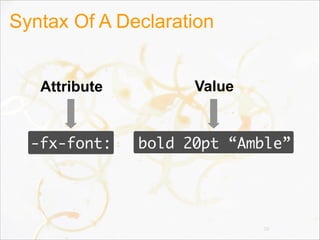
Syntax Of A Declaration
26
Attribute Value
-fx-font: bold 20pt “Amble”
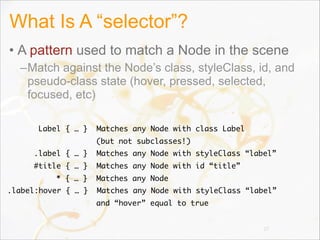
What Is A “selector”?
• A pattern used to match a Node in the scene
–Match against the Node’s class, styleClass, id, and
pseudo-class state (hover, pressed, selected,
focused, etc)
27
Label { … } Matches any Node with class Label
(but not subclasses!)
.label { … } Matches any Node with styleClass “label”
#title { … } Matches any Node with id “title”
* { … } Matches any Node
.label:hover { … } Matches any Node with styleClass “label”
and “hover” equal to true
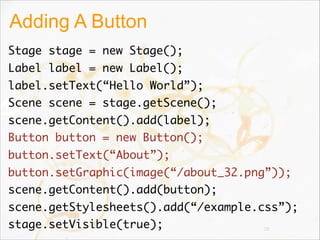
Adding A Button
Stage stage = new Stage();
Label label = new Label();
label.setText(“Hello World”);
Scene scene = stage.getScene();
scene.getContent().add(label);
Button button = new Button();
button.setText(“About”);
button.setGraphic(image(“/about_32.png”));
scene.getContent().add(button);
scene.getStylesheets().add(“/example.css”);
stage.setVisible(true); 28
Showing The Styled Label
29
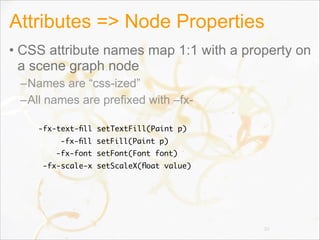
Attributes => Node Properties
• CSS attribute names map 1:1 with a property on
a scene graph node
–Names are “css-ized”
–All names are prefixed with –fx-
30
-fx-text-fill setTextFill(Paint p)
-fx-fill setFill(Paint p)
-fx-font setFont(Font font)
-fx-scale-x setScaleX(float value)
Deviations From HTML CSS
• Attribute names differ
–HTML CSS has HTML specific attribute names
–JavaFX CSS has JavaFX specific attribute names
• JavaFX has more pseudoclasses
–Controls sometimes have custom pseudoclasses
–ToggleButton, Cell has a “selected” pseudoclass
–Cell has “even” and “odd” pseudoclasses
31
Additions To HTML CSS
• Lookup
• Color Functions
–derive
–ladder
• Gradients
• Multiple background fills
• Multiple borders
• Effects
–dropshadow
–innershadow
32
33
34
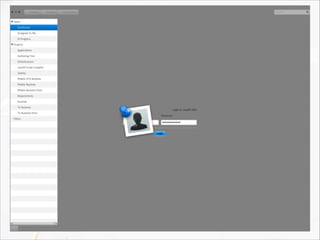
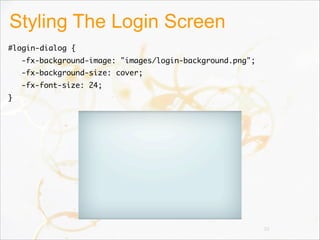
Styling The Login Screen
#login-dialog {   
-fx-background-image: "images/login-background.png";   
-fx-background-size: cover;   
-fx-font-size: 24;
}
35
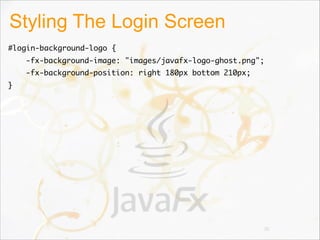
Styling The Login Screen
#login-background-logo {   
-fx-background-image: "images/javafx-logo-ghost.png";   
-fx-background-position: right 180px bottom 210px;
}
36
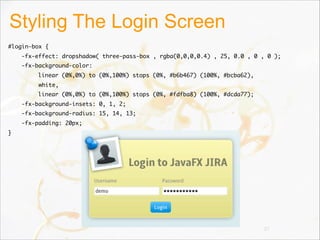
Styling The Login Screen
#login-box {   
-fx-effect: dropshadow( three-pass-box , rgba(0,0,0,0.4) , 25, 0.0 , 0 , 0 );   
-fx-background-color:   
linear (0%,0%) to (0%,100%) stops (0%, #b6b467) (100%, #bcba62),
         white,                           
linear (0%,0%) to (0%,100%) stops (0%, #fdfba8) (100%, #dcda77);
-fx-background-insets: 0, 1, 2;   
-fx-background-radius: 15, 14, 13;   
-fx-padding: 20px;
}
37
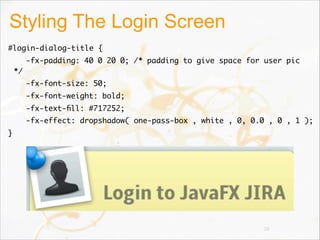
Styling The Login Screen
#login-dialog-title {   
-fx-padding: 40 0 20 0; /* padding to give space for user pic
*/   
-fx-font-size: 50;   
-fx-font-weight: bold;   
-fx-text-fill: #717252;   
-fx-effect: dropshadow( one-pass-box , white , 0, 0.0 , 0 , 1 );
}
38
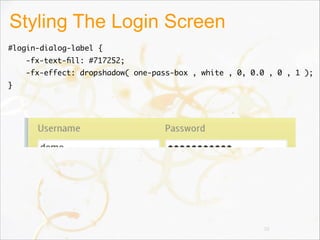
Styling The Login Screen
#login-dialog-label {   
-fx-text-fill: #717252;   
-fx-effect: dropshadow( one-pass-box , white , 0, 0.0 , 0 , 1 );
}
39
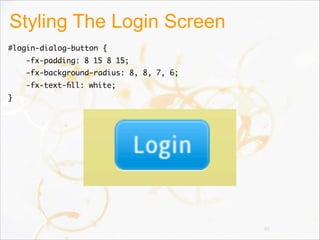
Styling The Login Screen
#login-dialog-button {   
-fx-padding: 8 15 8 15;   
-fx-background-radius: 8, 8, 7, 6;   
-fx-text-fill: white;
}
40
41
42
43
Parting Shots
dribbble.com
45
beautifulpixels.com
46
smashingmagazine.com
47
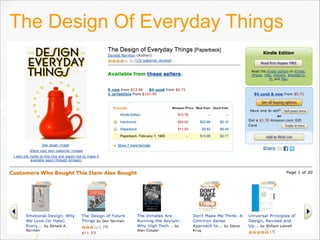
The Design Of Everyday Things
48
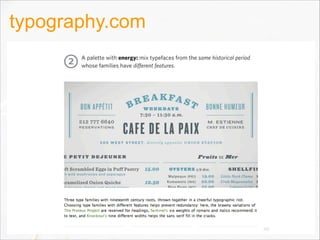
typography.com
49
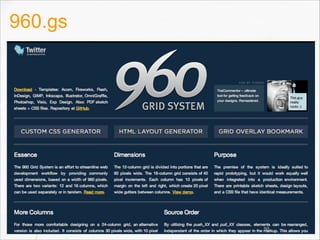
960.gs
50
The End.

From Shabby to Chic

  • 1.
    From Shabby ToChic Jasper Potts & Richard Bair Oracle
  • 2.
  • 3.
    Good Design MakesPeople Happy 3 -- Don Norman, UX Week, Jan 26, 2009
  • 4.
    So you don’tneed to have everything perfect… they do a really good job of making the lines [at Disneyland] as bearable as possible. And that’s what user experience design is about, it’s about memories… that in the end, you love it. -- Don Norman, UX Week, Jan 26, 2009
  • 5.
    Our Project ForToday: JIRA 5
  • 6.
    Our Project ForToday: JIRA 6
  • 7.
  • 8.
  • 9.
  • 10.
  • 11.
  • 12.
  • 13.
  • 14.
  • 15.
    Why CSS? • CSSis a domain specific language –Very good for declaring visual states • CSS empowers designers • CSS is a standard • CSS is widely adopted • Separation of concerns • Interoperability –Ability to use a single HTML stylesheet and have it apply to the page + the applet –Ability to have a single JavaFX stylesheet and have it apply to the app + embedded HTML 15
  • 16.
    What Is AScene Graph? • A directed acyclic graph (or tree) –Each parent has 0 or more children –Each child has at most a single parent –There are no cycles (i.e. a-> b->a) • Each node represents a visual element –Rectangle –Button –Text • Each node has visual state –Transforms –Paints 16
  • 17.
  • 18.
    The DOM vs.The Scene Graph • The DOM is also a directed acyclic graph • DOM nodes also have visual stat • DOM mixes up semantic & visuals –<div> vs. <b> vs. <em> • The scene graph has custom layouts –The DOM only uses the HTML Box model • The APIs are quite different –We like to think the scene graph is significantly better 18
  • 19.
  • 20.
    JavaFX and CSS Stagestage = new Stage(); Label label = new Label(); label.setText(“Hello World”); stage.getScene().getContent().add(label); stage.setVisible(true); 20
  • 21.
  • 22.
    Adding The CSSFile Stage stage = new Stage(); Label label = new Label(); label.setText(“Hello World”); Scene scene = stage.getScene(); scene.getContent().add(label); scene.getStylesheets().add(“/example.css”); stage.setVisible(true); 22
  • 23.
    The example.css File .label{ -fx-font: bold 20pt “Amble”; -fx-text-fill: linear (0%, 0%) to (0%, 100%) stops (0.0, red) (1.0, black); } 23
  • 24.
  • 25.
    CSS Primer: Syntax 25 RuleSelector DeclarationPseudoclass .label : hover { -fx-font: bold 20pt “Amble”; -fx-text-fill: linear (0%, 0%) to (0%, 100%) stops (0.0, red) (1.0, black); }
  • 26.
    Syntax Of ADeclaration 26 Attribute Value -fx-font: bold 20pt “Amble”
  • 27.
    What Is A“selector”? • A pattern used to match a Node in the scene –Match against the Node’s class, styleClass, id, and pseudo-class state (hover, pressed, selected, focused, etc) 27 Label { … } Matches any Node with class Label (but not subclasses!) .label { … } Matches any Node with styleClass “label” #title { … } Matches any Node with id “title” * { … } Matches any Node .label:hover { … } Matches any Node with styleClass “label” and “hover” equal to true
  • 28.
    Adding A Button Stagestage = new Stage(); Label label = new Label(); label.setText(“Hello World”); Scene scene = stage.getScene(); scene.getContent().add(label); Button button = new Button(); button.setText(“About”); button.setGraphic(image(“/about_32.png”)); scene.getContent().add(button); scene.getStylesheets().add(“/example.css”); stage.setVisible(true); 28
  • 29.
  • 30.
    Attributes => NodeProperties • CSS attribute names map 1:1 with a property on a scene graph node –Names are “css-ized” –All names are prefixed with –fx- 30 -fx-text-fill setTextFill(Paint p) -fx-fill setFill(Paint p) -fx-font setFont(Font font) -fx-scale-x setScaleX(float value)
  • 31.
    Deviations From HTMLCSS • Attribute names differ –HTML CSS has HTML specific attribute names –JavaFX CSS has JavaFX specific attribute names • JavaFX has more pseudoclasses –Controls sometimes have custom pseudoclasses –ToggleButton, Cell has a “selected” pseudoclass –Cell has “even” and “odd” pseudoclasses 31
  • 32.
    Additions To HTMLCSS • Lookup • Color Functions –derive –ladder • Gradients • Multiple background fills • Multiple borders • Effects –dropshadow –innershadow 32
  • 33.
  • 34.
  • 35.
    Styling The LoginScreen #login-dialog {    -fx-background-image: "images/login-background.png";    -fx-background-size: cover;    -fx-font-size: 24; } 35
  • 36.
    Styling The LoginScreen #login-background-logo {    -fx-background-image: "images/javafx-logo-ghost.png";    -fx-background-position: right 180px bottom 210px; } 36
  • 37.
    Styling The LoginScreen #login-box {    -fx-effect: dropshadow( three-pass-box , rgba(0,0,0,0.4) , 25, 0.0 , 0 , 0 );    -fx-background-color:    linear (0%,0%) to (0%,100%) stops (0%, #b6b467) (100%, #bcba62),          white,                            linear (0%,0%) to (0%,100%) stops (0%, #fdfba8) (100%, #dcda77); -fx-background-insets: 0, 1, 2;    -fx-background-radius: 15, 14, 13;    -fx-padding: 20px; } 37
  • 38.
    Styling The LoginScreen #login-dialog-title {    -fx-padding: 40 0 20 0; /* padding to give space for user pic */    -fx-font-size: 50;    -fx-font-weight: bold;    -fx-text-fill: #717252;    -fx-effect: dropshadow( one-pass-box , white , 0, 0.0 , 0 , 1 ); } 38
  • 39.
    Styling The LoginScreen #login-dialog-label {    -fx-text-fill: #717252;    -fx-effect: dropshadow( one-pass-box , white , 0, 0.0 , 0 , 1 ); } 39
  • 40.
    Styling The LoginScreen #login-dialog-button {    -fx-padding: 8 15 8 15;    -fx-background-radius: 8, 8, 7, 6;    -fx-text-fill: white; } 40
  • 41.
  • 42.
  • 43.
  • 44.
  • 45.
  • 46.
  • 47.
  • 48.
    The Design OfEveryday Things 48
  • 49.
  • 50.
  • 51.