©2015 EnergyCAP, Inc. ▪ @energycap ▪ www.EnergyCAP.com
Ryan Booz
VP of Software Development & CTO
EnergyCAP, Inc.
EnergyCAP Report Designer
Do We Really Have a Problem?
350+ reports already exist
Custom Spreadsheets has existed for 8+ years
Lots of EnergyCAP data can be exported to Excel (or other
systems) for further integrations
EnergyCAP Online API provides access for clients to do their
own analytics without our help
©2015 EnergyCAP, Inc. ▪ @energycap ▪ www.EnergyCAP.com
But…
Reports aren’t configurable and don’t all export well to Excel
Custom Spreadsheets requires a higher skill set and
knowledge of the EnergyCAP database to be used effectively
The API is the best technical solution for the long-term, but
also requires a higher-level technology skillset and tools
©2015 EnergyCAP, Inc. ▪ @energycap ▪ www.EnergyCAP.com
Highest rated feature request for
five years running
Our need for better, more
simplified analytics
©2015 EnergyCAP, Inc. ▪ @energycap ▪ www.EnergyCAP.com
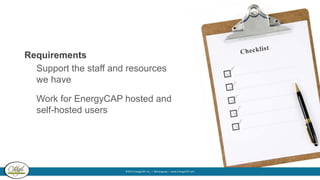
Requirements
Support the staff and resources
we have
Work for EnergyCAP hosted and
self-hosted users
©2015 EnergyCAP, Inc. ▪ @energycap ▪ www.EnergyCAP.com
Potential Solutions
Hundreds of hours investigating potential solutions
Most were expensive third party systems that:
Rarely delivered what they promised
Were hard to install and maintain
Had support that was sub-par
Often require additional hardware and software licenses
©2015 EnergyCAP, Inc. ▪ @energycap ▪ www.EnergyCAP.com
We couldn’t find one.
©2015 EnergyCAP, Inc. ▪ @energycap ▪ www.EnergyCAP.com
Why Excel 2013 with PowerPivot
PowerPivot was introduced in Excel 2010 as a free add-on
SQL Server Analysis Server (lite) in Excel to allow OnLine
Analytical Processing (OLAP)
Easily allows users to:
Analyze huge amounts of data
Mashup many sources of related data
©2015 EnergyCAP, Inc. ▪ @energycap ▪ www.EnergyCAP.com
Excel is still the “universal” go-to in
the enterprise
No additional software or cost
Public API already in place
©2015 EnergyCAP, Inc. ▪ @energycap ▪ www.EnergyCAP.com
Excel Plugin (Report Designer)
Custom plugin over a more generic interface like OData
Select best API version
Add data interfaces as the APIs become available
Initial data model setup
©2015 EnergyCAP, Inc. ▪ @energycap ▪ www.EnergyCAP.com
Your
Easy Button
©2015 EnergyCAP, Inc. ▪ @energycap ▪ www.EnergyCAP.com
What Will It Do?
Provide access to most high-level/overview data objects for
broad analysis
Work with “raw” EnergyCAP data to create custom reports
Use the data offline!
©2015 EnergyCAP, Inc. ▪ @energycap ▪ www.EnergyCAP.com
Work with pre-defined templates that
have basic formulas and fields ready
to do reporting magic
©2015 EnergyCAP, Inc. ▪ @energycap ▪ www.EnergyCAP.com
Topmost permissions are always taken
into account, making it a great way to
share templates without breaking
permissions!
Excel Novice or Ninja?
The right hardware and software
Currently Windows 7 or above with
Excel 2013 Pro or Standalone
versions
64-bit software is a MUST
An understanding of Pivot Tables is a
good starting point
There are some REALLY great
resources, both free and low-cost
©2015 EnergyCAP, Inc. ▪ @energycap ▪ www.EnergyCAP.com
After Initial Release (Summer 2015)
Expand APIs and data that are available
Provide a growing list of templates
Examine the potential of a PowerBI.com plugin
Listen to users and fill the gaps
©2015 EnergyCAP, Inc. ▪ @energycap ▪ www.EnergyCAP.com
Demo
©2015 EnergyCAP, Inc. ▪ @energycap ▪ www.EnergyCAP.com
Resources
http://www.powerpivotpro.com
http://www.powerpivot-info.com
©2015 EnergyCAP, Inc. ▪ @energycap ▪ www.EnergyCAP.com
EnergyCAP Report Designer

EnergyCAP Report Designer

  • 1.
    ©2015 EnergyCAP, Inc.▪ @energycap ▪ www.EnergyCAP.com Ryan Booz VP of Software Development & CTO EnergyCAP, Inc. EnergyCAP Report Designer
  • 2.
    Do We ReallyHave a Problem? 350+ reports already exist Custom Spreadsheets has existed for 8+ years Lots of EnergyCAP data can be exported to Excel (or other systems) for further integrations EnergyCAP Online API provides access for clients to do their own analytics without our help ©2015 EnergyCAP, Inc. ▪ @energycap ▪ www.EnergyCAP.com
  • 3.
    But… Reports aren’t configurableand don’t all export well to Excel Custom Spreadsheets requires a higher skill set and knowledge of the EnergyCAP database to be used effectively The API is the best technical solution for the long-term, but also requires a higher-level technology skillset and tools ©2015 EnergyCAP, Inc. ▪ @energycap ▪ www.EnergyCAP.com
  • 4.
    Highest rated featurerequest for five years running Our need for better, more simplified analytics ©2015 EnergyCAP, Inc. ▪ @energycap ▪ www.EnergyCAP.com
  • 5.
    Requirements Support the staffand resources we have Work for EnergyCAP hosted and self-hosted users ©2015 EnergyCAP, Inc. ▪ @energycap ▪ www.EnergyCAP.com
  • 6.
    Potential Solutions Hundreds ofhours investigating potential solutions Most were expensive third party systems that: Rarely delivered what they promised Were hard to install and maintain Had support that was sub-par Often require additional hardware and software licenses ©2015 EnergyCAP, Inc. ▪ @energycap ▪ www.EnergyCAP.com
  • 7.
    We couldn’t findone. ©2015 EnergyCAP, Inc. ▪ @energycap ▪ www.EnergyCAP.com
  • 8.
    Why Excel 2013with PowerPivot PowerPivot was introduced in Excel 2010 as a free add-on SQL Server Analysis Server (lite) in Excel to allow OnLine Analytical Processing (OLAP) Easily allows users to: Analyze huge amounts of data Mashup many sources of related data ©2015 EnergyCAP, Inc. ▪ @energycap ▪ www.EnergyCAP.com
  • 9.
    Excel is stillthe “universal” go-to in the enterprise No additional software or cost Public API already in place ©2015 EnergyCAP, Inc. ▪ @energycap ▪ www.EnergyCAP.com
  • 10.
    Excel Plugin (ReportDesigner) Custom plugin over a more generic interface like OData Select best API version Add data interfaces as the APIs become available Initial data model setup ©2015 EnergyCAP, Inc. ▪ @energycap ▪ www.EnergyCAP.com
  • 11.
    Your Easy Button ©2015 EnergyCAP,Inc. ▪ @energycap ▪ www.EnergyCAP.com
  • 12.
    What Will ItDo? Provide access to most high-level/overview data objects for broad analysis Work with “raw” EnergyCAP data to create custom reports Use the data offline! ©2015 EnergyCAP, Inc. ▪ @energycap ▪ www.EnergyCAP.com
  • 13.
    Work with pre-definedtemplates that have basic formulas and fields ready to do reporting magic ©2015 EnergyCAP, Inc. ▪ @energycap ▪ www.EnergyCAP.com Topmost permissions are always taken into account, making it a great way to share templates without breaking permissions!
  • 14.
    Excel Novice orNinja? The right hardware and software Currently Windows 7 or above with Excel 2013 Pro or Standalone versions 64-bit software is a MUST An understanding of Pivot Tables is a good starting point There are some REALLY great resources, both free and low-cost ©2015 EnergyCAP, Inc. ▪ @energycap ▪ www.EnergyCAP.com
  • 15.
    After Initial Release(Summer 2015) Expand APIs and data that are available Provide a growing list of templates Examine the potential of a PowerBI.com plugin Listen to users and fill the gaps ©2015 EnergyCAP, Inc. ▪ @energycap ▪ www.EnergyCAP.com
  • 16.
    Demo ©2015 EnergyCAP, Inc.▪ @energycap ▪ www.EnergyCAP.com
  • 17.
    ©2015 EnergyCAP, Inc.▪ @energycap ▪ www.EnergyCAP.com Resources
  • 18.

Editor's Notes

  • #2 Insert Good Morning slide as first Then on this slide, insert RB picture, job title Animate all bullet points
  • #3 (animate each point) 350+ reports already exist Surely we’ve covered most data needs, right? Custom Spreadsheets has existed for 8+ years Hundreds of CS have been written for clients An integral part of many pre-bill payment/AP workflows Our internal staff has a large cache of these for many types of tasks Lots of EnergyCAP data can be exported to Excel (or other systems) for further integrations EnergyCAP Online API provides access for clients to do their own analytics without our help
  • #4 (animate) Reports aren’t configurable and don’t all export well to Excel Custom Spreadsheets requires a higher skill set and knowledge of the EnergyCAP database to be used effectively EnergyCAP staff have written almost all of these The API is the best technical solution for the long-term, but also requires a higher-level technology skillset and tools We have seen a growing need internally to provide access to data more easily in a “controlled” environment
  • #5 This has been the highest rated feature request five years running We see a growing need for better, more simplified analytics for our own operations and staff [image of trophy or winner’s ribbon]
  • #6 We have to have a solution that: We can support with the staff and resources we have Works for EnergyCAP hosted and self-hosted users This is not an easy task! [image of checklist]
  • #7 We spent hundreds of hours investigating potential solutions Most were expensive third party systems that: Rarely delivered what they promised Were hard to install and maintain Had support that was sub-par Often require additional hardware and software licenses While there are some great data analysis solutions, we couldn’t find one that we could support in addition to EnergyCAP
  • #8 While there are some great data analysis solutions, we couldn’t find one that we could support in addition to EnergyCAP
  • #9 PowerPivot was introduced in Excel 2010 as a free add-on It is essentially SQL Server Analysis Server (lite) in Excel to allow OnLine Analytical Processing (OLAP) Easily allows users to: Analyze huge amounts of data Mashup many sources of related data Databases Text files Public Web Services (Twitter, etc.) And so much more!
  • #10 Excel is still the “universal” go-to in the enterprise Since most enterprises already use it, there’s no additional software or cost We already had a public API to expose the necessary data in an easy and maintainable way! [image of the earth]
  • #11 We chose a custom plugin over a more generic interface like OData We can control the API version you connect to for the best results We can add data interfaces as the APIs become available We do the initial hard work of setting up the data model as the data comes in We hope this becomes your “Easy Button” to connect with EnergyCAP data above and beyond EnergyCAP
  • #12 We chose a custom plugin over a more generic interface like OData We can control the API version you connect to for the best results We can add data interfaces as the APIs become available We do the initial hard work of setting up the data model as the data comes in We hope this becomes your “Easy Button” to connect with EnergyCAP data above and beyond EnergyCAP
  • #13 Provide access to most high-level/overview data objects that allow you to do broad analysis Places Meters Accounts Bills Rollup Data (Staging Tables) Work with “raw” EnergyCAP data that can be updated anytime to create custom reports Use the data offline! It’s stored in the Excel file!
  • #14 Image of magic
  • #15 The right hardware and software Currently Windows 7 or above with Excel 2013 Pro or Standalone versions 64-bit software is a MUST An understanding of Pivot Tables is a good starting point You will have to unlearn some things, but it will be much better that you do! There are some REALLY great resources, both free and low-cost we’ll reference later [image of ninja]
  • #16 We will continue to expand the APIs and data that are available Provide a growing list of templates to help get you started Examine the potential of providing a PowerBI.com plugin Listen to users and see what gaps need to be filled
  • #17 Demo