ELEMENTS OF A COMPUTER
SYSTEM
PREPARED BY: JM RAMOS
1. PEOPLE
• Important part of the Information
System Technology
• Who operate, input data and use the
resulting information
2. PROCEDURE
• Set of guidelines and rules
• Documented in Manuals:
–Software and hardware
manufacturers
3. SOFTWARE
• Instructions that tell the computer
how it should do its work
• Process the data (raw facts) into
usable information
3. SOFTWARE
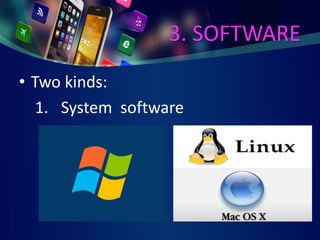
• Two kinds:
1. System software
3. SOFTWARE
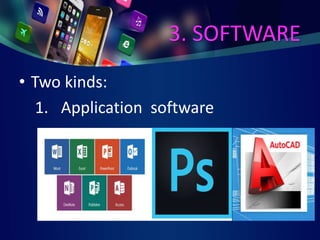
• Two kinds:
1. Application software
4. HARDWARE
• Physical equipment that implements
the data processing
• Physical parts or components of a
computer
• Needs software for it to run
smoothly and d0 its specified task
4. HARDWARE
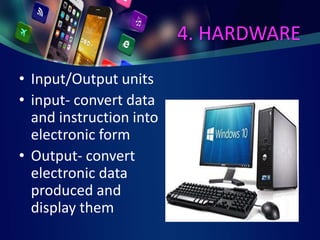
• Input/Output units
• input- convert data
and instruction into
electronic form
• Output- convert
electronic data
produced and
display them
4. HARDWARE
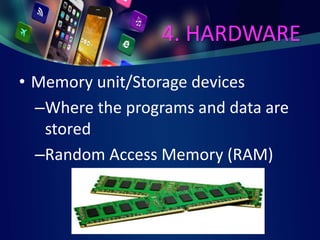
• Memory unit/Storage devices
–Where the programs and data are
stored
–Random Access Memory (RAM)
4. HARDWARE
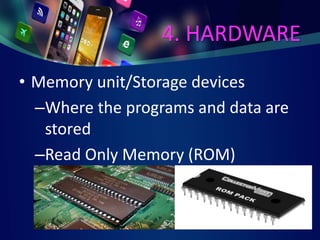
• Memory unit/Storage devices
–Where the programs and data are
stored
–Read Only Memory (ROM)
4. HARDWARE
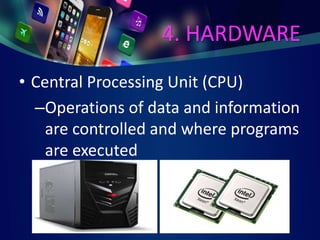
• Central Processing Unit (CPU)
–Operations of data and information
are controlled and where programs
are executed
4. HARDWARE
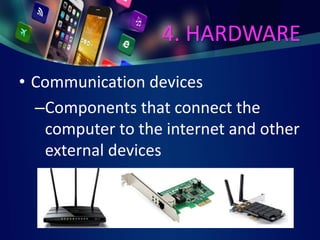
• Communication devices
–Components that connect the
computer to the internet and other
external devices
5. DATA
• Include text, numbers, sounds,
images and video
• Facts and facet of records
6. CONNECTIVITY
• Allow the computer to access and
share data and information
• Usually means internet connection
ANSWER ACTIVITY 1
AND
2 PAGE 10
COMPUTER
HARDWARE
HARDWARE
• Physical equipment which includes
the input and output devices and
Central Processing Unit
HARDWARE
• CPU/Microprocessor is the brain of the computer
• Motherboard:
– CPU fan, Memory card or RAM etc.
– Power supply
– Case fan, power cable and SATA cable
– LAN card
– Graphics/Video/ Sound card
– Hard Disk Drive
– Optical Drive or CD/DVD-ROM drive
– Ports and Wire
HARDWARE
• Storage devices are used to store data
• May either be internally installed in the
CPU case or Removable
–Hard drive
–Compact Disk Read Only Memory or
CD ROM
–Digital Versatile Disk (DVD)
–Flash Drive
HARDWARE
• Computer memory that stores data are:
–RAM which is the main memory
–ROM- a memory on which data have
been prerecorded
–Preserves its content even when the
computer is turned off
–Ex. System Startup
INPUT DEVICES
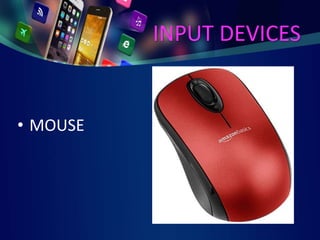
• MOUSE
INPUT DEVICES
• KEYBOARD
INPUT DEVICES
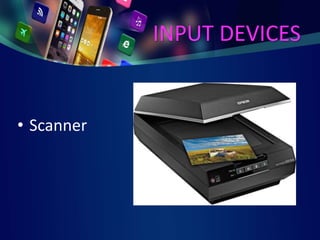
• Scanner
INPUT DEVICES
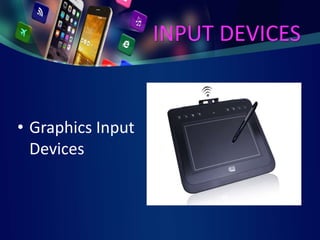
• Graphics Input
Devices
INPUT DEVICES
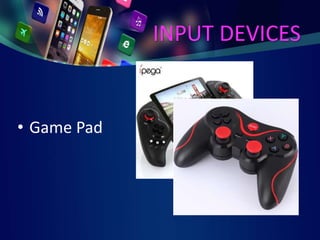
• Game Pad
INPUT DEVICES
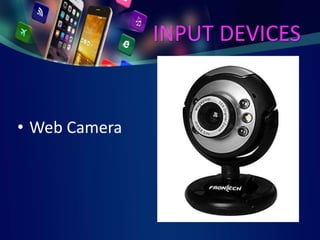
• Web Camera
INPUT DEVICES
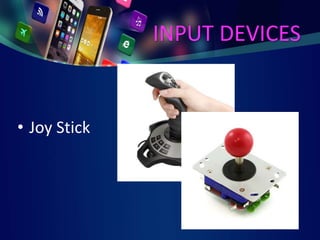
• Joy Stick
INPUT DEVICES
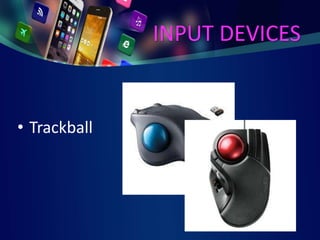
• Trackball
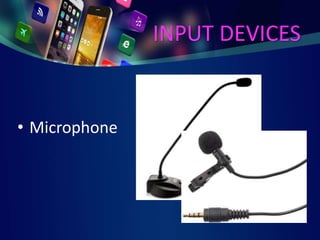
INPUT DEVICES
• Microphone

Elements and Categories of a Computer