Moving Forward with 21st Century
Learning @ Noblesville Schools

Welcome!

Technology in Our Middle Schools
February 25, 2014
Developing Learners:
Our Vision
Students are:
•

Engaged in intellectual
pursuits

•

Inspired to challenge
the present

•

Empowered to adapt,
innovate, and succeed
today and tomorrow
Developing Learners:
Our Mission
Learning experiences that
are...
•

Student-centered

•

Inquiry-based

•

Interdisciplinary and
authentic

•

Centered on 21st century
skill development

•

Technology-rich
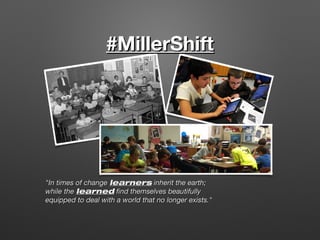
#MillerShift

"In times of change learners inherit the earth;
while the learned find themselves beautifully
equipped to deal with a world that no longer exists."
#MillerShift
Teaching and Learning Goals:
• Support

and live our mission and vision:
• Increase engaging, rigorous student-centered
learning experiences
• Provide equitable, anytime access
• Develop competent and responsible 21st century
citizens
• Critical thinking
• Communication
• Collaboration
• Creativity
• Prepare for success in future college, career, and life
pursuits
Preparing Our Teachers
•

Technology Study Council

•

Technology/Instructional
coaching

•

Full year of teacher iPads

•

iPad pilot teams

•

After-school workshops and PD
sessions

•

Conferences

•

Faculty book and article studies

•

Early release PD
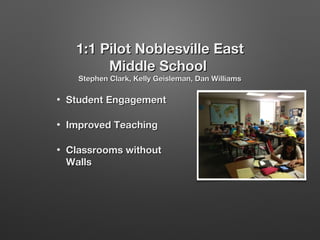
1:1 Pilot Noblesville East
Middle School
Stephen Clark, Kelly Geisleman, Dan Williams

•

Student Engagement

•

Improved Teaching

•

Classrooms without
Walls
Student Engagement
Use of technology
enhances student
engagement in the
classroom. All student
can take part in
learning activities,
discussions, and their
own academic
success
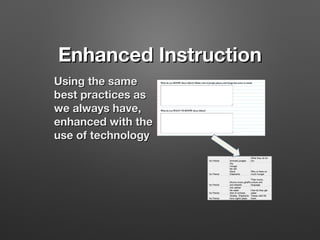
Enhanced Instruction
Using the same
best practices as
we always have,
enhanced with the
use of technology
Classroom Without Walls
•

Students can continue
their learning beyond
the classroom.

•

Students can take their
learning beyond the
school day.

•

Students can
collaborate with
teachers outside of the
classroom.
1:1 Pilot Team at NWMS6th Grade: Susan Hendricks, Andy Block,
Emily Stout, Barb Winebar

http://www.youtube.com/watch?
•
•
•
•
•
•
•
•

All students start in different places
Posing questions
Deeper Conversations
Risk Takers
Teamwork/Collaboration
Problem Solvers
Creativity
Room filled with endless
possibilities
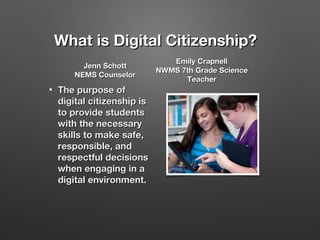
What is Digital Citizenship?
Jenn Schott
NEMS Counselor
•

The purpose of
digital citizenship is
to provide students
with the necessary
skills to make safe,
responsible, and
respectful decisions
when engaging in a
digital environment.

Emily Crapnell
NWMS 7th Grade Science
Teacher
PowToon Clip for Digital Citizenship
http://www.youtube.com/watch?v=_gup6jh79AI&rel=0
Digital Citizenship
Curriculum
•

Internet Safety

•

Privacy & Security

•

Relationships & Communication

•

Cyberbullying

•

Digital Footprint & Reputation

•

Self-image & Identity

•

Information Literacy

•

Creative Credit & Copyright
Monthly Lessons/Activities
•

Built in time to our middle school
schedule.

•

All teacher and staff involvement.

•

Engaging and relevant lessons for
students.

•

Topics covering scenarios students will
face in and out of school.
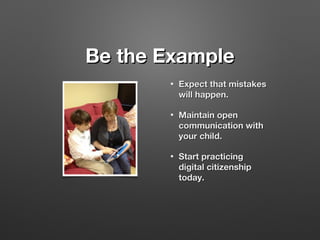
Be the Example
•

Expect that mistakes
will happen.

•

Maintain open
communication with
your child.

•

Start practicing
digital citizenship
today.
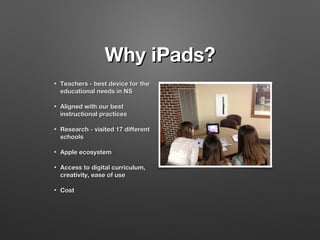
Why iPads?
•

Teachers - best device for the
educational needs in NS

•

Aligned with our best
instructional practices

•

Research - visited 17 different
schools

•

Apple ecosystem

•

Access to digital curriculum,
creativity, ease of use

•

Cost
Device Options
•
•

Option A
iPad Air issued by
Noblesville Schools

•

$70.00 paid through
textbook rental

•

Insurance, case,
adapter provided

•

Option B

•

Provide your own iPad

•

Full sized iPad 2 or newer

•

Must allow instillation of
the NS profile

•

Insurance, case, adapter
provided provided by
parent
Insurance
Deductibles:
• District will provide insurance
• First damage occurrence ($100.00)
• Second damage occurrence: Cost to repair the iPad or fair
market value, possible loss of iPad take-home privileges.
• Third damage occurrence: Cost to repair the iPad or fair
market value and possible loss of iPad privileges.
• Insurance does not cover intentional or irresponsible
damage
• If the iPad is lost, stolen, or totally damaged, the parent
may be responsible for the replacement cost.
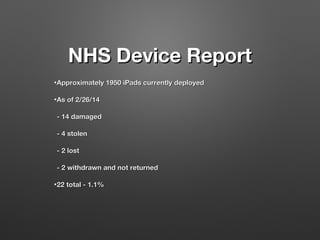
NHS Device Report
• Approximately
• As

1950 iPads currently deployed

of 2/26/14

- 14 damaged
- 4 stolen
- 2 lost
- 2 withdrawn and not returned
• 22

total - 1.1%
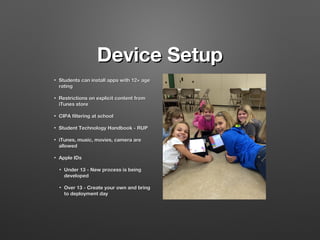
Device Setup
•

Students can install apps with 12+ age
rating

•

Restrictions on explicit content from
iTunes store

•

CIPA filtering at school

•

Student Technology Handbook - RUP

•

iTunes, music, movies, camera are
allowed

•

Apple IDs
•

Under 13 - New process is being
developed

•

Over 13 - Create your own and bring
to deployment day
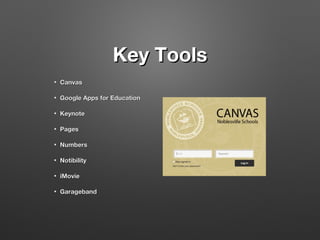
Key Tools
•

Canvas

•

Google Apps for Education

•

Keynote

•

Pages

•

Numbers

•

Notibility

•

iMovie

•

Garageband
Support and Maintenance
•

1:1 Infrastructure,
bandwidth

•

Building based
technical support

•

22 Technology staff
members

•

Student support teams

•

Filewave
Sustainability
•

$35.00 per semester paid through
textbook rental

•

Elimination of most computer labs

•

Capital projects - existing technology
funds

•

Reduction in printing costs, etc.
Deployment Plans
•
•
•
•
•

•

•

Integrated into Meet @ the Middle for each grade level
Parents are required to attend with their child
Brief introduction for student and parent
Times and details will be provided this Spring by individual
schools
Noblesville West Middle School
• 6th grade - 7/24/14
• 7th grade - 7/23/14
• 8th grade - 7/22/14
Noblesville East Middle School
• 6th grade - 7/28/14
• 7th grade - 7/29/14
• 8th grade - 7/30/14
Make up day - 8/1/14
Where Can I Go To Learn
More?
www.noblesvilleschools.org
•

FAQs

•

Device options

•

Tips for staying safe at home

•

Parent Technology Night - Fall 2014
Today's meet questions
FAQs - http://goo.gl/M6n6DM

Technology in the middle school

  • 1.
    Moving Forward with21st Century Learning @ Noblesville Schools Welcome! Technology in Our Middle Schools February 25, 2014
  • 2.
    Developing Learners: Our Vision Studentsare: • Engaged in intellectual pursuits • Inspired to challenge the present • Empowered to adapt, innovate, and succeed today and tomorrow
  • 3.
    Developing Learners: Our Mission Learningexperiences that are... • Student-centered • Inquiry-based • Interdisciplinary and authentic • Centered on 21st century skill development • Technology-rich
  • 4.
    #MillerShift "In times ofchange learners inherit the earth; while the learned find themselves beautifully equipped to deal with a world that no longer exists."
  • 5.
    #MillerShift Teaching and LearningGoals: • Support and live our mission and vision: • Increase engaging, rigorous student-centered learning experiences • Provide equitable, anytime access • Develop competent and responsible 21st century citizens • Critical thinking • Communication • Collaboration • Creativity • Prepare for success in future college, career, and life pursuits
  • 6.
    Preparing Our Teachers • TechnologyStudy Council • Technology/Instructional coaching • Full year of teacher iPads • iPad pilot teams • After-school workshops and PD sessions • Conferences • Faculty book and article studies • Early release PD
  • 7.
    1:1 Pilot NoblesvilleEast Middle School Stephen Clark, Kelly Geisleman, Dan Williams • Student Engagement • Improved Teaching • Classrooms without Walls
  • 8.
    Student Engagement Use oftechnology enhances student engagement in the classroom. All student can take part in learning activities, discussions, and their own academic success
  • 9.
    Enhanced Instruction Using thesame best practices as we always have, enhanced with the use of technology
  • 10.
    Classroom Without Walls • Studentscan continue their learning beyond the classroom. • Students can take their learning beyond the school day. • Students can collaborate with teachers outside of the classroom.
  • 11.
    1:1 Pilot Teamat NWMS6th Grade: Susan Hendricks, Andy Block, Emily Stout, Barb Winebar http://www.youtube.com/watch?
  • 12.
    • • • • • • • • All students startin different places Posing questions Deeper Conversations Risk Takers Teamwork/Collaboration Problem Solvers Creativity Room filled with endless possibilities
  • 13.
    What is DigitalCitizenship? Jenn Schott NEMS Counselor • The purpose of digital citizenship is to provide students with the necessary skills to make safe, responsible, and respectful decisions when engaging in a digital environment. Emily Crapnell NWMS 7th Grade Science Teacher
  • 14.
    PowToon Clip forDigital Citizenship http://www.youtube.com/watch?v=_gup6jh79AI&rel=0
  • 15.
    Digital Citizenship Curriculum • Internet Safety • Privacy& Security • Relationships & Communication • Cyberbullying • Digital Footprint & Reputation • Self-image & Identity • Information Literacy • Creative Credit & Copyright
  • 16.
    Monthly Lessons/Activities • Built intime to our middle school schedule. • All teacher and staff involvement. • Engaging and relevant lessons for students. • Topics covering scenarios students will face in and out of school.
  • 17.
    Be the Example • Expectthat mistakes will happen. • Maintain open communication with your child. • Start practicing digital citizenship today.
  • 18.
    Why iPads? • Teachers -best device for the educational needs in NS • Aligned with our best instructional practices • Research - visited 17 different schools • Apple ecosystem • Access to digital curriculum, creativity, ease of use • Cost
  • 19.
    Device Options • • Option A iPadAir issued by Noblesville Schools • $70.00 paid through textbook rental • Insurance, case, adapter provided • Option B • Provide your own iPad • Full sized iPad 2 or newer • Must allow instillation of the NS profile • Insurance, case, adapter provided provided by parent
  • 20.
    Insurance Deductibles: • District willprovide insurance • First damage occurrence ($100.00) • Second damage occurrence: Cost to repair the iPad or fair market value, possible loss of iPad take-home privileges. • Third damage occurrence: Cost to repair the iPad or fair market value and possible loss of iPad privileges. • Insurance does not cover intentional or irresponsible damage • If the iPad is lost, stolen, or totally damaged, the parent may be responsible for the replacement cost.
  • 21.
    NHS Device Report •Approximately • As 1950 iPads currently deployed of 2/26/14 - 14 damaged - 4 stolen - 2 lost - 2 withdrawn and not returned • 22 total - 1.1%
  • 22.
    Device Setup • Students caninstall apps with 12+ age rating • Restrictions on explicit content from iTunes store • CIPA filtering at school • Student Technology Handbook - RUP • iTunes, music, movies, camera are allowed • Apple IDs • Under 13 - New process is being developed • Over 13 - Create your own and bring to deployment day
  • 23.
    Key Tools • Canvas • Google Appsfor Education • Keynote • Pages • Numbers • Notibility • iMovie • Garageband
  • 24.
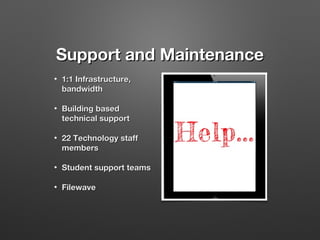
    Support and Maintenance • 1:1Infrastructure, bandwidth • Building based technical support • 22 Technology staff members • Student support teams • Filewave
  • 25.
    Sustainability • $35.00 per semesterpaid through textbook rental • Elimination of most computer labs • Capital projects - existing technology funds • Reduction in printing costs, etc.
  • 26.
    Deployment Plans • • • • • • • Integrated intoMeet @ the Middle for each grade level Parents are required to attend with their child Brief introduction for student and parent Times and details will be provided this Spring by individual schools Noblesville West Middle School • 6th grade - 7/24/14 • 7th grade - 7/23/14 • 8th grade - 7/22/14 Noblesville East Middle School • 6th grade - 7/28/14 • 7th grade - 7/29/14 • 8th grade - 7/30/14 Make up day - 8/1/14
  • 27.
    Where Can IGo To Learn More? www.noblesvilleschools.org • FAQs • Device options • Tips for staying safe at home • Parent Technology Night - Fall 2014
  • 29.
    Today's meet questions FAQs- http://goo.gl/M6n6DM

Editor's Notes

  • #2 Stacey Swan General welcome Explanation of Today's Meet Tech coaches will be responding Review of evening's agenda
  • #3 Andy S.
  • #4 Andy S.
  • #5 Ryan R. Within the four walls two sources of information- textbook and the teacher Students were passive receptacles waiting to be filled Focus was on compliance, coverage of information, rote learning This model remained unchanged for 100 years and fed our economic engine and personal development well Quote has often been referenced in our work towards developing our mission and vision, world is changing, and these are exponential times Information surrounds us, and is growing at an exponential rate Preparing students for careers and jobs we do not know yet will exist Focus must move beyond knowing and understanding We have been engaged in this shift in teaching and curriculum. But the requirements of such require new tools that allow easier access, communication, feedback, differentiation
  • #6 Ryan R.
  • #7 Stacey S.
  • #8 Pilot teams
  • #30 Stacey S.