1/61
Running OpenLDAP
with Delphi
Max Kleiner
Wouter Paesen
www.softwareschule.ch/download/openldap_delphi.zip
2/61
Contents
LDAP and Directory Services
OpenLDAP installation
OpenLDAP configuration
OpenLDAP tools
LDAP security
Using SSL/TLS
Using Delphi
Distributed Directory Services
LDAP Replication
3/61
What is LDAP ?
Lightweight Directory Access Protocol
A lightweight Protocol used to Access Directory Services (X500)
LDAP is an open standard defined by the Internet Engineering Task
Force (IETF). The complete definition can be found in RFC3377,
RFC2251, RFC2252, RFC2253, RFC2254, RFC2255, RFC2256,
RFC2829 and RFC2830
4/61
What’s a Directory
Service ?
A directory service is a system for storing and retrieving
information in a tree-like structure with the following
key properties:
Optimized for reading
Distributed storage model
Extensible data storage types
Advanced search capabilities
Consistent replication possibilities
LDAP is not a database !!! (Example child – parent)
5/61
Why Lightweight ?
LDAP is a subset of the X.500 Directory Access Protocol.
X.500
Is very complex and heavyweight.
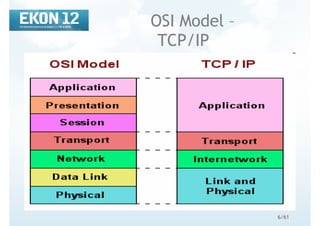
Uses full OSI compliant connections (7 layers)
LDAP
Strives to be highly functional without being bloated with
functionalities.
Uses TCP/IP connections (less complicated)
6/61
OSI Model –
TCP/IP
7/61PascalPower
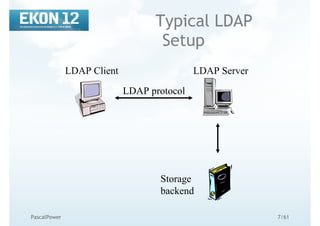
Typical LDAP
Setup
LDAP Client
LDAP protocol
LDAP Server
Storage
backend
8/61PascalPower
LDAP Distinguished
Name
Each entry has a distinguished name
In it hierarchy level (horizon): Relative Distinguished Name
(RDN)
All RDNs from root onwords build the Distinguished Name (DN)
No two entries in the same hierarchy level can have the
same RDN
No two entries in the directory can have the same DN
9/61PascalPower
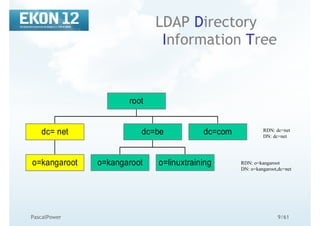
LDAP Directory
Information Tree
o=kangaroot
dc= net
o=kangaroot o=linuxtraining
dc=be dc=com
root
RDN: dc=net
DN: dc=net
RDN: o=kangaroot
DN: o=kangaroot,dc=net
10/61
When not to use
LDAP
When
A more specialised directory service is available
(Filesystem, DNS, …)
A undefined mass of data, blob’s, need to be stored,
here LDAP as a directory service is not the preferred
way
11/61
LDIF
LDAP Interchange Format is described in RFC 2849 (http://www.rfc-
archive.org/getrfc.php?rfc=2849)
LDIF is a plain text representation for storing LDAP configuration
information and directory contents.
An LDIF file contains:
A collection of entries separated from each other by blank lines;
A mapping of attribute names to values;
A collection of directives that instruct the parser how to process the information.
Very simple syntax:
Comments start with a pounc character (#) on position 1 and continues to the end of the
current line.
Attributes are on the lefthand side of the colon (:) and values on the righthand side. The
colon is separated from the value by a space.
The dn attribute uniquely identified the DN of the entry
12/61
LDIF (example)
dn: dc=be
objectClass: top
objectClass: dcObject
dc: be
dn: dc=net
objectClass: top
objectClass: dcObject
dc: net
dn: o=kangaroot, dc=net
objectClass: organisation
o: kangaroot
13/61PascalPower
LDAP Attributes
Information in the LDAP DIT is stored in
attributes
Attributes
Can be multi-valued
Have syntax rules
Have matching rules
Can be required or optional
Are defined in the schema definition
DIT=Directory Information Tree
14/61PascalPower
LDAP ObjectClass
Attribute
Each LDAP entry must contain an ObjectClass
attribute that:
Defines which attributes an entry must and may
contain
Can be multi-valued
(Base/Object/Attribut/Type/Value1/Value2...)
15/61
LDAP
ObjectClasses
Are uniquely identified by an OID (IANA)
Can be one of three types:
Structural Object Class
Auxiliary Object Class
Abstract Object Class
Defines:
Attributes
Encoding syntaxes
Matching rules
16/61
LDAP
Authentication
Session authentication necessary for establishing
privileges
Authentication token stored in the userPassword
attribute of the person objectclass
4 types of authentication defined in LDAP:
Anonymous authentication
Simple authentication (sends the ldap passwords in cleartext to
the directory service. This is dangerous in an untrusted
network)
Simple authentication over SSL/TLS
Simple authentication and Security Layer (SASL)
17/61
Directory Service
Implementations
SunOne - Sun Microsystems
eDirectory - Novell/SUSE
Active Directory – Microsoft
OpenLDAP
18/61
Why OpenLDAP
Open source implementation
http://www.openldap.org
Fully LDAP v3 compliant
Available on multiple platforms
Real TCP/IP & OpenSSL Integration
19/61PascalPower
Why not Finally
OpenLDAP has virtually no documentation and no
comments in source code
If you have some let us have it!!!
It’s hard to find examples for beginners
(exception: http://www.delphi-
jedi.org/apilibrary.html)
20/61PascalPower
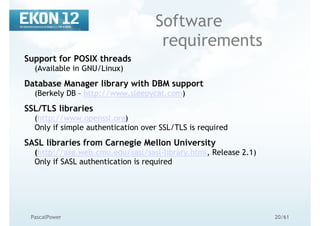
Software
requirements
Support for POSIX threads
(Available in GNU/Linux)
Database Manager library with DBM support
(Berkely DB – http://www.sleepycat.com)
SSL/TLS libraries
(http://www.openssl.org)
Only if simple authentication over SSL/TLS is required
SASL libraries from Carnegie Mellon University
(http://asg.web.cmu.edu/sasl/sasl-library.html, Release 2.1)
Only if SASL authentication is required
21/61
OpenLDAP Installation,
Methods
Installing from packages (deb, rpm)
Installing from source (tar.gz)
Install-openldap-windows.exe (2.0.27 ILEX build)
22/61
OpenLDAP Installation,
Packages
A package is pre-compiled software software together
with pre- and post-install scripts.
- Use only packages for your achitecture (e.g. i386)
- Use only packages for your distribution (e.g. Debian, Red Hat, Fedora,
SuSE)
- Use only packages for the version of your distribution (e.g. Red Hat
v8.0 or Red Hat v9.0)
Advantages:
- Easy to install
- Easy to maintain
Disadvantages:
- Not optimized for your enviroment
23/61PascalPower
OpenLDAP
Installation, Source
Compile OpenSSL
# cd /usr/src/
# wget http://www.openssl.org/source/openssl-0.9.7i.tar.gz
# tar zxvf openssl-09.7i.tar.gz
# cd openssl-0.9.7i
# ./config shared --openssldir=/usr/local
# make
# make install
for 0.9.8g:
http://sourceforge.net/projects/delphiwebstart
sourceforge.net/delphiwebstart/dws_https_lib_1_9.zip
24/61
OpenLDAP
Installation, Source
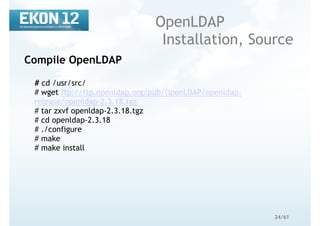
Compile OpenLDAP
# cd /usr/src/
# wget ftp://ftp.openldap.org/pub/OpenLDAP/openldap-
release/openldap-2.3.18.tgz
# tar zxvf openldap-2.3.18.tgz
# cd openldap-2.3.18
# ./configure
# make
# make install
25/61
OpenLDAP
Configuration
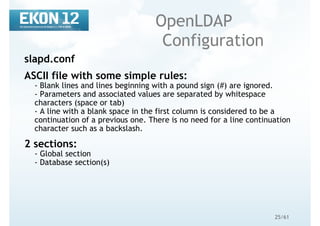
slapd.conf
ASCII file with some simple rules:
- Blank lines and lines beginning with a pound sign (#) are ignored.
- Parameters and associated values are separated by whitespace
characters (space or tab)
- A line with a blank space in the first column is considered to be a
continuation of a previous one. There is no need for a line continuation
character such as a backslash.
2 sections:
- Global section
- Database section(s)
26/61
OpenLDAP Configuration,
Schema
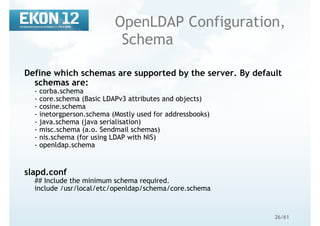
Define which schemas are supported by the server. By default
schemas are:
- corba.schema
- core.schema (Basic LDAPv3 attributes and objects)
- cosine.schema
- inetorgperson.schema (Mostly used for addressbooks)
- java.schema (java serialisation)
- misc.schema (a.o. Sendmail schemas)
- nis.schema (for using LDAP with NIS)
- openldap.schema
slapd.conf
## Include the minimum schema required.
include /usr/local/etc/openldap/schema/core.schema
27/61
OpenLDAP Configuration,
Database
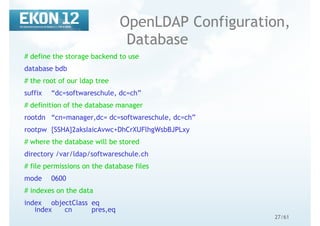
# define the storage backend to use
database bdb
# the root of our ldap tree
suffix “dc=softwareschule, dc=ch”
# definition of the database manager
rootdn “cn=manager,dc= dc=softwareschule, dc=ch”
rootpw {SSHA}2aksIaicAvwc+DhCrXUFlhgWsbBJPLxy
# where the database will be stored
directory /var/ldap/softwareschule.ch
# file permissions on the database files
mode 0600
# indexes on the data
index objectClass eq
index cn pres,eq
28/61
OpenLDAP Configuration,
Indexes
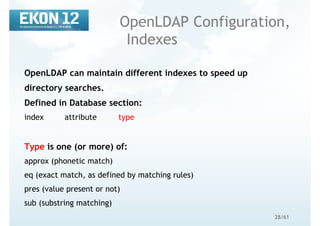
OpenLDAP can maintain different indexes to speed up
directory searches.
Defined in Database section:
index attribute type
Type is one (or more) of:
approx (phonetic match)
eq (exact match, as defined by matching rules)
pres (value present or not)
sub (substring matching)
29/61
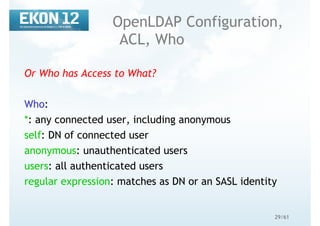
OpenLDAP Configuration,
ACL, Who
Or Who has Access to What?
Who:
*: any connected user, including anonymous
self: DN of connected user
anonymous: unauthenticated users
users: all authenticated users
regular expression: matches as DN or an SASL identity
30/61
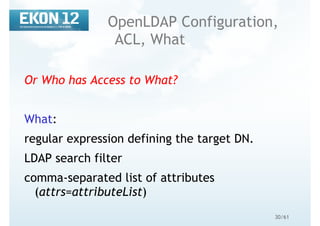
OpenLDAP Configuration,
ACL, What
Or Who has Access to What?
What:
regular expression defining the target DN.
LDAP search filter
comma-separated list of attributes
(attrs=attributeList)
31/61
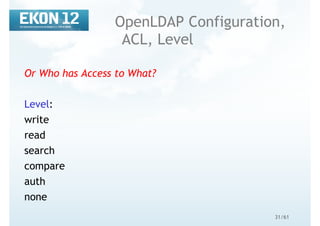
OpenLDAP Configuration,
ACL, Level
Or Who has Access to What?
Level:
write
read
search
compare
auth
none
32/61
OpenLDAP Configuration,
ACL, Example
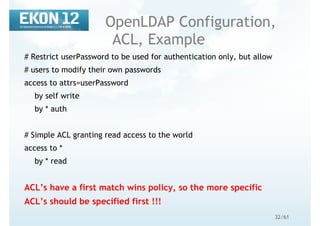
# Restrict userPassword to be used for authentication only, but allow
# users to modify their own passwords
access to attrs=userPassword
by self write
by * auth
# Simple ACL granting read access to the world
access to *
by * read
ACL’s have a first match wins policy, so the more specific
ACL’s should be specified first !!!
33/61
Certificate
Matching Tasks
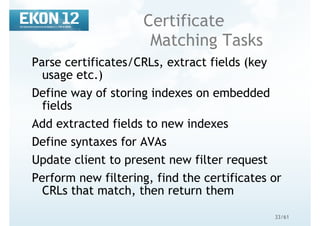
Parse certificates/CRLs, extract fields (key
usage etc.)
Define way of storing indexes on embedded
fields
Add extracted fields to new indexes
Define syntaxes for AVAs
Update client to present new filter request
Perform new filtering, find the certificates or
CRLs that match, then return them
34/61
AVA Notation
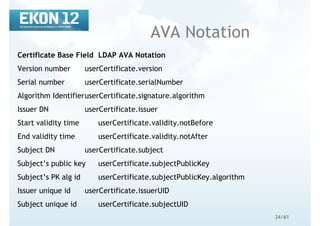
Certificate Base Field LDAP AVA Notation
Version number userCertificate.version
Serial number userCertificate.serialNumber
Algorithm IdentifieruserCertificate.signature.algorithm
Issuer DN userCertificate.issuer
Start validity time userCertificate.validity.notBefore
End validity time userCertificate.validity.notAfter
Subject DN userCertificate.subject
Subject’s public key userCertificate.subjectPublicKey
Subject’s PK alg id userCertificate.subjectPublicKey.algorithm
Issuer unique id userCertificate.issuerUID
Subject unique id userCertificate.subjectUID
35/61
How You Can Help -
User Requirements
Which fields should we extract and index on?
PK Certificate
has 11 base field
16 standard X.509 extensions
2 PKIX extensions
an infinite number of private extensions (from Netscape, MS,
Entrust, Baltimore etc.)
AC Certificate has12 X.509 AC extensions
CRL has
7 base fields
13 standard X.509 extensions
36/61
Implementation
For each new extension
Server will need to know the ASN.1 data type
Server will need to build a new index
Client will need to be able to enter the matching information
Implies a configuration option in OpenLDAP
We are proposing to build
Indexes for every basic field and
A handful of X.509 and PKIX standard extensions
The OID and criticality flag of each extension
Which extensions will be the most useful to YOU?
37/61PascalPower
LDAP tools
slapadd, slapcat, slappasswd
ldapsearch
ldapmodify
ldapadd
LdapAdmin.exe
!!! The slap* utilities operate directly on the database files,
without connecting to the LDAP server. Because
OpenLDAP caches entries it is dangerous to use them
when slapd is running !!!
38/61
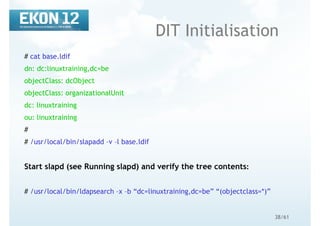
DIT Initialisation
# cat base.ldif
dn: dc:linuxtraining,dc=be
objectClass: dcObject
objectClass: organizationalUnit
dc: linuxtraining
ou: linuxtraining
#
# /usr/local/bin/slapadd –v –l base.ldif
Start slapd (see Running slapd) and verify the tree contents:
# /usr/local/bin/ldapsearch –x –b “dc=linuxtraining,dc=be” “(objectclass=*)”
39/61
OpenLDAP tools
common options
Options common to all ldap* utilities:
d integer: similar to loglever in slapd.conf
D “binddn”: DN to bind to when authenticating
f LDIF-file: specifies the file containing LDIF entries to be used during the operation
I: enable SASL interactive mode (prompts for password)
n: do not perform the search, only show what would be done
P [1|2]: which LDAP version to use, 2 or 3
R SASLrealm: SASLrealm to use when authenticating
U username: username to use for SASL authentication
v: verbose mode
w password: password for authentication (dangerous)
W: prompt for password
x: use simple authentication
y passwordFile: read password from this file
40/61
OpenLDAP adding
data
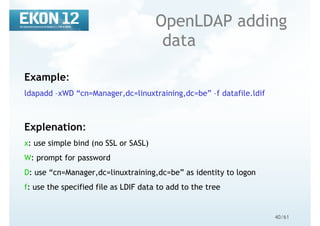
Example:
ldapadd –xWD “cn=Manager,dc=linuxtraining,dc=be” –f datafile.ldif
Explenation:
x: use simple bind (no SSL or SASL)
W: prompt for password
D: use “cn=Manager,dc=linuxtraining,dc=be” as identity to logon
f: use the specified file as LDIF data to add to the tree
41/61PascalPower
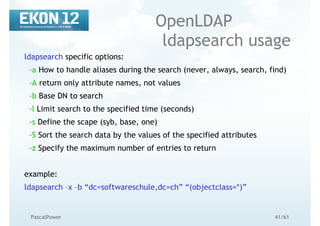
OpenLDAP
ldapsearch usage
ldapsearch specific options:
-a How to handle aliases during the search (never, always, search, find)
-A return only attribute names, not values
-b Base DN to search
-l Limit search to the specified time (seconds)
-s Define the scape (syb, base, one)
-S Sort the search data by the values of the specified attributes
-z Specify the maximum number of entries to return
example:
ldapsearch –x –b “dc=softwareschule,dc=ch” “(objectclass=*)”
42/61
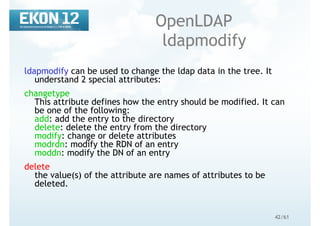
OpenLDAP
ldapmodify
ldapmodify can be used to change the ldap data in the tree. It
understand 2 special attributes:
changetype
This attribute defines how the entry should be modified. It can
be one of the following:
add: add the entry to the directory
delete: delete the entry from the directory
modify: change or delete attributes
modrdn: modify the RDN of an entry
moddn: modify the DN of an entry
delete
the value(s) of the attribute are names of attributes to be
deleted.
43/61PascalPower
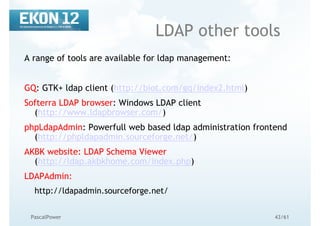
LDAP other tools
A range of tools are available for ldap management:
GQ: GTK+ ldap client (http://biot.com/gq/index2.html)
Softerra LDAP browser: Windows LDAP client
(http://www.ldapbrowser.com/)
phpLdapAdmin: Powerfull web based ldap administration frontend
(http://phpldapadmin.sourceforge.net/)
AKBK website: LDAP Schema Viewer
(http://ldap.akbkhome.com/index.php)
LDAPAdmin:
http://ldapadmin.sourceforge.net/
44/61
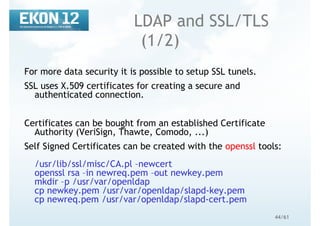
LDAP and SSL/TLS
(1/2)
For more data security it is possible to setup SSL tunels.
SSL uses X.509 certificates for creating a secure and
authenticated connection.
Certificates can be bought from an established Certificate
Authority (VeriSign, Thawte, Comodo, ...)
Self Signed Certificates can be created with the openssl tools:
/usr/lib/ssl/misc/CA.pl –newcert
openssl rsa –in newreq.pem –out newkey.pem
mkdir –p /usr/var/openldap
cp newkey.pem /usr/var/openldap/slapd-key.pem
cp newreq.pem /usr/var/openldap/slapd-cert.pem
45/61
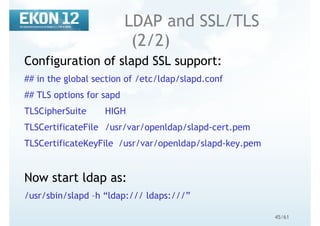
LDAP and SSL/TLS
(2/2)
Configuration of slapd SSL support:
## in the global section of /etc/ldap/slapd.conf
## TLS options for sapd
TLSCipherSuite HIGH
TLSCertificateFile /usr/var/openldap/slapd-cert.pem
TLSCertificateKeyFile /usr/var/openldap/slapd-key.pem
Now start ldap as:
/usr/sbin/slapd –h “ldap:/// ldaps:///”
46/61PascalPower
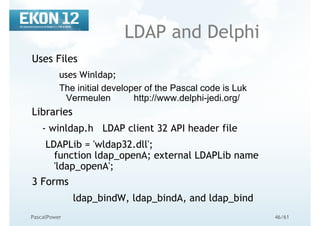
LDAP and Delphi
Uses Files
uses Winldap;
The initial developer of the Pascal code is Luk
Vermeulen http://www.delphi-jedi.org/
Libraries
- winldap.h LDAP client 32 API header file
LDAPLib = 'wldap32.dll';
function ldap_openA; external LDAPLib name
'ldap_openA';
3 Forms
ldap_bindW, ldap_bindA, and ldap_bind
47/61PascalPower
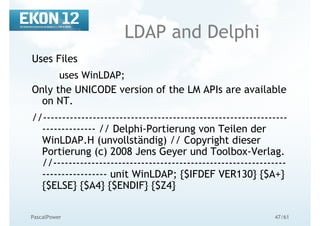
LDAP and Delphi
Uses Files
uses WinLDAP;
Only the UNICODE version of the LM APIs are available
on NT.
//----------------------------------------------------------------
-------------- // Delphi-Portierung von Teilen der
WinLDAP.H (unvollständig) // Copyright dieser
Portierung (c) 2008 Jens Geyer und Toolbox-Verlag.
//-------------------------------------------------------------
----------------- unit WinLDAP; {$IFDEF VER130} {$A+}
{$ELSE} {$A4} {$ENDIF} {$Z4}
48/61
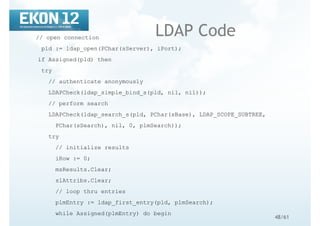
LDAP Code// open connection
pld := ldap_open(PChar(sServer), iPort);
if Assigned(pld) then
try
// authenticate anonymously
LDAPCheck(ldap_simple_bind_s(pld, nil, nil));
// perform search
LDAPCheck(ldap_search_s(pld, PChar(sBase), LDAP_SCOPE_SUBTREE,
PChar(sSearch), nil, 0, plmSearch));
try
// initialize results
iRow := 0;
msResults.Clear;
slAttribs.Clear;
// loop thru entries
plmEntry := ldap_first_entry(pld, plmSearch);
while Assigned(plmEntry) do begin
49/61PascalPower
LDAP and Unicode
{$EXTERNALSYM ldap_openA}
function ldap_openA(HostName: PAnsiChar; PortNumber:
ULONG): PLDAP; cdecl;
{$EXTERNALSYM ldap_openW}
function ldap_openW(HostName: PWideChar; PortNumber:
ULONG): PLDAP; cdecl;
{$EXTERNALSYM ldap_open}
function ldap_open(HostName: PChar; PortNumber: ULONG):
PLDAP; cdecl;
Support ASN.1 and LDAP Data Interchange Format (LDIF). It is hard
to say Delphi 2008 have much improved connectivity without
supporting these data interchange formats.
50/61PascalPower
LDAP & Unicode in
Delphi 2009 Discussion
Now that PChar is an alias to PWideChar, things
started falling over because the element type
is now 2 bytes.
With the preprocessor symbols _UNICODE and UNICODE, any Windows
C/C++ preprocessor that can be used with the Windows SDK will
happily replace every occurrence of TCHAR with WCHAR; … which
would be the counterpart to WideChar in Delphi and is also defined
in Windows.pas, if memory serves me well.
If you have touched the LSA headers you’ll have come accross
LSA_UNICODE_STRING and LSA_STRING, where the latter one uses
PCHAR clearly in the ANSI sense. LDAP functions also use it
excessively.
51/61
Distributed
Directories, Child
Distribution is done by an entry with the
referralClass as an objectclass (Subordinate
knowledge references)
dn: ou=sales,dc=linuxtraining,dc=be
ou: sales
objectClass: extensibleObject
objectClass: referral
ref: ldap://ldap2.linuxtraining.be/ou=sales,dc=linuxtraining,dc=be
52/61
LDAP Replication
(1/3)
OpenLDAP replication is handled by slurpd
slapd stores all ldap changes in a file identified
by the replogfile directive
slurpd monitors this file and pushes all changes
to the replica server
53/61
LDAP Replication
(2/3)
Master server setup:
replogfile /var/ldap/slapd.replog
replica host=replica1.linuxtraining.be:389
suffix=“dc=linuxtraining,dc=be”
binddn=“cn=replica,dc=linuxtraining,dc=be”
credentials=password
bindmethod=simple
tls=yes
54/61
LDAP Replication
(3/3)
Slave server setup:
updatedn “cn=replica,dc=plainjoe,dc=org”
udateref ldap://ldap.linuxtraining.be
(The rest of the config is identical to the master configuration)
Start the replication daemon:
/usr/sbin/slurpd
55/61PascalPower
LDAP Schema
The schema holds a central importance, which is hidden
from users
The schema determines the type of data a directory
holds
Modifying the schema can extend the functionality of a
directory
The schema components are highly interdependent
Schema is defined in RFC2252
56/61PascalPower
LDAP Schema,
Object Classes
An object class has many properties:
OID: Unique object identifier for the class
Name: Name used to refer to the class
Description: Brief description of what the class represents
Superior Class: Which object class the class is based on (SUP)
Class Category: one of abstract, auxilliary, structural
Mandatory Attributes: attributes that must have a value (MUST)
Optional Attributes: attributes that may have a value (MAY)
57/61
LDAP Schema,
Object Classes
An example:
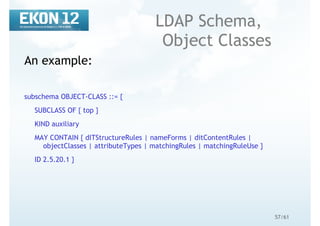
subschema OBJECT-CLASS ::= {
SUBCLASS OF { top }
KIND auxiliary
MAY CONTAIN { dITStructureRules | nameForms | ditContentRules |
objectClasses | attributeTypes | matchingRules | matchingRuleUse }
ID 2.5.20.1 }
58/61
LDAP Schema,
Object Classes
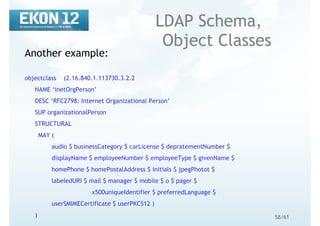
Another example:
objectclass (2.16.840.1.113730.3.2.2
NAME ‘inetOrgPerson’
DESC ‘RFC2798: Internet Organizational Person’
SUP organizationalPerson
STRUCTURAL
MAY (
audio $ businessCategory $ carLicense $ depratementNumber $
displayName $ employeeNumber $ employeeType $ givenName $
homePhone $ homePostalAddress $ initials $ jpegPhotot $
labeledURI $ mail $ manager $ mobile $ o $ pager $
x500uniqueIdentifier $ preferredLanguage $
userSMIMECertificate $ userPKCS12 )
)
59/61
LDAP Schema,
Attribute Types
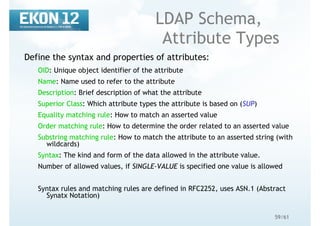
Define the syntax and properties of attributes:
OID: Unique object identifier of the attribute
Name: Name used to refer to the attribute
Description: Brief description of what the attribute
Superior Class: Which attribute types the attribute is based on (SUP)
Equality matching rule: How to match an asserted value
Order matching rule: How to determine the order related to an asserted value
Substring matching rule: How to match the attribute to an asserted string (with
wildcards)
Syntax: The kind and form of the data allowed in the attribute value.
Number of allowed values, if SINGLE-VALUE is specified one value is allowed
Syntax rules and matching rules are defined in RFC2252, uses ASN.1 (Abstract
Synatx Notation)
60/61
LDAP Schema,
Attribute Types
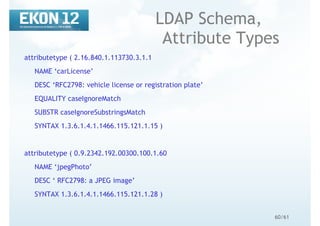
attributetype ( 2.16.840.1.113730.3.1.1
NAME ‘carLicense’
DESC ‘RFC2798: vehicle license or registration plate’
EQUALITY caseIgnoreMatch
SUBSTR caseIgnoreSubstringsMatch
SYNTAX 1.3.6.1.4.1.1466.115.121.1.15 )
attributetype ( 0.9.2342.192.00300.100.1.60
NAME ‘jpegPhoto’
DESC ‘ RFC2798: a JPEG image’
SYNTAX 1.3.6.1.4.1.1466.115.121.1.28 )
61/61PascalPower
References
O’Reilly’s “LDAP Directories Explained: An
Introduction and Analysis”
O’Reilly’s “LDAP System Administration”
http://www.openldap.org
LDAP – Eine Einführung
http://www.mitlinx.de/ldap/
Sourcen:
www.softwareschule.ch/download/openldap_delphi.zip

EKON 12 Running OpenLDAP

  • 1.
    1/61 Running OpenLDAP with Delphi MaxKleiner Wouter Paesen www.softwareschule.ch/download/openldap_delphi.zip
  • 2.
    2/61 Contents LDAP and DirectoryServices OpenLDAP installation OpenLDAP configuration OpenLDAP tools LDAP security Using SSL/TLS Using Delphi Distributed Directory Services LDAP Replication
  • 3.
    3/61 What is LDAP? Lightweight Directory Access Protocol A lightweight Protocol used to Access Directory Services (X500) LDAP is an open standard defined by the Internet Engineering Task Force (IETF). The complete definition can be found in RFC3377, RFC2251, RFC2252, RFC2253, RFC2254, RFC2255, RFC2256, RFC2829 and RFC2830
  • 4.
    4/61 What’s a Directory Service? A directory service is a system for storing and retrieving information in a tree-like structure with the following key properties: Optimized for reading Distributed storage model Extensible data storage types Advanced search capabilities Consistent replication possibilities LDAP is not a database !!! (Example child – parent)
  • 5.
    5/61 Why Lightweight ? LDAPis a subset of the X.500 Directory Access Protocol. X.500 Is very complex and heavyweight. Uses full OSI compliant connections (7 layers) LDAP Strives to be highly functional without being bloated with functionalities. Uses TCP/IP connections (less complicated)
  • 6.
  • 7.
    7/61PascalPower Typical LDAP Setup LDAP Client LDAPprotocol LDAP Server Storage backend
  • 8.
    8/61PascalPower LDAP Distinguished Name Each entryhas a distinguished name In it hierarchy level (horizon): Relative Distinguished Name (RDN) All RDNs from root onwords build the Distinguished Name (DN) No two entries in the same hierarchy level can have the same RDN No two entries in the directory can have the same DN
  • 9.
    9/61PascalPower LDAP Directory Information Tree o=kangaroot dc=net o=kangaroot o=linuxtraining dc=be dc=com root RDN: dc=net DN: dc=net RDN: o=kangaroot DN: o=kangaroot,dc=net
  • 10.
    10/61 When not touse LDAP When A more specialised directory service is available (Filesystem, DNS, …) A undefined mass of data, blob’s, need to be stored, here LDAP as a directory service is not the preferred way
  • 11.
    11/61 LDIF LDAP Interchange Formatis described in RFC 2849 (http://www.rfc- archive.org/getrfc.php?rfc=2849) LDIF is a plain text representation for storing LDAP configuration information and directory contents. An LDIF file contains: A collection of entries separated from each other by blank lines; A mapping of attribute names to values; A collection of directives that instruct the parser how to process the information. Very simple syntax: Comments start with a pounc character (#) on position 1 and continues to the end of the current line. Attributes are on the lefthand side of the colon (:) and values on the righthand side. The colon is separated from the value by a space. The dn attribute uniquely identified the DN of the entry
  • 12.
    12/61 LDIF (example) dn: dc=be objectClass:top objectClass: dcObject dc: be dn: dc=net objectClass: top objectClass: dcObject dc: net dn: o=kangaroot, dc=net objectClass: organisation o: kangaroot
  • 13.
    13/61PascalPower LDAP Attributes Information inthe LDAP DIT is stored in attributes Attributes Can be multi-valued Have syntax rules Have matching rules Can be required or optional Are defined in the schema definition DIT=Directory Information Tree
  • 14.
    14/61PascalPower LDAP ObjectClass Attribute Each LDAPentry must contain an ObjectClass attribute that: Defines which attributes an entry must and may contain Can be multi-valued (Base/Object/Attribut/Type/Value1/Value2...)
  • 15.
    15/61 LDAP ObjectClasses Are uniquely identifiedby an OID (IANA) Can be one of three types: Structural Object Class Auxiliary Object Class Abstract Object Class Defines: Attributes Encoding syntaxes Matching rules
  • 16.
    16/61 LDAP Authentication Session authentication necessaryfor establishing privileges Authentication token stored in the userPassword attribute of the person objectclass 4 types of authentication defined in LDAP: Anonymous authentication Simple authentication (sends the ldap passwords in cleartext to the directory service. This is dangerous in an untrusted network) Simple authentication over SSL/TLS Simple authentication and Security Layer (SASL)
  • 17.
    17/61 Directory Service Implementations SunOne -Sun Microsystems eDirectory - Novell/SUSE Active Directory – Microsoft OpenLDAP
  • 18.
    18/61 Why OpenLDAP Open sourceimplementation http://www.openldap.org Fully LDAP v3 compliant Available on multiple platforms Real TCP/IP & OpenSSL Integration
  • 19.
    19/61PascalPower Why not Finally OpenLDAPhas virtually no documentation and no comments in source code If you have some let us have it!!! It’s hard to find examples for beginners (exception: http://www.delphi- jedi.org/apilibrary.html)
  • 20.
    20/61PascalPower Software requirements Support for POSIXthreads (Available in GNU/Linux) Database Manager library with DBM support (Berkely DB – http://www.sleepycat.com) SSL/TLS libraries (http://www.openssl.org) Only if simple authentication over SSL/TLS is required SASL libraries from Carnegie Mellon University (http://asg.web.cmu.edu/sasl/sasl-library.html, Release 2.1) Only if SASL authentication is required
  • 21.
    21/61 OpenLDAP Installation, Methods Installing frompackages (deb, rpm) Installing from source (tar.gz) Install-openldap-windows.exe (2.0.27 ILEX build)
  • 22.
    22/61 OpenLDAP Installation, Packages A packageis pre-compiled software software together with pre- and post-install scripts. - Use only packages for your achitecture (e.g. i386) - Use only packages for your distribution (e.g. Debian, Red Hat, Fedora, SuSE) - Use only packages for the version of your distribution (e.g. Red Hat v8.0 or Red Hat v9.0) Advantages: - Easy to install - Easy to maintain Disadvantages: - Not optimized for your enviroment
  • 23.
    23/61PascalPower OpenLDAP Installation, Source Compile OpenSSL #cd /usr/src/ # wget http://www.openssl.org/source/openssl-0.9.7i.tar.gz # tar zxvf openssl-09.7i.tar.gz # cd openssl-0.9.7i # ./config shared --openssldir=/usr/local # make # make install for 0.9.8g: http://sourceforge.net/projects/delphiwebstart sourceforge.net/delphiwebstart/dws_https_lib_1_9.zip
  • 24.
    24/61 OpenLDAP Installation, Source Compile OpenLDAP #cd /usr/src/ # wget ftp://ftp.openldap.org/pub/OpenLDAP/openldap- release/openldap-2.3.18.tgz # tar zxvf openldap-2.3.18.tgz # cd openldap-2.3.18 # ./configure # make # make install
  • 25.
    25/61 OpenLDAP Configuration slapd.conf ASCII file withsome simple rules: - Blank lines and lines beginning with a pound sign (#) are ignored. - Parameters and associated values are separated by whitespace characters (space or tab) - A line with a blank space in the first column is considered to be a continuation of a previous one. There is no need for a line continuation character such as a backslash. 2 sections: - Global section - Database section(s)
  • 26.
    26/61 OpenLDAP Configuration, Schema Define whichschemas are supported by the server. By default schemas are: - corba.schema - core.schema (Basic LDAPv3 attributes and objects) - cosine.schema - inetorgperson.schema (Mostly used for addressbooks) - java.schema (java serialisation) - misc.schema (a.o. Sendmail schemas) - nis.schema (for using LDAP with NIS) - openldap.schema slapd.conf ## Include the minimum schema required. include /usr/local/etc/openldap/schema/core.schema
  • 27.
    27/61 OpenLDAP Configuration, Database # definethe storage backend to use database bdb # the root of our ldap tree suffix “dc=softwareschule, dc=ch” # definition of the database manager rootdn “cn=manager,dc= dc=softwareschule, dc=ch” rootpw {SSHA}2aksIaicAvwc+DhCrXUFlhgWsbBJPLxy # where the database will be stored directory /var/ldap/softwareschule.ch # file permissions on the database files mode 0600 # indexes on the data index objectClass eq index cn pres,eq
  • 28.
    28/61 OpenLDAP Configuration, Indexes OpenLDAP canmaintain different indexes to speed up directory searches. Defined in Database section: index attribute type Type is one (or more) of: approx (phonetic match) eq (exact match, as defined by matching rules) pres (value present or not) sub (substring matching)
  • 29.
    29/61 OpenLDAP Configuration, ACL, Who OrWho has Access to What? Who: *: any connected user, including anonymous self: DN of connected user anonymous: unauthenticated users users: all authenticated users regular expression: matches as DN or an SASL identity
  • 30.
    30/61 OpenLDAP Configuration, ACL, What OrWho has Access to What? What: regular expression defining the target DN. LDAP search filter comma-separated list of attributes (attrs=attributeList)
  • 31.
    31/61 OpenLDAP Configuration, ACL, Level OrWho has Access to What? Level: write read search compare auth none
  • 32.
    32/61 OpenLDAP Configuration, ACL, Example #Restrict userPassword to be used for authentication only, but allow # users to modify their own passwords access to attrs=userPassword by self write by * auth # Simple ACL granting read access to the world access to * by * read ACL’s have a first match wins policy, so the more specific ACL’s should be specified first !!!
  • 33.
    33/61 Certificate Matching Tasks Parse certificates/CRLs,extract fields (key usage etc.) Define way of storing indexes on embedded fields Add extracted fields to new indexes Define syntaxes for AVAs Update client to present new filter request Perform new filtering, find the certificates or CRLs that match, then return them
  • 34.
    34/61 AVA Notation Certificate BaseField LDAP AVA Notation Version number userCertificate.version Serial number userCertificate.serialNumber Algorithm IdentifieruserCertificate.signature.algorithm Issuer DN userCertificate.issuer Start validity time userCertificate.validity.notBefore End validity time userCertificate.validity.notAfter Subject DN userCertificate.subject Subject’s public key userCertificate.subjectPublicKey Subject’s PK alg id userCertificate.subjectPublicKey.algorithm Issuer unique id userCertificate.issuerUID Subject unique id userCertificate.subjectUID
  • 35.
    35/61 How You CanHelp - User Requirements Which fields should we extract and index on? PK Certificate has 11 base field 16 standard X.509 extensions 2 PKIX extensions an infinite number of private extensions (from Netscape, MS, Entrust, Baltimore etc.) AC Certificate has12 X.509 AC extensions CRL has 7 base fields 13 standard X.509 extensions
  • 36.
    36/61 Implementation For each newextension Server will need to know the ASN.1 data type Server will need to build a new index Client will need to be able to enter the matching information Implies a configuration option in OpenLDAP We are proposing to build Indexes for every basic field and A handful of X.509 and PKIX standard extensions The OID and criticality flag of each extension Which extensions will be the most useful to YOU?
  • 37.
    37/61PascalPower LDAP tools slapadd, slapcat,slappasswd ldapsearch ldapmodify ldapadd LdapAdmin.exe !!! The slap* utilities operate directly on the database files, without connecting to the LDAP server. Because OpenLDAP caches entries it is dangerous to use them when slapd is running !!!
  • 38.
    38/61 DIT Initialisation # catbase.ldif dn: dc:linuxtraining,dc=be objectClass: dcObject objectClass: organizationalUnit dc: linuxtraining ou: linuxtraining # # /usr/local/bin/slapadd –v –l base.ldif Start slapd (see Running slapd) and verify the tree contents: # /usr/local/bin/ldapsearch –x –b “dc=linuxtraining,dc=be” “(objectclass=*)”
  • 39.
    39/61 OpenLDAP tools common options Optionscommon to all ldap* utilities: d integer: similar to loglever in slapd.conf D “binddn”: DN to bind to when authenticating f LDIF-file: specifies the file containing LDIF entries to be used during the operation I: enable SASL interactive mode (prompts for password) n: do not perform the search, only show what would be done P [1|2]: which LDAP version to use, 2 or 3 R SASLrealm: SASLrealm to use when authenticating U username: username to use for SASL authentication v: verbose mode w password: password for authentication (dangerous) W: prompt for password x: use simple authentication y passwordFile: read password from this file
  • 40.
    40/61 OpenLDAP adding data Example: ldapadd –xWD“cn=Manager,dc=linuxtraining,dc=be” –f datafile.ldif Explenation: x: use simple bind (no SSL or SASL) W: prompt for password D: use “cn=Manager,dc=linuxtraining,dc=be” as identity to logon f: use the specified file as LDIF data to add to the tree
  • 41.
    41/61PascalPower OpenLDAP ldapsearch usage ldapsearch specificoptions: -a How to handle aliases during the search (never, always, search, find) -A return only attribute names, not values -b Base DN to search -l Limit search to the specified time (seconds) -s Define the scape (syb, base, one) -S Sort the search data by the values of the specified attributes -z Specify the maximum number of entries to return example: ldapsearch –x –b “dc=softwareschule,dc=ch” “(objectclass=*)”
  • 42.
    42/61 OpenLDAP ldapmodify ldapmodify can beused to change the ldap data in the tree. It understand 2 special attributes: changetype This attribute defines how the entry should be modified. It can be one of the following: add: add the entry to the directory delete: delete the entry from the directory modify: change or delete attributes modrdn: modify the RDN of an entry moddn: modify the DN of an entry delete the value(s) of the attribute are names of attributes to be deleted.
  • 43.
    43/61PascalPower LDAP other tools Arange of tools are available for ldap management: GQ: GTK+ ldap client (http://biot.com/gq/index2.html) Softerra LDAP browser: Windows LDAP client (http://www.ldapbrowser.com/) phpLdapAdmin: Powerfull web based ldap administration frontend (http://phpldapadmin.sourceforge.net/) AKBK website: LDAP Schema Viewer (http://ldap.akbkhome.com/index.php) LDAPAdmin: http://ldapadmin.sourceforge.net/
  • 44.
    44/61 LDAP and SSL/TLS (1/2) Formore data security it is possible to setup SSL tunels. SSL uses X.509 certificates for creating a secure and authenticated connection. Certificates can be bought from an established Certificate Authority (VeriSign, Thawte, Comodo, ...) Self Signed Certificates can be created with the openssl tools: /usr/lib/ssl/misc/CA.pl –newcert openssl rsa –in newreq.pem –out newkey.pem mkdir –p /usr/var/openldap cp newkey.pem /usr/var/openldap/slapd-key.pem cp newreq.pem /usr/var/openldap/slapd-cert.pem
  • 45.
    45/61 LDAP and SSL/TLS (2/2) Configurationof slapd SSL support: ## in the global section of /etc/ldap/slapd.conf ## TLS options for sapd TLSCipherSuite HIGH TLSCertificateFile /usr/var/openldap/slapd-cert.pem TLSCertificateKeyFile /usr/var/openldap/slapd-key.pem Now start ldap as: /usr/sbin/slapd –h “ldap:/// ldaps:///”
  • 46.
    46/61PascalPower LDAP and Delphi UsesFiles uses Winldap; The initial developer of the Pascal code is Luk Vermeulen http://www.delphi-jedi.org/ Libraries - winldap.h LDAP client 32 API header file LDAPLib = 'wldap32.dll'; function ldap_openA; external LDAPLib name 'ldap_openA'; 3 Forms ldap_bindW, ldap_bindA, and ldap_bind
  • 47.
    47/61PascalPower LDAP and Delphi UsesFiles uses WinLDAP; Only the UNICODE version of the LM APIs are available on NT. //---------------------------------------------------------------- -------------- // Delphi-Portierung von Teilen der WinLDAP.H (unvollständig) // Copyright dieser Portierung (c) 2008 Jens Geyer und Toolbox-Verlag. //------------------------------------------------------------- ----------------- unit WinLDAP; {$IFDEF VER130} {$A+} {$ELSE} {$A4} {$ENDIF} {$Z4}
  • 48.
    48/61 LDAP Code// openconnection pld := ldap_open(PChar(sServer), iPort); if Assigned(pld) then try // authenticate anonymously LDAPCheck(ldap_simple_bind_s(pld, nil, nil)); // perform search LDAPCheck(ldap_search_s(pld, PChar(sBase), LDAP_SCOPE_SUBTREE, PChar(sSearch), nil, 0, plmSearch)); try // initialize results iRow := 0; msResults.Clear; slAttribs.Clear; // loop thru entries plmEntry := ldap_first_entry(pld, plmSearch); while Assigned(plmEntry) do begin
  • 49.
    49/61PascalPower LDAP and Unicode {$EXTERNALSYMldap_openA} function ldap_openA(HostName: PAnsiChar; PortNumber: ULONG): PLDAP; cdecl; {$EXTERNALSYM ldap_openW} function ldap_openW(HostName: PWideChar; PortNumber: ULONG): PLDAP; cdecl; {$EXTERNALSYM ldap_open} function ldap_open(HostName: PChar; PortNumber: ULONG): PLDAP; cdecl; Support ASN.1 and LDAP Data Interchange Format (LDIF). It is hard to say Delphi 2008 have much improved connectivity without supporting these data interchange formats.
  • 50.
    50/61PascalPower LDAP & Unicodein Delphi 2009 Discussion Now that PChar is an alias to PWideChar, things started falling over because the element type is now 2 bytes. With the preprocessor symbols _UNICODE and UNICODE, any Windows C/C++ preprocessor that can be used with the Windows SDK will happily replace every occurrence of TCHAR with WCHAR; … which would be the counterpart to WideChar in Delphi and is also defined in Windows.pas, if memory serves me well. If you have touched the LSA headers you’ll have come accross LSA_UNICODE_STRING and LSA_STRING, where the latter one uses PCHAR clearly in the ANSI sense. LDAP functions also use it excessively.
  • 51.
    51/61 Distributed Directories, Child Distribution isdone by an entry with the referralClass as an objectclass (Subordinate knowledge references) dn: ou=sales,dc=linuxtraining,dc=be ou: sales objectClass: extensibleObject objectClass: referral ref: ldap://ldap2.linuxtraining.be/ou=sales,dc=linuxtraining,dc=be
  • 52.
    52/61 LDAP Replication (1/3) OpenLDAP replicationis handled by slurpd slapd stores all ldap changes in a file identified by the replogfile directive slurpd monitors this file and pushes all changes to the replica server
  • 53.
    53/61 LDAP Replication (2/3) Master serversetup: replogfile /var/ldap/slapd.replog replica host=replica1.linuxtraining.be:389 suffix=“dc=linuxtraining,dc=be” binddn=“cn=replica,dc=linuxtraining,dc=be” credentials=password bindmethod=simple tls=yes
  • 54.
    54/61 LDAP Replication (3/3) Slave serversetup: updatedn “cn=replica,dc=plainjoe,dc=org” udateref ldap://ldap.linuxtraining.be (The rest of the config is identical to the master configuration) Start the replication daemon: /usr/sbin/slurpd
  • 55.
    55/61PascalPower LDAP Schema The schemaholds a central importance, which is hidden from users The schema determines the type of data a directory holds Modifying the schema can extend the functionality of a directory The schema components are highly interdependent Schema is defined in RFC2252
  • 56.
    56/61PascalPower LDAP Schema, Object Classes Anobject class has many properties: OID: Unique object identifier for the class Name: Name used to refer to the class Description: Brief description of what the class represents Superior Class: Which object class the class is based on (SUP) Class Category: one of abstract, auxilliary, structural Mandatory Attributes: attributes that must have a value (MUST) Optional Attributes: attributes that may have a value (MAY)
  • 57.
    57/61 LDAP Schema, Object Classes Anexample: subschema OBJECT-CLASS ::= { SUBCLASS OF { top } KIND auxiliary MAY CONTAIN { dITStructureRules | nameForms | ditContentRules | objectClasses | attributeTypes | matchingRules | matchingRuleUse } ID 2.5.20.1 }
  • 58.
    58/61 LDAP Schema, Object Classes Anotherexample: objectclass (2.16.840.1.113730.3.2.2 NAME ‘inetOrgPerson’ DESC ‘RFC2798: Internet Organizational Person’ SUP organizationalPerson STRUCTURAL MAY ( audio $ businessCategory $ carLicense $ depratementNumber $ displayName $ employeeNumber $ employeeType $ givenName $ homePhone $ homePostalAddress $ initials $ jpegPhotot $ labeledURI $ mail $ manager $ mobile $ o $ pager $ x500uniqueIdentifier $ preferredLanguage $ userSMIMECertificate $ userPKCS12 ) )
  • 59.
    59/61 LDAP Schema, Attribute Types Definethe syntax and properties of attributes: OID: Unique object identifier of the attribute Name: Name used to refer to the attribute Description: Brief description of what the attribute Superior Class: Which attribute types the attribute is based on (SUP) Equality matching rule: How to match an asserted value Order matching rule: How to determine the order related to an asserted value Substring matching rule: How to match the attribute to an asserted string (with wildcards) Syntax: The kind and form of the data allowed in the attribute value. Number of allowed values, if SINGLE-VALUE is specified one value is allowed Syntax rules and matching rules are defined in RFC2252, uses ASN.1 (Abstract Synatx Notation)
  • 60.
    60/61 LDAP Schema, Attribute Types attributetype( 2.16.840.1.113730.3.1.1 NAME ‘carLicense’ DESC ‘RFC2798: vehicle license or registration plate’ EQUALITY caseIgnoreMatch SUBSTR caseIgnoreSubstringsMatch SYNTAX 1.3.6.1.4.1.1466.115.121.1.15 ) attributetype ( 0.9.2342.192.00300.100.1.60 NAME ‘jpegPhoto’ DESC ‘ RFC2798: a JPEG image’ SYNTAX 1.3.6.1.4.1.1466.115.121.1.28 )
  • 61.
    61/61PascalPower References O’Reilly’s “LDAP DirectoriesExplained: An Introduction and Analysis” O’Reilly’s “LDAP System Administration” http://www.openldap.org LDAP – Eine Einführung http://www.mitlinx.de/ldap/ Sourcen: www.softwareschule.ch/download/openldap_delphi.zip