Online Orientation Spring 2009 By Linda Delzeit-McIntyre
Important Details to Write Down Campus Web Site:  http://lattc.edu Moodle Site:  http://moodle.lattc.edu Online Coordinator:  Linda Delzeit-McIntyre Assistant: Dana Dugan 213-763-3733 [email_address]  /  [email_address] Office: L-270 Spring term begins Monday, Feb. 9 and ends Friday, June 8.
Adding “Closed” Online Classes Use email ID in SIS (update it) Send email to Instructor requesting add Instructor forwards to Registration Registration adds ONLY IF: Same email ID as in SIS No holds or missing Pre-Req Registration emails instructor & student Alternative: get email approval by instructor to add and forward to online office:  [email_address]  and a add permit will be taken to the A&R for you.
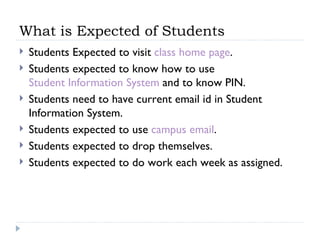
What is Expected of Students Students Expected to visit  class home page . Students expected to know how to use  Student Information System  and to know PIN. Students need to have current email id in Student Information System. Students expected to use  campus email . Students expected to drop themselves. Students expected to do work each week as assigned.
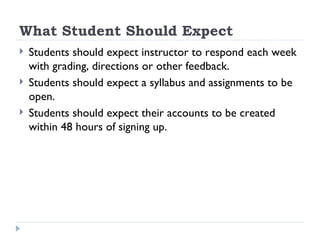
What Student Should Expect Students should expect instructor to respond each week with grading, directions or other feedback. Students should expect a syllabus and assignments to be open. Students should expect their accounts to be created within 48 hours of signing up.
If You Have Problems Contact your instructor Report errors, issues inside the class Contact Online Coordinator If you can’t get into class, problems with accounts or instructor. Contact the Dept. chair If the instructor appears to be “absent.”
Using Moodle - General Allow Pop-ups – turn off the blocker Allow Cookies  Directions for the above are available in technology resources web page No spaces in file names if you plan to upload a file. Convert all word processing files to .doc or .rtf
Safety Concerns Never give out personal contact information. Never meet a class mate at a resident.  Always meet in a public location and take a friend the first time. Report any uncomfortable contact or discourteous communication.
Online Student Services Live Chat – Registration, Counseling, and Transfer Center Online Writing Center assistance Online Academic Advising services Must use campus email for services
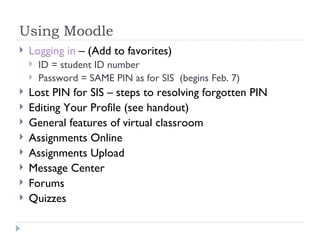
Using Moodle Logging in  – (Add to favorites) ID = student ID number Password = SAME PIN as for SIS  (begins Feb. 7) Lost PIN for SIS – steps to resolving forgotten PIN Editing Your Profile (see handout) General features of virtual classroom Assignments Online Assignments Upload Message Center Forums Quizzes
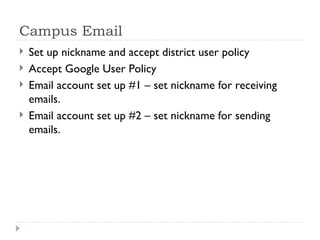
Campus Email Set up nickname and accept district user policy Accept Google User Policy Email account set up #1 – set nickname for receiving emails. Email account set up #2 – set nickname for sending emails.
Google Docs for Class Work Google docs can be used for group projects. Google docs can be used for Online Writing Center tutoring

Orientation Sp09

  • 1.
    Online Orientation Spring2009 By Linda Delzeit-McIntyre
  • 2.
    Important Details toWrite Down Campus Web Site: http://lattc.edu Moodle Site: http://moodle.lattc.edu Online Coordinator: Linda Delzeit-McIntyre Assistant: Dana Dugan 213-763-3733 [email_address] / [email_address] Office: L-270 Spring term begins Monday, Feb. 9 and ends Friday, June 8.
  • 3.
    Adding “Closed” OnlineClasses Use email ID in SIS (update it) Send email to Instructor requesting add Instructor forwards to Registration Registration adds ONLY IF: Same email ID as in SIS No holds or missing Pre-Req Registration emails instructor & student Alternative: get email approval by instructor to add and forward to online office: [email_address] and a add permit will be taken to the A&R for you.
  • 4.
    What is Expectedof Students Students Expected to visit class home page . Students expected to know how to use Student Information System and to know PIN. Students need to have current email id in Student Information System. Students expected to use campus email . Students expected to drop themselves. Students expected to do work each week as assigned.
  • 5.
    What Student ShouldExpect Students should expect instructor to respond each week with grading, directions or other feedback. Students should expect a syllabus and assignments to be open. Students should expect their accounts to be created within 48 hours of signing up.
  • 6.
    If You HaveProblems Contact your instructor Report errors, issues inside the class Contact Online Coordinator If you can’t get into class, problems with accounts or instructor. Contact the Dept. chair If the instructor appears to be “absent.”
  • 7.
    Using Moodle -General Allow Pop-ups – turn off the blocker Allow Cookies Directions for the above are available in technology resources web page No spaces in file names if you plan to upload a file. Convert all word processing files to .doc or .rtf
  • 8.
    Safety Concerns Nevergive out personal contact information. Never meet a class mate at a resident. Always meet in a public location and take a friend the first time. Report any uncomfortable contact or discourteous communication.
  • 9.
    Online Student ServicesLive Chat – Registration, Counseling, and Transfer Center Online Writing Center assistance Online Academic Advising services Must use campus email for services
  • 10.
    Using Moodle Loggingin – (Add to favorites) ID = student ID number Password = SAME PIN as for SIS (begins Feb. 7) Lost PIN for SIS – steps to resolving forgotten PIN Editing Your Profile (see handout) General features of virtual classroom Assignments Online Assignments Upload Message Center Forums Quizzes
  • 11.
    Campus Email Setup nickname and accept district user policy Accept Google User Policy Email account set up #1 – set nickname for receiving emails. Email account set up #2 – set nickname for sending emails.
  • 12.
    Google Docs forClass Work Google docs can be used for group projects. Google docs can be used for Online Writing Center tutoring