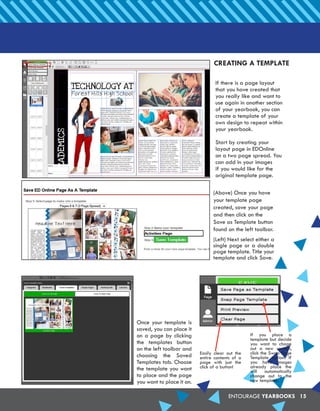
This document provides instructions for using the EDOnline yearbook software. It outlines how to log in, select pages, place images and text, use templates and backgrounds, and create cover pages. The steps covered include inserting photos, cropping and editing images, resizing and moving elements, and using the auto page builder to automatically generate layouts. Advanced features like text formatting and custom templates are also explained.