Consulting/Training
Easy Copy with AzCopy
Using AzCopy to work with Azure Storage
Consulting/Training
 Cloud-native storage solution for Microsoft Azure
 Designed for durability, availability
 Pay-as-you-go: amount stored & egress (ingress is free)
 Grouped into “accounts”
 Up to 500 TB of data stored per account
 Up to 100 named accounts per subscription (can be increased via support)
 Storage Services for working with Blob, Table, Queue, File
Azure Storage
Consulting/Training
 REST API
 PowerShell, Azure CLI
 Azure Storage SDK
 1st & 3rd Party GUI Tools
 MSFT Storage Explorer List (updated 7/2015): http://j.mp/AzureStorageExplorers
 Direct-Ship Drives
 Azure Services
Working With Data In Azure Storage
And what if I want to move data between Storage Accounts?
Consulting/Training
 Command-line utility
 Copy data to/from Blob, File, Table storage
 Operates with local file system or between storage accounts
 Wrapper around .NET Storage API, with parallel execution, journaling,
progress
 http://aka.ms/downloadazcopy
Introducing AzCopy
Consulting/Training
AzCopy Fundamentals
Consulting/Training
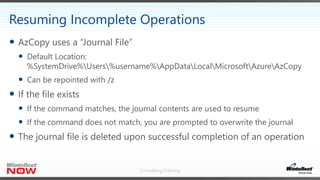
 AzCopy uses a “Journal File”
 Default Location:
%SystemDrive%Users%username%AppDataLocalMicrosoftAzureAzCopy
 Can be repointed with /z
 If the file exists
 If the command matches, the journal contents are used to resume
 If the command does not match, you are prompted to overwrite the journal
 The journal file is deleted upon successful completion of an operation
Resuming Incomplete Operations
Consulting/Training
Resuming
Consulting/Training
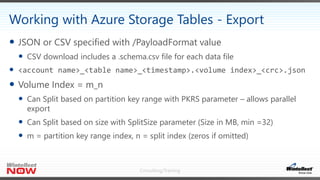
 JSON or CSV specified with /PayloadFormat value
 CSV download includes a .schema.csv file for each data file
 <account name>_<table name>_<timestamp>.<volume index>_<crc>.json
 Volume Index = m_n
 Can Split based on partition key range with PKRS parameter – allows parallel
export
 Can Split based on size with SplitSize parameter (Size in MB, min =32)
 m = partition key range index, n = split index (zeros if omitted)
Working with Azure Storage Tables - Export
Consulting/Training
 JSON only
 Uses a manifest file to locate data files and perform validation
 Manifest file is created as part of Export
 <account name>_<table name>_<timestamp>.manifest
 Specify how to handle PK/RK collisions with EntityOperation –
InsertOrSkip, InserOrMerge, InsertOrReplace
Working with Azure Storage Tables - Import
Consulting/Training
Storage Tables
Consulting/Training
 Based on the core data movement framework that powers AzCopy
 Works with Blobs & Files
 NuGet & Source (with Samples)
 NuGet:
https://www.nuget.org/packages/Microsoft.Azure.Storage.DataMovement
 Git:
https://github.com/Azure/azure-storage-net-data-movement
Introducing the Data Movement Library
One VERY interesting sample – “S3ToAzureSample”
Consulting/Training
 TransferManager
 Copy, CopyDirectory, Download, DownlodDirectory, Upload, UploadDirectory
 Set Azure Storage coordinates using “standard” Azure Storage API calls
 Options (Recursive, SearchPattern, etc.)
 TransferContext (ProgressHandler, OverwriteCallback, etc.)
 There are some “best practices” you should follow to set up HTTP
communications the way DML needs it
Working With the Data Movement Library
Consulting/Training
The Data Movement API
Consulting/Training
April 16, Microsoft Office Alpharetta
https://GAB-ATL.eventbrite.com
Consulting/Training
Microsoft Ignite
September 26–30, 2016
Atlanta, GA
ignite.microsoft.com
Consulting/Training
Thank You

Easy Copy with AZ Copy

  • 1.
    Consulting/Training Easy Copy withAzCopy Using AzCopy to work with Azure Storage
  • 2.
    Consulting/Training  Cloud-native storagesolution for Microsoft Azure  Designed for durability, availability  Pay-as-you-go: amount stored & egress (ingress is free)  Grouped into “accounts”  Up to 500 TB of data stored per account  Up to 100 named accounts per subscription (can be increased via support)  Storage Services for working with Blob, Table, Queue, File Azure Storage
  • 3.
    Consulting/Training  REST API PowerShell, Azure CLI  Azure Storage SDK  1st & 3rd Party GUI Tools  MSFT Storage Explorer List (updated 7/2015): http://j.mp/AzureStorageExplorers  Direct-Ship Drives  Azure Services Working With Data In Azure Storage And what if I want to move data between Storage Accounts?
  • 4.
    Consulting/Training  Command-line utility Copy data to/from Blob, File, Table storage  Operates with local file system or between storage accounts  Wrapper around .NET Storage API, with parallel execution, journaling, progress  http://aka.ms/downloadazcopy Introducing AzCopy
  • 5.
  • 6.
    Consulting/Training  AzCopy usesa “Journal File”  Default Location: %SystemDrive%Users%username%AppDataLocalMicrosoftAzureAzCopy  Can be repointed with /z  If the file exists  If the command matches, the journal contents are used to resume  If the command does not match, you are prompted to overwrite the journal  The journal file is deleted upon successful completion of an operation Resuming Incomplete Operations
  • 7.
  • 8.
    Consulting/Training  JSON orCSV specified with /PayloadFormat value  CSV download includes a .schema.csv file for each data file  <account name>_<table name>_<timestamp>.<volume index>_<crc>.json  Volume Index = m_n  Can Split based on partition key range with PKRS parameter – allows parallel export  Can Split based on size with SplitSize parameter (Size in MB, min =32)  m = partition key range index, n = split index (zeros if omitted) Working with Azure Storage Tables - Export
  • 9.
    Consulting/Training  JSON only Uses a manifest file to locate data files and perform validation  Manifest file is created as part of Export  <account name>_<table name>_<timestamp>.manifest  Specify how to handle PK/RK collisions with EntityOperation – InsertOrSkip, InserOrMerge, InsertOrReplace Working with Azure Storage Tables - Import
  • 10.
  • 11.
    Consulting/Training  Based onthe core data movement framework that powers AzCopy  Works with Blobs & Files  NuGet & Source (with Samples)  NuGet: https://www.nuget.org/packages/Microsoft.Azure.Storage.DataMovement  Git: https://github.com/Azure/azure-storage-net-data-movement Introducing the Data Movement Library One VERY interesting sample – “S3ToAzureSample”
  • 12.
    Consulting/Training  TransferManager  Copy,CopyDirectory, Download, DownlodDirectory, Upload, UploadDirectory  Set Azure Storage coordinates using “standard” Azure Storage API calls  Options (Recursive, SearchPattern, etc.)  TransferContext (ProgressHandler, OverwriteCallback, etc.)  There are some “best practices” you should follow to set up HTTP communications the way DML needs it Working With the Data Movement Library
  • 13.
  • 14.
    Consulting/Training April 16, MicrosoftOffice Alpharetta https://GAB-ATL.eventbrite.com
  • 15.
    Consulting/Training Microsoft Ignite September 26–30,2016 Atlanta, GA ignite.microsoft.com
  • 16.

Editor's Notes

  • #3 Yes, that’s 5 Petabytes of data storage available per Azure Subscription
  • #4 Storage Explorers: http://blogs.msdn.com/b/windowsazurestorage/archive/2014/03/11/windows-azure-storage-explorers-2014.aspx Don’t forget Cloud Explorer in Visual Studio! Some of the tools are quite powerful, offer multi-threading, etc. AzCopy is free and is useful for build command integration, etc. Azure Services can generate/transform data from other sources to Azure Storage (Stream Analytics, Data Factory)
  • #5 Wrapper – discuss “Best Practices” that it wraps/sets
  • #6 Demo – Upload local FS file or Folder to Blob with AzCopy Demo – Add SAS (either param or URL) Demo - Download Demo – Transfer between storage accounts with AzCopy
  • #8 Demo – Show suspend/resume (Journal file…if command matches, resumes incomplete op)
  • #11 Note: Using US College Survey Data (including non-CONUS venues), PK=State, RK=UNITID, Download PKRS=State Abbrevs
  • #14 TODO – Some GUI code to exercise the API
  • #17 Build: March 30 – April 1 in San Francisco Convergence: April 4-7, 2016 in New Orleans WPC: July 10-14, 2016 in Toronto Microsoft Ignite: September 26-30, 2016 in Atlanta