



Karen Lopez
Data Evangelist,
InfoAdvisors
Level: Intermediate
Migrating Data &
Databases to Azure
Karen Lopez
• Karen has 20+ years of data and information
architecture experience on large, multi-project
programs.
• She is a frequent speaker on data modeling, data-
driven methodologies and pattern data models.
• She wants you to love your data.
Why this topic?
So many migration stories out there…
Upgrades are Migration projects, too.
There are many “gotchas”
New tools, new reasons
Many techniques
POLL: Who Are You?
POLL: Have you participated
in a production migration?
POLL: Have you participated
in a successful production
migration?
POLL: Do you have
production experience
with the tools?
Roles and responsibilities on migration projects
• What do Data Professionals do?
• DBA
• Data Analyst
• BI folks
• DB Devs
• Server team
• Storage “guys”
• Architects just booze
Why "lift and shift" may not be right choice
Cloud isn't the same as your data center
Performance expectations
Baseline performance
Security
Many service offerings
Why Migrate to Azure SQL
DB?
• Performance and scale
without downtime
• Elastic pools
• Pooled databases
• Monitoring and
alerting
• Uptime, SLAs, DR, BCP
• Securing data
CB&R of cloud
solutions
Vendor lock in
Elastic Scalability
High Availability
Disaster Recovery
OPEX vs CAPEX
ACID vs BASE
Tunability of Consistency
Durability
Service vs Infrastructure
Vendor Durability
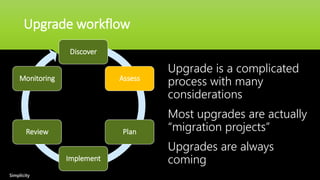
Upgrade workflow
Discover
Assess
Plan
Implement
Review
Monitoring
Upgrade is a complicated
process with many
considerations
Most upgrades are actually
“migration projects”
Upgrades are always
coming
Simplicity
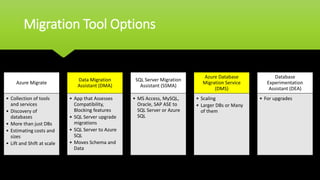
Migration Tool Options
Azure Migrate
• Collection of tools
and services
• Discovery of
databases
• More than just DBs
• Estimating costs and
sizes
• Lift and Shift at scale
Data Migration
Assistant (DMA)
• App that Assesses
Compatibility,
Blocking features
• SQL Server upgrade
migrations
• SQL Server to Azure
SQL
• Moves Schema and
Data
SQL Server Migration
Assistant (SSMA)
• MS Access, MySQL,
Oracle, SAP ASE to
SQL Server or Azure
SQL
Azure Database
Migration Service
(DMS)
• Scaling
• Larger DBs or Many
of them
Database
Experimentation
Assistant (DEA)
• For upgrades
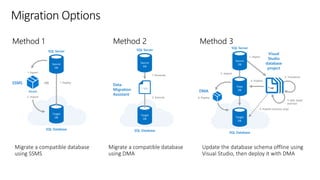
Method 1 Method 2 Method 3
Target
DB
SQL Database
SQL Server
SSMS
2. Import
1. Deploy
OR
.bacpac
1. Export
Source
DB
Target
DB
SQL Database
SQL Server
Data
Migration
Assistant
2. Execute
1. Generate
T-SQL
Source
DB
Target
DB
SQL Database
SQL Server
DMA
6. Deploy
5. Import
Copy
DB
Source
DB
4. Publish
1. Import
Visual
Studio
database
project
2. Transform
3. Edit, build
and test
*.sql
4. Publish (schema only)
Migrate a compatible database
using SSMS
Migrate a compatible database
using DMA
Update the database schema offline using
Visual Studio, then deploy it with DMA
Migration Options
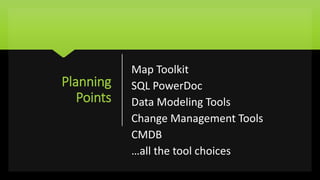
Planning
Points
Map Toolkit
SQL PowerDoc
Data Modeling Tools
Change Management Tools
CMDB
…all the tool choices
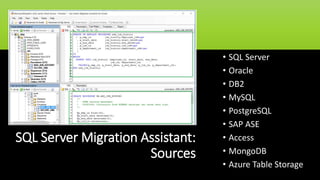
SQL Server Migration Assistant:
Sources
• SQL Server
• Oracle
• DB2
• MySQL
• PostgreSQL
• SAP ASE
• Access
• MongoDB
• Azure Table Storage
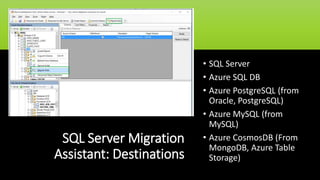
SQL Server Migration
Assistant: Destinations
• SQL Server
• Azure SQL DB
• Azure PostgreSQL (from
Oracle, PostgreSQL)
• Azure MySQL (from
MySQL)
• Azure CosmosDB (From
MongoDB, Azure Table
Storage)
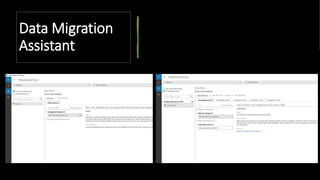
Data Migration
Assistant
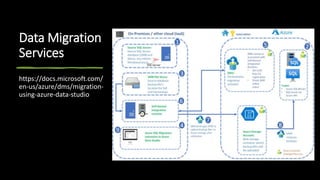
Data Migration
Services
https://docs.microsoft.com/
en-us/azure/dms/migration-
using-azure-data-studio
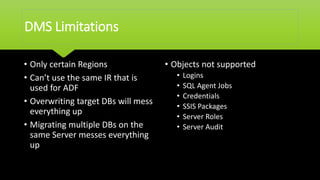
DMS Limitations
• Only certain Regions
• Can’t use the same IR that is
used for ADF
• Overwriting target DBs will mess
everything up
• Migrating multiple DBs on the
same Server messes everything
up
• Objects not supported
• Logins
• SQL Agent Jobs
• Credentials
• SSIS Packages
• Server Roles
• Server Audit
DEMOs….
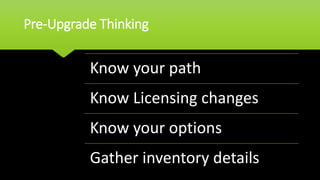
Pre-Upgrade Thinking
Know your path
Know Licensing changes
Know your options
Gather inventory details
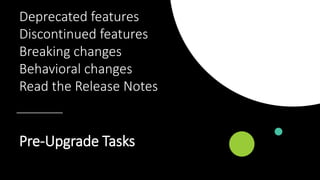
Pre-Upgrade Tasks
Deprecated features
Discontinued features
Breaking changes
Behavioral changes
Read the Release Notes
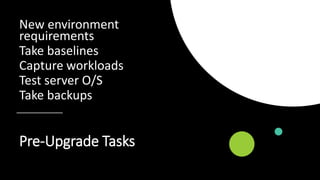
Pre-Upgrade Tasks
New environment
requirements
Take baselines
Capture workloads
Test server O/S
Take backups
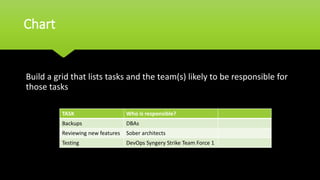
Chart
Build a grid that lists tasks and the team(s) likely to be responsible for
those tasks
TASK Who is responsible?
Backups DBAs
Reviewing new features Sober architects
Testing DevOps Syngery Strike Team Force 1
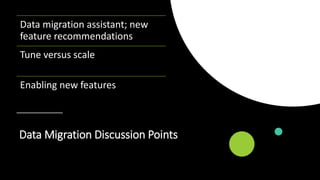
Data Migration Discussion Points
Data migration assistant; new
feature recommendations
Tune versus scale
Enabling new features
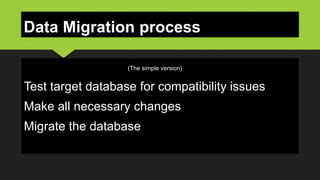
Data Migration process
Test target database for compatibility issues
Make all necessary changes
Migrate the database
(The simple version)
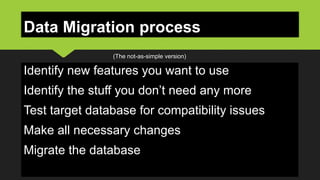
Data Migration process
Identify new features you want to use
Identify the stuff you don’t need any more
Test target database for compatibility issues
Make all necessary changes
Migrate the database
(The not-as-simple version)
Data Migration process: DIY
Test target database for
compatibility issues
• Use SSMS to export/extract
• Use DMA to analyze/migrate
• Use VS to create a database project
• Manually script using SQLPackage.exe
Data Migration process: DIY
Make changes
• SSMS
• VS database projects best
suited for this task
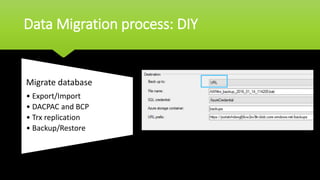
Data Migration process: DIY
Migrate database
• Export/Import
• DACPAC and BCP
• Trx replication
• Backup/Restore
What about Bigger Data?
Azure Box (preview)
Import/Export service (your disks)
AzCopy
Lots of machines + great bandwidth
+ time…lots of time.
Security & Privacy
Data categorization
BACPAC & Files
Encryption keys – best
practices
Data Movement for large data
Encryption technologies
Non-standard ops are
when secret tend to
leak!
See something/Say
Something
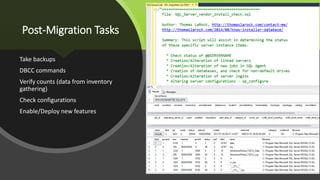
Post-Migration Tasks
Take backups
DBCC commands
Verify counts (data from inventory
gathering)
Check configurations
Enable/Deploy new features
Testing….
• In your planning phase, you should have developed
post-migration
• Test Plan
• Test Harness
• Test Data (not production data)
• Automated Testing scripts
• …all the Test Driven Development things you do for Dev
projects.
• You did that all, right?
Testing….
• User Acceptance Testing
• End-to-end testing
• Performance benchmarks (updated)
• Cycle testing
• Security and Privacy testing
• HADR
• Monitoring & Alerting
• Networking
• …the rest of IT knows there’s a new thing / place
Data Migration Summary
1.Features: take advantage of new things
2.Use Visual Studio to create a database project
3.Test target source and database for compatibility issues
4.Downtimes:
1.Minimal downtime: Transactional replication
2.Some downtime, trx consistent: Backup/Restore
3.Some downtime, not trx consistent: SSMS Import/Export
data wizard
5.Tools help you engineer out the stupid
6.Testing needs to be just as rigorous as development testing.
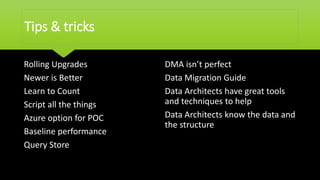
Tips & tricks
Rolling Upgrades
Newer is Better
Learn to Count
Script all the things
Azure option for POC
Baseline performance
Query Store
DMA isn’t perfect
Data Migration Guide
Data Architects have great tools
and techniques to help
Data Architects know the data and
the structure
Karen Lopez – Thank You!

Migrating Data and Databases to Azure

  • 1.
    Karen Lopez Data Evangelist, InfoAdvisors Level:Intermediate Migrating Data & Databases to Azure
  • 2.
    Karen Lopez • Karenhas 20+ years of data and information architecture experience on large, multi-project programs. • She is a frequent speaker on data modeling, data- driven methodologies and pattern data models. • She wants you to love your data.
  • 3.
    Why this topic? Somany migration stories out there… Upgrades are Migration projects, too. There are many “gotchas” New tools, new reasons Many techniques
  • 4.
  • 5.
    POLL: Have youparticipated in a production migration?
  • 6.
    POLL: Have youparticipated in a successful production migration?
  • 7.
    POLL: Do youhave production experience with the tools?
  • 8.
    Roles and responsibilitieson migration projects • What do Data Professionals do? • DBA • Data Analyst • BI folks • DB Devs • Server team • Storage “guys” • Architects just booze
  • 9.
    Why "lift andshift" may not be right choice Cloud isn't the same as your data center Performance expectations Baseline performance Security Many service offerings
  • 10.
    Why Migrate toAzure SQL DB? • Performance and scale without downtime • Elastic pools • Pooled databases • Monitoring and alerting • Uptime, SLAs, DR, BCP • Securing data
  • 11.
    CB&R of cloud solutions Vendorlock in Elastic Scalability High Availability Disaster Recovery OPEX vs CAPEX ACID vs BASE Tunability of Consistency Durability Service vs Infrastructure Vendor Durability
  • 12.
    Upgrade workflow Discover Assess Plan Implement Review Monitoring Upgrade isa complicated process with many considerations Most upgrades are actually “migration projects” Upgrades are always coming Simplicity
  • 13.
    Migration Tool Options AzureMigrate • Collection of tools and services • Discovery of databases • More than just DBs • Estimating costs and sizes • Lift and Shift at scale Data Migration Assistant (DMA) • App that Assesses Compatibility, Blocking features • SQL Server upgrade migrations • SQL Server to Azure SQL • Moves Schema and Data SQL Server Migration Assistant (SSMA) • MS Access, MySQL, Oracle, SAP ASE to SQL Server or Azure SQL Azure Database Migration Service (DMS) • Scaling • Larger DBs or Many of them Database Experimentation Assistant (DEA) • For upgrades
  • 14.
    Method 1 Method2 Method 3 Target DB SQL Database SQL Server SSMS 2. Import 1. Deploy OR .bacpac 1. Export Source DB Target DB SQL Database SQL Server Data Migration Assistant 2. Execute 1. Generate T-SQL Source DB Target DB SQL Database SQL Server DMA 6. Deploy 5. Import Copy DB Source DB 4. Publish 1. Import Visual Studio database project 2. Transform 3. Edit, build and test *.sql 4. Publish (schema only) Migrate a compatible database using SSMS Migrate a compatible database using DMA Update the database schema offline using Visual Studio, then deploy it with DMA Migration Options
  • 15.
    Planning Points Map Toolkit SQL PowerDoc DataModeling Tools Change Management Tools CMDB …all the tool choices
  • 16.
    SQL Server MigrationAssistant: Sources • SQL Server • Oracle • DB2 • MySQL • PostgreSQL • SAP ASE • Access • MongoDB • Azure Table Storage
  • 17.
    SQL Server Migration Assistant:Destinations • SQL Server • Azure SQL DB • Azure PostgreSQL (from Oracle, PostgreSQL) • Azure MySQL (from MySQL) • Azure CosmosDB (From MongoDB, Azure Table Storage)
  • 18.
  • 19.
  • 20.
    DMS Limitations • Onlycertain Regions • Can’t use the same IR that is used for ADF • Overwriting target DBs will mess everything up • Migrating multiple DBs on the same Server messes everything up • Objects not supported • Logins • SQL Agent Jobs • Credentials • SSIS Packages • Server Roles • Server Audit
  • 21.
  • 22.
    Pre-Upgrade Thinking Know yourpath Know Licensing changes Know your options Gather inventory details
  • 23.
    Pre-Upgrade Tasks Deprecated features Discontinuedfeatures Breaking changes Behavioral changes Read the Release Notes
  • 24.
    Pre-Upgrade Tasks New environment requirements Takebaselines Capture workloads Test server O/S Take backups
  • 25.
    Chart Build a gridthat lists tasks and the team(s) likely to be responsible for those tasks TASK Who is responsible? Backups DBAs Reviewing new features Sober architects Testing DevOps Syngery Strike Team Force 1
  • 26.
    Data Migration DiscussionPoints Data migration assistant; new feature recommendations Tune versus scale Enabling new features
  • 27.
    Data Migration process Testtarget database for compatibility issues Make all necessary changes Migrate the database (The simple version)
  • 28.
    Data Migration process Identifynew features you want to use Identify the stuff you don’t need any more Test target database for compatibility issues Make all necessary changes Migrate the database (The not-as-simple version)
  • 29.
    Data Migration process:DIY Test target database for compatibility issues • Use SSMS to export/extract • Use DMA to analyze/migrate • Use VS to create a database project • Manually script using SQLPackage.exe
  • 30.
    Data Migration process:DIY Make changes • SSMS • VS database projects best suited for this task
  • 31.
    Data Migration process:DIY Migrate database • Export/Import • DACPAC and BCP • Trx replication • Backup/Restore
  • 32.
    What about BiggerData? Azure Box (preview) Import/Export service (your disks) AzCopy Lots of machines + great bandwidth + time…lots of time.
  • 33.
    Security & Privacy Datacategorization BACPAC & Files Encryption keys – best practices Data Movement for large data Encryption technologies Non-standard ops are when secret tend to leak! See something/Say Something
  • 34.
    Post-Migration Tasks Take backups DBCCcommands Verify counts (data from inventory gathering) Check configurations Enable/Deploy new features
  • 35.
    Testing…. • In yourplanning phase, you should have developed post-migration • Test Plan • Test Harness • Test Data (not production data) • Automated Testing scripts • …all the Test Driven Development things you do for Dev projects. • You did that all, right?
  • 36.
    Testing…. • User AcceptanceTesting • End-to-end testing • Performance benchmarks (updated) • Cycle testing • Security and Privacy testing • HADR • Monitoring & Alerting • Networking • …the rest of IT knows there’s a new thing / place
  • 37.
    Data Migration Summary 1.Features:take advantage of new things 2.Use Visual Studio to create a database project 3.Test target source and database for compatibility issues 4.Downtimes: 1.Minimal downtime: Transactional replication 2.Some downtime, trx consistent: Backup/Restore 3.Some downtime, not trx consistent: SSMS Import/Export data wizard 5.Tools help you engineer out the stupid 6.Testing needs to be just as rigorous as development testing.
  • 38.
    Tips & tricks RollingUpgrades Newer is Better Learn to Count Script all the things Azure option for POC Baseline performance Query Store DMA isn’t perfect Data Migration Guide Data Architects have great tools and techniques to help Data Architects know the data and the structure
  • 39.
    Karen Lopez –Thank You!