Build website using Open Source
Technology
Introduction to the Drupal CMS for Beginners
Arunkumar Kuppuswamy
@Arunkumarsks
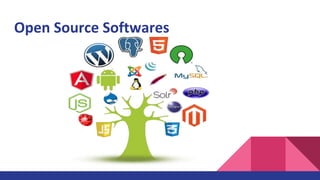
What is Open Source?
Open Source Softwares
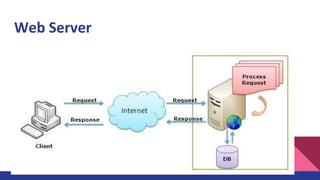
Web Server
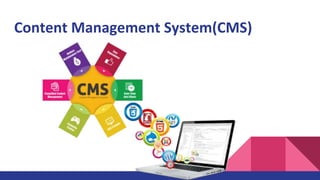
Content Management System(CMS)
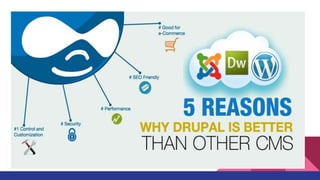
www.drupal.org
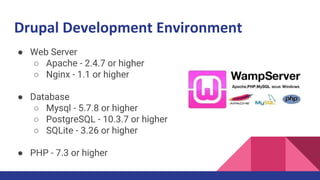
Drupal Development Environment
● Web Server
○ Apache - 2.4.7 or higher
○ Nginx - 1.1 or higher
● Database
○ Mysql - 5.7.8 or higher
○ PostgreSQL - 10.3.7 or higher
○ SQLite - 3.26 or higher
● PHP - 7.3 or higher
Download Drupal
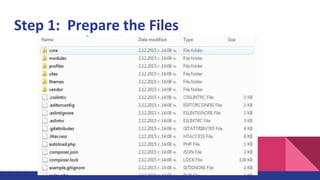
Step 1: Prepare the Files
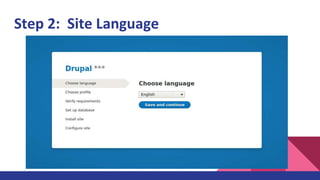
Step 2: Site Language
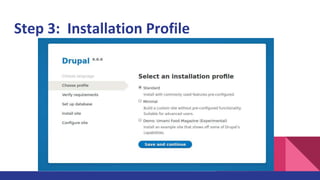
Step 3: Installation Profile
Step 4: Create a database
1. Go to your phpMyAdmin homepage.
http://localhost/phpMyAdmin/
2. Login to your phpMyAdmin Page. Make sure you
are logged in to phpMyAdmin.
3. Enter your database name. Here we have named it
"drupal9".
4. Click "Create" and then you're done!
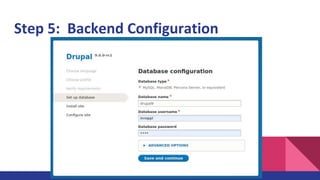
Step 5: Backend Configuration
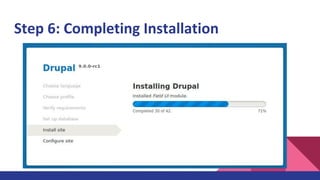
Step 6: Completing Installation
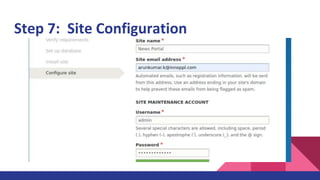
Step 7: Site Configuration
Drupal Features
1. Content - Help to manage content in Drupal
2. Structure - Help to structure and architect our sites.
3. Appearance - Help to design site
4. Extend - Addon Modules for the extending features
5. Configuration - Site level configuration for handle settings
6. People - User management and permission control
7. Reports - Detailed report about the site
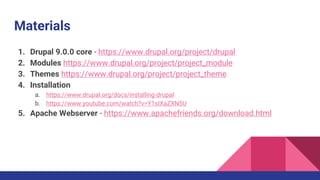
Materials
1. Drupal 9.0.0 core - https://www.drupal.org/project/drupal
2. Modules https://www.drupal.org/project/project_module
3. Themes https://www.drupal.org/project/project_theme
4. Installation
a. https://www.drupal.org/docs/installing-drupal
b. https://www.youtube.com/watch?v=Y1sIXaZXN5U
5. Apache Webserver - https://www.apachefriends.org/download.html
Build website using Open Source Technology

Build website using Open Source Technology

  • 1.
    Build website usingOpen Source Technology Introduction to the Drupal CMS for Beginners Arunkumar Kuppuswamy @Arunkumarsks
  • 2.
    What is OpenSource?
  • 3.
  • 4.
  • 5.
  • 6.
  • 8.
    Drupal Development Environment ●Web Server ○ Apache - 2.4.7 or higher ○ Nginx - 1.1 or higher ● Database ○ Mysql - 5.7.8 or higher ○ PostgreSQL - 10.3.7 or higher ○ SQLite - 3.26 or higher ● PHP - 7.3 or higher
  • 9.
  • 10.
    Step 1: Preparethe Files
  • 11.
    Step 2: SiteLanguage
  • 12.
  • 13.
    Step 4: Createa database 1. Go to your phpMyAdmin homepage. http://localhost/phpMyAdmin/ 2. Login to your phpMyAdmin Page. Make sure you are logged in to phpMyAdmin. 3. Enter your database name. Here we have named it "drupal9". 4. Click "Create" and then you're done!
  • 14.
    Step 5: BackendConfiguration
  • 15.
    Step 6: CompletingInstallation
  • 16.
    Step 7: SiteConfiguration
  • 17.
    Drupal Features 1. Content- Help to manage content in Drupal 2. Structure - Help to structure and architect our sites. 3. Appearance - Help to design site 4. Extend - Addon Modules for the extending features 5. Configuration - Site level configuration for handle settings 6. People - User management and permission control 7. Reports - Detailed report about the site
  • 18.
    Materials 1. Drupal 9.0.0core - https://www.drupal.org/project/drupal 2. Modules https://www.drupal.org/project/project_module 3. Themes https://www.drupal.org/project/project_theme 4. Installation a. https://www.drupal.org/docs/installing-drupal b. https://www.youtube.com/watch?v=Y1sIXaZXN5U 5. Apache Webserver - https://www.apachefriends.org/download.html