Googlification
to enhance education


      KA Watson, Coastline CC   1
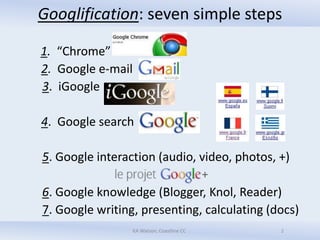
Googlification: seven simple steps

1. “Chrome”
2. Google e-mail
3. iGoogle

4. Google search

5. Google interaction (audio, video, photos, +)

6. Google knowledge (Blogger, Knol, Reader)
7. Google writing, presenting, calculating (docs)
                 KA Watson, Coastline CC     2    2
Step #1: Install Google
  What? A navigation tool (cf. IE, Firefox, etc.)


  How? Free download: http://www.google.com/chrome

  Why? Speed, simplicity, optimization, harmony

                    KA Watson, Coastline CC         3
Step #2: Communicate in Googlish
What? Gmail & Gmail instant messaging, chat,
audio/video enhancements, photos
How? “Create an account” here:
http://mail.google.com/mail/help/intl/en/about.html
Why? It promotes…
  …speed
  …organization
  …linguistic assistance
  …dependable international interaction

                       KA Watson, Coastline CC        4   4
Step #3: Suggest
What? Personalizable homepage
How? Free template customizable in 30 seconds,
with “gadgets”


Why? To keep current, literally & figuratively, with
areas of one’s own interest

                                                   5
                     KA Watson, Coastline CC
Step #4: Search Googlistically
What? Surf the ‘Net via
How? In browser, type Google.com, .fr, .es, .it, etc.
Why? It….
  …is the most-used (it’s a verb!)
  …hunts for text in Webpages
  …can use any/all of 22 features
  …avoids the irrelevant


                     KA Watson, Coastline CC       6
Step #5: Interact! audio, video, photos, +
Google audio and/or video:
  What? Skype-like voice & video, instantly
  How? Free here http://www.google.com/talk/
  Why? Multi-mediation, alternative messaging

Google Picasa:
  What? Method of photo/images sharing
  How? Instructions here http://picasa.google.com/
  Why? Customization, making it real
                    KA Watson, Coastline CC      7
Step 5a: Try Google +
   What? Google’s “social” answer to Facebook
   How? Coastline French students go to:
https://plus.google.com/pages/create?hl=fr
   Why? To get news, updates, etc. from selected
sources, without ads or irrelevancies


                    KA Watson, Coastline CC    8
Step #6: Know more! blog, knol, Reader
 a. Write/use a free “blog” with


 b. Collect/organize what you want to know with


 c. Keep up-to-date with
                   KA Watson, Coastline CC   9
Step 6a: Blogger realized
Using Google blogger
  What? Web log, your own design, in .blogspot.com
  How? Through Gmail account
  Why ? To inform, interact when/how you wish


                   KA Watson, Coastline CC    10
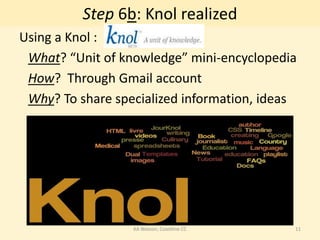
Step 6b: Knol realized
Using a Knol :
 What? “Unit of knowledge” mini-encyclopedia
 How? Through Gmail account
 Why? To share specialized information, ideas


                  KA Watson, Coastline CC   11
Step 6c: Reader realized
Using
 What? Your own set of selected sites
 How? Test http://www.google.com/googlereader/tour.html
 Why? To expedite frequent searches, updates


                     KA Watson, Coastline CC        12
Step #7: Write, present, calculate
Encourage use of
 What? System(s) for creating, sharing, storing
 How? From scratch or templates
 Why? It’s easy, doable online, customizable


                    KA Watson, Coastline CC
                                                  13
Googlification
Advantages & disadvantages

Trials & tribulations

Next?


                  KA Watson, Coastline CC   14

E learn12 googlificationf

  • 1.
    Googlification to enhance education KA Watson, Coastline CC 1
  • 2.
    Googlification: seven simplesteps 1. “Chrome” 2. Google e-mail 3. iGoogle 4. Google search 5. Google interaction (audio, video, photos, +) 6. Google knowledge (Blogger, Knol, Reader) 7. Google writing, presenting, calculating (docs) KA Watson, Coastline CC 2 2
  • 3.
    Step #1: InstallGoogle What? A navigation tool (cf. IE, Firefox, etc.) How? Free download: http://www.google.com/chrome Why? Speed, simplicity, optimization, harmony KA Watson, Coastline CC 3
  • 4.
    Step #2: Communicatein Googlish What? Gmail & Gmail instant messaging, chat, audio/video enhancements, photos How? “Create an account” here: http://mail.google.com/mail/help/intl/en/about.html Why? It promotes… …speed …organization …linguistic assistance …dependable international interaction KA Watson, Coastline CC 4 4
  • 5.
    Step #3: Suggest What?Personalizable homepage How? Free template customizable in 30 seconds, with “gadgets” Why? To keep current, literally & figuratively, with areas of one’s own interest 5 KA Watson, Coastline CC
  • 6.
    Step #4: SearchGooglistically What? Surf the ‘Net via How? In browser, type Google.com, .fr, .es, .it, etc. Why? It…. …is the most-used (it’s a verb!) …hunts for text in Webpages …can use any/all of 22 features …avoids the irrelevant KA Watson, Coastline CC 6
  • 7.
    Step #5: Interact!audio, video, photos, + Google audio and/or video: What? Skype-like voice & video, instantly How? Free here http://www.google.com/talk/ Why? Multi-mediation, alternative messaging Google Picasa: What? Method of photo/images sharing How? Instructions here http://picasa.google.com/ Why? Customization, making it real KA Watson, Coastline CC 7
  • 8.
    Step 5a: TryGoogle + What? Google’s “social” answer to Facebook How? Coastline French students go to: https://plus.google.com/pages/create?hl=fr Why? To get news, updates, etc. from selected sources, without ads or irrelevancies KA Watson, Coastline CC 8
  • 9.
    Step #6: Knowmore! blog, knol, Reader a. Write/use a free “blog” with b. Collect/organize what you want to know with c. Keep up-to-date with KA Watson, Coastline CC 9
  • 10.
    Step 6a: Bloggerrealized Using Google blogger What? Web log, your own design, in .blogspot.com How? Through Gmail account Why ? To inform, interact when/how you wish KA Watson, Coastline CC 10
  • 11.
    Step 6b: Knolrealized Using a Knol : What? “Unit of knowledge” mini-encyclopedia How? Through Gmail account Why? To share specialized information, ideas KA Watson, Coastline CC 11
  • 12.
    Step 6c: Readerrealized Using What? Your own set of selected sites How? Test http://www.google.com/googlereader/tour.html Why? To expedite frequent searches, updates KA Watson, Coastline CC 12
  • 13.
    Step #7: Write,present, calculate Encourage use of What? System(s) for creating, sharing, storing How? From scratch or templates Why? It’s easy, doable online, customizable KA Watson, Coastline CC 13
  • 14.
    Googlification Advantages & disadvantages Trials& tribulations Next? KA Watson, Coastline CC 14