Inam Ul-Haq
Lecturer Computer Science
University of Education Okara Campus
MS Computer Science Sweden
E: inam.bth@gmail.com
What is an E-Banking?
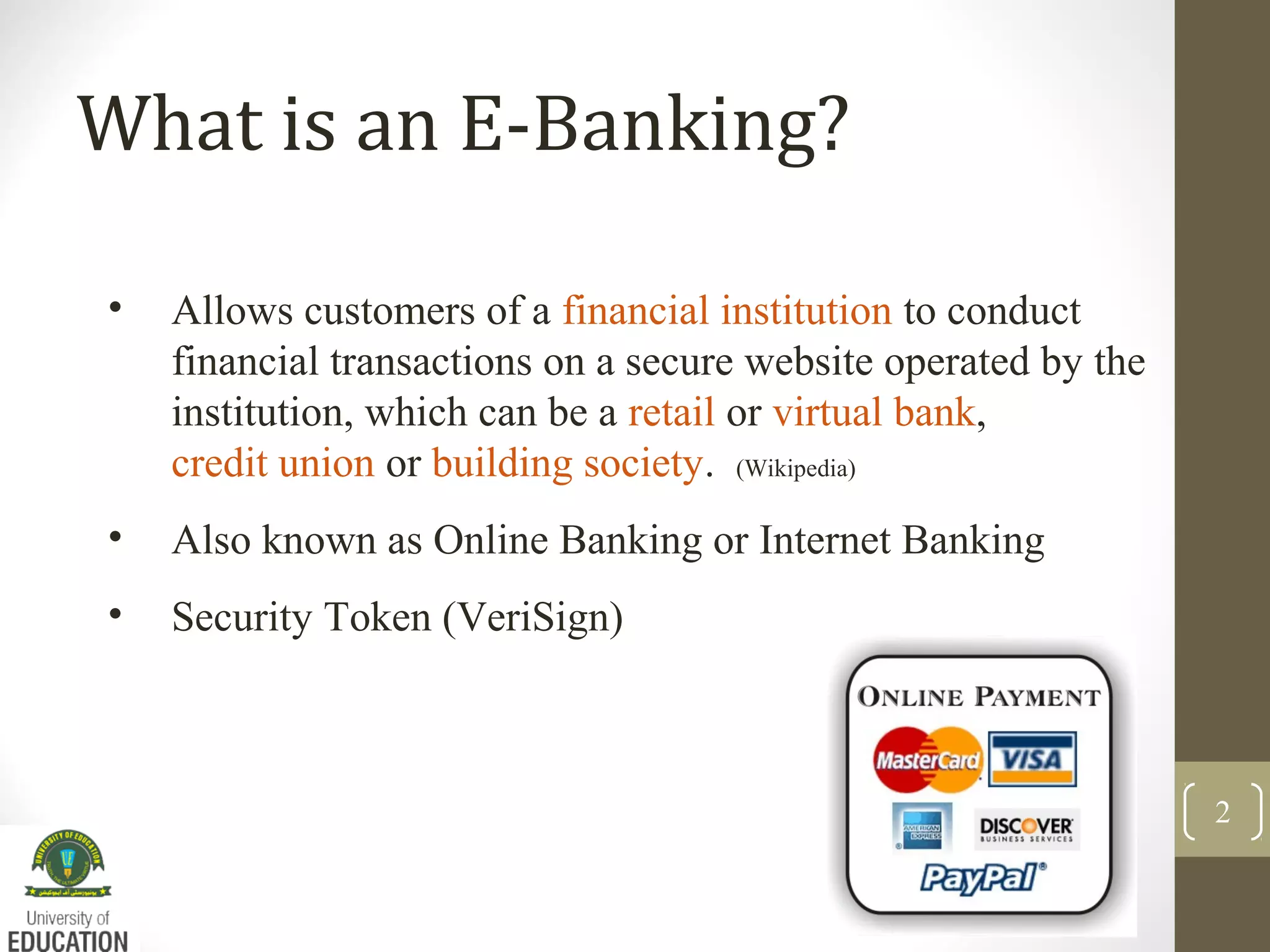
• Allows customers of a financial institution to conduct
financial transactions on a secure website operated by the
institution, which can be a retail or virtual bank,
credit union or building society. (Wikipedia)
• Also known as Online Banking or Internet Banking
• Security Token (VeriSign)
2
E-Banking – Common Features
3
The common features fall broadly into several categories.
Non-Transactional tasks including -
viewing account balances
viewing recent transactions
downloading bank statements, for example in PDF format
viewing images of paid cheques
ordering cheque books
download periodic account statements
Downloading applications for M-banking, E-banking etc.
E-Banking: Common Features
4
Transactional Tasks including -
• Funds transfers between the customer's linked accounts
• Paying third parties, including bill payments (see,
e.g., ebay.com)
• Loan applications and transactions, such as repayments
of enrollments
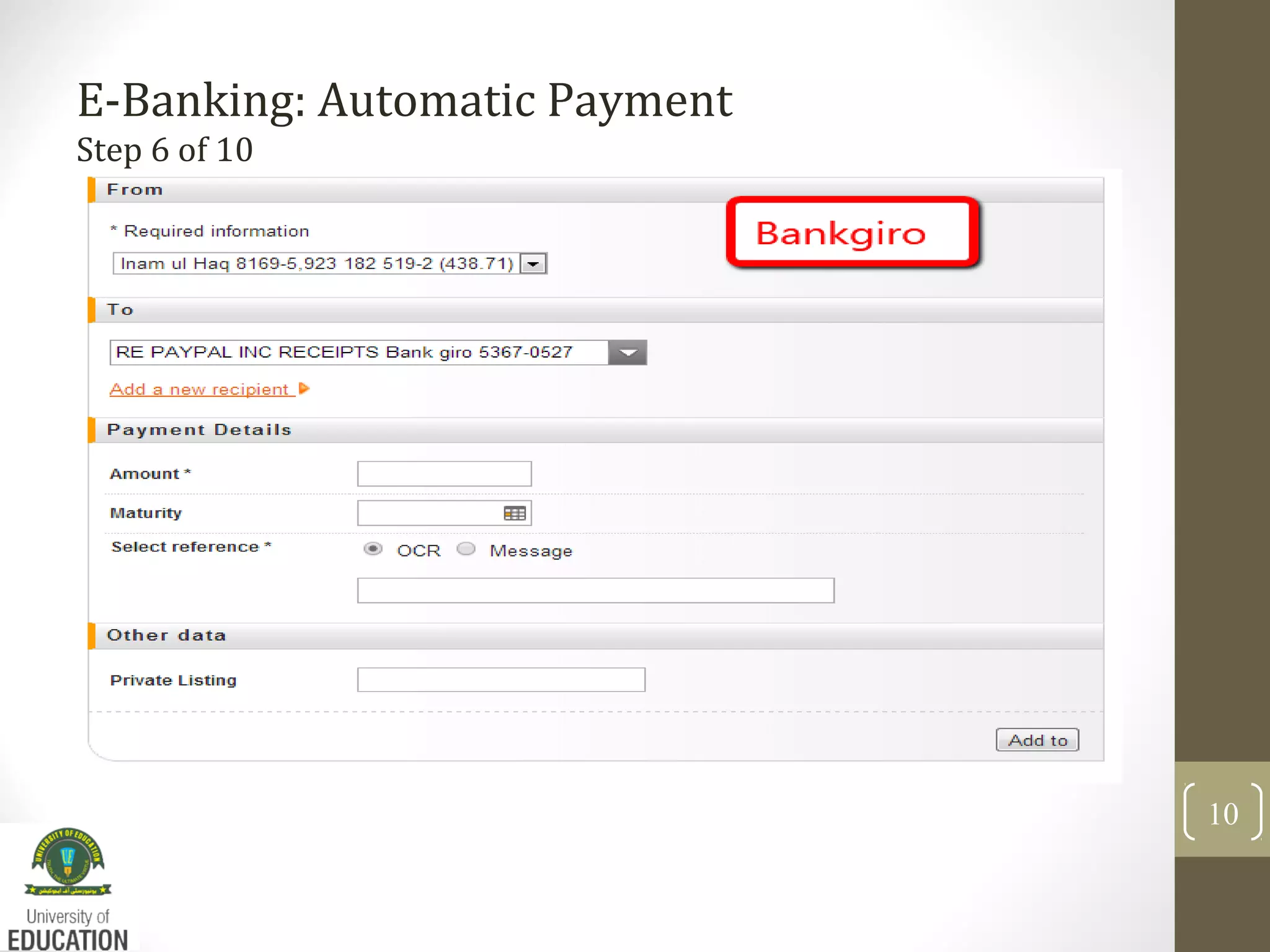
• Register utility bills and make bill payments (Auto Giro)
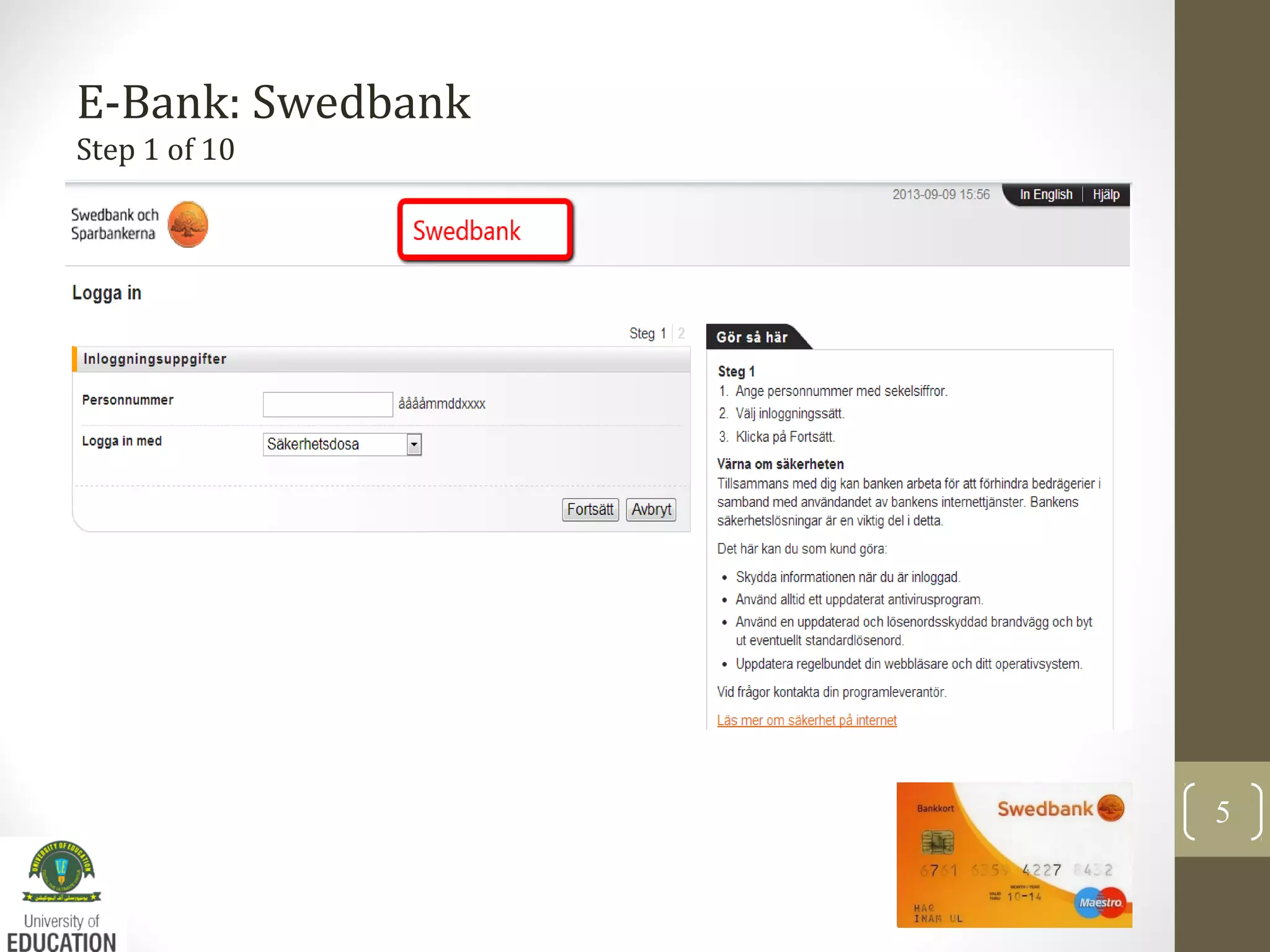
E-Bank: Swedbank
Step 1 of 10
5
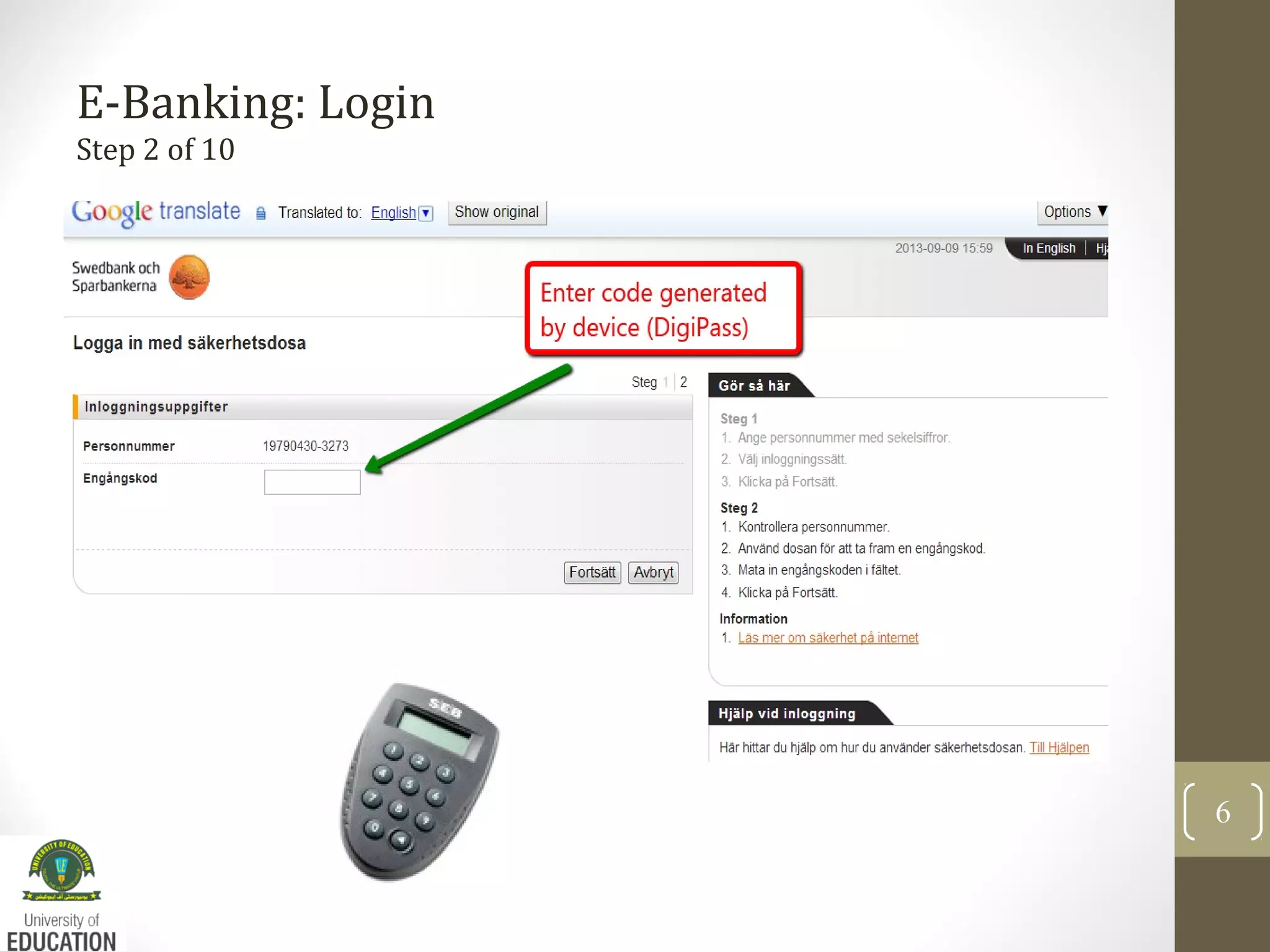
E-Banking: Login
Step 2 of 10
6
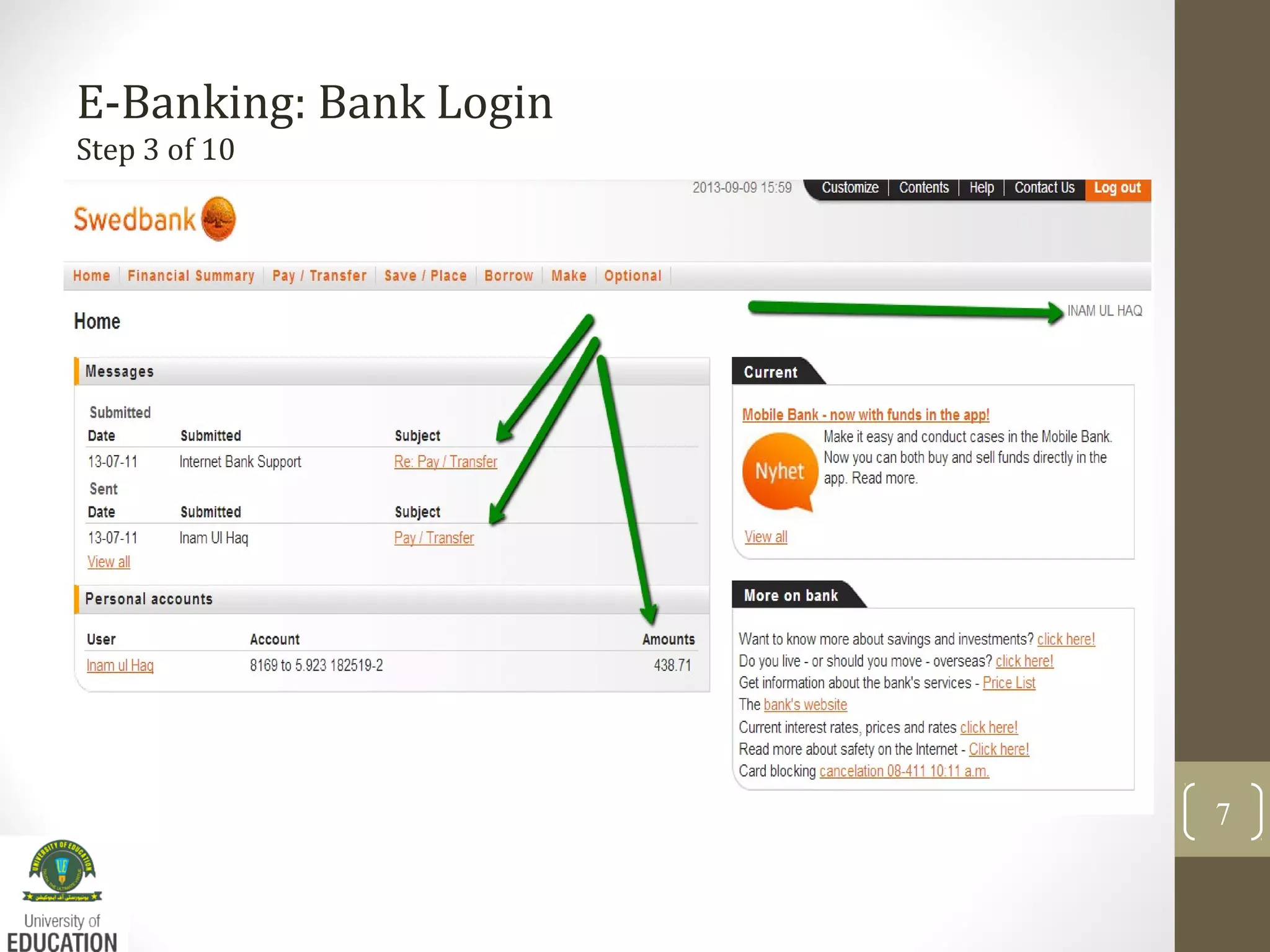
E-Banking: Bank Login
Step 3 of 10
7
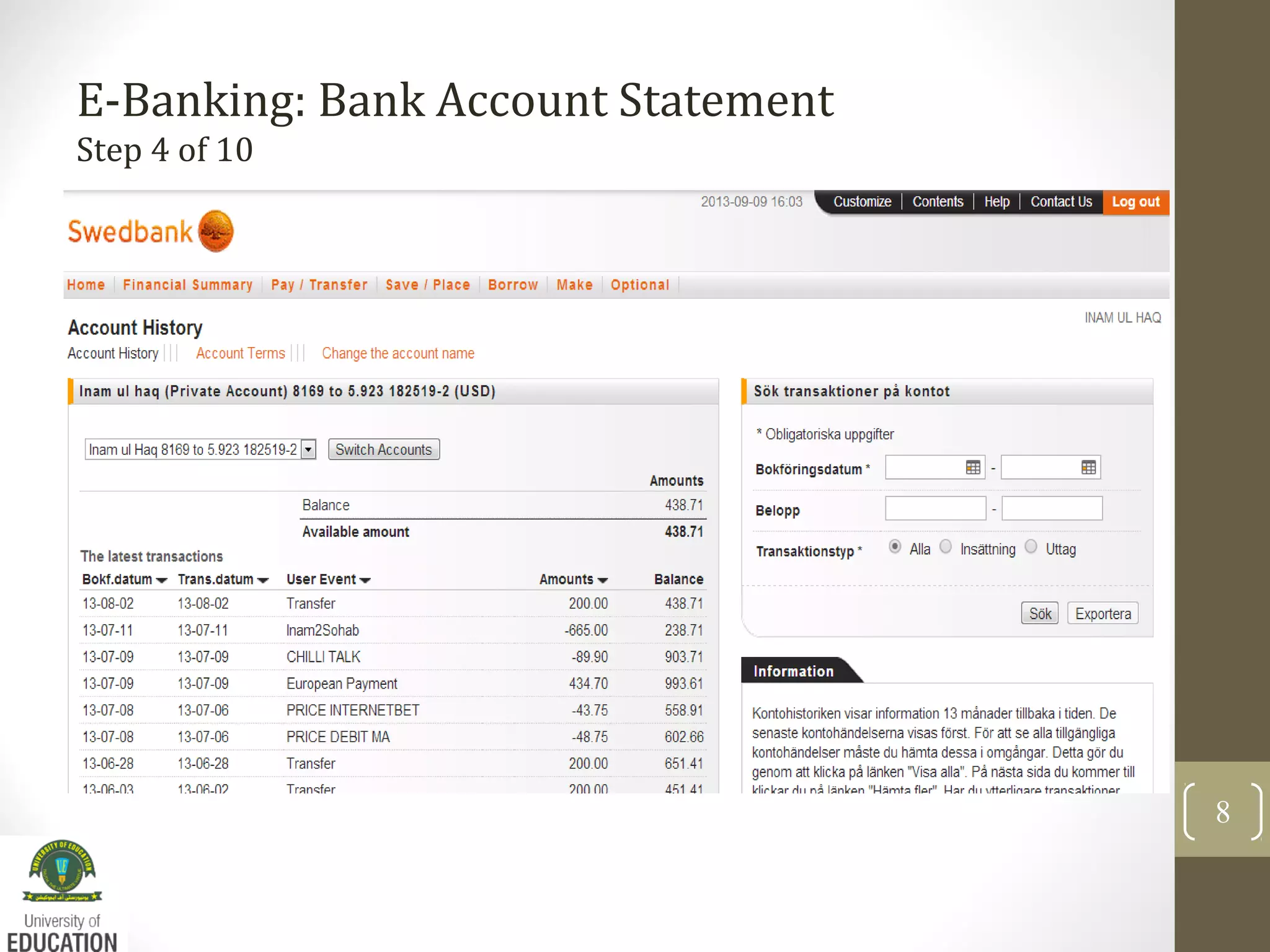
E-Banking: Bank Account Statement
Step 4 of 10
8
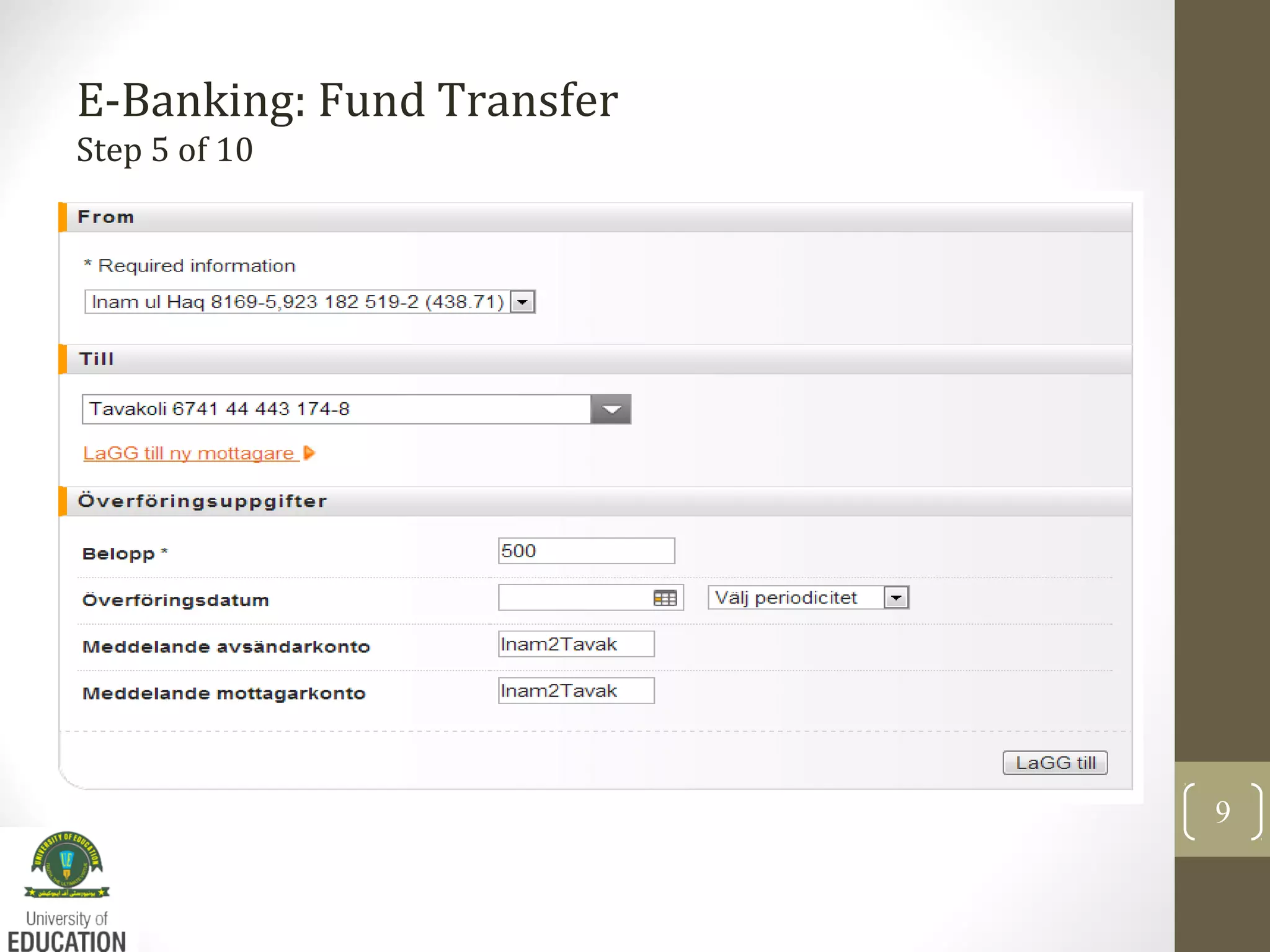
E-Banking: Fund Transfer
Step 5 of 10
9
E-Banking: Automatic Payment
Step 6 of 10
10
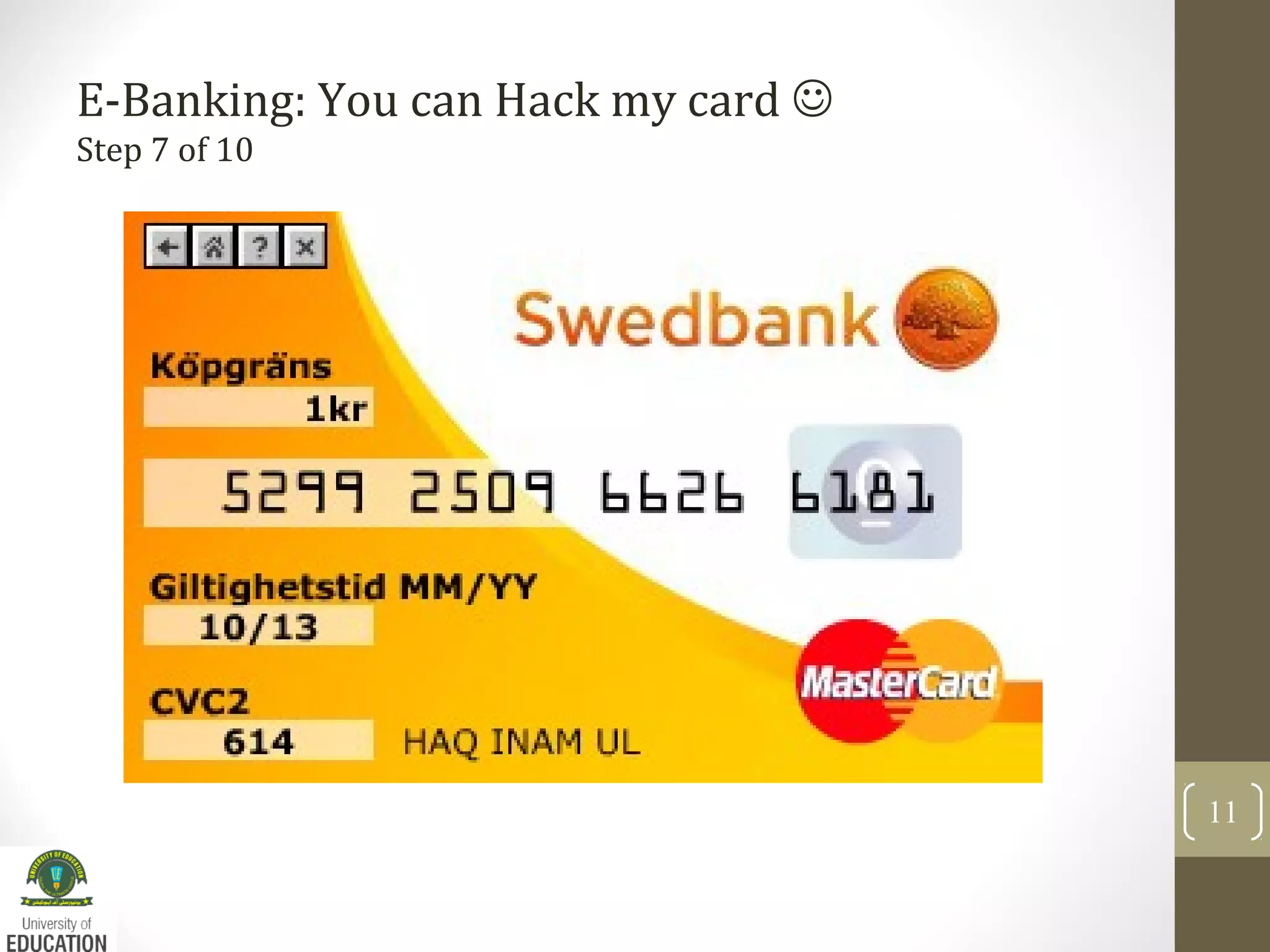
E-Banking: You can Hack my card 
Step 7 of 10
11
References:
12
• Wikipedi.org (accessed 9.9.2013)
• Swedbank.se (accessed 9.9.2013)
• Google.se (accessed 9.9.2013)

Introductory Lecture 1:e-Banking

  • 1.
    Inam Ul-Haq Lecturer ComputerScience University of Education Okara Campus MS Computer Science Sweden E: inam.bth@gmail.com
  • 2.
    What is anE-Banking? • Allows customers of a financial institution to conduct financial transactions on a secure website operated by the institution, which can be a retail or virtual bank, credit union or building society. (Wikipedia) • Also known as Online Banking or Internet Banking • Security Token (VeriSign) 2
  • 3.
    E-Banking – CommonFeatures 3 The common features fall broadly into several categories. Non-Transactional tasks including - viewing account balances viewing recent transactions downloading bank statements, for example in PDF format viewing images of paid cheques ordering cheque books download periodic account statements Downloading applications for M-banking, E-banking etc.
  • 4.
    E-Banking: Common Features 4 TransactionalTasks including - • Funds transfers between the customer's linked accounts • Paying third parties, including bill payments (see, e.g., ebay.com) • Loan applications and transactions, such as repayments of enrollments • Register utility bills and make bill payments (Auto Giro)
  • 5.
  • 6.
  • 7.
  • 8.
    E-Banking: Bank AccountStatement Step 4 of 10 8
  • 9.
  • 10.
  • 11.
    E-Banking: You canHack my card  Step 7 of 10 11
  • 12.
    References: 12 • Wikipedi.org (accessed9.9.2013) • Swedbank.se (accessed 9.9.2013) • Google.se (accessed 9.9.2013)