Mind-mapping for time
keeping in presentations
Duncan Baker
Lydbury English Centre
IATEFL BESIG
20 November2010
Problem and Solution
 How to keep time.
 How to slow down or speed up.
 By how much?
 Graphical Interface.
 Controls content and time.
Overview
 What is a mindmap?
 Quick illustration?
 Clock watching with a mindmap.
 Practical exercise.
 Questions and comments.
 Conclusion.
 Resources.
What is a mind map?
Why use a Mindmap?
 Use right brain (visual, intuitive) as well as left
brain (logical, linear).
 Make new connections between ideas.
 Fast and easy to create.
 Multi-purpose.
 Easy to learn.
 Effective.
How to use a mindmap
 Work out the contents.
 Prioritise the contents.
 Format the mindmap.
 Build to fit the clock.
 Arrow where necessary.
 Rehearse.
 Deliver against the clock.
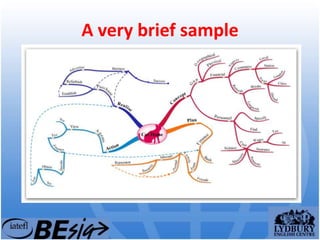
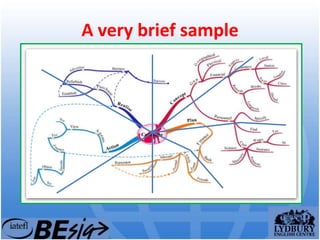
A very brief sample
A very brief sample
5 minutes of fame!
• Introduce yourself.
• Start with an attention grabber.
• Make one main point in the presentation.
• Try to break this into list of three.
• End on a high point. This is what is
remembered.
• If you can add an element of suspense, so
much the better.
Resources
 How to make a mindmap with Powerpoint -
http://bit.ly/d4wtLl
 Mindmap - http://www.thinkbuzan.com/
 Freemind 2010
http://sourceforge.net/projects/freemind/files
 Popplet - http://popplet.com/
 VUE - http://vue.tufts.edu/index.cfm
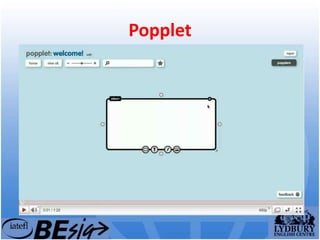
Popplet
Thank you
This presentation is online at:
http://www.lydbury.co.uk and follow the links
from downloads.
Email me on: duncan.baker@lydbury.co.uk

Mind-Mapping for keeping time in presentations

  • 1.
    Mind-mapping for time keepingin presentations Duncan Baker Lydbury English Centre IATEFL BESIG 20 November2010
  • 2.
    Problem and Solution How to keep time.  How to slow down or speed up.  By how much?  Graphical Interface.  Controls content and time.
  • 3.
    Overview  What isa mindmap?  Quick illustration?  Clock watching with a mindmap.  Practical exercise.  Questions and comments.  Conclusion.  Resources.
  • 4.
    What is amind map?
  • 5.
    Why use aMindmap?  Use right brain (visual, intuitive) as well as left brain (logical, linear).  Make new connections between ideas.  Fast and easy to create.  Multi-purpose.  Easy to learn.  Effective.
  • 6.
    How to usea mindmap  Work out the contents.  Prioritise the contents.  Format the mindmap.  Build to fit the clock.  Arrow where necessary.  Rehearse.  Deliver against the clock.
  • 7.
  • 8.
  • 9.
    5 minutes offame! • Introduce yourself. • Start with an attention grabber. • Make one main point in the presentation. • Try to break this into list of three. • End on a high point. This is what is remembered. • If you can add an element of suspense, so much the better.
  • 10.
    Resources  How tomake a mindmap with Powerpoint - http://bit.ly/d4wtLl  Mindmap - http://www.thinkbuzan.com/  Freemind 2010 http://sourceforge.net/projects/freemind/files  Popplet - http://popplet.com/  VUE - http://vue.tufts.edu/index.cfm
  • 11.
  • 12.
    Thank you This presentationis online at: http://www.lydbury.co.uk and follow the links from downloads. Email me on: duncan.baker@lydbury.co.uk