Drinking from
the Digital Data
Fire Hose
WEBINAR
US Dept. of Housing and
Urban Development
OCIO Learning Session
Maremel Institute
Dr. Gigi Johnson
April 2014
… as I’ve said many times
the future is already here
William Gibson, 1999, NPR
— it’s just not very evenly
distributed.
2
This Webinar
In this introductory-level session, we will share:
Strategies and tools for
creating a proactive “pull”
of the right abundant data
for decisions coming up
the road
Ways to save you an hour
a week in how your team
may be using data now
Insights into social media
as a business intelligence
tool for listening, not just
“marketing”
Ways to spy a bit on your
competitors’ actions and
plans
3
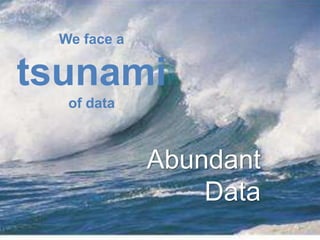
We face a
tsunami
of data
Abundant
Data
4
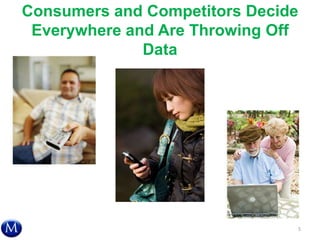
Consumers and Competitors Decide
Everywhere and Are Throwing Off
Data
5
Big Data: Big Business But Not
Today’s Discussion
6
Despite free/cheap tools,
smaller businesses often do
not use Internet customers or
external market research data
to make strategic or marketing
decisions.
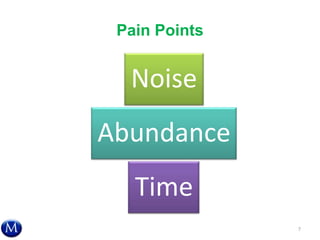
Pain Points
7
Noise
Abundance
Time
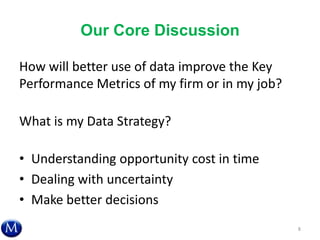
Our Core Discussion
How will better use of data improve the Key
Performance Metrics of my firm or in my job?
What is my Data Strategy?
• Understanding opportunity cost in time
• Dealing with uncertainty
• Make better decisions
8
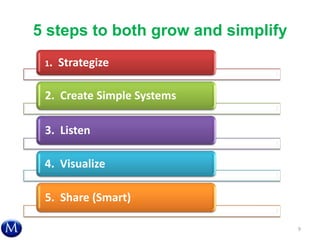
5 steps to both grow and simplify
1. Strategize
2. Create Simple Systems
3. Listen
4. Visualize
5. Share (Smart)
9
1. STRATEGIZE
How we can use this abundant data to make
better daily and strategic decisions?
10
W’s: Who, What, Where, When, Why,
and How?
• What do I need to know?
• What is available out there already?
• How much money and time will this cost?
• What is available for free or cheap?
– Will that service go away because it doesn’t have
a robust business model?
– Is it free or cheap because they share rights to my
information?
11
Consideration Sets –
Data Affecting Choice
“I found this cool product at the convention, and
the salesperson said…”
• Anchors — first ideas or data lock in the process and create
bias
• Art of the Possible — how broad of a range of options?
12
―Just In Time‖ Search — Not Neutral
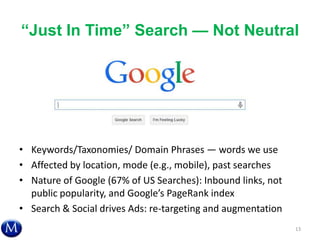
• Keywords/Taxonomies/ Domain Phrases — words we use
• Affected by location, mode (e.g., mobile), past searches
• Nature of Google (67% of US Searches): Inbound links, not
public popularity, and Google’s PageRank index
• Search & Social drives Ads: re-targeting and augmentation
13
“Just in Time”
vs. Queues
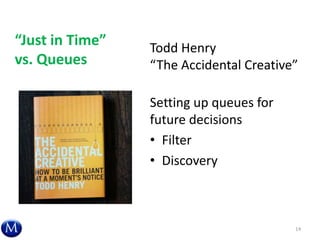
Todd Henry
“The Accidental Creative”
Setting up queues for
future decisions
• Filter
• Discovery
14
2. CREATE SIMPLE SYSTEMS
How can we use tools and design systems to
use data for decision-making and business
growth?
15
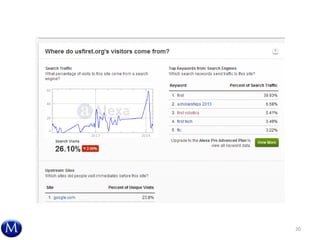
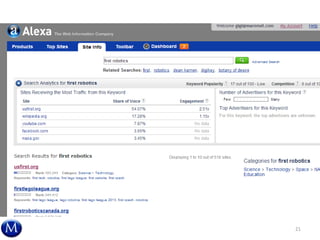
The Words We Use and
Plan Around Matter
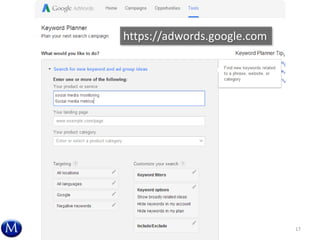
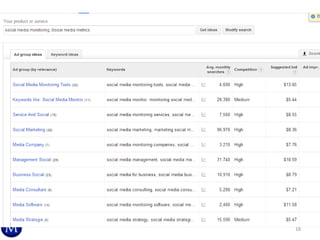
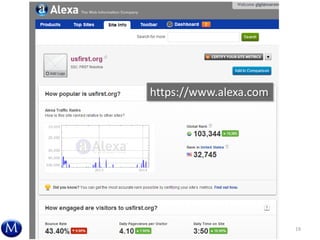
• “Keywords"
– Google Keyword Planner -- challenge of Google
Analytics and keywords
– Alexa -- keywords
• Our own “taxonomy”
– How do we search, gather, and re-find information
for our work domain/field?
– What words are important to other people, esp.
current and potential customers?
16
17
https://adwords.google.com
18
19
https://www.alexa.com
20
21
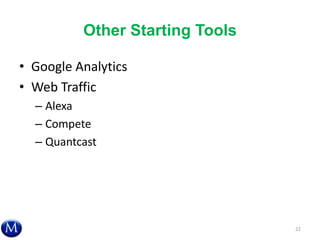
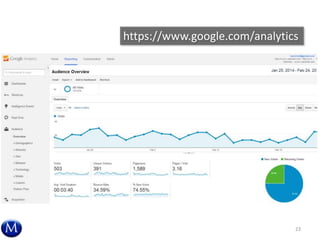
Other Starting Tools
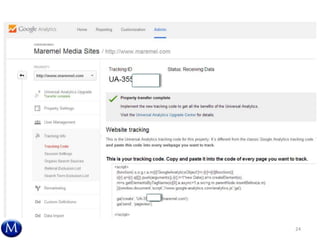
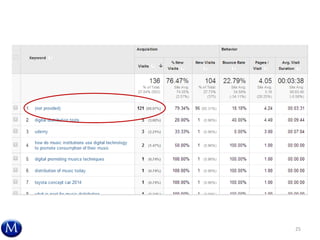
• Google Analytics
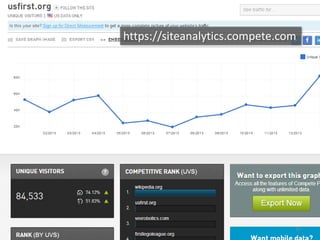
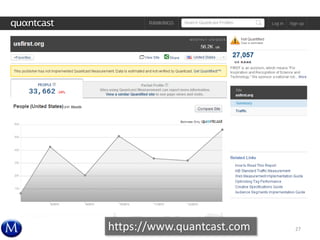
• Web Traffic
– Alexa
– Compete
– Quantcast
22
23
https://www.google.com/analytics
24
25
26
https://siteanalytics.compete.com
27https://www.quantcast.com
Twitter ―Scraping‖ – Following
Competitors and Experts
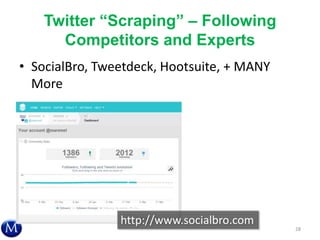
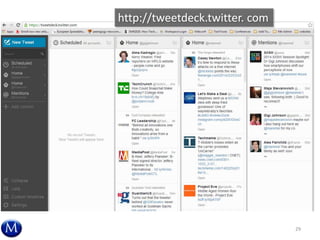
• SocialBro, Tweetdeck, Hootsuite, + MANY
More
28
http://www.socialbro.com
29
http://tweetdeck.twitter. com
Industry Specific: Growing
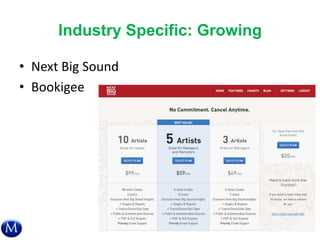
• Next Big Sound
• Bookigee
30
Storage and Replay:
Social Bookmarking & Dashboards
• What to DO with the darned information once
we have it — for ourselves and for our
working teams
• Examples:
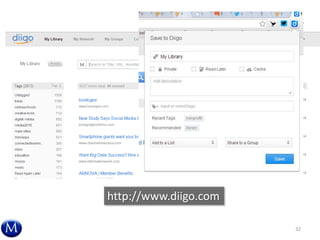
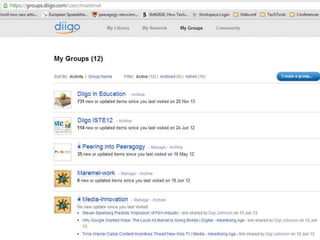
– Diigo in Social Bookmarking
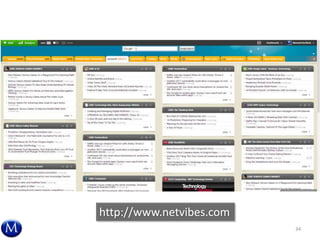
– NetVibes in Dashboards for teams
31
32
http://www.diigo.com
33
34
http://www.netvibes.com
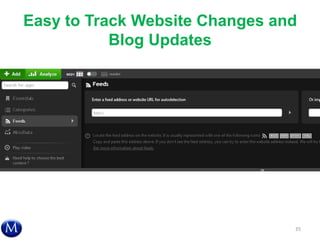
Easy to Track Website Changes and
Blog Updates
35
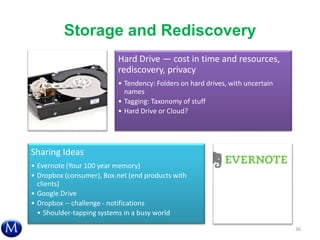
Storage and Rediscovery
36
Hard Drive — cost in time and resources,
rediscovery, privacy
• Tendency: Folders on hard drives, with uncertain
names
• Tagging: Taxonomy of stuff
• Hard Drive or Cloud?
Sharing Ideas
• Evernote (Your 100 year memory)
• Dropbox (consumer), Box.net (end products with
clients)
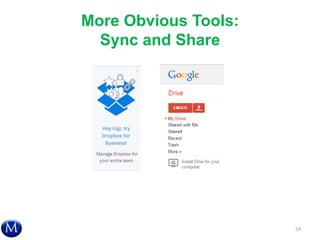
• Google Drive
• Dropbox -- challenge - notifications
• Shoulder-tapping systems in a busy world
Continuing Challenges in Data
Finding, Storage, and Rediscovery
• How do others think?
• Retention Policies — when do we ditch it?
How stale?
• Who owns this?
• How do I remember to come back to changed
data? Does this still need to tap my email?
37
Opportunity in New Combinations
• Reorganization — going through old folders
• Forced Adjacency — putting ideas together
that normally don’t mix
38
Become ―Net Smart‖
39
Net Smart Now in Paperback:
http://www.amazon.com/Net-Smart-How-Thrive-Online/dp/0262526131
Peeragogy.org 2.0 Handbook: PDF at http://peeragogy.net/peeragogy-2.0-print.pdf
Peeragogy.org
Collaborative Handbook
3. LISTEN
How can we use data from inside and out
that is already around us?
40
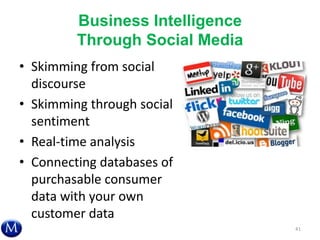
Business Intelligence
Through Social Media
• Skimming from social
discourse
• Skimming through social
sentiment
• Real-time analysis
• Connecting databases of
purchasable consumer
data with your own
customer data
41
Challenges with Aggregated Data
• Who are you? Multiple devices or browsers
• Who are you? 5 users on Netflix, etc.
42
Source: By Jeremy Keith (Flickr: Cuddling with multiple devices)
[CC-BY-2.0 (http://creativecommons.org/licenses/by/2.0)], via Wikimedia Commons
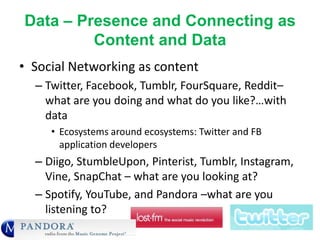
Data – Presence and Connecting as
Content and Data
• Social Networking as content
– Twitter, Facebook, Tumblr, FourSquare, Reddit–
what are you doing and what do you like?…with
data
• Ecosystems around ecosystems: Twitter and FB
application developers
– Diigo, StumbleUpon, Pinterist, Tumblr, Instagram,
Vine, SnapChat – what are you looking at?
– Spotify, YouTube, and Pandora –what are you
listening to?
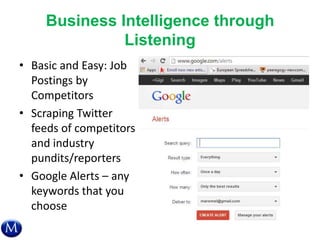
Business Intelligence through
Listening
• Basic and Easy: Job
Postings by
Competitors
• Scraping Twitter
feeds of competitors
and industry
pundits/reporters
• Google Alerts – any
keywords that you
choose
44
4. VISUALIZE
How can we use visuals to make and
persuade around decision and data?
45
Visualization: Decision Framing with
Complex Data
Two goals:
1. Use visuals to made decisions with data
2. Use visuals to convince others in
organizations to make similar or better
decisions
46
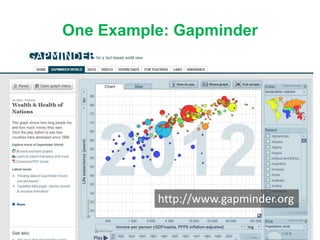
One Example: Gapminder
47
http://www.gapminder.org
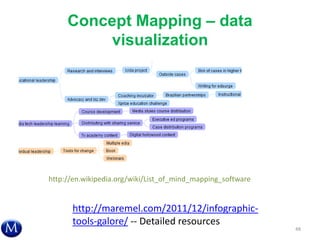
Concept Mapping – data
visualization
48
http://en.wikipedia.org/wiki/List_of_mind_mapping_software
http://maremel.com/2011/12/infographic-
tools-galore/ -- Detailed resources
Data
Visualization
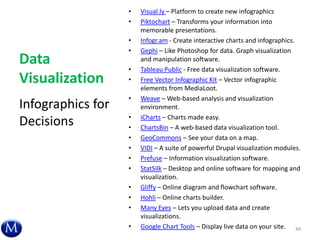
• Visual.ly – Platform to create new infographics
• Piktochart – Transforms your information into
memorable presentations.
• Infogr.am - Create interactive charts and infographics.
• Gephi – Like Photoshop for data. Graph visualization
and manipulation software.
• Tableau Public - Free data visualization software.
• Free Vector Infographic Kit – Vector infographic
elements from MediaLoot.
• Weave – Web-based analysis and visualization
environment.
• iCharts – Charts made easy.
• ChartsBin – A web-based data visualization tool.
• GeoCommons – See your data on a map.
• VIDI – A suite of powerful Drupal visualization modules.
• Prefuse – Information visualization software.
• StatSilk – Desktop and online software for mapping and
visualization.
• Gliffy – Online diagram and flowchart software.
• Hohli – Online charts builder.
• Many Eyes – Lets you upload data and create
visualizations.
• Google Chart Tools – Display live data on your site.
Infographics for
Decisions
49
5. SHARE (SMART)
How can we work with teams and partners to
best use collaborative data and tools?
50
Current Knowledge Patterns
• Common: email, print to share, cloud or hard
drive folders
– Weak choice to filter, find, and discover
– Demographic differences
– “Zero” cost – high social costs for others, social
obligations
How do you discover, filter, and store business
knowledge?
51
Knowledge Management for
Collaborative Work
• Modern Challenge: Distributive project
management.
– Salesforce as a $38 billion market cap business
• Assumptions and unspoken routines
• Difference by audience and type of work
– E.g., creative tools at
http://www.creativebloq.com/design/online-
collaboration-tools-912855
52
We (vs Me) and Data
• Collaboration Tools – More than just shared
storage
• Physically Distributed Teams: Dropping Avg.
Sq. Foot/Employee:
– 225 in 2010 to 176 in 2012 and 150 in 2013
(CoreNet, 2013)
– 195 in 2012, down from 250 “Gold Standard”
(Norm Miller, UCSD)
More Obvious Tools:
Sync and Share
54
55
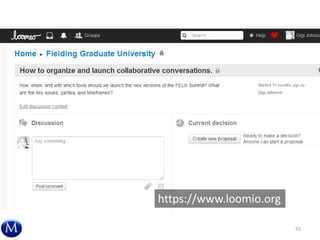
https://www.loomio.org
56
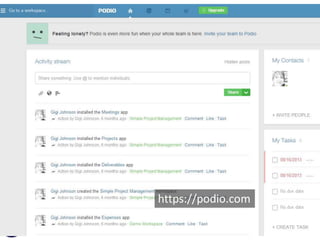
https://podio.com
Just a Step in the
Digital River Firehose
• This is just a starting step down an interesting
path . . . How do we balance time, value,
information, and behavior of others?
• Resources change with greater speed . . . How
do we keep tabs on what is possible and shift
from what is outdated?
57
Questions? Opportunities?
Gigi Johnson, EdD
Maremel Institute
gigi@maremel.com
@maremel
58

Drinking from the Digital Data Fire Hose

  • 1.
    Drinking from the DigitalData Fire Hose WEBINAR US Dept. of Housing and Urban Development OCIO Learning Session Maremel Institute Dr. Gigi Johnson April 2014
  • 2.
    … as I’vesaid many times the future is already here William Gibson, 1999, NPR — it’s just not very evenly distributed. 2
  • 3.
    This Webinar In thisintroductory-level session, we will share: Strategies and tools for creating a proactive “pull” of the right abundant data for decisions coming up the road Ways to save you an hour a week in how your team may be using data now Insights into social media as a business intelligence tool for listening, not just “marketing” Ways to spy a bit on your competitors’ actions and plans 3
  • 4.
    We face a tsunami ofdata Abundant Data 4
  • 5.
    Consumers and CompetitorsDecide Everywhere and Are Throwing Off Data 5
  • 6.
    Big Data: BigBusiness But Not Today’s Discussion 6 Despite free/cheap tools, smaller businesses often do not use Internet customers or external market research data to make strategic or marketing decisions.
  • 7.
  • 8.
    Our Core Discussion Howwill better use of data improve the Key Performance Metrics of my firm or in my job? What is my Data Strategy? • Understanding opportunity cost in time • Dealing with uncertainty • Make better decisions 8
  • 9.
    5 steps toboth grow and simplify 1. Strategize 2. Create Simple Systems 3. Listen 4. Visualize 5. Share (Smart) 9
  • 10.
    1. STRATEGIZE How wecan use this abundant data to make better daily and strategic decisions? 10
  • 11.
    W’s: Who, What,Where, When, Why, and How? • What do I need to know? • What is available out there already? • How much money and time will this cost? • What is available for free or cheap? – Will that service go away because it doesn’t have a robust business model? – Is it free or cheap because they share rights to my information? 11
  • 12.
    Consideration Sets – DataAffecting Choice “I found this cool product at the convention, and the salesperson said…” • Anchors — first ideas or data lock in the process and create bias • Art of the Possible — how broad of a range of options? 12
  • 13.
    ―Just In Time‖Search — Not Neutral • Keywords/Taxonomies/ Domain Phrases — words we use • Affected by location, mode (e.g., mobile), past searches • Nature of Google (67% of US Searches): Inbound links, not public popularity, and Google’s PageRank index • Search & Social drives Ads: re-targeting and augmentation 13
  • 14.
    “Just in Time” vs.Queues Todd Henry “The Accidental Creative” Setting up queues for future decisions • Filter • Discovery 14
  • 15.
    2. CREATE SIMPLESYSTEMS How can we use tools and design systems to use data for decision-making and business growth? 15
  • 16.
    The Words WeUse and Plan Around Matter • “Keywords" – Google Keyword Planner -- challenge of Google Analytics and keywords – Alexa -- keywords • Our own “taxonomy” – How do we search, gather, and re-find information for our work domain/field? – What words are important to other people, esp. current and potential customers? 16
  • 17.
  • 18.
  • 19.
  • 20.
  • 21.
  • 22.
    Other Starting Tools •Google Analytics • Web Traffic – Alexa – Compete – Quantcast 22
  • 23.
  • 24.
  • 25.
  • 26.
  • 27.
  • 28.
    Twitter ―Scraping‖ –Following Competitors and Experts • SocialBro, Tweetdeck, Hootsuite, + MANY More 28 http://www.socialbro.com
  • 29.
  • 30.
    Industry Specific: Growing •Next Big Sound • Bookigee 30
  • 31.
    Storage and Replay: SocialBookmarking & Dashboards • What to DO with the darned information once we have it — for ourselves and for our working teams • Examples: – Diigo in Social Bookmarking – NetVibes in Dashboards for teams 31
  • 32.
  • 33.
  • 34.
  • 35.
    Easy to TrackWebsite Changes and Blog Updates 35
  • 36.
    Storage and Rediscovery 36 HardDrive — cost in time and resources, rediscovery, privacy • Tendency: Folders on hard drives, with uncertain names • Tagging: Taxonomy of stuff • Hard Drive or Cloud? Sharing Ideas • Evernote (Your 100 year memory) • Dropbox (consumer), Box.net (end products with clients) • Google Drive • Dropbox -- challenge - notifications • Shoulder-tapping systems in a busy world
  • 37.
    Continuing Challenges inData Finding, Storage, and Rediscovery • How do others think? • Retention Policies — when do we ditch it? How stale? • Who owns this? • How do I remember to come back to changed data? Does this still need to tap my email? 37
  • 38.
    Opportunity in NewCombinations • Reorganization — going through old folders • Forced Adjacency — putting ideas together that normally don’t mix 38
  • 39.
    Become ―Net Smart‖ 39 NetSmart Now in Paperback: http://www.amazon.com/Net-Smart-How-Thrive-Online/dp/0262526131 Peeragogy.org 2.0 Handbook: PDF at http://peeragogy.net/peeragogy-2.0-print.pdf Peeragogy.org Collaborative Handbook
  • 40.
    3. LISTEN How canwe use data from inside and out that is already around us? 40
  • 41.
    Business Intelligence Through SocialMedia • Skimming from social discourse • Skimming through social sentiment • Real-time analysis • Connecting databases of purchasable consumer data with your own customer data 41
  • 42.
    Challenges with AggregatedData • Who are you? Multiple devices or browsers • Who are you? 5 users on Netflix, etc. 42 Source: By Jeremy Keith (Flickr: Cuddling with multiple devices) [CC-BY-2.0 (http://creativecommons.org/licenses/by/2.0)], via Wikimedia Commons
  • 43.
    Data – Presenceand Connecting as Content and Data • Social Networking as content – Twitter, Facebook, Tumblr, FourSquare, Reddit– what are you doing and what do you like?…with data • Ecosystems around ecosystems: Twitter and FB application developers – Diigo, StumbleUpon, Pinterist, Tumblr, Instagram, Vine, SnapChat – what are you looking at? – Spotify, YouTube, and Pandora –what are you listening to?
  • 44.
    Business Intelligence through Listening •Basic and Easy: Job Postings by Competitors • Scraping Twitter feeds of competitors and industry pundits/reporters • Google Alerts – any keywords that you choose 44
  • 45.
    4. VISUALIZE How canwe use visuals to make and persuade around decision and data? 45
  • 46.
    Visualization: Decision Framingwith Complex Data Two goals: 1. Use visuals to made decisions with data 2. Use visuals to convince others in organizations to make similar or better decisions 46
  • 47.
  • 48.
    Concept Mapping –data visualization 48 http://en.wikipedia.org/wiki/List_of_mind_mapping_software http://maremel.com/2011/12/infographic- tools-galore/ -- Detailed resources
  • 49.
    Data Visualization • Visual.ly –Platform to create new infographics • Piktochart – Transforms your information into memorable presentations. • Infogr.am - Create interactive charts and infographics. • Gephi – Like Photoshop for data. Graph visualization and manipulation software. • Tableau Public - Free data visualization software. • Free Vector Infographic Kit – Vector infographic elements from MediaLoot. • Weave – Web-based analysis and visualization environment. • iCharts – Charts made easy. • ChartsBin – A web-based data visualization tool. • GeoCommons – See your data on a map. • VIDI – A suite of powerful Drupal visualization modules. • Prefuse – Information visualization software. • StatSilk – Desktop and online software for mapping and visualization. • Gliffy – Online diagram and flowchart software. • Hohli – Online charts builder. • Many Eyes – Lets you upload data and create visualizations. • Google Chart Tools – Display live data on your site. Infographics for Decisions 49
  • 50.
    5. SHARE (SMART) Howcan we work with teams and partners to best use collaborative data and tools? 50
  • 51.
    Current Knowledge Patterns •Common: email, print to share, cloud or hard drive folders – Weak choice to filter, find, and discover – Demographic differences – “Zero” cost – high social costs for others, social obligations How do you discover, filter, and store business knowledge? 51
  • 52.
    Knowledge Management for CollaborativeWork • Modern Challenge: Distributive project management. – Salesforce as a $38 billion market cap business • Assumptions and unspoken routines • Difference by audience and type of work – E.g., creative tools at http://www.creativebloq.com/design/online- collaboration-tools-912855 52
  • 53.
    We (vs Me)and Data • Collaboration Tools – More than just shared storage • Physically Distributed Teams: Dropping Avg. Sq. Foot/Employee: – 225 in 2010 to 176 in 2012 and 150 in 2013 (CoreNet, 2013) – 195 in 2012, down from 250 “Gold Standard” (Norm Miller, UCSD)
  • 54.
  • 55.
  • 56.
  • 57.
    Just a Stepin the Digital River Firehose • This is just a starting step down an interesting path . . . How do we balance time, value, information, and behavior of others? • Resources change with greater speed . . . How do we keep tabs on what is possible and shift from what is outdated? 57
  • 58.
    Questions? Opportunities? Gigi Johnson,EdD Maremel Institute gigi@maremel.com @maremel 58

Editor's Notes

  • #2 Welcome
  • #3 We are working on a spectrum of abilitiesData architects and web-based advertising systems are growing data ecosystemsThe Average person is further back on the spectrum
  • #4 This introductory-level session is for team leaders who want a healthy sampling of tools and techniques. The webinar will conclude with suggestions on further areas to develop your skills and find additional solutions.
  • #5 We live in an era of a growing data tsunami.Consumer web applications are throwing data off like dandruff. “Big data” and “The Internet of Things” are being thrown around as buzzwords in strategic planning and IT spending.  90% of data supposedly has been created in the past two years.
  • #6 Data-driven decisions and consumptionMobile: Here/now – 80% of emails, 40-60% of social media engagementSemantic Web: Digest it for youReal-Time Search: Each TweetMassive infrastructure challenges with data systems, algorithmsMassive need for “onramps” for your average businessContext + Social + Ad streams drive new Consumer Data and Insights Rise of the attention economy – bifurcation of immediate purchase data and the need to simplify digital livingAbility to track actual paths of influence and just-in-time data
  • #7 Big Companies = Mixed BagTitles often Data Scientists or Data ArchitectsData Analytics Association — need to be “understood” or connect with line executives
  • #8 Challenged-- strategic leaders in companies without a data team.MessyTakes timeTools changeIdentity driving choiceThat's too technical. I'm not a data person. That's not my job.Relationship with time.  Use time differently — alternate use of data timestealing our email time backbuilding a Pull lifeData vs. time in decision makingMatching time, decisions, and tools -- big data in your own world.Era of data abundance -- changing structures to support
  • #9 What should we do?
  • #12 Wrestle with uncertaintyDecision, alternative creation. Problem and opportunity identification.
  • #37 Questions to Intel 10 years ago on our Digital Stuff
  • #44 New Cow Paths of Behavior and Information
  • #52 Email -- awkward, unspoken solution setGeorgetown Press -- emailDavid Pyott and his cc ruleTom Mendez and Dudley Mendenhall -- piles of papers upon request
  • #53 Illusions of productivity software. Collaborative support tools. Creativity in groups white boards, colored pens. Past whiteboards with printers. Error rates, simplicity of use. Dan Shneiderman framework.