
Nitin Goyal
Final year
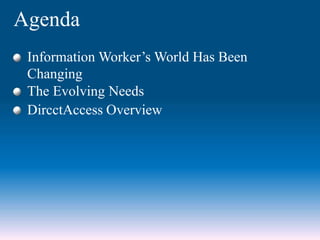
Agenda
Information Worker’s World Has Been
Changing
The Evolving Needs
DircctAccess Overview
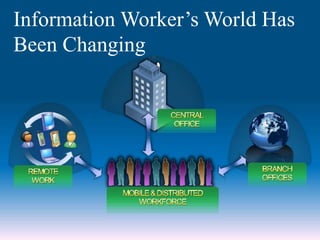
Information Worker’s World Has
Been Changing
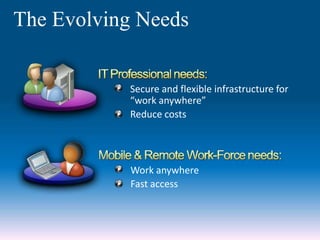
The Evolving Needs
Work anywhere
Fast access
Secure and flexible infrastructure for
“work anywhere”
Reduce costs
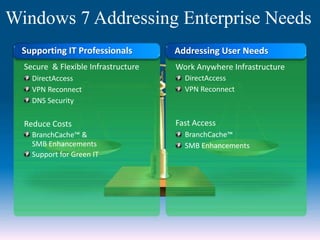
Windows 7 Addressing Enterprise Needs
Supporting IT Professionals
Secure & Flexible Infrastructure
DirectAccess
VPN Reconnect
DNS Security
Reduce Costs
BranchCache™ &
SMB Enhancements
Support for Green IT
Addressing User Needs
Work Anywhere Infrastructure
DirectAccess
VPN Reconnect
Fast Access
BranchCache™
SMB Enhancements
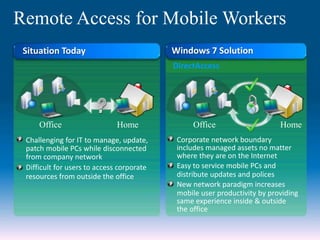
Situation Today
Remote Access for Mobile Workers
Corporate network boundary
includes managed assets no matter
where they are on the Internet
Easy to service mobile PCs and
distribute updates and polices
New network paradigm increases
mobile user productivity by providing
same experience inside & outside
the office
Challenging for IT to manage, update,
patch mobile PCs while disconnected
from company network
Difficult for users to access corporate
resources from outside the office
HomeOffice Home Office
Windows 7 Solution
DirectAccess
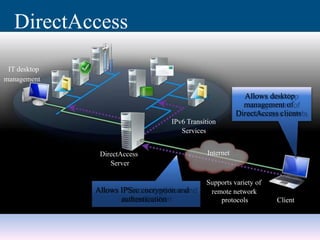
Allows desktop
management of
DirectAccess clients
DirectAccess
Server
Client
IPv6 Transition
Services
Supports variety of
remote network
protocols
Allows IPSec encryption and
authentication
DirectAccess
IT desktop
management
Internet
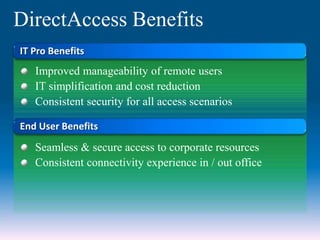
IT Pro Benefits
Improved manageability of remote users
IT simplification and cost reduction
Consistent security for all access scenarios
Seamless & secure access to corporate resources
Consistent connectivity experience in / out office
DirectAccess Benefits
End User Benefits
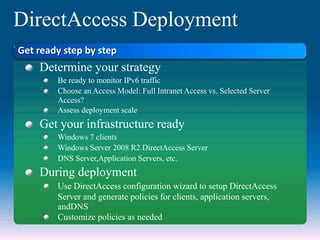
DirectAccess Deployment
Determine your strategy
Be ready to monitor IPv6 traffic
Choose an Access Model: Full Intranet Access vs. Selected Server
Access?
Assess deployment scale
Get your infrastructure ready
Windows 7 clients
Windows Server 2008 R2 DirectAccess Server
DNS Server,Application Servers, etc.
During deployment
Use DirectAccess configuration wizard to setup DirectAccess
Server and generate policies for clients, application servers,
andDNS
Customize policies as needed
Get ready step by step
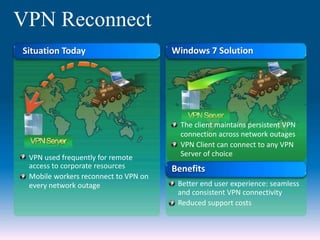
VPN Reconnect
Situation Today
VPN used frequently for remote
access to corporate resources
Mobile workers reconnect to VPN on
every network outage
Windows 7 Solution
The client maintains persistent VPN
connection across network outages
VPN Client can connect to any VPN
Server of choice
Benefits
Better end user experience: seamless
and consistent VPN connectivity
Reduced support costs
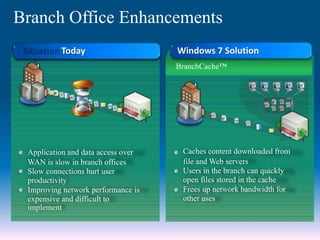
Branch Office Enhancements
Application and data access over
WAN is slow in branch offices
Slow connections hurt user
productivity
Improving network performance is
expensive and difficult to
implement
Today Windows 7 Solution
BranchCache™
Caches content downloaded from
file and Web servers
Users in the branch can quickly
open files stored in the cache
Frees up network bandwidth for
other uses
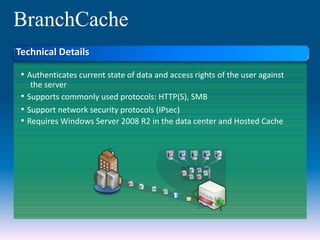
BranchCache
• Authenticates current state of data and access rights of the user against
the server
• Supports commonly used protocols: HTTP(S), SMB
• Support network security protocols (IPsec)
• Requires Windows Server 2008 R2 in the data center and Hosted Cache
Technical Details
IDData
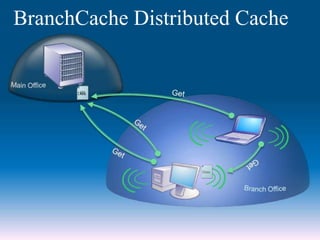
BranchCache Distributed Cache
Data
IDID
ID
ID
ID
Data
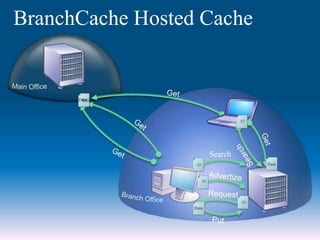
BranchCache Hosted Cache
Data
ID
Search
Data
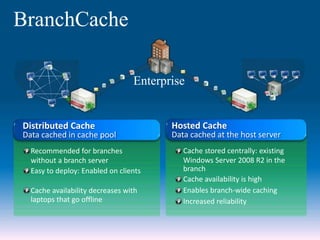
BranchCache
Enterprise
Hosted Cache
Data cached at the host server
Cache stored centrally: existing
Windows Server 2008 R2 in the
branch
Cache availability is high
Enables branch-wide caching
Increased reliability
Distributed Cache
Data cached in cache pool
Recommended for branches
without a branch server
Easy to deploy: Enabled on clients
Cache availability decreases with
laptops that go offline
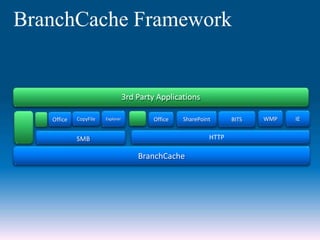
BranchCache Framework
3rd Party Applications
IE
HTTP
BranchCache
WMP
SMB
SharePointExplorer Office BITSOffice CopyFile
IIS
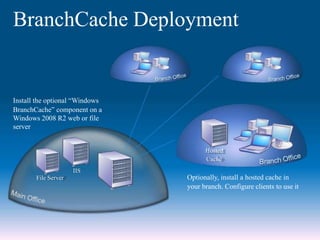
File Server Optionally, install a hosted cache in
your branch. Configure clients to use it
BranchCache Deployment
Install the optional “Windows
BranchCache” component on a
Windows 2008 R2 web or file
server
Hosted
Cache
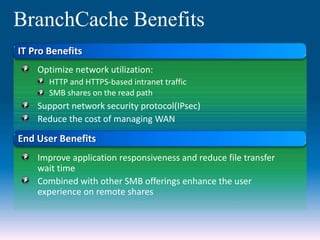
BranchCache Benefits
IT Pro Benefits
Optimize network utilization:
HTTP and HTTPS-based intranet traffic
SMB shares on the read path
Support network security protocol(IPsec)
Reduce the cost of managing WAN
Improve application responsiveness and reduce file transfer
wait time
Combined with other SMB offerings enhance the user
experience on remote shares
End User Benefits
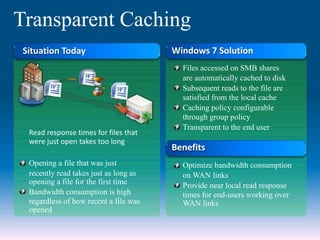
Transparent Caching
Situation Today
Read response times for files that
were just open takes too long
Opening a file that was just
recently read takes just as long as
opening a file for the first time
Bandwidth consumption is high
regardless of how recent a file was
opened
Windows 7 Solution
Files accessed on SMB shares
are automatically cached to disk
Subsequent reads to the file are
satisfied from the local cache
Caching policy configurable
through group policy
Transparent to the end user
Benefits
Optimize bandwidth consumption
on WAN links
Provide near local read response
times for end-users working over
WAN links
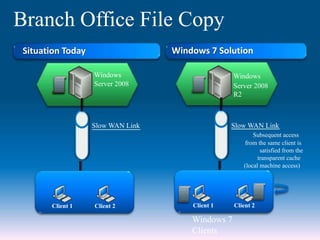
Branch Office File Copy
Client 1 Client 2
Windows 7
Clients
Windows
Server 2008
Slow WAN Link
Client 1 Client 2
Situation Today Windows 7 Solution
Windows
Server 2008
R2
Slow WAN Link
Subsequent access
from the same client is
satisfied from the
transparent cache
(local machine access)
Queries???

Direct access

  • 1.
  • 2.
    Agenda Information Worker’s WorldHas Been Changing The Evolving Needs DircctAccess Overview
  • 3.
  • 4.
    The Evolving Needs Workanywhere Fast access Secure and flexible infrastructure for “work anywhere” Reduce costs
  • 5.
    Windows 7 AddressingEnterprise Needs Supporting IT Professionals Secure & Flexible Infrastructure DirectAccess VPN Reconnect DNS Security Reduce Costs BranchCache™ & SMB Enhancements Support for Green IT Addressing User Needs Work Anywhere Infrastructure DirectAccess VPN Reconnect Fast Access BranchCache™ SMB Enhancements
  • 6.
    Situation Today Remote Accessfor Mobile Workers Corporate network boundary includes managed assets no matter where they are on the Internet Easy to service mobile PCs and distribute updates and polices New network paradigm increases mobile user productivity by providing same experience inside & outside the office Challenging for IT to manage, update, patch mobile PCs while disconnected from company network Difficult for users to access corporate resources from outside the office HomeOffice Home Office Windows 7 Solution DirectAccess
  • 7.
    Allows desktop management of DirectAccessclients DirectAccess Server Client IPv6 Transition Services Supports variety of remote network protocols Allows IPSec encryption and authentication DirectAccess IT desktop management Internet
  • 8.
    IT Pro Benefits Improvedmanageability of remote users IT simplification and cost reduction Consistent security for all access scenarios Seamless & secure access to corporate resources Consistent connectivity experience in / out office DirectAccess Benefits End User Benefits
  • 9.
    DirectAccess Deployment Determine yourstrategy Be ready to monitor IPv6 traffic Choose an Access Model: Full Intranet Access vs. Selected Server Access? Assess deployment scale Get your infrastructure ready Windows 7 clients Windows Server 2008 R2 DirectAccess Server DNS Server,Application Servers, etc. During deployment Use DirectAccess configuration wizard to setup DirectAccess Server and generate policies for clients, application servers, andDNS Customize policies as needed Get ready step by step
  • 10.
    VPN Reconnect Situation Today VPNused frequently for remote access to corporate resources Mobile workers reconnect to VPN on every network outage Windows 7 Solution The client maintains persistent VPN connection across network outages VPN Client can connect to any VPN Server of choice Benefits Better end user experience: seamless and consistent VPN connectivity Reduced support costs
  • 11.
    Branch Office Enhancements Applicationand data access over WAN is slow in branch offices Slow connections hurt user productivity Improving network performance is expensive and difficult to implement Today Windows 7 Solution BranchCache™ Caches content downloaded from file and Web servers Users in the branch can quickly open files stored in the cache Frees up network bandwidth for other uses
  • 12.
    BranchCache • Authenticates currentstate of data and access rights of the user against the server • Supports commonly used protocols: HTTP(S), SMB • Support network security protocols (IPsec) • Requires Windows Server 2008 R2 in the data center and Hosted Cache Technical Details
  • 13.
  • 14.
  • 15.
    BranchCache Enterprise Hosted Cache Data cachedat the host server Cache stored centrally: existing Windows Server 2008 R2 in the branch Cache availability is high Enables branch-wide caching Increased reliability Distributed Cache Data cached in cache pool Recommended for branches without a branch server Easy to deploy: Enabled on clients Cache availability decreases with laptops that go offline
  • 16.
    BranchCache Framework 3rd PartyApplications IE HTTP BranchCache WMP SMB SharePointExplorer Office BITSOffice CopyFile
  • 17.
    IIS File Server Optionally,install a hosted cache in your branch. Configure clients to use it BranchCache Deployment Install the optional “Windows BranchCache” component on a Windows 2008 R2 web or file server Hosted Cache
  • 18.
    BranchCache Benefits IT ProBenefits Optimize network utilization: HTTP and HTTPS-based intranet traffic SMB shares on the read path Support network security protocol(IPsec) Reduce the cost of managing WAN Improve application responsiveness and reduce file transfer wait time Combined with other SMB offerings enhance the user experience on remote shares End User Benefits
  • 19.
    Transparent Caching Situation Today Readresponse times for files that were just open takes too long Opening a file that was just recently read takes just as long as opening a file for the first time Bandwidth consumption is high regardless of how recent a file was opened Windows 7 Solution Files accessed on SMB shares are automatically cached to disk Subsequent reads to the file are satisfied from the local cache Caching policy configurable through group policy Transparent to the end user Benefits Optimize bandwidth consumption on WAN links Provide near local read response times for end-users working over WAN links
  • 20.
    Branch Office FileCopy Client 1 Client 2 Windows 7 Clients Windows Server 2008 Slow WAN Link Client 1 Client 2 Situation Today Windows 7 Solution Windows Server 2008 R2 Slow WAN Link Subsequent access from the same client is satisfied from the transparent cache (local machine access)
  • 21.