Solving
Desktop
Challenges
with Application Virtualisation
Ron van Herk | Solutions Consultant | Feb 24 - 2016
What if….
•I need IE8 to connect to my CRM system
• but want to move to Windows 10
•I need to run JAVA Applets
• but do not have the correct JVM on the workstations
• but my browser doesn’t allow JAVA applets anymore
•I to access two different databases
• but they require a different Oracle client versions to be used
Or maybe….
• I just want to make distributing applications more easy
• I want to allow home users to access corporate
applications
• I want to provide applications to students /
home workers
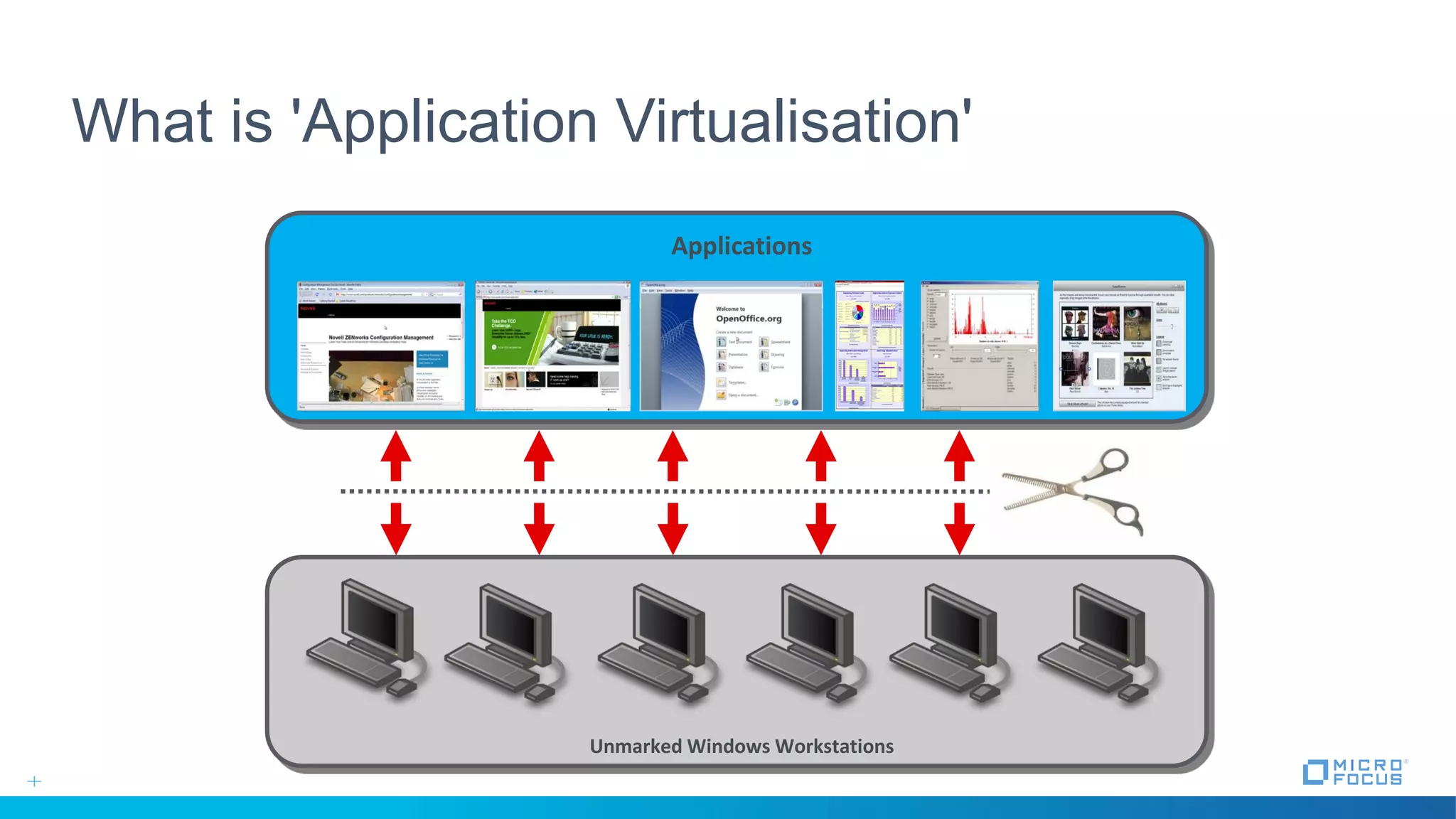
What is 'Application Virtualisation'
Unmarked Windows Workstations
Applications
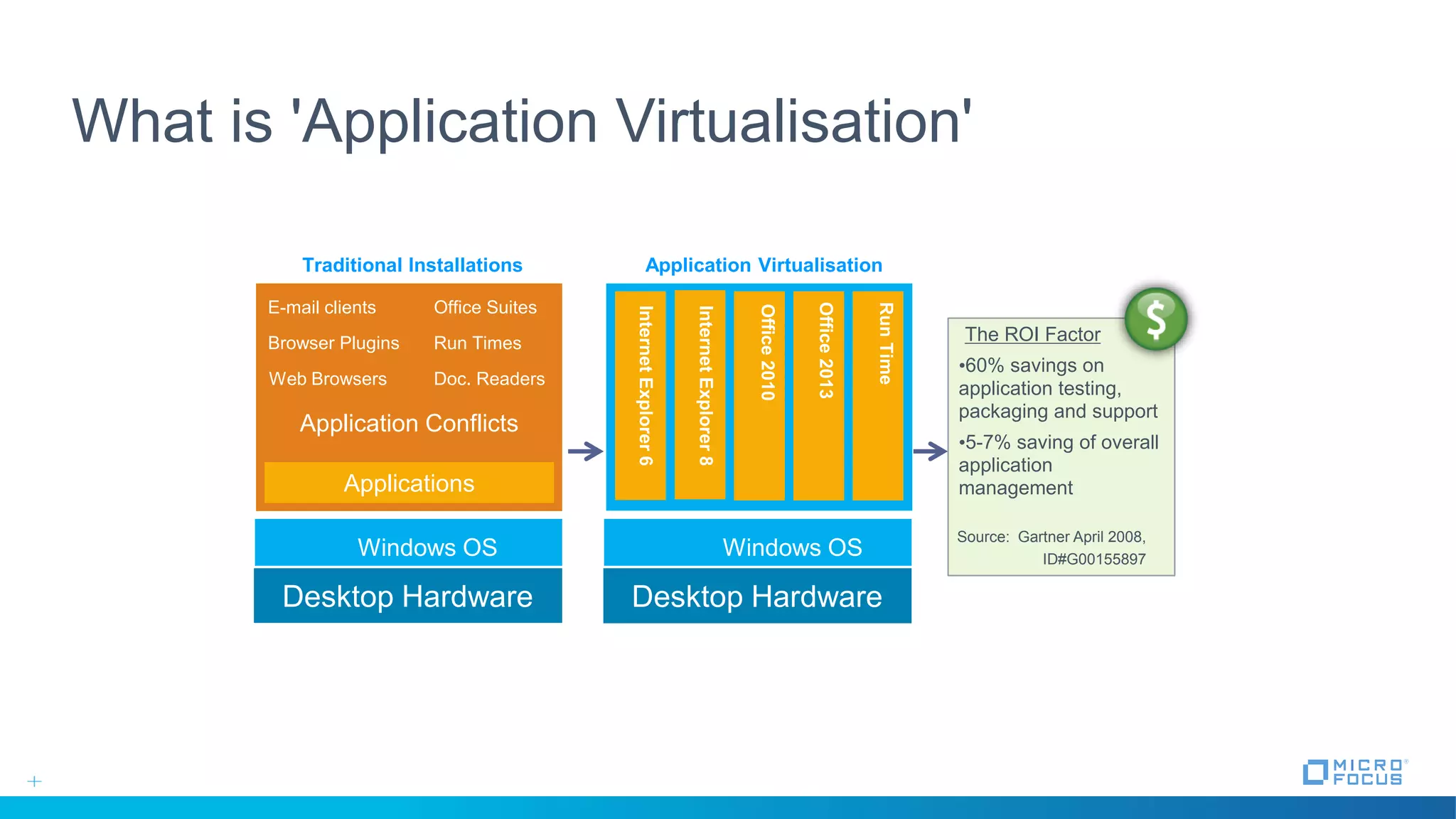
What is 'Application Virtualisation'
Desktop Hardware
Application Conflicts
E-mail clients Office Suites
Browser Plugins Run Times
Web Browsers Doc. Readers
Applications
Windows OS
Desktop Hardware
Windows OS
InternetExplorer8
Office2010
Office2013
RunTime
The ROI Factor
•60% savings on
application testing,
packaging and support
•5-7% saving of overall
application
management
Source: Gartner April 2008,
ID#G00155897
Traditional Installations Application Virtualisation
InternetExplorer6
RunTime
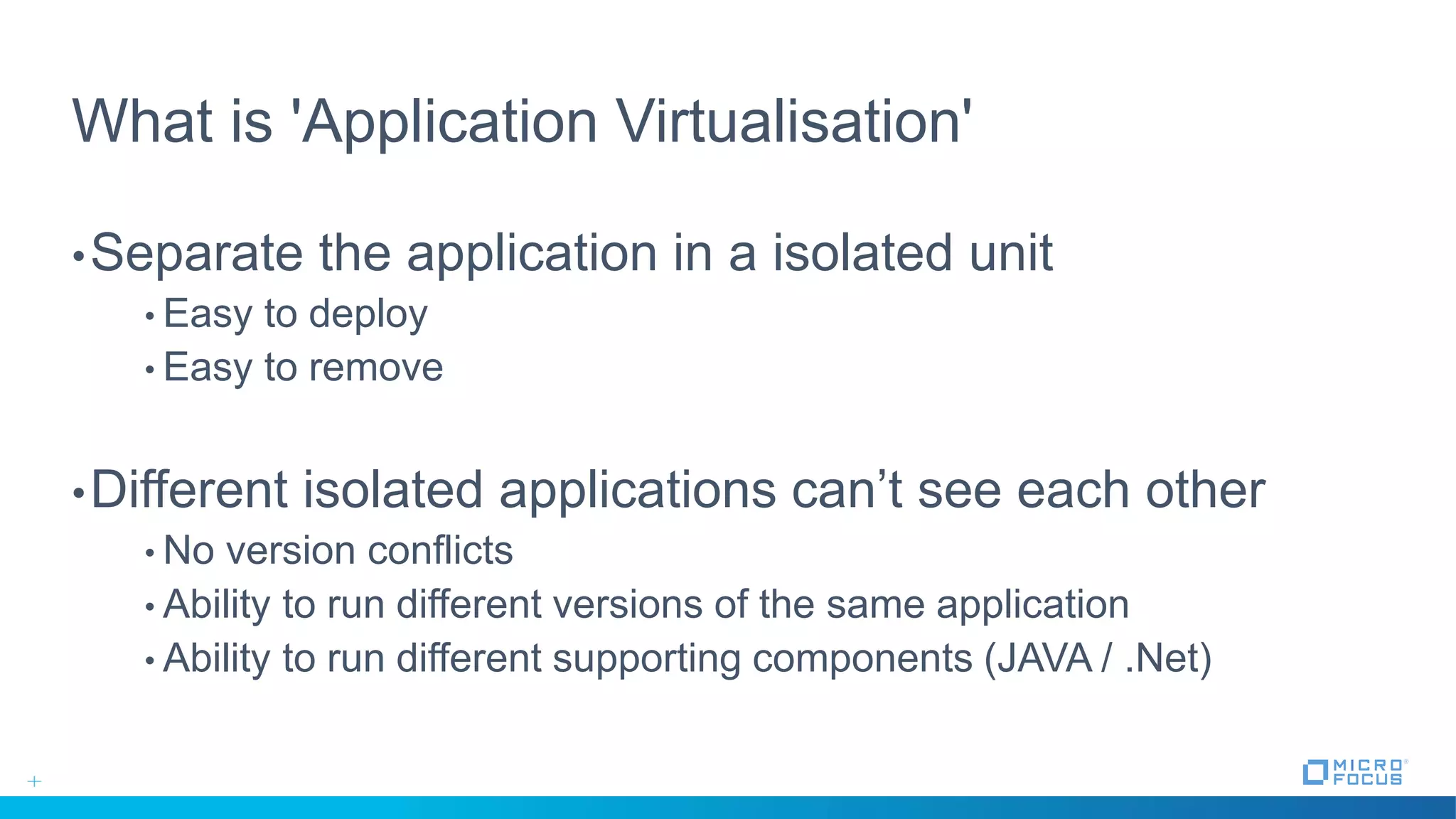
What is 'Application Virtualisation'
•Separate the application in a isolated unit
• Easy to deploy
• Easy to remove
•Different isolated applications can’t see each other
• No version conflicts
• Ability to run different versions of the same application
• Ability to run different supporting components (JAVA / .Net)
How do we get there?
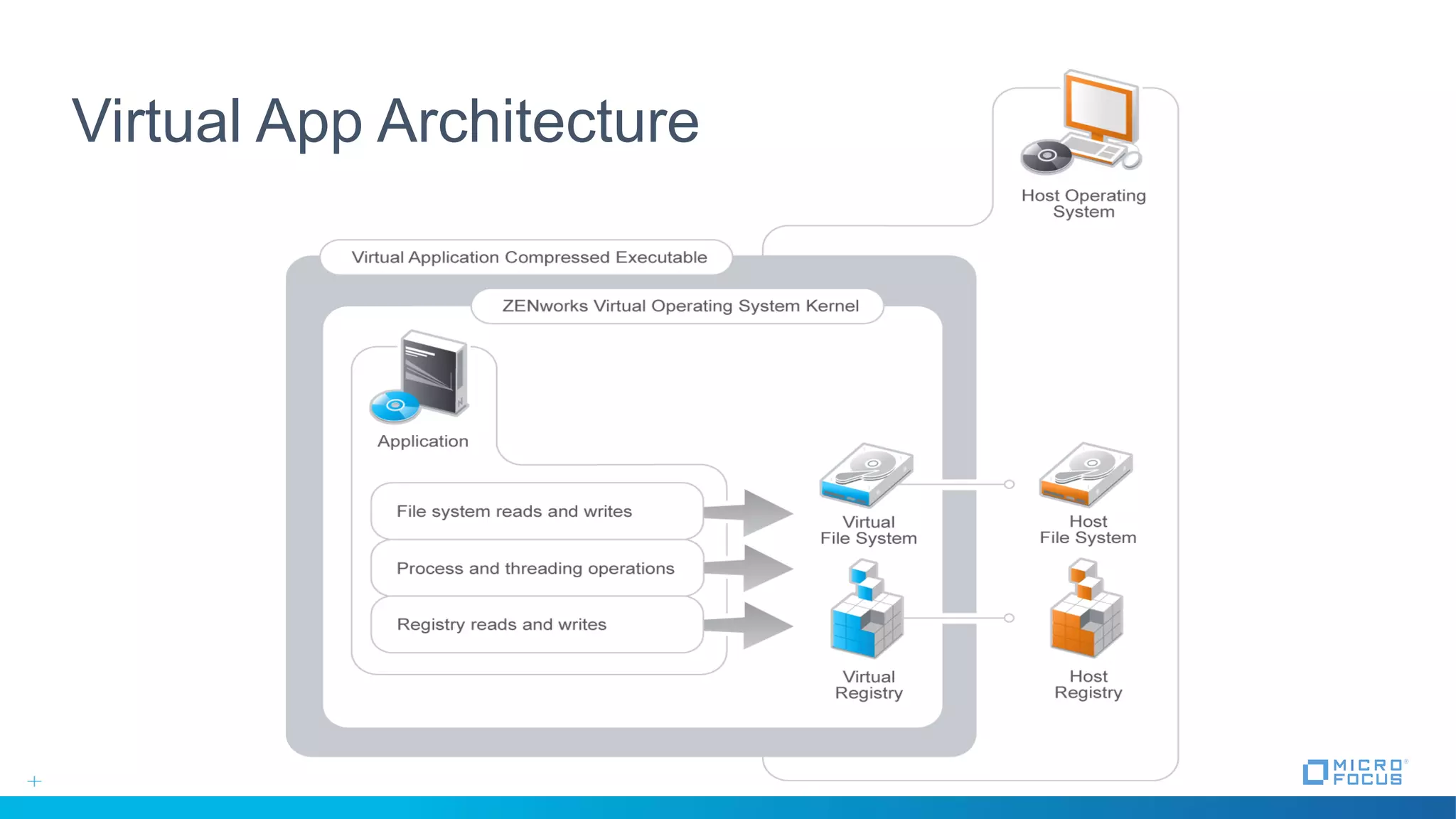
Virtual App Architecture
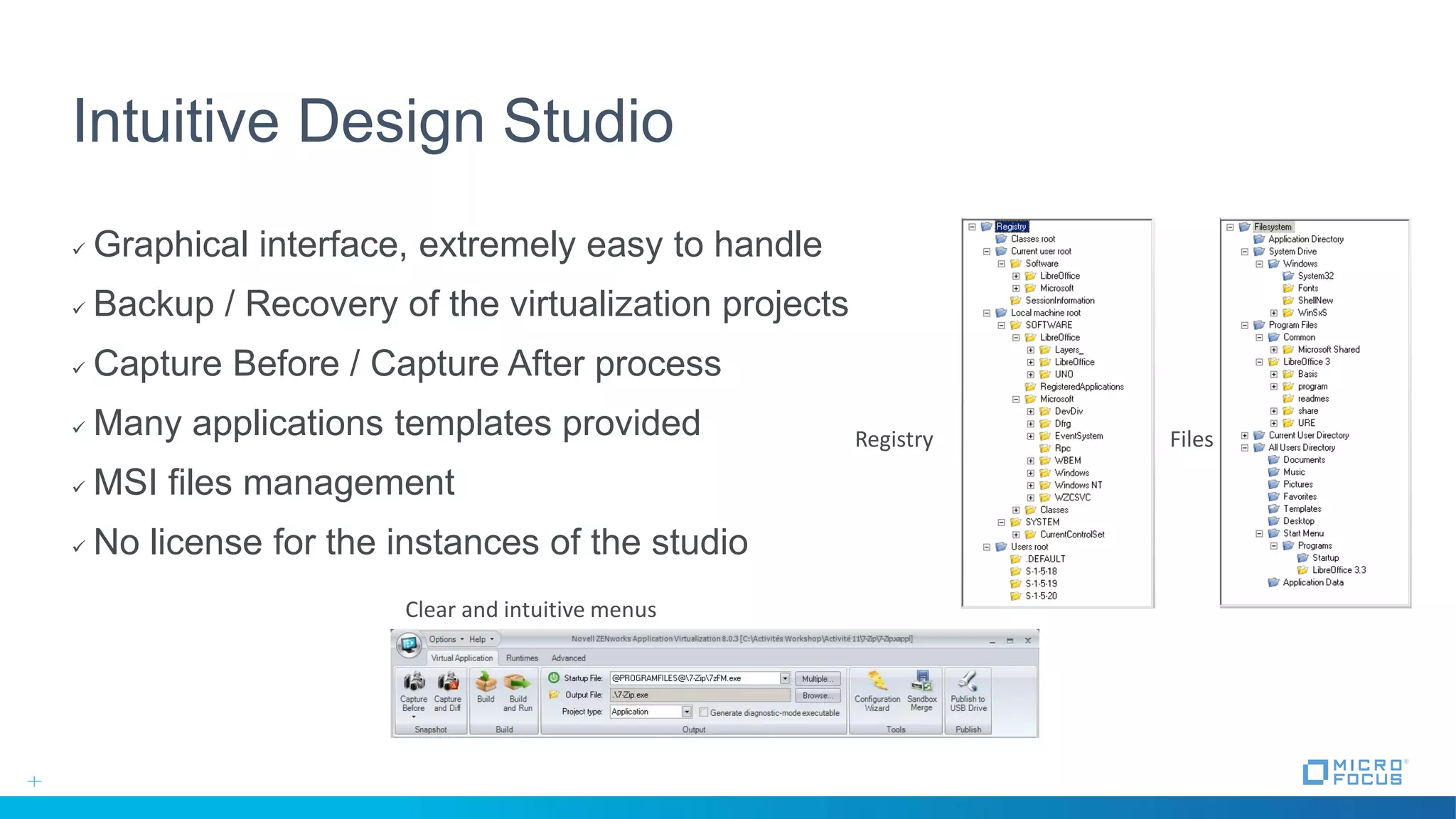
Intuitive Design Studio
 Graphical interface, extremely easy to handle
 Backup / Recovery of the virtualization projects
 Capture Before / Capture After process
 Many applications templates provided
 MSI files management
 No license for the instances of the studio
Files
Clear and intuitive menus
Registry
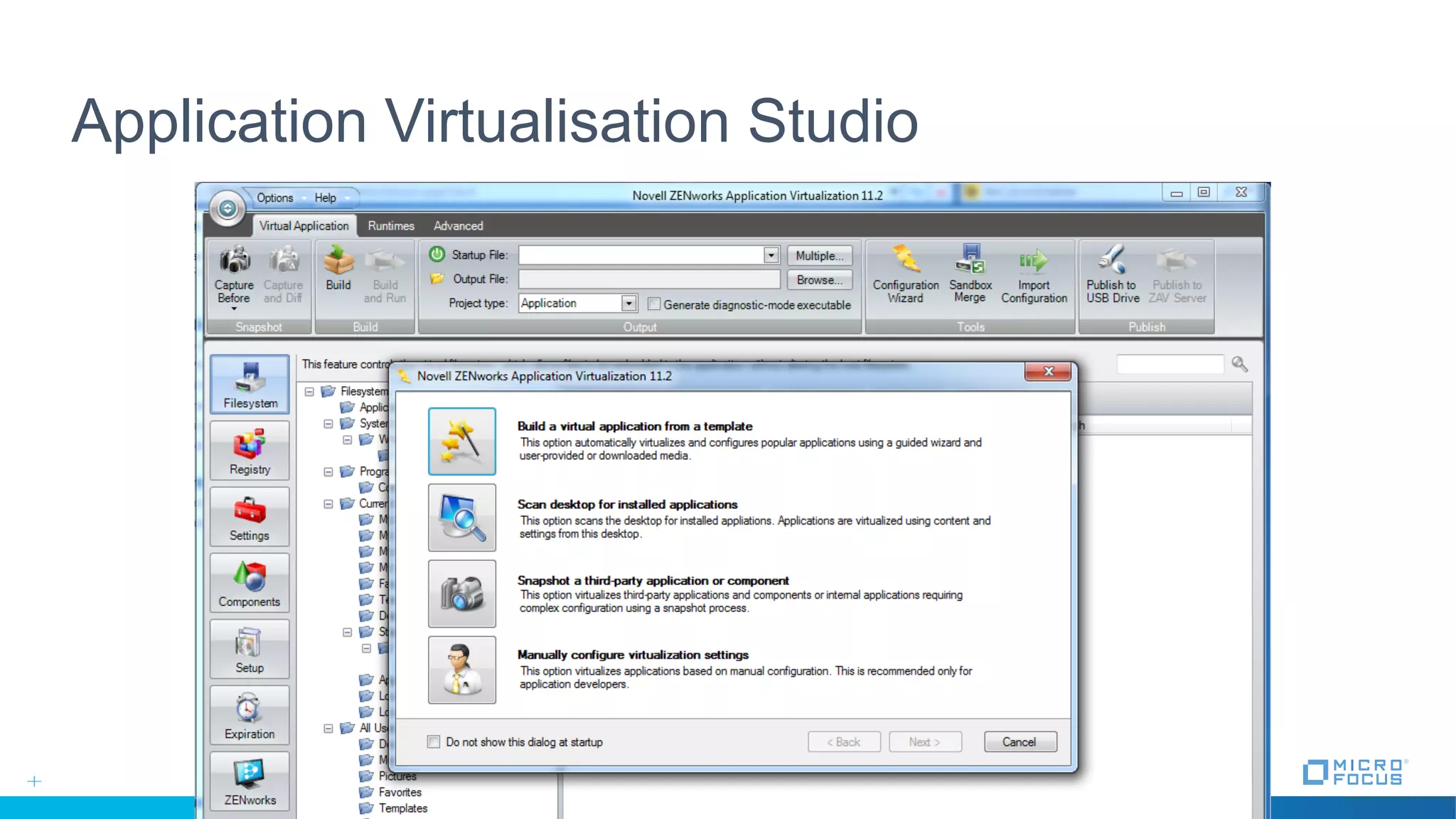
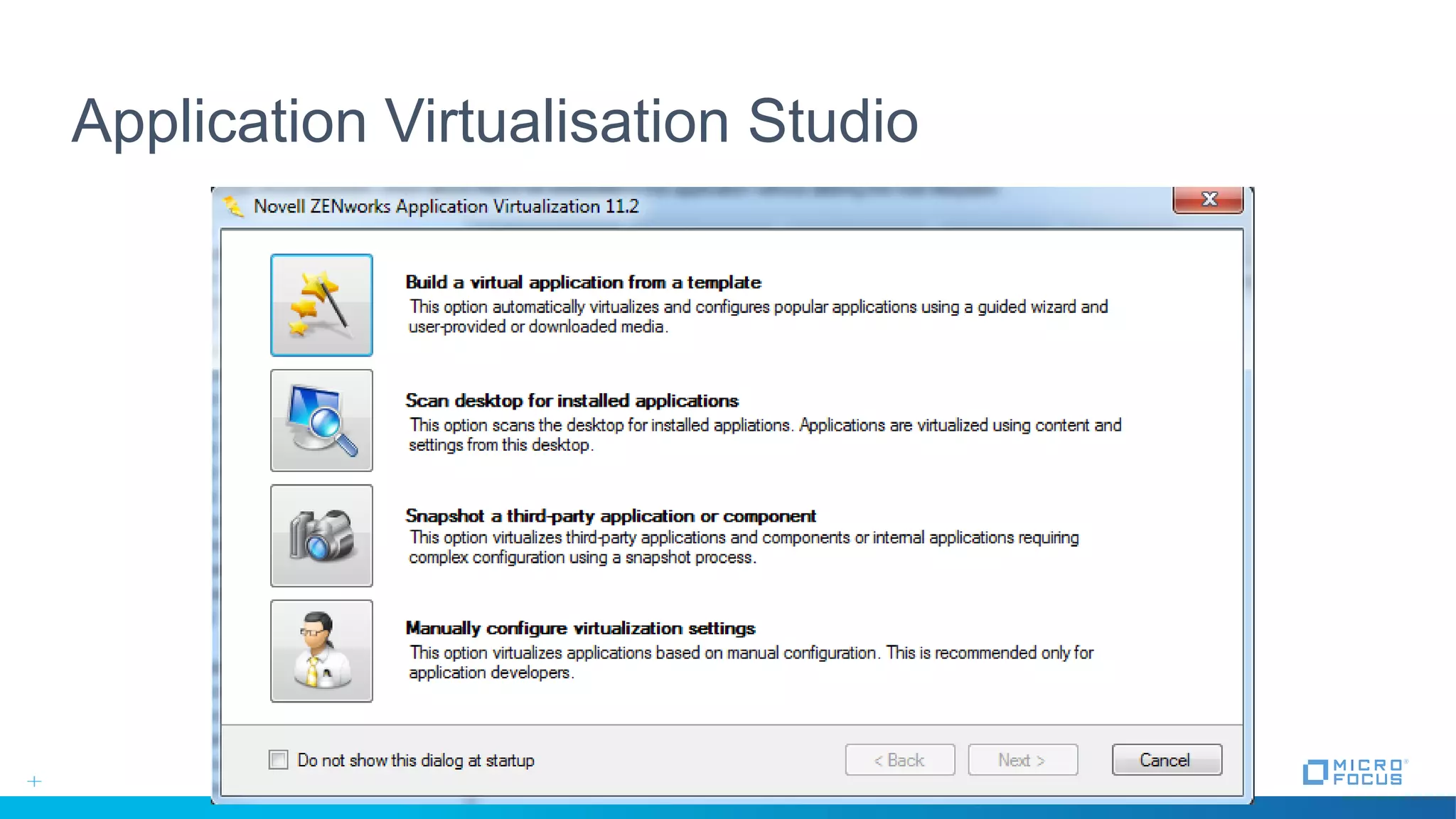
Application Virtualisation Studio
Application Delivery
Two Ways to Access Applications
• 1. Using the Standalone EXE
• Installation on the desktop / ZENworks
• Associate file extensions
• Startmenu icons
• Run from network share or USB device
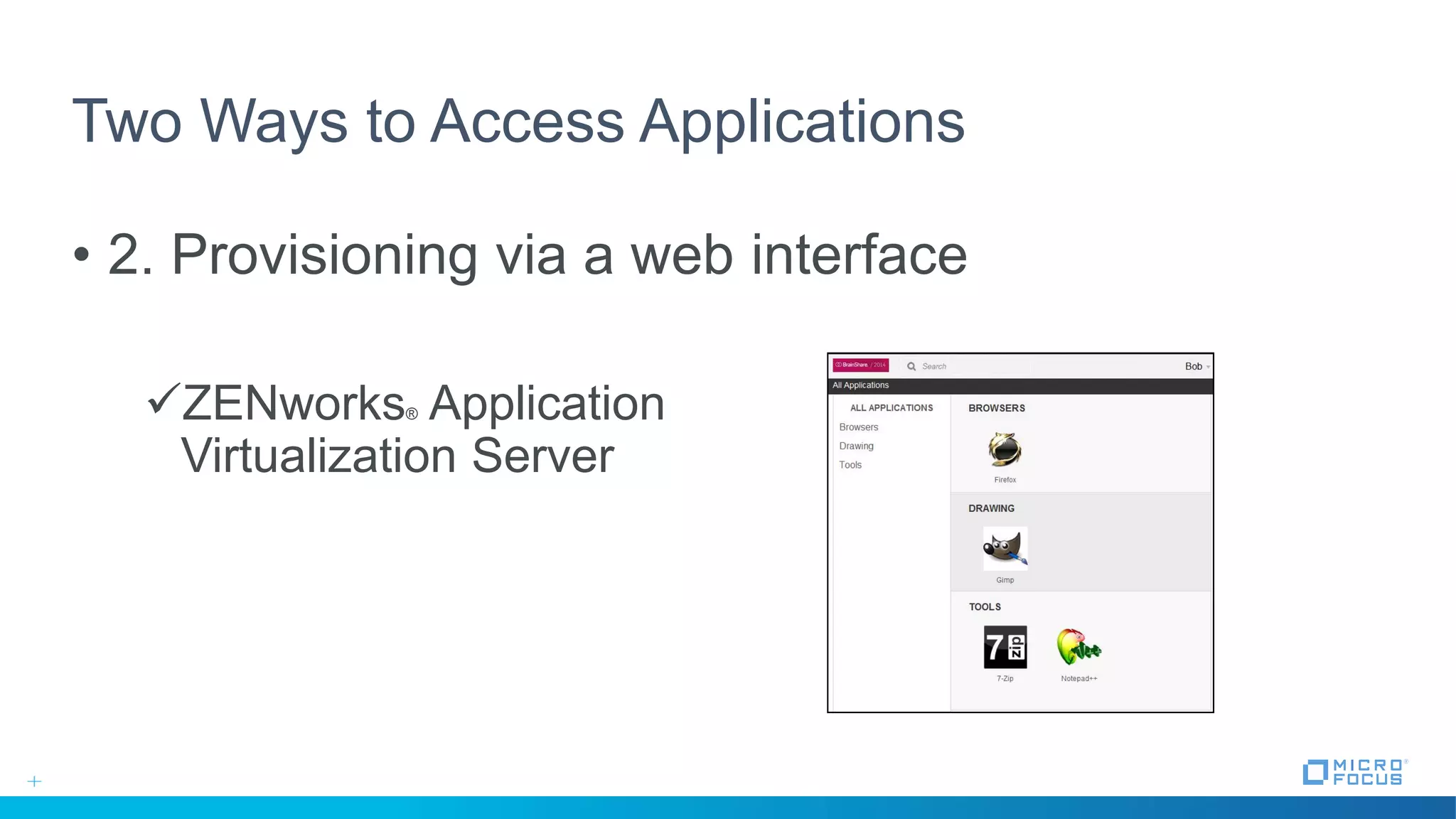
Two Ways to Access Applications
• 2. Provisioning via a web interface
ZENworks® Application
Virtualization Server
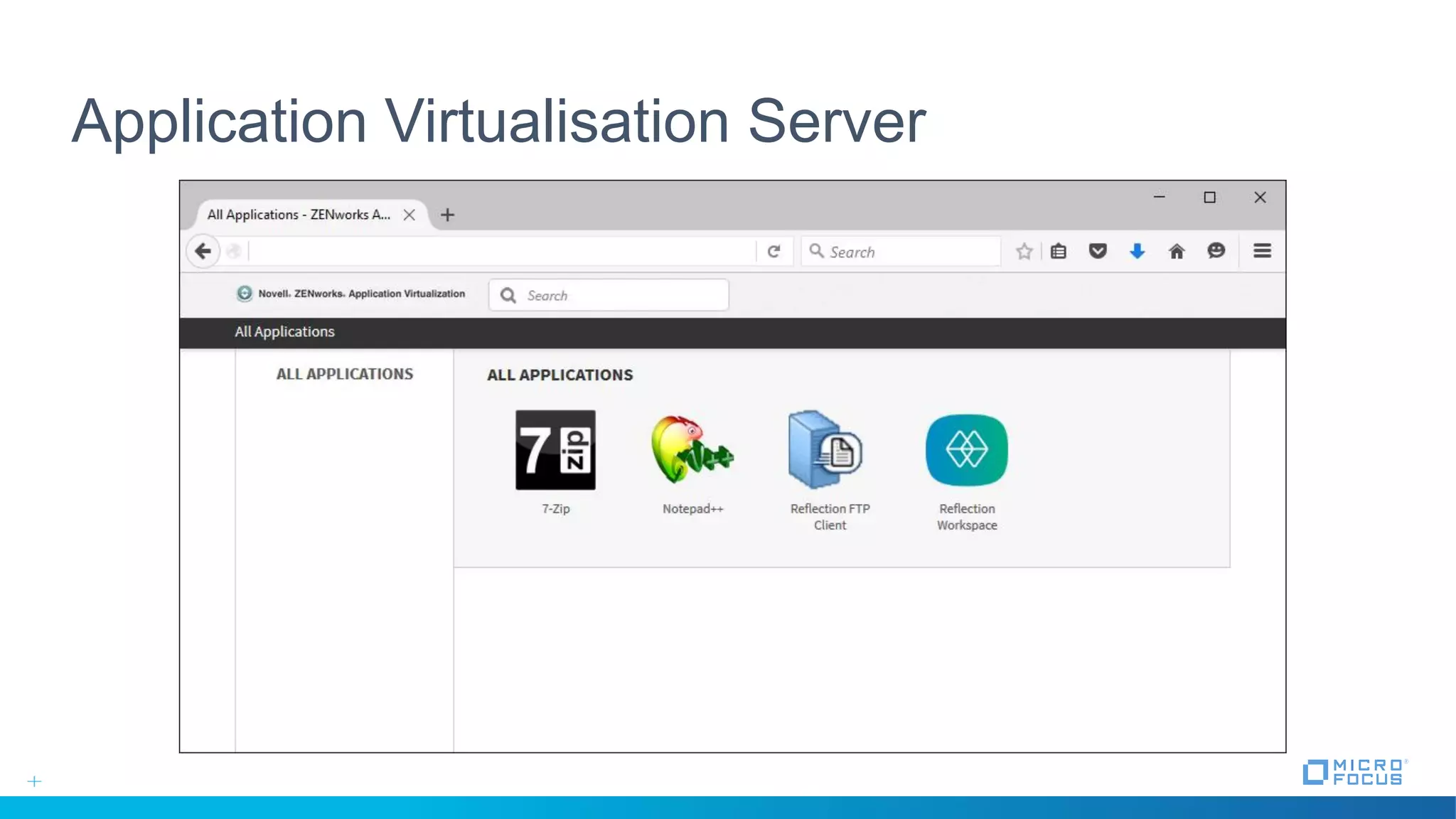
Application Virtualisation Server
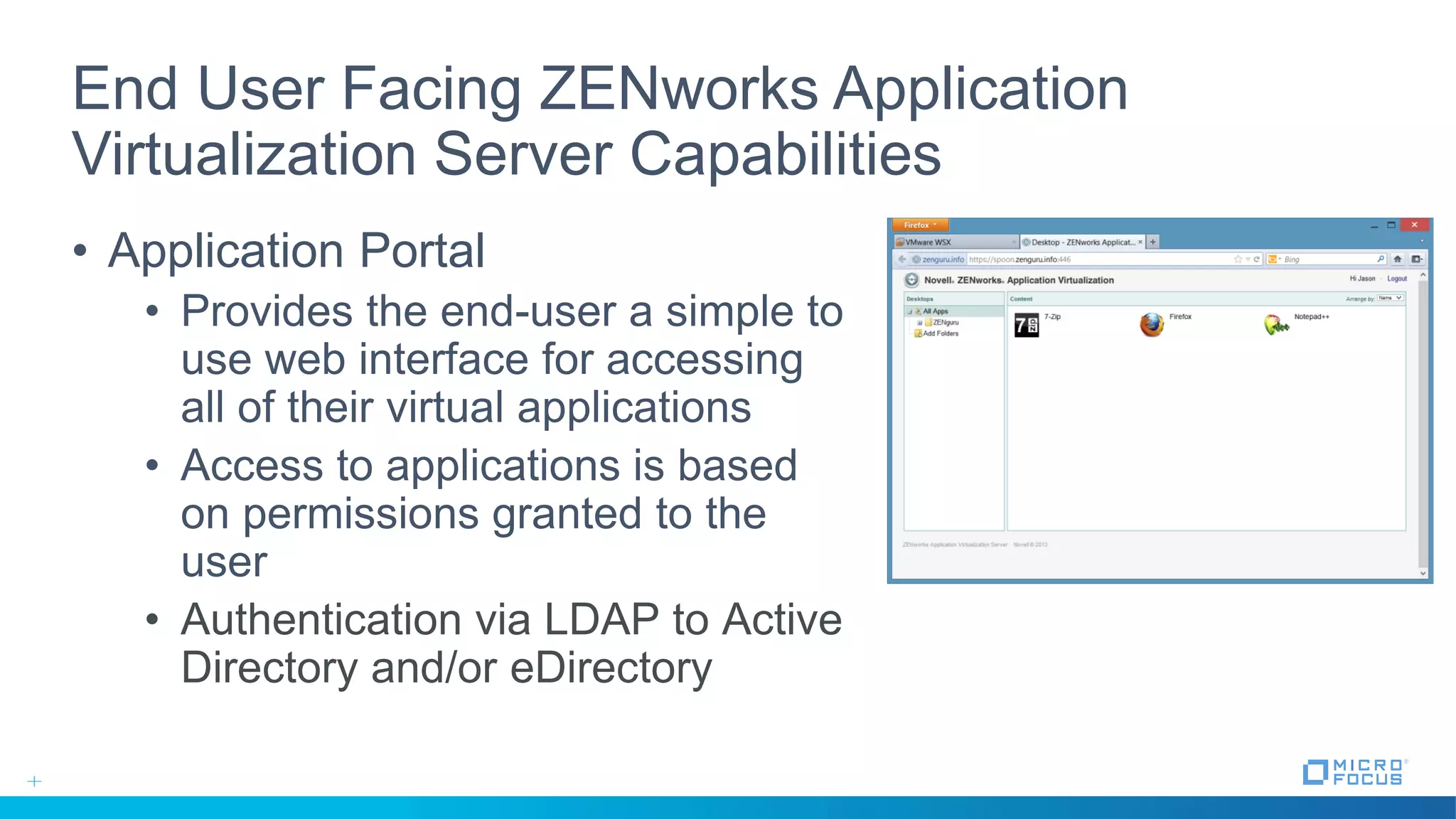
End User Facing ZENworks Application
Virtualization Server Capabilities
• Application Portal
• Provides the end-user a simple to
use web interface for accessing
all of their virtual applications
• Access to applications is based
on permissions granted to the
user
• Authentication via LDAP to Active
Directory and/or eDirectory
End User Facing ZENworks® Application Virtualization Server
Capabilities
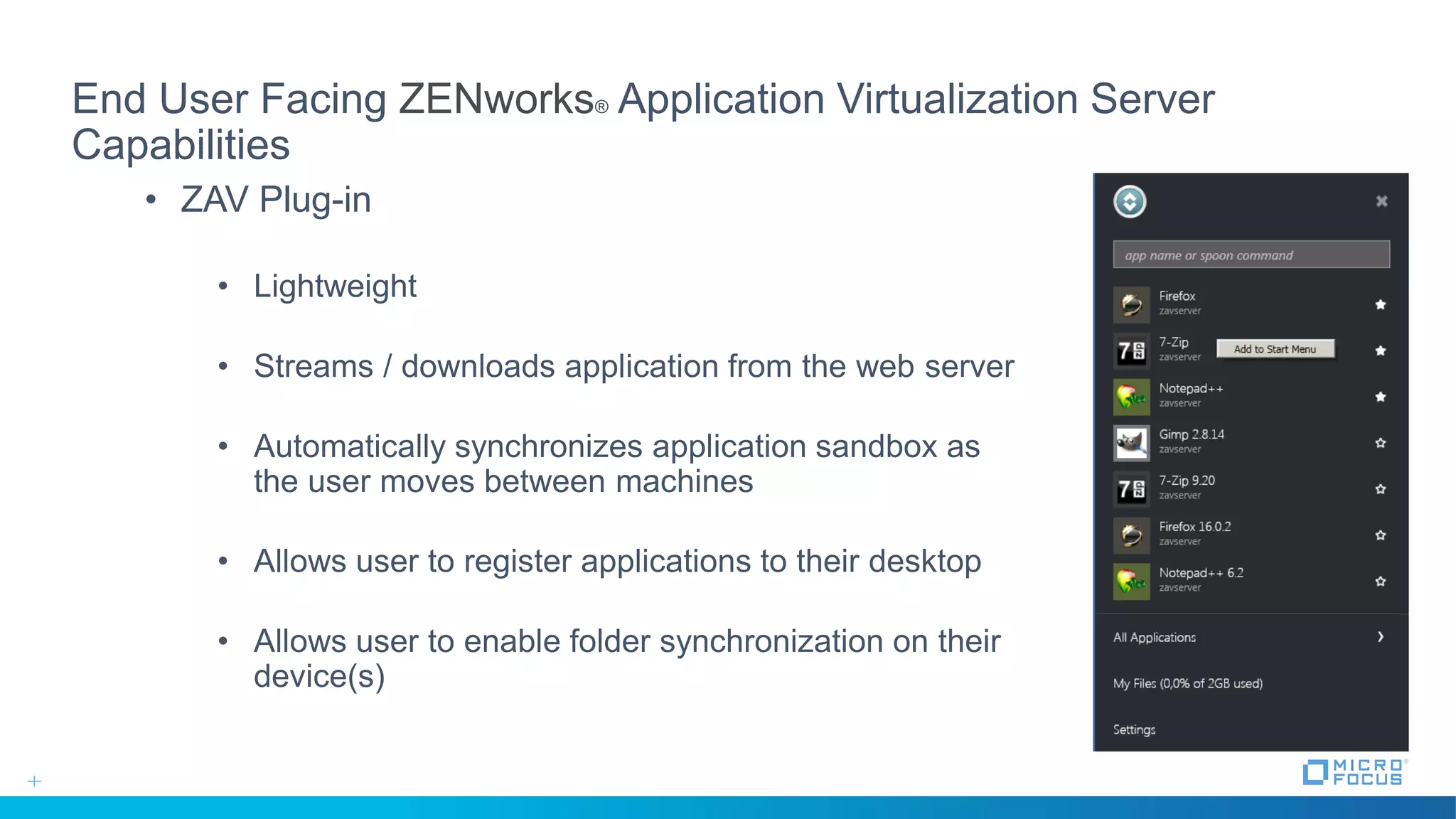
• ZAV Plug-in
• Lightweight
• Streams / downloads application from the web server
• Automatically synchronizes application sandbox as
the user moves between machines
• Allows user to register applications to their desktop
• Allows user to enable folder synchronization on their
device(s)
Administrator Facing ZENworks Application
Virtualization Server Capabilities
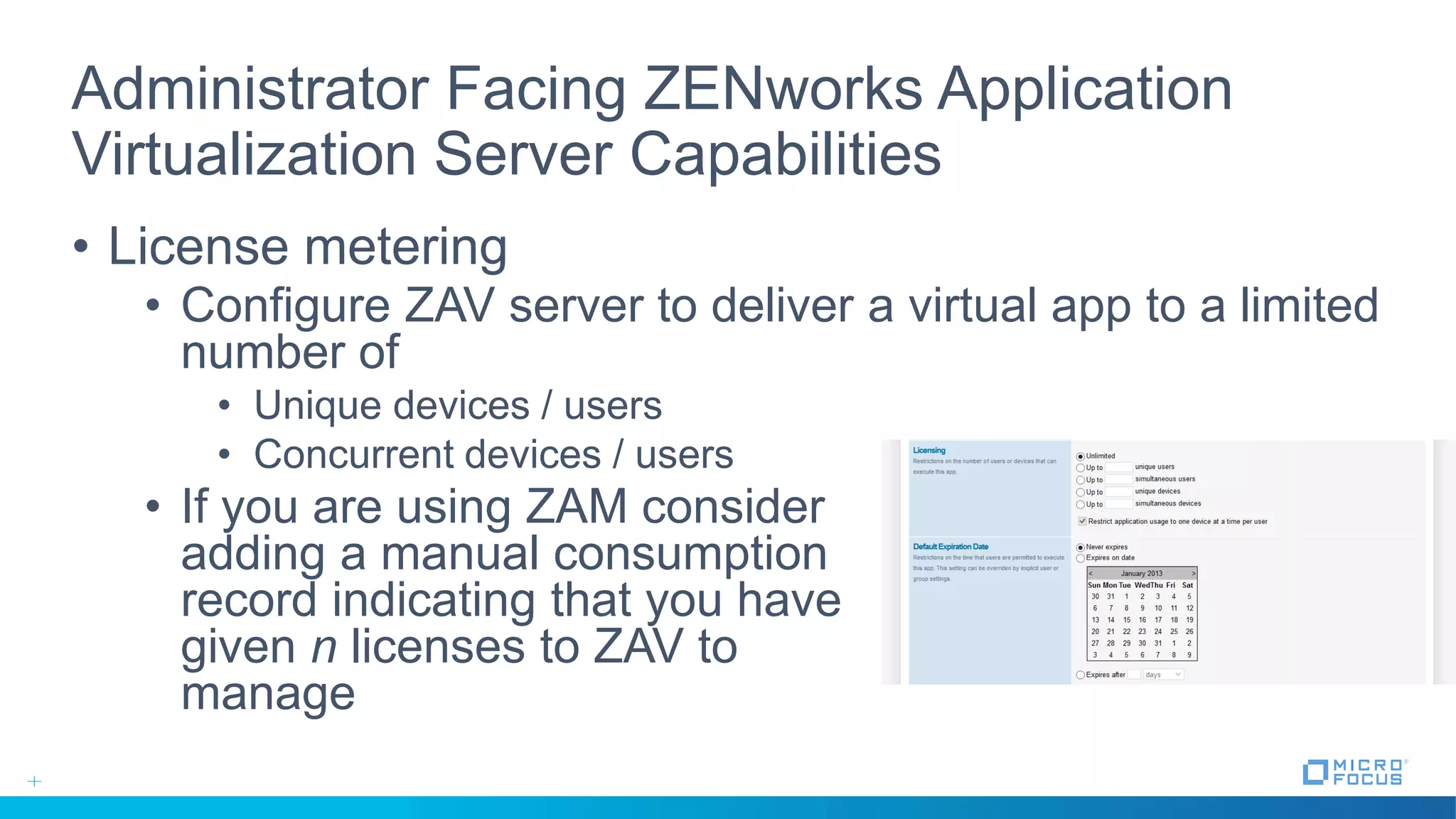
• License metering
• Configure ZAV server to deliver a virtual app to a limited
number of
• Unique devices / users
• Concurrent devices / users
• If you are using ZAM consider
adding a manual consumption
record indicating that you have
given n licenses to ZAV to
manage
Administrator Facing ZENworks Application
Virtualization Server Capabilities
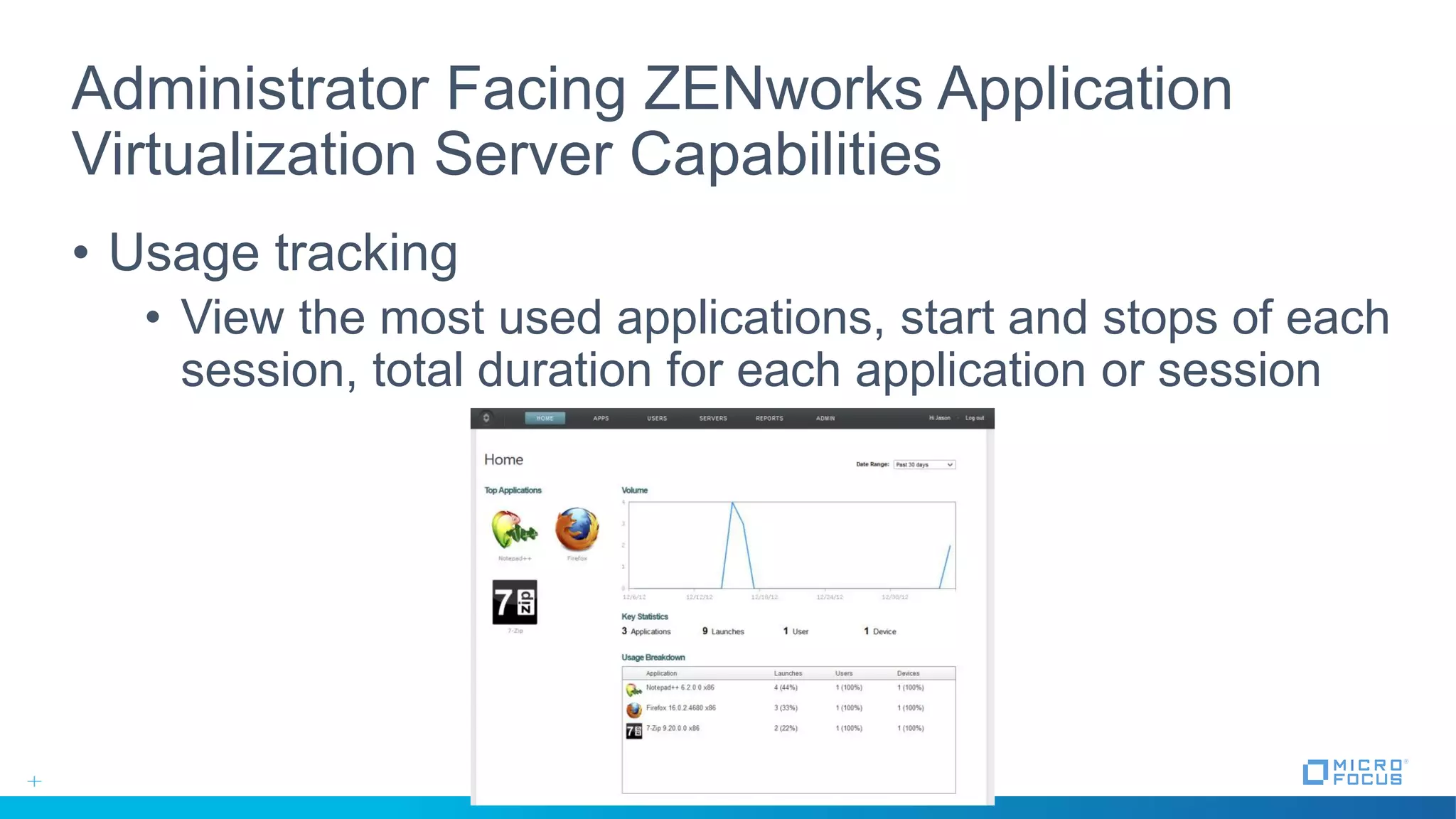
• Usage tracking
• View the most used applications, start and stops of each
session, total duration for each application or session
Administrator Facing ZENworks Application
Virtualization Server Capabilities
• User sources
• Configure ZAV Server to use local authentication OR LDAP
based authentication
• Simple to import existing SVMs
• Profile and model applications from any device that can
access the admin portal
• Easily re-optimize applications one streaming profiles have
been created
• Support for multiple server environments
Thank you

#MFSummit2016 Operate: Solving desktop challenges with application virtualisation

  • 1.
    Solving Desktop Challenges with Application Virtualisation Ronvan Herk | Solutions Consultant | Feb 24 - 2016
  • 2.
    What if…. •I needIE8 to connect to my CRM system • but want to move to Windows 10 •I need to run JAVA Applets • but do not have the correct JVM on the workstations • but my browser doesn’t allow JAVA applets anymore •I to access two different databases • but they require a different Oracle client versions to be used
  • 3.
    Or maybe…. • Ijust want to make distributing applications more easy • I want to allow home users to access corporate applications • I want to provide applications to students / home workers
  • 4.
    What is 'ApplicationVirtualisation' Unmarked Windows Workstations Applications
  • 5.
    What is 'ApplicationVirtualisation' Desktop Hardware Application Conflicts E-mail clients Office Suites Browser Plugins Run Times Web Browsers Doc. Readers Applications Windows OS Desktop Hardware Windows OS InternetExplorer8 Office2010 Office2013 RunTime The ROI Factor •60% savings on application testing, packaging and support •5-7% saving of overall application management Source: Gartner April 2008, ID#G00155897 Traditional Installations Application Virtualisation InternetExplorer6 RunTime
  • 6.
    What is 'ApplicationVirtualisation' •Separate the application in a isolated unit • Easy to deploy • Easy to remove •Different isolated applications can’t see each other • No version conflicts • Ability to run different versions of the same application • Ability to run different supporting components (JAVA / .Net)
  • 7.
    How do weget there?
  • 8.
  • 9.
    Intuitive Design Studio Graphical interface, extremely easy to handle  Backup / Recovery of the virtualization projects  Capture Before / Capture After process  Many applications templates provided  MSI files management  No license for the instances of the studio Files Clear and intuitive menus Registry
  • 10.
  • 11.
  • 12.
  • 13.
    Two Ways toAccess Applications • 1. Using the Standalone EXE • Installation on the desktop / ZENworks • Associate file extensions • Startmenu icons • Run from network share or USB device
  • 14.
    Two Ways toAccess Applications • 2. Provisioning via a web interface ZENworks® Application Virtualization Server
  • 15.
  • 16.
    End User FacingZENworks Application Virtualization Server Capabilities • Application Portal • Provides the end-user a simple to use web interface for accessing all of their virtual applications • Access to applications is based on permissions granted to the user • Authentication via LDAP to Active Directory and/or eDirectory
  • 17.
    End User FacingZENworks® Application Virtualization Server Capabilities • ZAV Plug-in • Lightweight • Streams / downloads application from the web server • Automatically synchronizes application sandbox as the user moves between machines • Allows user to register applications to their desktop • Allows user to enable folder synchronization on their device(s)
  • 18.
    Administrator Facing ZENworksApplication Virtualization Server Capabilities • License metering • Configure ZAV server to deliver a virtual app to a limited number of • Unique devices / users • Concurrent devices / users • If you are using ZAM consider adding a manual consumption record indicating that you have given n licenses to ZAV to manage
  • 19.
    Administrator Facing ZENworksApplication Virtualization Server Capabilities • Usage tracking • View the most used applications, start and stops of each session, total duration for each application or session
  • 20.
    Administrator Facing ZENworksApplication Virtualization Server Capabilities • User sources • Configure ZAV Server to use local authentication OR LDAP based authentication • Simple to import existing SVMs • Profile and model applications from any device that can access the admin portal • Easily re-optimize applications one streaming profiles have been created • Support for multiple server environments
  • 21.