Virtual Desktop
Infrastructure (VDI)
Centralise the Desktop
Cam Merrett
Demonstrator
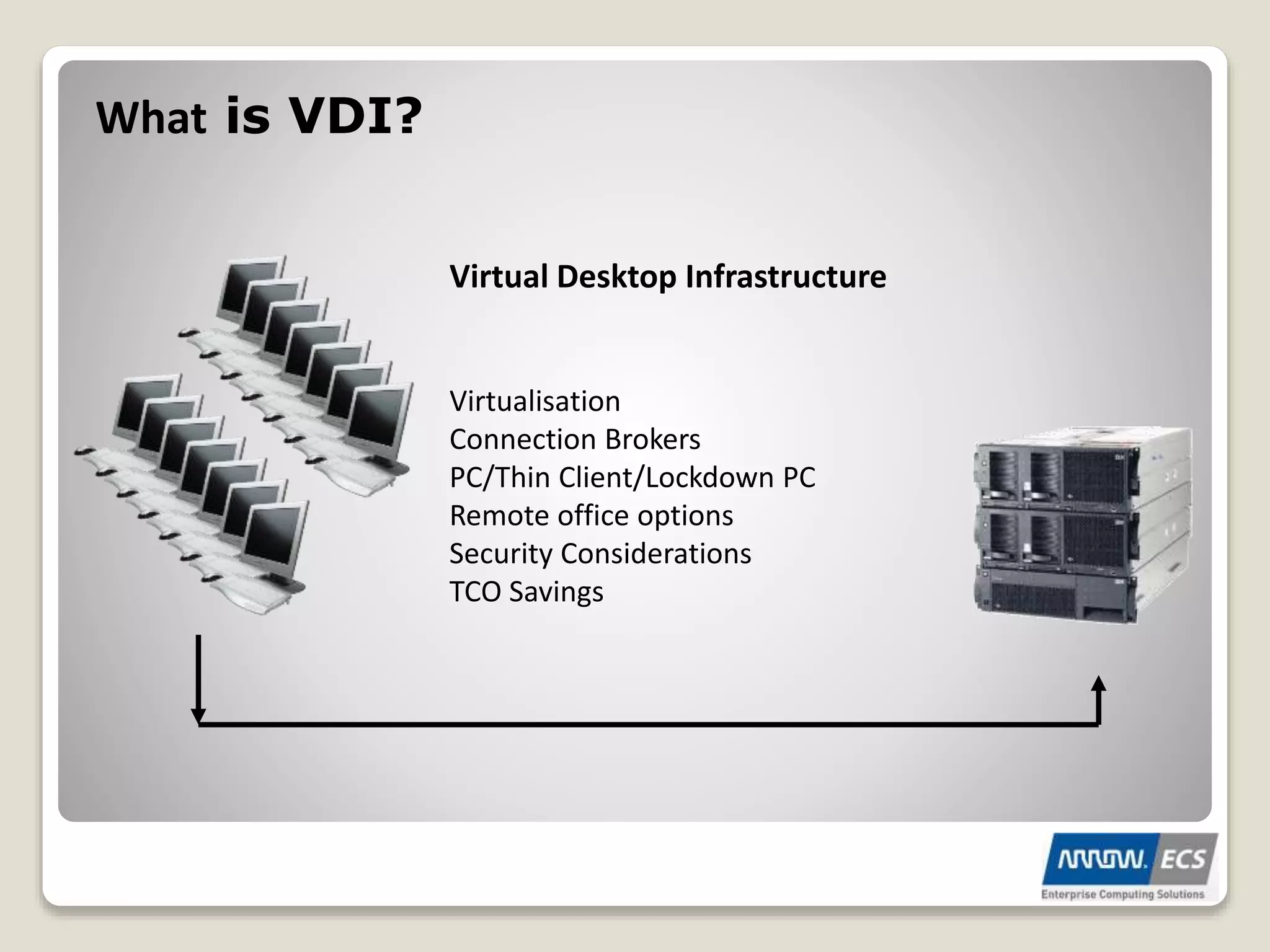
Virtual Desktop Infrastructure
Virtualisation
Connection Brokers
PC/Thin Client/Lockdown PC
Remote office options
Security Considerations
TCO Savings
What is VDI?
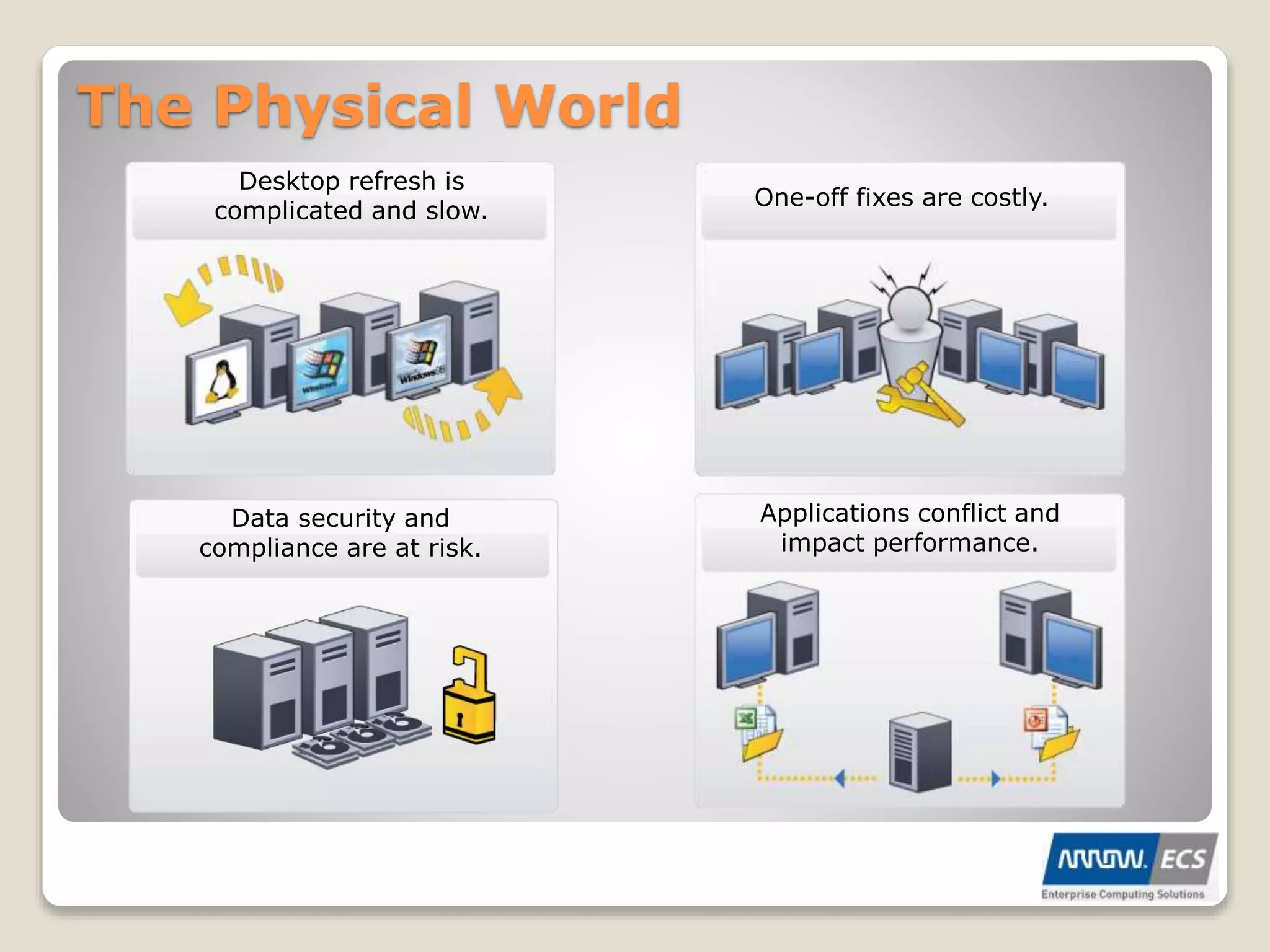
The Physical World
Data security and
compliance are at risk.
One-off fixes are costly.
Desktop refresh is
complicated and slow.
Applications conflict and
impact performance.
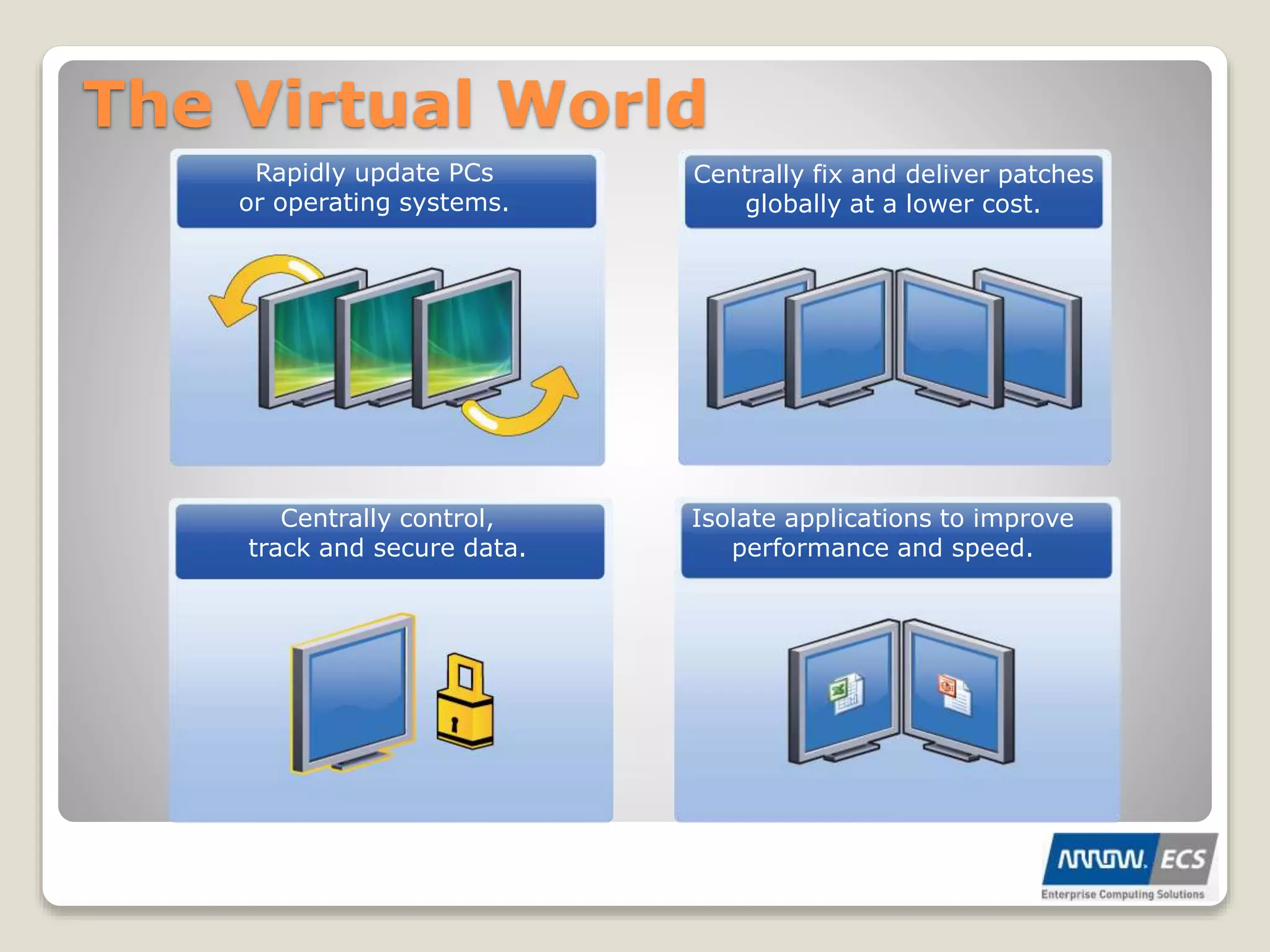
The Virtual World
Centrally control,
track and secure data.
Centrally fix and deliver patches
globally at a lower cost.
Rapidly update PCs
or operating systems.
Isolate applications to improve
performance and speed.
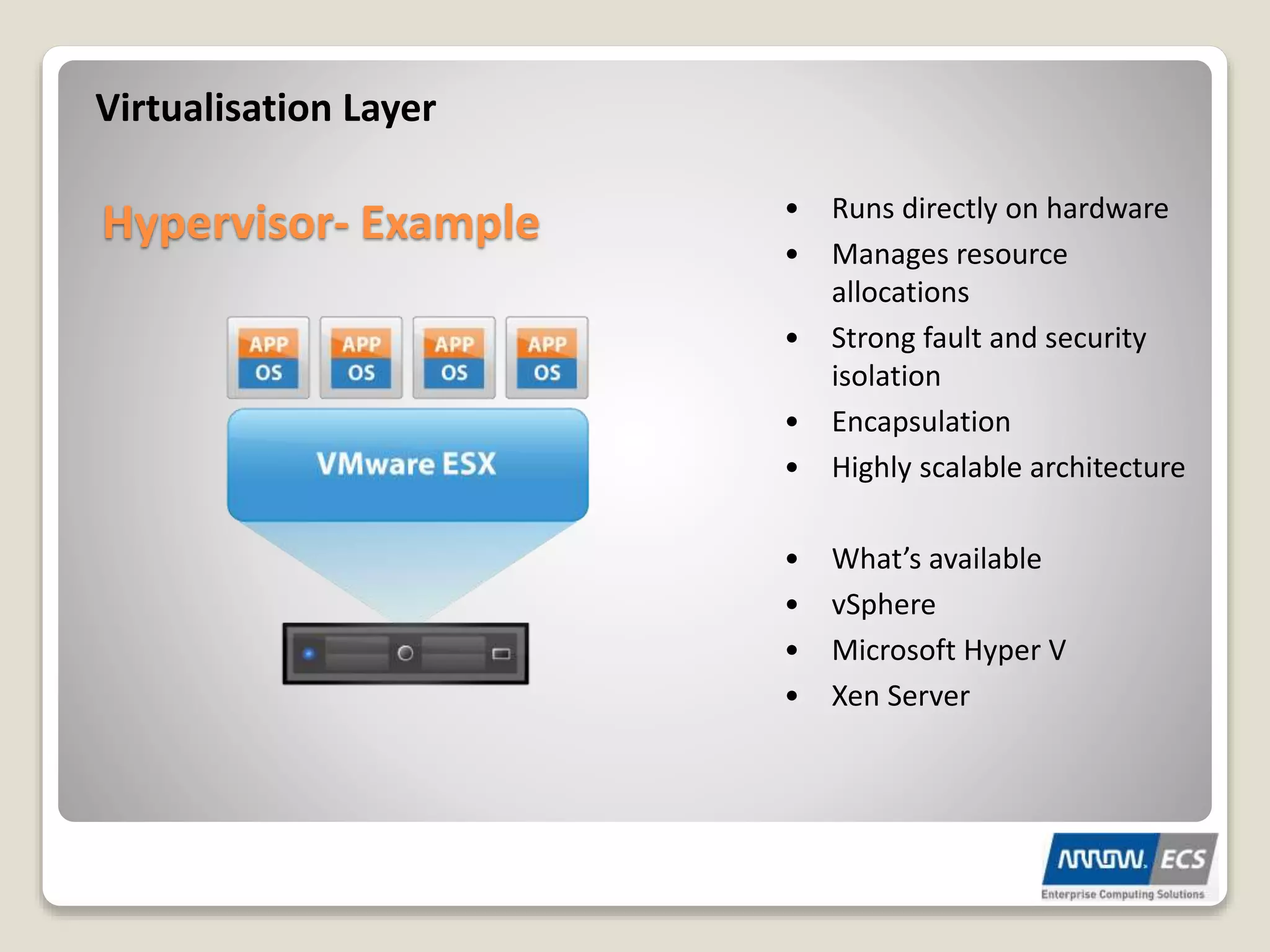
Virtualisation Layer
Hypervisor- Example • Runs directly on hardware
• Manages resource
allocations
• Strong fault and security
isolation
• Encapsulation
• Highly scalable architecture
• What’s available
• vSphere
• Microsoft Hyper V
• Xen Server
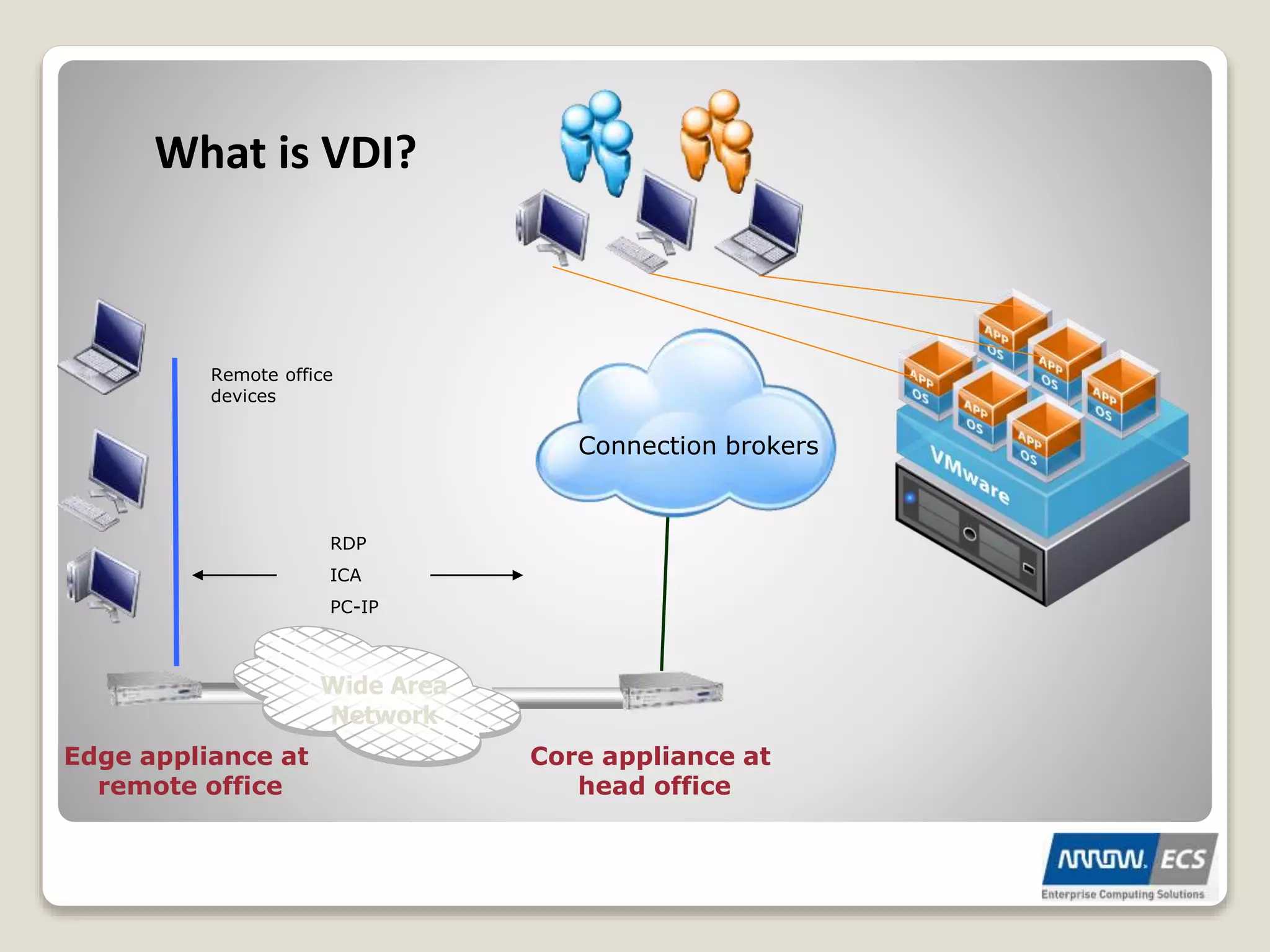
What is VDI?
Core appliance at
head office
Edge appliance at
remote office
Wide Area
Network
RDP
ICA
PC-IP
Remote office
devices
Connection brokers
Live Demo
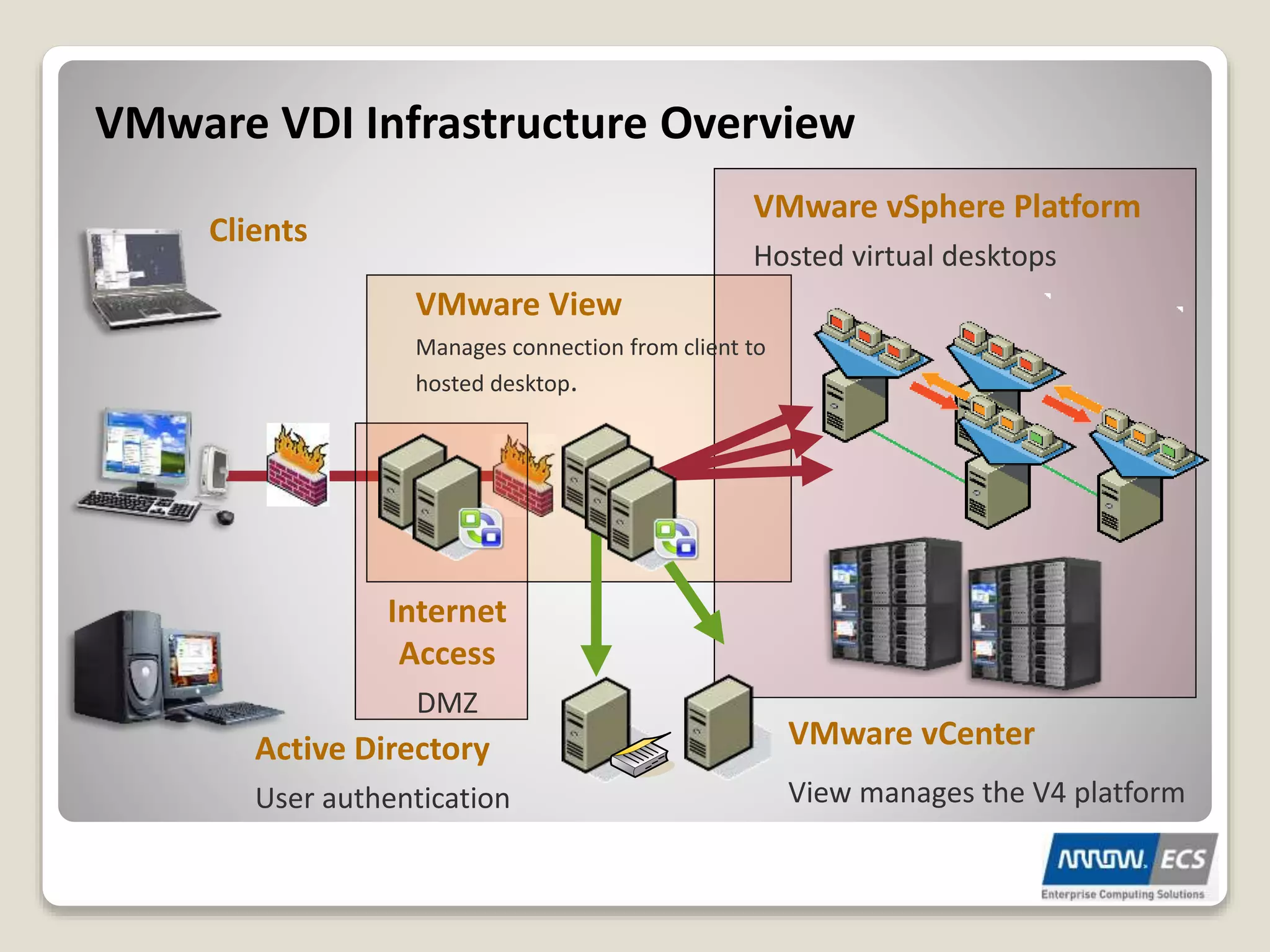
VMware VDI Infrastructure Overview
VMware View
Manages connection from client to
hosted desktop.
Active Directory
User authentication
Internet
Access
DMZ
VMware vCenter
View manages the V4 platform
Clients
VMware vSphere Platform
Hosted virtual desktops
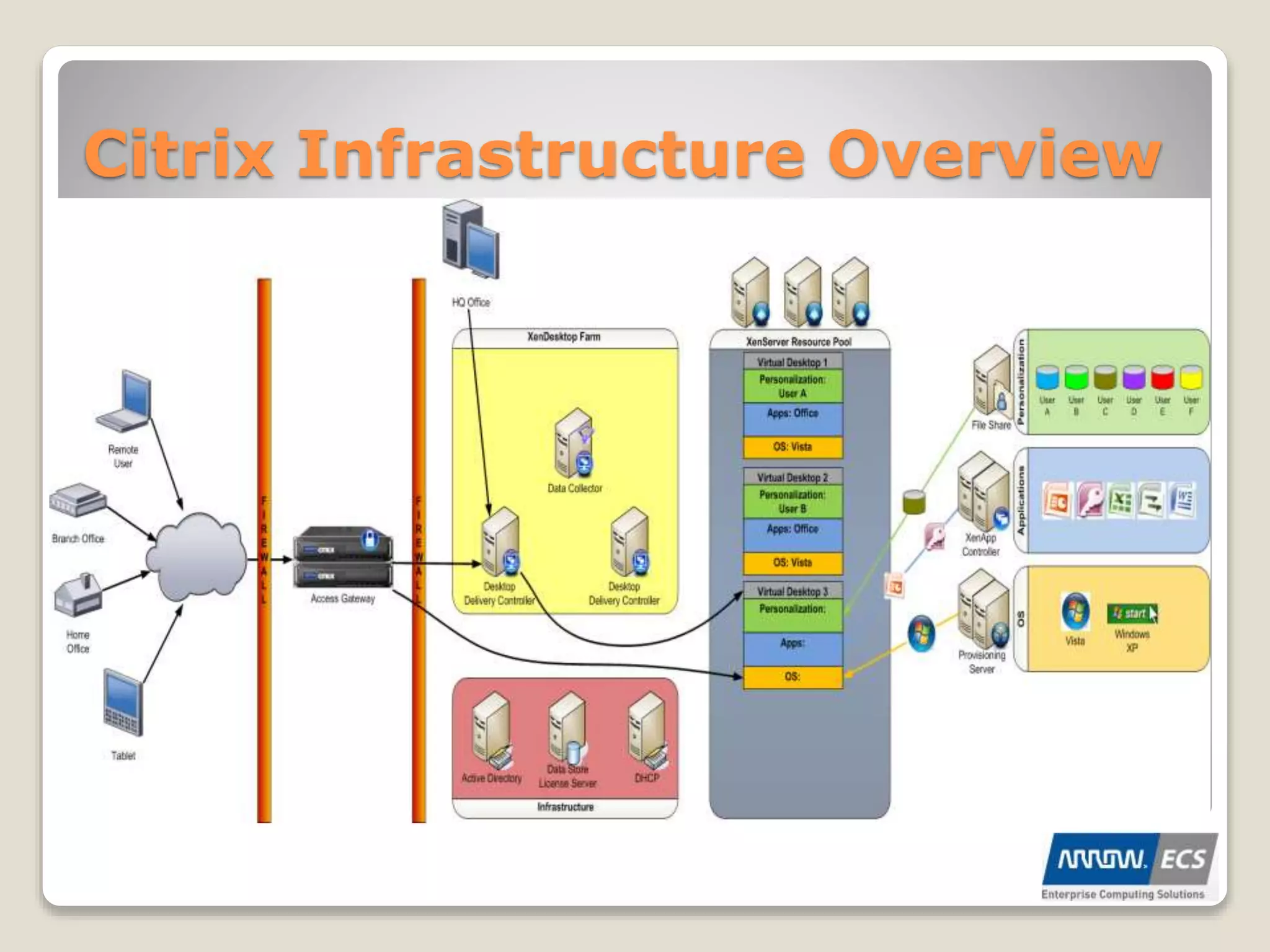
Citrix Infrastructure Overview
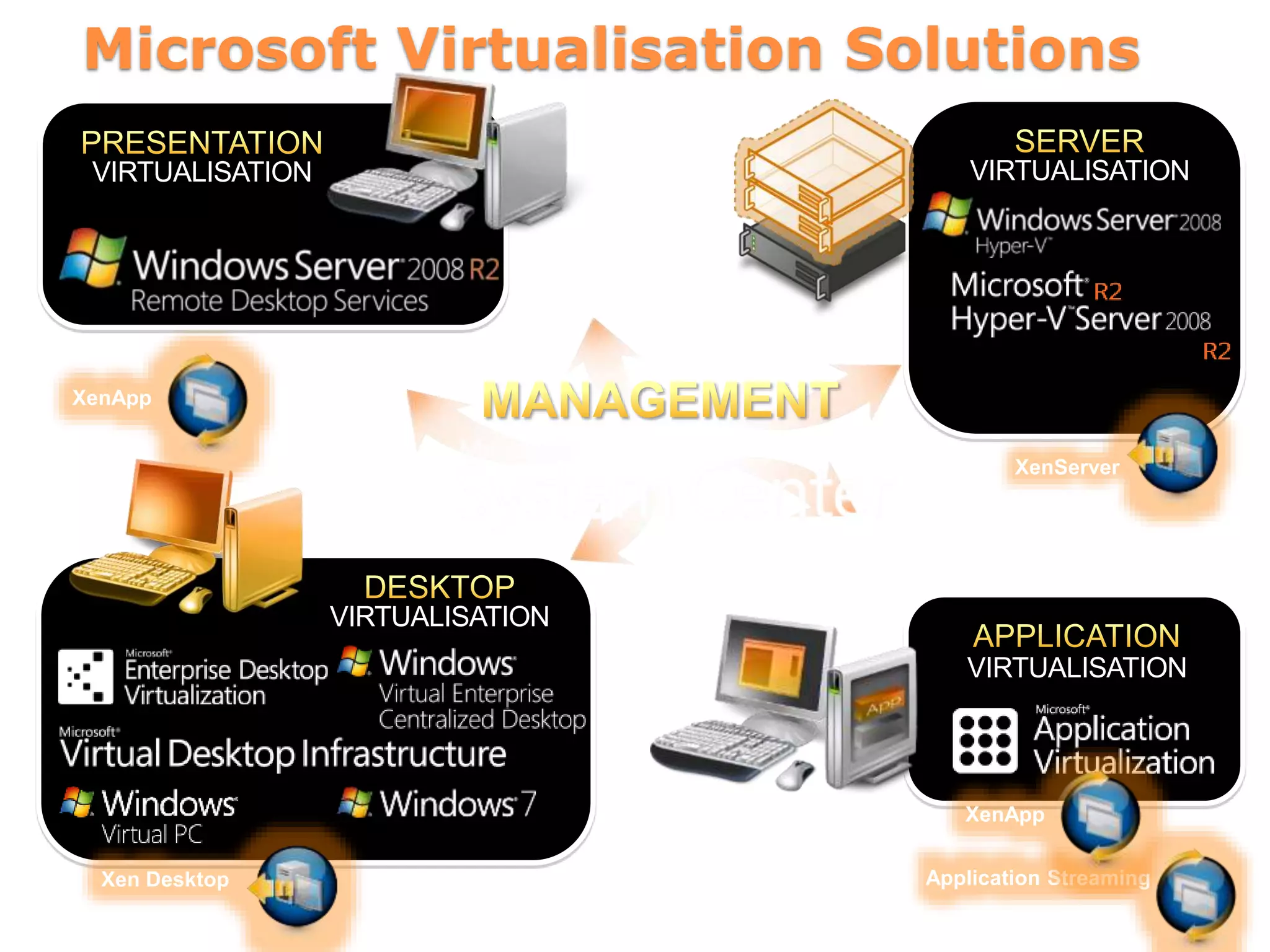
VIRTUALISATION
VIRTUALISATION
Microsoft Virtualisation Solutions
VIRTUALISATION
VIRTUALISATION
Xen Desktop Application Streaming
XenApp
XenServer
XenApp
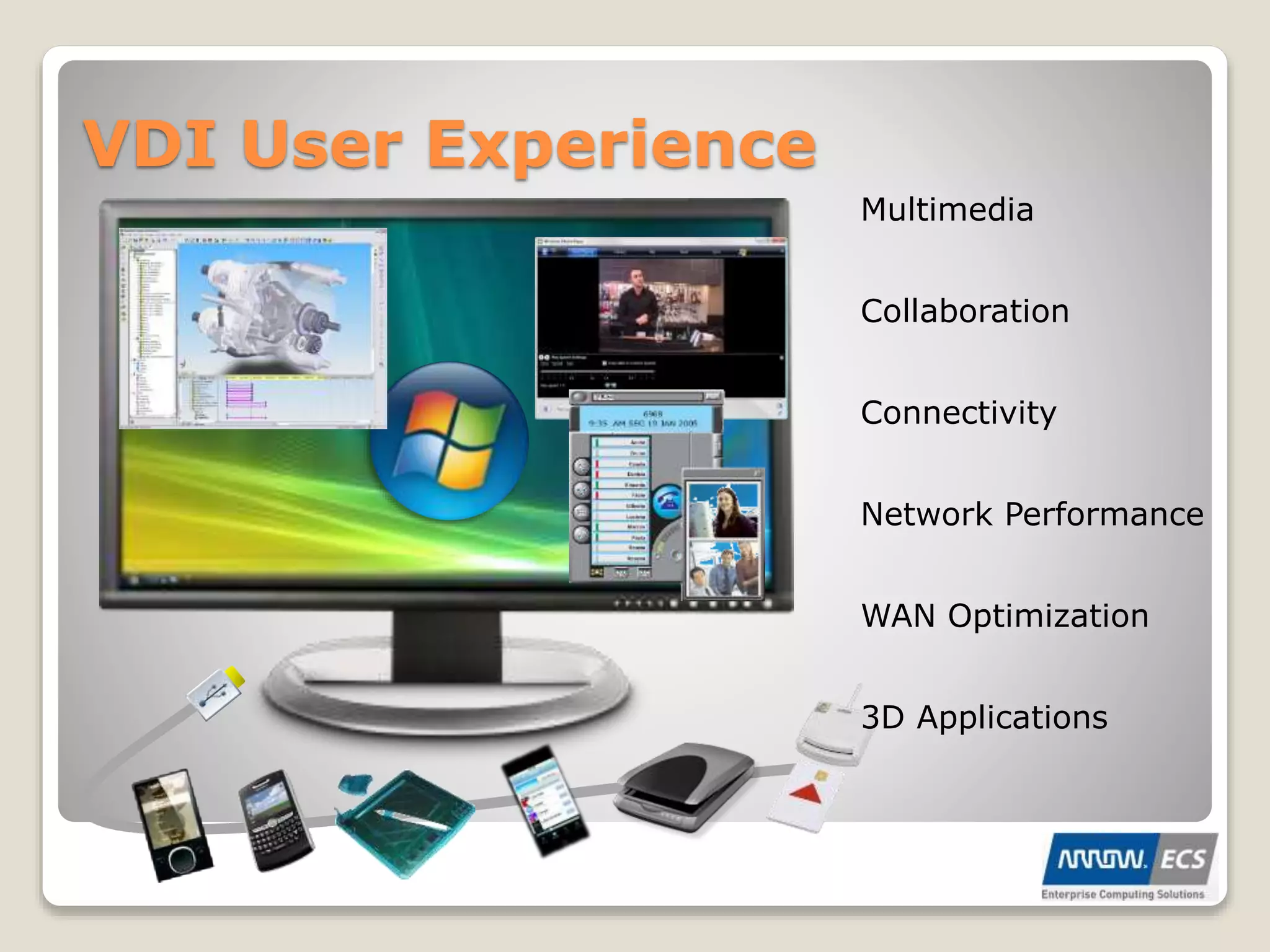
VDI User Experience
Network Performance
Collaboration
WAN Optimization
3D Applications
Connectivity
Multimedia
VDI Connection Broker
ď‚— Generally a Windows Server VM(s)
ď‚— Web Server component
ď‚— Datastore containing VDI pool information
ď‚— Authenticates against Active Directory
ď‚— Communicates with VM Management Services
ď‚— Passes Connection details back to User
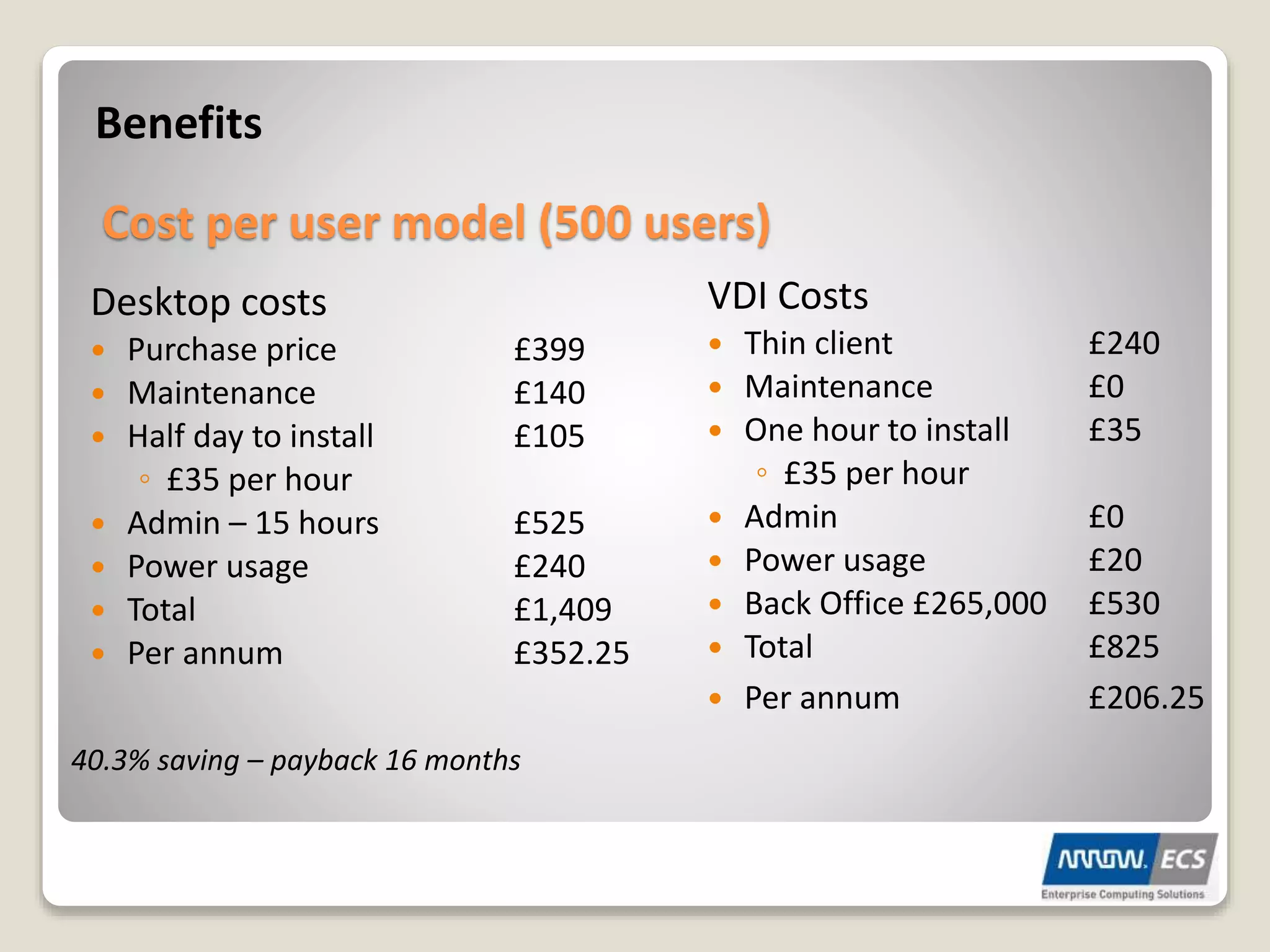
Benefits
Desktop costs
ď‚— Purchase price ÂŁ399
ď‚— Maintenance ÂŁ140
ď‚— Half day to install ÂŁ105
â—¦ ÂŁ35 per hour
 Admin – 15 hours £525
ď‚— Power usage ÂŁ240
ď‚— Total ÂŁ1,409
ď‚— Per annum ÂŁ352.25
VDI Costs
ď‚— Thin client ÂŁ240
ď‚— Maintenance ÂŁ0
ď‚— One hour to install ÂŁ35
â—¦ ÂŁ35 per hour
ď‚— Admin ÂŁ0
ď‚— Power usage ÂŁ20
ď‚— Back Office ÂŁ265,000 ÂŁ530
ď‚— Total ÂŁ825
ď‚— Per annum ÂŁ206.25
Cost per user model (500 users)
40.3% saving – payback 16 months
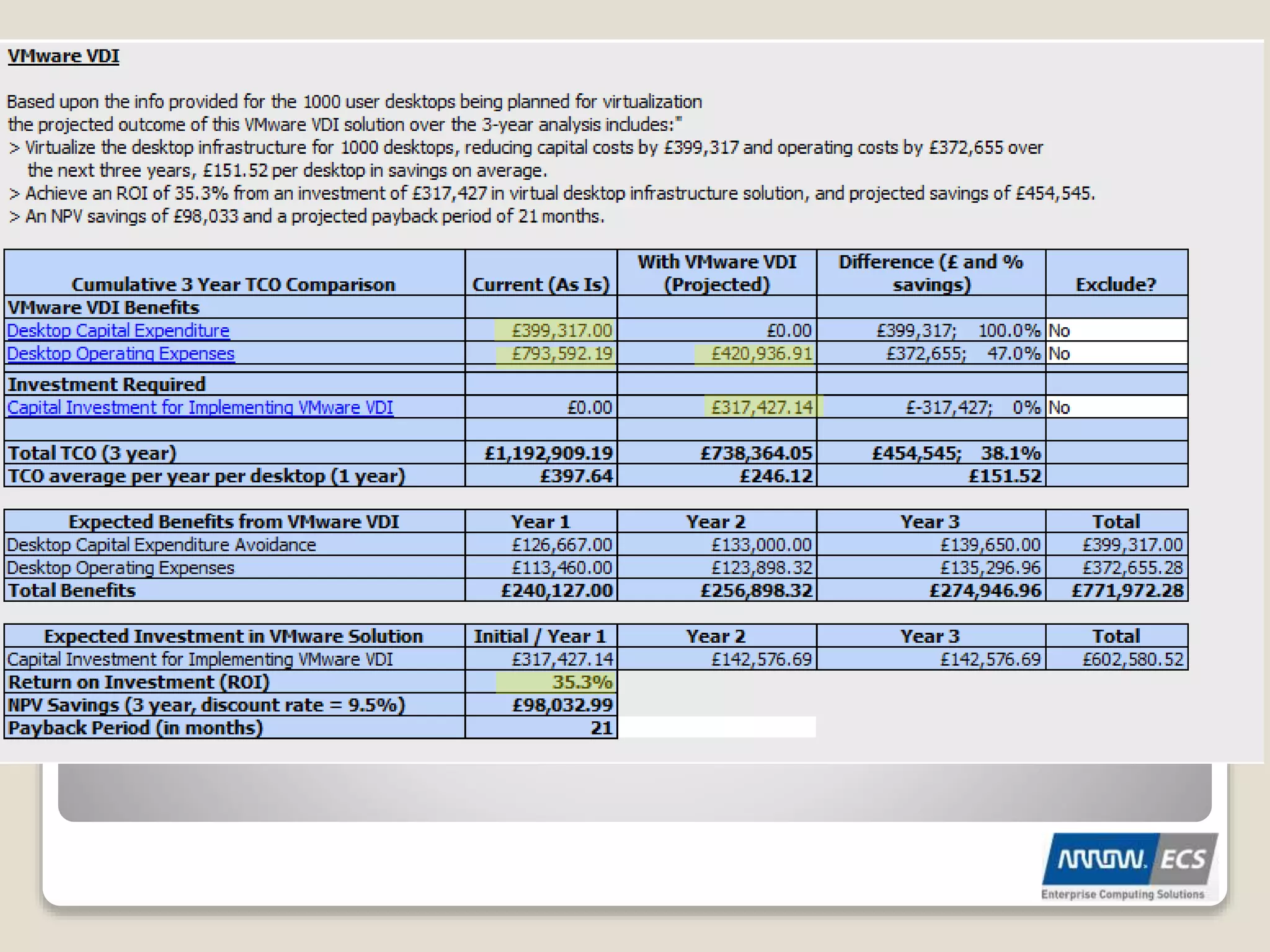
Real-World Financial Examples
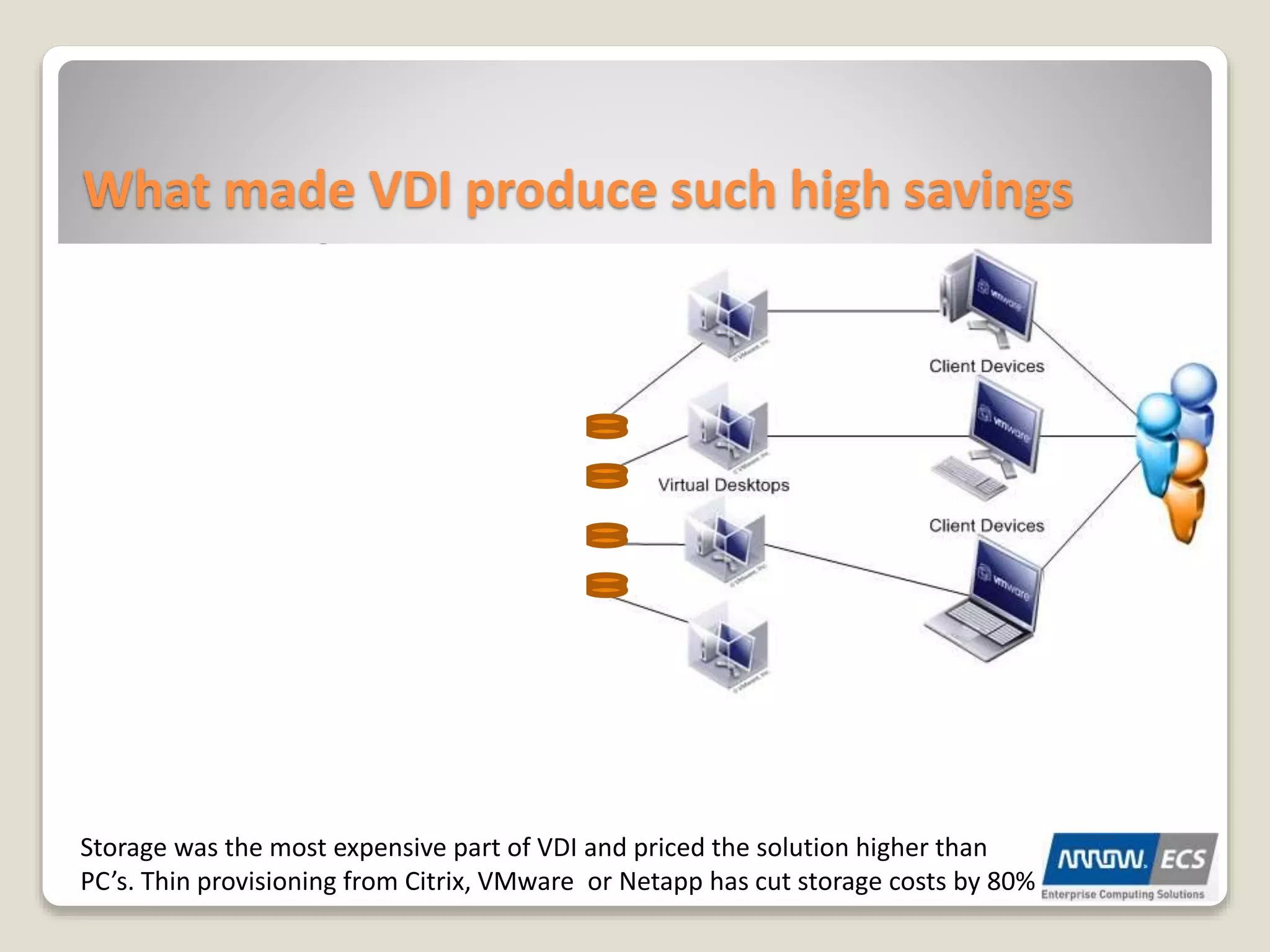
What made VDI produce such high savings
Storage was the most expensive part of VDI and priced the solution higher than
PC’s. Thin provisioning from Citrix, VMware or Netapp has cut storage costs by 80%
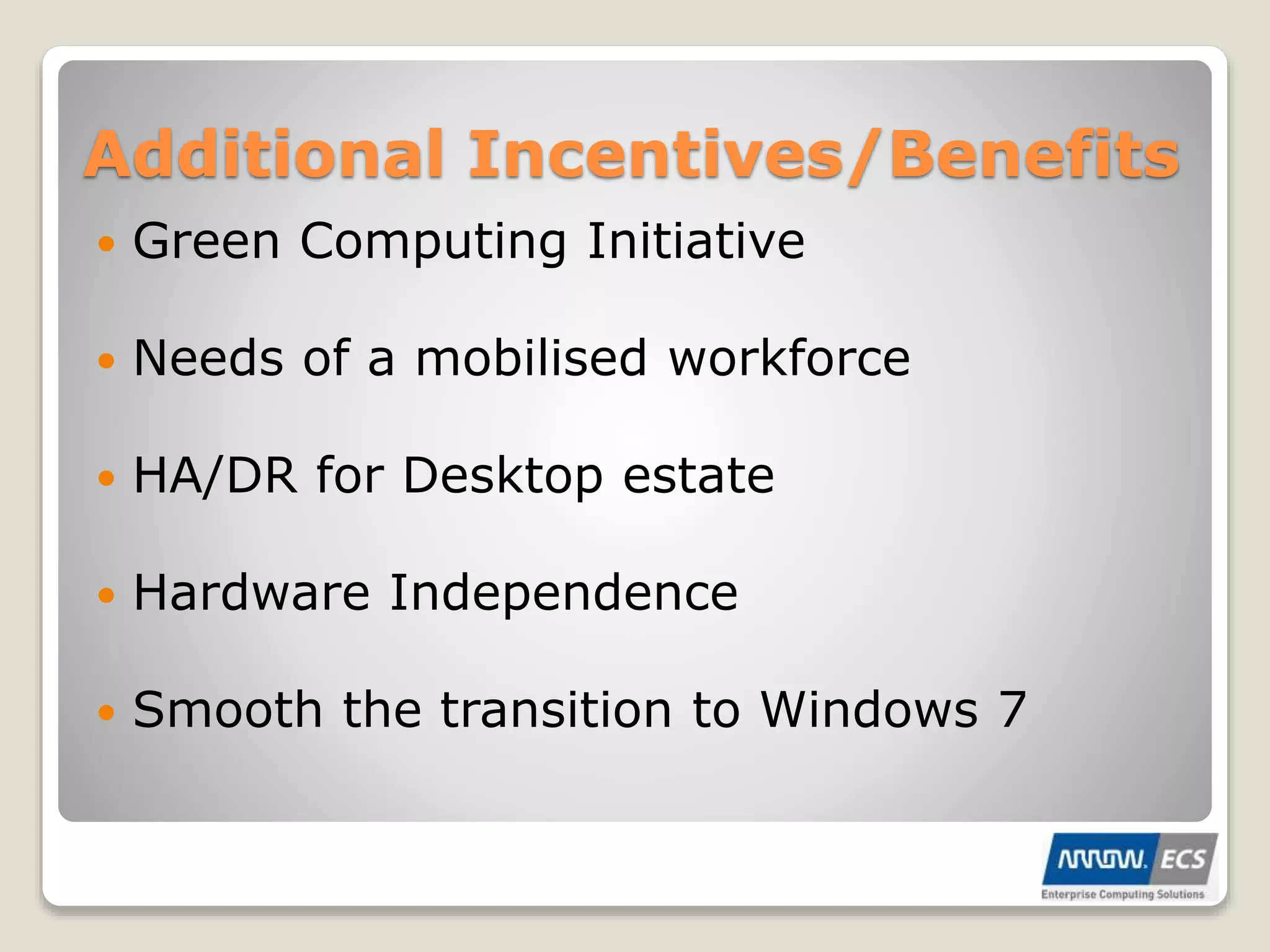
Additional Incentives/Benefits
ď‚— Green Computing Initiative
ď‚— Needs of a mobilised workforce
ď‚— HA/DR for Desktop estate
ď‚— Hardware Independence
ď‚— Smooth the transition to Windows 7
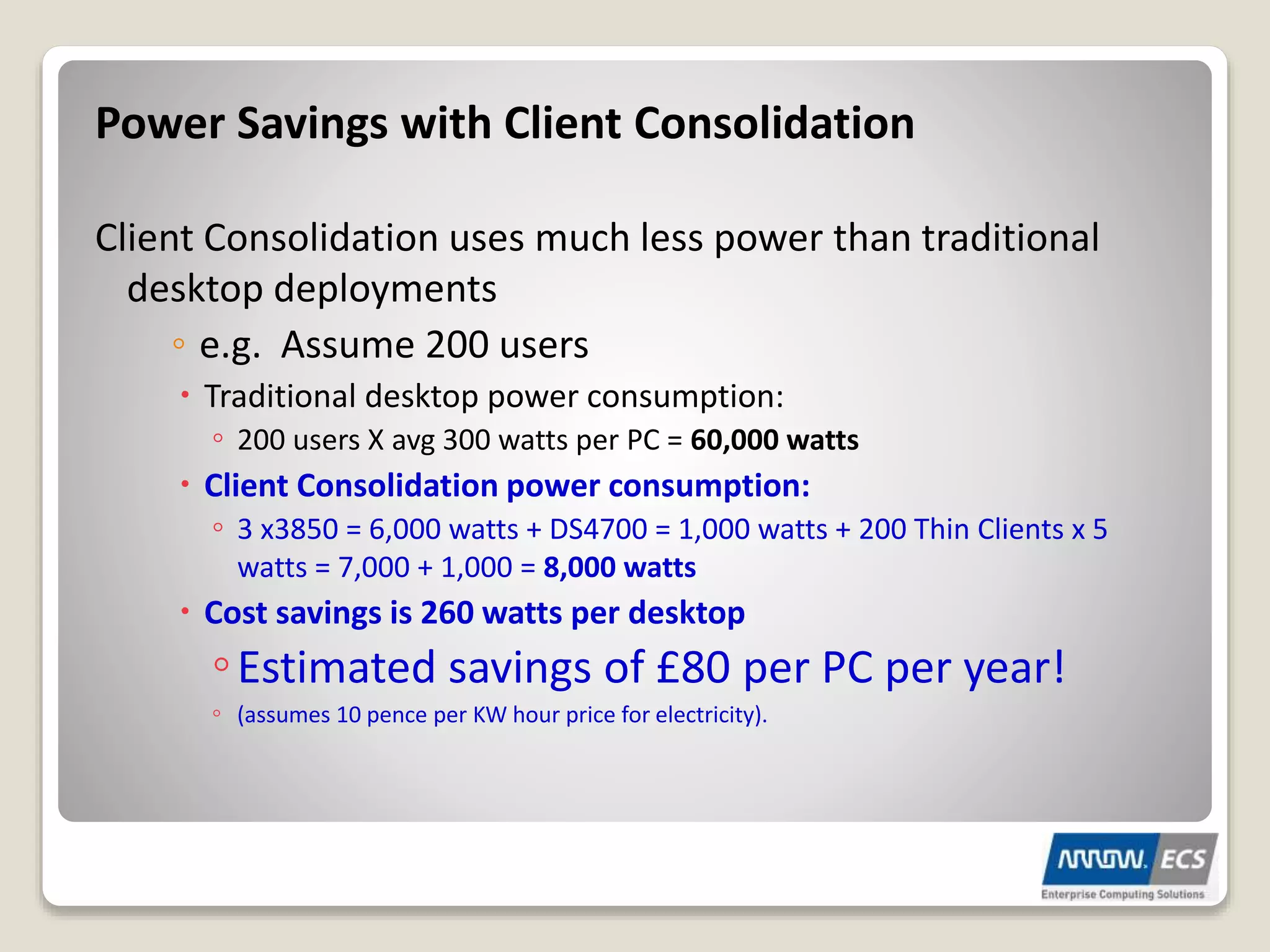
Power Savings with Client Consolidation
Client Consolidation uses much less power than traditional
desktop deployments
â—¦ e.g. Assume 200 users
ď‚– Traditional desktop power consumption:
â—¦ 200 users X avg 300 watts per PC = 60,000 watts
ď‚– Client Consolidation power consumption:
â—¦ 3 x3850 = 6,000 watts + DS4700 = 1,000 watts + 200 Thin Clients x 5
watts = 7,000 + 1,000 = 8,000 watts
ď‚– Cost savings is 260 watts per desktop
â—¦Estimated savings of ÂŁ80 per PC per year!
â—¦ (assumes 10 pence per KW hour price for electricity).
Security Considerations
Secure Client device – End Point security
Connection to data centre - SSL VPN / Firewall
Secure virtual desktop – Hypervisor AV
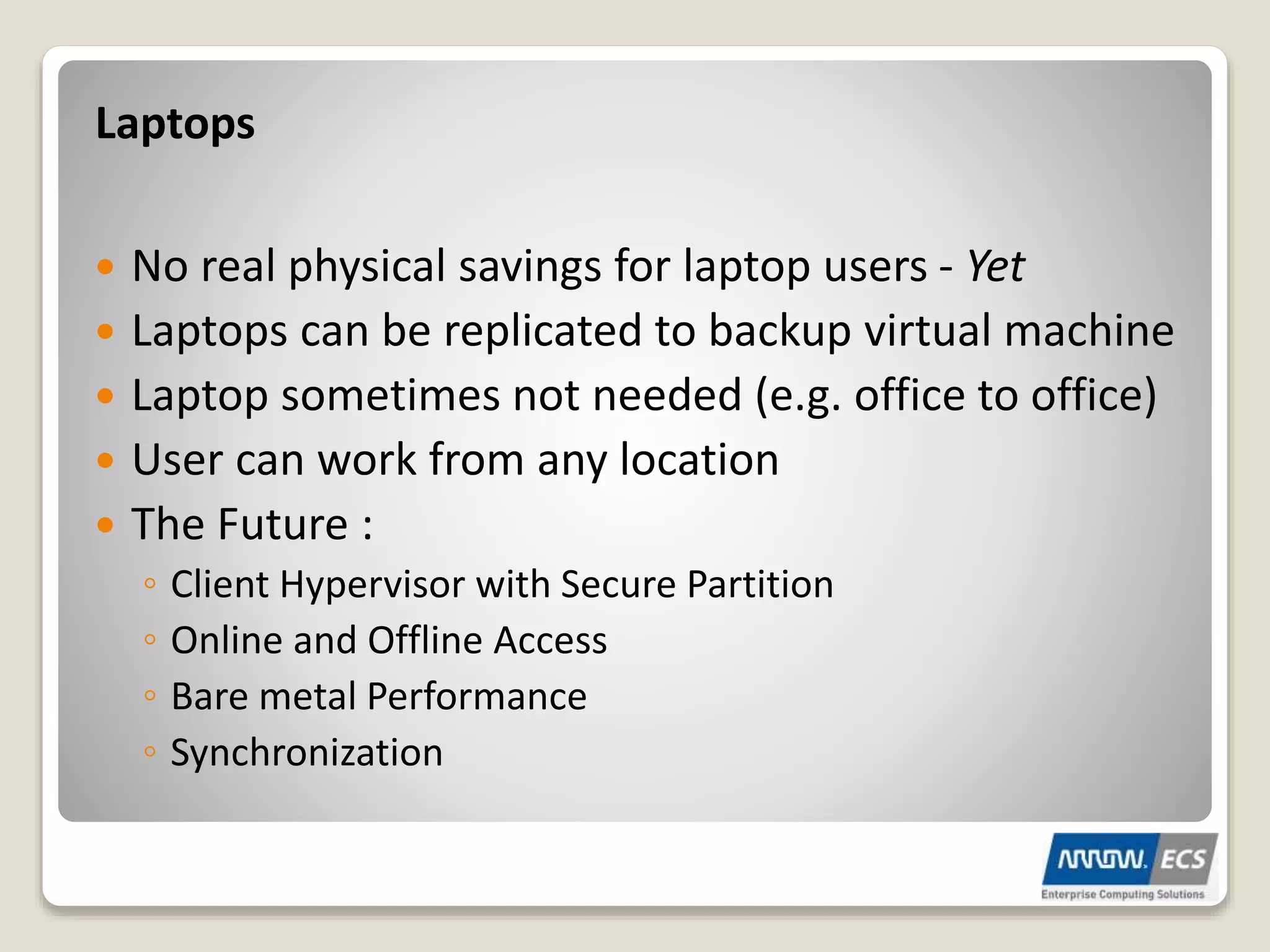
ď‚— No real physical savings for laptop users - Yet
ď‚— Laptops can be replicated to backup virtual machine
ď‚— Laptop sometimes not needed (e.g. office to office)
ď‚— User can work from any location
ď‚— The Future :
â—¦ Client Hypervisor with Secure Partition
â—¦ Online and Offline Access
â—¦ Bare metal Performance
â—¦ Synchronization
Laptops
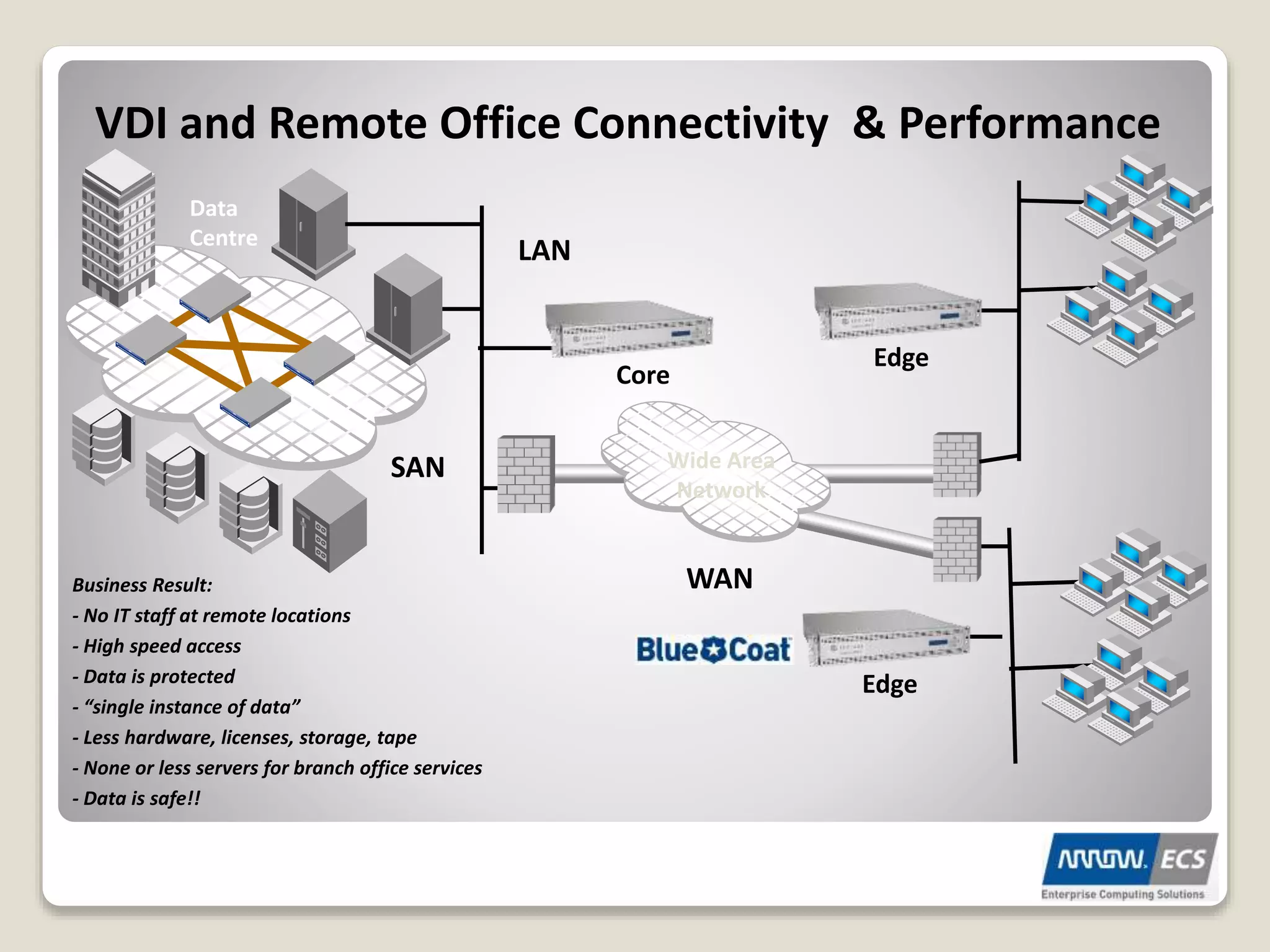
VDI and Remote Office Connectivity & Performance
Business Result:
- No IT staff at remote locations
- High speed access
- Data is protected
- “single instance of data”
- Less hardware, licenses, storage, tape
- None or less servers for branch office services
- Data is safe!!
SAN
LAN
Data
Centre
WAN
Wide Area
Network
Core
Edge
Edge
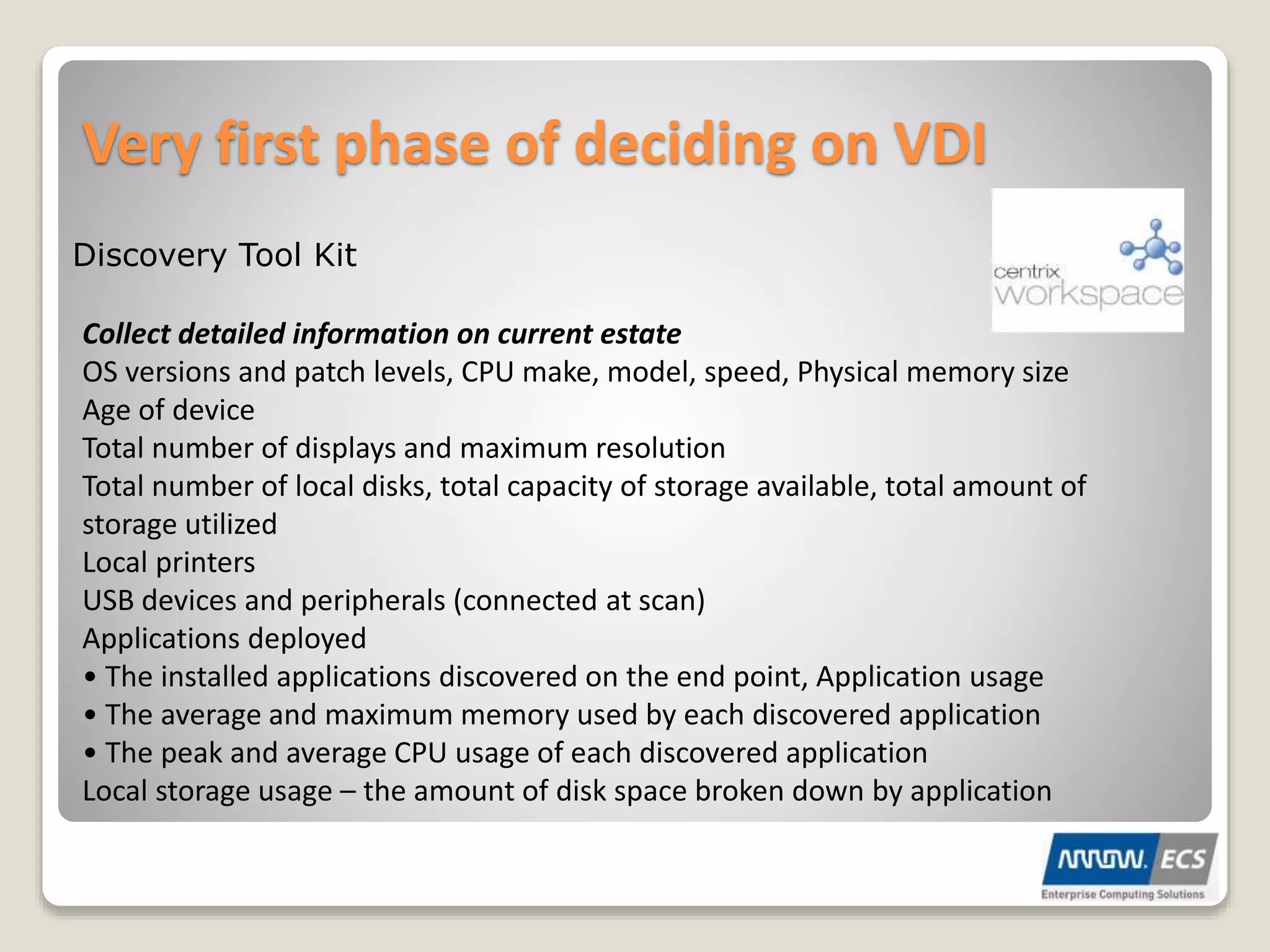
Very first phase of deciding on VDI
Discovery Tool Kit
Collect detailed information on current estate
OS versions and patch levels, CPU make, model, speed, Physical memory size
Age of device
Total number of displays and maximum resolution
Total number of local disks, total capacity of storage available, total amount of
storage utilized
Local printers
USB devices and peripherals (connected at scan)
Applications deployed
• The installed applications discovered on the end point, Application usage
• The average and maximum memory used by each discovered application
• The peak and average CPU usage of each discovered application
Local storage usage – the amount of disk space broken down by application
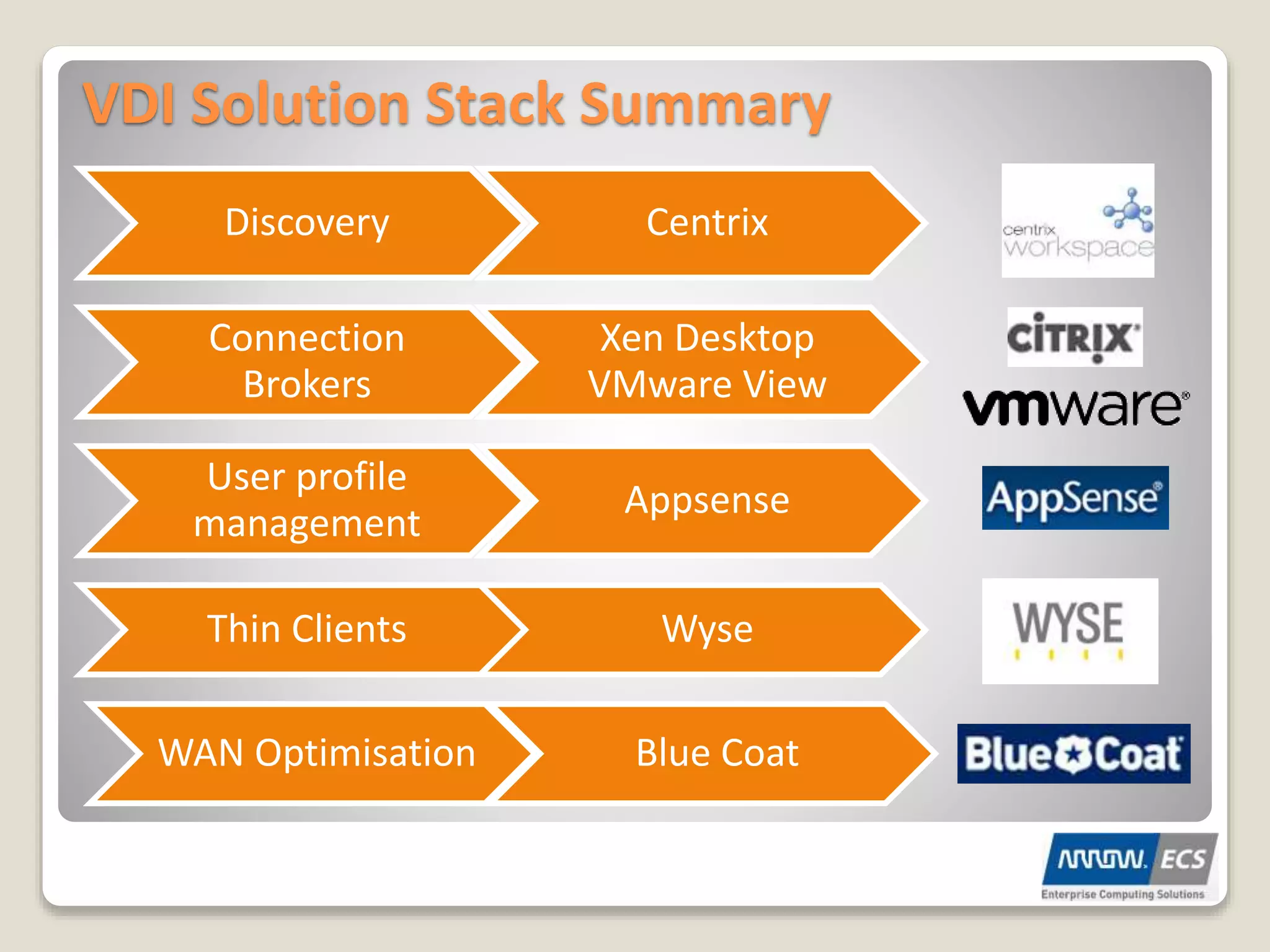
VDI Solution Stack Summary
Discovery Centrix
Connection
Brokers
Xen Desktop
VMware View
User profile
management
Appsense
Thin Clients Wyse
WAN Optimisation Blue Coat
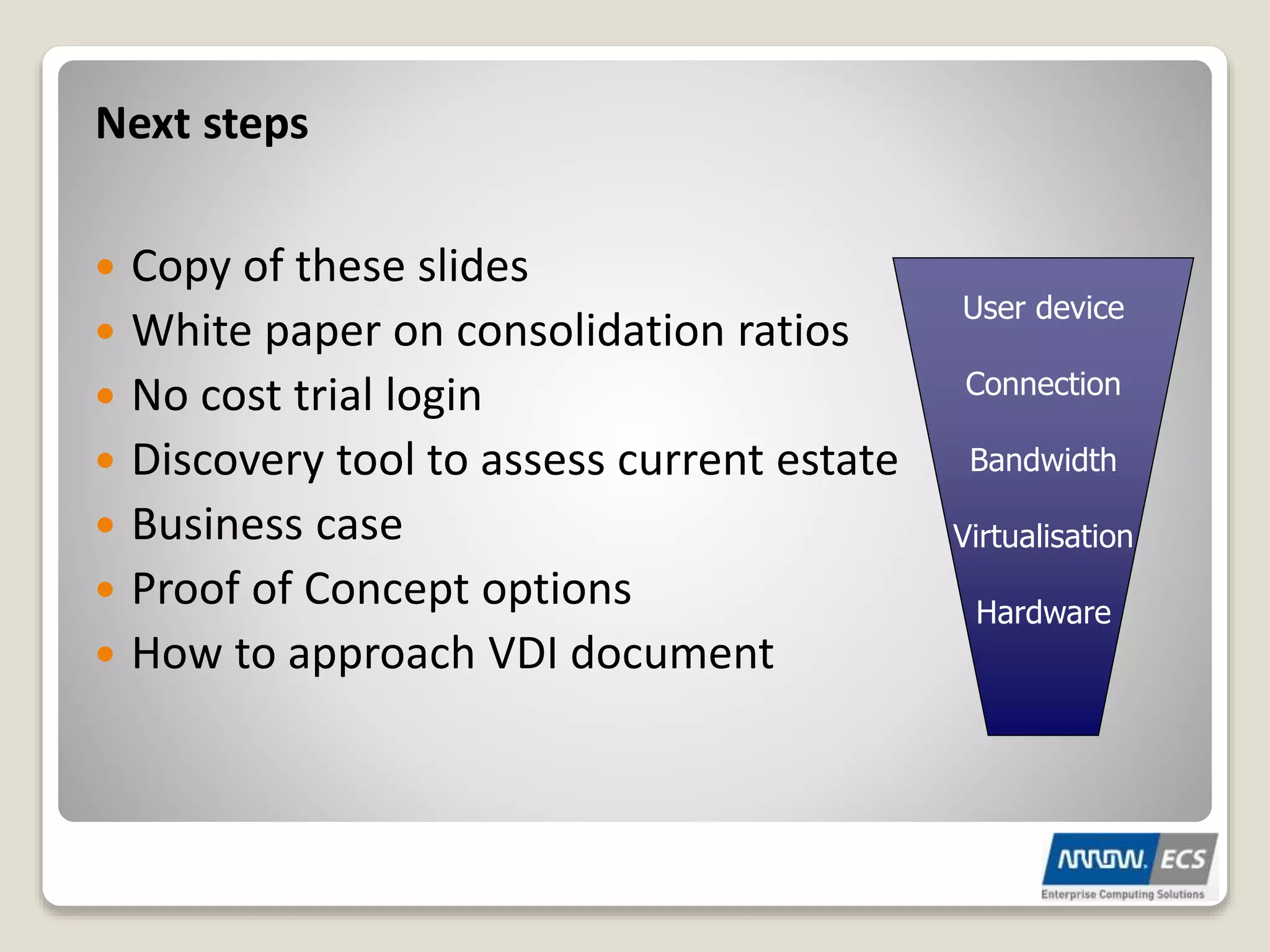
Next steps
ď‚— Copy of these slides
ď‚— White paper on consolidation ratios
ď‚— No cost trial login
ď‚— Discovery tool to assess current estate
ď‚— Business case
ď‚— Proof of Concept options
ď‚— How to approach VDI document
User device
Connection
Bandwidth
Virtualisation
Hardware

Virtual desktop infrastructure

  • 1.
    Virtual Desktop Infrastructure (VDI) Centralisethe Desktop Cam Merrett Demonstrator
  • 2.
    Virtual Desktop Infrastructure Virtualisation ConnectionBrokers PC/Thin Client/Lockdown PC Remote office options Security Considerations TCO Savings What is VDI?
  • 3.
    The Physical World Datasecurity and compliance are at risk. One-off fixes are costly. Desktop refresh is complicated and slow. Applications conflict and impact performance.
  • 4.
    The Virtual World Centrallycontrol, track and secure data. Centrally fix and deliver patches globally at a lower cost. Rapidly update PCs or operating systems. Isolate applications to improve performance and speed.
  • 5.
    Virtualisation Layer Hypervisor- Example• Runs directly on hardware • Manages resource allocations • Strong fault and security isolation • Encapsulation • Highly scalable architecture • What’s available • vSphere • Microsoft Hyper V • Xen Server
  • 6.
    What is VDI? Coreappliance at head office Edge appliance at remote office Wide Area Network RDP ICA PC-IP Remote office devices Connection brokers
  • 7.
  • 8.
    VMware VDI InfrastructureOverview VMware View Manages connection from client to hosted desktop. Active Directory User authentication Internet Access DMZ VMware vCenter View manages the V4 platform Clients VMware vSphere Platform Hosted virtual desktops
  • 9.
  • 10.
  • 11.
    VDI User Experience NetworkPerformance Collaboration WAN Optimization 3D Applications Connectivity Multimedia
  • 12.
    VDI Connection Broker ď‚—Generally a Windows Server VM(s) ď‚— Web Server component ď‚— Datastore containing VDI pool information ď‚— Authenticates against Active Directory ď‚— Communicates with VM Management Services ď‚— Passes Connection details back to User
  • 13.
    Benefits Desktop costs  Purchaseprice £399  Maintenance £140  Half day to install £105 ◦ £35 per hour  Admin – 15 hours £525  Power usage £240  Total £1,409  Per annum £352.25 VDI Costs  Thin client £240  Maintenance £0  One hour to install £35 ◦ £35 per hour  Admin £0  Power usage £20  Back Office £265,000 £530  Total £825  Per annum £206.25 Cost per user model (500 users) 40.3% saving – payback 16 months
  • 14.
  • 15.
    What made VDIproduce such high savings Storage was the most expensive part of VDI and priced the solution higher than PC’s. Thin provisioning from Citrix, VMware or Netapp has cut storage costs by 80%
  • 16.
    Additional Incentives/Benefits ď‚— GreenComputing Initiative ď‚— Needs of a mobilised workforce ď‚— HA/DR for Desktop estate ď‚— Hardware Independence ď‚— Smooth the transition to Windows 7
  • 17.
    Power Savings withClient Consolidation Client Consolidation uses much less power than traditional desktop deployments â—¦ e.g. Assume 200 users ď‚– Traditional desktop power consumption: â—¦ 200 users X avg 300 watts per PC = 60,000 watts ď‚– Client Consolidation power consumption: â—¦ 3 x3850 = 6,000 watts + DS4700 = 1,000 watts + 200 Thin Clients x 5 watts = 7,000 + 1,000 = 8,000 watts ď‚– Cost savings is 260 watts per desktop â—¦Estimated savings of ÂŁ80 per PC per year! â—¦ (assumes 10 pence per KW hour price for electricity).
  • 18.
    Security Considerations Secure Clientdevice – End Point security Connection to data centre - SSL VPN / Firewall Secure virtual desktop – Hypervisor AV
  • 19.
    ď‚— No realphysical savings for laptop users - Yet ď‚— Laptops can be replicated to backup virtual machine ď‚— Laptop sometimes not needed (e.g. office to office) ď‚— User can work from any location ď‚— The Future : â—¦ Client Hypervisor with Secure Partition â—¦ Online and Offline Access â—¦ Bare metal Performance â—¦ Synchronization Laptops
  • 20.
    VDI and RemoteOffice Connectivity & Performance Business Result: - No IT staff at remote locations - High speed access - Data is protected - “single instance of data” - Less hardware, licenses, storage, tape - None or less servers for branch office services - Data is safe!! SAN LAN Data Centre WAN Wide Area Network Core Edge Edge
  • 21.
    Very first phaseof deciding on VDI Discovery Tool Kit Collect detailed information on current estate OS versions and patch levels, CPU make, model, speed, Physical memory size Age of device Total number of displays and maximum resolution Total number of local disks, total capacity of storage available, total amount of storage utilized Local printers USB devices and peripherals (connected at scan) Applications deployed • The installed applications discovered on the end point, Application usage • The average and maximum memory used by each discovered application • The peak and average CPU usage of each discovered application Local storage usage – the amount of disk space broken down by application
  • 22.
    VDI Solution StackSummary Discovery Centrix Connection Brokers Xen Desktop VMware View User profile management Appsense Thin Clients Wyse WAN Optimisation Blue Coat
  • 23.
    Next steps ď‚— Copyof these slides ď‚— White paper on consolidation ratios ď‚— No cost trial login ď‚— Discovery tool to assess current estate ď‚— Business case ď‚— Proof of Concept options ď‚— How to approach VDI document User device Connection Bandwidth Virtualisation Hardware