By
PPM_Team10
University of Bedfordshire
VDI is an integrated solution of hardware, software and
management tools to provide a replacement for standard
desktop deployments.(Swsoft, 2013)
The design behind Virtual Desktop Infrastructure (VDI) is to
run desktop operating systems and applications inside virtual
machines that reside on servers in the data centre. Users
access the virtual desktops and applications from a desktop PC
client or thin client using a remote display protocol and get
almost the full features as if the applications were loaded on
their local systems, with the difference being that the
applications are centrally managed.(Swsoft, 2013)
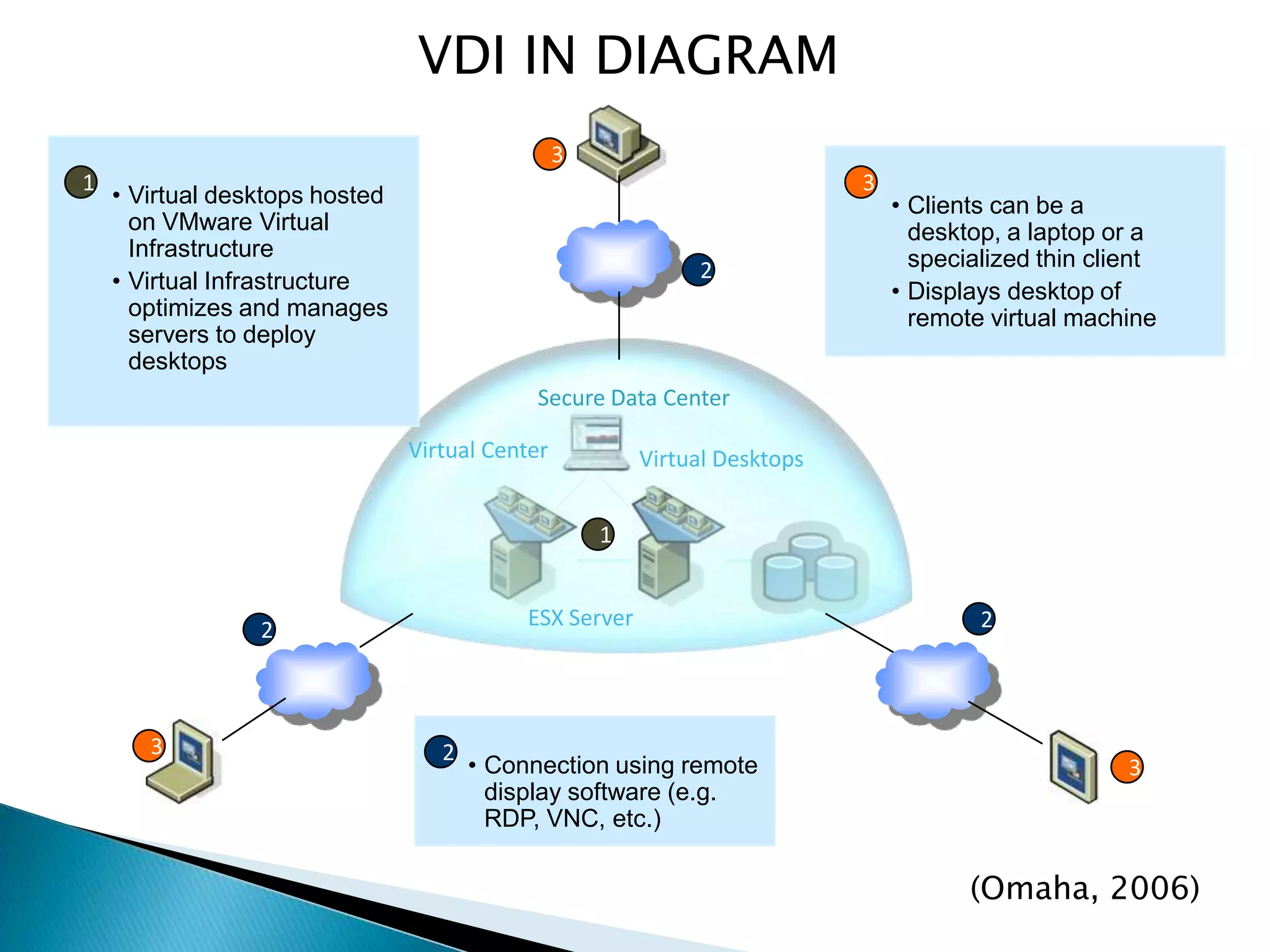
VDI IN DIAGRAM
ESX Server
Virtual Center
3
3
3
2 2
2
1
• Connection using remote
display software (e.g.
RDP, VNC, etc.)
2
1
• Virtual desktops hosted
on VMware Virtual
Infrastructure
• Virtual Infrastructure
optimizes and manages
servers to deploy
desktops
Virtual Desktops
Secure Data Center
3
• Clients can be a
desktop, a laptop or a
specialized thin client
• Displays desktop of
remote virtual machine
(Omaha, 2006)
• Users can access their virtual desktop
from their home PC , mobile devices or
from office work stations.VDI connects
its user to the servers using remote
desktop protocol
• Remote desktop sessions are provided
to users using two types of services at
the server end one is virtual machine
based service and the other is session
based service.
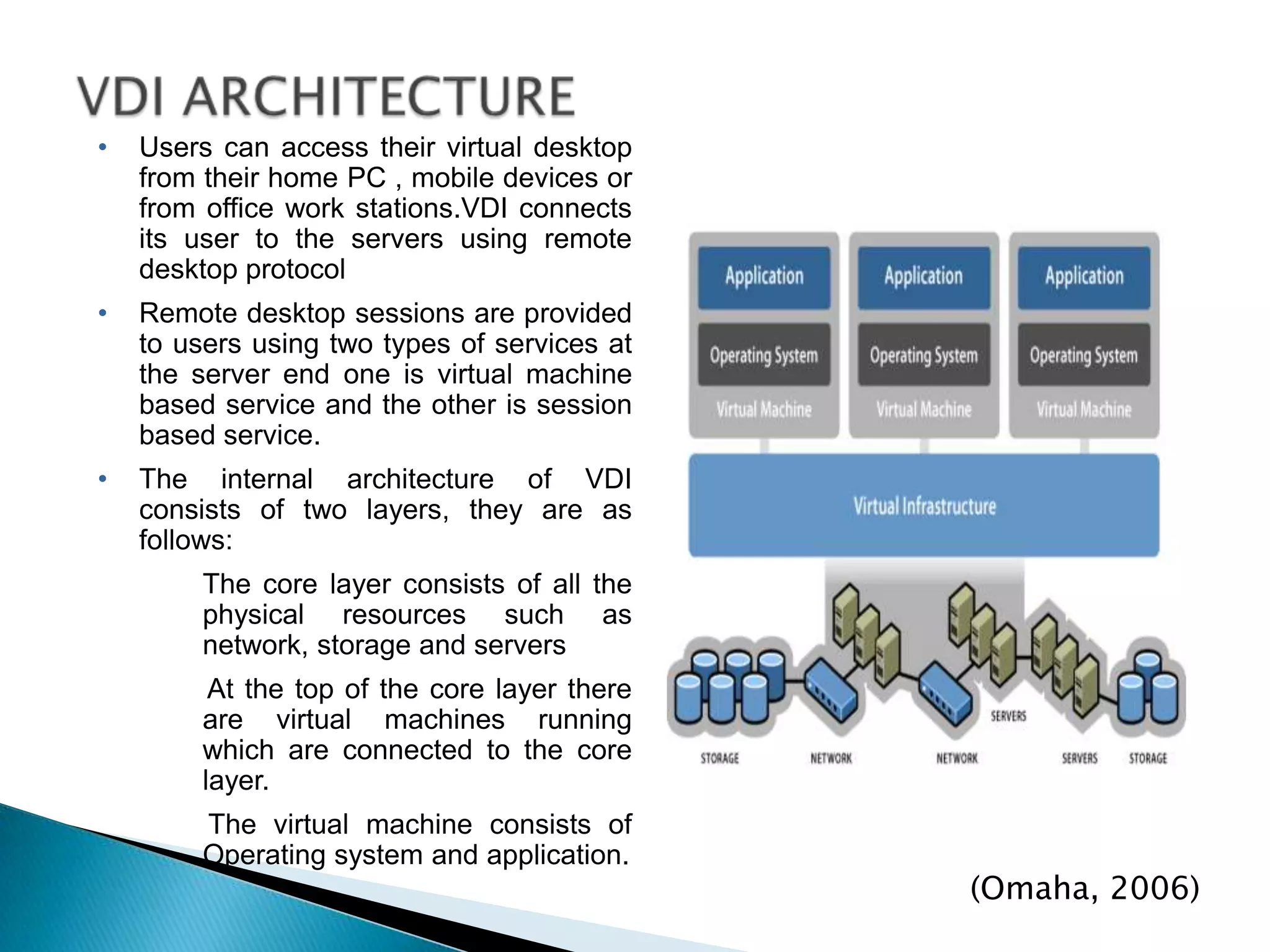
• The internal architecture of VDI
consists of two layers, they are as
follows:
The core layer consists of all the
physical resources such as
network, storage and servers
At the top of the core layer there
are virtual machines running
which are connected to the core
layer.
The virtual machine consists of
Operating system and application.
(Omaha, 2006)
• Efficient use of CPU and memory resources
• Reduced desktop downtime and increased availability
• Easy remote access for end users to their desktop,
through various devices
• New users can be up and running quickly
• Centralized Client OS Management
• Rapid Client Deployment
• Reduction in desktop support costs
• Access to data is much improved as it is happening over
fast networks within the datacenter
• Security: Data and applications reside in secure data
centres
• Recoverability: VMs and data are backed up &
snapshots occur in data center so local desktop data can
be easily recovered
• Mobility: Users can connect from any device anywhere
and have same desktop experience
• Reduces power consumption by using thin clients on the
desktop and energy efficient servers in the Data Center
• Managing multiple desktop and applications for which it
is getting more difficult and expensive.
• Keeping updates to new operating systems and
maintaining security for every computer is also very
difficult.
• Allows users to instantly work from anywhere with no
advanced notice.
• Users are free to install whatever else they want on their
devices.
• Users may ignore instructions and fail to install updates
which can result in a comprised system if
infected.(VmWare, n.d)
• Bell Canada had a variety of issues that led it to VDI. It had to
support 8,000 call centre agents and faced rising support costs and
hardware attrition issues. It had to provide workers in customer
locations with secure and locked down systems. And it needed to
deploy 400 desktops within a three week period. To address all of
these issues, Bell Canada selected a solution that used a virtual
desktop infrastructure. This enabled the company to quickly deploy
new systems, centralize management, reduce total cost of
ownership, and provide security even when the workers were in
customer locations. Additionally, it gave Bell Canada hardware
independence, so partners can choose any system as long as it
runs Windows and supports the Windows XP RDP (remote desktop
protocol).
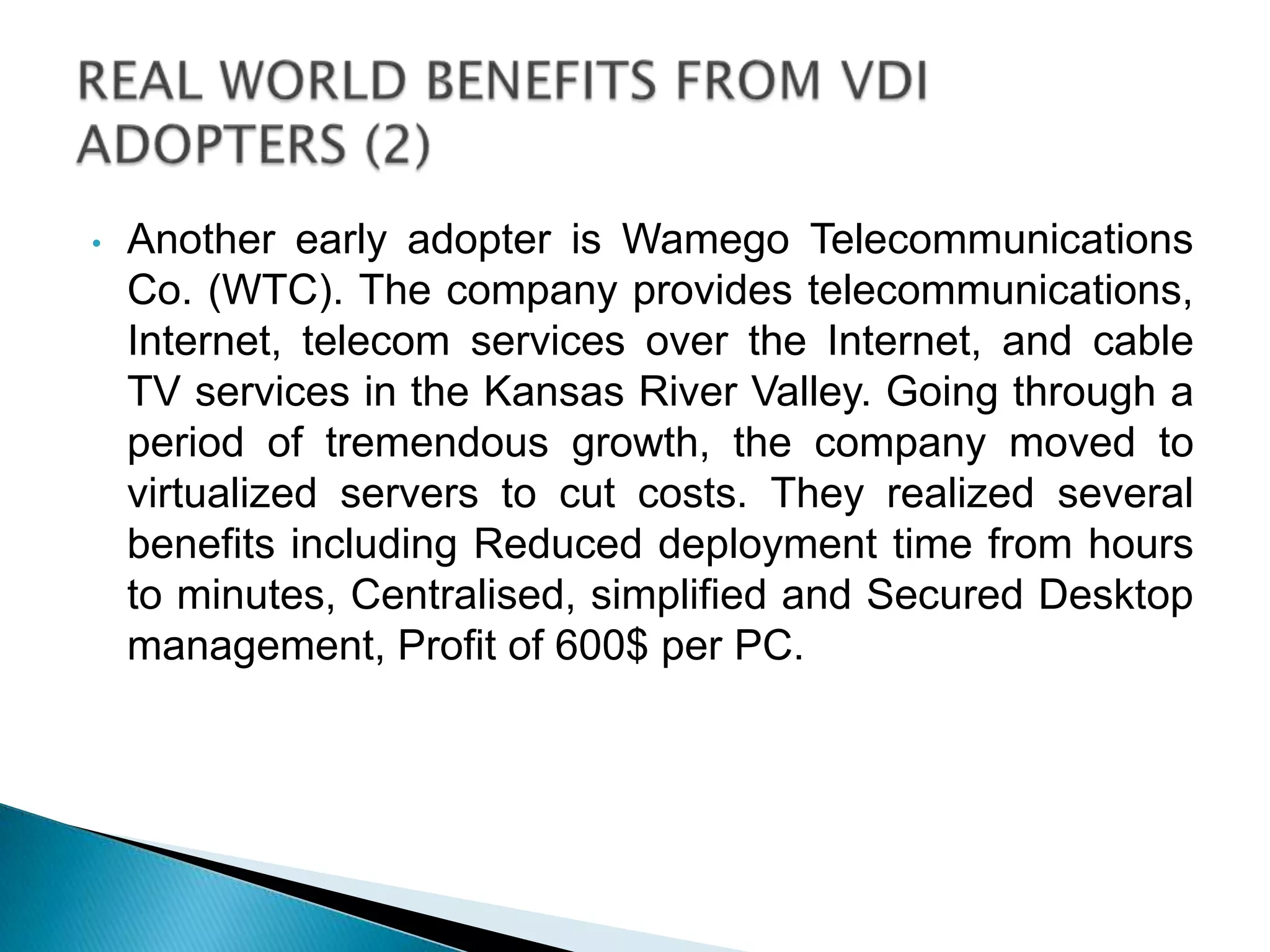
• Another early adopter is Wamego Telecommunications
Co. (WTC). The company provides telecommunications,
Internet, telecom services over the Internet, and cable
TV services in the Kansas River Valley. Going through a
period of tremendous growth, the company moved to
virtualized servers to cut costs. They realized several
benefits including Reduced deployment time from hours
to minutes, Centralised, simplified and Secured Desktop
management, Profit of 600$ per PC.
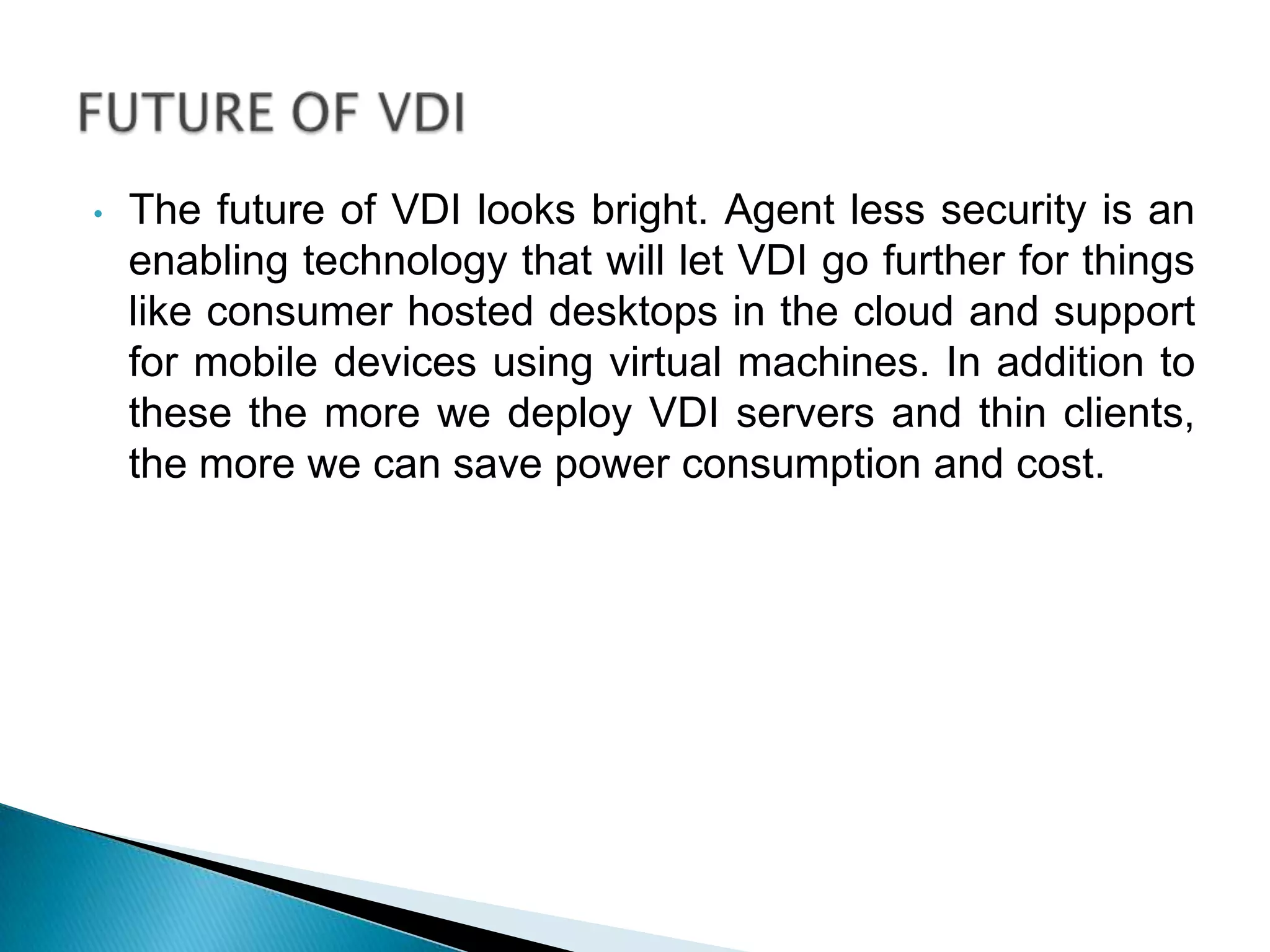
• The future of VDI looks bright. Agent less security is an
enabling technology that will let VDI go further for things
like consumer hosted desktops in the cloud and support
for mobile devices using virtual machines. In addition to
these the more we deploy VDI servers and thin clients,
the more we can save power consumption and cost.
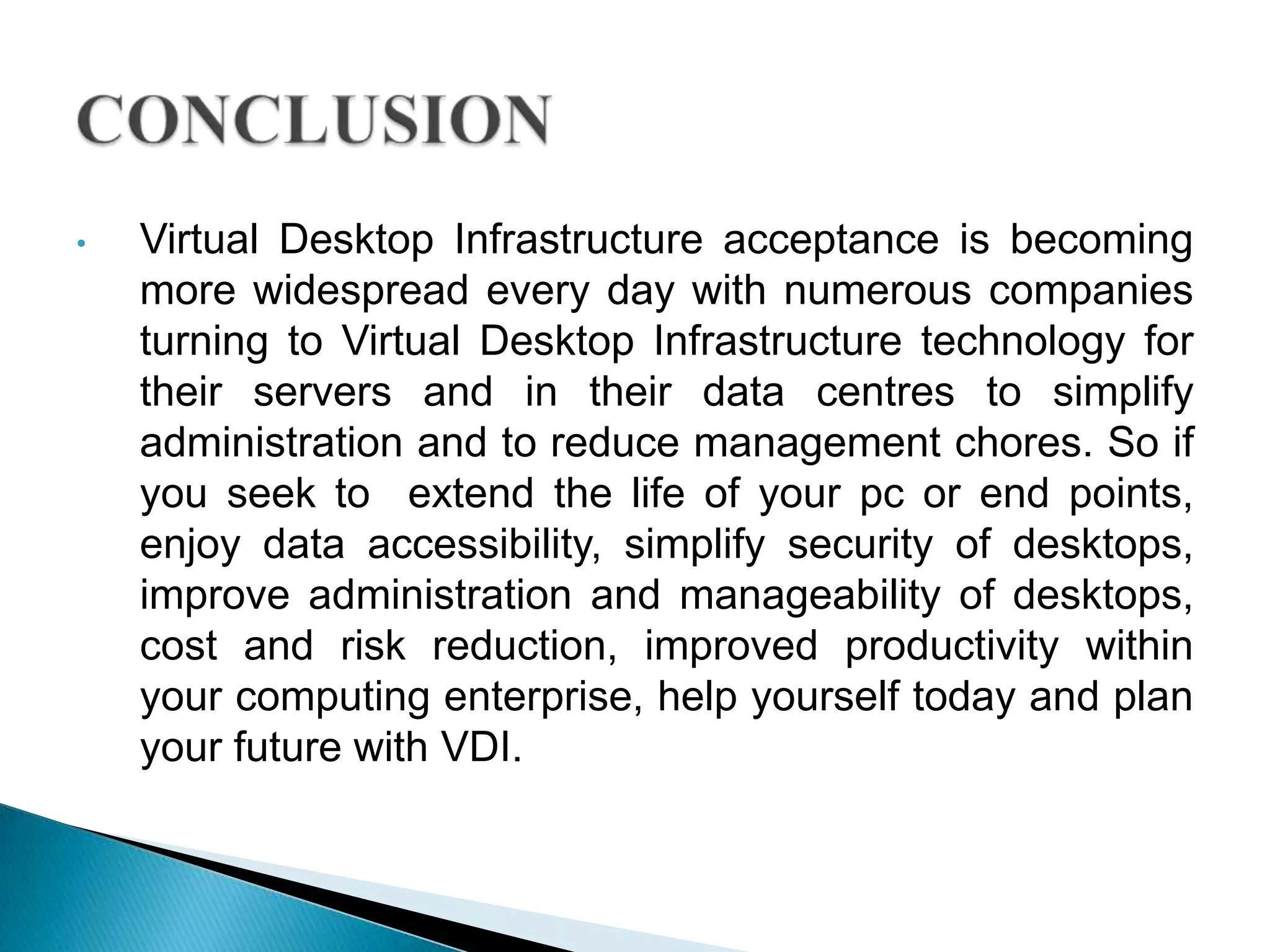
• Virtual Desktop Infrastructure acceptance is becoming
more widespread every day with numerous companies
turning to Virtual Desktop Infrastructure technology for
their servers and in their data centres to simplify
administration and to reduce management chores. So if
you seek to extend the life of your pc or end points,
enjoy data accessibility, simplify security of desktops,
improve administration and manageability of desktops,
cost and risk reduction, improved productivity within
your computing enterprise, help yourself today and plan
your future with VDI.
• Swsoft (2013) Virtual desktop infrastructure. Available at:
http://www.networksasia.net/system/files/whitepaper/SWSoft_Virtual_Deskt
op_WP.pdf (Accessed: April 07 2013).
• Omaha , V. (2006) Virtual desktop infrastructure(VDI). Available at:
ftpsite.vmware.com/.../VDI_Connection_Broker_Partners.ppt (Accessed:
April 07 2013).
• Patrick, R. (2013) Virtual desktop infrastructure(VDI) overview. Available at:
http://www.virtualizationadmin.com/articles-tutorials/vdi-
articles/general/virtual-desktop-infrastructure-overview.html (Accessed: April
07 2013).
• Ziff, D. (2013) Virtual desktop infrastructure. Available at:
http://www.vmware.com/pdf/virtual_desktop_infrastructure_wp.pdf
(Accessed: April 07 2013).

Vdi

  • 1.
  • 2.
    VDI is anintegrated solution of hardware, software and management tools to provide a replacement for standard desktop deployments.(Swsoft, 2013) The design behind Virtual Desktop Infrastructure (VDI) is to run desktop operating systems and applications inside virtual machines that reside on servers in the data centre. Users access the virtual desktops and applications from a desktop PC client or thin client using a remote display protocol and get almost the full features as if the applications were loaded on their local systems, with the difference being that the applications are centrally managed.(Swsoft, 2013)
  • 3.
    VDI IN DIAGRAM ESXServer Virtual Center 3 3 3 2 2 2 1 • Connection using remote display software (e.g. RDP, VNC, etc.) 2 1 • Virtual desktops hosted on VMware Virtual Infrastructure • Virtual Infrastructure optimizes and manages servers to deploy desktops Virtual Desktops Secure Data Center 3 • Clients can be a desktop, a laptop or a specialized thin client • Displays desktop of remote virtual machine (Omaha, 2006)
  • 4.
    • Users canaccess their virtual desktop from their home PC , mobile devices or from office work stations.VDI connects its user to the servers using remote desktop protocol • Remote desktop sessions are provided to users using two types of services at the server end one is virtual machine based service and the other is session based service. • The internal architecture of VDI consists of two layers, they are as follows: The core layer consists of all the physical resources such as network, storage and servers At the top of the core layer there are virtual machines running which are connected to the core layer. The virtual machine consists of Operating system and application. (Omaha, 2006)
  • 5.
    • Efficient useof CPU and memory resources • Reduced desktop downtime and increased availability • Easy remote access for end users to their desktop, through various devices • New users can be up and running quickly • Centralized Client OS Management • Rapid Client Deployment • Reduction in desktop support costs • Access to data is much improved as it is happening over fast networks within the datacenter
  • 6.
    • Security: Dataand applications reside in secure data centres • Recoverability: VMs and data are backed up & snapshots occur in data center so local desktop data can be easily recovered • Mobility: Users can connect from any device anywhere and have same desktop experience • Reduces power consumption by using thin clients on the desktop and energy efficient servers in the Data Center
  • 7.
    • Managing multipledesktop and applications for which it is getting more difficult and expensive. • Keeping updates to new operating systems and maintaining security for every computer is also very difficult. • Allows users to instantly work from anywhere with no advanced notice. • Users are free to install whatever else they want on their devices. • Users may ignore instructions and fail to install updates which can result in a comprised system if infected.(VmWare, n.d)
  • 8.
    • Bell Canadahad a variety of issues that led it to VDI. It had to support 8,000 call centre agents and faced rising support costs and hardware attrition issues. It had to provide workers in customer locations with secure and locked down systems. And it needed to deploy 400 desktops within a three week period. To address all of these issues, Bell Canada selected a solution that used a virtual desktop infrastructure. This enabled the company to quickly deploy new systems, centralize management, reduce total cost of ownership, and provide security even when the workers were in customer locations. Additionally, it gave Bell Canada hardware independence, so partners can choose any system as long as it runs Windows and supports the Windows XP RDP (remote desktop protocol).
  • 9.
    • Another earlyadopter is Wamego Telecommunications Co. (WTC). The company provides telecommunications, Internet, telecom services over the Internet, and cable TV services in the Kansas River Valley. Going through a period of tremendous growth, the company moved to virtualized servers to cut costs. They realized several benefits including Reduced deployment time from hours to minutes, Centralised, simplified and Secured Desktop management, Profit of 600$ per PC.
  • 10.
    • The futureof VDI looks bright. Agent less security is an enabling technology that will let VDI go further for things like consumer hosted desktops in the cloud and support for mobile devices using virtual machines. In addition to these the more we deploy VDI servers and thin clients, the more we can save power consumption and cost.
  • 11.
    • Virtual DesktopInfrastructure acceptance is becoming more widespread every day with numerous companies turning to Virtual Desktop Infrastructure technology for their servers and in their data centres to simplify administration and to reduce management chores. So if you seek to extend the life of your pc or end points, enjoy data accessibility, simplify security of desktops, improve administration and manageability of desktops, cost and risk reduction, improved productivity within your computing enterprise, help yourself today and plan your future with VDI.
  • 12.
    • Swsoft (2013)Virtual desktop infrastructure. Available at: http://www.networksasia.net/system/files/whitepaper/SWSoft_Virtual_Deskt op_WP.pdf (Accessed: April 07 2013). • Omaha , V. (2006) Virtual desktop infrastructure(VDI). Available at: ftpsite.vmware.com/.../VDI_Connection_Broker_Partners.ppt (Accessed: April 07 2013). • Patrick, R. (2013) Virtual desktop infrastructure(VDI) overview. Available at: http://www.virtualizationadmin.com/articles-tutorials/vdi- articles/general/virtual-desktop-infrastructure-overview.html (Accessed: April 07 2013). • Ziff, D. (2013) Virtual desktop infrastructure. Available at: http://www.vmware.com/pdf/virtual_desktop_infrastructure_wp.pdf (Accessed: April 07 2013).