
Welcome to MAGAZINE KIOSK – SINGLE & MULTIPLE VIEWMAGAZINE KIOSK – SINGLE & MULTIPLE VIEWAlexandrosBinopoulos‘TopCreations - Founder’“Much more than developing a platform… our vision is the creation of a digital publishing environment, optimized for iPad users of high aesthetics. We offer complete user experience based on useful  & rich content and advanced interaction making digital publications, readers desired destination.”     NondasSyrrakos‘TopCreations - Business Development &  Communication Director’
ContentsMAGAZINE KIOSK – SINGLE & MULTIPLE VIEWKiosk viewFeatures integratedUser experiencePlatform featuresContacts
MAGAZINE KIOSK – SINGLE & MULTIPLE VIEWKIOSK VIEW
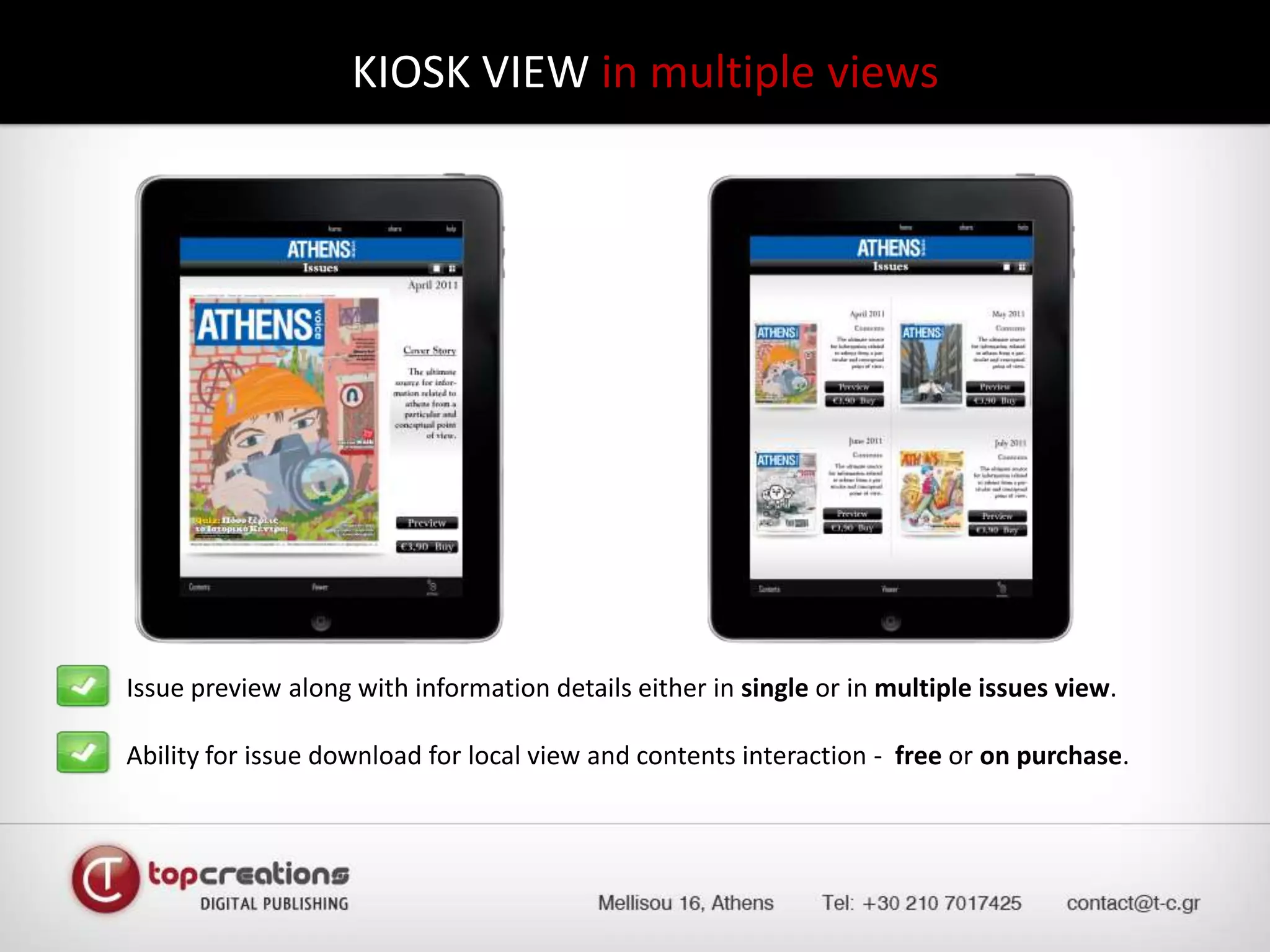
KIOSK VIEW in multiple viewsIssue preview along with information details either in single or in multiple issues view.	Ability for issue download for local view and contents interaction -  free or on purchase.
MAGAZINE KIOSK – SINGLE & MULTIPLE VIEWFEATURES INTEGRATED
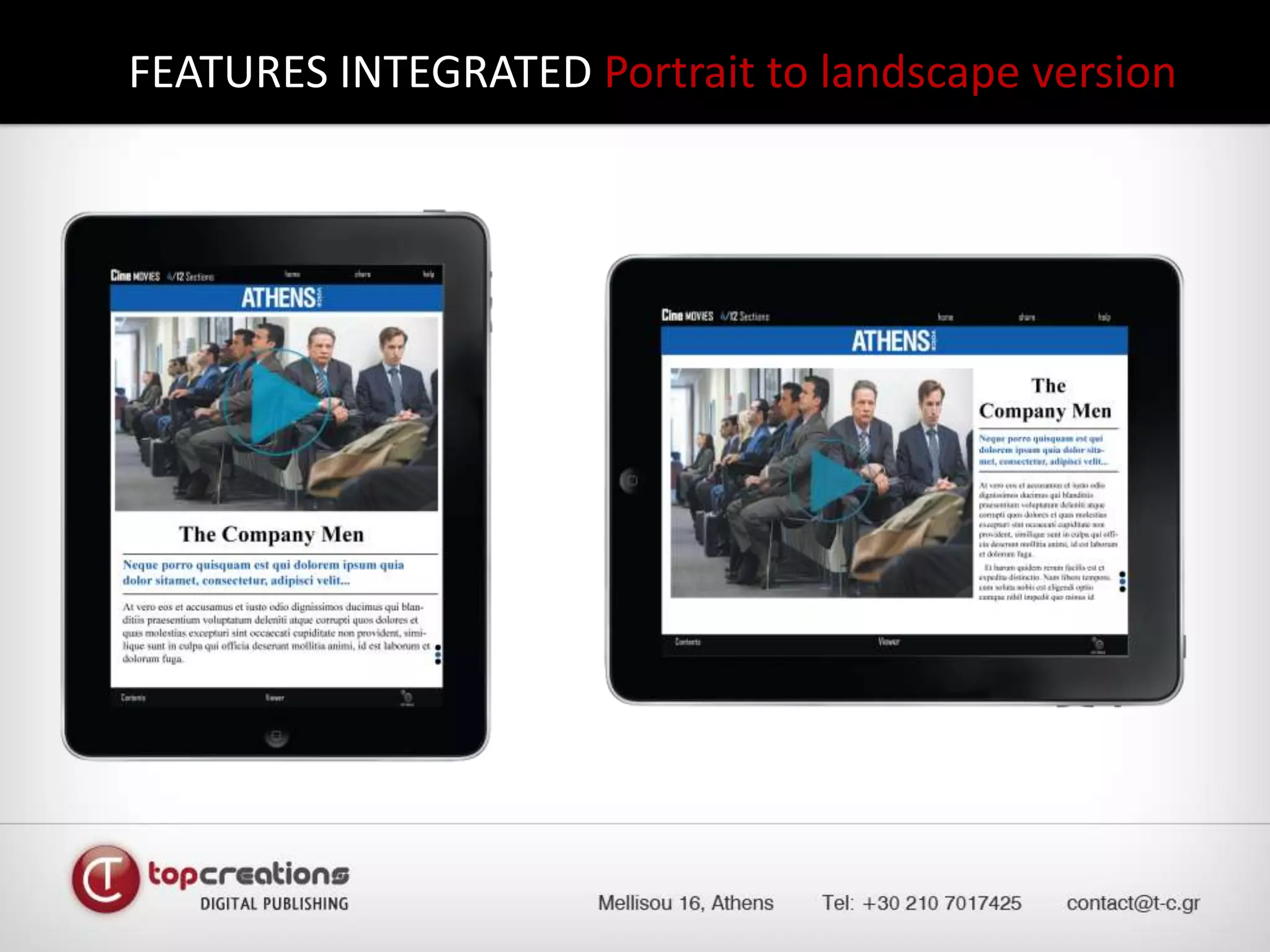
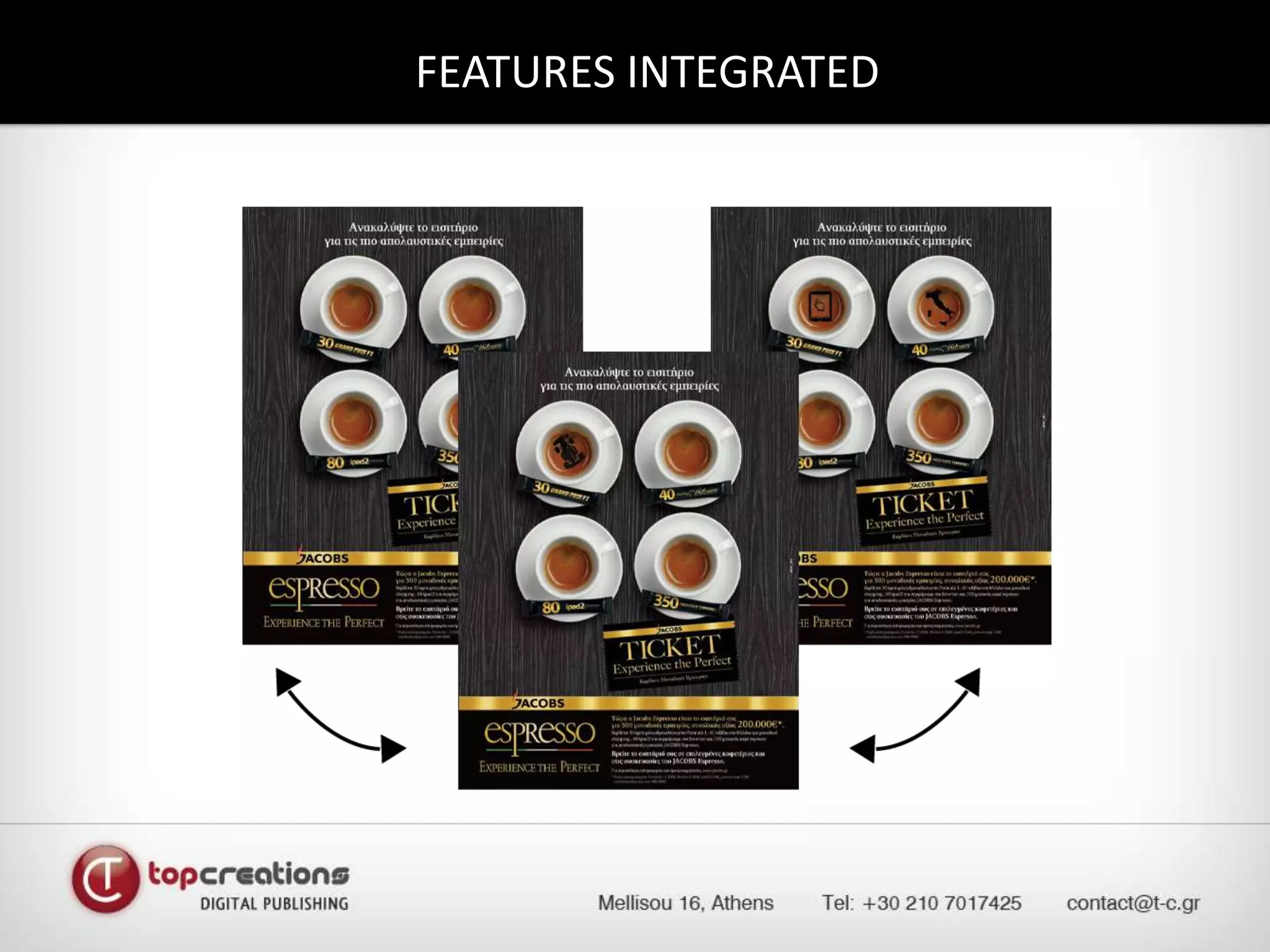
FEATURES INTEGRATED Portrait to landscape version
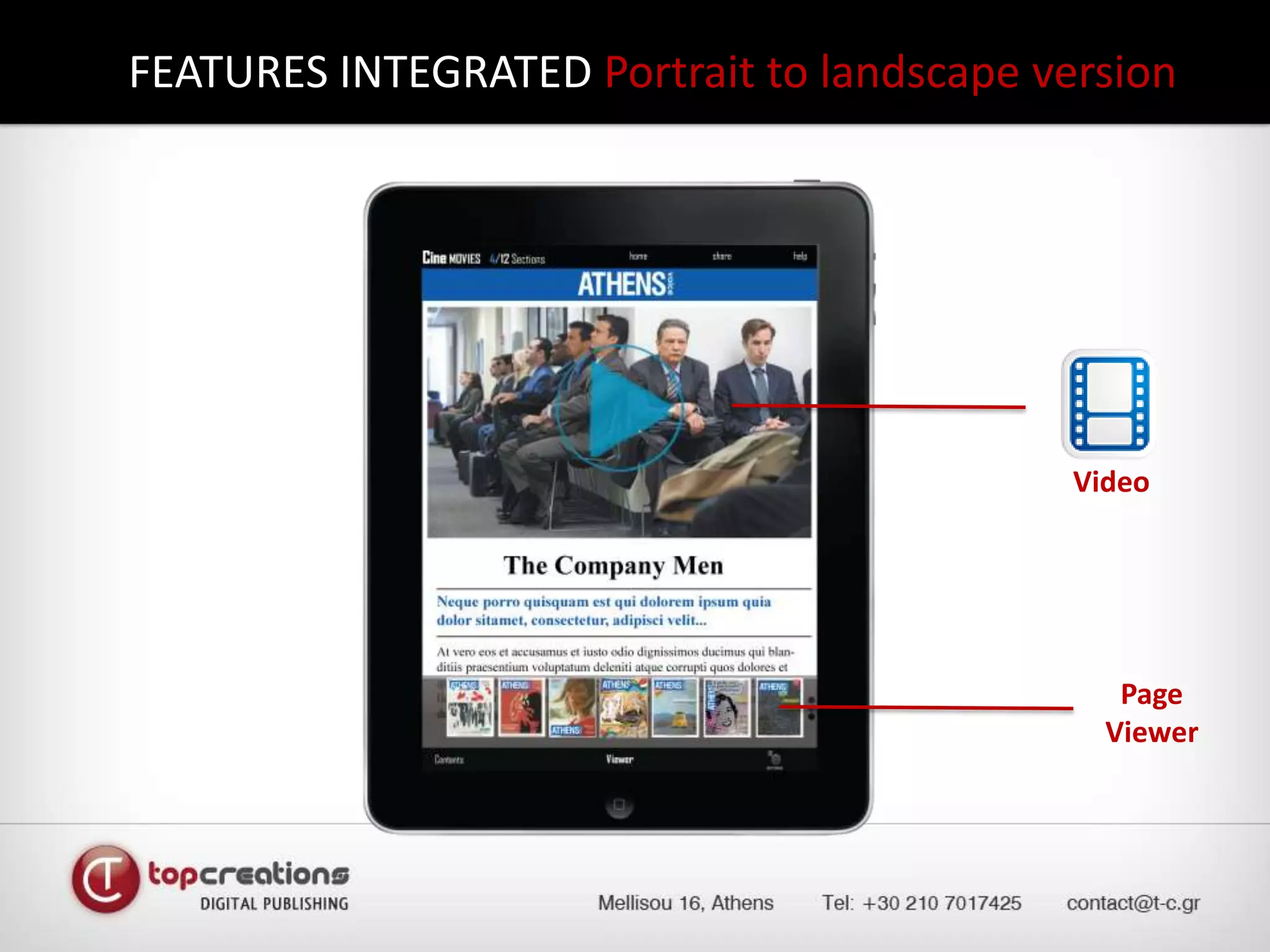
FEATURES INTEGRATED Portrait to landscape versionVideoPage Viewer
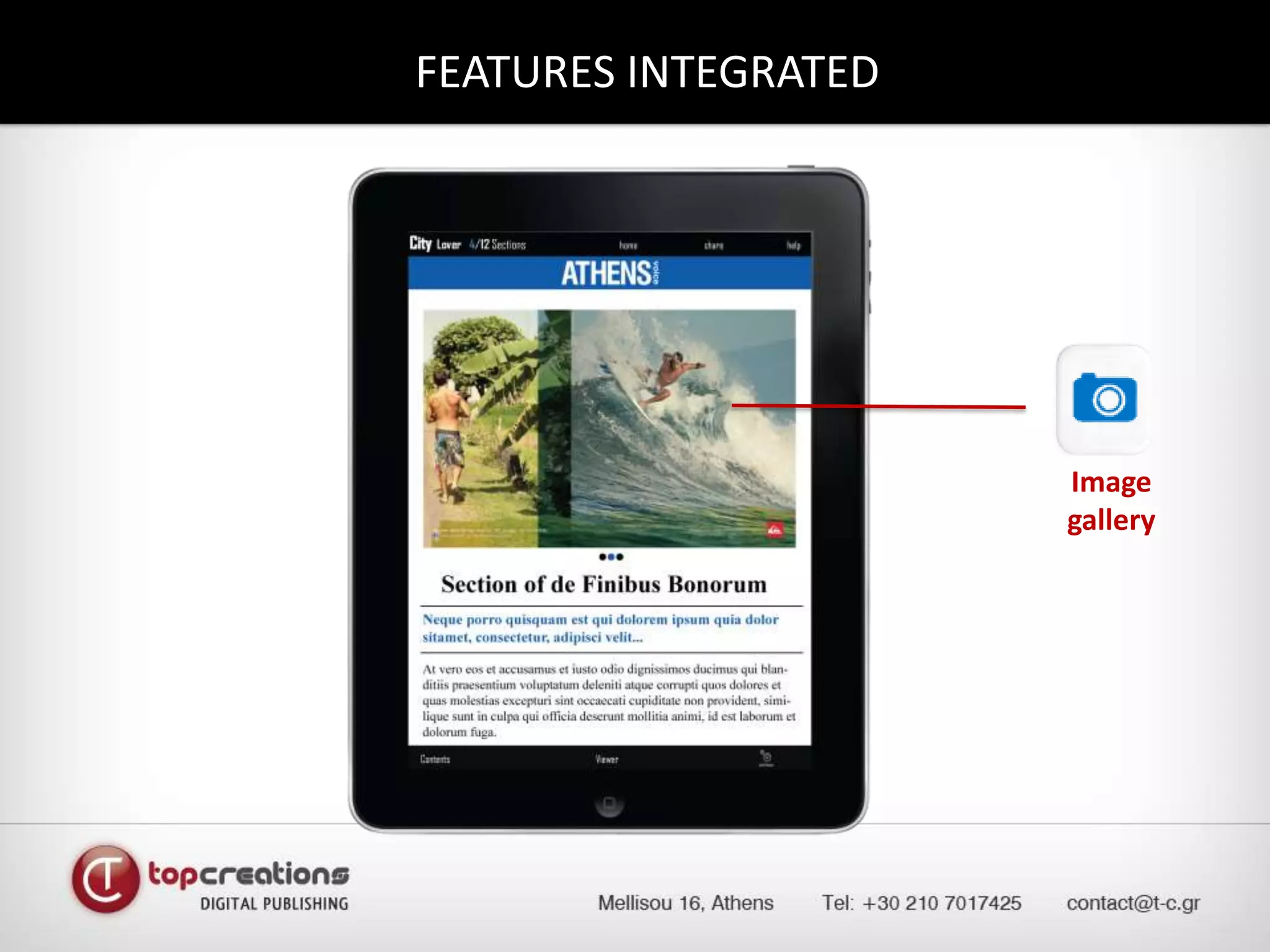
FEATURES INTEGRATED Image gallery
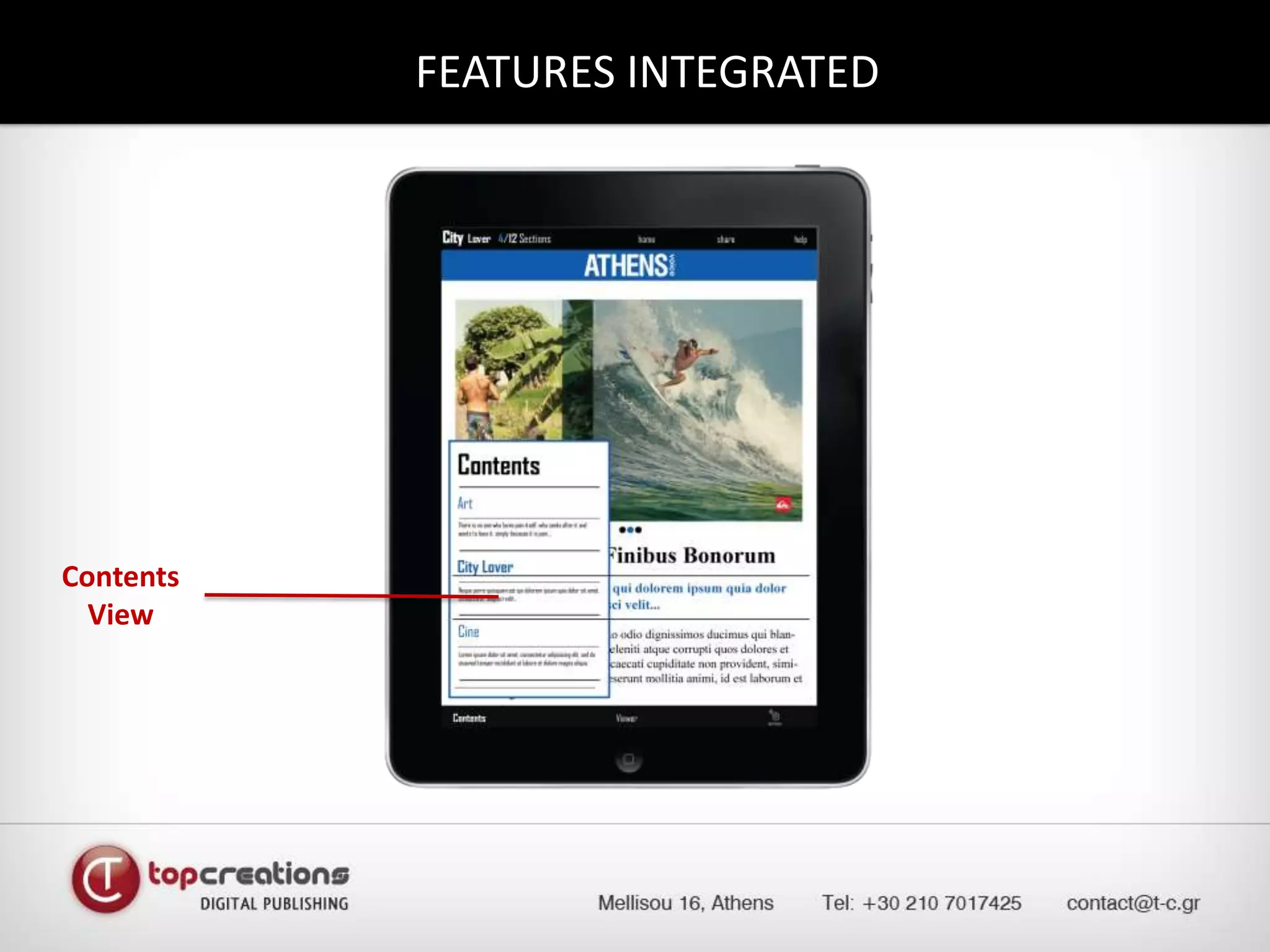
FEATURES INTEGRATED ContentsView
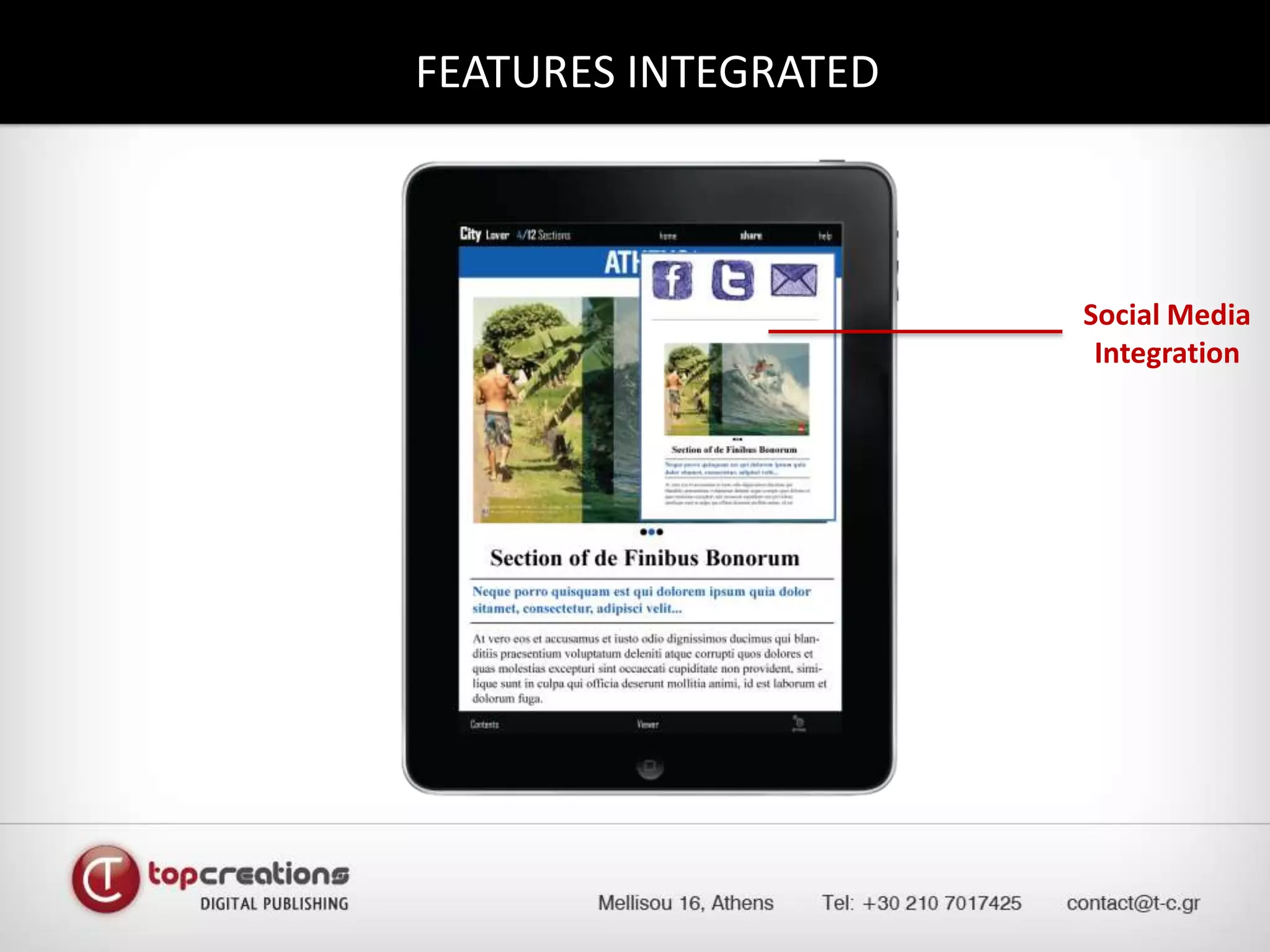
FEATURES INTEGRATED Social Media Integration
MAGAZINE KIOSK – SINGLE & MULTIPLE VIEWUSER EXPERIENCE
USER EXPERIENCE integrating content and interactivity 	We… provide users with a  logical and predictable navigation path to follow,	make usage easy and obvious,	design the main functions of our application immediately apparent,	 use standard controls and gestures in an appropriate and consistent way,	 incorporate rich, beautiful, engaging graphics.
FEATURES INTEGRATED
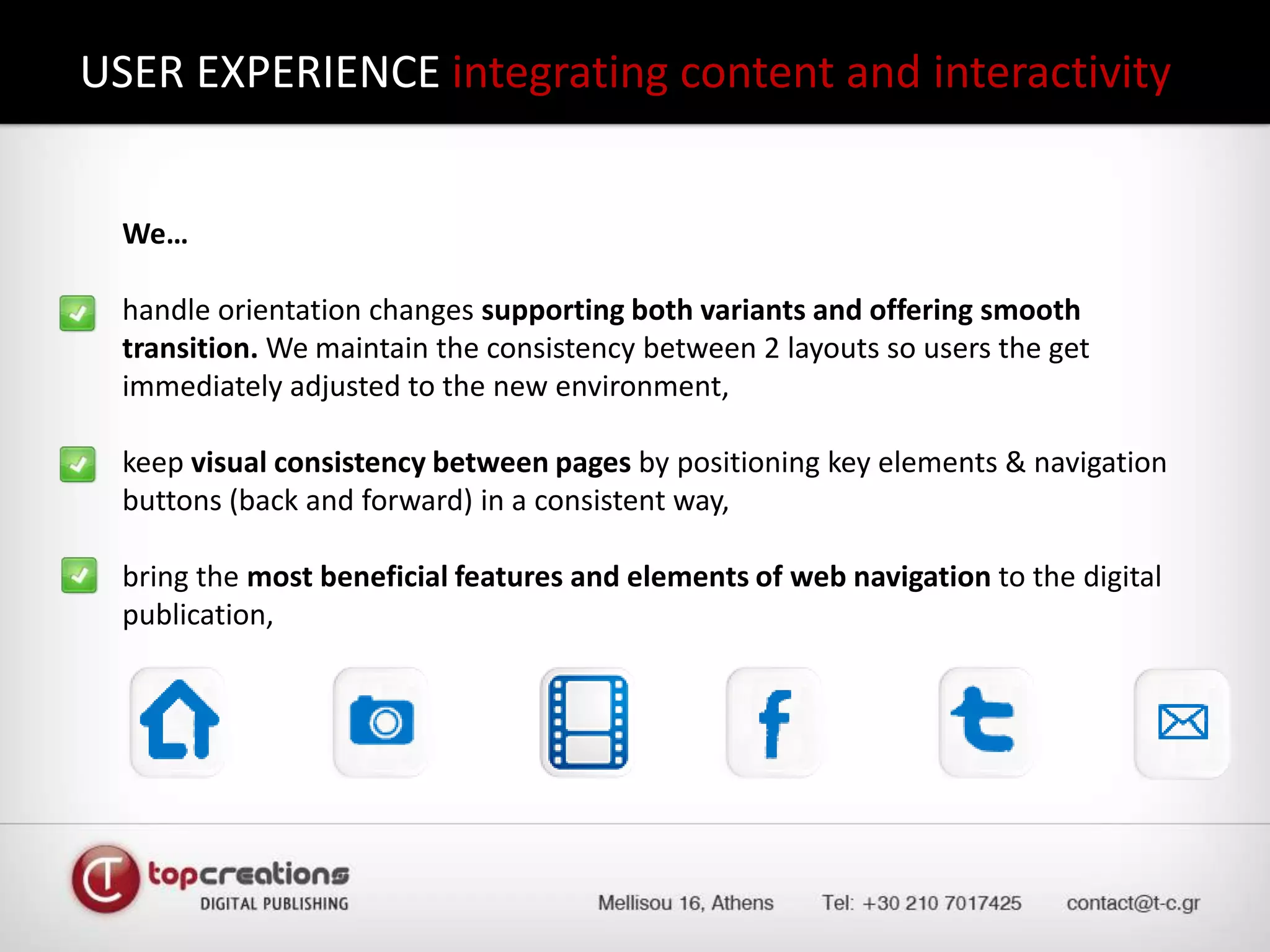
USER EXPERIENCE integrating content and interactivity 	We…	handle orientation changes supporting both variants and offering smooth transition. We maintain the consistency between 2 layouts so users the get immediately adjusted to the new environment,	keep visual consistency between pages by positioning key elements & navigation buttons (back and forward) in a consistent way,	bring the most beneficial features and elements of web navigation to the digital publication,
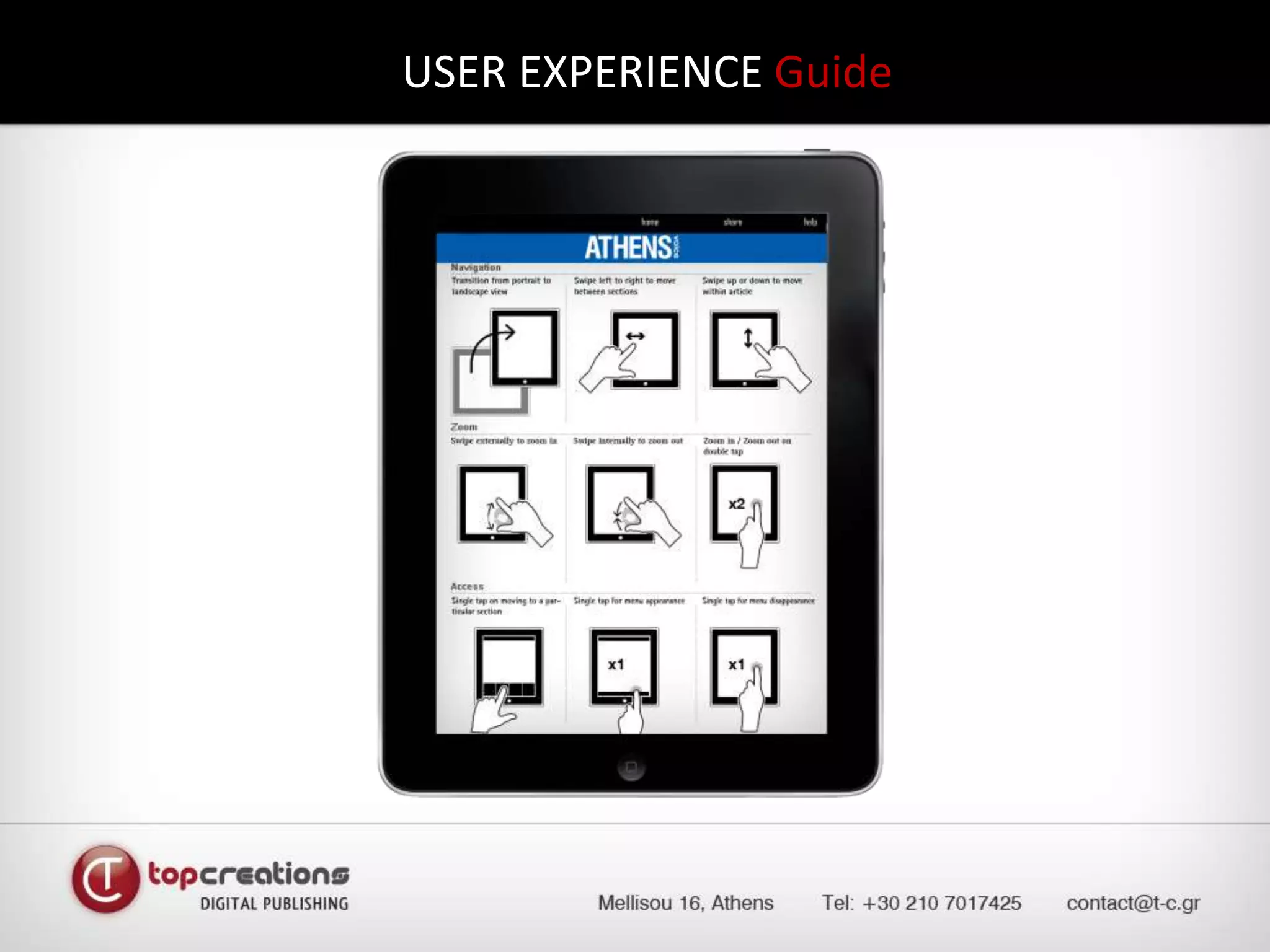
USER EXPERIENCE Guide
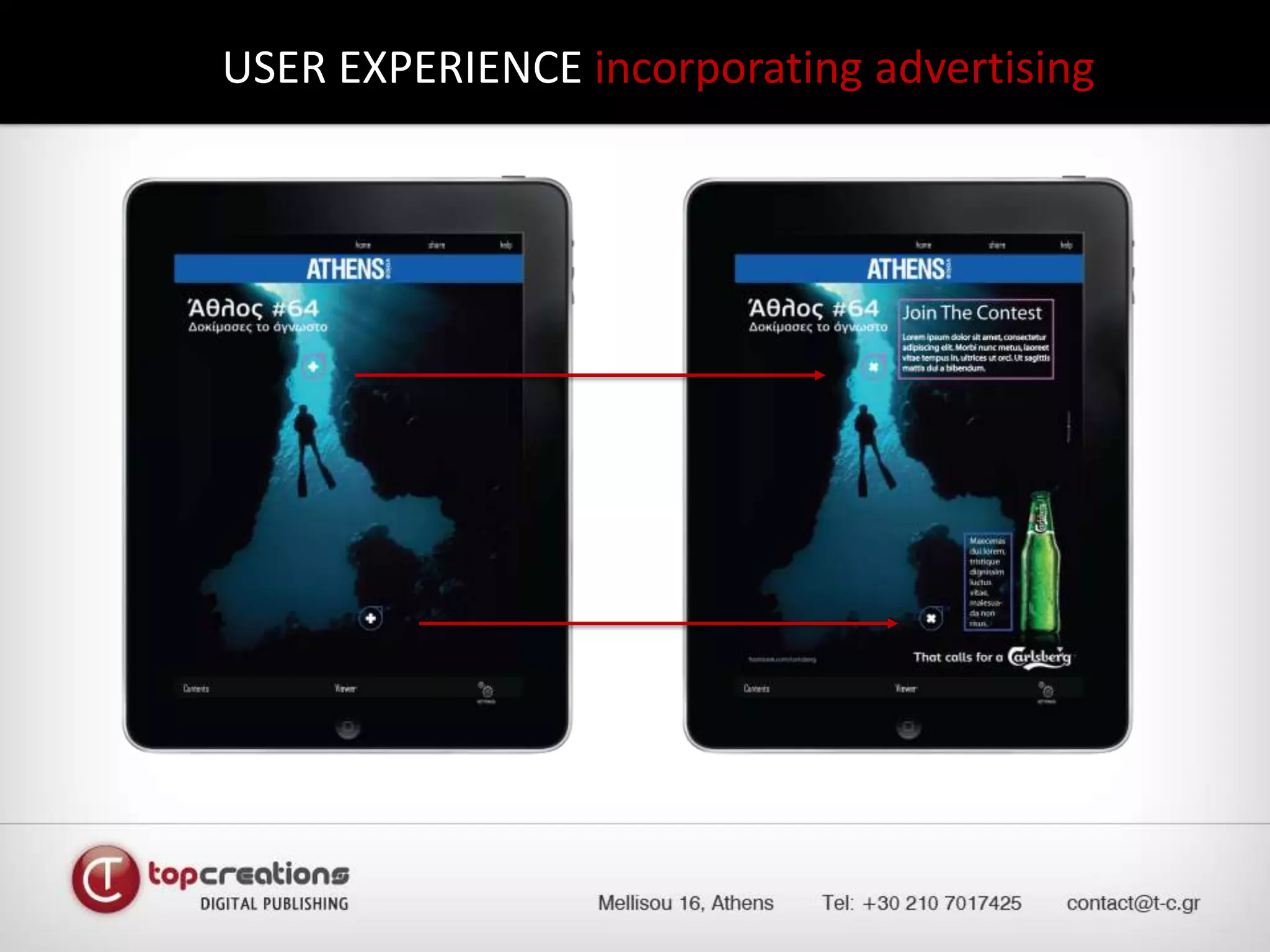
USER EXPERIENCE incorporating advertising
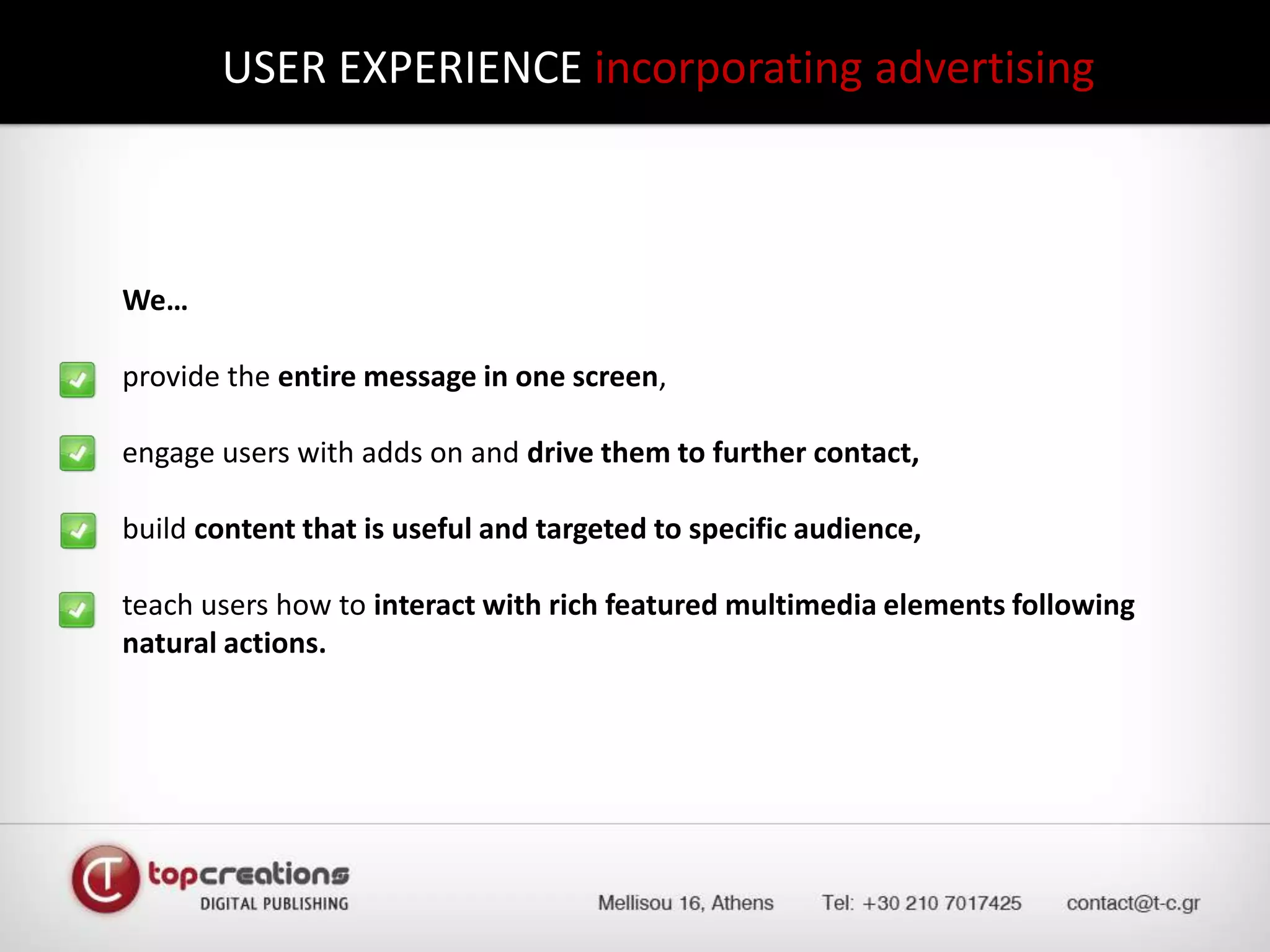
USER EXPERIENCE incorporating advertising 	We…	provide the entire message in one screen,	engage users with adds on and drive them to further contact,	build content that is useful and targeted to specific audience,	teach users how to interact with rich featured multimedia elements following natural actions.
MAGAZINE KIOSK – SINGLE & MULTIPLE VIEWPLATFORM FEATURES
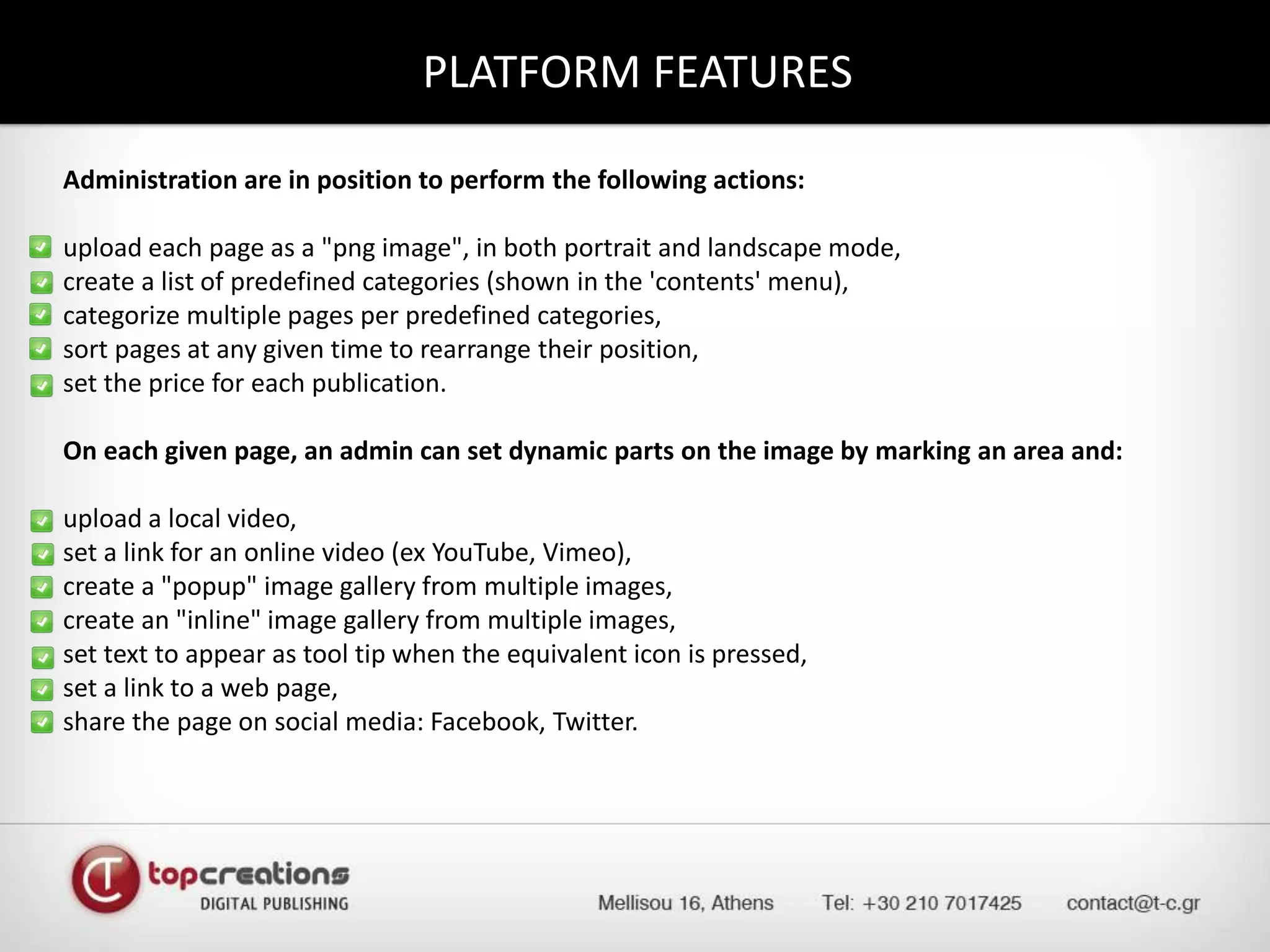
PLATFORM FEATURESAdministration are in position to perform the following actions:upload each page as a "png image", in both portrait and landscape mode,create a list of predefined categories (shown in the 'contents' menu),categorize multiple pages per predefined categories,sort pages at any given time to rearrange their position,set the price for each publication.On each given page, an admin can set dynamic parts on the image by marking an area and:upload a local video,set a link for an online video (ex YouTube, Vimeo),create a "popup" image gallery from multiple images,create an "inline" image gallery from multiple images,set text to appear as tool tip when the equivalent icon is pressed,set a link to a web page,share the page on social media: Facebook, Twitter.
MAGAZINE KIOSK – SINGLE & MULTIPLE VIEWCONTACTS
CONTACTSAlexandrosBinopoulos – TopCreations, FounderE-mail: abinop@t-c.grNondasSyrrakos – TopCreations, Business Development & Communication DirectorE-mail: syrrakos@t-c.gr
ADMINISTRATION MECHANISM...We thank you!

Digital publishing Solutions - Dp2

  • 2.
    Welcome to MAGAZINEKIOSK – SINGLE & MULTIPLE VIEWMAGAZINE KIOSK – SINGLE & MULTIPLE VIEWAlexandrosBinopoulos‘TopCreations - Founder’“Much more than developing a platform… our vision is the creation of a digital publishing environment, optimized for iPad users of high aesthetics. We offer complete user experience based on useful & rich content and advanced interaction making digital publications, readers desired destination.” NondasSyrrakos‘TopCreations - Business Development & Communication Director’
  • 3.
    ContentsMAGAZINE KIOSK –SINGLE & MULTIPLE VIEWKiosk viewFeatures integratedUser experiencePlatform featuresContacts
  • 4.
    MAGAZINE KIOSK –SINGLE & MULTIPLE VIEWKIOSK VIEW
  • 5.
    KIOSK VIEW inmultiple viewsIssue preview along with information details either in single or in multiple issues view. Ability for issue download for local view and contents interaction - free or on purchase.
  • 6.
    MAGAZINE KIOSK –SINGLE & MULTIPLE VIEWFEATURES INTEGRATED
  • 7.
    FEATURES INTEGRATED Portraitto landscape version
  • 8.
    FEATURES INTEGRATED Portraitto landscape versionVideoPage Viewer
  • 9.
  • 10.
  • 11.
  • 12.
    MAGAZINE KIOSK –SINGLE & MULTIPLE VIEWUSER EXPERIENCE
  • 13.
    USER EXPERIENCE integratingcontent and interactivity We… provide users with a logical and predictable navigation path to follow, make usage easy and obvious, design the main functions of our application immediately apparent, use standard controls and gestures in an appropriate and consistent way, incorporate rich, beautiful, engaging graphics.
  • 14.
  • 15.
    USER EXPERIENCE integratingcontent and interactivity We… handle orientation changes supporting both variants and offering smooth transition. We maintain the consistency between 2 layouts so users the get immediately adjusted to the new environment, keep visual consistency between pages by positioning key elements & navigation buttons (back and forward) in a consistent way, bring the most beneficial features and elements of web navigation to the digital publication,
  • 16.
  • 17.
  • 18.
    USER EXPERIENCE incorporatingadvertising We… provide the entire message in one screen, engage users with adds on and drive them to further contact, build content that is useful and targeted to specific audience, teach users how to interact with rich featured multimedia elements following natural actions.
  • 19.
    MAGAZINE KIOSK –SINGLE & MULTIPLE VIEWPLATFORM FEATURES
  • 20.
    PLATFORM FEATURESAdministration arein position to perform the following actions:upload each page as a "png image", in both portrait and landscape mode,create a list of predefined categories (shown in the 'contents' menu),categorize multiple pages per predefined categories,sort pages at any given time to rearrange their position,set the price for each publication.On each given page, an admin can set dynamic parts on the image by marking an area and:upload a local video,set a link for an online video (ex YouTube, Vimeo),create a "popup" image gallery from multiple images,create an "inline" image gallery from multiple images,set text to appear as tool tip when the equivalent icon is pressed,set a link to a web page,share the page on social media: Facebook, Twitter.
  • 21.
    MAGAZINE KIOSK –SINGLE & MULTIPLE VIEWCONTACTS
  • 22.
    CONTACTSAlexandrosBinopoulos – TopCreations,FounderE-mail: abinop@t-c.grNondasSyrrakos – TopCreations, Business Development & Communication DirectorE-mail: syrrakos@t-c.gr
  • 23.