


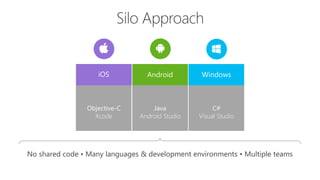





iOS WindowsAndroid
Objective-C
Xcode
C#
Visual Studio
Java
Android Studio
No shared code • Many languages & development environments • Multiple teams
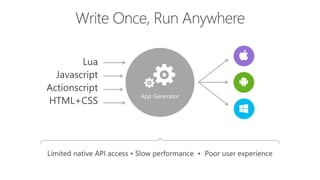
App Generator
Lua
Javascript
Actionscript
HTML+CSS
Limited native API access • Slow performance • Poor user experience
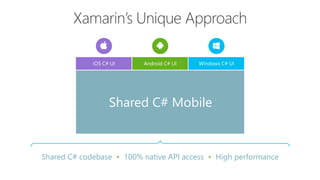
Shared C# codebase • 100% native API access • High performance
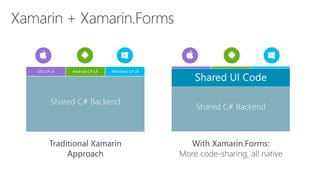
iOS C# UI Windows C# UIAndroid C# UI
Shared C# Mobile
Traditional Xamarin
Approach
With Xamarin.Forms:
More code-sharing, all native
iOS C# UI Windows C# UIAndroid C# UI
Shared C# Backend
Shared UI Code
Shared C# Backend
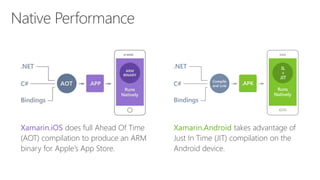
Xamarin.iOS does full Ahead Of Time
(AOT) compilation to produce an ARM
binary for Apple’s App Store.
Xamarin.Android takes advantage of
Just In Time (JIT) compilation on the
Android device.
Xamarin is included
in Visual Studio
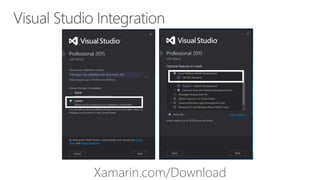
Xamarin.com/Download
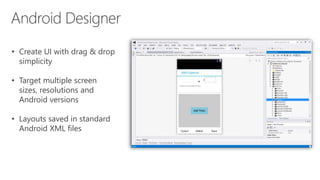
• Create UI with drag & drop
simplicity
• Target multiple screen
sizes, resolutions and
Android versions
• Layouts saved in standard
Android XML files
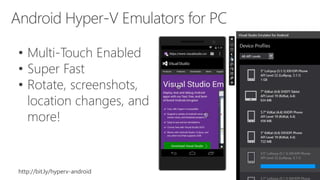
• Multi-Touch Enabled
• Super Fast
• Rotate, screenshots,
location changes, and
more!
http://bit.ly/hyperv-android
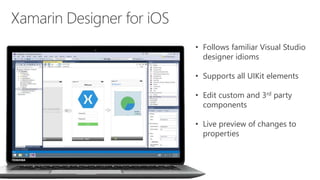
• Follows familiar Visual Studio
designer idioms
• Supports all UIKit elements
• Edit custom and 3rd party
components
• Live preview of changes to
properties
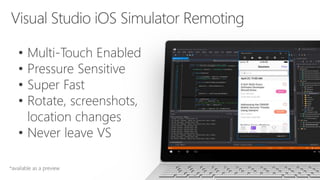
• Multi-Touch Enabled
• Pressure Sensitive
• Super Fast
• Rotate, screenshots,
location changes
• Never leave VS
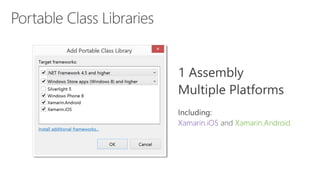
Xamarin.iOS Xamarin.Android
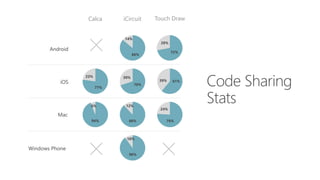
Mac
iOS
Android
Windows Phone
Calca iCircuit Touch Draw
86%
14%
72%
28%
77%
23%
70%
30%
61%39%
94%
6%
88%
12%
76%
24%
90%
10%
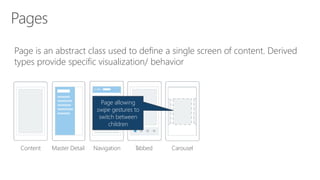
Page is an abstract class used to define a single screen of content. Derived
types provide specific visualization/ behavior
Page that
navigates
between children
using tab bar
Content Master Detail Navigation Tabbed Carousel
Page allowing
swipe gestures to
switch between
children
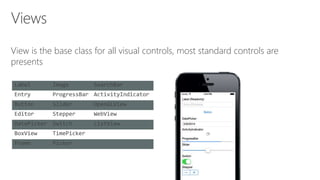
View is the base class for all visual controls, most standard controls are
presents
Label Image SearchBar
Entry ProgressBar ActivityIndicator
Button Slider OpenGLView
Editor Stepper WebView
DatePicker Switch ListView
BoxView TimePicker
Frame Picker
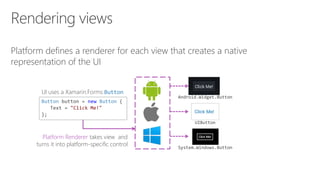
Platform defines a renderer for each view that creates a native
representation of the UI
Button button = new Button {
Text = "Click Me!"
};
UI uses a Xamarin.Forms Button
Platform Renderer takes view and
turns it into platform-specific control
Android.Widget.Button
UIButton
System.Windows.Button
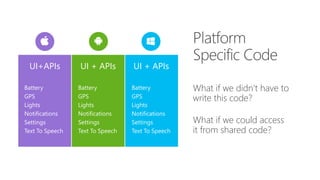
What if we didn’t have to
write this code?
What if we could access
it from shared code?
UI+APIs UI + APIsUI + APIs
Battery
GPS
Lights
Notifications
Settings
Text To Speech
Battery
GPS
Lights
Notifications
Settings
Text To Speech
Battery
GPS
Lights
Notifications
Settings
Text To Speech
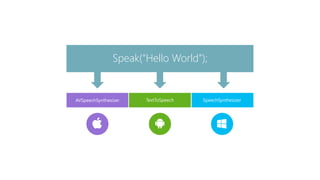
TextToSpeech
Speak(“Hello World”);
AVSpeechSynthesizer SpeechSynthesizer
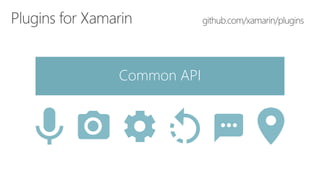
Common API
http://bit.ly/xamarindicoding
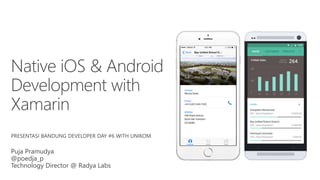
Cross Platform Mobile Development with Xamarin

Cross Platform Mobile Development with Xamarin

Editor's Notes

  • #5 So we know what we want how do we get there? Let’s talk about the state of mobile development.
  • #6 Multiple Teams Multiple Code Bases Expensive & Slow Positive = Great apps delivered to user’s platform Negative = Development hampered by multiple code bases & fragmentation
  • #7 Unhappy Users Unhappy Developers Increase in Abandoned Apps Limited to what is implemented
  • #12 Coming up next is bubbles
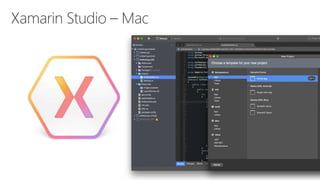
  • #19 Xamarin Studio on Mac offers: Android, iOS and Mac development World Class IDE with great features: Code Analysis Upload to Test Flight Git & Subversion Integration Code Completion Code Navigation Easy transition from Visual Studio The same Solution & Projects open in BOTH Xamarin Studio and Visual Studio!
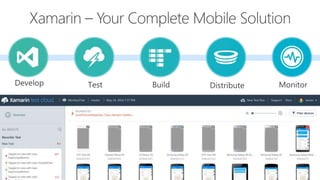
  • #33 Xamarin is your complete mobile solution. Xamarin Platform is usually what you hear about which is building native iOS, Android, Mac, and Windows Apps all in C# However Xamarin offers a wide range of products for developers to go mobile including Test Cloud, Hockey App, and a way to learn all of mobile with University.