Technology to support learning
In this chapter we will explore how new technology can be used in five ways: - Bringing exciting curricula based on real-world problems into the classroom. - Providing tools to enhance learning -Giving students and teachers more opportunities for feedback, reflection and revision - Building local and global communities that includes teachers, administrators, students and other interested people. -Expanding opportunities for teacher learning. Introduction
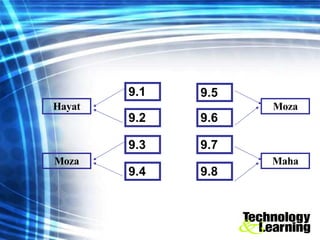
9.1 9.2 9.3 9.4 9.5 9.6 9.7 9.8 Hayat Moza Moza Maha
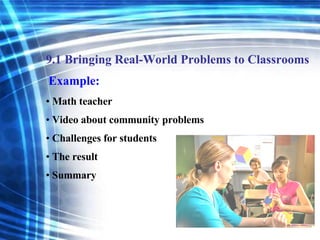
Example: Math teacher Video about community problems Challenges for students The result Summary 9.1 Bringing Real-World Problems to Classrooms
Goal of education Example - Students in kindergarten + local environment - Submit data through Internet + see their performance  The result 9.2 Problem solving and Attitudes
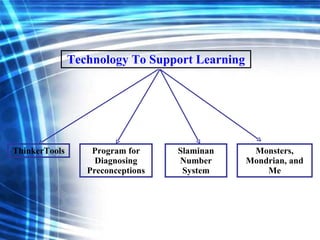
Technology To Support Learning ThinkerTools Program for Diagnosing Preconceptions Slaminan Number System Monsters, Mondrian, and Me
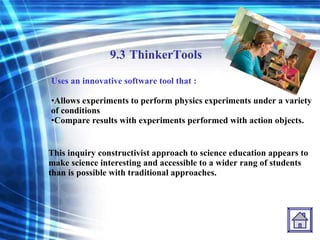
9.3   ThinkerTools Uses an innovative software tool that : Allows experiments to perform physics experiments under a variety of conditions Compare results with experiments performed with action objects. This inquiry constructivist approach to science education appears to make science interesting and accessible to a wider rang of students than is possible with traditional approaches.
9.4   Program for Diagnosing Preconceptions This program about physics, It helps teachers increase students achievement in high school physics.  The program also assesses students’ beliefs about various physical phenomena beliefs that of ten fit their everyday experiences, but are not consistent with physicists view of the world.
9.5 Slaminan Number System This system is an example of how technology-supported conversation can help students refine each other’s thinking comes from an urban elementary classroom. Students worked in small groups to design different aspects. It helps many students in the classroom speak a language other than English in their homes.  CSILE  provides opportunities to express their ideas in English and to receive feedback from their peers. The students at participate effective, in fact; in classroom using the technology in most collaborative fashion, CSILE’s positive effects were particularly strong for lower- and middle- ability groups.
9.6 Monsters, Mondrian, and Me Elementary teachers design and extended collaboration between fourth-grade classes at two elementary schools. In a unit called “Monsters, Mondrian, and Me” students were directed to describe a picture in a email message. This project illustrates how telecommunication can precise writing and provide a forum for feedback from peers. This projects helps the learners successfully complete every problems they start, with the amount coaching decreasing as their skill increases; and learners replay and reflect on their performance, highlighting areas where they could improve.
(CSILE)  Computer- Supported International Learning Environments
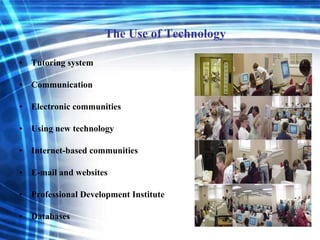
The Use of Technology Tutoring system Communication Electronic communities Using new technology Internet-based communities E-mail and websites Professional Development Institute Databases
9.7 Tutoring system What is a Tutoring system? The use of Tutoring system: Students take more responsibility for their own progress. Teachers can spend more time with individual students that need more help. Students use it individually  or groups to discuss issues.
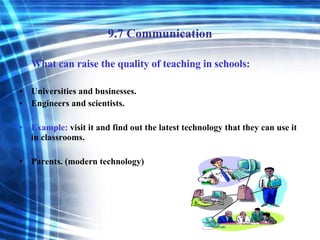
9.7 Communication What can raise the quality of teaching in schools: Universities and businesses. Engineers and scientists. Example:  visit it and find out the latest technology that they can use it in classrooms. Parents. (modern technology)
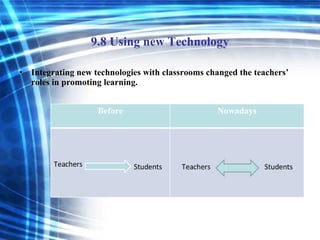
9.8 Using new Technology Integrating new technologies with classrooms changed the teachers’ roles in promoting learning.  Teachers Students Teachers Students Before Nowadays
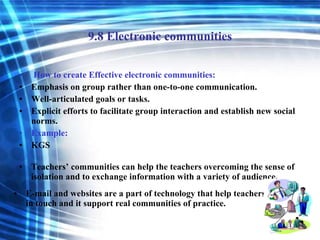
9.8 Electronic communities How to create Effective electronic communities: Emphasis on group rather than one-to-one communication. Well-articulated goals or tasks. Explicit efforts to facilitate group interaction and establish new social norms. Example: KGS Teachers’ communities can help the teachers overcoming the sense of isolation and to exchange information with a variety of audience. E-mail and websites are a part of technology that help teachers to stay in touch and it support real communities of practice.
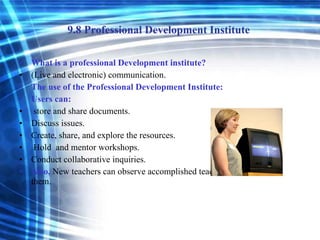
9.8 Professional Development Institute  What is a professional Development institute? (Live and electronic) communication. The use of the Professional Development Institute: Users can: store and share documents.  Discuss issues. Create, share, and explore the resources. Hold  and mentor workshops. Conduct collaborative inquiries. Also,  New teachers can observe accomplished teachers and learn from them.
9.8 Databases. How can Databases assist teachers’ learning and teaching? Databases can be used as: Video archive. A multimedia database.  Video-based cases (on videodisc and CD-ROM)
Reference. John D. Bransford, Ann L. Brown, and Rodney R. Cocking. (1999)  How People Learn: Brain, Mind, Experience, and School . National Academy Press: Washington.
Thank You

Technology To Support Learning

  • 1.
  • 2.
    In this chapterwe will explore how new technology can be used in five ways: - Bringing exciting curricula based on real-world problems into the classroom. - Providing tools to enhance learning -Giving students and teachers more opportunities for feedback, reflection and revision - Building local and global communities that includes teachers, administrators, students and other interested people. -Expanding opportunities for teacher learning. Introduction
  • 3.
    9.1 9.2 9.39.4 9.5 9.6 9.7 9.8 Hayat Moza Moza Maha
  • 4.
    Example: Math teacherVideo about community problems Challenges for students The result Summary 9.1 Bringing Real-World Problems to Classrooms
  • 5.
    Goal of educationExample - Students in kindergarten + local environment - Submit data through Internet + see their performance The result 9.2 Problem solving and Attitudes
  • 6.
    Technology To SupportLearning ThinkerTools Program for Diagnosing Preconceptions Slaminan Number System Monsters, Mondrian, and Me
  • 7.
    9.3 ThinkerTools Uses an innovative software tool that : Allows experiments to perform physics experiments under a variety of conditions Compare results with experiments performed with action objects. This inquiry constructivist approach to science education appears to make science interesting and accessible to a wider rang of students than is possible with traditional approaches.
  • 8.
    9.4 Program for Diagnosing Preconceptions This program about physics, It helps teachers increase students achievement in high school physics. The program also assesses students’ beliefs about various physical phenomena beliefs that of ten fit their everyday experiences, but are not consistent with physicists view of the world.
  • 9.
    9.5 Slaminan NumberSystem This system is an example of how technology-supported conversation can help students refine each other’s thinking comes from an urban elementary classroom. Students worked in small groups to design different aspects. It helps many students in the classroom speak a language other than English in their homes. CSILE provides opportunities to express their ideas in English and to receive feedback from their peers. The students at participate effective, in fact; in classroom using the technology in most collaborative fashion, CSILE’s positive effects were particularly strong for lower- and middle- ability groups.
  • 10.
    9.6 Monsters, Mondrian,and Me Elementary teachers design and extended collaboration between fourth-grade classes at two elementary schools. In a unit called “Monsters, Mondrian, and Me” students were directed to describe a picture in a email message. This project illustrates how telecommunication can precise writing and provide a forum for feedback from peers. This projects helps the learners successfully complete every problems they start, with the amount coaching decreasing as their skill increases; and learners replay and reflect on their performance, highlighting areas where they could improve.
  • 11.
    (CSILE) Computer-Supported International Learning Environments
  • 12.
    The Use ofTechnology Tutoring system Communication Electronic communities Using new technology Internet-based communities E-mail and websites Professional Development Institute Databases
  • 13.
    9.7 Tutoring systemWhat is a Tutoring system? The use of Tutoring system: Students take more responsibility for their own progress. Teachers can spend more time with individual students that need more help. Students use it individually or groups to discuss issues.
  • 14.
    9.7 Communication Whatcan raise the quality of teaching in schools: Universities and businesses. Engineers and scientists. Example: visit it and find out the latest technology that they can use it in classrooms. Parents. (modern technology)
  • 15.
    9.8 Using newTechnology Integrating new technologies with classrooms changed the teachers’ roles in promoting learning. Teachers Students Teachers Students Before Nowadays
  • 16.
    9.8 Electronic communitiesHow to create Effective electronic communities: Emphasis on group rather than one-to-one communication. Well-articulated goals or tasks. Explicit efforts to facilitate group interaction and establish new social norms. Example: KGS Teachers’ communities can help the teachers overcoming the sense of isolation and to exchange information with a variety of audience. E-mail and websites are a part of technology that help teachers to stay in touch and it support real communities of practice.
  • 17.
    9.8 Professional DevelopmentInstitute What is a professional Development institute? (Live and electronic) communication. The use of the Professional Development Institute: Users can: store and share documents. Discuss issues. Create, share, and explore the resources. Hold and mentor workshops. Conduct collaborative inquiries. Also, New teachers can observe accomplished teachers and learn from them.
  • 18.
    9.8 Databases. Howcan Databases assist teachers’ learning and teaching? Databases can be used as: Video archive. A multimedia database. Video-based cases (on videodisc and CD-ROM)
  • 19.
    Reference. John D.Bransford, Ann L. Brown, and Rodney R. Cocking. (1999) How People Learn: Brain, Mind, Experience, and School . National Academy Press: Washington.
  • 20.