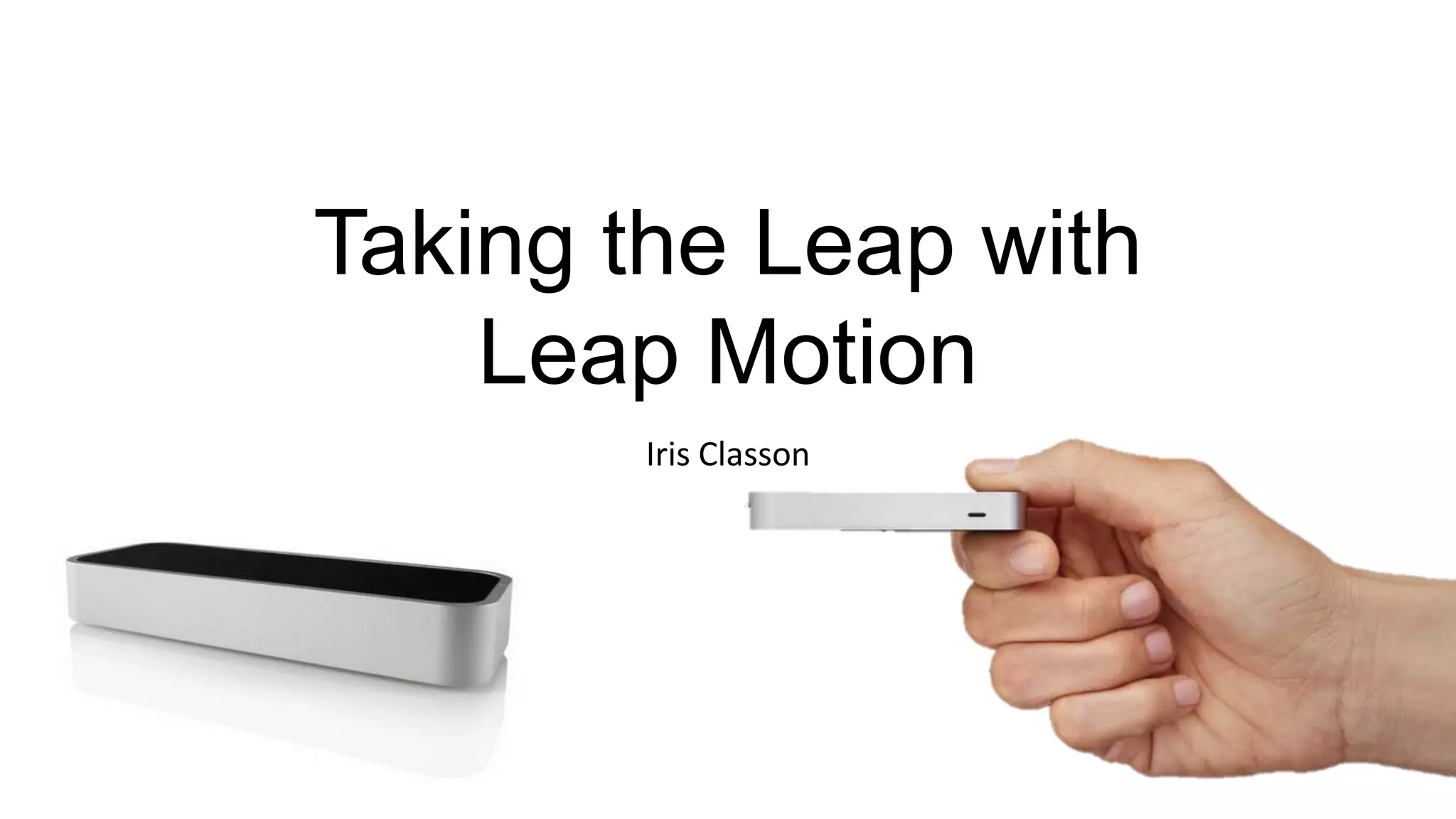
Taking the Leap with
Leap Motion
Iris Classon
About me
• Technical Evangelist at Telerik (WinRT)
• Software Developer at Dotnet Mentor
• Microsoft MVP C# and member of MEET
• MCSD, MCPD, MCTS
• Organizer Sweden Pluralsight Study Group (Gothenburg)
• Started learning programming from 0 summer 2011
• Licensed clinical Dietitian and Int.Lic. Personal Trainer
Contact details
• www.irisclasson.com
• Twitter
• @IrisClasson
• Email
• Telerik – iris.classon@telerik.com
• Dotnet Mentor – iris.classon@dotnetmentor.se
What is the Leap Motion?
To get started
• Mac, Windows, Linux (latest OS – more or less)
• Developer Unit of Leap Motion
• Preorder or apply to get one
• Purchase: release projected for 22nd of July
• https://www.leapmotion.com/
• SDK
• Can’t be shared
• Forum, samples and documentation available
• Projects on GitHub
• Breaking changes introduced between SDK versions- might need to update the code
Good to know
• Still in Beta
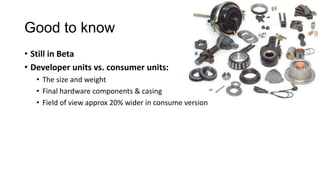
• Developer units vs. consumer units:
• The size and weight
• Final hardware components & casing
• Field of view approx 20% wider in consume version
Do not forget
• Dispose Frame object when done with it
• RemoveListener from Controller when app closes
• Dispose Controller afterwards
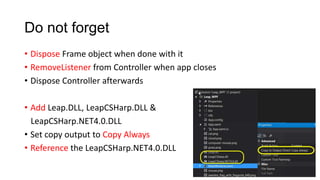
• Add Leap.DLL, LeapCSHarp.DLL &
LeapCSHarp.NET4.0.DLL
• Set copy output to Copy Always
• Reference the LeapCSHarp.NET4.0.DLL
When in trouble w. the device
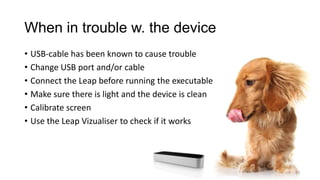
• USB-cable has been known to cause trouble
• Change USB port and/or cable
• Connect the Leap before running the executable
• Make sure there is light and the device is clean
• Calibrate screen
• Use the Leap Vizualiser to check if it works
The Leap story
• Small startup based in San Fransisco
• Venture capital
• Has grown from just a few people to 80 employees and still hiring
• Asus and HP on board
• 40 000 Devs signed up
• 12 000 dev units shipped so far
• Still shipping
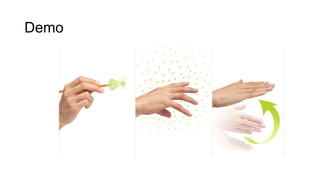
Demo
The Airspace Store
• Storefront to gather all the apps
• Dev decides on pricing, distribution & platform supported
• Non-exclusive distribution
• Min price starts at jus below 1 USD
• Industry standard at 70% to the developer
• Apps manually tested before publishing
Available languages
• C++
• C#
• Objective C
• Java
• Python
• JavaScript
• (Ruby => hack)
How the API works
• Leap motion detects fingers/tools
• Data captured as frames continously
• Listener class handles events from the Frame class
• Controller is the connection between device and app
• To listen for the updates on the Frame data:
controller.AddListener(listener)
• Gestures must be enabled through the controller
controller.EnableGesture(Gesture.GestureType.TYPESWIPE)
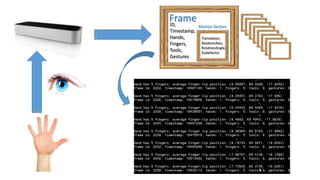
ID,
Timestamp,
Hands,
Fingers,
Tools,
Gestures
Frame
Translation,
RotationAxis,
RotationAngle,
Scalefactor
Motion factors
Code – C#
class SampleListener : Listener
public override void OnFrame(Controller controller)
{
// Get the most recent frame and report some basic information
Frame frame = controller.Frame();
SafeWriteLine("Frame id: " + frame.Id
+ ", timestamp: " + frame.Timestamp
+ ", hands: " + frame.Hands.Count
+ ", fingers: " + frame.Fingers.Count
+ ", tools: " + frame.Tools.Count
+ ", gestures: " + frame.Gestures().Count);
if (!frame.Hands.Empty)
{
// Get the first hand
Hand hand = frame.Hands[0];
// Check if the hand has any fingers
FingerList fingers = hand.Fingers;
if (!fingers.Empty)
{
// Calculate the hand's average finger tip position
Vector avgPos = fingers.Aggregate(Vector.Zero, (current, finger) => current + finger.TipPosition);
avgPos /= fingers.Count;
SafeWriteLine("Hand has " + fingers.Count + " fingers, average finger tip position: " + avgPos);
} ………
private static void Main(string[] args)
{
var listener = new SampleListener();
var controller = new Controller();
controller.AddListener(listener);
// Remove the sample listener when done
controller.RemoveListener(listener);
controller.Dispose();
}
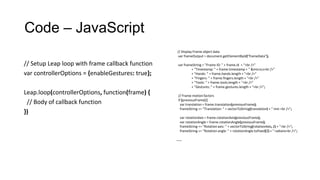
Code – JavaScript
// Display Frame object data
var frameOutput = document.getElementById("frameData");
var frameString = "Frame ID: " + frame.id + "<br />"
+ "Timestamp: " + frame.timestamp + " &micro;s<br />"
+ "Hands: " + frame.hands.length + "<br />"
+ "Fingers: " + frame.fingers.length + "<br />"
+ "Tools: " + frame.tools.length + "<br />"
+ "Gestures: " + frame.gestures.length + "<br />";
// Frame motion factors
if (previousFrame) {
var translation = frame.translation(previousFrame);
frameString += "Translation: " + vectorToString(translation) + " mm <br />";
var rotationAxis = frame.rotationAxis(previousFrame);
var rotationAngle = frame.rotationAngle(previousFrame);
frameString += "Rotation axis: " + vectorToString(rotationAxis, 2) + "<br />";
frameString += "Rotation angle: " + rotationAngle.toFixed(2) + " radians<br />";
……
// Setup Leap loop with frame callback function
var controllerOptions = {enableGestures: true};
Leap.loop(controllerOptions, function(frame) {
// Body of callback function
})
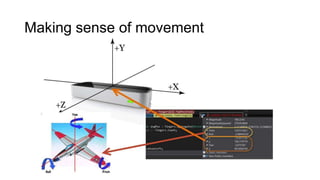
Making sense of movement
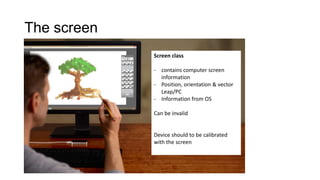
The screen
Screen class
- contains computer screen
information
- Position, orientation & vector
Leap/PC
- Information from OS
Can be invalid
Device should to be calibrated
with the screen
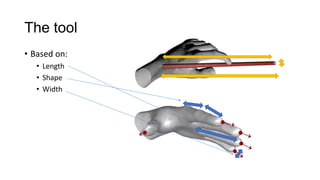
The tool
• Based on:
• Length
• Shape
• Width
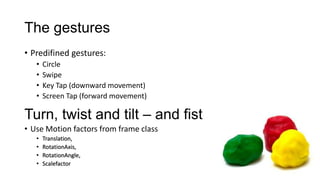
The gestures
• Predifined gestures:
• Circle
• Swipe
• Key Tap (downward movement)
• Screen Tap (forward movement)
Turn, twist and tilt – and fist
• Use Motion factors from frame class
• Translation,
• RotationAxis,
• RotationAngle,
• Scalefactor
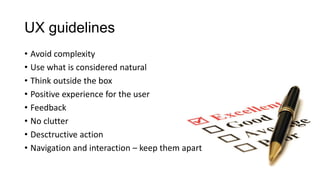
UX guidelines
• Avoid complexity
• Use what is considered natural
• Think outside the box
• Positive experience for the user
• Feedback
• No clutter
• Desctructive action
• Navigation and interaction – keep them apart
Q and A
Infra red light safety concerns
• IR occours naturally in the physical world
• Widely used in a variety of devices
• No health risk found with general exposure of IR
Using Leap as a mouse out of the box
• Developer unit no, consumer unit yes
• CPU usage
• Will be lower when released
• New updates ’inactivates’ the device when not used, activated when it registers
motion
Thank you
Iris Classon

Developing for Leap Motion

  • 1.
    Taking the Leapwith Leap Motion Iris Classon
  • 2.
    About me • TechnicalEvangelist at Telerik (WinRT) • Software Developer at Dotnet Mentor • Microsoft MVP C# and member of MEET • MCSD, MCPD, MCTS • Organizer Sweden Pluralsight Study Group (Gothenburg) • Started learning programming from 0 summer 2011 • Licensed clinical Dietitian and Int.Lic. Personal Trainer
  • 3.
    Contact details • www.irisclasson.com •Twitter • @IrisClasson • Email • Telerik – iris.classon@telerik.com • Dotnet Mentor – iris.classon@dotnetmentor.se
  • 4.
    What is theLeap Motion?
  • 5.
    To get started •Mac, Windows, Linux (latest OS – more or less) • Developer Unit of Leap Motion • Preorder or apply to get one • Purchase: release projected for 22nd of July • https://www.leapmotion.com/ • SDK • Can’t be shared • Forum, samples and documentation available • Projects on GitHub • Breaking changes introduced between SDK versions- might need to update the code
  • 6.
    Good to know •Still in Beta • Developer units vs. consumer units: • The size and weight • Final hardware components & casing • Field of view approx 20% wider in consume version
  • 7.
    Do not forget •Dispose Frame object when done with it • RemoveListener from Controller when app closes • Dispose Controller afterwards • Add Leap.DLL, LeapCSHarp.DLL & LeapCSHarp.NET4.0.DLL • Set copy output to Copy Always • Reference the LeapCSHarp.NET4.0.DLL
  • 8.
    When in troublew. the device • USB-cable has been known to cause trouble • Change USB port and/or cable • Connect the Leap before running the executable • Make sure there is light and the device is clean • Calibrate screen • Use the Leap Vizualiser to check if it works
  • 9.
    The Leap story •Small startup based in San Fransisco • Venture capital • Has grown from just a few people to 80 employees and still hiring • Asus and HP on board • 40 000 Devs signed up • 12 000 dev units shipped so far • Still shipping
  • 10.
  • 11.
    The Airspace Store •Storefront to gather all the apps • Dev decides on pricing, distribution & platform supported • Non-exclusive distribution • Min price starts at jus below 1 USD • Industry standard at 70% to the developer • Apps manually tested before publishing
  • 12.
    Available languages • C++ •C# • Objective C • Java • Python • JavaScript • (Ruby => hack)
  • 13.
    How the APIworks • Leap motion detects fingers/tools • Data captured as frames continously • Listener class handles events from the Frame class • Controller is the connection between device and app • To listen for the updates on the Frame data: controller.AddListener(listener) • Gestures must be enabled through the controller controller.EnableGesture(Gesture.GestureType.TYPESWIPE)
  • 14.
  • 15.
    Code – C# classSampleListener : Listener public override void OnFrame(Controller controller) { // Get the most recent frame and report some basic information Frame frame = controller.Frame(); SafeWriteLine("Frame id: " + frame.Id + ", timestamp: " + frame.Timestamp + ", hands: " + frame.Hands.Count + ", fingers: " + frame.Fingers.Count + ", tools: " + frame.Tools.Count + ", gestures: " + frame.Gestures().Count); if (!frame.Hands.Empty) { // Get the first hand Hand hand = frame.Hands[0]; // Check if the hand has any fingers FingerList fingers = hand.Fingers; if (!fingers.Empty) { // Calculate the hand's average finger tip position Vector avgPos = fingers.Aggregate(Vector.Zero, (current, finger) => current + finger.TipPosition); avgPos /= fingers.Count; SafeWriteLine("Hand has " + fingers.Count + " fingers, average finger tip position: " + avgPos); } ……… private static void Main(string[] args) { var listener = new SampleListener(); var controller = new Controller(); controller.AddListener(listener); // Remove the sample listener when done controller.RemoveListener(listener); controller.Dispose(); }
  • 16.
    Code – JavaScript //Display Frame object data var frameOutput = document.getElementById("frameData"); var frameString = "Frame ID: " + frame.id + "<br />" + "Timestamp: " + frame.timestamp + " &micro;s<br />" + "Hands: " + frame.hands.length + "<br />" + "Fingers: " + frame.fingers.length + "<br />" + "Tools: " + frame.tools.length + "<br />" + "Gestures: " + frame.gestures.length + "<br />"; // Frame motion factors if (previousFrame) { var translation = frame.translation(previousFrame); frameString += "Translation: " + vectorToString(translation) + " mm <br />"; var rotationAxis = frame.rotationAxis(previousFrame); var rotationAngle = frame.rotationAngle(previousFrame); frameString += "Rotation axis: " + vectorToString(rotationAxis, 2) + "<br />"; frameString += "Rotation angle: " + rotationAngle.toFixed(2) + " radians<br />"; …… // Setup Leap loop with frame callback function var controllerOptions = {enableGestures: true}; Leap.loop(controllerOptions, function(frame) { // Body of callback function })
  • 17.
  • 18.
    The screen Screen class -contains computer screen information - Position, orientation & vector Leap/PC - Information from OS Can be invalid Device should to be calibrated with the screen
  • 19.
    The tool • Basedon: • Length • Shape • Width
  • 20.
    The gestures • Predifinedgestures: • Circle • Swipe • Key Tap (downward movement) • Screen Tap (forward movement) Turn, twist and tilt – and fist • Use Motion factors from frame class • Translation, • RotationAxis, • RotationAngle, • Scalefactor
  • 21.
    UX guidelines • Avoidcomplexity • Use what is considered natural • Think outside the box • Positive experience for the user • Feedback • No clutter • Desctructive action • Navigation and interaction – keep them apart
  • 22.
    Q and A Infrared light safety concerns • IR occours naturally in the physical world • Widely used in a variety of devices • No health risk found with general exposure of IR Using Leap as a mouse out of the box • Developer unit no, consumer unit yes • CPU usage • Will be lower when released • New updates ’inactivates’ the device when not used, activated when it registers motion
  • 23.