Thanachart Numnonda, thanachart@imcinstitute.clockchain App on Hyperledger
Developing Business
Blockchain Applications
on Hyperledger
May 2018
Dr.Thanachart Numnonda
IMC Institute
thanachart@imcinstitute.com
Thanachart Numnonda, thanachart@imcinstitute.clockchain App on Hyperledger
Launch an Ubuntu virtual server
Using Google Cloud Platform
(You can skip this part if you already have an Ubuntu server)
Thanachart Numnonda, thanachart@imcinstitute.clockchain App on Hyperledger
Launch Google Cloud Virtual Server
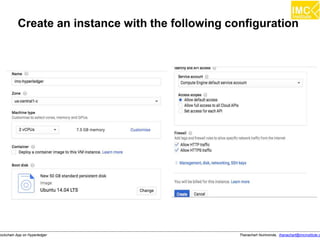
In this lab, we will use a GCP’s compute engine as our server w
● Ubuntu Server 14.04 LTS
● 2 vCPU, 7.5 GB memory
● 50 GB SSD
Thanachart Numnonda, thanachart@imcinstitute.clockchain App on Hyperledger
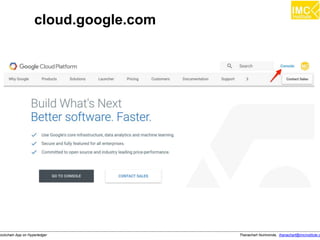
cloud.google.com
Thanachart Numnonda, thanachart@imcinstitute.clockchain App on Hyperledger
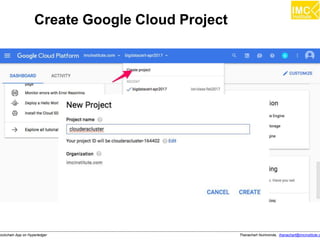
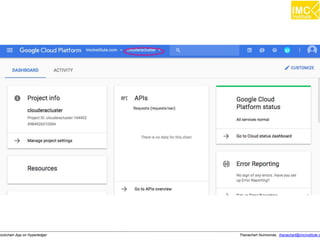
Create Google Cloud Project
Thanachart Numnonda, thanachart@imcinstitute.clockchain App on Hyperledger
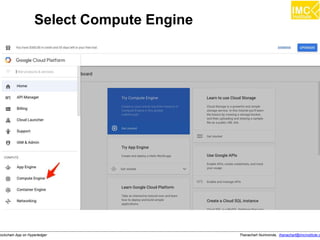
Select Compute Engine
Thanachart Numnonda, thanachart@imcinstitute.clockchain App on Hyperledger
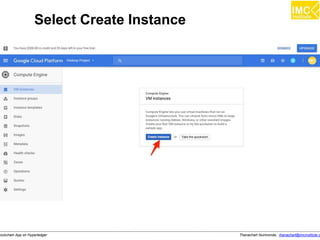
Select Create Instance
Thanachart Numnonda, thanachart@imcinstitute.clockchain App on Hyperledger
Create an instance with the following configuration
Thanachart Numnonda, thanachart@imcinstitute.clockchain App on Hyperledger
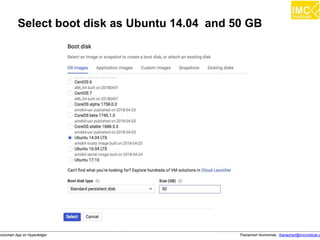
Select boot disk as Ubuntu 14.04 and 50 GB
Thanachart Numnonda, thanachart@imcinstitute.clockchain App on Hyperledger
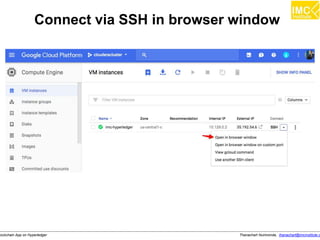
Connect via SSH in browser window
Thanachart Numnonda, thanachart@imcinstitute.clockchain App on Hyperledger
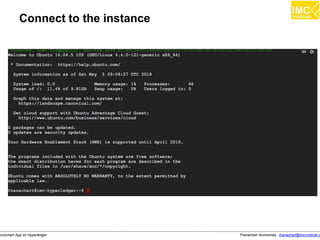
Connect to the instance
Thanachart Numnonda, thanachart@imcinstitute.clockchain App on Hyperledger
Installing Hyperledger
development environment
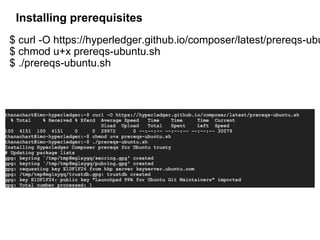
Installing prerequisites
$ curl -O https://hyperledger.github.io/composer/latest/prereqs-ubu
$ chmod u+x prereqs-ubuntu.sh
$ ./prereqs-ubuntu.sh
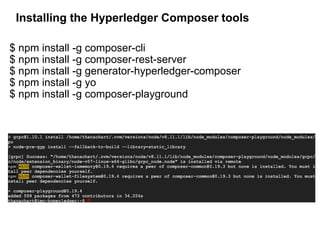
Installing the Hyperledger Composer tools
$ npm install -g composer-cli
$ npm install -g composer-rest-server
$ npm install -g generator-hyperledger-composer
$ npm install -g yo
$ npm install -g composer-playground
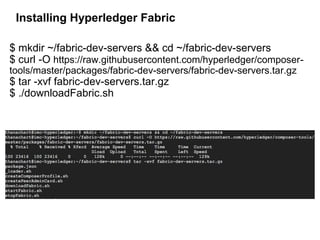
Installing Hyperledger Fabric
$ mkdir ~/fabric-dev-servers && cd ~/fabric-dev-servers
$ curl -O https://raw.githubusercontent.com/hyperledger/composer-
tools/master/packages/fabric-dev-servers/fabric-dev-servers.tar.gz
$ tar -xvf fabric-dev-servers.tar.gz
$ ./downloadFabric.sh
Thanachart Numnonda, thanachart@imcinstitute.clockchain App on Hyperledger
Starting Hyperledger-Fabric
&
Hyperledger composer playground
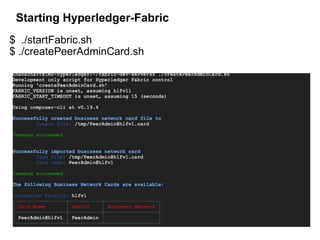
Starting Hyperledger-Fabric
$ ./startFabric.sh
$ ./createPeerAdminCard.sh
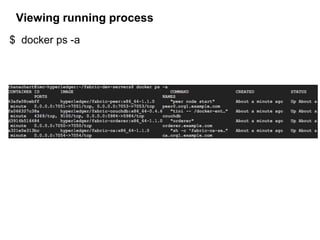
Viewing running process
$ docker ps -a
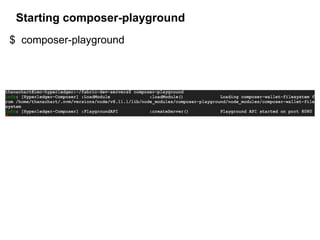
Starting composer-playground
$ composer-playground
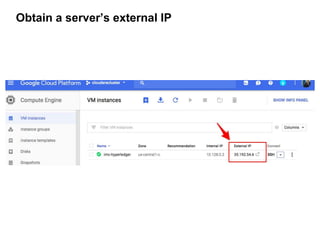
Obtain a server’s external IP
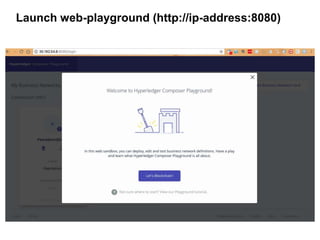
Launch web-playground (http://ip-address:8080)
Thanachart Numnonda, thanachart@imcinstitute.clockchain App on Hyperledger
Running an example business
network
Thanachart Numnonda, thanachart@imcinstitute.clockchain App on Hyperledger
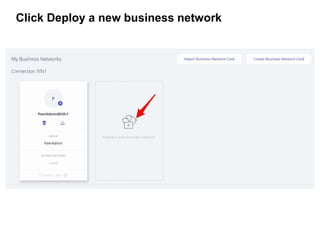
Click Deploy a new business network
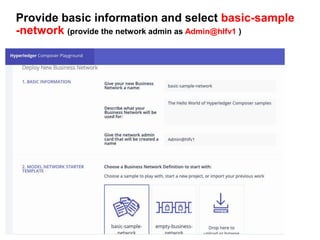
Provide basic information and select basic-sample
-network (provide the network admin as Admin@hlfv1 )
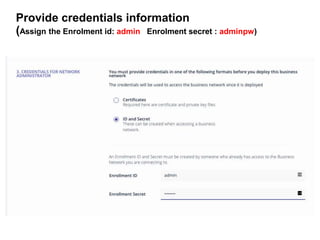
Provide credentials information
(Assign the Enrolment id: admin Enrolment secret : adminpw)
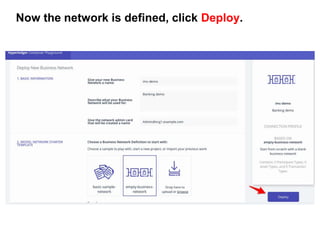
Now the network is defined, click Deploy.
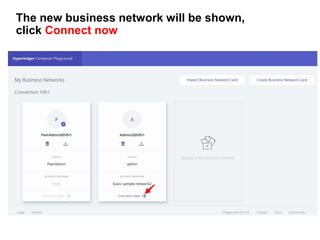
The new business network will be shown,
click Connect now
thanachart@imcinstitute.com31
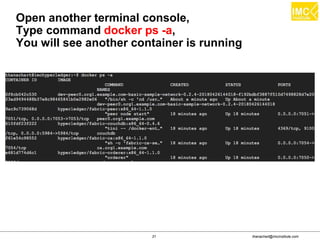
Open another terminal console,
Type command docker ps -a,
You will see another container is running
thanachart@imcinstitute.com32
thanachart@imcinstitute.com33
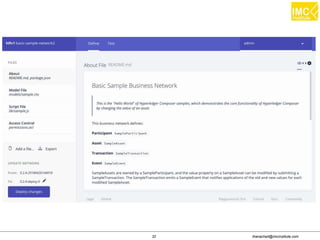
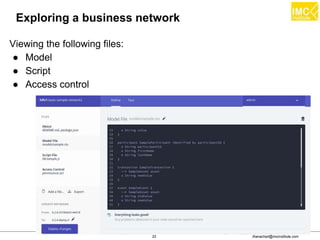
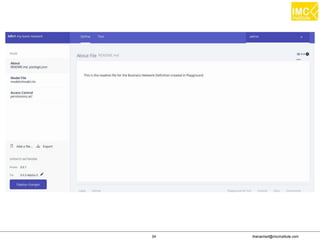
Exploring a business network
Viewing the following files:
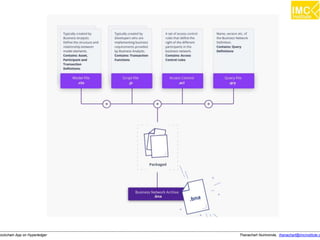
● Model
● Script
● Access control
thanachart@imcinstitute.com34
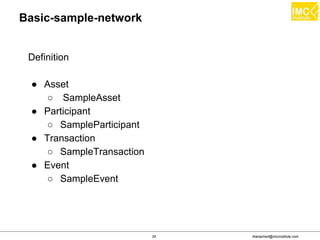
Basic-sample-network
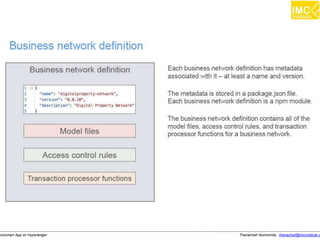
Definition
● Asset
○ SampleAsset
● Participant
○ SampleParticipant
● Transaction
○ SampleTransaction
● Event
○ SampleEvent
thanachart@imcinstitute.com35
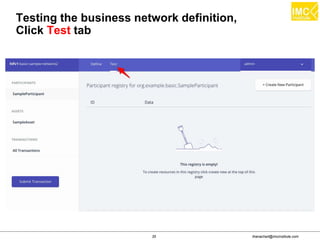
Testing the business network definition,
Click Test tab
thanachart@imcinstitute.com36
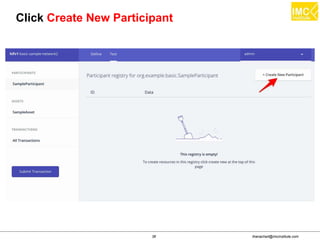
Click Create New Participant
thanachart@imcinstitute.com37
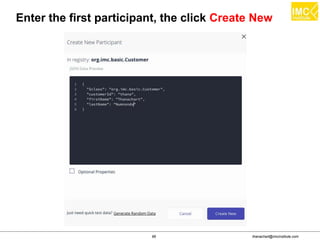
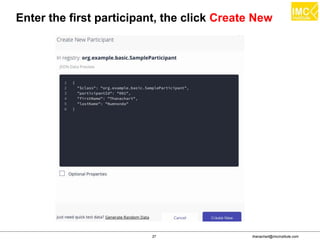
Enter the first participant, the click Create New
thanachart@imcinstitute.com38
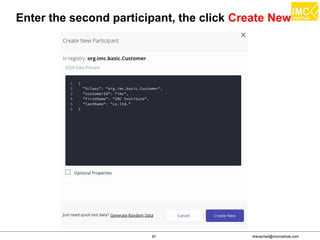
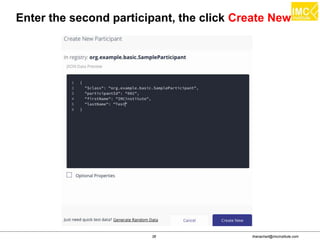
Enter the second participant, the click Create New
thanachart@imcinstitute.com39
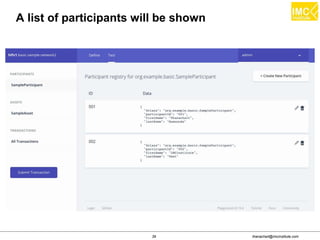
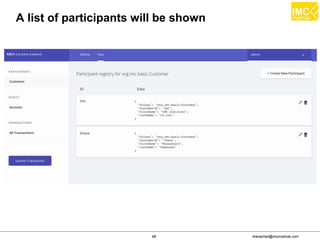
A list of participants will be shown
thanachart@imcinstitute.com40
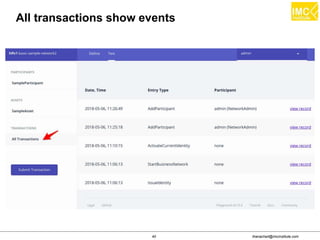
All transactions show events
thanachart@imcinstitute.com41
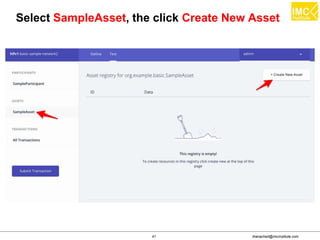
Select SampleAsset, the click Create New Asset
thanachart@imcinstitute.com42
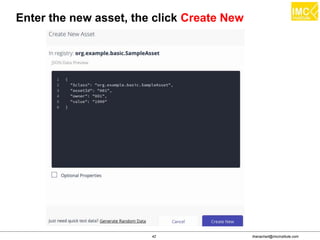
Enter the new asset, the click Create New
thanachart@imcinstitute.com43
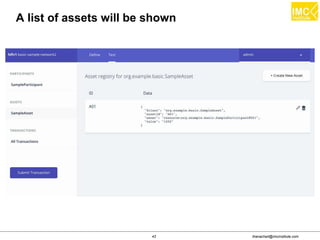
A list of assets will be shown
thanachart@imcinstitute.com44
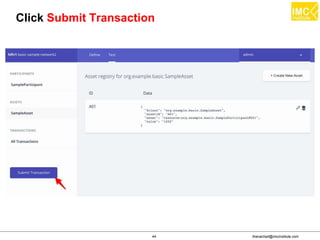
Click Submit Transaction
thanachart@imcinstitute.com45
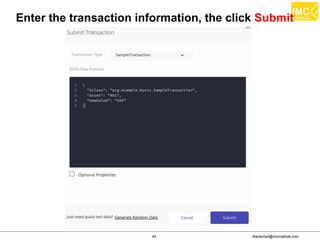
Enter the transaction information, the click Submit
thanachart@imcinstitute.com46
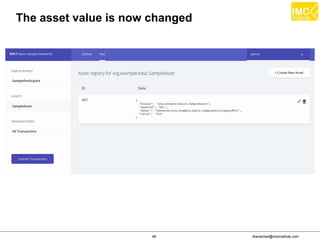
The asset value is now changed
Thanachart Numnonda, thanachart@imcinstitute.clockchain App on Hyperledger
Developing a new business network
thanachart@imcinstitute.com48
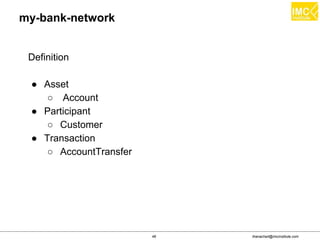
my-bank-network
Definition
● Asset
○ Account
● Participant
○ Customer
● Transaction
○ AccountTransfer
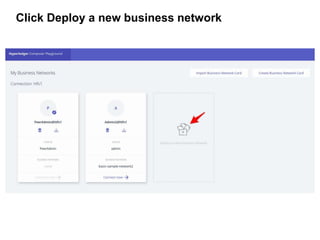
Click Deploy a new business network
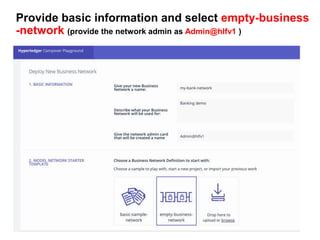
Provide basic information and select empty-business
-network (provide the network admin as Admin@hlfv1 )
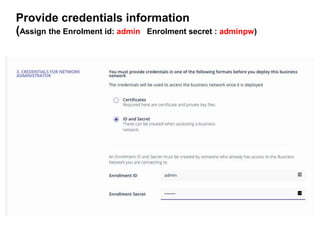
Provide credentials information
(Assign the Enrolment id: admin Enrolment secret : adminpw)
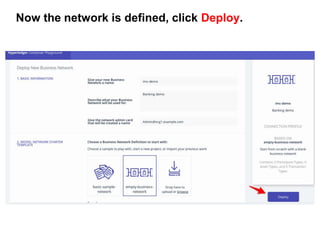
Now the network is defined, click Deploy.
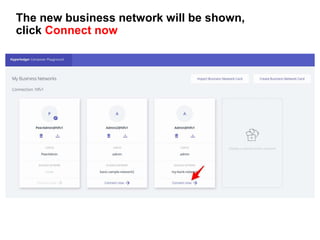
The new business network will be shown,
click Connect now
thanachart@imcinstitute.com54
thanachart@imcinstitute.com55
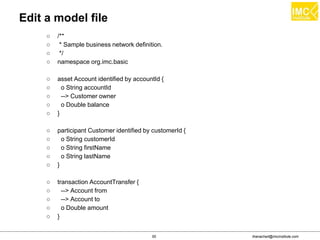
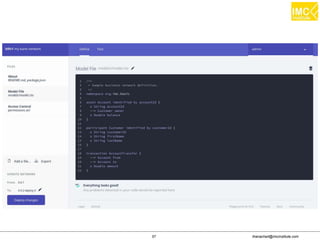
Edit a model file
○ /**
○ * Sample business network definition.
○ */
○ namespace org.imc.basic
○ asset Account identified by accountId {
○ o String accountId
○ --> Customer owner
○ o Double balance
○ }
○ participant Customer identified by customerId {
○ o String customerId
○ o String firstName
○ o String lastName
○ }
○ transaction AccountTransfer {
○ --> Account from
○ --> Account to
○ o Double amount
○ }
thanachart@imcinstitute.com56
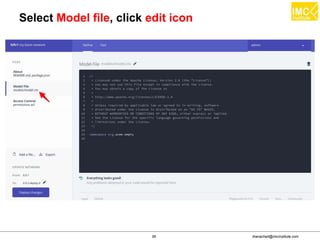
Select Model file, click edit icon
thanachart@imcinstitute.com57
thanachart@imcinstitute.com58
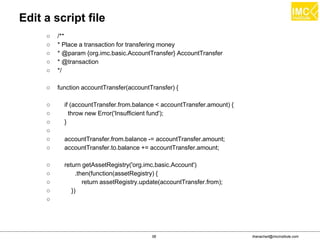
Edit a script file
○ /**
○ * Place a transaction for transfering money
○ * @param {org.imc.basic.AccountTransfer} AccountTransfer
○ * @transaction
○ */
○ function accountTransfer(accountTransfer) {
○ if (accountTransfer.from.balance < accountTransfer.amount) {
○ throw new Error('Insufficient fund');
○ }
○
○ accountTransfer.from.balance -= accountTransfer.amount;
○ accountTransfer.to.balance += accountTransfer.amount;
○ return getAssetRegistry('org.imc.basic.Account')
○ .then(function(assetRegistry) {
○ return assetRegistry.update(accountTransfer.from);
○ })
○
thanachart@imcinstitute.com59
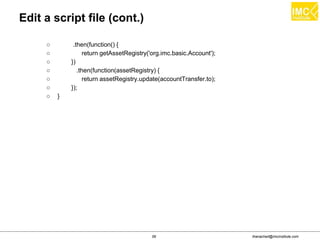
Edit a script file (cont.)
○ .then(function() {
○ return getAssetRegistry('org.imc.basic.Account');
○ })
○ .then(function(assetRegistry) {
○ return assetRegistry.update(accountTransfer.to);
○ });
○ }
thanachart@imcinstitute.com60
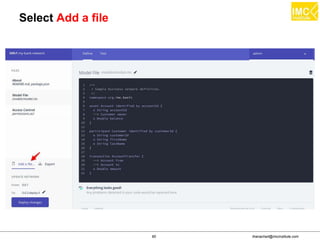
Select Add a file
thanachart@imcinstitute.com61
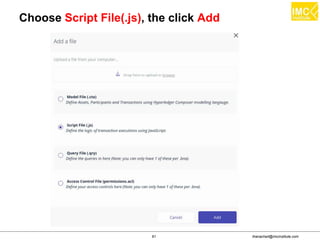
Choose Script File(.js), the click Add
thanachart@imcinstitute.com62
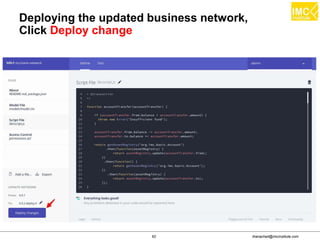
Deploying the updated business network,
Click Deploy change
thanachart@imcinstitute.com63
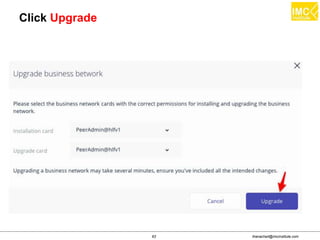
Click Upgrade
thanachart@imcinstitute.com64
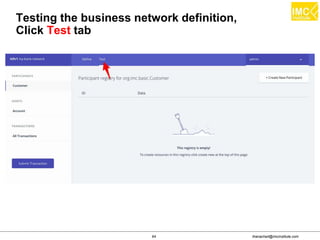
Testing the business network definition,
Click Test tab
thanachart@imcinstitute.com65
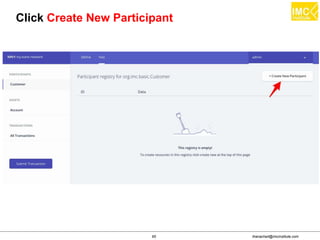
Click Create New Participant
thanachart@imcinstitute.com66
Enter the first participant, the click Create New
thanachart@imcinstitute.com67
Enter the second participant, the click Create New
thanachart@imcinstitute.com68
A list of participants will be shown
thanachart@imcinstitute.com69
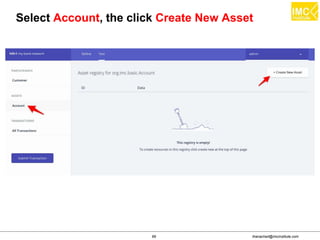
Select Account, the click Create New Asset
thanachart@imcinstitute.com70
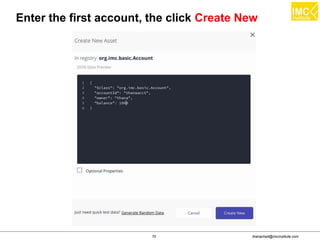
Enter the first account, the click Create New
thanachart@imcinstitute.com71
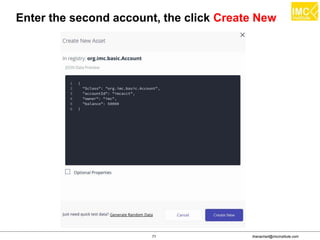
Enter the second account, the click Create New
thanachart@imcinstitute.com72
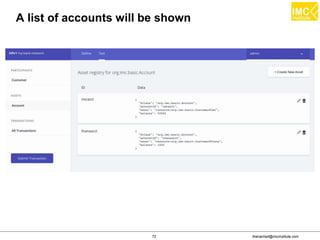
A list of accounts will be shown
thanachart@imcinstitute.com73
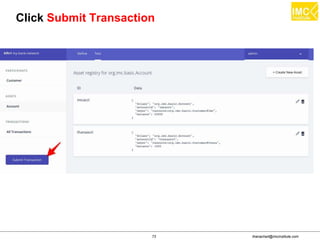
Click Submit Transaction
thanachart@imcinstitute.com74
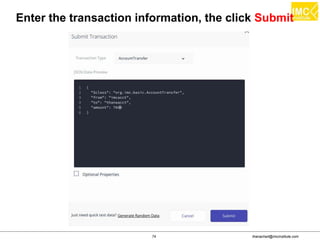
Enter the transaction information, the click Submit
thanachart@imcinstitute.com75
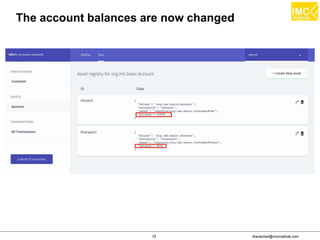
The account balances are now changed
thanachart@imcinstitute.com76
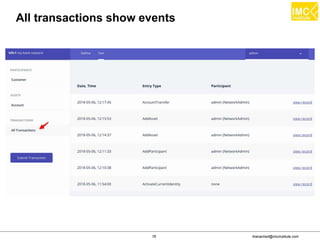
All transactions show events
Thanachart Numnonda, thanachart@imcinstitute.clockchain App on Hyperledger
Generate REST APIs
thanachart@imcinstitute.com78
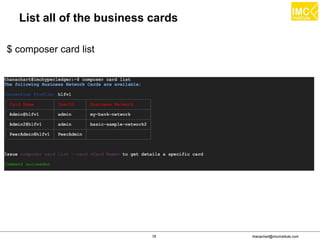
List all of the business cards
$ composer card list
thanachart@imcinstitute.com79
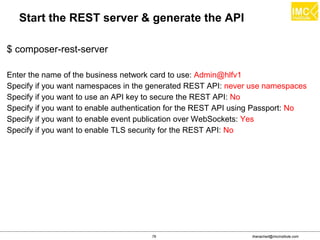
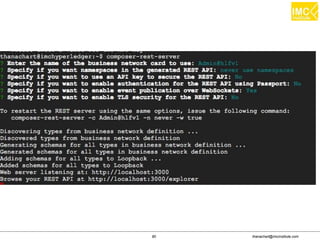
Start the REST server & generate the API
$ composer-rest-server
Enter the name of the business network card to use: Admin@hlfv1
Specify if you want namespaces in the generated REST API: never use namespaces
Specify if you want to use an API key to secure the REST API: No
Specify if you want to enable authentication for the REST API using Passport: No
Specify if you want to enable event publication over WebSockets: Yes
Specify if you want to enable TLS security for the REST API: No
thanachart@imcinstitute.com80
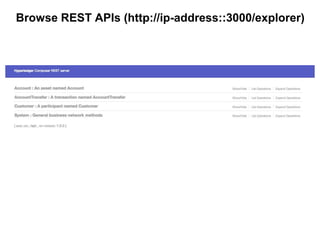
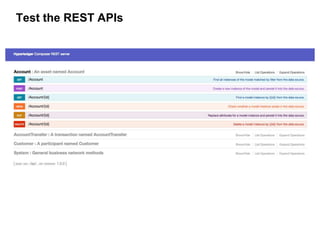
Browse REST APIs (http://ip-address::3000/explorer)
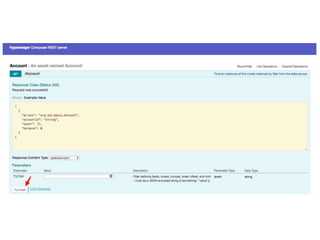
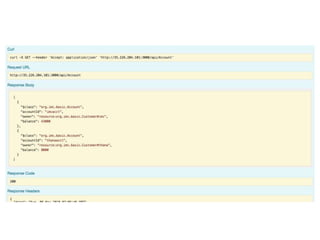
Test the REST APIs
www.facebook.com/imcinstitute
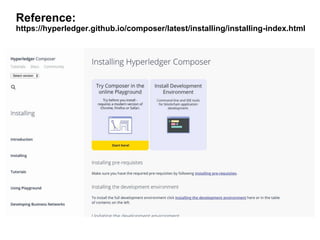
Reference:
https://hyperledger.github.io/composer/latest/installing/installing-index.html
Thanachart Numnonda,Big Data as a Service Using Google Cloud Platform
Thank you
www.imcinstitute.com
www.facebook.com/imcinstitute

Developing Business Blockchain Applications on Hyperledger