Enterprise iPad Development
           (JAX ARCSIG)

       Keith Tingle 3/27/2012
Architectural Choices
• Two Options
   – Native iOS application
   – HTML 5 application
• Choose well now, make a enormous difference later in the game.
• Key Factors
   – Are you cloning portions of a web site that is already built?
   – Are the users entirely internal?
   – How often do you deploy hot fixes?
   – How do you intend to test your software?
Native Apps – PreReqs
•   You *need* Apple hardware to develop for iOS
     –   Your whole team needs Macs?
     –   Virtualization

•   Tools
     –   Xcode 4.3.2
            •   Free from Mac App Store
            •   Requires Lion

•   iOS Developer Program
     –   $99 / year
     –   Provisioning Portal & iTunes Connect

•   iOS Developer Enterprise Program
     –   $299 / year
     –   Requires your company to have a Dun & Bradstreet number
     –   Allows deployment outside of App Store w/ some restrictions
Native Apps – The Basics
              Objective-C
                                C


            Objective-C (*.m)   Objective C++ (*.mm)


C++                             Objective-C
class                           @interface/@implementation
private, protected, public      @private, @protected, @public
throw, catch                    @throw, @catch
Objective-C – Key Features
•   Dynamic Language
     – @selector, SEL

•   Automatic Reference Counting (ARC)
     – iOS 5 compiler feature

•   Blocks
     – Similar to anonymous delegates in other languages
          •   Blocks are closures
          •   Used in Grand Central Dispatch (GCD)

•   Exceptions
     – Not commonly used in Cocoa development
     – Programmers use exceptions to alert themselves to unrecoverable errors
Cocoa Touch
• Originally built for the iPhone
   – UITableView
       • Great for the iPhone
       • Good enough for the iPad?

   – No real grid control
   – No tree control
   – Added for iPad
       • SplitViewController
       • Popover Control
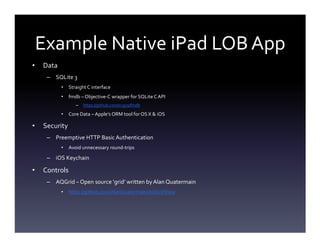
Example Native iPad LOB App
•   Data
     – SQLite 3
           •   Straight C interface
           •   fmdb – Objective-C wrapper for SQLite C API
                  –   https://github.com/ccgus/fmdb

           •   Core Data – Apple’s ORM tool for OS X & iOS

•   Security
     – Preemptive HTTP Basic Authentication
           •   Avoid unnecessary round-trips

     – iOS Keychain

•   Controls
     – AQGrid – Open source ‘grid’ written by Alan Quatermain
           •   https://github.com/AlanQuatermain/AQGridView
Deploying Native iPad Apps

Deployment    Profile        Device ID?   User Types       Method
Development   Development    Yes          Developer        USB Cable
Ad Hoc        Ad Hoc         Yes          Testers          Over the Air
App Store     Distribution   No           Everyone         App Store
Enterprise    Distribution   No           Internal Users   Over the Air
B2B           Distribution   NO           Customers        App Store
HTML 5 on the iPad


• How close can we get to the feel of a native
  iPad application with HTML5?
     • Web Clips

     • Mobile Safari extensions
Native vs. HTML 5
• Monetization          • Reuse existing web site
   – Purchase             code!
   – In-app purchases   • Ability to push hot fixes
   – iAd                • Internal, B2B users
• Notifications           treated the same
• More local storage    • More tools are available
• DRM                   • More developers
• Keychain Access
Resources
• HTML5 Application Cache
   – https://developer.mozilla.org/en/http://
• Preparing Your Web Content for iPad
   – http://developer.apple.com/library/safari/#technotes/tn2010/tn2262/
      _index.html
   – http://developer.apple.com/library/safari/#documentation/AppleAppl
      ications/Reference/SafariWebContent/ConfiguringWebApplications/C
      onfiguringWebApplications.html#//apple_ref/doc/uid/TP40002051-
      CH3-SW3
Offline Operation – HTML 5 Apps

• Application Manifests
   – <html manifest=“app-files.appcache”>
   – Supported by Mobile Safari (and all WebKit-based
     browsers)
   – http://www.w3.org/TR/html5/offline.html
   – https://developer.mozilla.org/en/Offline_resources_in_Fir
     efox

Enterprise iPad Development Without Notes

  • 1.
    Enterprise iPad Development (JAX ARCSIG) Keith Tingle 3/27/2012
  • 2.
    Architectural Choices • TwoOptions – Native iOS application – HTML 5 application • Choose well now, make a enormous difference later in the game. • Key Factors – Are you cloning portions of a web site that is already built? – Are the users entirely internal? – How often do you deploy hot fixes? – How do you intend to test your software?
  • 3.
    Native Apps –PreReqs • You *need* Apple hardware to develop for iOS – Your whole team needs Macs? – Virtualization • Tools – Xcode 4.3.2 • Free from Mac App Store • Requires Lion • iOS Developer Program – $99 / year – Provisioning Portal & iTunes Connect • iOS Developer Enterprise Program – $299 / year – Requires your company to have a Dun & Bradstreet number – Allows deployment outside of App Store w/ some restrictions
  • 4.
    Native Apps –The Basics Objective-C C Objective-C (*.m) Objective C++ (*.mm) C++ Objective-C class @interface/@implementation private, protected, public @private, @protected, @public throw, catch @throw, @catch
  • 5.
    Objective-C – KeyFeatures • Dynamic Language – @selector, SEL • Automatic Reference Counting (ARC) – iOS 5 compiler feature • Blocks – Similar to anonymous delegates in other languages • Blocks are closures • Used in Grand Central Dispatch (GCD) • Exceptions – Not commonly used in Cocoa development – Programmers use exceptions to alert themselves to unrecoverable errors
  • 6.
    Cocoa Touch • Originallybuilt for the iPhone – UITableView • Great for the iPhone • Good enough for the iPad? – No real grid control – No tree control – Added for iPad • SplitViewController • Popover Control
  • 7.
    Example Native iPadLOB App • Data – SQLite 3 • Straight C interface • fmdb – Objective-C wrapper for SQLite C API – https://github.com/ccgus/fmdb • Core Data – Apple’s ORM tool for OS X & iOS • Security – Preemptive HTTP Basic Authentication • Avoid unnecessary round-trips – iOS Keychain • Controls – AQGrid – Open source ‘grid’ written by Alan Quatermain • https://github.com/AlanQuatermain/AQGridView
  • 8.
    Deploying Native iPadApps Deployment Profile Device ID? User Types Method Development Development Yes Developer USB Cable Ad Hoc Ad Hoc Yes Testers Over the Air App Store Distribution No Everyone App Store Enterprise Distribution No Internal Users Over the Air B2B Distribution NO Customers App Store
  • 9.
    HTML 5 onthe iPad • How close can we get to the feel of a native iPad application with HTML5? • Web Clips • Mobile Safari extensions
  • 10.
    Native vs. HTML5 • Monetization • Reuse existing web site – Purchase code! – In-app purchases • Ability to push hot fixes – iAd • Internal, B2B users • Notifications treated the same • More local storage • More tools are available • DRM • More developers • Keychain Access
  • 11.
    Resources • HTML5 ApplicationCache – https://developer.mozilla.org/en/http:// • Preparing Your Web Content for iPad – http://developer.apple.com/library/safari/#technotes/tn2010/tn2262/ _index.html – http://developer.apple.com/library/safari/#documentation/AppleAppl ications/Reference/SafariWebContent/ConfiguringWebApplications/C onfiguringWebApplications.html#//apple_ref/doc/uid/TP40002051- CH3-SW3
  • 12.
    Offline Operation –HTML 5 Apps • Application Manifests – <html manifest=“app-files.appcache”> – Supported by Mobile Safari (and all WebKit-based browsers) – http://www.w3.org/TR/html5/offline.html – https://developer.mozilla.org/en/Offline_resources_in_Fir efox