Introduction to Mac OS
X, COCOA Touch, Objective C and
              tools
Useful Websites
1. http://developer.apple.com
2. http://devforum.apple.com
       3. Stackoverflow
   4. Above all ask google
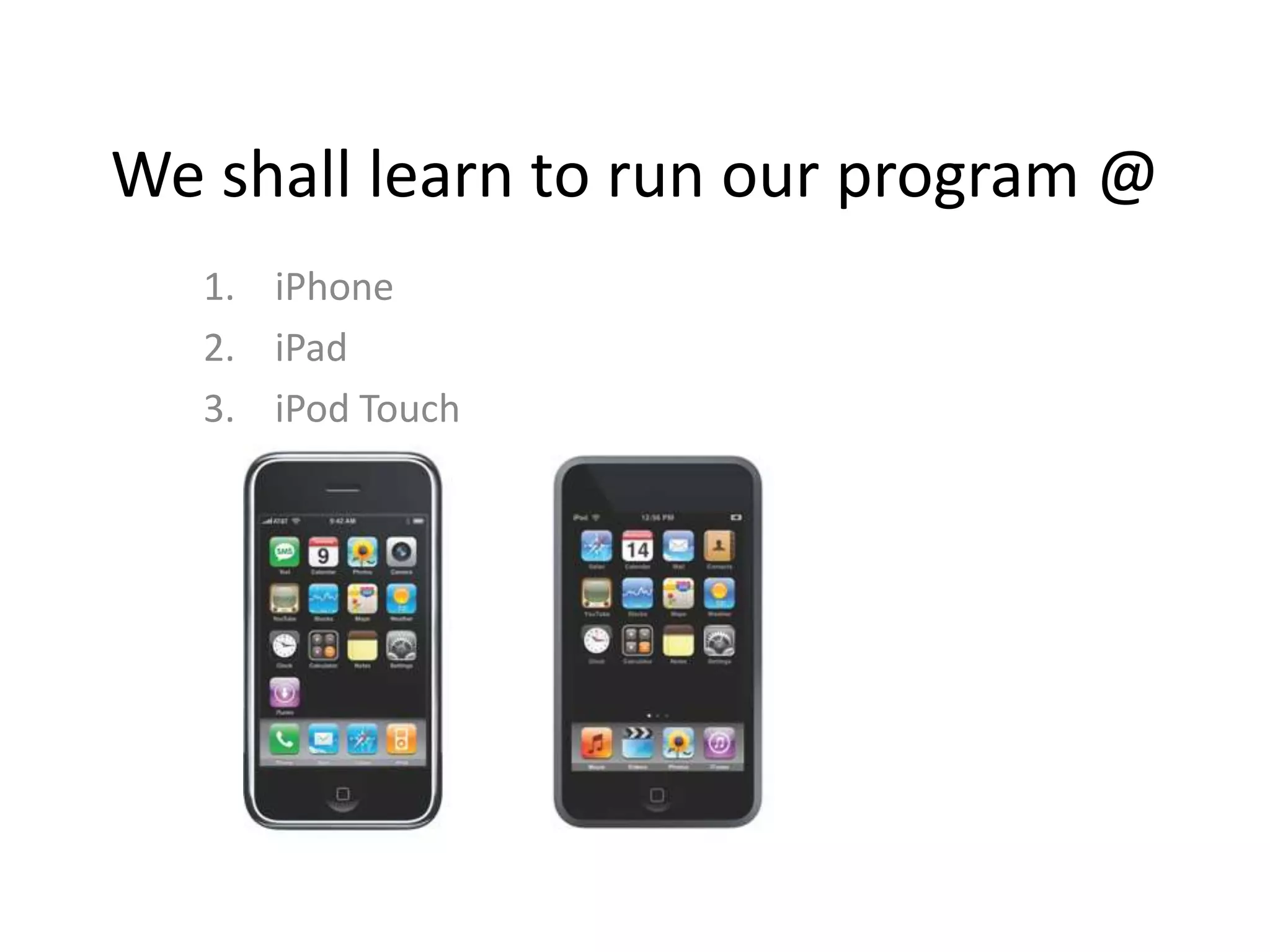
We shall learn to run our program @
   1. iPhone
   2. iPad
   3. iPod Touch
COCOA Touch & SDK
-   Started with NEXT STEP
-   Almost 25 years old
-   Very High Level (TableView, TabView etc)
-   Real world implementation of OO design
    pattern (Ex: MVC)
Tools, Framework, Language
Tools:Xcode         Interface Builder


Frameworks: Foundation (ex: String, array, object
    etc), UIKit
Language & Runtime: Objective C (Super set of C)
About Objective C
-ObjCis a language focused on simplicity and the
elegance of OO design
- Based on ANSI C
- Brings many object oriented principles, but with
a minimal amount of syntax
- can be compared with designs of C, C++ and
Java
About Objective C
-ObjCis a language focused on simplicity and the
elegance of OO design
- Based on ANSI C
- Brings many object oriented principles, but with
a minimal amount of syntax
- can be compared with designs of C, C++ and
Java
Application You’ll Do [Difficulty Level: 0]
             (10 Apps in 7 days)
   -1. Hello world
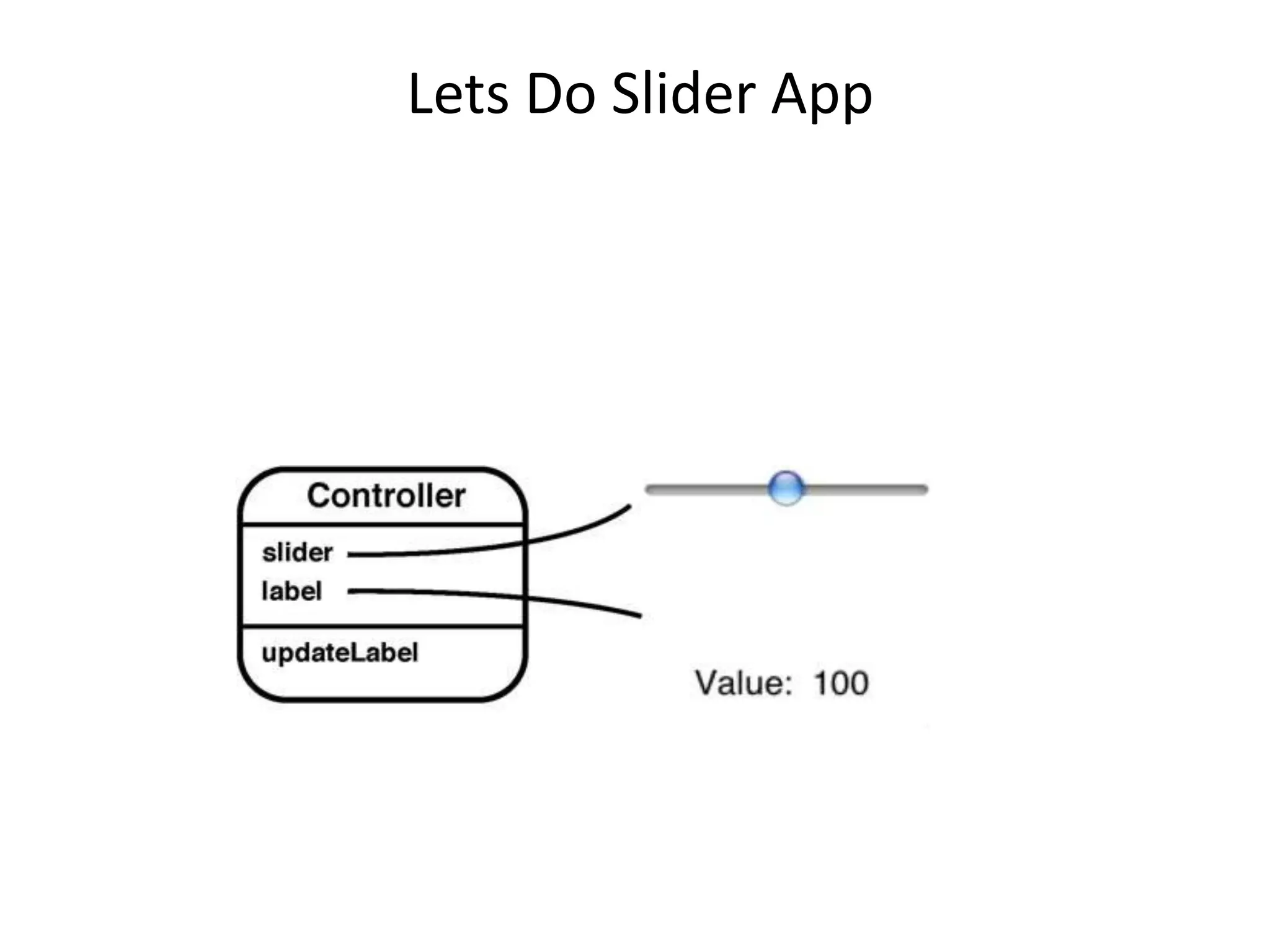
   -2. Put a slider on UI and show it's value by a label
   -3. Simple Calculator
   4. Countdown Clock
   -5. Simple image animation
   -6. Email Sender
   -7. Create a tab based application where each tab consists 5
   navigation view
   -8. Display GPS location on map
   -9. Simple image animation (fade in fade out) from selecting
   images from file system
   -10. Determine which net connection is available and if not
   notify
Application You’ll Do [Difficulty Level: 1]
             (7 Apps in 10 days)
   -1. Parse a Jason and/or xml data (image + data) from
   web and show it in a view.
   -2. Input multiple name & age and save to database
   and/or plist
   -3. Populate a table using 2 and make the rows
   editable
   -4. Simple image animation (fade in fade out) from
   selecting images from file system
   -5. do 1 & 2 using core data.
   -6. Make a snake game using accelerometer.
   -7. Make a Pendulum move with accelerometer
   movement.
Application You’ll Do [Difficulty Level: 2]
             (7 Apps in 10 days)
   -1. Countdown clock & trigger alarm with a sound playback
   -2. Play a video from local file system
   -3. play a youtube video (MPPlayer&WebView).
   -4. Post an image+ text to twitter &facebook using sharekit
   -5. Get coordinate from a zip code value and put a marker
   on map and show distance from present coordinate
   -6. Capture an image and a video, save it and post it to
   Facebook and show as a blip on map from where the image
   is taken
   -7. Create an application to submit in app store(any)
   a. Unit Converter
   b. currency converter
   c. medicine app (reminder via push notification)
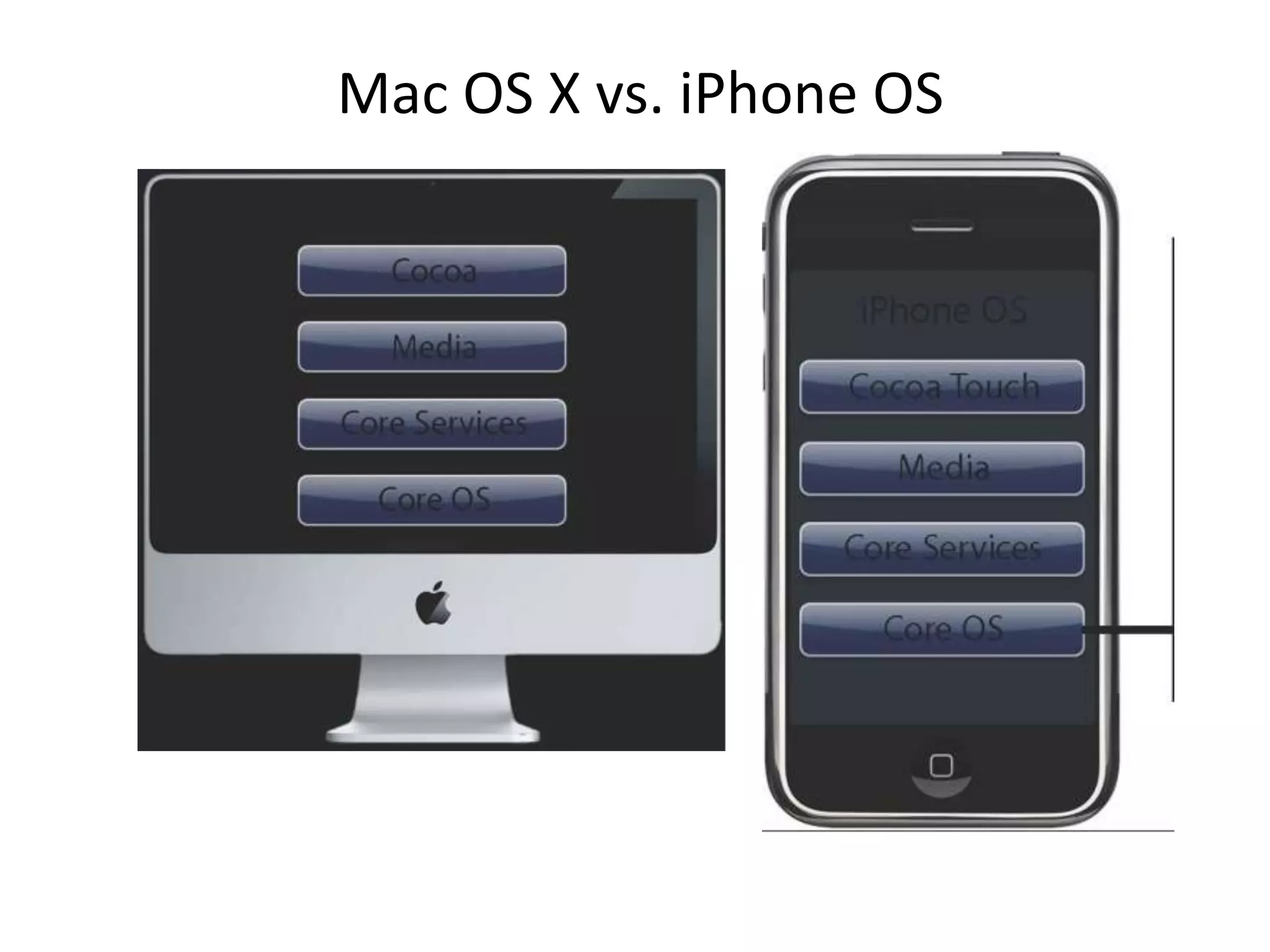
Mac OS X vs. iPhone OS
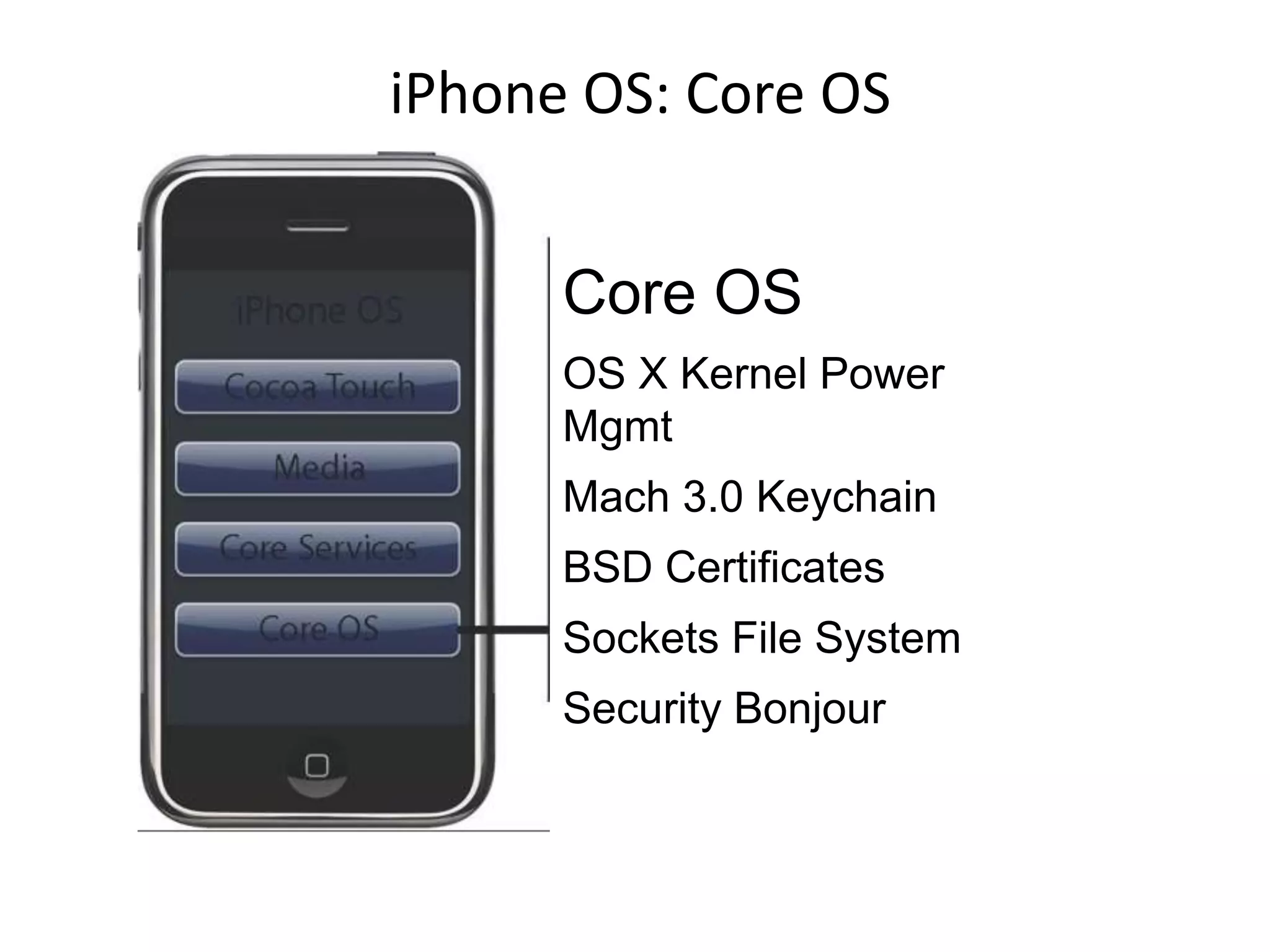
iPhone OS: Core OS


      Core OS
      OS X Kernel Power
      Mgmt
      Mach 3.0 Keychain
      BSD Certificates
      Sockets File System
      Security Bonjour
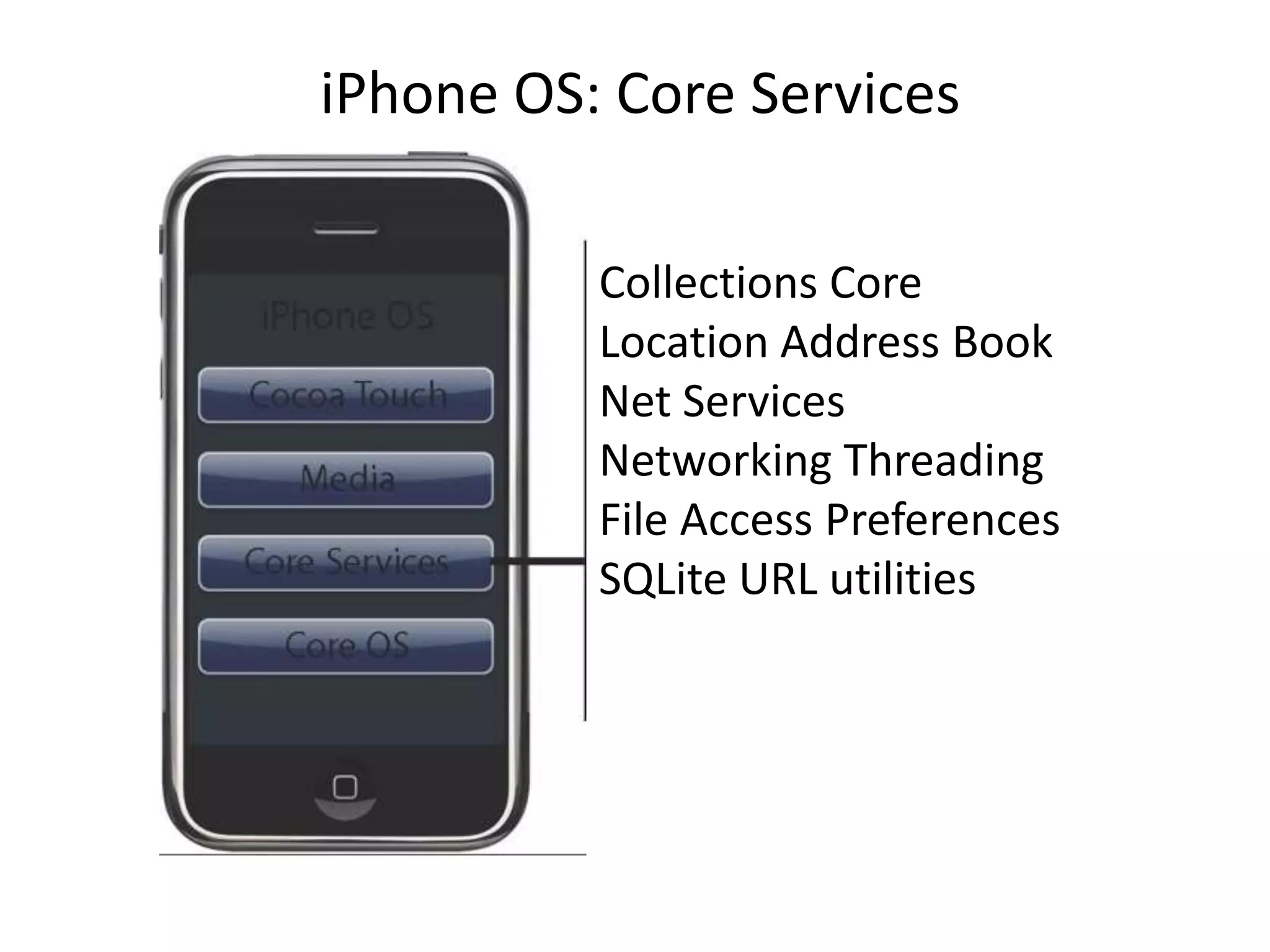
iPhone OS: Core Services

          Collections Core
          Location Address Book
          Net Services
          Networking Threading
          File Access Preferences
          SQLite URL utilities
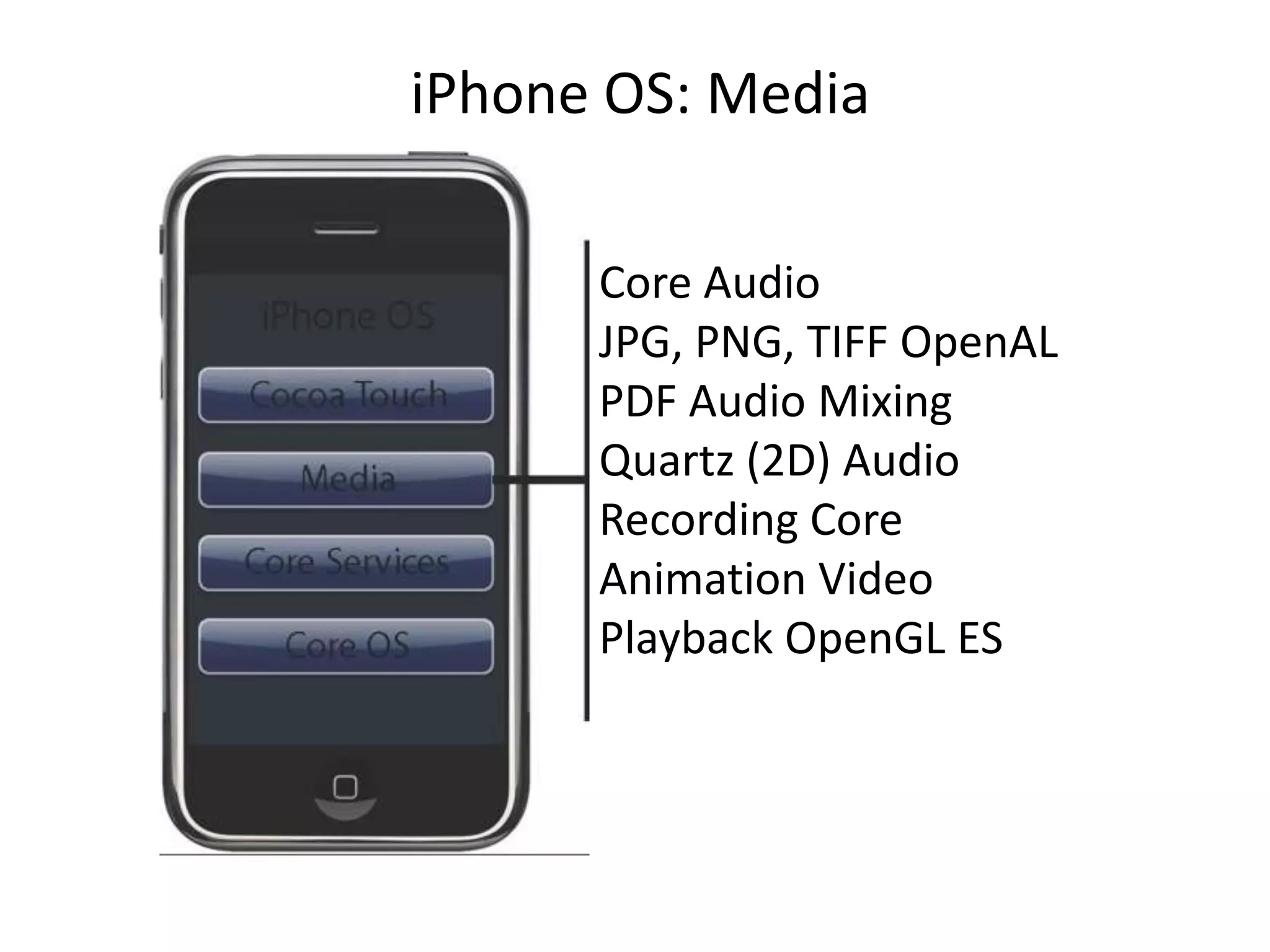
iPhone OS: Media

      Core Audio
      JPG, PNG, TIFF OpenAL
      PDF Audio Mixing
      Quartz (2D) Audio
      Recording Core
      Animation Video
      Playback OpenGL ES
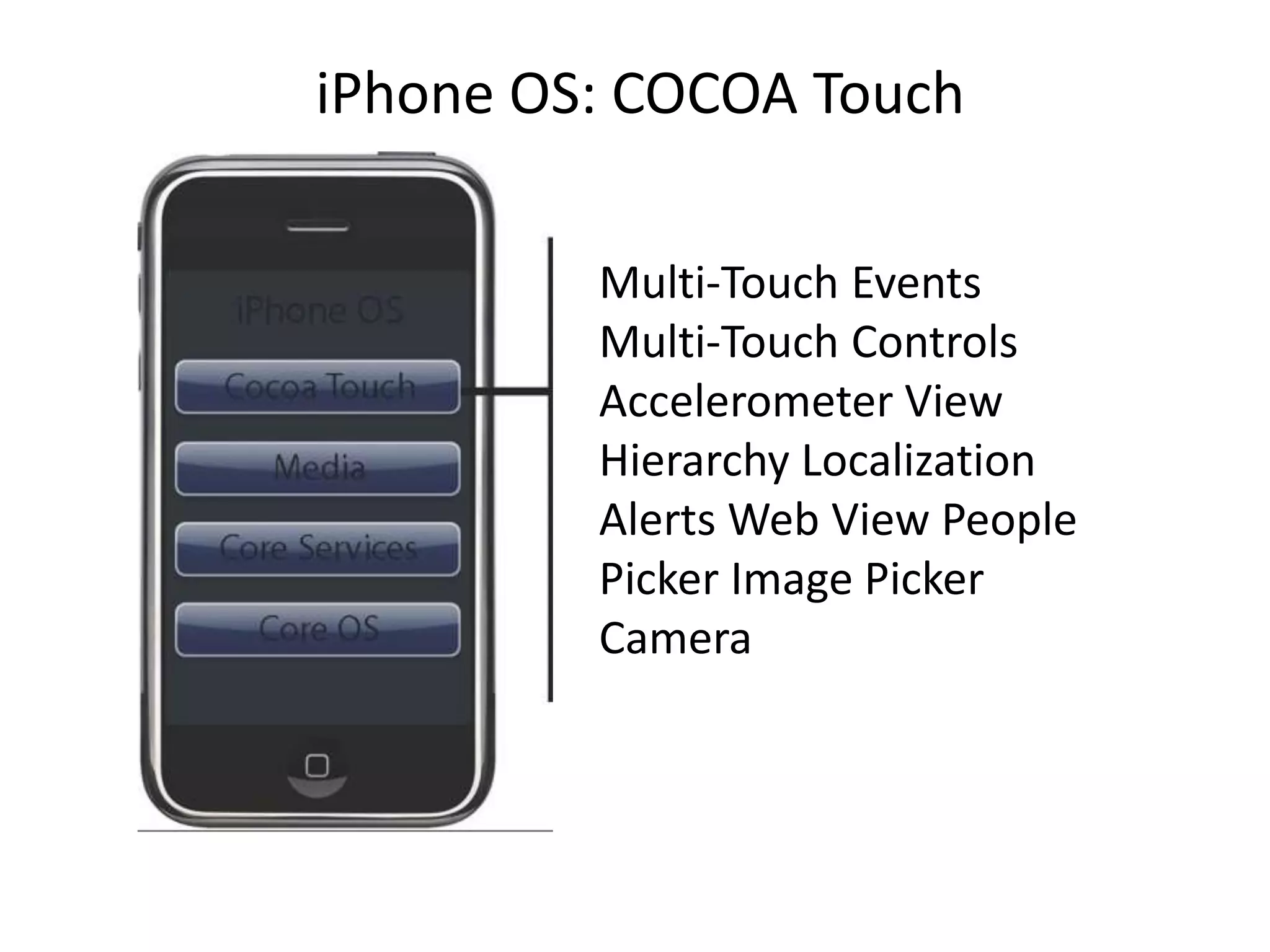
iPhone OS: COCOA Touch

         Multi-Touch Events
         Multi-Touch Controls
         Accelerometer View
         Hierarchy Localization
         Alerts Web View People
         Picker Image Picker
         Camera
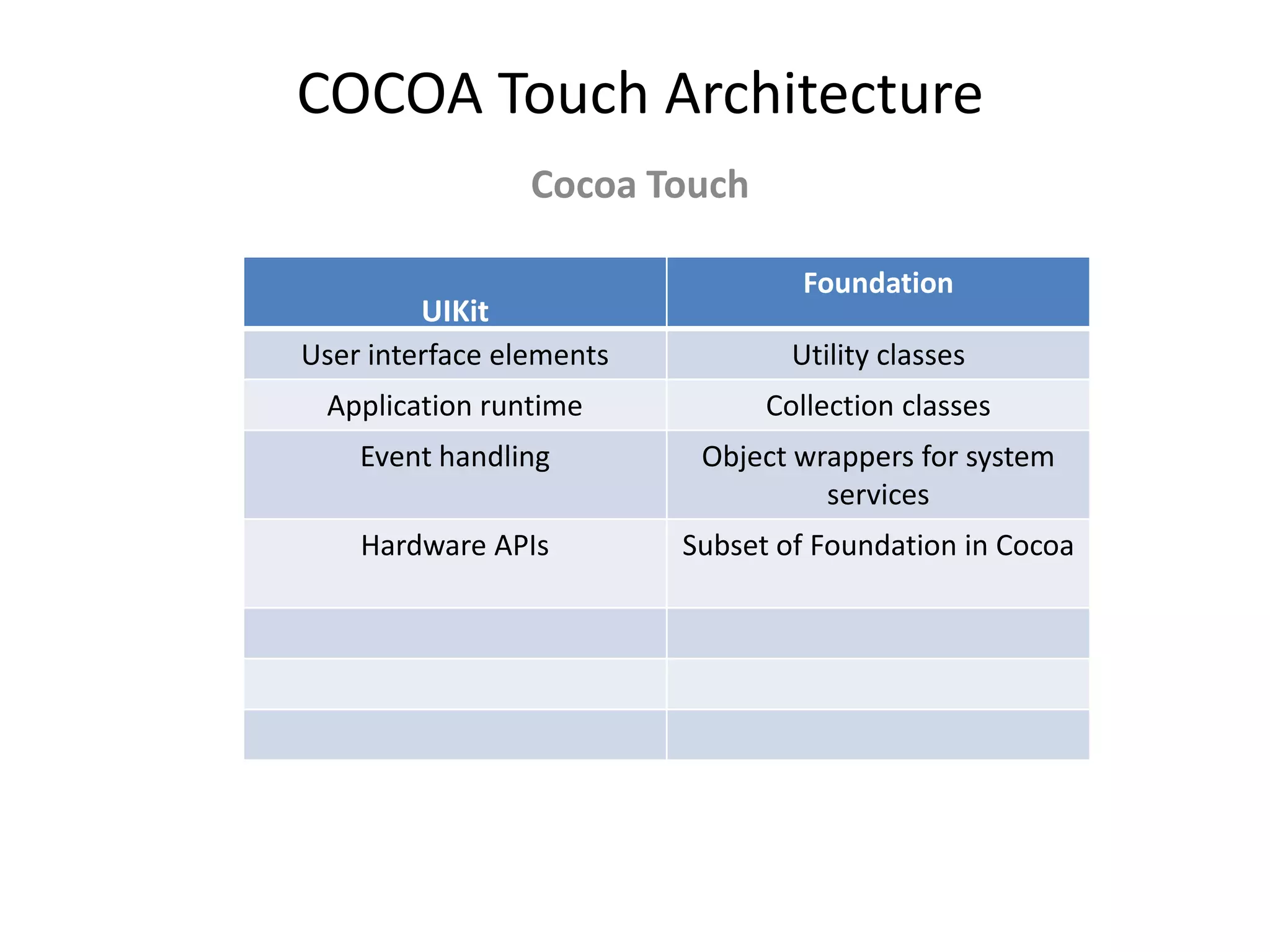
COCOA Touch Architecture
                 Cocoa Touch

                                  Foundation
         UIKit
User interface elements           Utility classes
 Application runtime            Collection classes
    Event handling         Object wrappers for system
                                    services
    Hardware APIs         Subset of Foundation in Cocoa
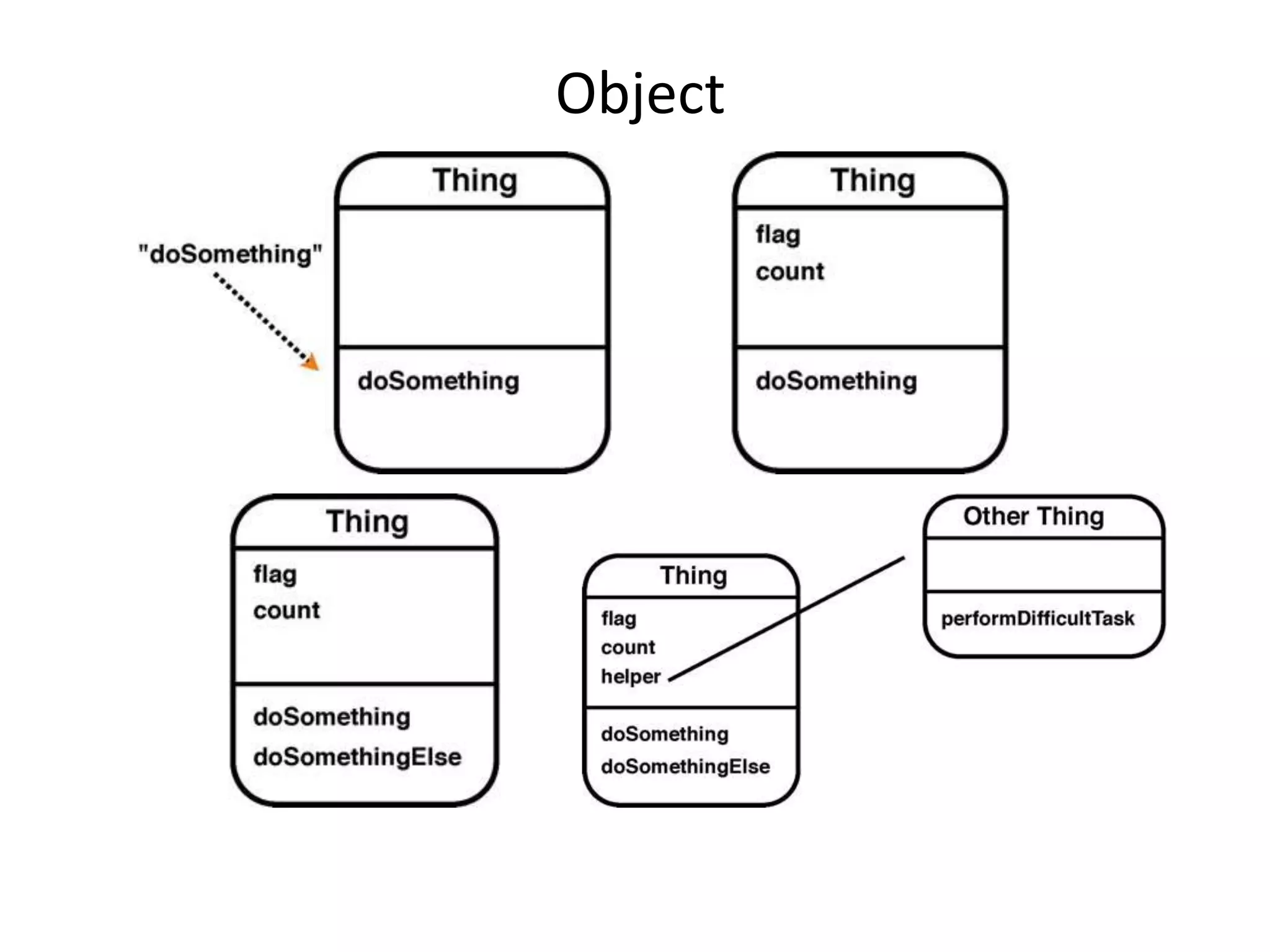
Object
Lets Do: “Hello World”
Lets Do Slider App

Lecture1

  • 1.
    Introduction to MacOS X, COCOA Touch, Objective C and tools
  • 2.
    Useful Websites 1. http://developer.apple.com 2.http://devforum.apple.com 3. Stackoverflow 4. Above all ask google
  • 3.
    We shall learnto run our program @ 1. iPhone 2. iPad 3. iPod Touch
  • 4.
    COCOA Touch &SDK - Started with NEXT STEP - Almost 25 years old - Very High Level (TableView, TabView etc) - Real world implementation of OO design pattern (Ex: MVC)
  • 5.
    Tools, Framework, Language Tools:Xcode Interface Builder Frameworks: Foundation (ex: String, array, object etc), UIKit Language & Runtime: Objective C (Super set of C)
  • 6.
    About Objective C -ObjCisa language focused on simplicity and the elegance of OO design - Based on ANSI C - Brings many object oriented principles, but with a minimal amount of syntax - can be compared with designs of C, C++ and Java
  • 7.
    About Objective C -ObjCisa language focused on simplicity and the elegance of OO design - Based on ANSI C - Brings many object oriented principles, but with a minimal amount of syntax - can be compared with designs of C, C++ and Java
  • 8.
    Application You’ll Do[Difficulty Level: 0] (10 Apps in 7 days) -1. Hello world -2. Put a slider on UI and show it's value by a label -3. Simple Calculator 4. Countdown Clock -5. Simple image animation -6. Email Sender -7. Create a tab based application where each tab consists 5 navigation view -8. Display GPS location on map -9. Simple image animation (fade in fade out) from selecting images from file system -10. Determine which net connection is available and if not notify
  • 9.
    Application You’ll Do[Difficulty Level: 1] (7 Apps in 10 days) -1. Parse a Jason and/or xml data (image + data) from web and show it in a view. -2. Input multiple name & age and save to database and/or plist -3. Populate a table using 2 and make the rows editable -4. Simple image animation (fade in fade out) from selecting images from file system -5. do 1 & 2 using core data. -6. Make a snake game using accelerometer. -7. Make a Pendulum move with accelerometer movement.
  • 10.
    Application You’ll Do[Difficulty Level: 2] (7 Apps in 10 days) -1. Countdown clock & trigger alarm with a sound playback -2. Play a video from local file system -3. play a youtube video (MPPlayer&WebView). -4. Post an image+ text to twitter &facebook using sharekit -5. Get coordinate from a zip code value and put a marker on map and show distance from present coordinate -6. Capture an image and a video, save it and post it to Facebook and show as a blip on map from where the image is taken -7. Create an application to submit in app store(any) a. Unit Converter b. currency converter c. medicine app (reminder via push notification)
  • 11.
    Mac OS Xvs. iPhone OS
  • 12.
    iPhone OS: CoreOS Core OS OS X Kernel Power Mgmt Mach 3.0 Keychain BSD Certificates Sockets File System Security Bonjour
  • 13.
    iPhone OS: CoreServices Collections Core Location Address Book Net Services Networking Threading File Access Preferences SQLite URL utilities
  • 14.
    iPhone OS: Media Core Audio JPG, PNG, TIFF OpenAL PDF Audio Mixing Quartz (2D) Audio Recording Core Animation Video Playback OpenGL ES
  • 15.
    iPhone OS: COCOATouch Multi-Touch Events Multi-Touch Controls Accelerometer View Hierarchy Localization Alerts Web View People Picker Image Picker Camera
  • 16.
    COCOA Touch Architecture Cocoa Touch Foundation UIKit User interface elements Utility classes Application runtime Collection classes Event handling Object wrappers for system services Hardware APIs Subset of Foundation in Cocoa
  • 17.
  • 18.
  • 19.