ABC of
       Zabbix Performance
             Tuning
               Getting most out of your hardware


:..............................            Zabbix Conference 2011
What is all about


       • Overview of Zabbix Performance
       • Step 1. Identify & fix common problems
       • Step 2. Tuning of Zabbix Parameters
       • Step 3. Do extra work

.:.............................              Zabbix Conference 2011
Overview
                   What's Zabbix performance?


..:............................            Zabbix Conference 2011
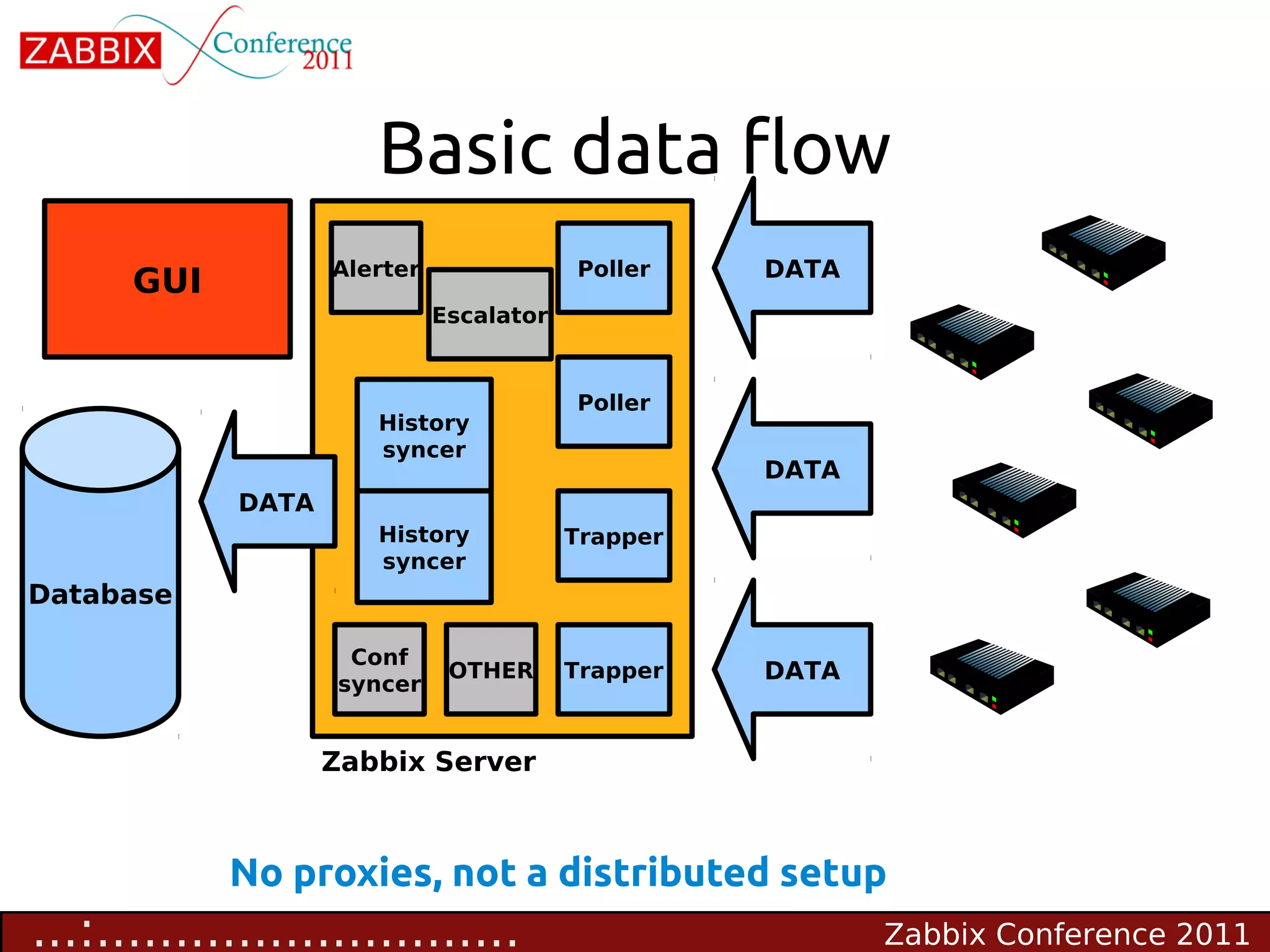
Basic data flow
                    Alerter                   Poller    DATA
      GUI
                                  Escalator


                                              Poller
                         History
                         syncer
                                                        DATA
             DATA
                         History              Trapper
                         syncer
Database

                      Conf
                    Conf syncer    OTHER      Trapper   DATA
                     syncer


                    Zabbix Server


            No proxies, not a distributed setup
...:...........................                                Zabbix Conference 2011
Metrics of Zabbix
                    performance

      • Number of values processed per second (NVPS)
      • A rough estimate of NVPS is visible in Zabbix
         Dashboard


                                                        NVPS


....:..........................             Zabbix Conference 2011
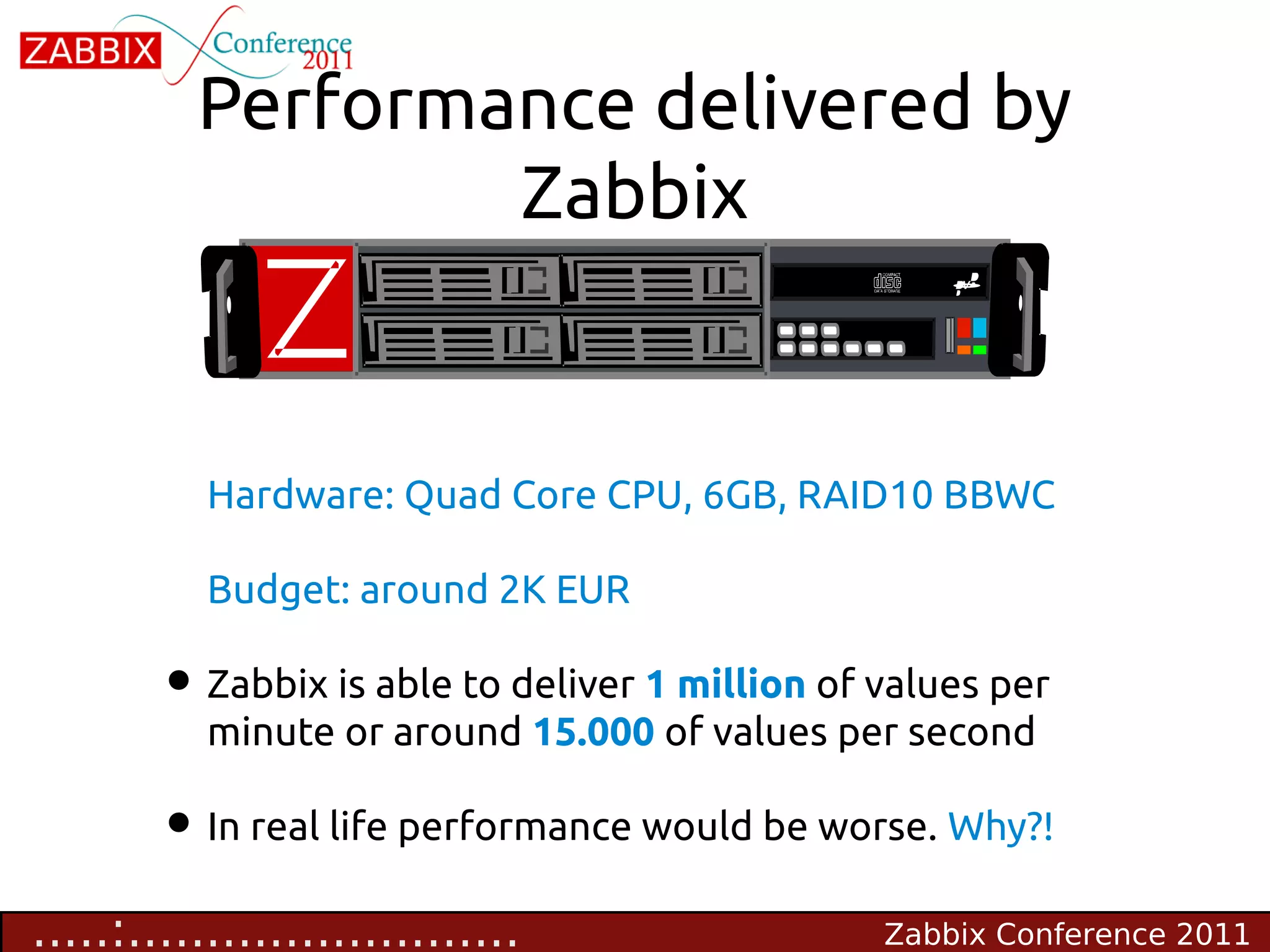
Performance delivered by
                  Zabbix


           Hardware: Quad Core CPU, 6GB, RAID10 BBWC

           Budget: around 2K EUR

        • Zabbix is able to deliver 1 million of values per
           minute or around 15.000 of values per second

        • In real life performance would be worse. Why?!
.....:.........................                  Zabbix Conference 2011
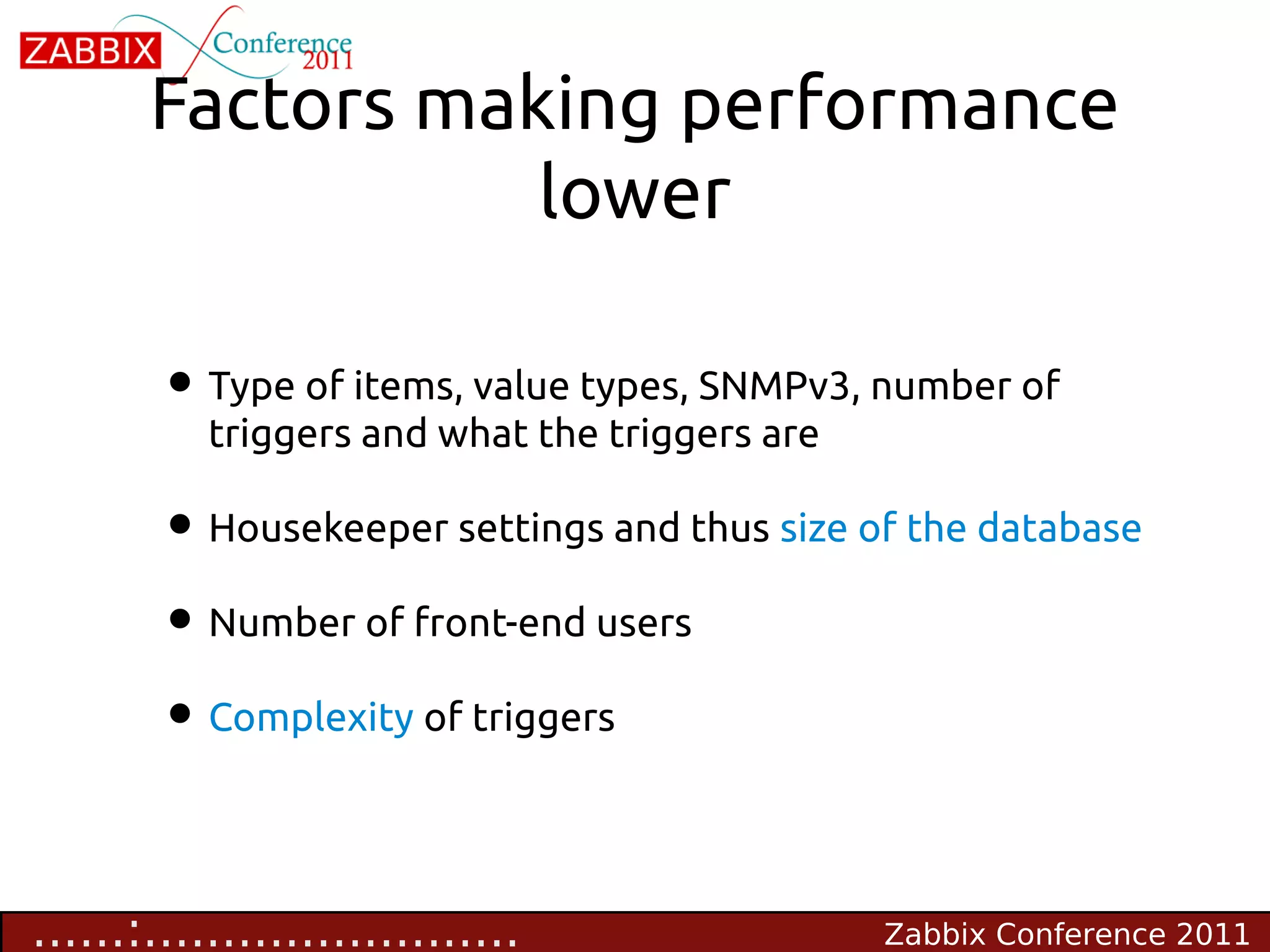
Factors making performance
                  lower

        • Type of items, value types, SNMPv3, number of
           triggers and what the triggers are

        • Housekeeper settings and thus size of the database
        • Number of front-end users
        • Complexity of triggers


......:........................                 Zabbix Conference 2011
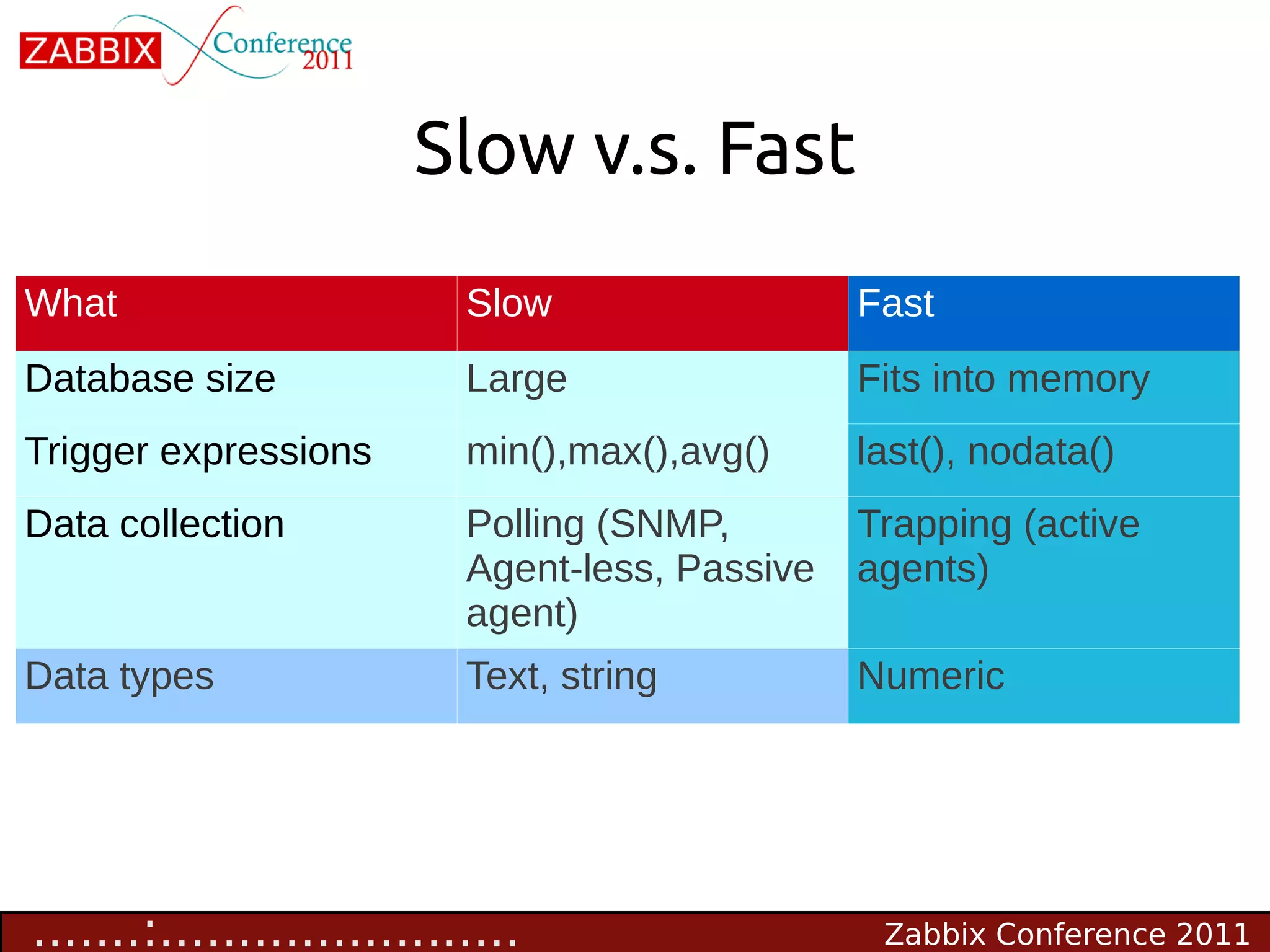
Slow v.s. Fast
What                       Slow                  Fast
Database size              Large                 Fits into memory
Trigger expressions        min(),max(),avg()     last(), nodata()
Data collection            Polling (SNMP,        Trapping (active
                           Agent-less, Passive   agents)
                           agent)
Data types                 Text, string          Numeric


.......:.......................                   Zabbix Conference 2011
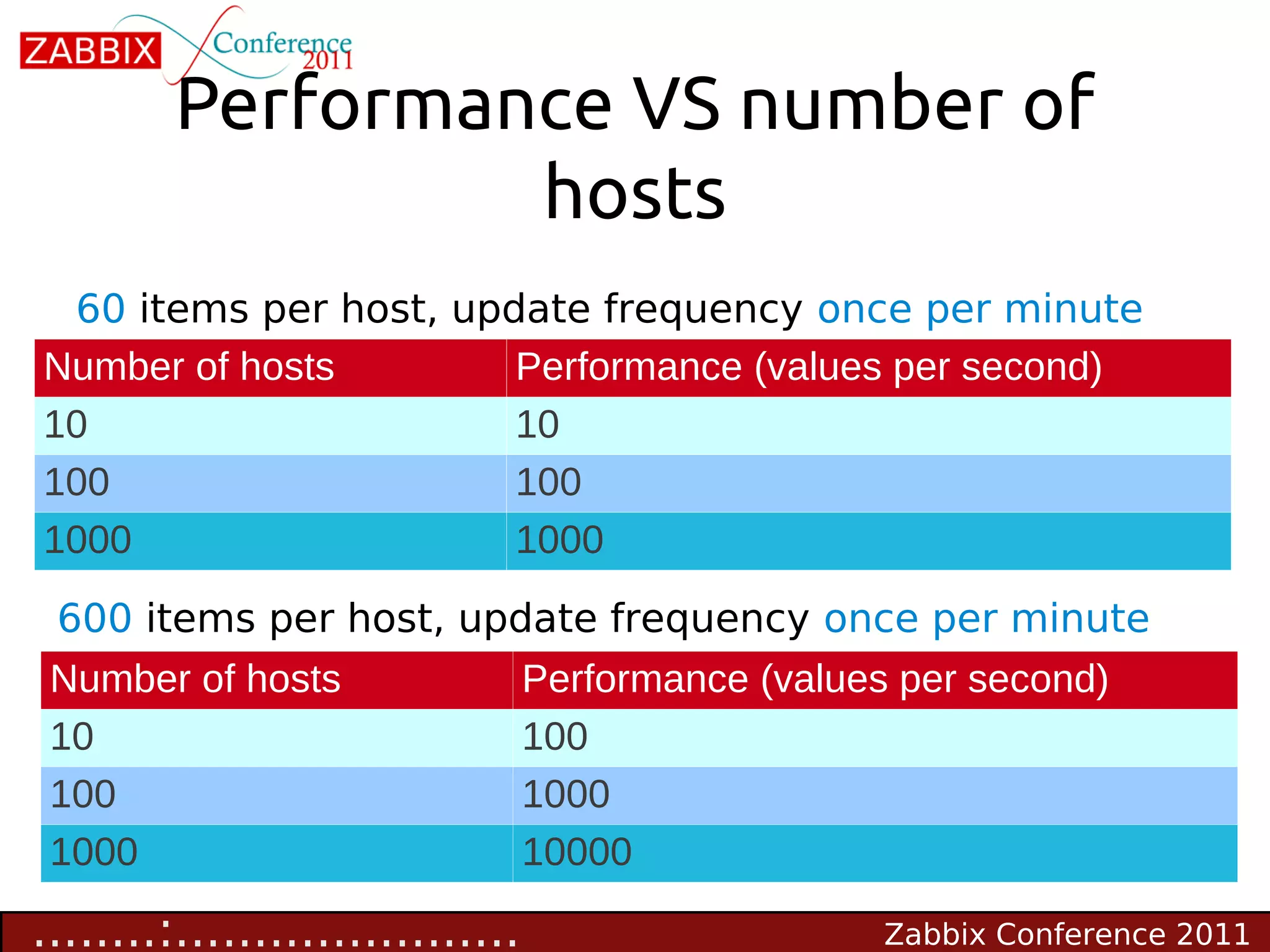
Performance VS number of
                  hosts
 60 items per host, update frequency once per minute
Number of hosts        Performance (values per second)
10                     10
100                    100
1000                   1000
 600 items per host, update frequency once per minute
 Number of hosts                  Performance (values per second)
 10                               100
 100                              1000
 1000                             10000

........:......................                      Zabbix Conference 2011
Visible symptoms of bad
                 performance
     • Zabbix Queue has too many delayed items
           Administration->Queue

     • Frequent gaps in graphs, no data for some of the
         items

     • False positives for triggers having nodata() function
     • Unresponsive front-end


.........:.....................                Zabbix Conference 2011
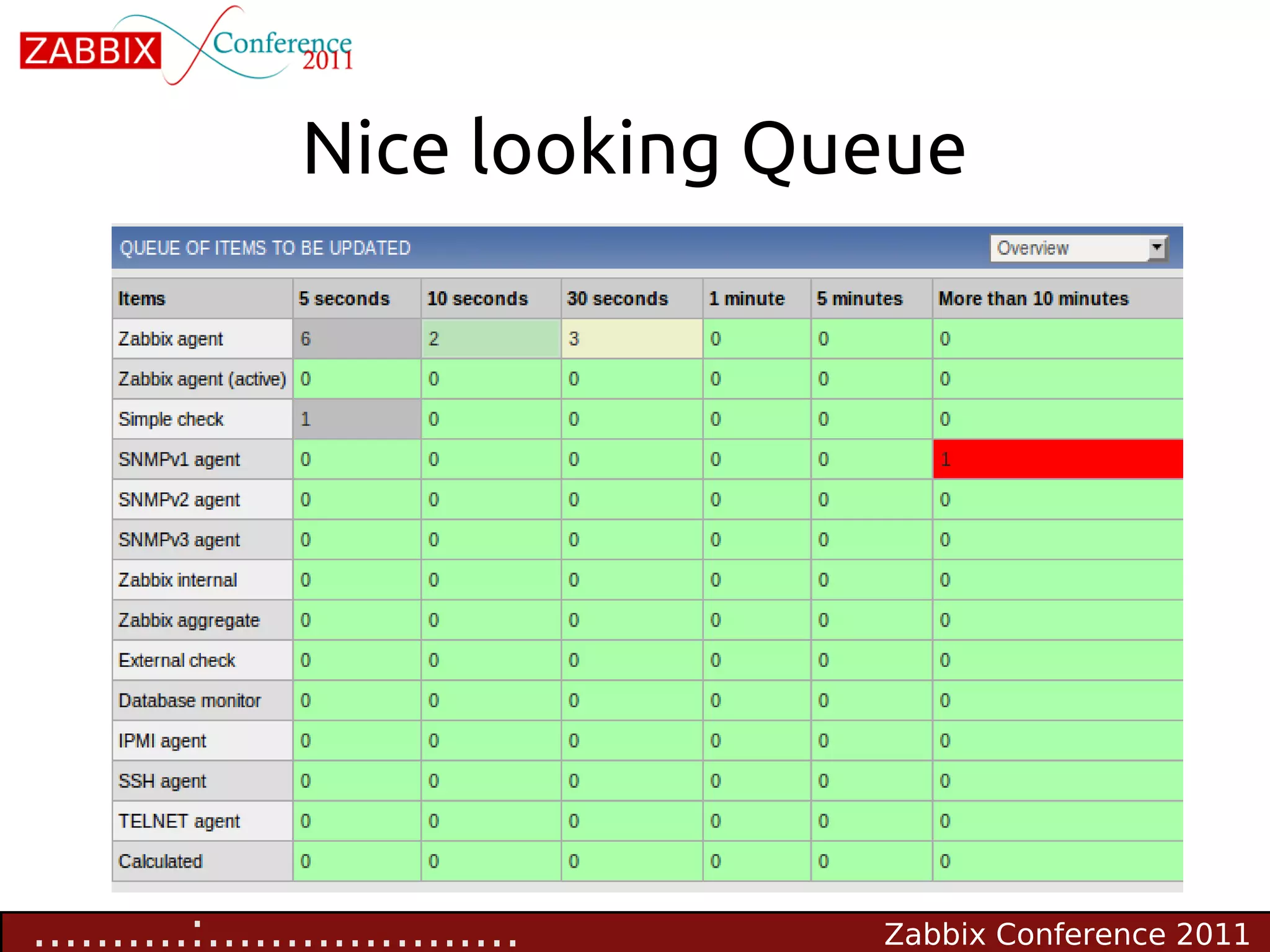
Nice looking Queue


..........:....................   Zabbix Conference 2011
Identify & fix
          common problems
                                  STEP 1


...........:...................            Zabbix Conference 2011
Different views on
                     performance
        • “I just added 5 hosts and Zabbix died” :-(
        • “Zabbix is so slooooow, I have only 48 hosts” :-(
                however:

        • “Zabbix Milestone achieved - 1000 hosts and
           growing” :-)

        • “Our status update: 3771 hosts, 314698 items, 163266
           triggers, 2707 vps” :-)

                                           :-) - Happy!   :-( - Unhappy!
............:..................                   Zabbix Conference 2011
Common problems of initial
                setup
       • Use of default templates
        • Make your own smarter templates
         Default database settings
       •
           Tune database for the best performance
        •
         Not optimal configuration of Zabbix Server
       •
           Tune Zabbix Server configuration
        •
         Housekeeper
       •
         Use of older releases
       •
           Always use the latest one!
        •

.............:.................                       Zabbix Conference 2011
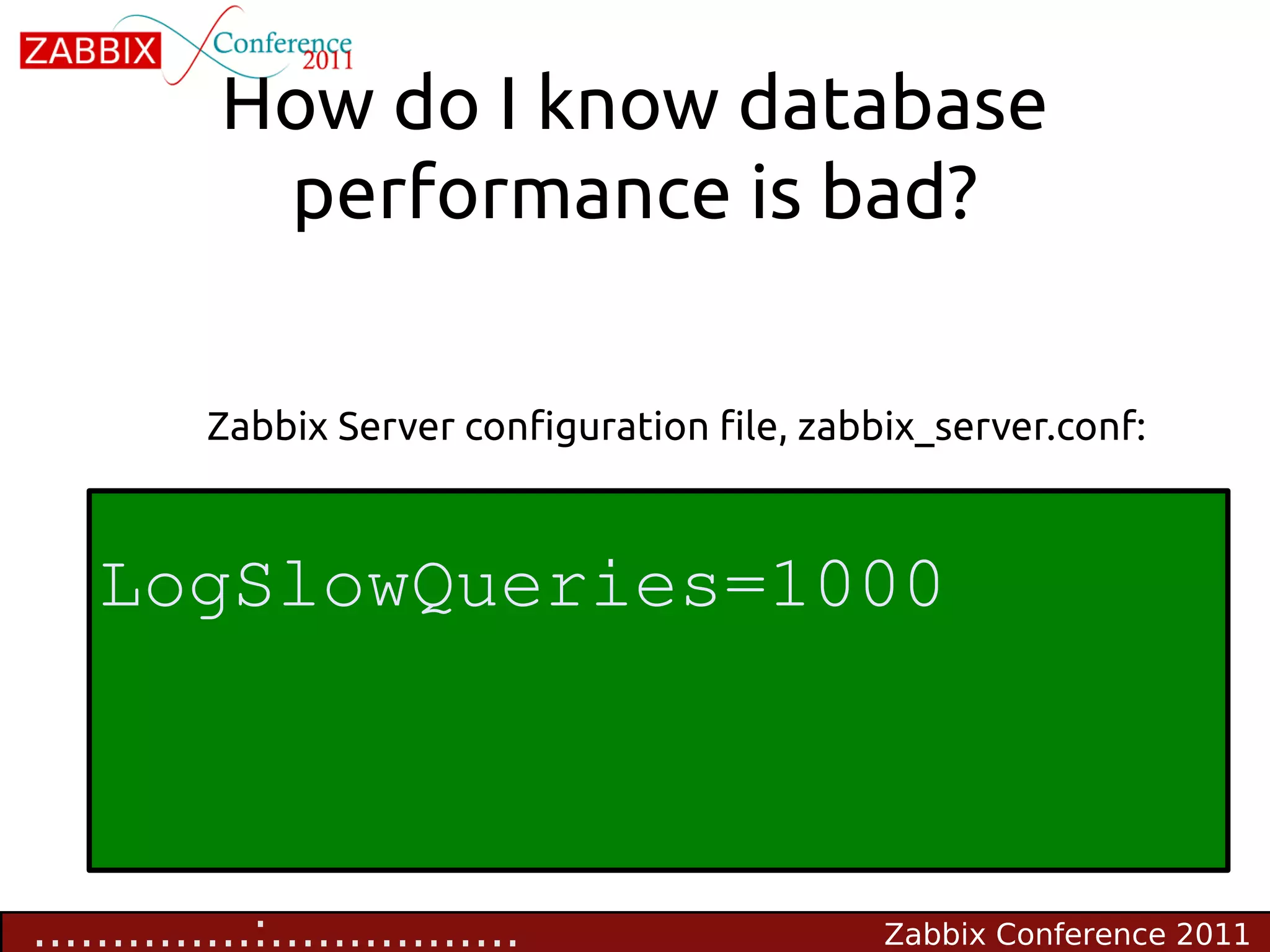
How do I know database
            performance is bad?

           Zabbix Server configuration file, zabbix_server.conf:


    LogSlowQueries=1000


..............:................                  Zabbix Conference 2011
Tune Zabbix
                 Configuration
                                  STEP 2


...............:...............            Zabbix Conference 2011
Get internal stats

        • Real number of VPS
         • zabbix[wcache, values, all]
         • zabbix[queue,1m] number of items delayed for more
             than 1 minute

        • Zabbix Server components
         • Alerter, Configuration syncer, DB watchdog,
             discoverer, escalator, history syncer, http poller,
             housekeeper, icmp pinger, ipmi poller, poller, trapper


................:..............                   Zabbix Conference 2011
Get internal stats


            Before Zabbix 1.8.5 no way to
           see clearly how well Zabbix
           components work!


.................:.............    Zabbix Conference 2011
Get internal stats

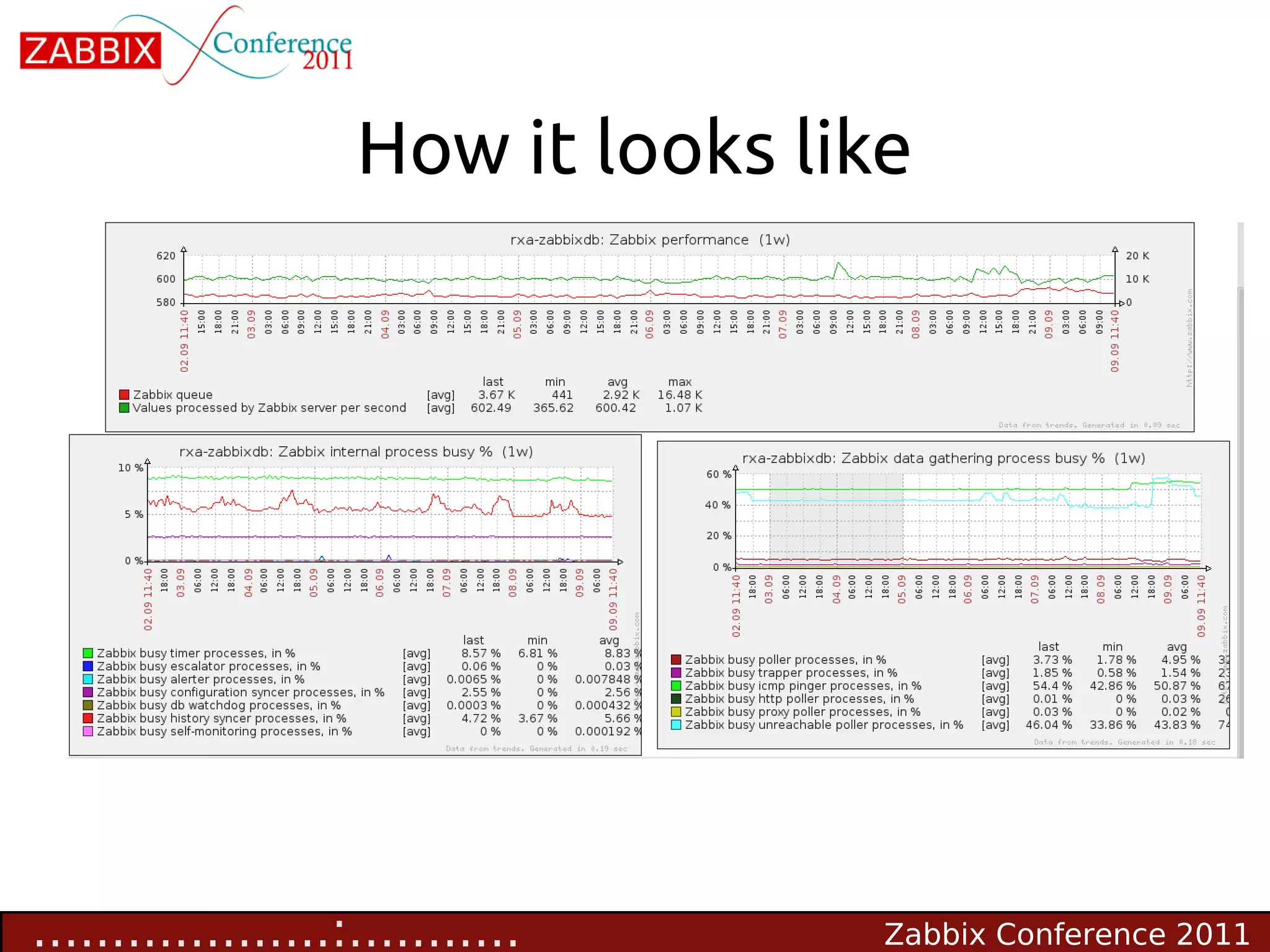
        • Now we have a very nice way of monitoring internal
          performance

        • Percentage of time a component is in BUSY state
         • zabbix[process,<type>,<mode>,<state>]
         • <type> - trapper, discoverer, escalator, alerter, etc
         • <mode> - avg, count, min, max
         • <state> - busy, idle
..................:............                   Zabbix Conference 2011
How it looks like


        • A graph indicating a problem


...................:...........          Zabbix Conference 2011
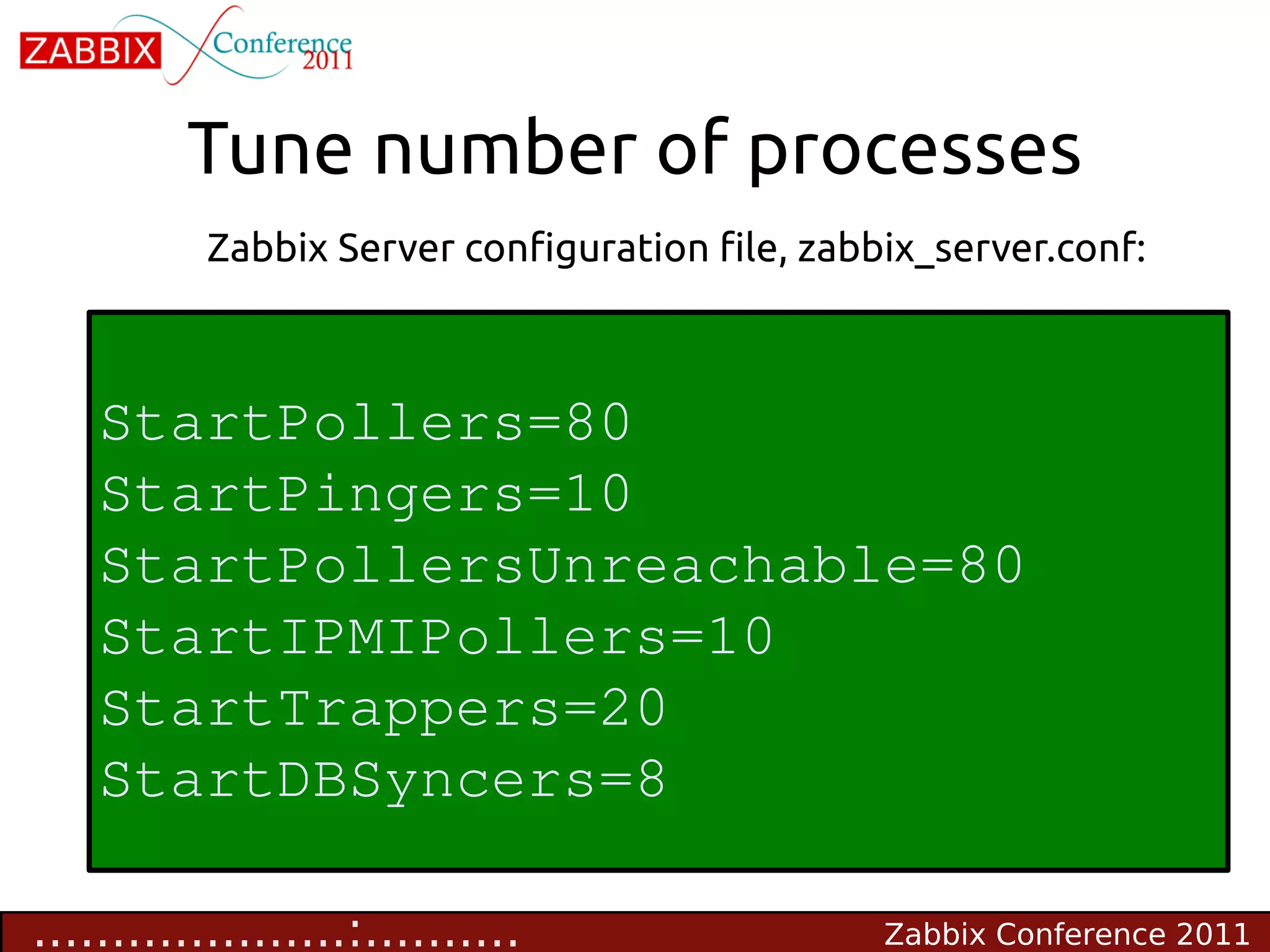
Tune number of processes
           Zabbix Server configuration file, zabbix_server.conf:


    StartPollers=80
    StartPingers=10
    StartPollersUnreachable=80
    StartIPMIPollers=10
    StartTrappers=20
    StartDBSyncers=8

....................:..........                  Zabbix Conference 2011
Do extra work
                                  STEP 3


.....................:.........            Zabbix Conference 2011
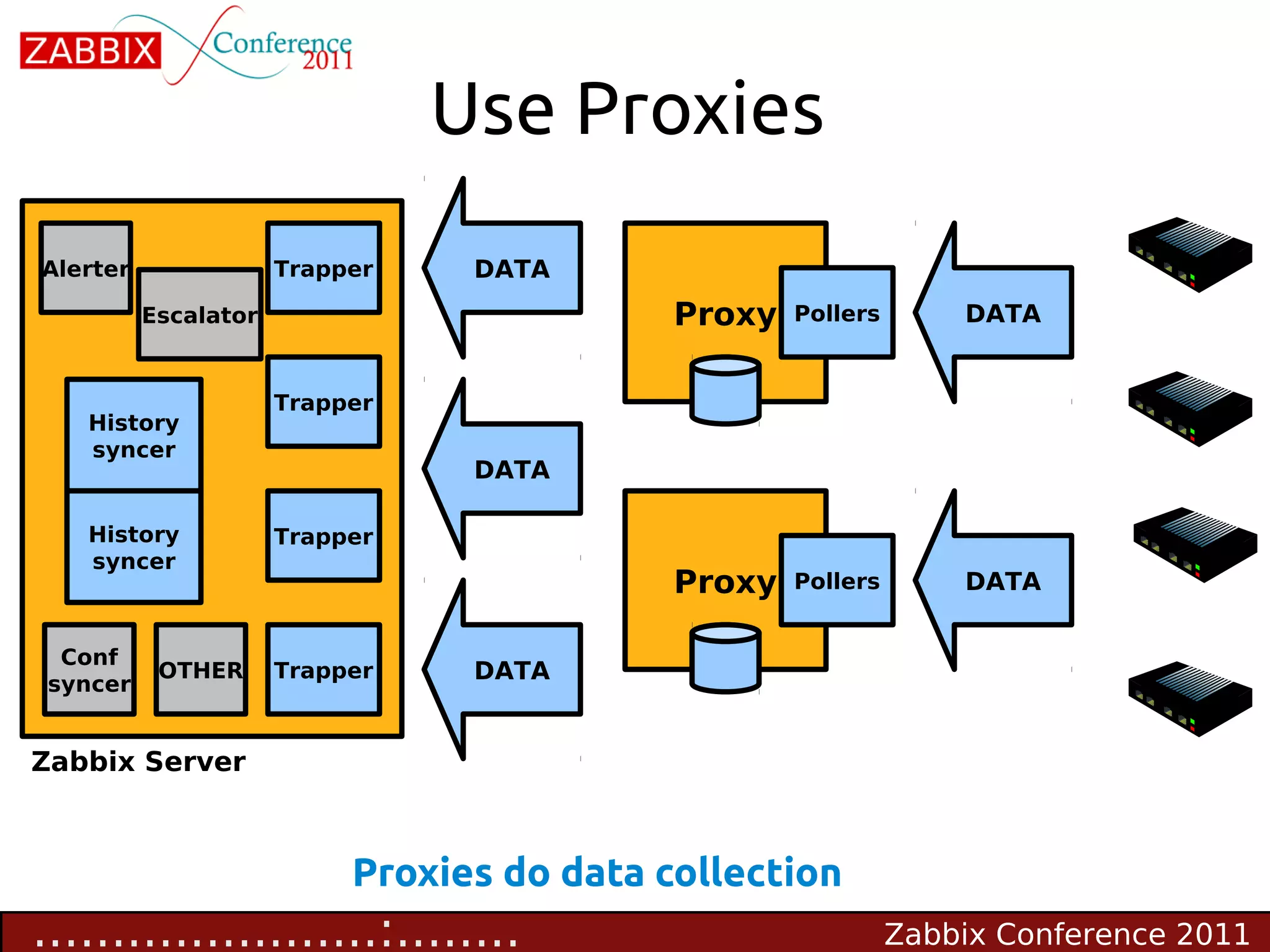
Use Proxies
Alerter                   Trapper    DATA
              Escalator                         Proxy   Pollers       DATA


                          Trapper
     History
     syncer
                                     DATA

     History              Trapper
     syncer
                                                Proxy   Pollers       DATA


  Conf
Conf syncer    OTHER      Trapper    DATA
 syncer


Zabbix Server


                               Proxies do data collection
......................:........                                   Zabbix Conference 2011
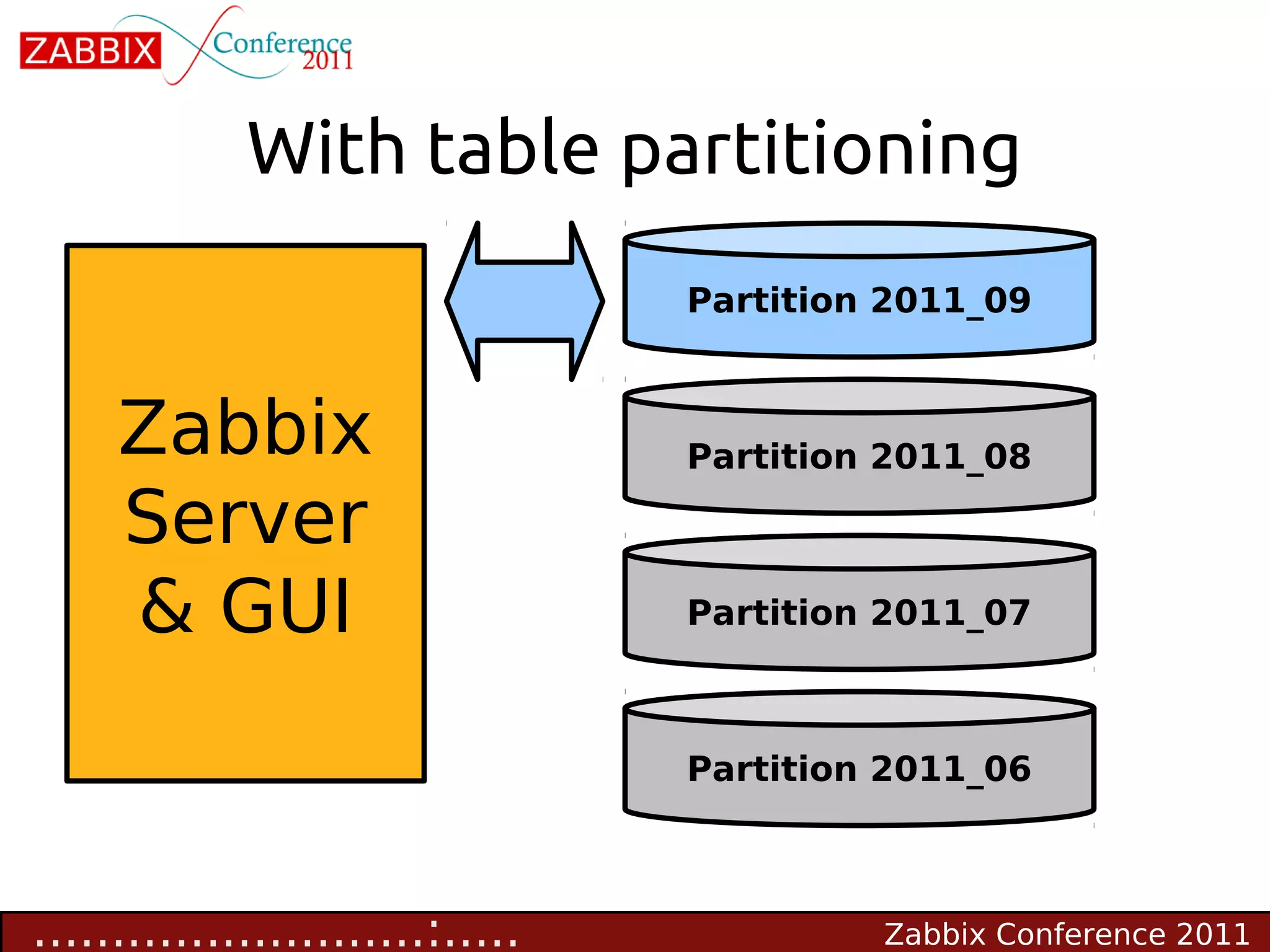
Table partitioning

        • It is a way to split large tables into smaller partitions.
        • Make sense for historical tables:
         • history_*, trends*, events
        • Benefits
         • Easy to remove older data
         • Much better performance

.......................:.......                    Zabbix Conference 2011
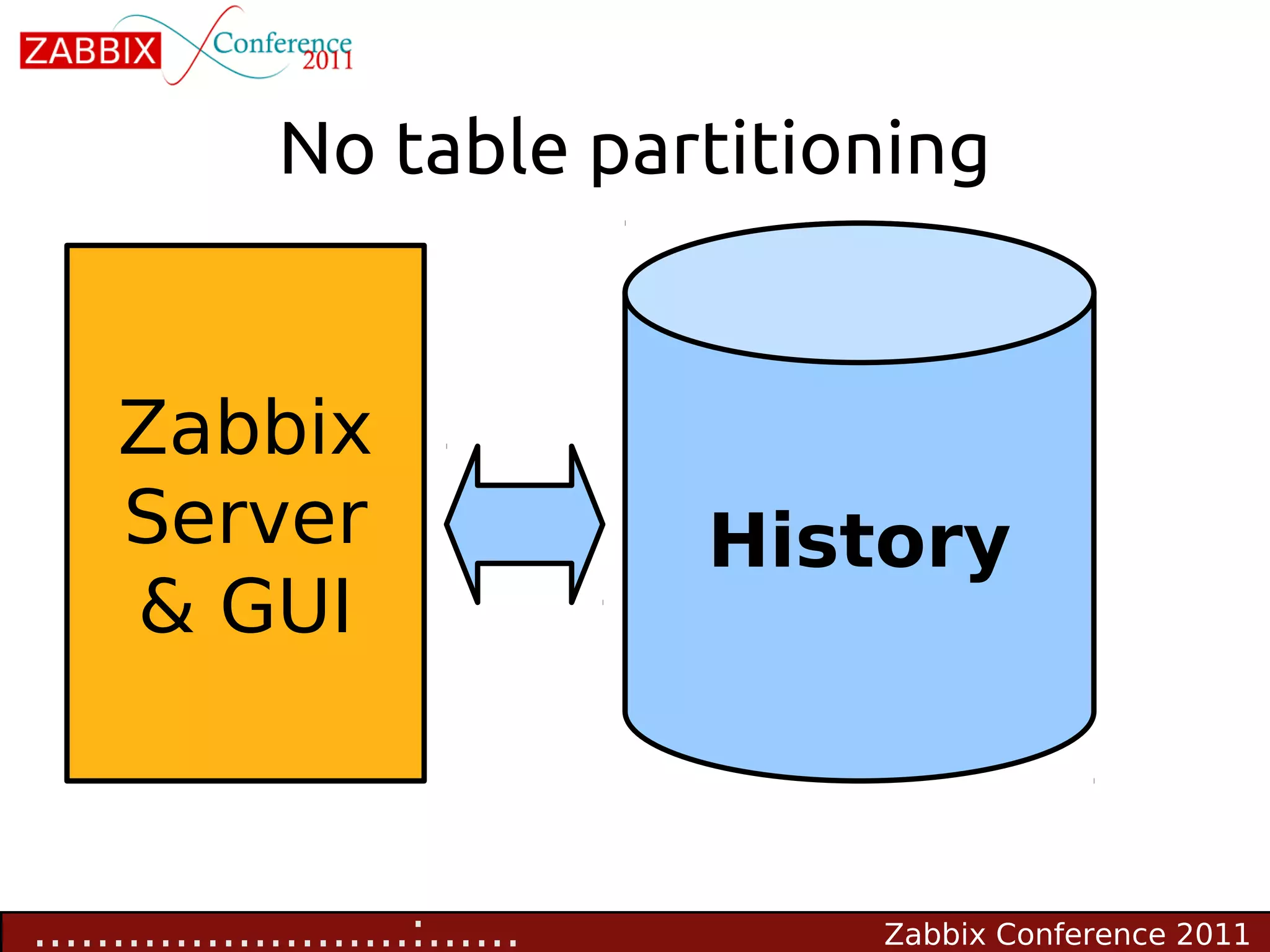
No table partitioning


     Zabbix
     Server                       History
     & GUI


........................:......       Zabbix Conference 2011
With table partitioning
                                  Partition 2011_09


     Zabbix                       Partition 2011_08

     Server
     & GUI                        Partition 2011_07


                                  Partition 2011_06


.........................:.....            Zabbix Conference 2011
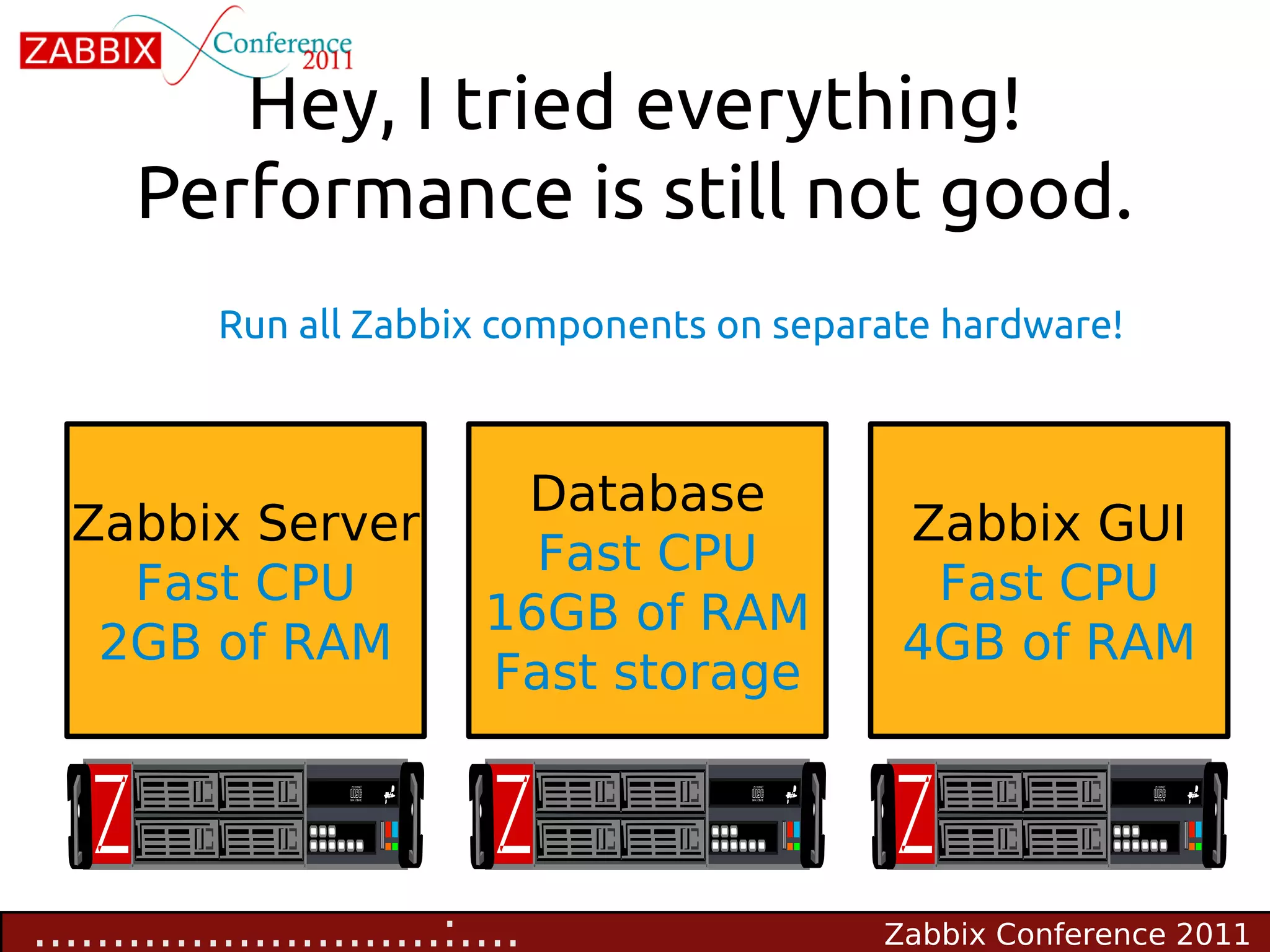
Hey, I tried everything!
      Performance is still not good.
           Run all Zabbix components on separate hardware!


                             Database
  Zabbix Server                               Zabbix GUI
                              Fast CPU
    Fast CPU                                   Fast CPU
                            16GB of RAM
   2GB of RAM                                 4GB of RAM
                            Fast storage


..........................:....              Zabbix Conference 2011
Summary
                   Make sure you did everything


...........................:...             Zabbix Conference 2011
Check list

        • Zabbix internal statistics is monitored!
         • Otherwise you don't know anything about Zabbix
             health

        • Zabbix configuration is tuned
        • Database performance is tuned
        • Housekeeper is not used, you use table partitions
             DisableHousekeeper=1


............................:..                 Zabbix Conference 2011
Additional reading
       • MySQL & PostgreSQL Performance Tuning Guides
       • Table partitioning for Zabbix
        • MySQL: zabbixzone.com
        • PostgreSQL: http://www.zabbix.com/wiki/non-
           english/ru/partitioning_in_postgresql

       • Zabbix Internal Checks
        • http://blog.zabbix.com/monitoring-how-busy-zabbix-processes-are
        • http://www.zabbix.com/documentation/1.8/manual/config/items#in
           ternal_checks


.............................:.                         Zabbix Conference 2011
WWW.ZABBIX.COM
                      Any questions?


                                  We are hiring good
                                      people! :)
..............................:       Zabbix Conference 2011

Zabbix Performance Tuning

  • 1.
    ABC of Zabbix Performance Tuning Getting most out of your hardware :.............................. Zabbix Conference 2011
  • 2.
    What is allabout • Overview of Zabbix Performance • Step 1. Identify & fix common problems • Step 2. Tuning of Zabbix Parameters • Step 3. Do extra work .:............................. Zabbix Conference 2011
  • 3.
    Overview What's Zabbix performance? ..:............................ Zabbix Conference 2011
  • 4.
    Basic data flow Alerter Poller DATA GUI Escalator Poller History syncer DATA DATA History Trapper syncer Database Conf Conf syncer OTHER Trapper DATA syncer Zabbix Server No proxies, not a distributed setup ...:........................... Zabbix Conference 2011
  • 5.
    Metrics of Zabbix performance • Number of values processed per second (NVPS) • A rough estimate of NVPS is visible in Zabbix Dashboard NVPS ....:.......................... Zabbix Conference 2011
  • 6.
    Performance delivered by Zabbix Hardware: Quad Core CPU, 6GB, RAID10 BBWC Budget: around 2K EUR • Zabbix is able to deliver 1 million of values per minute or around 15.000 of values per second • In real life performance would be worse. Why?! .....:......................... Zabbix Conference 2011
  • 7.
    Factors making performance lower • Type of items, value types, SNMPv3, number of triggers and what the triggers are • Housekeeper settings and thus size of the database • Number of front-end users • Complexity of triggers ......:........................ Zabbix Conference 2011
  • 8.
    Slow v.s. Fast What Slow Fast Database size Large Fits into memory Trigger expressions min(),max(),avg() last(), nodata() Data collection Polling (SNMP, Trapping (active Agent-less, Passive agents) agent) Data types Text, string Numeric .......:....................... Zabbix Conference 2011
  • 9.
    Performance VS numberof hosts 60 items per host, update frequency once per minute Number of hosts Performance (values per second) 10 10 100 100 1000 1000 600 items per host, update frequency once per minute Number of hosts Performance (values per second) 10 100 100 1000 1000 10000 ........:...................... Zabbix Conference 2011
  • 10.
    Visible symptoms ofbad performance • Zabbix Queue has too many delayed items Administration->Queue • Frequent gaps in graphs, no data for some of the items • False positives for triggers having nodata() function • Unresponsive front-end .........:..................... Zabbix Conference 2011
  • 11.
  • 12.
    Identify & fix common problems STEP 1 ...........:................... Zabbix Conference 2011
  • 13.
    Different views on performance • “I just added 5 hosts and Zabbix died” :-( • “Zabbix is so slooooow, I have only 48 hosts” :-( however: • “Zabbix Milestone achieved - 1000 hosts and growing” :-) • “Our status update: 3771 hosts, 314698 items, 163266 triggers, 2707 vps” :-) :-) - Happy! :-( - Unhappy! ............:.................. Zabbix Conference 2011
  • 14.
    Common problems ofinitial setup • Use of default templates • Make your own smarter templates Default database settings • Tune database for the best performance • Not optimal configuration of Zabbix Server • Tune Zabbix Server configuration • Housekeeper • Use of older releases • Always use the latest one! • .............:................. Zabbix Conference 2011
  • 15.
    How do Iknow database performance is bad? Zabbix Server configuration file, zabbix_server.conf: LogSlowQueries=1000 ..............:................ Zabbix Conference 2011
  • 16.
    Tune Zabbix Configuration STEP 2 ...............:............... Zabbix Conference 2011
  • 17.
    Get internal stats • Real number of VPS • zabbix[wcache, values, all] • zabbix[queue,1m] number of items delayed for more than 1 minute • Zabbix Server components • Alerter, Configuration syncer, DB watchdog, discoverer, escalator, history syncer, http poller, housekeeper, icmp pinger, ipmi poller, poller, trapper ................:.............. Zabbix Conference 2011
  • 18.
    Get internal stats Before Zabbix 1.8.5 no way to see clearly how well Zabbix components work! .................:............. Zabbix Conference 2011
  • 19.
    Get internal stats • Now we have a very nice way of monitoring internal performance • Percentage of time a component is in BUSY state • zabbix[process,<type>,<mode>,<state>] • <type> - trapper, discoverer, escalator, alerter, etc • <mode> - avg, count, min, max • <state> - busy, idle ..................:............ Zabbix Conference 2011
  • 20.
    How it lookslike • A graph indicating a problem ...................:........... Zabbix Conference 2011
  • 21.
    Tune number ofprocesses Zabbix Server configuration file, zabbix_server.conf: StartPollers=80 StartPingers=10 StartPollersUnreachable=80 StartIPMIPollers=10 StartTrappers=20 StartDBSyncers=8 ....................:.......... Zabbix Conference 2011
  • 22.
    Do extra work STEP 3 .....................:......... Zabbix Conference 2011
  • 23.
    Use Proxies Alerter Trapper DATA Escalator Proxy Pollers DATA Trapper History syncer DATA History Trapper syncer Proxy Pollers DATA Conf Conf syncer OTHER Trapper DATA syncer Zabbix Server Proxies do data collection ......................:........ Zabbix Conference 2011
  • 24.
    Table partitioning • It is a way to split large tables into smaller partitions. • Make sense for historical tables: • history_*, trends*, events • Benefits • Easy to remove older data • Much better performance .......................:....... Zabbix Conference 2011
  • 25.
    No table partitioning Zabbix Server History & GUI ........................:...... Zabbix Conference 2011
  • 26.
    With table partitioning Partition 2011_09 Zabbix Partition 2011_08 Server & GUI Partition 2011_07 Partition 2011_06 .........................:..... Zabbix Conference 2011
  • 27.
    Hey, I triedeverything! Performance is still not good. Run all Zabbix components on separate hardware! Database Zabbix Server Zabbix GUI Fast CPU Fast CPU Fast CPU 16GB of RAM 2GB of RAM 4GB of RAM Fast storage ..........................:.... Zabbix Conference 2011
  • 28.
    Summary Make sure you did everything ...........................:... Zabbix Conference 2011
  • 29.
    Check list • Zabbix internal statistics is monitored! • Otherwise you don't know anything about Zabbix health • Zabbix configuration is tuned • Database performance is tuned • Housekeeper is not used, you use table partitions DisableHousekeeper=1 ............................:.. Zabbix Conference 2011
  • 30.
    Additional reading • MySQL & PostgreSQL Performance Tuning Guides • Table partitioning for Zabbix • MySQL: zabbixzone.com • PostgreSQL: http://www.zabbix.com/wiki/non- english/ru/partitioning_in_postgresql • Zabbix Internal Checks • http://blog.zabbix.com/monitoring-how-busy-zabbix-processes-are • http://www.zabbix.com/documentation/1.8/manual/config/items#in ternal_checks .............................:. Zabbix Conference 2011
  • 31.
    WWW.ZABBIX.COM Any questions? We are hiring good people! :) ..............................: Zabbix Conference 2011