© SuperDataScienceDeep Learning A-Z
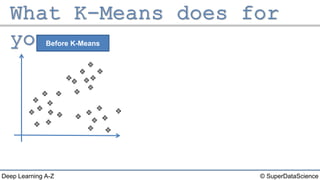
Before K-Means
© SuperDataScienceDeep Learning A-Z
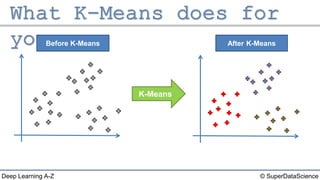
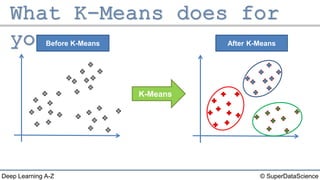
Before K-Means After K-Means
K-Means
© SuperDataScienceDeep Learning A-Z
Before K-Means After K-Means
K-Means
© SuperDataScienceDeep Learning A-Z
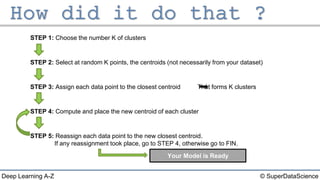
STEP 1: Choose the number K of clusters
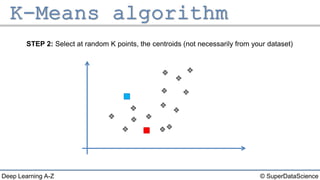
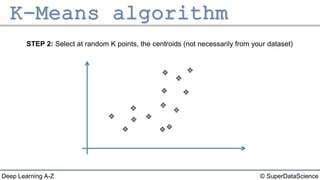
STEP 2: Select at random K points, the centroids (not necessarily from your dataset)
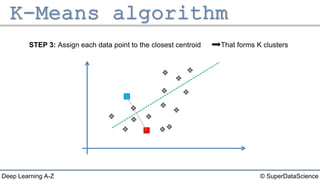
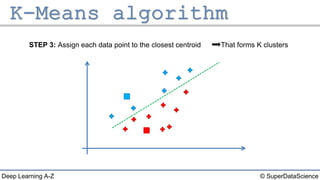
STEP 3: Assign each data point to the closest centroid That forms K clusters
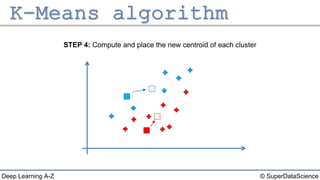
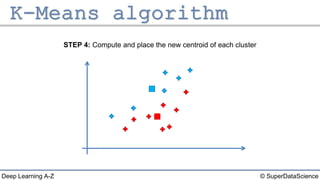
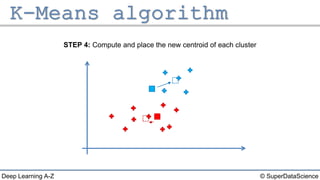
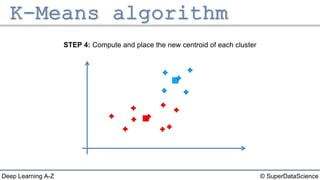
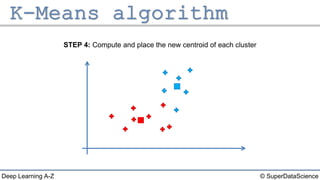
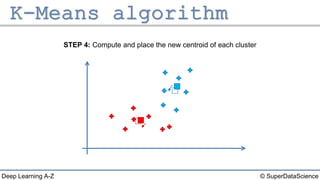
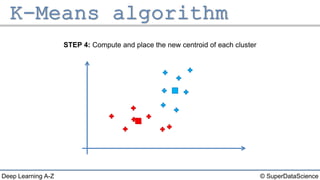
STEP 4: Compute and place the new centroid of each cluster
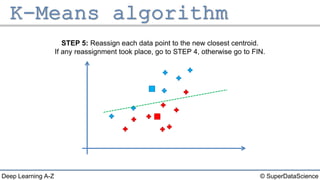
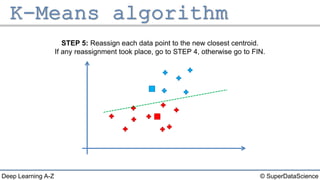
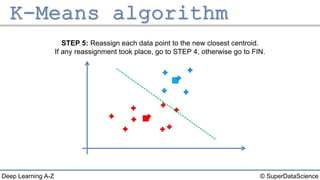
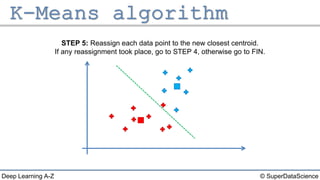
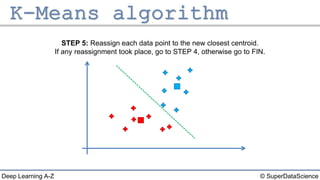
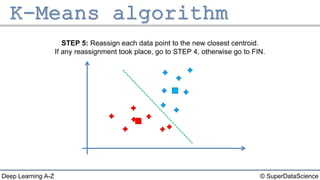
STEP 5: Reassign each data point to the new closest centroid.
If any reassignment took place, go to STEP 4, otherwise go to FIN.
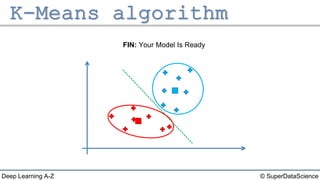
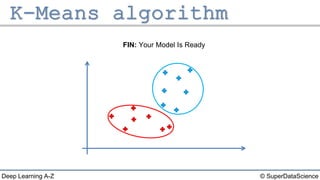
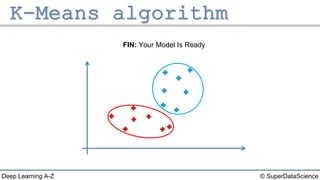
Your Model is Ready
© SuperDataScienceDeep Learning A-Z
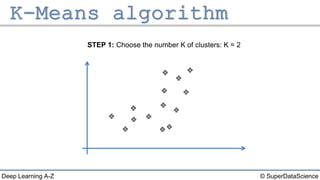
STEP 1: Choose the number K of clusters: K = 2
© SuperDataScienceDeep Learning A-Z
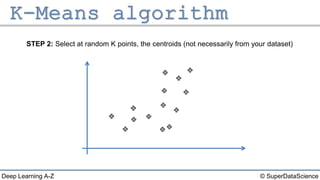
STEP 2: Select at random K points, the centroids (not necessarily from your dataset)
© SuperDataScienceDeep Learning A-Z
STEP 2: Select at random K points, the centroids (not necessarily from your dataset)
© SuperDataScienceDeep Learning A-Z
STEP 3: Assign each data point to the closest centroid That forms K clusters
© SuperDataScienceDeep Learning A-Z
STEP 3: Assign each data point to the closest centroid That forms K clusters
© SuperDataScienceDeep Learning A-Z
STEP 4: Compute and place the new centroid of each cluster
© SuperDataScienceDeep Learning A-Z
STEP 4: Compute and place the new centroid of each cluster
© SuperDataScienceDeep Learning A-Z
STEP 5: Reassign each data point to the new closest centroid.
If any reassignment took place, go to STEP 4, otherwise go to FIN.
© SuperDataScienceDeep Learning A-Z
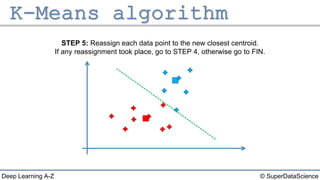
STEP 5: Reassign each data point to the new closest centroid.
If any reassignment took place, go to STEP 4, otherwise go to FIN.
© SuperDataScienceDeep Learning A-Z
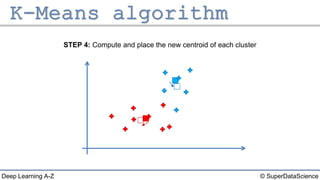
STEP 4: Compute and place the new centroid of each cluster
© SuperDataScienceDeep Learning A-Z
STEP 4: Compute and place the new centroid of each cluster
© SuperDataScienceDeep Learning A-Z
STEP 5: Reassign each data point to the new closest centroid.
If any reassignment took place, go to STEP 4, otherwise go to FIN.
© SuperDataScienceDeep Learning A-Z
STEP 5: Reassign each data point to the new closest centroid.
If any reassignment took place, go to STEP 4, otherwise go to FIN.
© SuperDataScienceDeep Learning A-Z
STEP 4: Compute and place the new centroid of each cluster
© SuperDataScienceDeep Learning A-Z
STEP 4: Compute and place the new centroid of each cluster
© SuperDataScienceDeep Learning A-Z
STEP 5: Reassign each data point to the new closest centroid.
If any reassignment took place, go to STEP 4, otherwise go to FIN.
© SuperDataScienceDeep Learning A-Z
STEP 5: Reassign each data point to the new closest centroid.
If any reassignment took place, go to STEP 4, otherwise go to FIN.
© SuperDataScienceDeep Learning A-Z
STEP 4: Compute and place the new centroid of each cluster
© SuperDataScienceDeep Learning A-Z
STEP 4: Compute and place the new centroid of each cluster
© SuperDataScienceDeep Learning A-Z
STEP 5: Reassign each data point to the new closest centroid.
If any reassignment took place, go to STEP 4, otherwise go to FIN.
© SuperDataScienceDeep Learning A-Z
FIN: Your Model Is Ready
© SuperDataScienceDeep Learning A-Z
FIN: Your Model Is Ready
© SuperDataScienceDeep Learning A-Z
STEP 2: Select at random K points, the centroids (not necessarily from your dataset)
© SuperDataScienceDeep Learning A-Z
FIN: Your Model Is Ready

Deep Learning A-Z™: Self Organizing Maps (SOM) - K-Means Clustering