Unit 1 Revision:
TWO KEY TOPICS
Databases & Spreadsheets
Revise Database and Spreadsheet topics
Practice answering exam questions
Objectives
What is a database? How would you define it?
“A piece of software that is used to store data in a
structure that allows the data to be processed to
produce meaningful information”
DATABASES
DATA
Database Definitions:
INFORMATION
Database Definitions:
FIELD
Database Definitions:
RECORD
Database Definitions:
TABLE
Database Definitions:
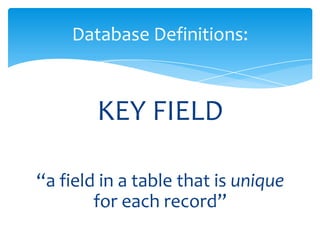
KEY FIELD
Database Definitions:
CRITERIA
Database Definitions:
SORTING
Database Definitions:
ASCENDING
Database Definitions:
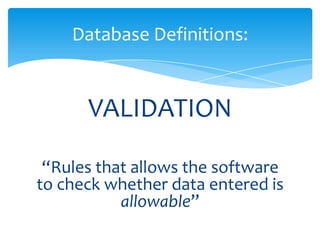
VALIDATION
Database Definitions:
UPDATING
Database Definitions:
DATA TYPES
Database Definitions:
DATA
“facts, figures; recorded
without context”
Database Definitions:
INFORMATION
“data that has been processed to
make it useful – with context”
Database Definitions:
FIELD
“a field is a single piece of data
that can be stored in a database”
Database Definitions:
RECORD
“all the data about a single item
or thing – made of several fields”
Database Definitions:
TABLE
“a collection of related
records”
Database Definitions:
KEY FIELD
“a field in a table that is unique
for each record”
Database Definitions:
CRITERIA
“when searching, a criterium (or
criteria) is what you’re searching
for”
Database Definitions:
SORTING
“putting data into an order”
Database Definitions:
ASCENDING
“data put in order smallest to
largest, or A to Z
(opposite to descending)”
Database Definitions:
VALIDATION
“Rules that allows the software
to check whether data entered is
allowable”
Database Definitions:
UPDATING
“changing data to reflect changes in
the ‘real world’ that have happened
since the data was originally input”
Database Definitions:
DATA TYPES
“restrict what type of data can be
entered in a field (e.g. number,
date/time, text, boolean etc.”
Database Definitions:
A store keeps details about their customers and their
orders in an information handling system.
a) Give the names of two key fields used in the above
table (2 marks)
b) There is a ‘Boolean’ field in this database. Give the
name of it
c) Give the names of two other fields that could be
used in this table other than the customer name,
customer address and customer telephone number.
QUESTION: p97 Q4
d) Give the name of a suitable validation check that could be
used for the Size field and describe how it could reduce
errors
e) The store offers free delivery on all items with a cost
greater than #200. How many of the customers show
would qualify for the free delivery?
f) A member of staff in the warehouse wants to find out
details of all small goods that are delivered. Complete the
tables below to show how she can obtain this
information from the system
QUESTION: p97 Q4
QUESTION:
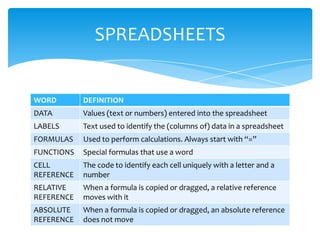
WORD DEFINITION
DATA Values (text or numbers) entered into the spreadsheet
LABELS Text used to identify the (columns of) data in a spreadsheet
FORMULAS Used to perform calculations. Always start with “=”
FUNCTIONS Special formulas that use a word
CELL
REFERENCE
The code to identify each cell uniquely with a letter and a
number
RELATIVE
REFERENCE
When a formula is copied or dragged, a relative reference
moves with it
ABSOLUTE
REFERENCE
When a formula is copied or dragged, an absolute reference
does not move
SPREADSHEETS
Start with “=”
Use ‘operators’ like + - * / > < >= <=
FORMULAS
Specialised calculation pre-programmed into the
software
AVERAGE
MAXIMUM
SUM
COUNT
COUNTA
IF
FUNCTIONS
The diagram shows a simple spreadsheet that a student uses to help
budget her money
1. Write down the contents of cell A4 (1 mark)
2. Write down the contents of cell B7 (1 mark)
3. Put a tick in the boxes next to those formulas that would correctly
work out the total of her expenditure when placed in cell B8 (2 marks)
Question: Page 117, Q2
Formula Tick if it gives the correct total
=B2+B3+B4+B5+B6+B7+B8
+A2+A3+A4+A5+A6+A7
=SUM(B2:B7)
=SUM(A2:A7)
=B2+B3+B4+B5+B6+B7

Databases & spreadsheets