This document and all its contents contain information from Arocom Solutions Private Limited which may be privileged, confidential,
or otherwise protected from disclosure. The information is intended to be for the addressee(s) only.
Data Analysis Expressions
About Me
▷14 years of experience in Data Analysis, Business
Intelligence, Project Management
▷Worked with Infosys, DuPont, Pfizer
▷Senior Manager with Cybage
▷Certified Machine Learning & Deep Learning
practitioner
Why are we here today?
▷Data Analysis Expressions (DAX)
▷Power Query
▷Power BI
▷Excel Dashboards
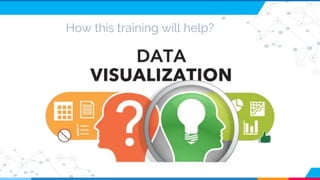
How this training will help?
Agenda
▷What is DAX?
▷Basic Operations: Functions,
Measures, Simple Operations
▷Advanced Operations
▷Exercises
What is DAX?
▷You will never hear it in references
▷Next generation data analysis on excel
▷Functional Formula Language
▷Inbuilt functions to perform various operations
on your data model
▷Reference from CELL to COLUMN
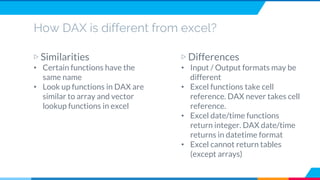
How DAX is different from excel?
▷ Similarities
• Certain functions have the
same name
• Look up functions in DAX are
similar to array and vector
lookup functions in excel
▷ Differences
• Input / Output formats may be
different
• Excel functions take cell
reference. DAX never takes cell
reference.
• Excel date/time functions
return integer. DAX date/time
returns in datetime format
• Excel cannot return tables
(except arrays)
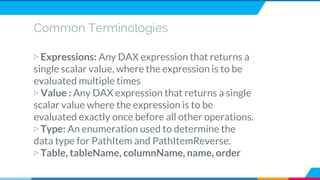
Common Terminologies
▷ Expressions: Any DAX expression that returns a
single scalar value, where the expression is to be
evaluated multiple times
▷ Value : Any DAX expression that returns a single
scalar value where the expression is to be
evaluated exactly once before all other operations.
▷ Type: An enumeration used to determine the
data type for PathItem and PathItemReverse.
▷ Table, tableName, columnName, name, order
This document and all its contents contain information from Arocom Solutions Private Limited which may be privileged, confidential,
or otherwise protected from disclosure. The information is intended to be for the addressee(s) only.
DAX Functions
DAX Functions
▷ DAX Filter Functions
▷ DAX Aggregation Functions
▷ DAX Time Intelligence
Functions
▷ DAX Date and Time Functions
▷ DAX Information Functions
▷ DAX Logical Functions
▷ DAX Statistical Functions
▷ DAX Other Functions
▷ DAX Parent and Child
Functions
▷ DAX Text Functions
▷ DAX Math and Trig
Functions
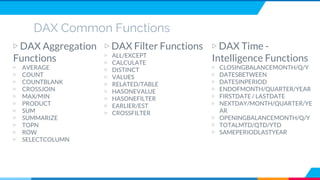
DAX Common Functions
▷ DAX Aggregation
Functions
▷ AVERAGE
▷ COUNT
▷ COUNTBLANK
▷ CROSSJOIN
▷ MAX/MIN
▷ PRODUCT
▷ SUM
▷ SUMMARIZE
▷ TOPN
▷ ROW
▷ SELECTCOLUMN
▷ DAX Filter Functions
▷ ALL/EXCEPT
▷ CALCULATE
▷ DISTINCT
▷ VALUES
▷ RELATED/TABLE
▷ HASONEVALUE
▷ HASONEFILTER
▷ EARLIER/EST
▷ CROSSFILTER
▷ DAX Time -
Intelligence Functions
▷ CLOSINGBALANCEMONTH/Q/Y
▷ DATESBETWEEN
▷ DATESINPERIOD
▷ ENDOFMONTH/QUARTER/YEAR
▷ FIRSTDATE / LASTDATE
▷ NEXTDAY/MONTH/QUARTER/YE
AR
▷ OPENINGBALANCEMONTH/Q/Y
▷ TOTALMTD/QTD/YTD
▷ SAMEPERIODLASTYEAR
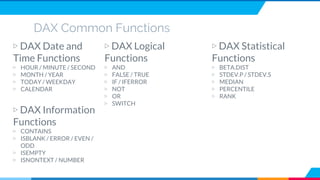
DAX Common Functions
▷ DAX Date and
Time Functions
▷ HOUR / MINUTE / SECOND
▷ MONTH / YEAR
▷ TODAY / WEEKDAY
▷ CALENDAR
▷ DAX Logical
Functions
▷ AND
▷ FALSE / TRUE
▷ IF / IFERROR
▷ NOT
▷ OR
▷ SWITCH
▷ DAX Statistical
Functions
▷ BETA.DIST
▷ STDEV.P / STDEV.S
▷ MEDIAN
▷ PERCENTILE
▷ RANK
▷ DAX Information
Functions
▷ CONTAINS
▷ ISBLANK / ERROR / EVEN /
ODD
▷ ISEMPTY
▷ ISNONTEXT / NUMBER
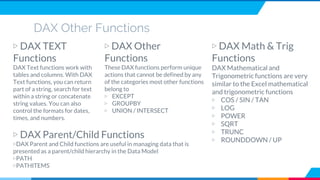
DAX Other Functions
▷ DAX TEXT
Functions
DAX Text functions work with
tables and columns. With DAX
Text functions, you can return
part of a string, search for text
within a string or concatenate
string values. You can also
control the formats for dates,
times, and numbers.
▷ DAX Other
Functions
These DAX functions perform unique
actions that cannot be defined by any
of the categories most other functions
belong to
▷ EXCEPT
▷ GROUPBY
▷ UNION / INTERSECT
▷ DAX Math & Trig
Functions
DAX Mathematical and
Trigonometric functions are very
similar to the Excel mathematical
and trigonometric functions
▷ COS / SIN / TAN
▷ LOG
▷ POWER
▷ SQRT
▷ TRUNC
▷ ROUNDDOWN / UP
▷ DAX Parent/Child Functions
▷DAX Parent and Child functions are useful in managing data that is
presented as a parent/child hierarchy in the Data Model
▷PATH
▷PATHITEMS
This document and all its contents contain information from Arocom Solutions Private Limited which may be privileged, confidential,
or otherwise protected from disclosure. The information is intended to be for the addressee(s) only.
Calculated Columns &
Measures
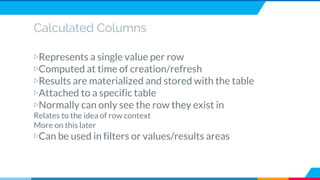
Calculated Columns
▷Represents a single value per row
▷Computed at time of creation/refresh
▷Results are materialized and stored with the table
▷Attached to a specific table
▷Normally can only see the row they exist in
Relates to the idea of row context
More on this later
▷Can be used in filters or values/results areas
Calculated Columns
▷GrossMargin = Sales[Price] – Sales[Cost]
Measures
▷Represents a single value per data model
▷Computed at run time
▷Results are dynamic, based on filters. This is called the filter context
▷Not attached to any table
▷Sees all the data at once
Measures
▷TotalQuantity := SUM(Sales[Quantity])
This document and all its contents contain information from Arocom Solutions Private Limited which may be privileged, confidential,
or otherwise protected from disclosure. The information is intended to be for the addressee(s) only.
Approach
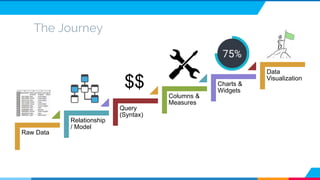
The Journey
Raw Data
Relationship
/ Model
Query
(Syntax)
Columns &
Measures
Charts &
Widgets
Data
Visualization
$$
This document and all its contents contain information from Arocom Solutions Private Limited which may be privileged, confidential,
or otherwise protected from disclosure. The information is intended to be for the addressee(s) only.
Exercises
Any questions ?
Thank You!

Data Analysis Expressions (DAX) Training

  • 1.
    This document andall its contents contain information from Arocom Solutions Private Limited which may be privileged, confidential, or otherwise protected from disclosure. The information is intended to be for the addressee(s) only. Data Analysis Expressions
  • 2.
    About Me ▷14 yearsof experience in Data Analysis, Business Intelligence, Project Management ▷Worked with Infosys, DuPont, Pfizer ▷Senior Manager with Cybage ▷Certified Machine Learning & Deep Learning practitioner
  • 3.
    Why are wehere today? ▷Data Analysis Expressions (DAX) ▷Power Query ▷Power BI ▷Excel Dashboards
  • 4.
  • 5.
    Agenda ▷What is DAX? ▷BasicOperations: Functions, Measures, Simple Operations ▷Advanced Operations ▷Exercises
  • 6.
    What is DAX? ▷Youwill never hear it in references ▷Next generation data analysis on excel ▷Functional Formula Language ▷Inbuilt functions to perform various operations on your data model ▷Reference from CELL to COLUMN
  • 7.
    How DAX isdifferent from excel? ▷ Similarities • Certain functions have the same name • Look up functions in DAX are similar to array and vector lookup functions in excel ▷ Differences • Input / Output formats may be different • Excel functions take cell reference. DAX never takes cell reference. • Excel date/time functions return integer. DAX date/time returns in datetime format • Excel cannot return tables (except arrays)
  • 8.
    Common Terminologies ▷ Expressions:Any DAX expression that returns a single scalar value, where the expression is to be evaluated multiple times ▷ Value : Any DAX expression that returns a single scalar value where the expression is to be evaluated exactly once before all other operations. ▷ Type: An enumeration used to determine the data type for PathItem and PathItemReverse. ▷ Table, tableName, columnName, name, order
  • 9.
    This document andall its contents contain information from Arocom Solutions Private Limited which may be privileged, confidential, or otherwise protected from disclosure. The information is intended to be for the addressee(s) only. DAX Functions
  • 10.
    DAX Functions ▷ DAXFilter Functions ▷ DAX Aggregation Functions ▷ DAX Time Intelligence Functions ▷ DAX Date and Time Functions ▷ DAX Information Functions ▷ DAX Logical Functions ▷ DAX Statistical Functions ▷ DAX Other Functions ▷ DAX Parent and Child Functions ▷ DAX Text Functions ▷ DAX Math and Trig Functions
  • 11.
    DAX Common Functions ▷DAX Aggregation Functions ▷ AVERAGE ▷ COUNT ▷ COUNTBLANK ▷ CROSSJOIN ▷ MAX/MIN ▷ PRODUCT ▷ SUM ▷ SUMMARIZE ▷ TOPN ▷ ROW ▷ SELECTCOLUMN ▷ DAX Filter Functions ▷ ALL/EXCEPT ▷ CALCULATE ▷ DISTINCT ▷ VALUES ▷ RELATED/TABLE ▷ HASONEVALUE ▷ HASONEFILTER ▷ EARLIER/EST ▷ CROSSFILTER ▷ DAX Time - Intelligence Functions ▷ CLOSINGBALANCEMONTH/Q/Y ▷ DATESBETWEEN ▷ DATESINPERIOD ▷ ENDOFMONTH/QUARTER/YEAR ▷ FIRSTDATE / LASTDATE ▷ NEXTDAY/MONTH/QUARTER/YE AR ▷ OPENINGBALANCEMONTH/Q/Y ▷ TOTALMTD/QTD/YTD ▷ SAMEPERIODLASTYEAR
  • 12.
    DAX Common Functions ▷DAX Date and Time Functions ▷ HOUR / MINUTE / SECOND ▷ MONTH / YEAR ▷ TODAY / WEEKDAY ▷ CALENDAR ▷ DAX Logical Functions ▷ AND ▷ FALSE / TRUE ▷ IF / IFERROR ▷ NOT ▷ OR ▷ SWITCH ▷ DAX Statistical Functions ▷ BETA.DIST ▷ STDEV.P / STDEV.S ▷ MEDIAN ▷ PERCENTILE ▷ RANK ▷ DAX Information Functions ▷ CONTAINS ▷ ISBLANK / ERROR / EVEN / ODD ▷ ISEMPTY ▷ ISNONTEXT / NUMBER
  • 13.
    DAX Other Functions ▷DAX TEXT Functions DAX Text functions work with tables and columns. With DAX Text functions, you can return part of a string, search for text within a string or concatenate string values. You can also control the formats for dates, times, and numbers. ▷ DAX Other Functions These DAX functions perform unique actions that cannot be defined by any of the categories most other functions belong to ▷ EXCEPT ▷ GROUPBY ▷ UNION / INTERSECT ▷ DAX Math & Trig Functions DAX Mathematical and Trigonometric functions are very similar to the Excel mathematical and trigonometric functions ▷ COS / SIN / TAN ▷ LOG ▷ POWER ▷ SQRT ▷ TRUNC ▷ ROUNDDOWN / UP ▷ DAX Parent/Child Functions ▷DAX Parent and Child functions are useful in managing data that is presented as a parent/child hierarchy in the Data Model ▷PATH ▷PATHITEMS
  • 14.
    This document andall its contents contain information from Arocom Solutions Private Limited which may be privileged, confidential, or otherwise protected from disclosure. The information is intended to be for the addressee(s) only. Calculated Columns & Measures
  • 15.
    Calculated Columns ▷Represents asingle value per row ▷Computed at time of creation/refresh ▷Results are materialized and stored with the table ▷Attached to a specific table ▷Normally can only see the row they exist in Relates to the idea of row context More on this later ▷Can be used in filters or values/results areas
  • 16.
    Calculated Columns ▷GrossMargin =Sales[Price] – Sales[Cost]
  • 17.
    Measures ▷Represents a singlevalue per data model ▷Computed at run time ▷Results are dynamic, based on filters. This is called the filter context ▷Not attached to any table ▷Sees all the data at once
  • 18.
  • 19.
    This document andall its contents contain information from Arocom Solutions Private Limited which may be privileged, confidential, or otherwise protected from disclosure. The information is intended to be for the addressee(s) only. Approach
  • 20.
    The Journey Raw Data Relationship /Model Query (Syntax) Columns & Measures Charts & Widgets Data Visualization $$
  • 21.
    This document andall its contents contain information from Arocom Solutions Private Limited which may be privileged, confidential, or otherwise protected from disclosure. The information is intended to be for the addressee(s) only. Exercises
  • 22.

Editor's Notes

  • #7 Common terminologies used are Power Query or Power BI Lets do some excel calculations How it changes in DAX
  • #8 Common terminologies used are Power Query or Power BI Lets do some excel calculations How it changes in DAX
  • #9 Common terminologies used are Power Query or Power BI Lets do some excel calculations How it changes in DAX
  • #12 Common terminologies used are Power Query or Power BI Lets do some excel calculations How it changes in DAX
  • #13 Common terminologies used are Power Query or Power BI Lets do some excel calculations How it changes in DAX
  • #14 Common terminologies used are Power Query or Power BI Lets do some excel calculations How it changes in DAX
  • #19 If you use a calculated column as a value/result it creates an implicit measure