Structured Data
Extraction
Created by Kaustubh Patange
Data Extraction
The What & Why
What is Data Extraction?
▪ Data extraction is a process that involves retrieval of data from various sources.
▪ Frequently, companies extract data in order to process it further, migrate the data
to a data repository (such as a data warehouse or a data lake) or to further
analyze it.
▪ It’s common to transform the data as a part of this process.
▪ For example, you might want to perform calculations on the data — such as
aggregating sales data — and store those results in the data warehouse.
▪ You then likely want to combine the data with other data in the target data store
(called as ETL, or Extraction, Transformation, and Loading).
▪ Extraction is the first key step in this process.
Why Data Extraction?
▪ Data is everywhere nowadays, and it represents gaining new insights that before
just weren’t possible. Extracting data provide valuable information for your
business such as the following,
▪ Improving Your Accuracy
▪ Leveraging Competitive Research
▪ Consistently Updating Your Product Offerings
▪ Boost Your SEO
▪ Performing Deeper Client Research
▪ Increasing Productivity
▪ Studying Financial Markets
Understanding Data Extraction Types
▪ While you may hear terms like full extraction and incremental extractions
commonly when researching extraction methods in data warehousing, the
process actually begins with logically defining extraction and then physically
performing the extraction.
▪ Logical Data Extraction
▪ Full Extraction
▪ Incremental Extraction
▪ Physical Data Extraction
▪ Automated Data Extraction
Structured Data
Extraction
Introduction
▪ A large amount of information on the web is contained in regularly structured data
object.
▪ Such web data records are important: lists of products & services.
▪ Applications:
▪ Comparative Shopping
▪ Meta search
▪ Meta query
▪ Two approaches
▪ Wrapper induction (supervised learning)
▪ Automatic extraction (unsupervised learning)
Types of Rich Pages
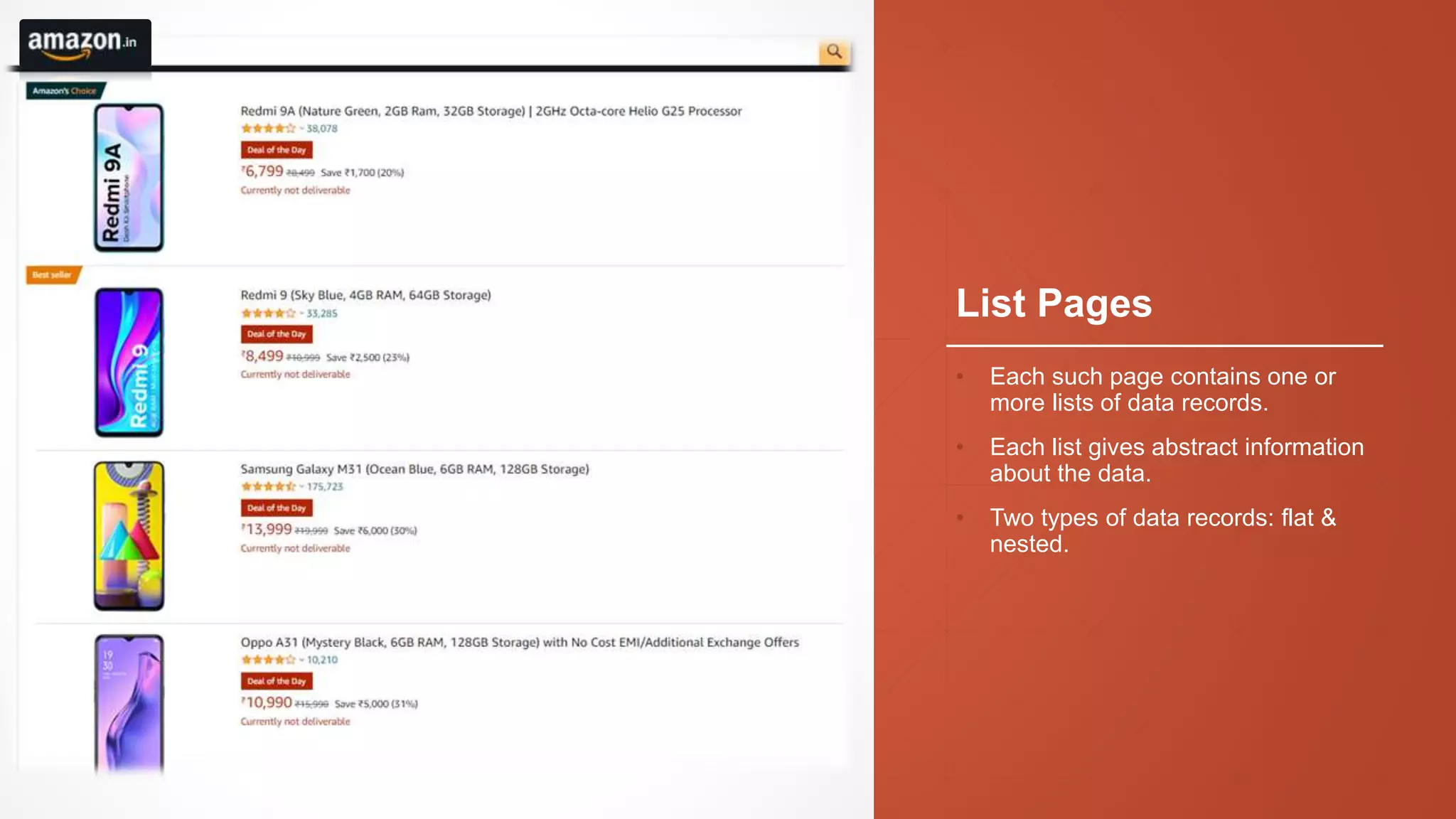
List Pages
• Each such page contains one or
more lists of data records.
• Each list gives abstract information
about the data.
• Two types of data records: flat &
nested.
Detail Pages
• Each such page focuses on a
single object.
• But can have a lot of related and
unrelated information.
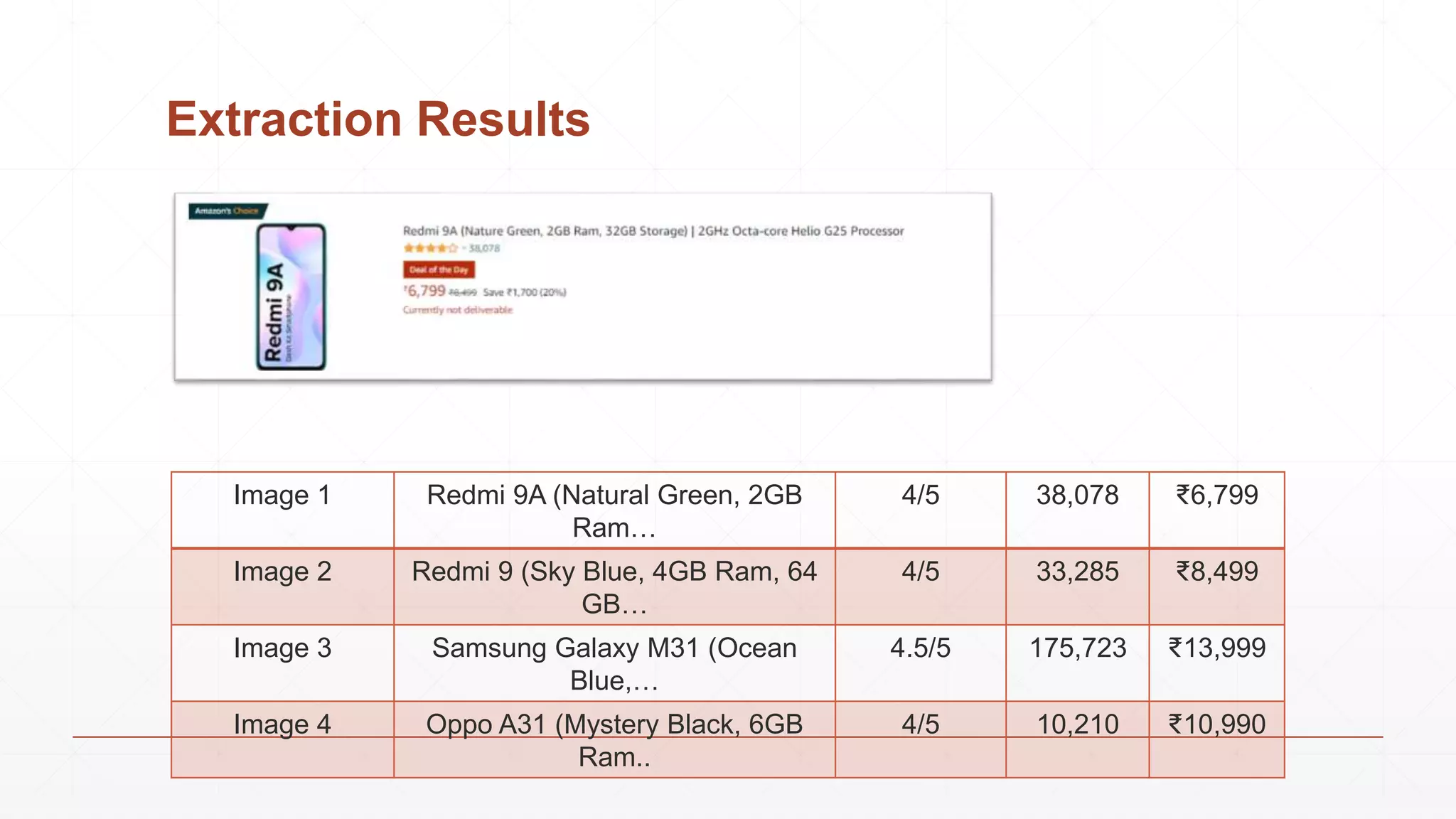
Extraction Results
Image 1 Redmi 9A (Natural Green, 2GB
Ram…
4/5 38,078 ₹6,799
Image 2 Redmi 9 (Sky Blue, 4GB Ram, 64
GB…
4/5 33,285 ₹8,499
Image 3 Samsung Galaxy M31 (Ocean
Blue,…
4.5/5 175,723 ₹13,999
Image 4 Oppo A31 (Mystery Black, 6GB
Ram..
4/5 10,210 ₹10,990
Wrapper Induction
Introduction
▪ Using machine learning to generate extraction rules.
▪ The user marks the target items in a few training pages.
▪ The system learns extraction rules from these pages.
▪ The rules are applied to extract items from other pages.
▪ Many wrapper induction systems, e.g.,
▪ WIEN (Kushmerick et al, IJCAI-97),
▪ Softmealy (Hsu and Dung, 1998),
▪ Stalker (Muslea et al. Agents-99),
▪ BWI (Freitag and Kushmerick, AAAI-00),
▪ WL2 (Cohen et al. WWW-02).
▪ We will only focus on Stalker, which also has a commercial version, Fetch.
Stalker: A hierarchical wrapper induction system
▪ Hierarchical wrapper learning
▪ Extraction is isolated at different levels
of hierarchy
▪ This is suitable for nested data records
(embedded list)
▪ Each item is extracted independent of
others.
▪ Each target item is extracted using two
rules
▪ A start rule for detecting the beginning
of the target item.
▪ A end rule for detecting the ending of
the target item.
Stalker: A hierarchical wrapper induction system
▪ Stalker uses sequential covering to learn extraction rules for each target item.
▪ In each iteration, it learns a perfect rule that covers as many positive examples
as possible without covering any negative example.
▪ Once a positive example is covered by a rule, it is removed.
▪ The algorithm ends when all the positive examples are covered. The result is
an ordered list of all learned rules.
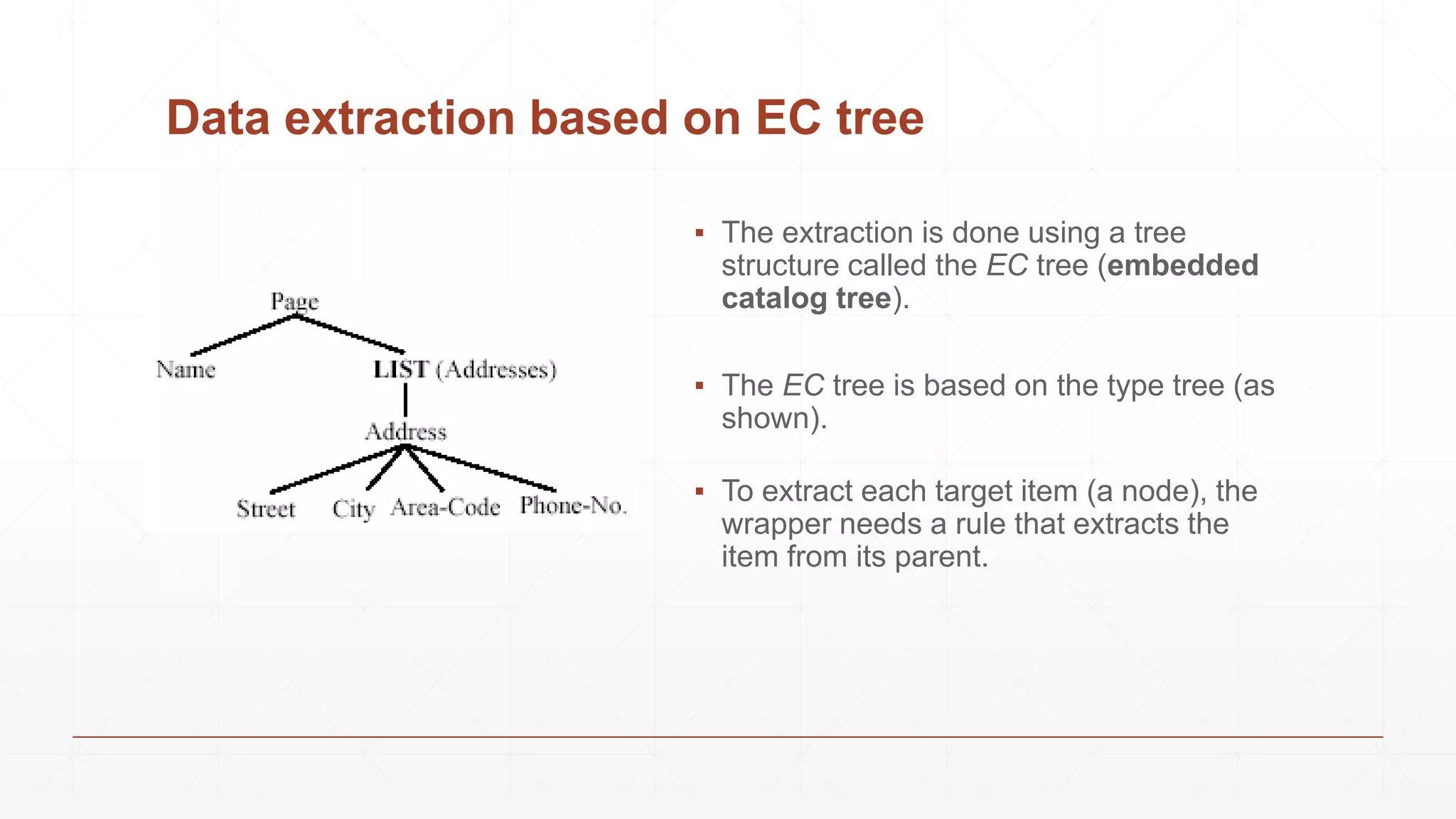
Data extraction based on EC tree
▪ The extraction is done using a tree
structure called the EC tree (embedded
catalog tree).
▪ The EC tree is based on the type tree (as
shown).
▪ To extract each target item (a node), the
wrapper needs a rule that extracts the
item from its parent.
Extraction using two rules
▪ Each extraction is done using two rules,
▪ a start rule and a end rule.
▪ The start rule identifies the beginning of the node and the end rule identifies the
end of the node.
▪ This strategy is applicable to both leaf nodes (which represent data items) and
list nodes.
▪ For a list node, list iteration rules are needed to break the list into individual data
records (tuple instances).
Rules use landmarks
▪ The extraction rules are based on the idea of landmarks.
▪ Each landmark is a sequence of consecutive tokens.
▪ Landmarks are used to locate the beginning and the end of a target item.
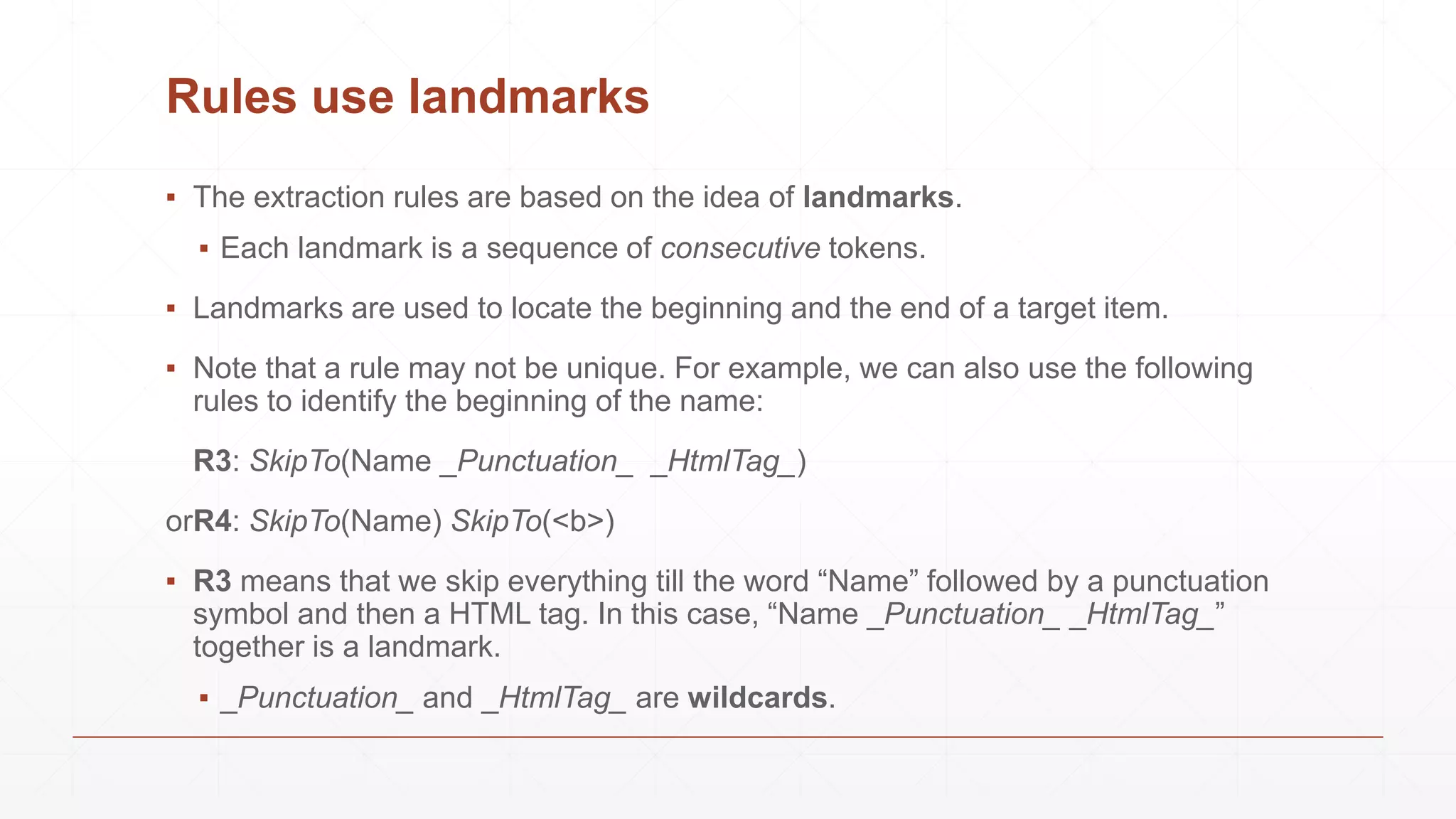
▪ Note that a rule may not be unique. For example, we can also use the following
rules to identify the beginning of the name:
R3: SkipTo(Name _Punctuation_ _HtmlTag_)
orR4: SkipTo(Name) SkipTo(<b>)
▪ R3 means that we skip everything till the word “Name” followed by a punctuation
symbol and then a HTML tag. In this case, “Name _Punctuation_ _HtmlTag_”
together is a landmark.
▪ _Punctuation_ and _HtmlTag_ are wildcards.
Example
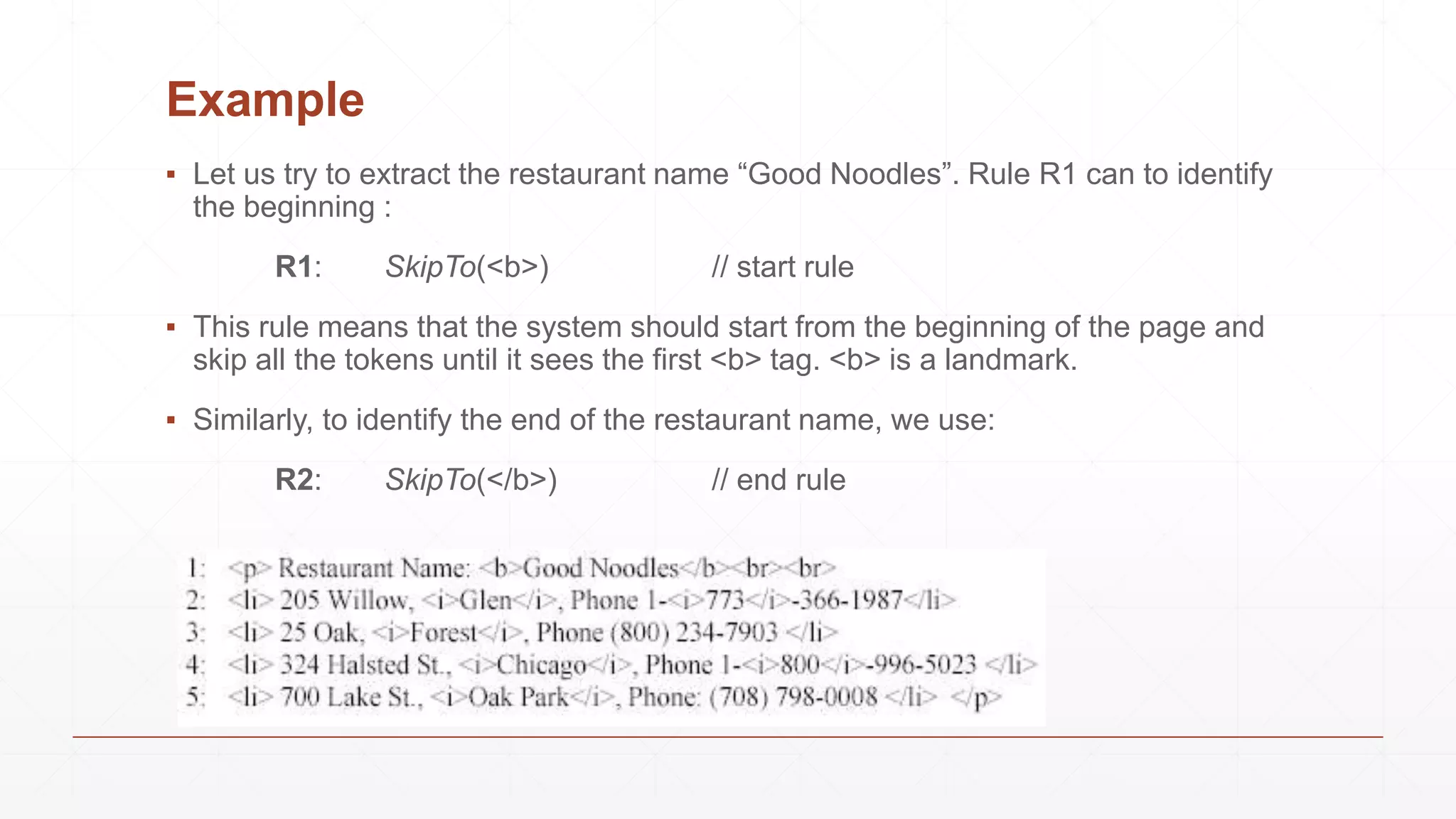
▪ Let us try to extract the restaurant name “Good Noodles”. Rule R1 can to identify
the beginning :
R1: SkipTo(<b>) // start rule
▪ This rule means that the system should start from the beginning of the page and
skip all the tokens until it sees the first <b> tag. <b> is a landmark.
▪ Similarly, to identify the end of the restaurant name, we use:
R2: SkipTo(</b>) // end rule
Example
▪ Lets try extracting area codes from the example.
▪ First step is to identify list of addresses. We can use the start rule
SkipTo(<br><br>), and the end rule SkipTo(</p>).
▪ Iterate through the list (lines 2-5) to break it into 4 individual records (line 2-5). To
identify the beginning of each address, the wrapper can start from the first token
of the parent & repeatedly apply the start rule SkipTo(<li>) to the content of the
list. Each successive identification of the beginning of an address starts from
where the previous one ends. Similarly, to identify the end of each address, it
starts from the last token of its parent & repeatedly apply the end rule
SkipTo(</li>).
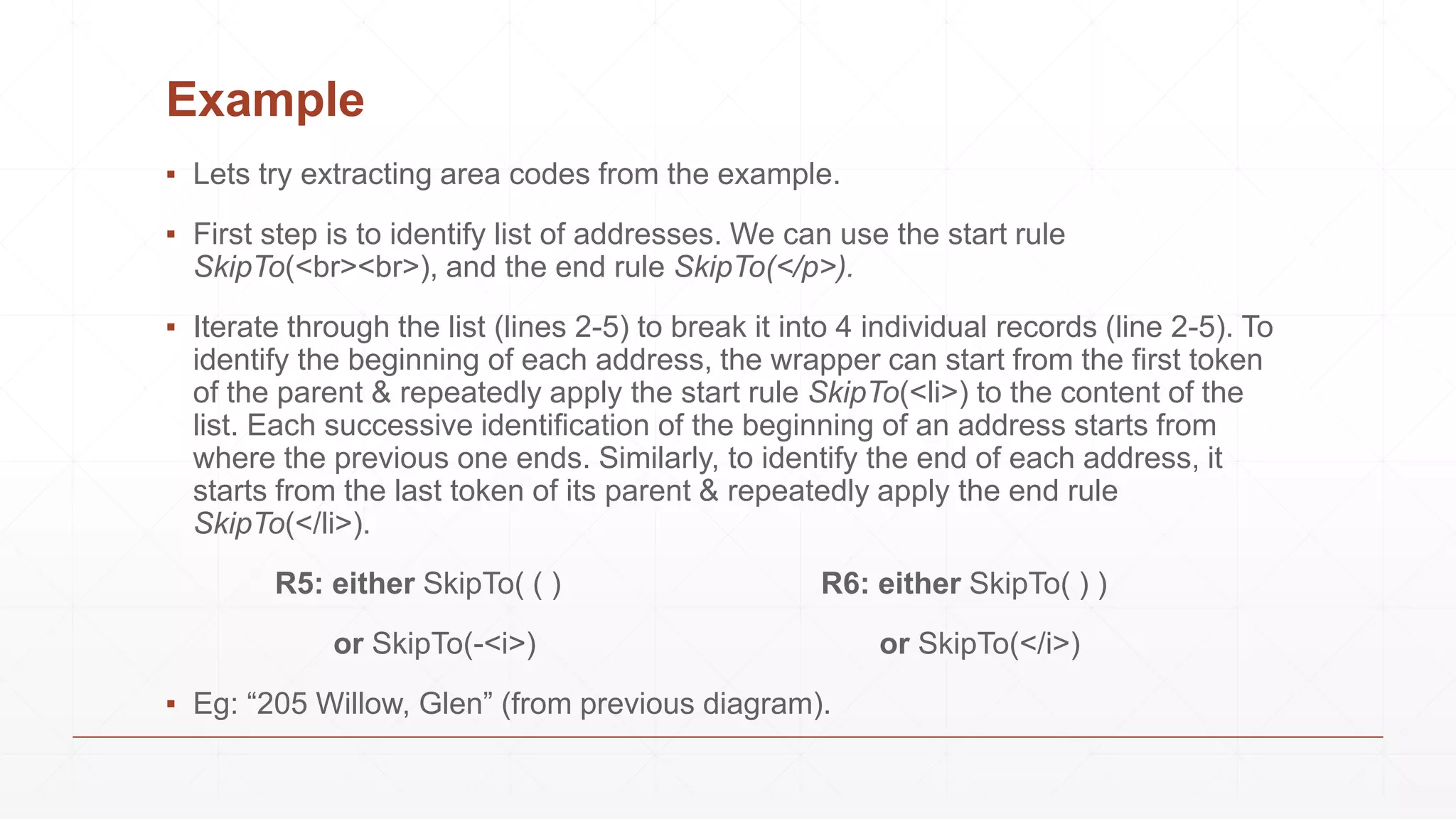
R5: either SkipTo( ( ) R6: either SkipTo( ) )
or SkipTo(-<i>) or SkipTo(</i>)
▪ Eg: “205 Willow, Glen” (from previous diagram).
Automatic Extraction
Why Automation?
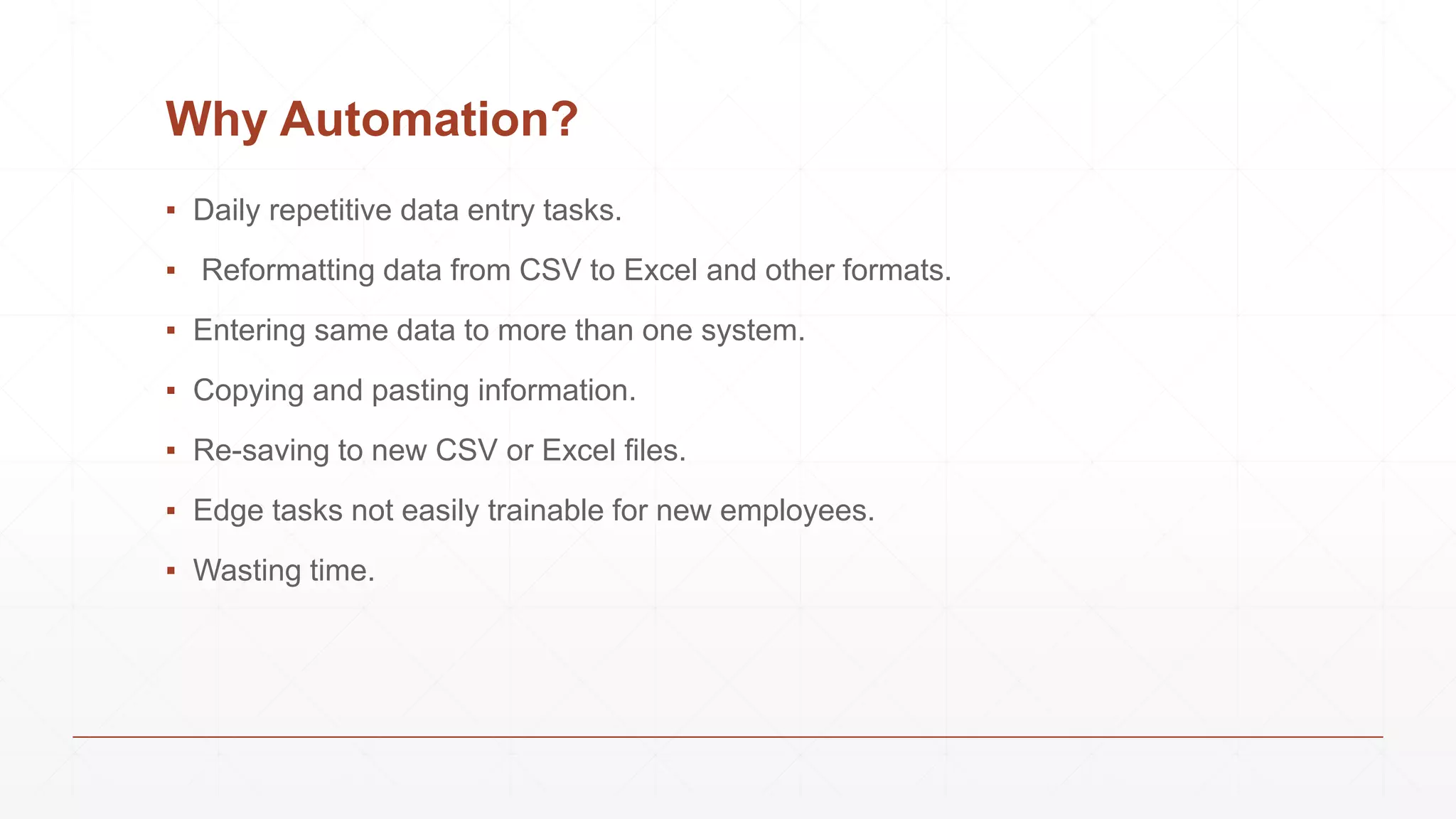
▪ Daily repetitive data entry tasks.
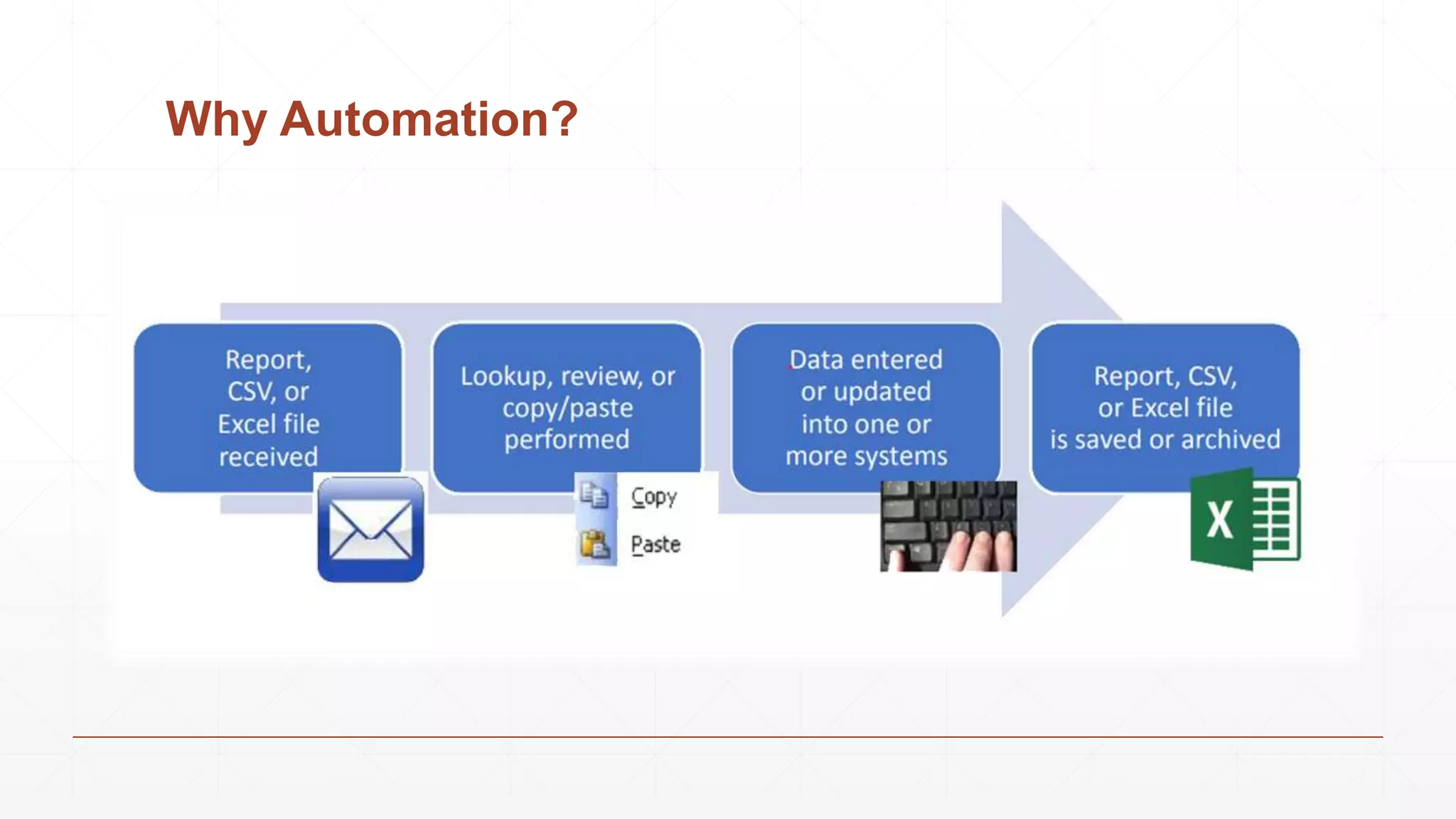
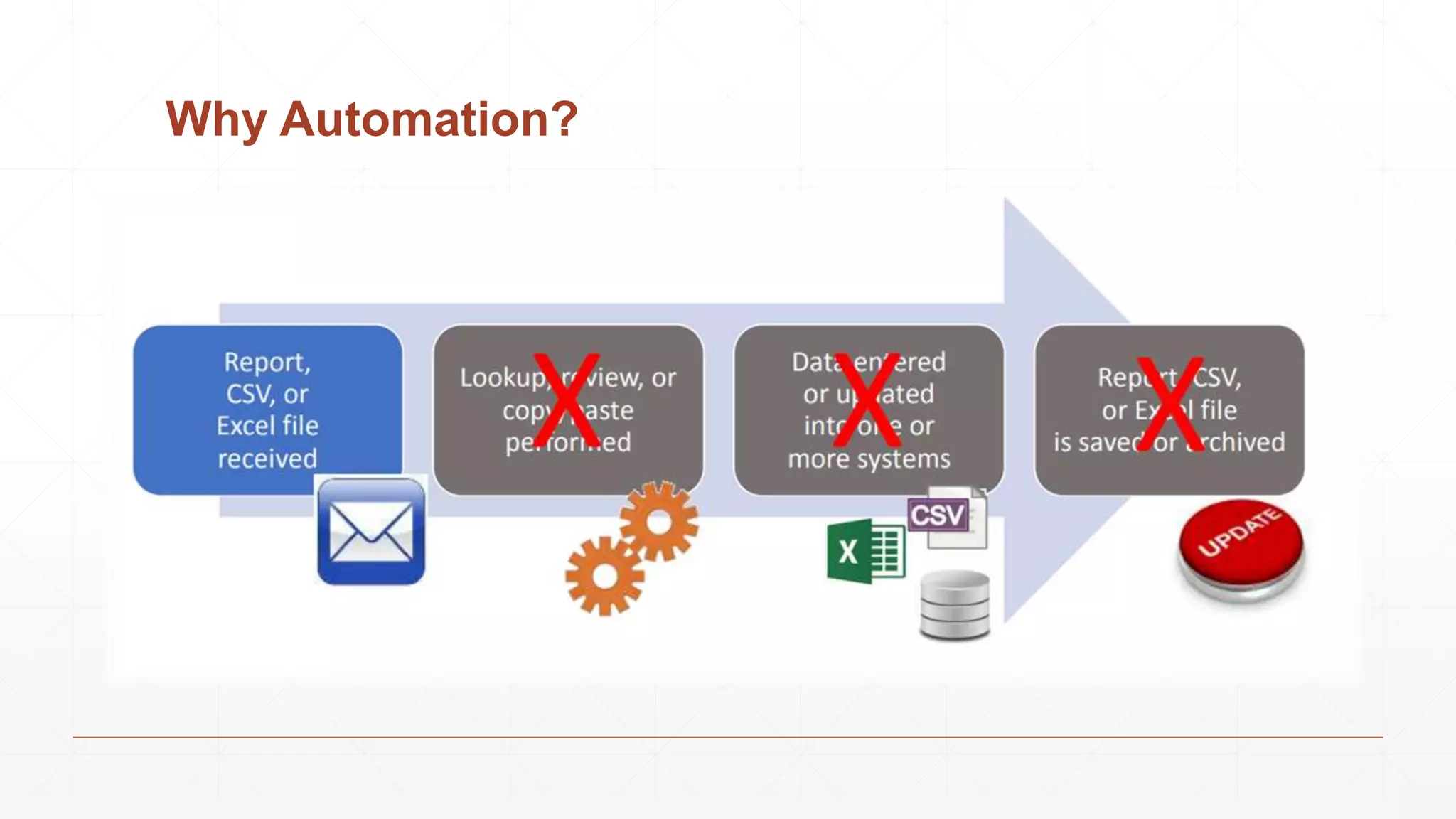
▪ Reformatting data from CSV to Excel and other formats.
▪ Entering same data to more than one system.
▪ Copying and pasting information.
▪ Re-saving to new CSV or Excel files.
▪ Edge tasks not easily trainable for new employees.
▪ Wasting time.
Why Automation?
Why Automation?
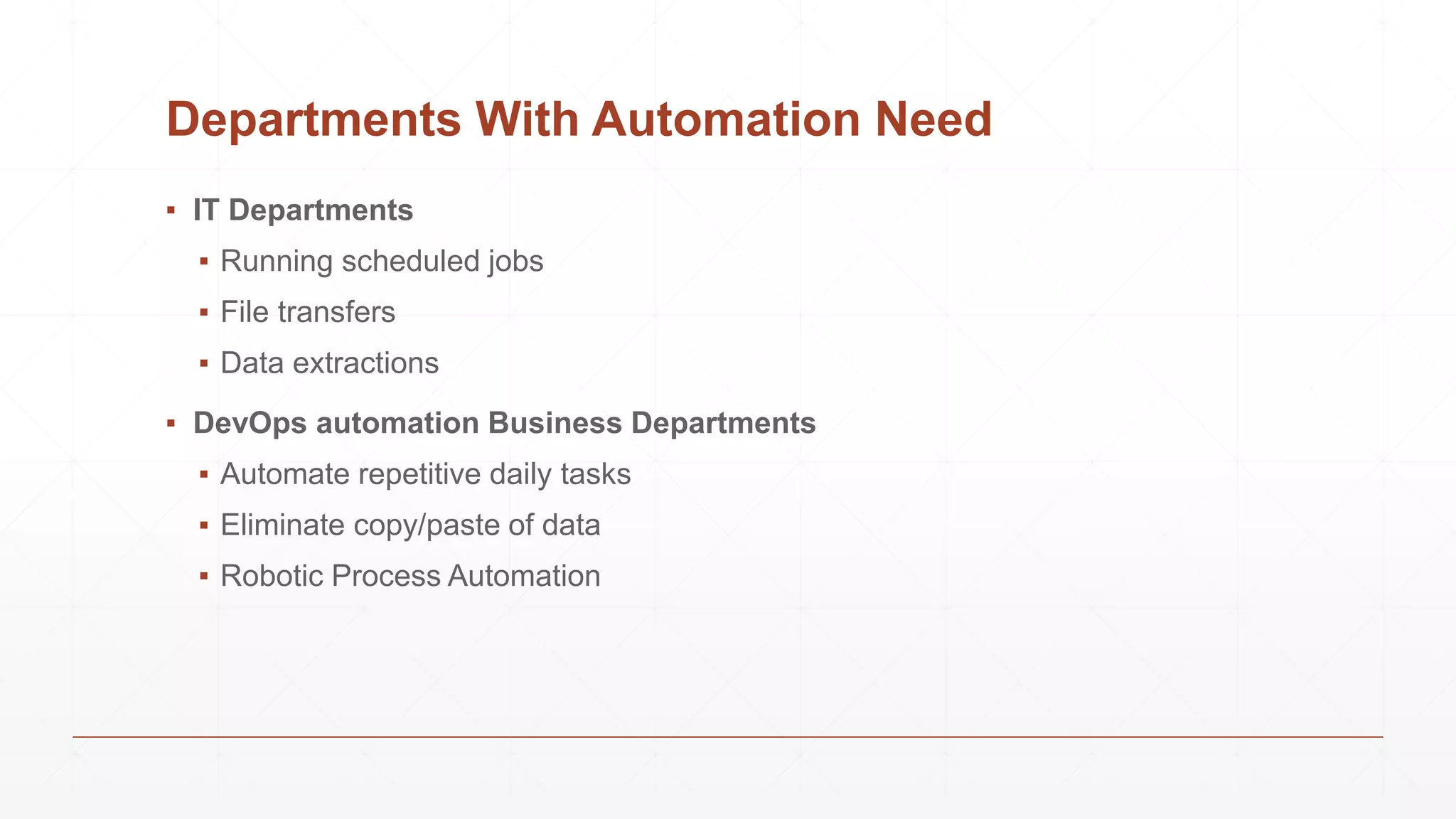
Departments With Automation Need
▪ IT Departments
▪ Running scheduled jobs
▪ File transfers
▪ Data extractions
▪ DevOps automation Business Departments
▪ Automate repetitive daily tasks
▪ Eliminate copy/paste of data
▪ Robotic Process Automation
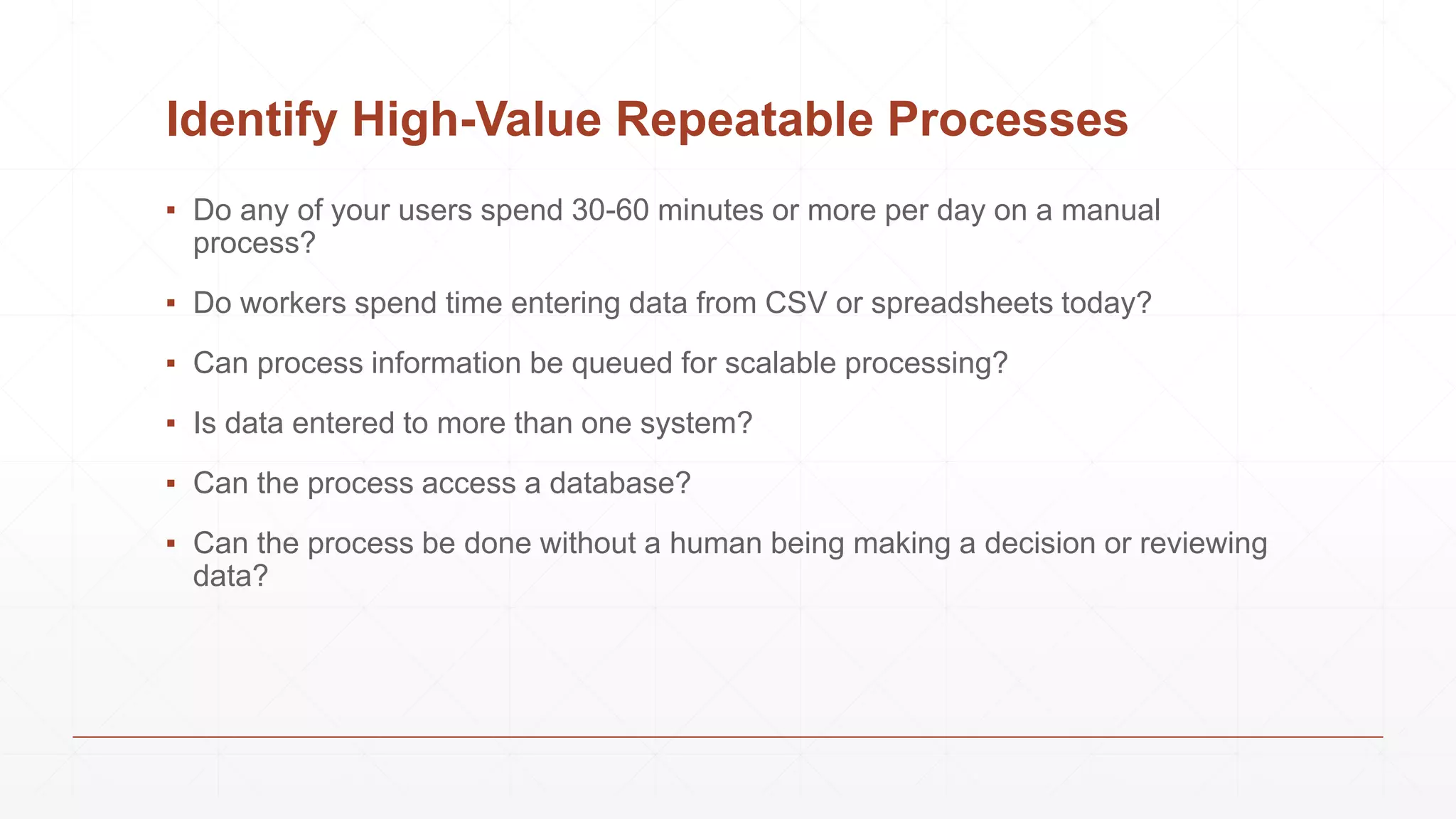
Identify High-Value Repeatable Processes
▪ Do any of your users spend 30-60 minutes or more per day on a manual
process?
▪ Do workers spend time entering data from CSV or spreadsheets today?
▪ Can process information be queued for scalable processing?
▪ Is data entered to more than one system?
▪ Can the process access a database?
▪ Can the process be done without a human being making a decision or reviewing
data?
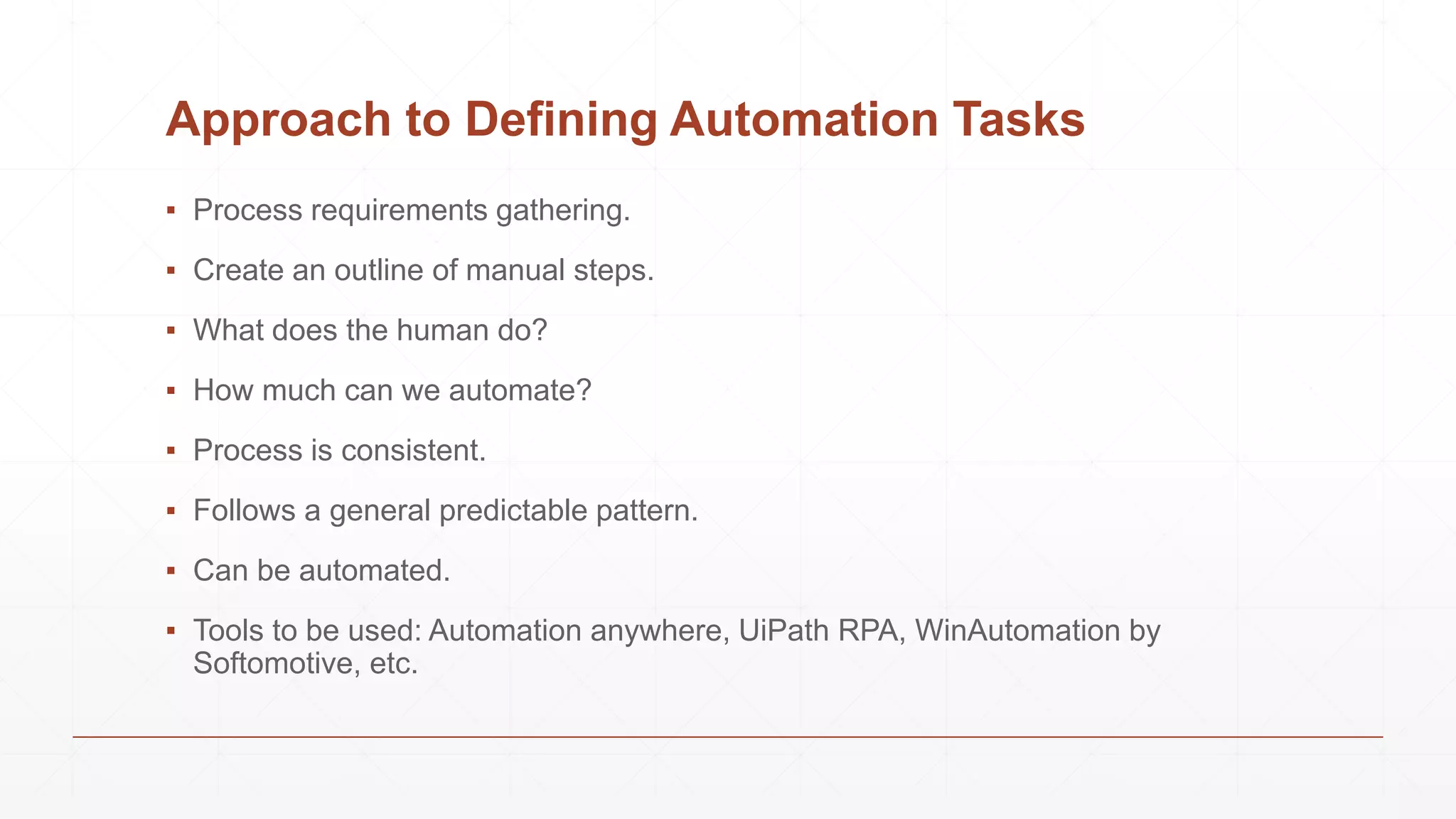
Approach to Defining Automation Tasks
▪ Process requirements gathering.
▪ Create an outline of manual steps.
▪ What does the human do?
▪ How much can we automate?
▪ Process is consistent.
▪ Follows a general predictable pattern.
▪ Can be automated.
▪ Tools to be used: Automation anywhere, UiPath RPA, WinAutomation by
Softomotive, etc.
It’s a wrap
Conclusion
Conclusion
Topics we’ve covered today so far,
▪ Data Extraction
▪ What?
▪ Why?
▪ Types of Data Extraction
▪ Logical
▪ Physical
▪ Structured Data Extraction
▪ Approaches
▪ Wrapper Induction
▪ Automatic Extraction
Thank you

Structured Data Extraction

  • 1.
  • 2.
  • 3.
    What is DataExtraction? ▪ Data extraction is a process that involves retrieval of data from various sources. ▪ Frequently, companies extract data in order to process it further, migrate the data to a data repository (such as a data warehouse or a data lake) or to further analyze it. ▪ It’s common to transform the data as a part of this process. ▪ For example, you might want to perform calculations on the data — such as aggregating sales data — and store those results in the data warehouse. ▪ You then likely want to combine the data with other data in the target data store (called as ETL, or Extraction, Transformation, and Loading). ▪ Extraction is the first key step in this process.
  • 4.
    Why Data Extraction? ▪Data is everywhere nowadays, and it represents gaining new insights that before just weren’t possible. Extracting data provide valuable information for your business such as the following, ▪ Improving Your Accuracy ▪ Leveraging Competitive Research ▪ Consistently Updating Your Product Offerings ▪ Boost Your SEO ▪ Performing Deeper Client Research ▪ Increasing Productivity ▪ Studying Financial Markets
  • 5.
    Understanding Data ExtractionTypes ▪ While you may hear terms like full extraction and incremental extractions commonly when researching extraction methods in data warehousing, the process actually begins with logically defining extraction and then physically performing the extraction. ▪ Logical Data Extraction ▪ Full Extraction ▪ Incremental Extraction ▪ Physical Data Extraction ▪ Automated Data Extraction
  • 6.
  • 7.
    Introduction ▪ A largeamount of information on the web is contained in regularly structured data object. ▪ Such web data records are important: lists of products & services. ▪ Applications: ▪ Comparative Shopping ▪ Meta search ▪ Meta query ▪ Two approaches ▪ Wrapper induction (supervised learning) ▪ Automatic extraction (unsupervised learning)
  • 8.
  • 9.
    List Pages • Eachsuch page contains one or more lists of data records. • Each list gives abstract information about the data. • Two types of data records: flat & nested.
  • 10.
    Detail Pages • Eachsuch page focuses on a single object. • But can have a lot of related and unrelated information.
  • 11.
    Extraction Results Image 1Redmi 9A (Natural Green, 2GB Ram… 4/5 38,078 ₹6,799 Image 2 Redmi 9 (Sky Blue, 4GB Ram, 64 GB… 4/5 33,285 ₹8,499 Image 3 Samsung Galaxy M31 (Ocean Blue,… 4.5/5 175,723 ₹13,999 Image 4 Oppo A31 (Mystery Black, 6GB Ram.. 4/5 10,210 ₹10,990
  • 12.
  • 13.
    Introduction ▪ Using machinelearning to generate extraction rules. ▪ The user marks the target items in a few training pages. ▪ The system learns extraction rules from these pages. ▪ The rules are applied to extract items from other pages. ▪ Many wrapper induction systems, e.g., ▪ WIEN (Kushmerick et al, IJCAI-97), ▪ Softmealy (Hsu and Dung, 1998), ▪ Stalker (Muslea et al. Agents-99), ▪ BWI (Freitag and Kushmerick, AAAI-00), ▪ WL2 (Cohen et al. WWW-02). ▪ We will only focus on Stalker, which also has a commercial version, Fetch.
  • 14.
    Stalker: A hierarchicalwrapper induction system ▪ Hierarchical wrapper learning ▪ Extraction is isolated at different levels of hierarchy ▪ This is suitable for nested data records (embedded list) ▪ Each item is extracted independent of others. ▪ Each target item is extracted using two rules ▪ A start rule for detecting the beginning of the target item. ▪ A end rule for detecting the ending of the target item.
  • 15.
    Stalker: A hierarchicalwrapper induction system ▪ Stalker uses sequential covering to learn extraction rules for each target item. ▪ In each iteration, it learns a perfect rule that covers as many positive examples as possible without covering any negative example. ▪ Once a positive example is covered by a rule, it is removed. ▪ The algorithm ends when all the positive examples are covered. The result is an ordered list of all learned rules.
  • 16.
    Data extraction basedon EC tree ▪ The extraction is done using a tree structure called the EC tree (embedded catalog tree). ▪ The EC tree is based on the type tree (as shown). ▪ To extract each target item (a node), the wrapper needs a rule that extracts the item from its parent.
  • 17.
    Extraction using tworules ▪ Each extraction is done using two rules, ▪ a start rule and a end rule. ▪ The start rule identifies the beginning of the node and the end rule identifies the end of the node. ▪ This strategy is applicable to both leaf nodes (which represent data items) and list nodes. ▪ For a list node, list iteration rules are needed to break the list into individual data records (tuple instances).
  • 18.
    Rules use landmarks ▪The extraction rules are based on the idea of landmarks. ▪ Each landmark is a sequence of consecutive tokens. ▪ Landmarks are used to locate the beginning and the end of a target item. ▪ Note that a rule may not be unique. For example, we can also use the following rules to identify the beginning of the name: R3: SkipTo(Name _Punctuation_ _HtmlTag_) orR4: SkipTo(Name) SkipTo(<b>) ▪ R3 means that we skip everything till the word “Name” followed by a punctuation symbol and then a HTML tag. In this case, “Name _Punctuation_ _HtmlTag_” together is a landmark. ▪ _Punctuation_ and _HtmlTag_ are wildcards.
  • 19.
    Example ▪ Let ustry to extract the restaurant name “Good Noodles”. Rule R1 can to identify the beginning : R1: SkipTo(<b>) // start rule ▪ This rule means that the system should start from the beginning of the page and skip all the tokens until it sees the first <b> tag. <b> is a landmark. ▪ Similarly, to identify the end of the restaurant name, we use: R2: SkipTo(</b>) // end rule
  • 20.
    Example ▪ Lets tryextracting area codes from the example. ▪ First step is to identify list of addresses. We can use the start rule SkipTo(<br><br>), and the end rule SkipTo(</p>). ▪ Iterate through the list (lines 2-5) to break it into 4 individual records (line 2-5). To identify the beginning of each address, the wrapper can start from the first token of the parent & repeatedly apply the start rule SkipTo(<li>) to the content of the list. Each successive identification of the beginning of an address starts from where the previous one ends. Similarly, to identify the end of each address, it starts from the last token of its parent & repeatedly apply the end rule SkipTo(</li>). R5: either SkipTo( ( ) R6: either SkipTo( ) ) or SkipTo(-<i>) or SkipTo(</i>) ▪ Eg: “205 Willow, Glen” (from previous diagram).
  • 21.
  • 22.
    Why Automation? ▪ Dailyrepetitive data entry tasks. ▪ Reformatting data from CSV to Excel and other formats. ▪ Entering same data to more than one system. ▪ Copying and pasting information. ▪ Re-saving to new CSV or Excel files. ▪ Edge tasks not easily trainable for new employees. ▪ Wasting time.
  • 23.
  • 24.
  • 25.
    Departments With AutomationNeed ▪ IT Departments ▪ Running scheduled jobs ▪ File transfers ▪ Data extractions ▪ DevOps automation Business Departments ▪ Automate repetitive daily tasks ▪ Eliminate copy/paste of data ▪ Robotic Process Automation
  • 26.
    Identify High-Value RepeatableProcesses ▪ Do any of your users spend 30-60 minutes or more per day on a manual process? ▪ Do workers spend time entering data from CSV or spreadsheets today? ▪ Can process information be queued for scalable processing? ▪ Is data entered to more than one system? ▪ Can the process access a database? ▪ Can the process be done without a human being making a decision or reviewing data?
  • 27.
    Approach to DefiningAutomation Tasks ▪ Process requirements gathering. ▪ Create an outline of manual steps. ▪ What does the human do? ▪ How much can we automate? ▪ Process is consistent. ▪ Follows a general predictable pattern. ▪ Can be automated. ▪ Tools to be used: Automation anywhere, UiPath RPA, WinAutomation by Softomotive, etc.
  • 28.
  • 29.
    Conclusion Topics we’ve coveredtoday so far, ▪ Data Extraction ▪ What? ▪ Why? ▪ Types of Data Extraction ▪ Logical ▪ Physical ▪ Structured Data Extraction ▪ Approaches ▪ Wrapper Induction ▪ Automatic Extraction
  • 30.