Andrew Mallis
CEO & co-founder
mallis@kalamuna.com
DASHBOARDS
Transform Your Data to Show Impact &
Empower Action
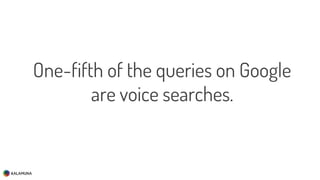
One-fifth of the queries on Google
are voice searches.
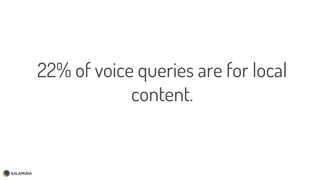
22% of voice queries are for local
content.
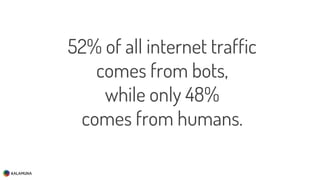
52% of all internet traffic
comes from bots,
while only 48%
comes from humans.
Hello.
About me
twitter @andrew_mallis
d.o. andrew_mallis
email mallis@kalamuna.com
etc andrewmallisAndrew Mallis
CEO & co-founder
Kalamuna partners with socially impactful institutions,
associations, agencies, and governments to help them solve
today’s most pressing problems.
We do this by empowering them with the research, strategy,
design, and technology that will transform their
organizations so they can better serve the needs of their
audiences and communities.
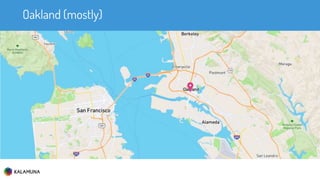
Oakland (mostly)
We share our knowledge freely and
actively in our community of
practice
We build community as
event organizers
We foster community interactions
founded in meaning and service
#drupal4good
Our Work
DEFINING THE PROBLEM
How much good are we doing?
How can we deliver better
outcomes?
Measure the right things!
Visualize the outcomes!
I am not your guru
Why do you have a website?
ANALYTICS 0–60
Coming to Terms
What is Analytics?
Analytics is the discovery, interpretation, and
communication of meaningful patterns in data.
What is Digital Analytics ?
Digital analytics encompasses the collection,
measurement, analysis, visualisation and interpretation
of digital data illustrating user behaviour on websites,
mobile sites and mobile applications.
Examples
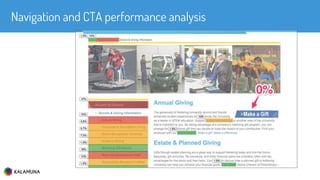
Navigation and CTA performance analysis
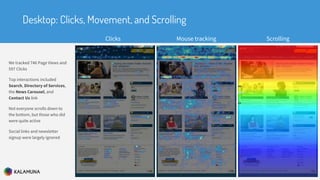
We tracked 746 Page Views and
597 Clicks
Top interactions included
Search, Directory of Services,
the News Carousel, and
Contact Us link
Not everyone scrolls down to
the bottom, but those who did
were quite active
Social links and newsletter
signup were largely ignored
Desktop: Clicks, Movement, and Scrolling
Clicks Mouse tracking Scrolling
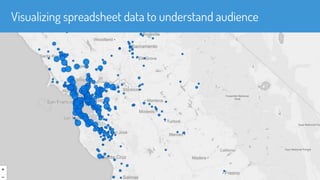
Visualizing spreadsheet data to understand audience
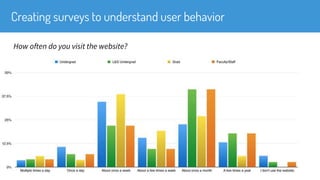
Creating surveys to understand user behavior
How often do you visit the website?
Analytics help you understand what
works and what doesn’t, so you can
adjust your approach to your
audience and have a greater impact.
Data Collection
■ A web analytics script collects information about a user’s interactions
with your site as well as the:
■ technology they use (browser, device, OS)
■ geolocation
■ traffic source (email campaign, search engine)
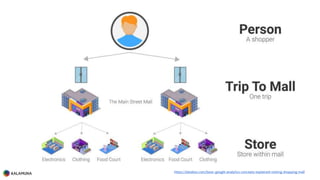
https://databox.com/basic-google-analytics-concepts-explained-visiting-shopping-mall
Understanding time on your site
■ The quality of your content can be measured using several metrics.
One of them is time spent on site.

■ The longer you’re in the mall, the more likely you are to buy more stuff
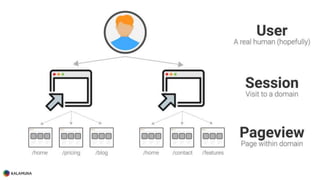
Session
■ Begins when user visits a page with the tracking code
■ Each session is unique to a browser on a device
■ Typically ENDS after 30 minutes of inactivity
■ If visiting the site once an hour, a new session starts each time.
■ Google Analytics has no way to measure duration for the last page visited
within the session
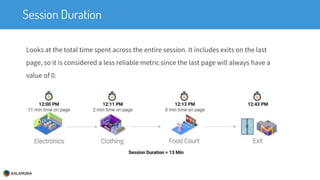
Session Duration
Looks at the total time spent across the entire session. It includes exits on the last
page, so it is considered a less reliable metric since the last page will always have a
value of 0.
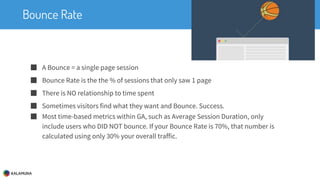
Bounce Rate
■ A Bounce = a single page session
■ Bounce Rate is the the % of sessions that only saw 1 page
■ There is NO relationship to time spent
■ Sometimes visitors find what they want and Bounce. Success.
■ Most time-based metrics within GA, such as Average Session Duration, only
include users who DID NOT bounce. If your Bounce Rate is 70%, that number is
calculated using only 30% your overall traffic.
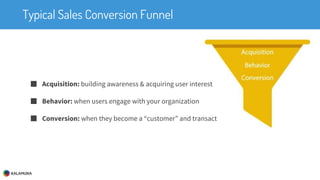
Typical Sales Conversion Funnel
■ Acquisition: building awareness & acquiring user interest
■ Behavior: when users engage with your organization
■ Conversion: when they become a “customer” and transact
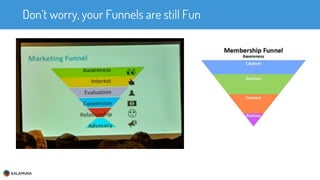
Don’t worry, your Funnels are still Fun
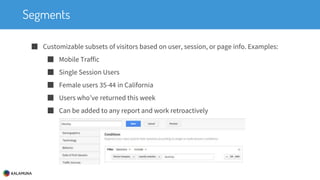
Segments
■ Customizable subsets of visitors based on user, session, or page info. Examples:
■ Mobile Traffic
■ Single Session Users
■ Female users 35-44 in California
■ Users who’ve returned this week
■ Can be added to any report and work retroactively
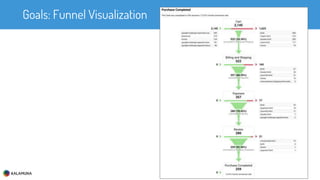
Goals: Funnel Visualization
Data Collection
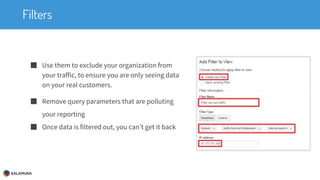
Filters
■ Use them to exclude your organization from
your traffic, to ensure you are only seeing data
on your real customers.
■ Remove query parameters that are polluting
your reporting
■ Once data is filtered out, you can’t get it back
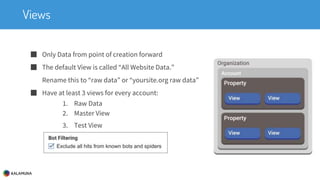
Views
■ Only Data from point of creation forward
■ The default View is called “All Website Data.”
Rename this to “raw data” or “yoursite.org raw data”
■ Have at least 3 views for every account:
1. Raw Data
2. Master View
3. Test View
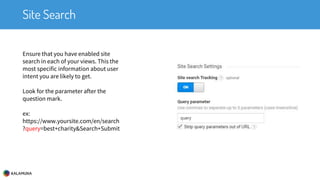
Site Search
Ensure that you have enabled site
search in each of your views. This the
most specific information about user
intent you are likely to get.
Look for the parameter after the
question mark.
ex:
https://www.yoursite.com/en/search
?query=best+charity&Search+Submit
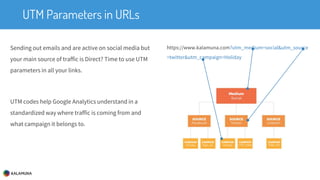
UTM Parameters in URLs
Sending out emails and are active on social media but
your main source of traffic is Direct? Time to use UTM
parameters in all your links.
UTM codes help Google Analytics understand in a
standardized way where traffic is coming from and
what campaign it belongs to.
https://www.kalamuna.com?utm_medium=social&utm_source
=twitter&utm_campaign=Holiday
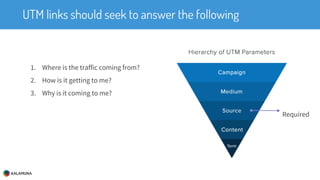
UTM links should seek to answer the following
1. Where is the traffic coming from?
2. How is it getting to me?
3. Why is it coming to me?
Required
MARKETING AUTOMATION
Recurring Characters
Explain it
■ Outbound strategies for automated marketing
■ Multi-touch strategies like email drip campaigns
■ Robocalls
■ Direct mail campaigns
■ Fighting the spam/junk label
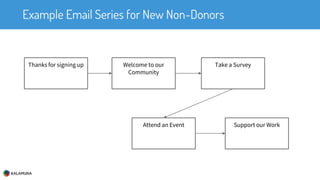
Example Email Series for New Non-Donors
Thanks for signing up Welcome to our
Community
Take a Survey
Attend an Event Support our Work
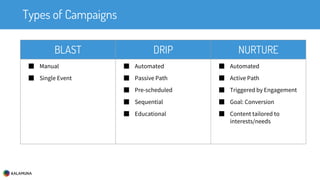
Types of Campaigns
BLAST DRIP NURTURE
■ Manual
■ Single Event
■ Automated
■ Passive Path
■ Pre-scheduled
■ Sequential
■ Educational
■ Automated
■ Active Path
■ Triggered by Engagement
■ Goal: Conversion
■ Content tailored to
interests/needs
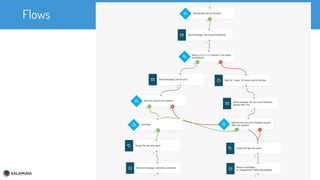
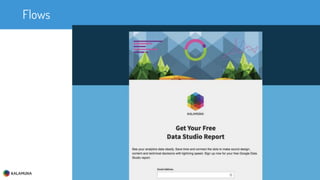
Flows
Case study
Surprise, you are the case study
http://bit.ly/afp-gds
Flows
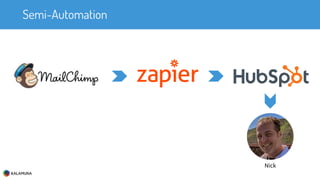
Semi-Automation
Nick
INTERMISSION
DASHBOARDS
why
Let me share a story about sharing
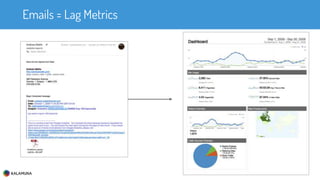
Emails = Lag Metrics
Analytics UI is daunting
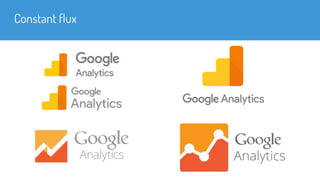
Constant flux
Analytics meets Powerpoint
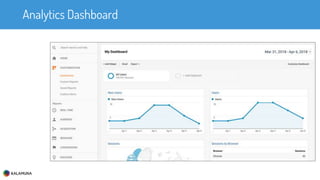
Analytics Dashboard
vs
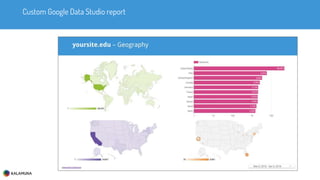
Custom Google Data Studio report
GDS tour
June 2, 2016 - US public beta
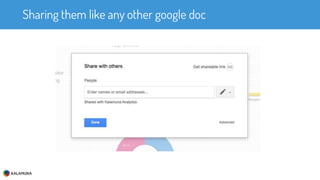
Sharing them like any other google doc
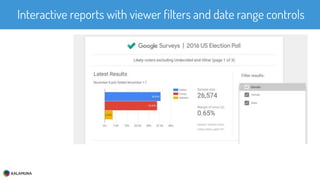
Interactive reports with viewer filters and date range controls
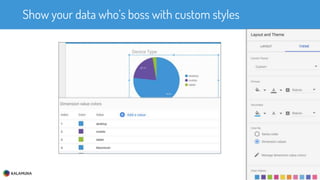
Show your data who’s boss with custom styles
demo
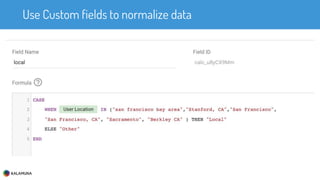
Use Custom fields to normalize data
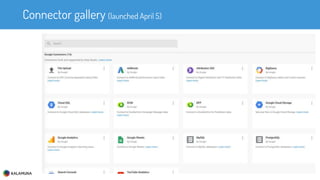
Connector gallery (launched April 5)
Sheets integration
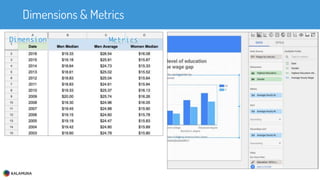
Dimensions & Metrics
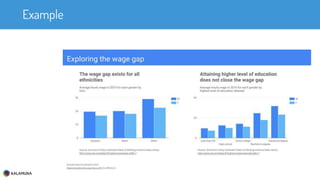
Example
Kalamuna GDS report template
http://bit.ly/afp-gds
Other Options
Dashboard Options round-up
Databox
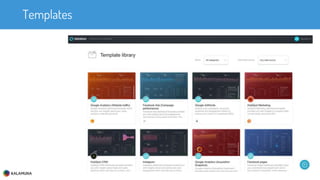
Templates
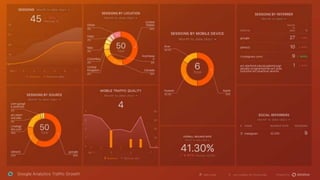
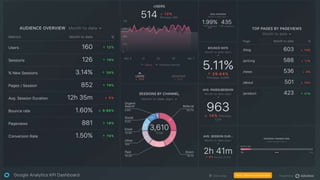
Analytics example
Analytics example
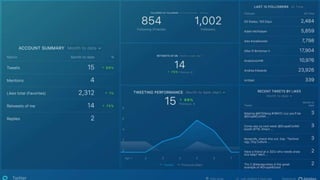
Twitter
Power BI
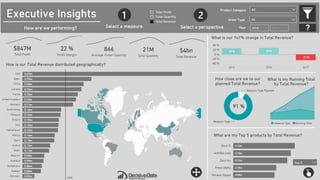
Power BI Example
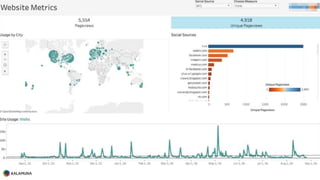
Tableau
Tableau Example
Segment
Thank You!
www.kalamuna.com
mallis@kalamuna.com

Dashboards: Transform Your Data to Show Impact & Empower Action

Editor's Notes

  • #3 https://neilpatel.com/blog/seo-for-voice-search/
  • #4 https://www.slideshare.net/kleinerperkins/2016-internet-trends-report/124-KPCB_INTERNET_TRENDS_2016_PAGE124Hound claim your Google My Business listing. Emphasize structured data Rethink keywords
  • #5 https://www.slideshare.net/kleinerperkins/2016-internet-trends-report/124-KPCB_INTERNET_TRENDS_2016_PAGE124Hound claim your Google My Business listing. Emphasize structured data Rethink keywords
  • #8 AM
  • #11 We organize, speak at, and sponsor events in the Drupal community
  • #13 We organized a large scale Funeral with a New Orleans Jazz band through the city and to a ceremony where the Drupal founder and other key members spoke
  • #15 We gave our money away to charity instead of producing conference land-fill - #drupal4good
  • #17 Details forthcoming; don’t dive in to clients individually
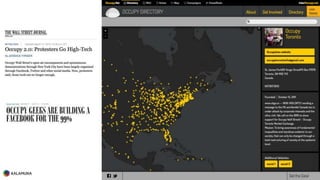
  • #24 I first got hooked on data visualizations in building http://directory.occupy.net to tell a story of how we were all connected in this struggle beyond borders. It was a huge international data project and volunteer run team project.
  • #25 Tony Robbins
  • #26 Once you are clear about what you want people to do on your site, and set up Google Analytics to track that behaviour, everything else about using this tool will make much more sense.
  • #27 Experts have estimated that Google Analytics is used on 30+ million sites.
  • #32 Poor CTAs loose donors
  • #33 Crazyegg example
  • #34 interactive map visualizes the Cash patient data spans the Bay (and beyond)
  • #35 “How often do you visit the website?”
  • #38 https://databox.com/basic-google-analytics-concepts-explained-visiting-shopping-mall
  • #46 Jump to https://analytics.google.com/analytics/web/#/report/visitors-overview/a54516992w87479473p92324711/
  • #47 RED: dropoff. Can be a bounce, or a visit outside the goal flow
  • #48 https://analytics.google.com/analytics/web/#/report/conversions-goal-funnel/a54516992w87479473p92320289/
  • #54 Uruchin Traffic Monitor
  • #57 Eloqua = Oracle & Fortune 500s
  • #62 semi-automation
  • #71 Google has let you set up dashboards for a long time, but sharing the information requires access to the account. That isn’t always possible, or sometimes people get lost finding the reports. You can PDF the reports and even send them out monthly. But, what if your recipient wants specific information. You’re inevitably emailing screenshots back and forth. Data gets stale, and is less actionable.
  • #72 Sending someone to GA can be scary. Overwhelming. Confusing.
  • #73 The interface keeps changing and so does the logo. (note: change is good, and the product keeps improving, but it can be disorienting for c-level people)
  • #74 Enter: GDS
  • #78 https://datastudio.google.com/u/0/reporting/13JGuQRVdAWceF7ybF9G54rrL4LZMsEL8/page/B1xK
  • #81 It is as easy to share a GDS report as any other doc – to an individual, to the world, to all members of your organization, or to a group.
  • #82 Dynamic filters let you load new data sets into a given report, or apply date filters dynamically
  • #83 Reports can be stylized to match your brand to show that you are the boss of your data
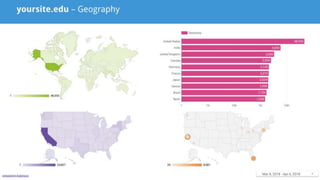
  • #84 https://datastudio.google.com/u/0/reporting/1uxFpB9RLA0dhQ0vDeM7c0CbEacvj6hP_/page/B1xK
  • #85 You can create extra fields to merge and process data into a format that better suits your reporting needs Here, we normalize the self-reported location data from Twitter profiles to better understand who is local vs not in our report.
  • #86 GDS has a ecosystem of free and paid connectors to many services, and an API you can use to build you own.
  • #88 Dimensions and Metrics are the building blocks of GDS report widgets
  • #89 Here’s an example that uses a google spreadsheet to generate dynamic reports https://datastudio.google.com/u/0/reporting/1FzACAskLEzrYU2LcyzNjN4OGH1FjfTBi/page/Q47F
  • #92 Supermetrics = connections to put things in sheets
  • #94 If GDS isn’t your thing, take a look at Databox (http://databox.com), you can do a lot on the free tier and there are many groovy templates to choose from. These are responsive too, unlike GDS reports, and will go full-screen to create peaceroom displays that can motivate your team’s performance.
  • #95 Example analytics dashboard template from databox
  • #96 Another example analytics dashboard template from databox
  • #97 Example Twitter dashboard. You can password protect a report, like this one: https://app.databox.com/datawall/0c1ee5c278557389ce15e8a7ede6275005a8d2dcc And that doesn’t require a google powered email to access (kala)
  • #99 http://community.powerbi.com/t5/Data-Stories-Gallery/bd-p/DataStoriesGallery
  • #101 https://10az.online.tableau.com/#/site/demodepot/views/Marketing-WebsiteMetrics/SiteUsageDashboard