Add a Dash of AjaxJason Noblehttp://jasonnoble.org
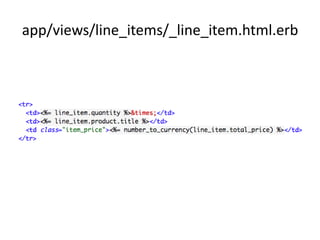
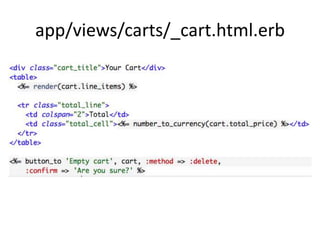
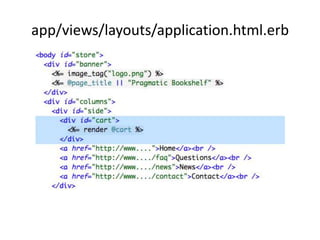
Partial TemplatesMethods for viewsMove a portion of your view to a separate fileInvoke a given partial from multiple locationsAnother viewController
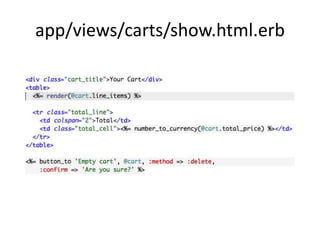
app/views/carts/show.html.erb
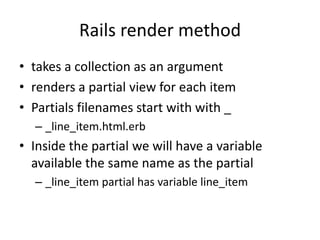
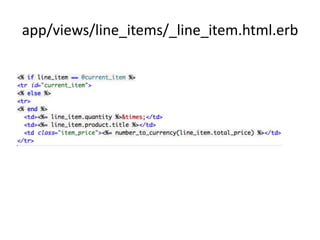
Rails render methodtakes a collection as an argumentrenders a partial view for each itemPartials filenames start with with __line_item.html.erbInside the partial we will have a variable available the same name as the partial_line_item partial has variable line_item
app/views/line_items/_line_item.html.erb
app/views/carts/_cart.html.erb
app/views/layouts/application.html.erb
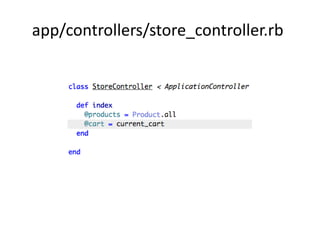
app/controllers/store_controller.rb
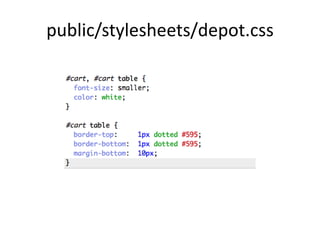
public/stylesheets/depot.css
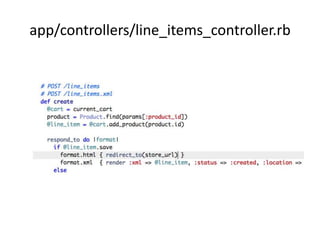
app/controllers/line_items_controller.rb
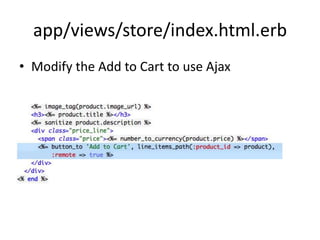
app/views/store/index.html.erbModify the Add to Cart to use Ajax
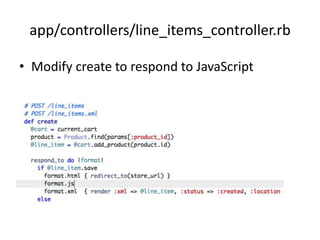
app/controllers/line_items_controller.rbModify create to respond to JavaScript
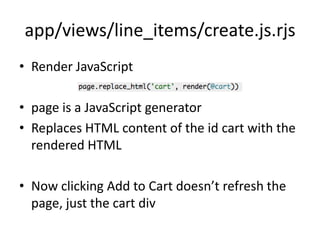
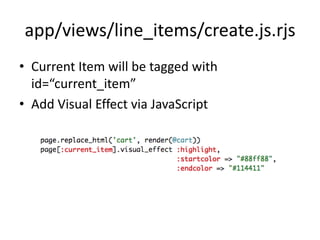
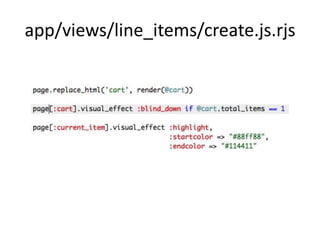
app/views/line_items/create.js.rjsRender JavaScriptpage is a JavaScript generatorReplaces HTML content of the id cart with the rendered HTMLNow clicking Add to Cart doesn’t refresh the page, just the cart div
Highlight ChangesProduct owner wants a visual cue that the cart has been updatedWe’ll use the script.aculo.us’ provided yellow fade techniqueSee other effects at http://madrobby.github.com/scriptaculous/demos/
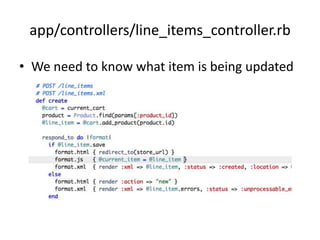
app/controllers/line_items_controller.rbWe need to know what item is being updated
app/views/line_items/_line_item.html.erb
app/views/line_items/create.js.rjsCurrent Item will be tagged with id=“current_item”Add Visual Effect via JavaScript
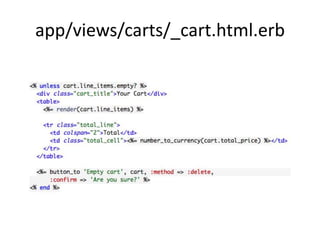
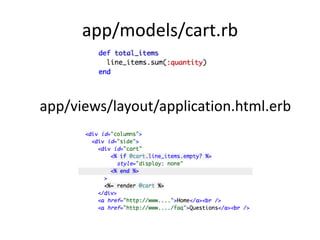
Hide Empty CartsCustomer would like to hide the cart if it is emptyWe’ll do this first via not rendering the HTML if the cart is emptyThen we’ll make it smoother by adding another JavaScript effect
app/views/carts/_cart.html.erb
app/views/line_items/create.js.rjs
app/models/cart.rbapp/views/layout/application.html.erb
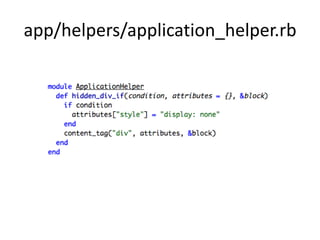
app/helpers/application_helper.rb
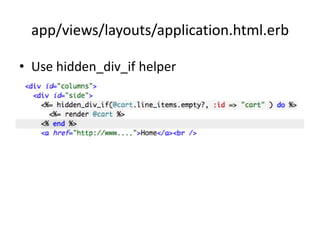
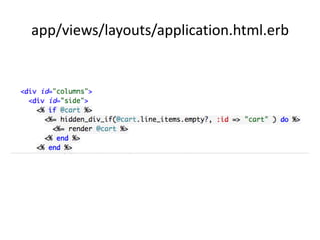
app/views/layouts/application.html.erbUse hidden_div_if helper
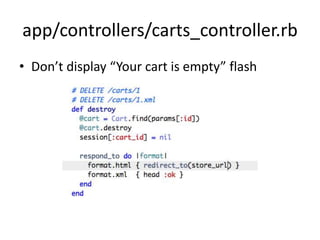
app/controllers/carts_controller.rbDon’t display “Your cart is empty” flash
Run testsrake test1 failure, 9 errorsYou can see errors as wellhttp://localhost:3000/products@cart is not being set in the products controllerLet’s make it optional
app/views/layouts/application.html.erb
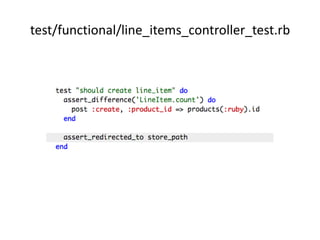
Run testsrake test1 failure, 0 errorsWe changed a redirect in the line items controller, we need to update the test
test/functional/line_items_controller_test.rb
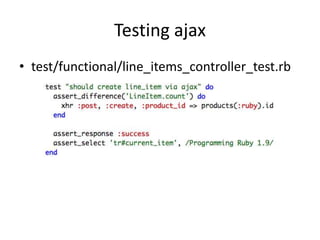
Testing ajaxtest/functional/line_items_controller_test.rb
What we didMoved shopping cart into sidebarUsed :remote => true to Ajaxify our buttonsUsed RJS template to update pageAdded highlight effect to show changesWrote helper to hide cart when it’s emptyWrote tests to verify Ajax actions
HomeworkMake clicking the image of the book add the item to the cart via AjaxChange Empty Cart action to use Ajax and blind_up effectExperiment with other visual effects availableAdd a link in the cart next to each item.  Clicking the item should decrement the quantity of that item.Write a view test to verify the empty cart is not viewable

Dash of ajax