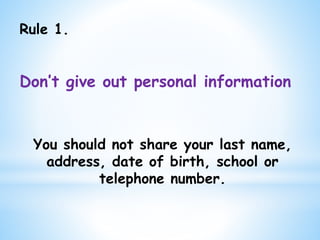
Rule 1.
Don’t give out personal information
You should not share your last name,
address, date of birth, school or
telephone number.
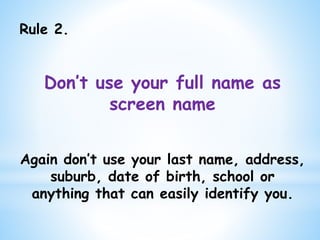
Rule 2.
Don’t use your full name as
screen name
Again don’t use your last name, address,
suburb, date of birth, school or
anything that can easily identify you.
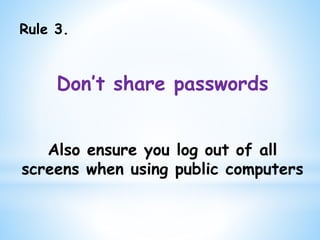
Rule 3.
Don’t share passwords
Also ensure you log out of all
screens when using public computers
Rule 4.
Don’t post photos or videos of
yourself
Also:
use an AVATAR for your profile picture.
Ensure GPS coordinates are disabled in
‘Location Services’ on your device for all
photos.
Rule 5.
Don’t friend people you don’t
know
People are not always what they seem
Rule 6.
Don’t agree to meet online
friends in person
Always ask your parents to go with you
Rule 7.
Don’t open attachments, click
on strange links or download
content
Your computer could become
infected with viruses, malware and
spyware
Rule 8.
Don’t respond to Cyberbullies
Do not respond to any mean or
insulting remarks. Block them, log
out of the program and tell a
parent or trusted adult.
Rule 9.
Block unwanted contact
If anyone makes you feel
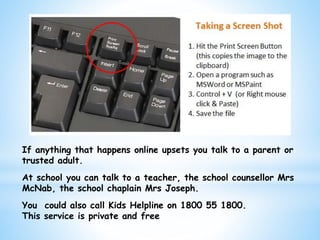
uncomfortable take a screen shot
and save the information. Block
them and talk to your parents or
trusted adult.
If anything that happens online upsets you talk to a parent or
trusted adult.
At school you can talk to a teacher, the school counsellor Mrs
McNab, the school chaplain Mrs Joseph.
You could also call Kids Helpline on 1800 55 1800.
This service is private and free

Cybersafety powerpoint

  • 2.
    Rule 1. Don’t giveout personal information You should not share your last name, address, date of birth, school or telephone number.
  • 3.
    Rule 2. Don’t useyour full name as screen name Again don’t use your last name, address, suburb, date of birth, school or anything that can easily identify you.
  • 4.
    Rule 3. Don’t sharepasswords Also ensure you log out of all screens when using public computers
  • 5.
    Rule 4. Don’t postphotos or videos of yourself Also: use an AVATAR for your profile picture. Ensure GPS coordinates are disabled in ‘Location Services’ on your device for all photos.
  • 6.
    Rule 5. Don’t friendpeople you don’t know People are not always what they seem
  • 7.
    Rule 6. Don’t agreeto meet online friends in person Always ask your parents to go with you
  • 8.
    Rule 7. Don’t openattachments, click on strange links or download content Your computer could become infected with viruses, malware and spyware
  • 9.
    Rule 8. Don’t respondto Cyberbullies Do not respond to any mean or insulting remarks. Block them, log out of the program and tell a parent or trusted adult.
  • 10.
    Rule 9. Block unwantedcontact If anyone makes you feel uncomfortable take a screen shot and save the information. Block them and talk to your parents or trusted adult.
  • 11.
    If anything thathappens online upsets you talk to a parent or trusted adult. At school you can talk to a teacher, the school counsellor Mrs McNab, the school chaplain Mrs Joseph. You could also call Kids Helpline on 1800 55 1800. This service is private and free