Internet Safety
Click Clever. Click Safe.
Internet safety guidelines for children to follow and learn.
The internet is amazing when used safely and
correctly.
Here are some simple rules that will help you make sure it stays
amazing so that it plays a healthy part of your life.
Social Networks
Photo courtesy of (Jon@th@nC@flickr.com and forche.6@flickr.com) - granted under creative commons licence – attribution
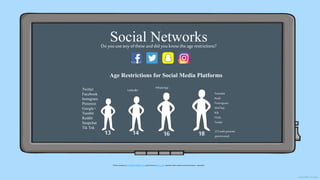
Do youuse anyof these and did youknowthe age restrictions?
Age Restrictions for Social Media Platforms
13 14 16 18 (13 with parents’
permission)
Twitter
Facebook
Instagram
Pinterest
Google+
Tumblr
Reddit
Snapchat
Tik Tok
LinkedIn
WhatsApp
Youtube
Keek
Foursquare
WeChat
Kik
Flickr
Tinder
ClickCleverClickSafe
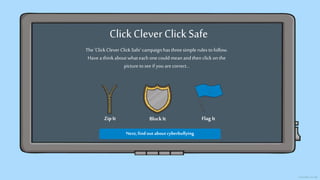
The ‘Click Clever Click Safe’campaignhas threesimple rulestofollow.
Have athinkaboutwhateach onecouldmean andthen click onthe
picturetosee if youarecorrect…
ZipIt BlockIt Flag It
Next,find out about cyberbullying
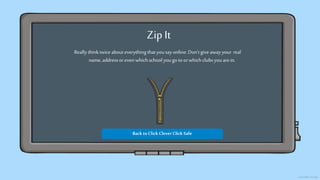
Zip It
Reallythinktwiceabouteverything thatyousayonline.Don’tgive awayyour real
name,addressor even whichschool yougo to orwhich clubsyouarein.
Back toClick Clever Click Safe
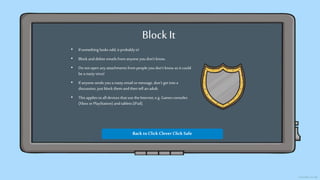
BlockIt
• If something looks odd,it probablyis!
• Block anddelete emails from anyone you don’t know.
• Donot open any attachments from people you don’t know as it could
be a nasty virus!
• If anyone sends you a nasty email ormessage, don’t get intoa
discussion, justblock them andthen tell an adult.
• This applies toall devices that use the Internet, e.g. Games consoles
(Xbox orPlayStation) and tablets (iPad).
Back toClick Clever Click Safe
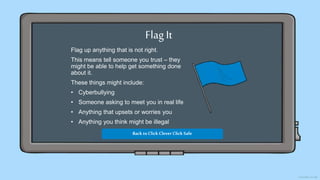
Flag It
Flag up anything that is not right.
This means tell someone you trust – they
might be able to help get something done
about it.
These things might include:
• Cyberbullying
• Someone asking to meet you in real life
• Anything that upsets or worries you
• Anything you think might be illegal
Back toClick Clever Click Safe
Cyber Bullying
Cyberbullyingis nodifferent to bullyinginreal life. Youdon’t need to put up with it!
• If someone says something that upsets you,tell someone youtrust about it, suchas a
teacher orparent and block the bully.
• Rememberthat typing something nastyin a message to someone is just as upsetting as
saying it to their face. Thinkbefore yousend!
• Keep evidence to show your trusted adult. You mighteven need to do a screenshot.
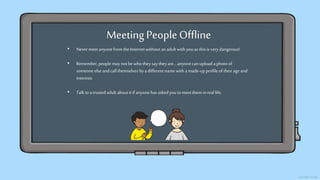
Meeting PeopleOffline
• Nevermeet anyonefrom the Internetwithout anadult with youas this is verydangerous!
• Remember,people may not bewho they say theyare… anyonecan upload a photo of
someone else and call themselves bya different name with a made-upprofile of their ageand
interests.
• Talk toa trusted adult about it if anyonehas askedyouto meet themin real life.
The main thing to remember is:
Besmartandsafebymakingthe rightchoices.
If youareever unsure,
askfor help and advice.
Donotdeal withit alone!
Happy Surfing
Internet-Safety-Powerpoint.pptx

Internet-Safety-Powerpoint.pptx

  • 1.
    Internet Safety Click Clever.Click Safe. Internet safety guidelines for children to follow and learn.
  • 2.
    The internet isamazing when used safely and correctly. Here are some simple rules that will help you make sure it stays amazing so that it plays a healthy part of your life.
  • 3.
    Social Networks Photo courtesyof (Jon@th@nC@flickr.com and forche.6@flickr.com) - granted under creative commons licence – attribution Do youuse anyof these and did youknowthe age restrictions? Age Restrictions for Social Media Platforms 13 14 16 18 (13 with parents’ permission) Twitter Facebook Instagram Pinterest Google+ Tumblr Reddit Snapchat Tik Tok LinkedIn WhatsApp Youtube Keek Foursquare WeChat Kik Flickr Tinder
  • 4.
    ClickCleverClickSafe The ‘Click CleverClick Safe’campaignhas threesimple rulestofollow. Have athinkaboutwhateach onecouldmean andthen click onthe picturetosee if youarecorrect… ZipIt BlockIt Flag It Next,find out about cyberbullying
  • 5.
    Zip It Reallythinktwiceabouteverything thatyousayonline.Don’tgiveawayyour real name,addressor even whichschool yougo to orwhich clubsyouarein. Back toClick Clever Click Safe
  • 6.
    BlockIt • If somethinglooks odd,it probablyis! • Block anddelete emails from anyone you don’t know. • Donot open any attachments from people you don’t know as it could be a nasty virus! • If anyone sends you a nasty email ormessage, don’t get intoa discussion, justblock them andthen tell an adult. • This applies toall devices that use the Internet, e.g. Games consoles (Xbox orPlayStation) and tablets (iPad). Back toClick Clever Click Safe
  • 7.
    Flag It Flag upanything that is not right. This means tell someone you trust – they might be able to help get something done about it. These things might include: • Cyberbullying • Someone asking to meet you in real life • Anything that upsets or worries you • Anything you think might be illegal Back toClick Clever Click Safe
  • 8.
    Cyber Bullying Cyberbullyingis nodifferentto bullyinginreal life. Youdon’t need to put up with it! • If someone says something that upsets you,tell someone youtrust about it, suchas a teacher orparent and block the bully. • Rememberthat typing something nastyin a message to someone is just as upsetting as saying it to their face. Thinkbefore yousend! • Keep evidence to show your trusted adult. You mighteven need to do a screenshot.
  • 9.
    Meeting PeopleOffline • Nevermeetanyonefrom the Internetwithout anadult with youas this is verydangerous! • Remember,people may not bewho they say theyare… anyonecan upload a photo of someone else and call themselves bya different name with a made-upprofile of their ageand interests. • Talk toa trusted adult about it if anyonehas askedyouto meet themin real life.
  • 10.
    The main thingto remember is: Besmartandsafebymakingthe rightchoices. If youareever unsure, askfor help and advice. Donotdeal withit alone! Happy Surfing