Staying Safe Online 
Social Networking 
Cyber bullying 
Solutions and Strategies
Guard Your Information 
• Address 
• Phone number 
• School 
• City 
• Sports teams 
• Parent’s workplace 
• Passwords
Staying Safe Online 
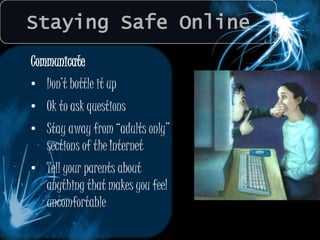
Communicate 
• Don’t bottle it up 
• Ok to ask questions 
• Stay away from “adults only” 
sections of the Internet 
• Tell your parents about 
anything that makes you feel 
uncomfortable
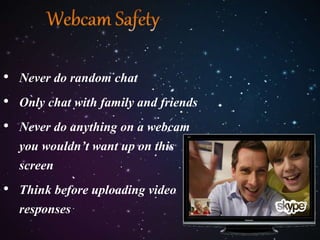
• Never do random chat 
• Only chat with family and friends 
• Never do anything on a webcam 
you wouldn’t want up on this 
screen 
• Think before uploading video 
responses
Staying Safe Online 
Social Networking 
Cyber bullying 
Solutions and Strategies
SOCIAL NETWORKING
SOCIAL NETWORKING
SOCIAL NETWORKING 
A picture is worth 
• Ask permission to post 
photos of friends 
• You can untag yourself 
• Avoid photos that 
reveal locations like 
home and school 
• Report harmful photos
SOCIAL NETWORKING 
What’s Wrong With This Status? 
Ms Sheela is such a loser. She asked in class whether 
Hitler was around before or after the Last Supper…lol 
Woohoo! Going to Mumbai for a whole week! Will be 
back next Sunday! C-ya!!!
SOCIAL NETWORKING 
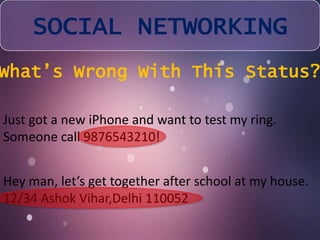
What’s Wrong With This Status? 
Just got a new iPhone and want to test my ring. 
Someone call 9876543210! 
Hey man, let’s get together after school at my house. 
12/34 Ashok Vihar,Delhi 110052
Staying Safe Online 
Social Networking 
Cyberbullying 
Solutions and Strategies
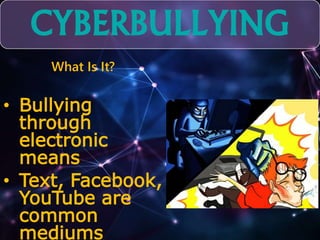
CYBERBULLYING 
What Is It? 
• Bullying 
through 
electronic 
means 
• Text, Facebook, 
YouTube are 
common 
mediums
A cyber-predator uses the internet to hunt for 
victims to take advantage of them in some 
way: 
● Emotionally 
● Psychologically 
● Financially 
A cyber-predator knows how to manipulate 
people by creating trust and friendships where 
none should exist.
Staying Safe Online 
Social Networking 
Cyberbullying 
Solutions and Strategies
Solutions and Strategies 
Teamwork 
• Help by parents 
• Help each other 
• Communicate 
• Cooperate 
• Know when to unplug
Solutions and Strategies 
Be suspicious of any email with urgent 
requests for personal financial 
information. DO NOT RESPOND TO IT!
Solutions and Strategies 
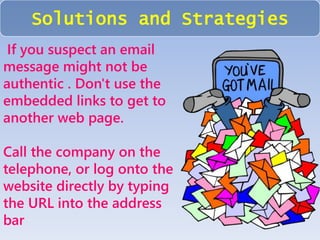
If you suspect an email 
message might not be 
authentic . Don't use the 
embedded links to get to 
another web page. 
Call the company on the 
telephone, or log onto the 
website directly by typing 
the URL into the address 
bar
Solutions and Strategies 
Avoid filling out forms in email messages that ask for personal 
financial information. 
Phishers make very good fake forms. 
Only communicate personal financial information via a secure 
website or the telephone.
Solutions and Strategies 
Don’t email personal or financial information. 
Email is not a secure method of transmitting personal 
information 
Some phishers have forged security icons like the lock 
icon.
Solutions and Strategies 
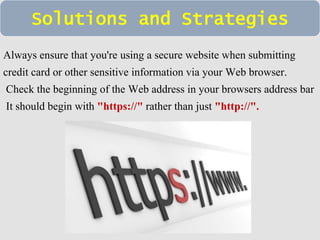
Always ensure that you're using a secure website when submitting 
credit card or other sensitive information via your Web browser. 
Check the beginning of the Web address in your browsers address bar 
It should begin with "https://" rather than just "http://".
BE SMART BE SAFE !

Cyber Safety

  • 2.
    Staying Safe Online Social Networking Cyber bullying Solutions and Strategies
  • 3.
    Guard Your Information • Address • Phone number • School • City • Sports teams • Parent’s workplace • Passwords
  • 6.
    Staying Safe Online Communicate • Don’t bottle it up • Ok to ask questions • Stay away from “adults only” sections of the Internet • Tell your parents about anything that makes you feel uncomfortable
  • 7.
    • Never dorandom chat • Only chat with family and friends • Never do anything on a webcam you wouldn’t want up on this screen • Think before uploading video responses
  • 9.
    Staying Safe Online Social Networking Cyber bullying Solutions and Strategies
  • 10.
  • 11.
  • 12.
    SOCIAL NETWORKING Apicture is worth • Ask permission to post photos of friends • You can untag yourself • Avoid photos that reveal locations like home and school • Report harmful photos
  • 13.
    SOCIAL NETWORKING What’sWrong With This Status? Ms Sheela is such a loser. She asked in class whether Hitler was around before or after the Last Supper…lol Woohoo! Going to Mumbai for a whole week! Will be back next Sunday! C-ya!!!
  • 14.
    SOCIAL NETWORKING What’sWrong With This Status? Just got a new iPhone and want to test my ring. Someone call 9876543210! Hey man, let’s get together after school at my house. 12/34 Ashok Vihar,Delhi 110052
  • 15.
    Staying Safe Online Social Networking Cyberbullying Solutions and Strategies
  • 16.
    CYBERBULLYING What IsIt? • Bullying through electronic means • Text, Facebook, YouTube are common mediums
  • 17.
    A cyber-predator usesthe internet to hunt for victims to take advantage of them in some way: ● Emotionally ● Psychologically ● Financially A cyber-predator knows how to manipulate people by creating trust and friendships where none should exist.
  • 18.
    Staying Safe Online Social Networking Cyberbullying Solutions and Strategies
  • 19.
    Solutions and Strategies Teamwork • Help by parents • Help each other • Communicate • Cooperate • Know when to unplug
  • 20.
    Solutions and Strategies Be suspicious of any email with urgent requests for personal financial information. DO NOT RESPOND TO IT!
  • 21.
    Solutions and Strategies If you suspect an email message might not be authentic . Don't use the embedded links to get to another web page. Call the company on the telephone, or log onto the website directly by typing the URL into the address bar
  • 22.
    Solutions and Strategies Avoid filling out forms in email messages that ask for personal financial information. Phishers make very good fake forms. Only communicate personal financial information via a secure website or the telephone.
  • 23.
    Solutions and Strategies Don’t email personal or financial information. Email is not a secure method of transmitting personal information Some phishers have forged security icons like the lock icon.
  • 24.
    Solutions and Strategies Always ensure that you're using a secure website when submitting credit card or other sensitive information via your Web browser. Check the beginning of the Web address in your browsers address bar It should begin with "https://" rather than just "http://".
  • 25.