e - safety
How e-safe are you?
Isn’t the internet amazing? It allows you

to see more, learn more and have lots of

fun.
THE INTERNET
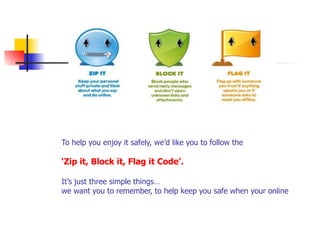
To help you enjoy it safely, we’d like you to follow the 


‘Zip it, Block it, Flag it Code’. 


It’s just three simple things…

we want you to remember, to help keep you safe when your online
Do you use social networking
sites?
Facebook, Instagram,
Whatsapp, Twitter,
SnapChat, YouTube ?
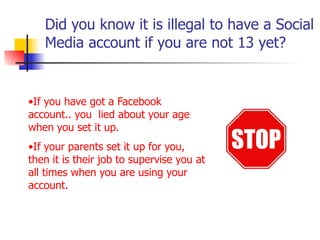
Did you know it is illegal to have a Social
Media account if you are not 13 yet?
•If you have got a Facebook
account.. you lied about your age
when you set it up.
•If your parents set it up for you,
then it is their job to supervise you at
all times when you are using your
account.
RULE NUMBER..
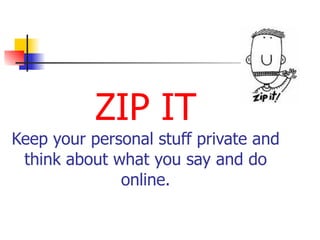
ZIP IT

Keep your personal stuff private and

think about what you say and do
online.
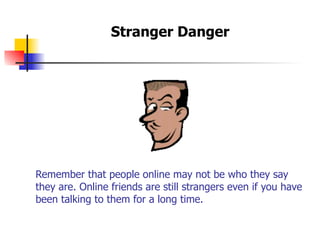
Remember that people online may not be who they say
they are. Online friends are still strangers even if you have

been talking to them for a long time.
Stranger Danger
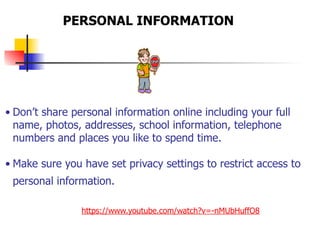
• Don’t share personal information online including your full
name, photos, addresses, school information, telephone
numbers and places you like to spend time.

• Make sure you have set privacy settings to restrict access to
personal information.

https://www.youtube.com/watch?v=-nMUbHuffO8
PERSONAL INFORMATION
Always use a nick-name instead of your real name.

Use an avatar instead of your real picture.
http://avachara.com/avatar/
AVATARS
DON’T GIVE PEOPLE YOUR
PASSWORD!
Change your password regularly,
just in case somebody guesses it
and begins to access your account.
Rule number….
BLOCK IT
Block people who
send nasty
messages and don’t
open unknown
links and
attachments.
Always delete emails from people

you don’t know, and don’t open

attachments from people you don’t know. They
might be nasty or have a virus that can stop your
computer working.

E-mail
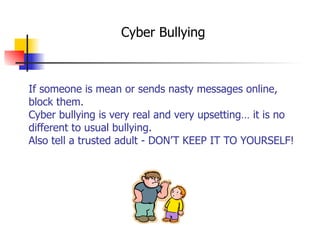
If someone is mean or sends nasty messages online,
block them.

Cyber bullying is very real and very upsetting… it is no
different to usual bullying.
Also tell a trusted adult - DON’T KEEP IT TO YOURSELF!
Cyber Bullying
Rule number….
FLAG IT

Flag up with someone you trust if

anything upsets you or if someone
asks to meet you offline.

Mobile Devices
Mobile phones are making it much easier to
communicate in lots of different ways.
Instant Chat sites are a great way of
communicating with your friends…..
But DON’T get caught up in nasty
arguments.
TELL AN ADULT IF SOMEBODY DOES
SOMETHING THAT UPSETS YOU!
It’s so easy to say something online that
you wouldn’t say to someone’s face
because you know it would hurt their
feelings.
Don’t hide behind your mobile phone or
computer – words on a screen can be as
hurtful as the words that come from your
mouth.
That rule applies to your mobile phone,
DS, X-box live too.


Anywhere you have access to the
internet, whilst unsupervised, can have
these problems.
Tell an adult in your family when you are going
online
If a friend you have made online asks to meet
you in the offline world, talk to your parents or
a trusted adult about it. 

You should never meet up with someone you
have met online without an adult going with
you because it is dangerous.

If someone you know is being nasty
to someone online, speak to a parent
or a trusted adult about it.
If you want to talk to someone else you can call 


‘Childline’ on 0800 1111


or visit 


www.ceop.police.uk/report
A great website to go on about internet safety is..


thinkuknow.co.uk
Being safe is about being smart, making the
right choices and knowing what to do when
you just don’t feel happy about something.

E safety assembly

  • 1.
    e - safety Howe-safe are you?
  • 2.
    Isn’t the internetamazing? It allows you
 to see more, learn more and have lots of
 fun. THE INTERNET
  • 3.
    To help youenjoy it safely, we’d like you to follow the 
 
 ‘Zip it, Block it, Flag it Code’. 
 
 It’s just three simple things…
 we want you to remember, to help keep you safe when your online
  • 4.
    Do you usesocial networking sites? Facebook, Instagram, Whatsapp, Twitter, SnapChat, YouTube ?
  • 5.
    Did you knowit is illegal to have a Social Media account if you are not 13 yet? •If you have got a Facebook account.. you lied about your age when you set it up. •If your parents set it up for you, then it is their job to supervise you at all times when you are using your account.
  • 6.
  • 7.
    ZIP IT
 Keep yourpersonal stuff private and
 think about what you say and do online.
  • 8.
    Remember that peopleonline may not be who they say they are. Online friends are still strangers even if you have
 been talking to them for a long time. Stranger Danger
  • 9.
    • Don’t sharepersonal information online including your full name, photos, addresses, school information, telephone numbers and places you like to spend time.
 • Make sure you have set privacy settings to restrict access to personal information.
 https://www.youtube.com/watch?v=-nMUbHuffO8 PERSONAL INFORMATION
  • 10.
    Always use anick-name instead of your real name.
 Use an avatar instead of your real picture. http://avachara.com/avatar/ AVATARS
  • 11.
    DON’T GIVE PEOPLEYOUR PASSWORD! Change your password regularly, just in case somebody guesses it and begins to access your account.
  • 12.
  • 13.
    BLOCK IT Block peoplewho send nasty messages and don’t open unknown links and attachments.
  • 14.
    Always delete emailsfrom people
 you don’t know, and don’t open
 attachments from people you don’t know. They might be nasty or have a virus that can stop your computer working.
 E-mail
  • 15.
    If someone ismean or sends nasty messages online, block them.
 Cyber bullying is very real and very upsetting… it is no different to usual bullying. Also tell a trusted adult - DON’T KEEP IT TO YOURSELF! Cyber Bullying
  • 16.
  • 17.
    FLAG IT
 Flag upwith someone you trust if
 anything upsets you or if someone asks to meet you offline.

  • 18.
    Mobile Devices Mobile phonesare making it much easier to communicate in lots of different ways. Instant Chat sites are a great way of communicating with your friends….. But DON’T get caught up in nasty arguments. TELL AN ADULT IF SOMEBODY DOES SOMETHING THAT UPSETS YOU!
  • 19.
    It’s so easyto say something online that you wouldn’t say to someone’s face because you know it would hurt their feelings. Don’t hide behind your mobile phone or computer – words on a screen can be as hurtful as the words that come from your mouth.
  • 20.
    That rule appliesto your mobile phone, DS, X-box live too.
 
 Anywhere you have access to the internet, whilst unsupervised, can have these problems. Tell an adult in your family when you are going online
  • 21.
    If a friendyou have made online asks to meet you in the offline world, talk to your parents or a trusted adult about it. 
 You should never meet up with someone you have met online without an adult going with you because it is dangerous.

  • 22.
    If someone youknow is being nasty to someone online, speak to a parent or a trusted adult about it.
  • 23.
    If you wantto talk to someone else you can call 
 
 ‘Childline’ on 0800 1111
 
 or visit 
 
 www.ceop.police.uk/report
  • 24.
    A great websiteto go on about internet safety is..
 
 
 thinkuknow.co.uk
  • 25.
    Being safe isabout being smart, making the right choices and knowing what to do when you just don’t feel happy about something.