CURSORS in ORACLE
Definition A cursor is a SELECT statement that is defined within the declaration section of your PL/SQL code. Oracle will allocate an area of memory known as the context area.  The context area contains information necessary to complete the processing, including the number of rows processed by a statement, and in the case of a query, the active set, which is the set of rows returned by a query. A cursor is a handle or a pointer to the context area.
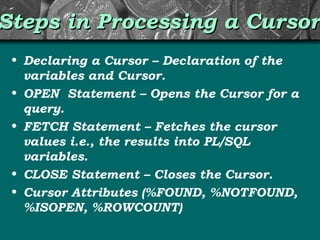
Steps in Processing a Cursor Declaring a Cursor – Declaration of the variables and Cursor. OPEN  Statement – Opens the Cursor for a query. FETCH Statement – Fetches the cursor values i.e., the results into PL/SQL variables. CLOSE Statement – Closes the Cursor. Cursor Attributes (%FOUND, %NOTFOUND, %ISOPEN, %ROWCOUNT)
Types of Cursors The cursors are classified as  Explicit Cursors Implicit Cursors Implicit cursors are opened for every DML statement. Oracle handles it  automatically ,so we don’t have to write code to handle it. Explicit Cursor has to be defined. Cursor is called explicit,  when user  names the cursor and associates it with query. This is the very first step  when dealing with explicit cursors. It is known as defining or  declaring a cursor.  Next three phases are Opening a cursor (This will initialize the cursor and identifies the result set.) Fetching data from a cursor (This will retrieve the result  set for the executed query) Closing a cursor (Once execution is done, disable the cursor)
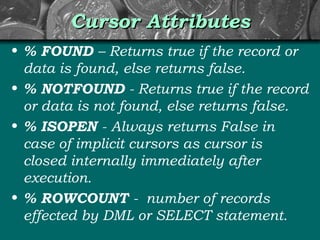
Cursor Attributes % FOUND  – Returns true if the record or data is found, else returns false. % NOTFOUND  - Returns true if the record or data is not found, else returns false. % ISOPEN  -   Always returns False in case of implicit cursors as cursor is closed internally immediately after execution. % ROWCOUNT  -  number of records effected by DML or SELECT statement.
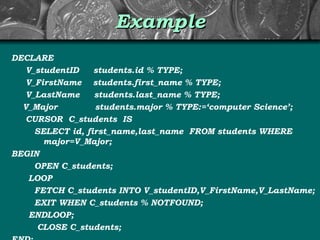
Example DECLARE V_studentID  students.id % TYPE; V_FirstName  students.first_name % TYPE; V_LastName  students.last_name % TYPE; V_Major  students.major % TYPE:=‘computer Science’; CURSOR  C_students  IS SELECT id, first_name,last_name  FROM students WHERE  major=V_Major; BEGIN OPEN C_students; LOOP FETCH C_students INTO V_studentID,V_FirstName,V_LastName; EXIT WHEN C_students % NOTFOUND; ENDLOOP; CLOSE C_students; END;

Cursors in oracle

  • 1.
  • 2.
    Definition A cursoris a SELECT statement that is defined within the declaration section of your PL/SQL code. Oracle will allocate an area of memory known as the context area. The context area contains information necessary to complete the processing, including the number of rows processed by a statement, and in the case of a query, the active set, which is the set of rows returned by a query. A cursor is a handle or a pointer to the context area.
  • 3.
    Steps in Processinga Cursor Declaring a Cursor – Declaration of the variables and Cursor. OPEN Statement – Opens the Cursor for a query. FETCH Statement – Fetches the cursor values i.e., the results into PL/SQL variables. CLOSE Statement – Closes the Cursor. Cursor Attributes (%FOUND, %NOTFOUND, %ISOPEN, %ROWCOUNT)
  • 4.
    Types of CursorsThe cursors are classified as Explicit Cursors Implicit Cursors Implicit cursors are opened for every DML statement. Oracle handles it automatically ,so we don’t have to write code to handle it. Explicit Cursor has to be defined. Cursor is called explicit, when user names the cursor and associates it with query. This is the very first step when dealing with explicit cursors. It is known as defining or declaring a cursor. Next three phases are Opening a cursor (This will initialize the cursor and identifies the result set.) Fetching data from a cursor (This will retrieve the result set for the executed query) Closing a cursor (Once execution is done, disable the cursor)
  • 5.
    Cursor Attributes %FOUND – Returns true if the record or data is found, else returns false. % NOTFOUND - Returns true if the record or data is not found, else returns false. % ISOPEN - Always returns False in case of implicit cursors as cursor is closed internally immediately after execution. % ROWCOUNT - number of records effected by DML or SELECT statement.
  • 6.
    Example DECLARE V_studentID students.id % TYPE; V_FirstName students.first_name % TYPE; V_LastName students.last_name % TYPE; V_Major students.major % TYPE:=‘computer Science’; CURSOR C_students IS SELECT id, first_name,last_name FROM students WHERE major=V_Major; BEGIN OPEN C_students; LOOP FETCH C_students INTO V_studentID,V_FirstName,V_LastName; EXIT WHEN C_students % NOTFOUND; ENDLOOP; CLOSE C_students; END;