RDBMS - Unit V
Chapter 19
Cursor
Prepared By
Dr. S.Murugan, Associate Professor
Department of Computer Science,
Alagappa Government Arts College, Karaikudi.
(Affiliated by Alagappa University)
Mailid: muruganjit@gmail.com
Reference Book:
LEARN ORACLE 8i, JOSE A RAMALHO
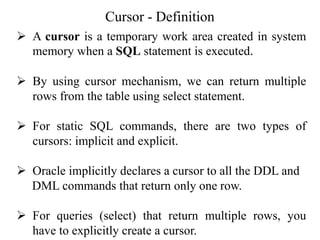
Cursor - Definition
➢ A cursor is a temporary work area created in system
memory when a SQL statement is executed.
➢ By using cursor mechanism, we can return multiple
rows from the table using select statement.
➢ For static SQL commands, there are two types of
cursors: implicit and explicit.
➢ Oracle implicitly declares a cursor to all the DDL and
DML commands that return only one row.
➢ For queries (select) that return multiple rows, you
have to explicitly create a cursor.
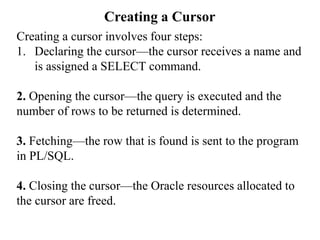
Creating a Cursor
Creating a cursor involves four steps:
1. Declaring the cursor—the cursor receives a name and
is assigned a SELECT command.
2. Opening the cursor—the query is executed and the
number of rows to be returned is determined.
3. Fetching—the row that is found is sent to the program
in PL/SQL.
4. Closing the cursor—the Oracle resources allocated to
the cursor are freed.
Declaring the Cursor
The DECLARE command is used to declare a cursor.
Syntax:
DECLARE
CURSOR cursor_name [(parameter[, parameter]...)]
[RETURN return_type] IS SELECT COMMAND;
Arguments:
cursor_name
Name of the cursor to be created.
return_type
Represents a row or record in a table.
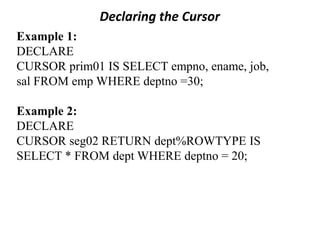
Declaring the Cursor
Example 1:
DECLARE
CURSOR prim01 IS SELECT empno, ename, job,
sal FROM emp WHERE deptno =30;
Example 2:
DECLARE
CURSOR seg02 RETURN dept%ROWTYPE IS
SELECT * FROM dept WHERE deptno = 20;
Opening a Cursor
➢ The opening of the cursor is the operation that
performs the query and creates the result set, which is
the group of rows that meets the query condition.
➢ A cursor is opened with the OPEN command:
➢ OPEN prim01;
Attributes of an Explicit Cursor
➢ When a cursor or variable is opened, the rows that
satisfy the query are identified and form the result set.
The rows of the result set are downloaded one at a
time.
➢ %FOUND returns true when DML commands affects
one or multiple rows.
➢ %ISOPEN returns TRUE when the cursor or variable
is opened. Otherwise, it returns FALSE.
➢ %NOTFOUND returns TRUE when the last row of
the cursor is processed and no other row is available.
➢ %ROWCOUNT returns the total number of rows
returned by the FETCH command. Each time a
FETCH command is executed, %ROWCOUNT is
increased by 1.
Attributes of an Implicit Cursor
The attributes of an implicit cursor return information
about the execution of the INSERT, UPDATE, DELETE,
or SELECT INTO commands.
Example:
DELETE FROM emp WHERE empno = emp;
IF SQL%FOUND THEN — successful
INSERT INTO new_emp VALUES (func, my_ename,
...);
Accessing the Cursor Rows
➢ After the cursor is opened with the OPEN command,
the selected rows are available.
➢ PL/SQL uses the FETCH command to read the
contents of a row.
➢ FETCH reads the value of each column of the row that
is specified by the SELECT command, and assigns a
variable. This can be seen as an equivalent to the
SELECT INTO command.
➢ The FETCH command recovers one row at a time
from the result set.
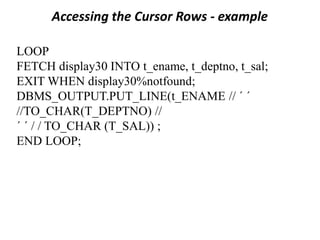
Accessing the Cursor Rows - example
LOOP
FETCH display30 INTO t_ename, t_deptno, t_sal;
EXIT WHEN display30%notfound;
DBMS_OUTPUT.PUT_LINE(t_ENAME // ´ ´
//TO_CHAR(T_DEPTNO) //
´ ´ / / TO_CHAR (T_SAL)) ;
END LOOP;
Closing a Cursor
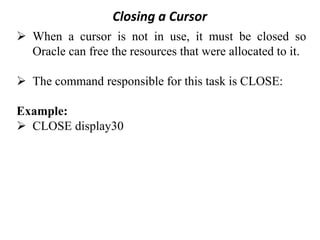
➢ When a cursor is not in use, it must be closed so
Oracle can free the resources that were allocated to it.
➢ The command responsible for this task is CLOSE:
Example:
➢ CLOSE display30
Steps for executing a Cursor
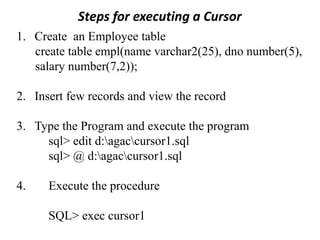
1. Create an Employee table
create table empl(name varchar2(25), dno number(5),
salary number(7,2));
2. Insert few records and view the record
3. Type the Program and execute the program
sql> edit d:agaccursor1.sql
sql> @ d:agaccursor1.sql
4. Execute the procedure
SQL> exec cursor1
Example Program
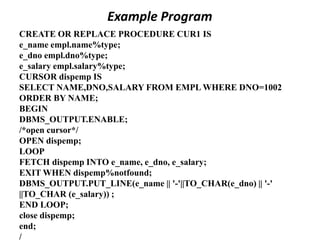
CREATE OR REPLACE PROCEDURE CUR1 IS
e_name empl.name%type;
e_dno empl.dno%type;
e_salary empl.salary%type;
CURSOR dispemp IS
SELECT NAME,DNO,SALARY FROM EMPL WHERE DNO=1002
ORDER BY NAME;
BEGIN
DBMS_OUTPUT.ENABLE;
/*open cursor*/
OPEN dispemp;
LOOP
FETCH dispemp INTO e_name, e_dno, e_salary;
EXIT WHEN dispemp%notfound;
DBMS_OUTPUT.PUT_LINE(e_name || '-'||TO_CHAR(e_dno) || '-'
||TO_CHAR (e_salary)) ;
END LOOP;
close dispemp;
end;
/
Example Program
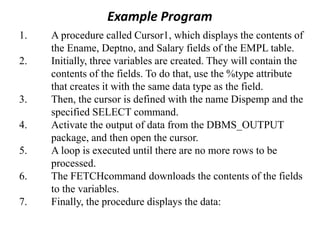
1. A procedure called Cursor1, which displays the contents of
the Ename, Deptno, and Salary fields of the EMPL table.
2. Initially, three variables are created. They will contain the
contents of the fields. To do that, use the %type attribute
that creates it with the same data type as the field.
3. Then, the cursor is defined with the name Dispemp and the
specified SELECT command.
4. Activate the output of data from the DBMS_OUTPUT
package, and then open the cursor.
5. A loop is executed until there are no more rows to be
processed.
6. The FETCHcommand downloads the contents of the fields
to the variables.
7. Finally, the procedure displays the data:

Lecture Notes Unit5 chapter19 Cursor in Pl/SQL

  • 1.
    RDBMS - UnitV Chapter 19 Cursor Prepared By Dr. S.Murugan, Associate Professor Department of Computer Science, Alagappa Government Arts College, Karaikudi. (Affiliated by Alagappa University) Mailid: muruganjit@gmail.com Reference Book: LEARN ORACLE 8i, JOSE A RAMALHO
  • 2.
    Cursor - Definition ➢A cursor is a temporary work area created in system memory when a SQL statement is executed. ➢ By using cursor mechanism, we can return multiple rows from the table using select statement. ➢ For static SQL commands, there are two types of cursors: implicit and explicit. ➢ Oracle implicitly declares a cursor to all the DDL and DML commands that return only one row. ➢ For queries (select) that return multiple rows, you have to explicitly create a cursor.
  • 3.
    Creating a Cursor Creatinga cursor involves four steps: 1. Declaring the cursor—the cursor receives a name and is assigned a SELECT command. 2. Opening the cursor—the query is executed and the number of rows to be returned is determined. 3. Fetching—the row that is found is sent to the program in PL/SQL. 4. Closing the cursor—the Oracle resources allocated to the cursor are freed.
  • 4.
    Declaring the Cursor TheDECLARE command is used to declare a cursor. Syntax: DECLARE CURSOR cursor_name [(parameter[, parameter]...)] [RETURN return_type] IS SELECT COMMAND; Arguments: cursor_name Name of the cursor to be created. return_type Represents a row or record in a table.
  • 5.
    Declaring the Cursor Example1: DECLARE CURSOR prim01 IS SELECT empno, ename, job, sal FROM emp WHERE deptno =30; Example 2: DECLARE CURSOR seg02 RETURN dept%ROWTYPE IS SELECT * FROM dept WHERE deptno = 20;
  • 6.
    Opening a Cursor ➢The opening of the cursor is the operation that performs the query and creates the result set, which is the group of rows that meets the query condition. ➢ A cursor is opened with the OPEN command: ➢ OPEN prim01;
  • 7.
    Attributes of anExplicit Cursor ➢ When a cursor or variable is opened, the rows that satisfy the query are identified and form the result set. The rows of the result set are downloaded one at a time. ➢ %FOUND returns true when DML commands affects one or multiple rows. ➢ %ISOPEN returns TRUE when the cursor or variable is opened. Otherwise, it returns FALSE. ➢ %NOTFOUND returns TRUE when the last row of the cursor is processed and no other row is available. ➢ %ROWCOUNT returns the total number of rows returned by the FETCH command. Each time a FETCH command is executed, %ROWCOUNT is increased by 1.
  • 8.
    Attributes of anImplicit Cursor Attributes of an Implicit Cursor The attributes of an implicit cursor return information about the execution of the INSERT, UPDATE, DELETE, or SELECT INTO commands. Example: DELETE FROM emp WHERE empno = emp; IF SQL%FOUND THEN — successful INSERT INTO new_emp VALUES (func, my_ename, ...);
  • 9.
    Accessing the CursorRows ➢ After the cursor is opened with the OPEN command, the selected rows are available. ➢ PL/SQL uses the FETCH command to read the contents of a row. ➢ FETCH reads the value of each column of the row that is specified by the SELECT command, and assigns a variable. This can be seen as an equivalent to the SELECT INTO command. ➢ The FETCH command recovers one row at a time from the result set.
  • 10.
    Accessing the CursorRows - example LOOP FETCH display30 INTO t_ename, t_deptno, t_sal; EXIT WHEN display30%notfound; DBMS_OUTPUT.PUT_LINE(t_ENAME // ´ ´ //TO_CHAR(T_DEPTNO) // ´ ´ / / TO_CHAR (T_SAL)) ; END LOOP;
  • 11.
    Closing a Cursor ➢When a cursor is not in use, it must be closed so Oracle can free the resources that were allocated to it. ➢ The command responsible for this task is CLOSE: Example: ➢ CLOSE display30
  • 12.
    Steps for executinga Cursor 1. Create an Employee table create table empl(name varchar2(25), dno number(5), salary number(7,2)); 2. Insert few records and view the record 3. Type the Program and execute the program sql> edit d:agaccursor1.sql sql> @ d:agaccursor1.sql 4. Execute the procedure SQL> exec cursor1
  • 13.
    Example Program CREATE ORREPLACE PROCEDURE CUR1 IS e_name empl.name%type; e_dno empl.dno%type; e_salary empl.salary%type; CURSOR dispemp IS SELECT NAME,DNO,SALARY FROM EMPL WHERE DNO=1002 ORDER BY NAME; BEGIN DBMS_OUTPUT.ENABLE; /*open cursor*/ OPEN dispemp; LOOP FETCH dispemp INTO e_name, e_dno, e_salary; EXIT WHEN dispemp%notfound; DBMS_OUTPUT.PUT_LINE(e_name || '-'||TO_CHAR(e_dno) || '-' ||TO_CHAR (e_salary)) ; END LOOP; close dispemp; end; /
  • 14.
    Example Program 1. Aprocedure called Cursor1, which displays the contents of the Ename, Deptno, and Salary fields of the EMPL table. 2. Initially, three variables are created. They will contain the contents of the fields. To do that, use the %type attribute that creates it with the same data type as the field. 3. Then, the cursor is defined with the name Dispemp and the specified SELECT command. 4. Activate the output of data from the DBMS_OUTPUT package, and then open the cursor. 5. A loop is executed until there are no more rows to be processed. 6. The FETCHcommand downloads the contents of the fields to the variables. 7. Finally, the procedure displays the data: