Overview of Content
Management Systems
(CMS) for OER
Jure Cuhalev
jure@oeconsortium.org
• Jure Čuhalev,

Director of Technology at Open Education
Consortium
• 10+ years in working in Open Source Communities
• Previously Community Manager / Technology
evangelist
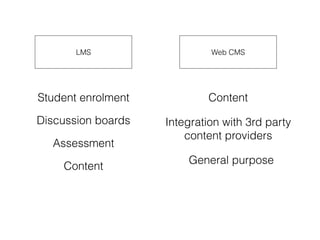
LMS Web CMS
Student enrolment
Discussion boards
Assessment
Content
Content
Integration with 3rd party
content providers
General purpose
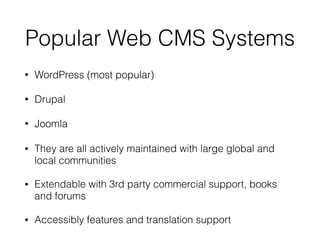
Popular Web CMS Systems
• WordPress (most popular)
• Drupal
• Joomla
• They are all actively maintained with large global and
local communities
• Extendable with 3rd party commercial support, books
and forums
• Accessibly features and translation support
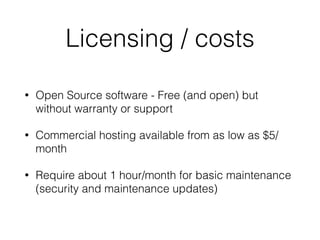
Licensing / costs
• Open Source software - Free (and open) but
without warranty or support
• Commercial hosting available from as low as $5/
month
• Require about 1 hour/month for basic maintenance
(security and maintenance updates)
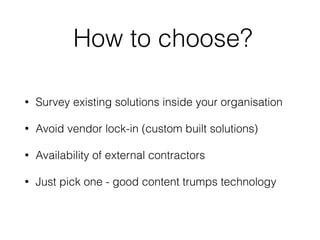
How to choose?
• Survey existing solutions inside your organisation
• Avoid vendor lock-in (custom built solutions)
• Availability of external contractors
• Just pick one - good content trumps technology
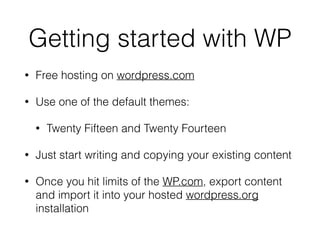
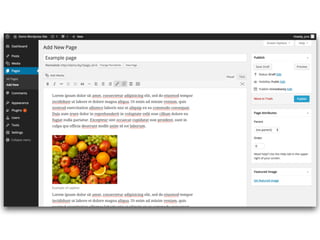
Getting started with WP
• Free hosting on wordpress.com
• Use one of the default themes:
• Twenty Fifteen and Twenty Fourteen
• Just start writing and copying your existing content
• Once you hit limits of the WP.com, export content
and import it into your hosted wordpress.org
installation
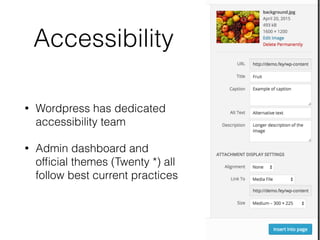
Accessibility
• Wordpress has dedicated
accessibility team
• Admin dashboard and
official themes (Twenty *) all
follow best current practices
• Start with content in a simple CMS
• Once you have one course entered, consult with
CMS consultant about presentation and
organisation
• Optimise for legibility and accessibility, design
second
Ed Tech?
• Prototype using off the shelf technologies
• Lots of advancements in general purpose software
• Vendors might not be experienced
• Not invented here syndrom
Platforms
• OpenStax CNX - http://cnx.org/
• P2PU - https://p2pu.org/en/
• MERLOT Course builder
• (many more)
Discoverability
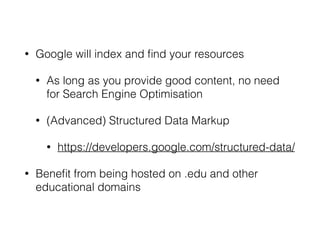
• Google will index and find your resources
• As long as you provide good content, no need
for Search Engine Optimisation
• (Advanced) Structured Data Markup
• https://developers.google.com/structured-data/
• Benefit from being hosted on .edu and other
educational domains
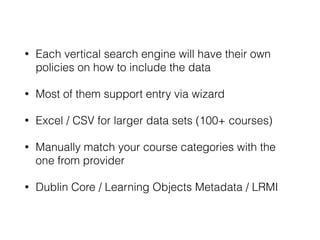
• Each vertical search engine will have their own
policies on how to include the data
• Most of them support entry via wizard
• Excel / CSV for larger data sets (100+ courses)
• Manually match your course categories with the
one from provider
• Dublin Core / Learning Objects Metadata / LRMI

Overview of Content Management Systems (CMS) for OER

  • 1.
    Overview of Content ManagementSystems (CMS) for OER Jure Cuhalev jure@oeconsortium.org
  • 2.
    • Jure Čuhalev,
 Directorof Technology at Open Education Consortium • 10+ years in working in Open Source Communities • Previously Community Manager / Technology evangelist
  • 3.
    LMS Web CMS Studentenrolment Discussion boards Assessment Content Content Integration with 3rd party content providers General purpose
  • 4.
    Popular Web CMSSystems • WordPress (most popular) • Drupal • Joomla • They are all actively maintained with large global and local communities • Extendable with 3rd party commercial support, books and forums • Accessibly features and translation support
  • 5.
    Licensing / costs •Open Source software - Free (and open) but without warranty or support • Commercial hosting available from as low as $5/ month • Require about 1 hour/month for basic maintenance (security and maintenance updates)
  • 6.
    How to choose? •Survey existing solutions inside your organisation • Avoid vendor lock-in (custom built solutions) • Availability of external contractors • Just pick one - good content trumps technology
  • 7.
    Getting started withWP • Free hosting on wordpress.com • Use one of the default themes: • Twenty Fifteen and Twenty Fourteen • Just start writing and copying your existing content • Once you hit limits of the WP.com, export content and import it into your hosted wordpress.org installation
  • 9.
    Accessibility • Wordpress hasdedicated accessibility team • Admin dashboard and official themes (Twenty *) all follow best current practices
  • 10.
    • Start withcontent in a simple CMS • Once you have one course entered, consult with CMS consultant about presentation and organisation • Optimise for legibility and accessibility, design second
  • 11.
    Ed Tech? • Prototypeusing off the shelf technologies • Lots of advancements in general purpose software • Vendors might not be experienced • Not invented here syndrom
  • 15.
    Platforms • OpenStax CNX- http://cnx.org/ • P2PU - https://p2pu.org/en/ • MERLOT Course builder • (many more)
  • 16.
  • 17.
    • Google willindex and find your resources • As long as you provide good content, no need for Search Engine Optimisation • (Advanced) Structured Data Markup • https://developers.google.com/structured-data/ • Benefit from being hosted on .edu and other educational domains
  • 18.
    • Each verticalsearch engine will have their own policies on how to include the data • Most of them support entry via wizard • Excel / CSV for larger data sets (100+ courses) • Manually match your course categories with the one from provider • Dublin Core / Learning Objects Metadata / LRMI