


DEVELOPING INTERACTIVE
LEARNING RESOURCES
Alexander Mikroyannidis
The Open University, UK
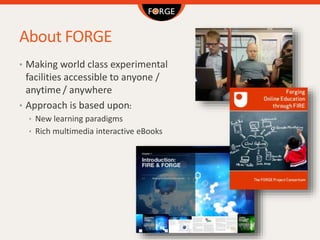
About FORGE
• Making world class experimental
facilities accessible to anyone /
anytime / anywhere
• Approach is based upon:
• New learning paradigms
• Rich multimedia interactive eBooks
Project Fiche
• Name: Forging Online Education through FIRE
• Dates: 1st October, 2013 – 30th September, 2016
• Project Coordinator: John Domingue, The Open University
• Project website: http://ict-forge.eu
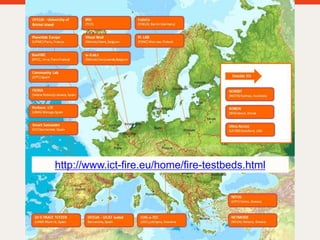
http://www.ict-fire.eu/home/fire-testbeds.html
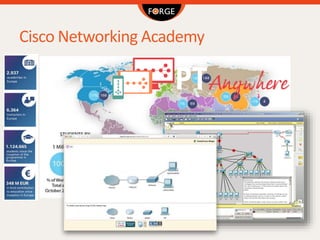
Cisco Networking Academy
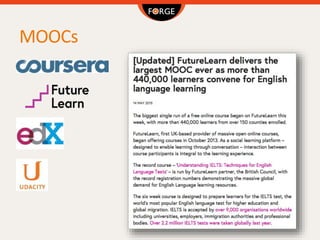
MOOCs
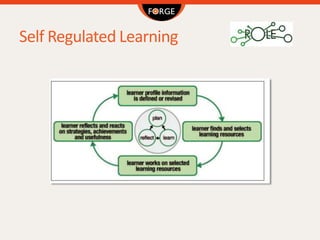
Self Regulated Learning
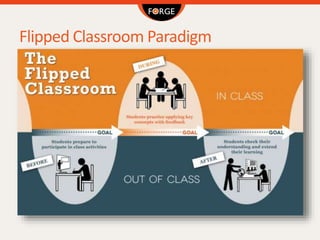
Flipped Classroom Paradigm
Awareness and Reflection via
Learning Analytics
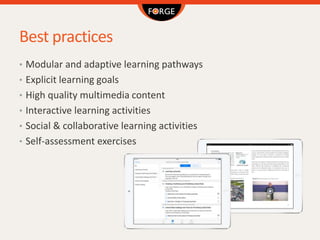
Best practices
• Modular and adaptive learning pathways
• Explicit learning goals
• High quality multimedia content
• Interactive learning activities
• Social & collaborative learning activities
• Self-assessment exercises
Course structure
We perceive a course as a self-study learning pathway that leads
to achieving certain learning outcomes. Most commonly, the
learner will study the course at at their own pace, since the is no
predefined start or end time.
The structure of such a course is typically based on the following
outline:
Introduction
This section introduces the topic in question and provides an overview of
the main concepts that the course will cover. It can be supplemented by a
short video of the instructor introducing the topic.
Course structure
Learning outcomes
These are the skills that the learner will have acquired at the end of the
course. They are usually presented as bullet points.
Theoretical part
The theoretical part is the main body of the course, analysing the topic in
question. It is enriched by multimedia elements, such as videos, webinars,
screencasts, and figures.
Learning activities
These are self-assessment exercises that the learner will complete at the
end of the course to test what he/she has learned. Interactive HTML5
widgets can be used by the learner inside a learning activity, for example
enabling the learner to interact with an online service. Quizzes are also
useful and simple learning activities.
Course structure
Summary
This section summarises the main topics covered in the course and
references the learning outcomes of the course.
Further reading
This is a list of recommended reading materials related to the course. They
can contain books, web resources, or scientific publications.
Glossary
The Glossary contains the definitions of key terms that are referenced
throughout the course. In the iBook format, terms that are defined in the
glossary are highlighted in the text of the course. Tapping on the
highlighted terms brings up their definition from the glossary of the iBook.
Licensing
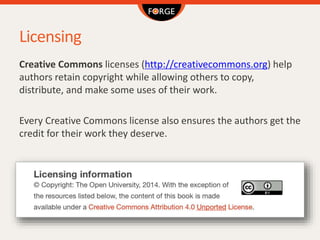
Creative Commons licenses (http://creativecommons.org) help
authors retain copyright while allowing others to copy,
distribute, and make some uses of their work.
Every Creative Commons license also ensures the authors get the
credit for their work they deserve.
Open Educational Resources
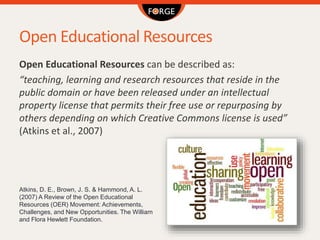
Open Educational Resources can be described as:
“teaching, learning and research resources that reside in the
public domain or have been released under an intellectual
property license that permits their free use or repurposing by
others depending on which Creative Commons license is used”
(Atkins et al., 2007)
Atkins, D. E., Brown, J. S. & Hammond, A. L.
(2007) A Review of the Open Educational
Resources (OER) Movement: Achievements,
Challenges, and New Opportunities. The William
and Flora Hewlett Foundation.
FORGEBox and FORGEStore
FORGEBox is the component that interconnects learning
interactive content with FIRE resources.
FORGEStore is a marketplace of widgets, FORGEBox services,
FIRE adapters and interactive courses.
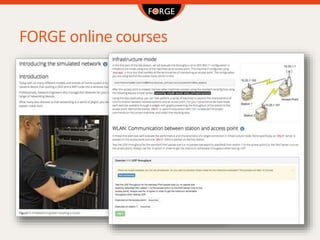
FORGE online courses
eBook formats: ePUB
• One of the most common formats for publishing an eBook,
supported by the majority of electronic devices, is ePUB.
• ePUB is essentially a ZIP archive that contains the files
comprising the eBook’s content, including HTML files, images,
CSS style sheets and other assets, plus metadata that make the
content able to be reliably consumed by any application or
device compatible with the ePUB specification.
• In its latest version (3.0), ePUB supports HTML5, allowing
interactive elements like widgets to be embedded in the
eBook.
eBook formats: iBook
• Apple has developed a proprietary format for eBooks
specifically for the iPad and MacOS 10.9, called iBooks.
• The iBooks format allows the embedding of interactive
elements inside an eBook, such as HTML5 widgets, thus
enabling it to feature dynamic content offered by external
online sources.
• The authoring software that we use for this purpose is the
iBooks Author, an application for MacOS available to download
for free.
The iBooks Author
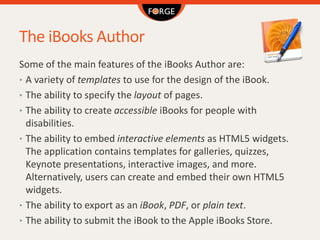
Some of the main features of the iBooks Author are:
• A variety of templates to use for the design of the iBook.
• The ability to specify the layout of pages.
• The ability to create accessible iBooks for people with
disabilities.
• The ability to embed interactive elements as HTML5 widgets.
The application contains templates for galleries, quizzes,
Keynote presentations, interactive images, and more.
Alternatively, users can create and embed their own HTML5
widgets.
• The ability to export as an iBook, PDF, or plain text.
• The ability to submit the iBook to the Apple iBooks Store.
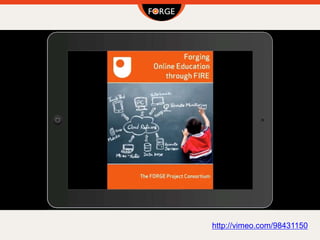
http://vimeo.com/98431150
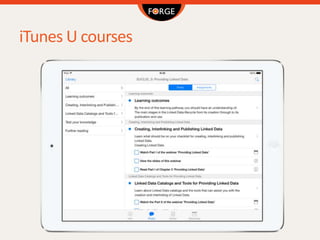
iTunes U courses
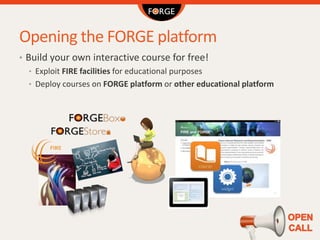
Opening the FORGE platform
• Build your own interactive course for free!
• Exploit FIRE facilities for educational purposes
• Deploy courses on FORGE platform or other educational platform
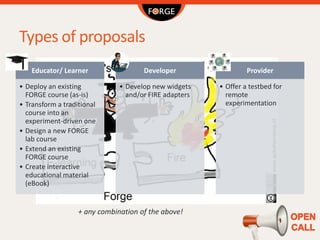
Types of proposals
Educator/ Learner
• Deploy an existing
FORGE course (as-is)
• Transform a traditional
course into an
experiment-driven one
• Design a new FORGE
lab course
• Extend an existing
FORGE course
• Create interactive
educational material
(eBook)
Developer
• Develop new widgets
and/or FIRE adapters
Provider
• Offer a testbed for
remote
experimentation
+ any combination of the above!
More information…
www.ict-forge.eu
info@ict-forge.eu
Try our online courses and
download our iBook for free!
This project has received funding from the European Union’s Seventh Framework Programme for research,
technological development and demonstration under grant agreement no. 610889

Developing interactive learning resources

  • 1.
    DEVELOPING INTERACTIVE LEARNING RESOURCES AlexanderMikroyannidis The Open University, UK
  • 2.
    About FORGE • Makingworld class experimental facilities accessible to anyone / anytime / anywhere • Approach is based upon: • New learning paradigms • Rich multimedia interactive eBooks
  • 3.
    Project Fiche • Name:Forging Online Education through FIRE • Dates: 1st October, 2013 – 30th September, 2016 • Project Coordinator: John Domingue, The Open University • Project website: http://ict-forge.eu
  • 4.
  • 5.
  • 6.
  • 7.
  • 8.
  • 9.
    Awareness and Reflectionvia Learning Analytics
  • 10.
    Best practices • Modularand adaptive learning pathways • Explicit learning goals • High quality multimedia content • Interactive learning activities • Social & collaborative learning activities • Self-assessment exercises
  • 11.
    Course structure We perceivea course as a self-study learning pathway that leads to achieving certain learning outcomes. Most commonly, the learner will study the course at at their own pace, since the is no predefined start or end time. The structure of such a course is typically based on the following outline: Introduction This section introduces the topic in question and provides an overview of the main concepts that the course will cover. It can be supplemented by a short video of the instructor introducing the topic.
  • 12.
    Course structure Learning outcomes Theseare the skills that the learner will have acquired at the end of the course. They are usually presented as bullet points. Theoretical part The theoretical part is the main body of the course, analysing the topic in question. It is enriched by multimedia elements, such as videos, webinars, screencasts, and figures. Learning activities These are self-assessment exercises that the learner will complete at the end of the course to test what he/she has learned. Interactive HTML5 widgets can be used by the learner inside a learning activity, for example enabling the learner to interact with an online service. Quizzes are also useful and simple learning activities.
  • 13.
    Course structure Summary This sectionsummarises the main topics covered in the course and references the learning outcomes of the course. Further reading This is a list of recommended reading materials related to the course. They can contain books, web resources, or scientific publications. Glossary The Glossary contains the definitions of key terms that are referenced throughout the course. In the iBook format, terms that are defined in the glossary are highlighted in the text of the course. Tapping on the highlighted terms brings up their definition from the glossary of the iBook.
  • 14.
    Licensing Creative Commons licenses(http://creativecommons.org) help authors retain copyright while allowing others to copy, distribute, and make some uses of their work. Every Creative Commons license also ensures the authors get the credit for their work they deserve.
  • 15.
    Open Educational Resources OpenEducational Resources can be described as: “teaching, learning and research resources that reside in the public domain or have been released under an intellectual property license that permits their free use or repurposing by others depending on which Creative Commons license is used” (Atkins et al., 2007) Atkins, D. E., Brown, J. S. & Hammond, A. L. (2007) A Review of the Open Educational Resources (OER) Movement: Achievements, Challenges, and New Opportunities. The William and Flora Hewlett Foundation.
  • 16.
    FORGEBox and FORGEStore FORGEBoxis the component that interconnects learning interactive content with FIRE resources. FORGEStore is a marketplace of widgets, FORGEBox services, FIRE adapters and interactive courses.
  • 17.
  • 18.
    eBook formats: ePUB •One of the most common formats for publishing an eBook, supported by the majority of electronic devices, is ePUB. • ePUB is essentially a ZIP archive that contains the files comprising the eBook’s content, including HTML files, images, CSS style sheets and other assets, plus metadata that make the content able to be reliably consumed by any application or device compatible with the ePUB specification. • In its latest version (3.0), ePUB supports HTML5, allowing interactive elements like widgets to be embedded in the eBook.
  • 19.
    eBook formats: iBook •Apple has developed a proprietary format for eBooks specifically for the iPad and MacOS 10.9, called iBooks. • The iBooks format allows the embedding of interactive elements inside an eBook, such as HTML5 widgets, thus enabling it to feature dynamic content offered by external online sources. • The authoring software that we use for this purpose is the iBooks Author, an application for MacOS available to download for free.
  • 20.
    The iBooks Author Someof the main features of the iBooks Author are: • A variety of templates to use for the design of the iBook. • The ability to specify the layout of pages. • The ability to create accessible iBooks for people with disabilities. • The ability to embed interactive elements as HTML5 widgets. The application contains templates for galleries, quizzes, Keynote presentations, interactive images, and more. Alternatively, users can create and embed their own HTML5 widgets. • The ability to export as an iBook, PDF, or plain text. • The ability to submit the iBook to the Apple iBooks Store.
  • 21.
  • 22.
  • 23.
    Opening the FORGEplatform • Build your own interactive course for free! • Exploit FIRE facilities for educational purposes • Deploy courses on FORGE platform or other educational platform
  • 24.
    Types of proposals Educator/Learner • Deploy an existing FORGE course (as-is) • Transform a traditional course into an experiment-driven one • Design a new FORGE lab course • Extend an existing FORGE course • Create interactive educational material (eBook) Developer • Develop new widgets and/or FIRE adapters Provider • Offer a testbed for remote experimentation + any combination of the above!
  • 25.
    More information… www.ict-forge.eu info@ict-forge.eu Try ouronline courses and download our iBook for free! This project has received funding from the European Union’s Seventh Framework Programme for research, technological development and demonstration under grant agreement no. 610889

Editor's Notes

  • #24 Through this open call the project opens up the FORGE platform to volunteers from the learning community and elsewhere, who want to exploit FIRE facilities for educational purposes and contribute to the FORGE ecosystem. Within the call the project solicits proposals for the development (or use) of experiment-driven courses and offers the chance to educational institutions to include these innovative courses to their curricula. FORGE is seeking contributions and new developments of educational material within the FORGE platform and tools.
  • #25 What types of proposals are expected? Is the call addressed only to developers? Whether you are an educator, learner, developer or provider, many different types of proposals may be submitted for the FORGE Open Call, an indicative, non-exhaustive list of which is presented hereafter: Deployment (as-is) of an existing FORGE course (either one of the prototype courses that have been developed by the FORGE consortium or an external course that will be developed within the Open Call process by an external user) in the context of a real-time course offered within the curriculum of the proposing institution(s); Transformation of a traditional course to an experiment-driven course; Design and development of a new lab course, following the FORGE methodology; Further development and extension of a FORGE course; Creation of interactive educational material (e.g. editing an existing course and creation of an eBook) based on the FORGE approach; Development of new widgets and/or FIRE Adapters; Offering of a testbed for remote experimentation; Any combination of the above.