Md. Ali Hosssain.
Web Designer.
Jr. Instructor, Graphic Arts Innstitute.
Email:Students.gai@gmail.com
Phone:01731402303
02/08/14
CSS?
Cascading Style Sheets
CSS is a style sheet language used to determine the formatting of an
HTML document.
Before we had CSS (and before it was widely adopted) all of this
formatting information was embedded directly in the document- either
in the form of attributes like width or bgcolor (background color) or in
the form of purely presentational tags like font.
Combined with the abuse of the table tag to create complicated layouts,
the landscape for layout and design on the web was an unmanageable
mess.
CSS fixed all that (kind of.)
Using separate style sheets for an entire site, leveraging semantic
markup and identifiers like ids (for unique page elements) and classes
(for multiple, like elements) a developer can apply styles across a
whole site while updating a single (cacheable) file.
02/08/14
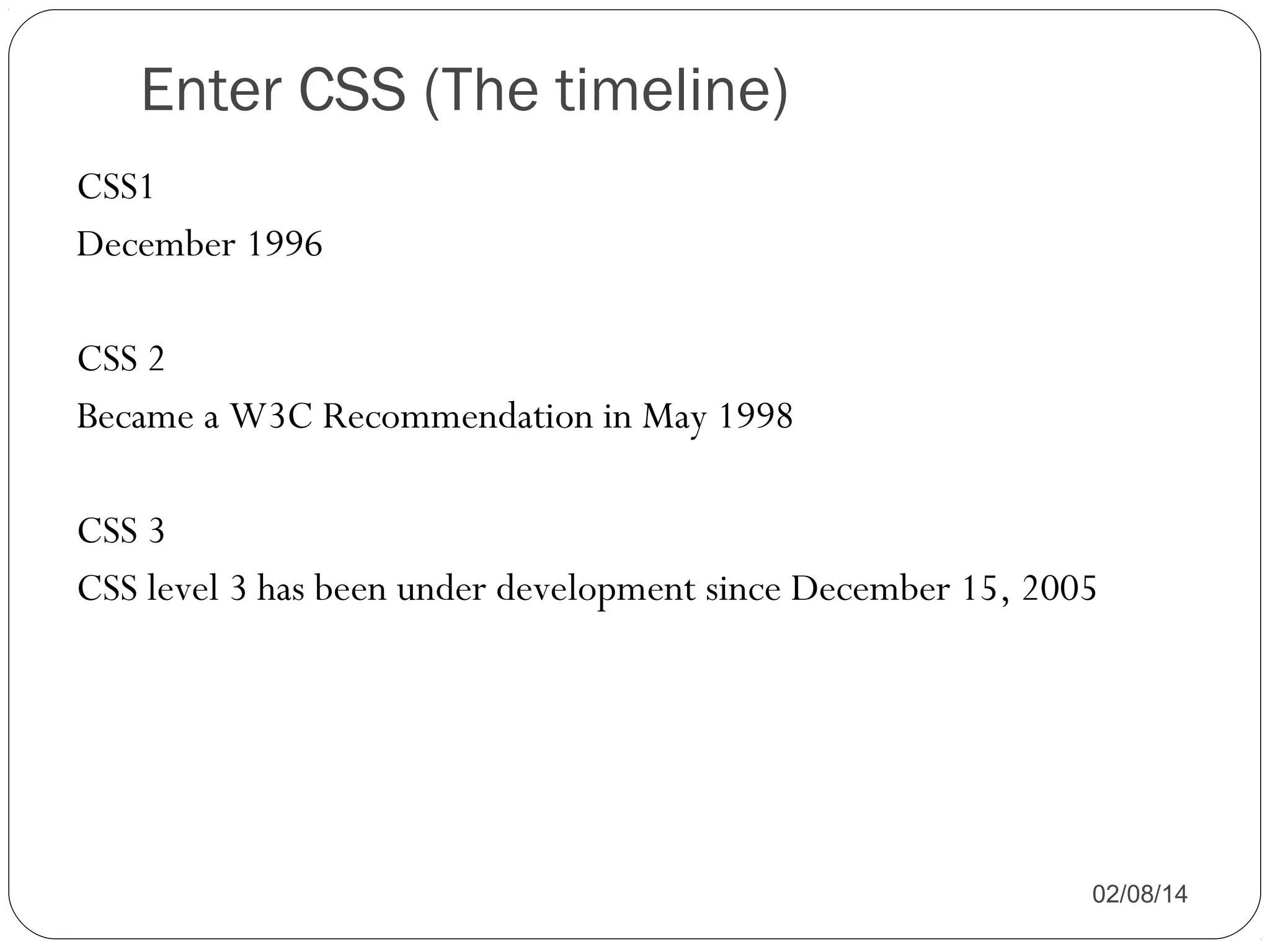
Enter CSS (The timeline)
CSS1
December 1996
CSS 2
Became a W3C Recommendation in May 1998
CSS 3
CSS level 3 has been under development since December 15, 2005

02/08/14
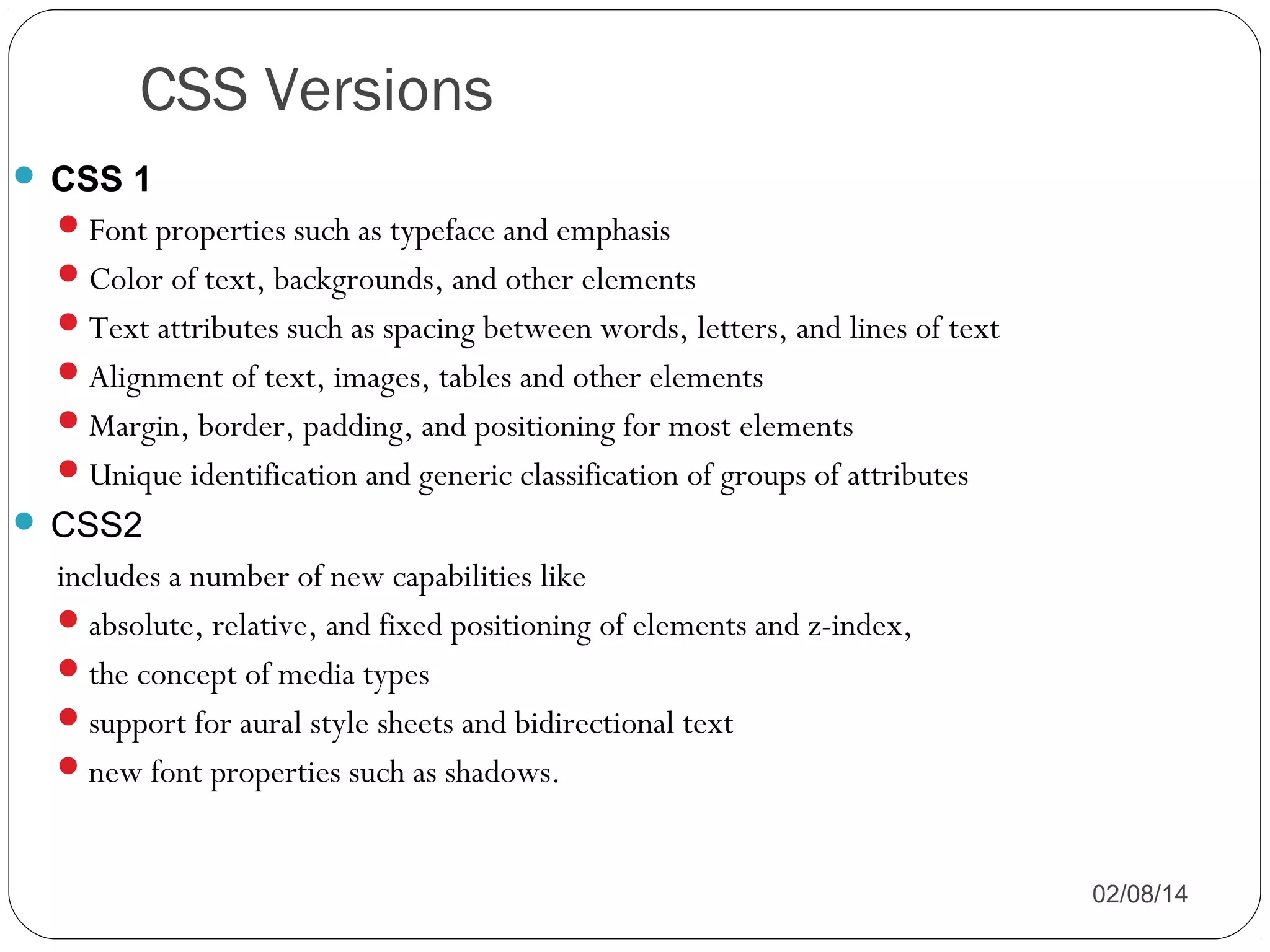
CSS Versions
 CSS 1
 Font properties such as typeface and emphasis
 Color of text, backgrounds, and other elements
 Text attributes such as spacing between words, letters, and lines of text
 Alignment of text, images, tables and other elements
 Margin, border, padding, and positioning for most elements
 Unique identification and generic classification of groups of attributes
 CSS2

includes a number of new capabilities like
 absolute, relative, and fixed positioning of elements and z-index,
 the concept of media types
 support for aural style sheets and bidirectional text
 new font properties such as shadows.
02/08/14
CSS Versions
 CSS3

Modules include:
Borders (border-radius, box-shadow)
Backgrounds (multiple backgrounds)
Color (HSL colors, HSLA colors, opacity, RGBA colors)
Also:
media queries
multi-column layout
Web fonts

02/08/14
CSS Tips and Tricks for Designing
Accessible Websites

02/08/14
Objectives
Understand the benefits of CSS
Understand principles of liquid design and how it relates to

accessibility
Demonstrate simple techniques for using CSS to make websites
more accessible
List some useful resources

02/08/14
Benefits of CSS
CSS Helps Your Users…
 Exercise greater control over how websites are
presented.
 Access websites on multiple media platforms:
o
o
o
o
o

Computer monitors
Paper
Projectors
Screen readers for the blind
Mobile phones
02/08/14
CSS Helps You…
Save time by controlling the styles for your entire website

with one file.
Simplify your web documents.
Reduce file sizes.

02/08/14
Liquid Design
Principles of Liquid Design
 Layout elements are given relative sizes (usually
percentages).
 The page scales to fit any view port, no matter
the resolution, screen size, or text size.
 The user does not need to use the horizontal
scroll bar.

02/08/14
Liquid Design and Accessibility
Liquid design helps your page “degrade gracefully.”
The page displays properly even if the user:
o Changes text size or screen resolution.
o Views the page on an extra large monitor.
o Disables style sheets.

02/08/14
CSS Techniques

02/08/14
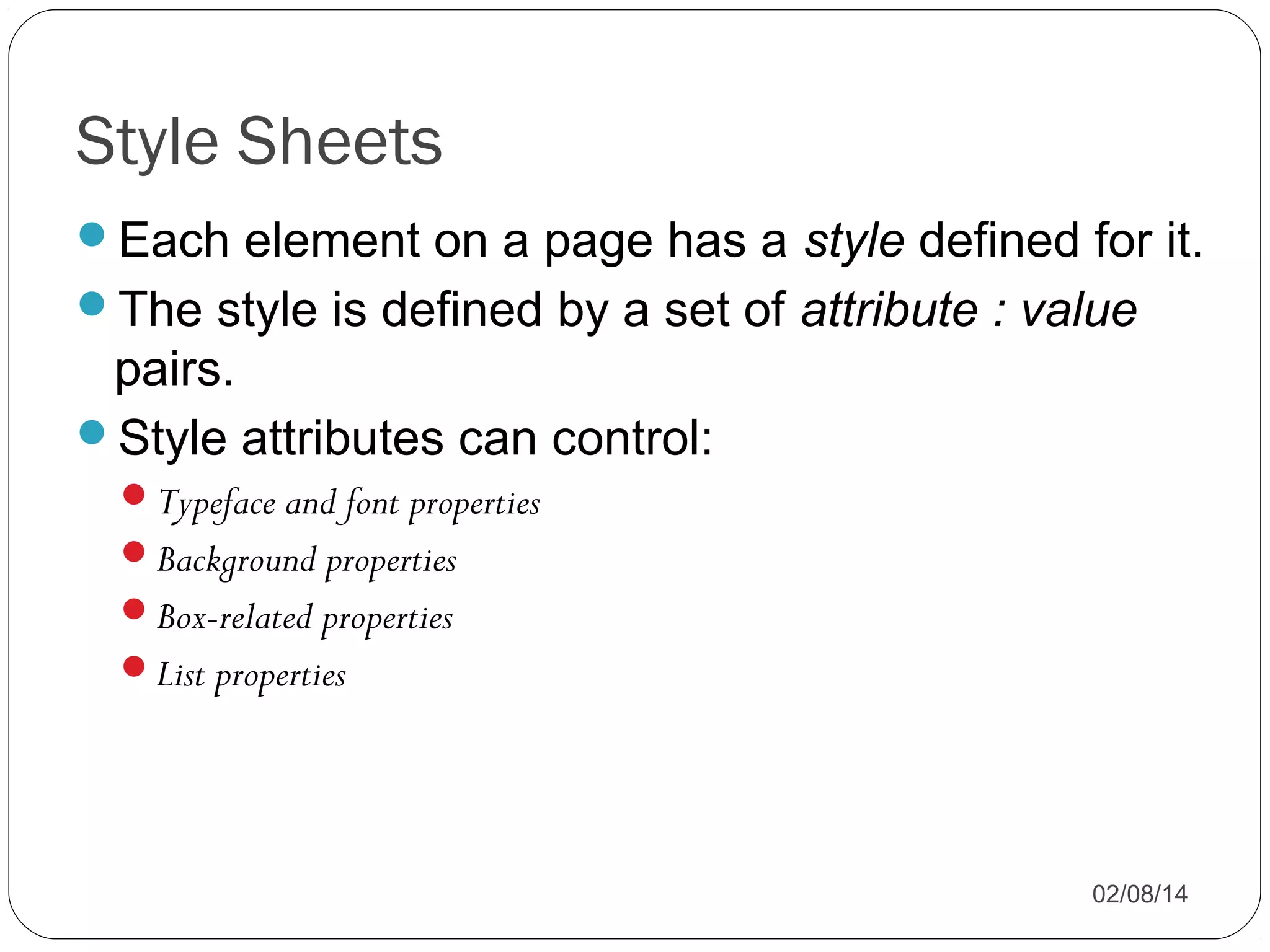
Style Sheets
Each element on a page has a style defined for it.
The style is defined by a set of attribute : value

pairs.
Style attributes can control:
Typeface and font properties
Background properties
Box-related properties
List properties

02/08/14
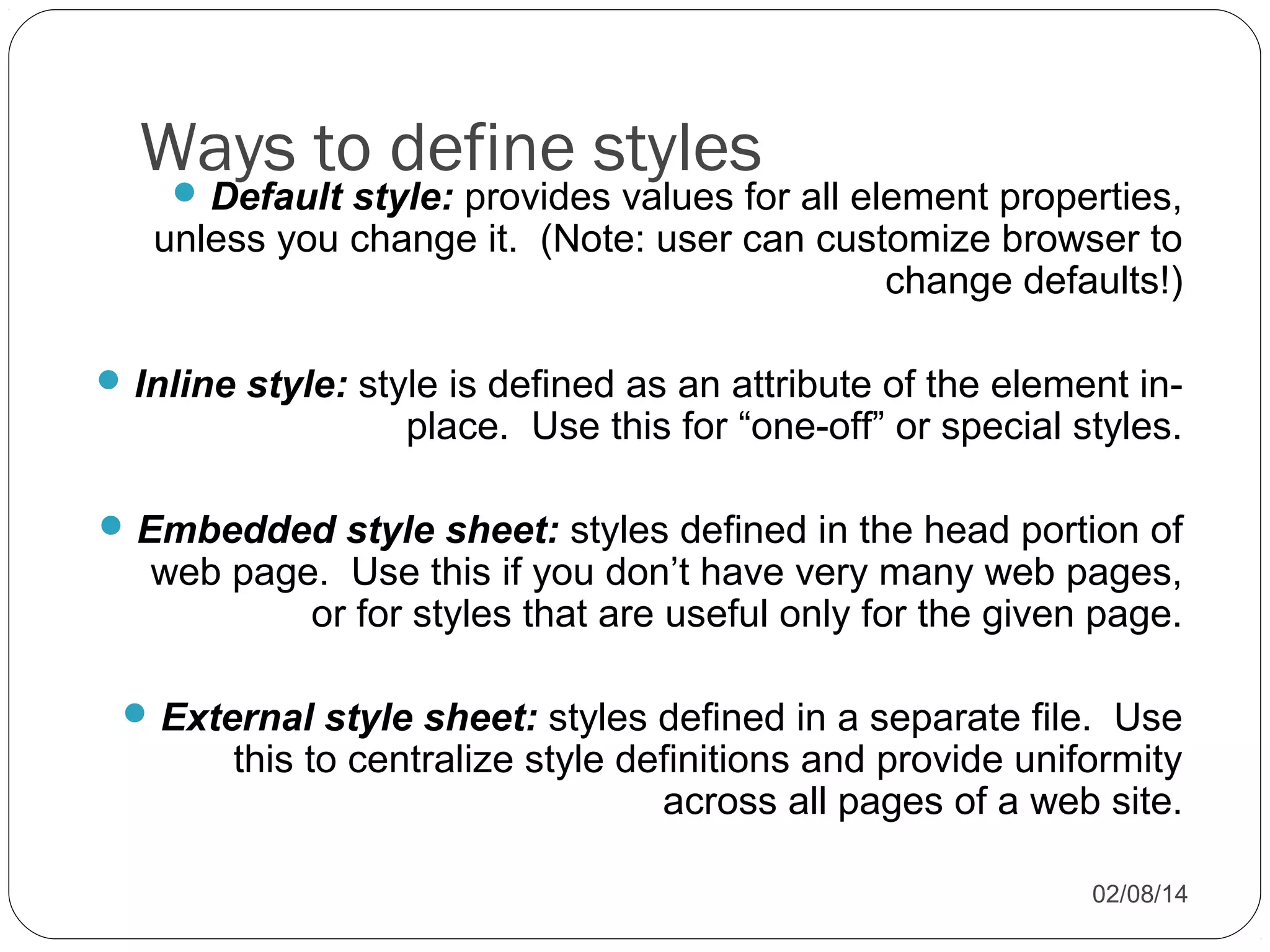
Ways to define styles


Default style: provides values for all element properties,
unless you change it. (Note: user can customize browser to
change defaults!)

 Inline style: style is defined as an attribute of the element in-

place. Use this for “one-off” or special styles.

 Embedded style sheet: styles defined in the head portion of

web page. Use this if you don’t have very many web pages,
or for styles that are useful only for the given page.

 External style sheet: styles defined in a separate file. Use

this to centralize style definitions and provide uniformity
across all pages of a web site.
02/08/14
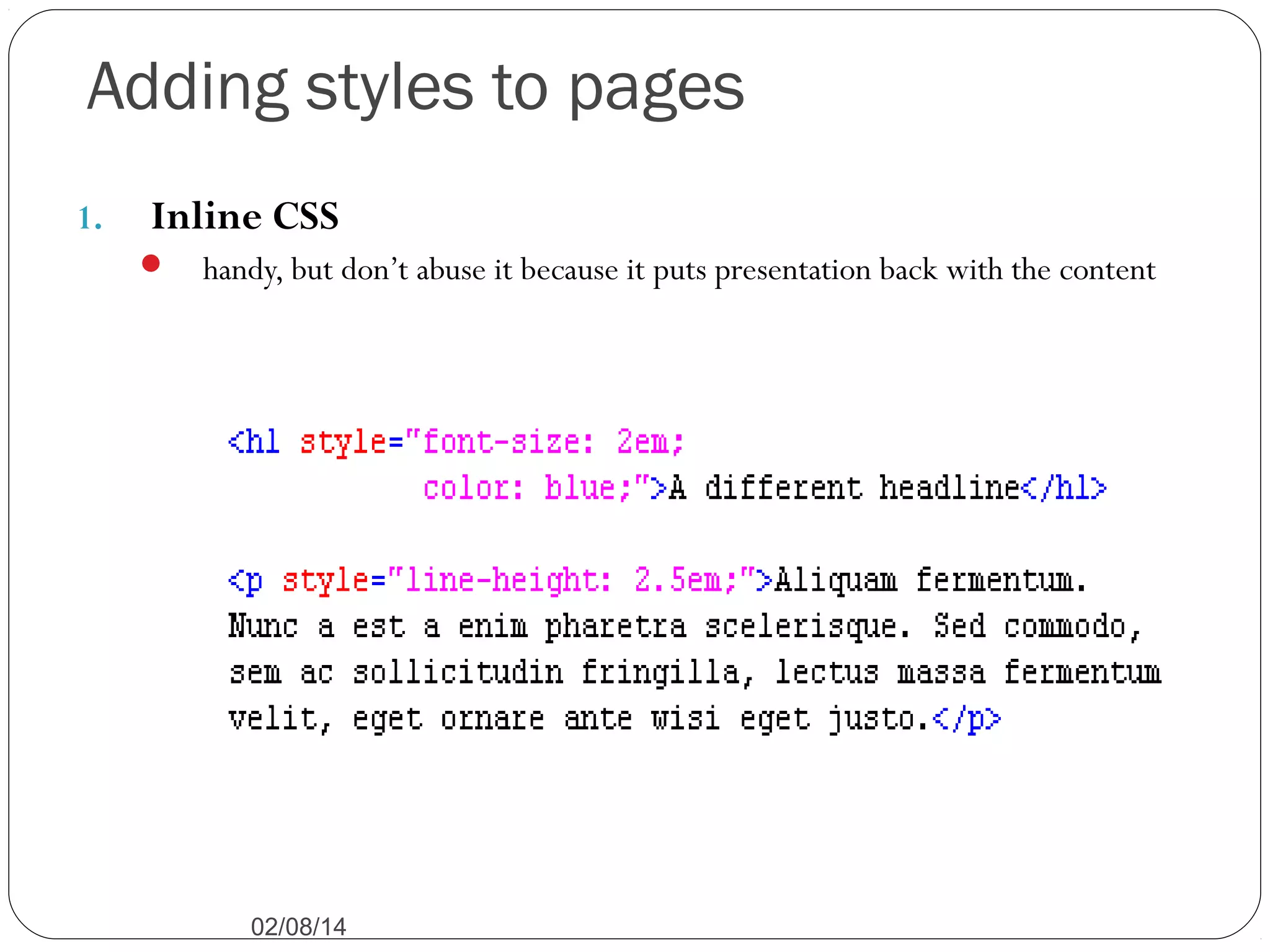
Adding styles to pages
1.

Inline CSS


handy, but don’t abuse it because it puts presentation back with the content

02/08/14
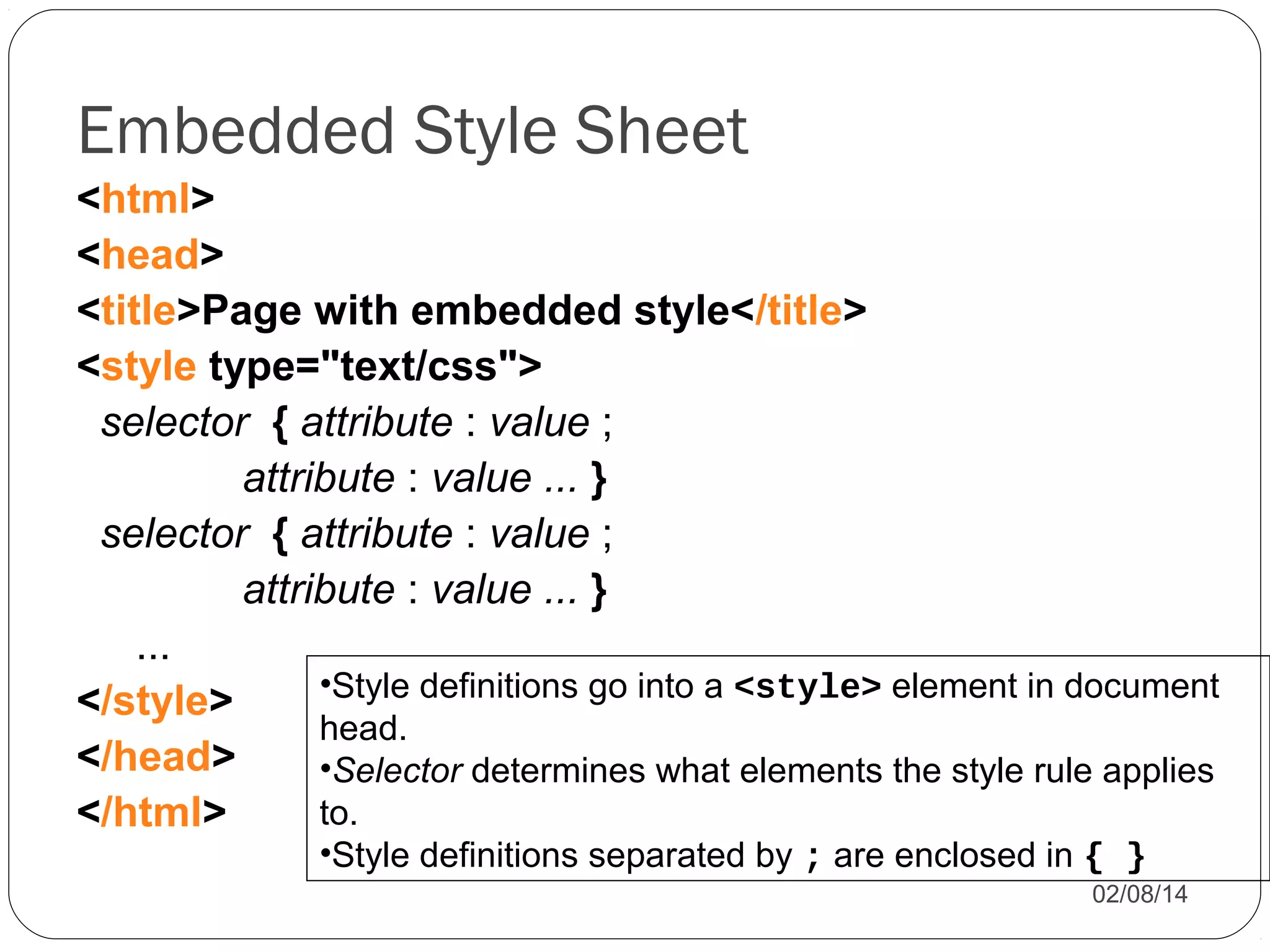
Embedded Style Sheet
<html>
<head>
<title>Page with embedded style</title>
<style type="text/css">
selector { attribute : value ;
attribute : value ... }
selector { attribute : value ;
attribute : value ... }
...
•Style definitions go into a <style> element in document
</style>
head.
</head>
•Selector determines what elements the style rule applies
to.
</html>
•Style definitions separated by ; are enclosed in { }

02/08/14
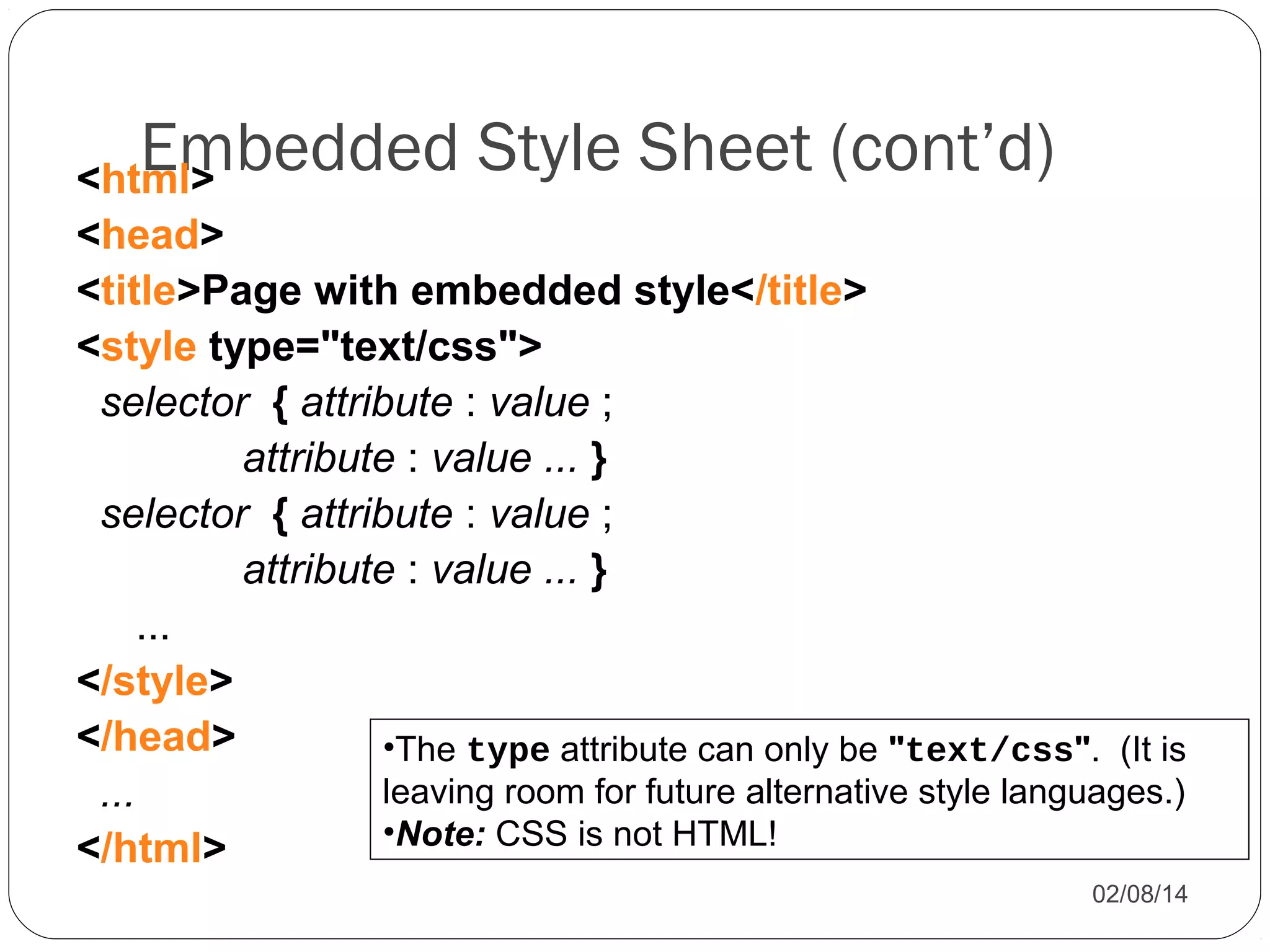
Embedded Style Sheet (cont’d)

<html>
<head>
<title>Page with embedded style</title>
<style type="text/css">
selector { attribute : value ;
attribute : value ... }
selector { attribute : value ;
attribute : value ... }
...
</style>
</head>
•The type attribute can only be "text/css". (It is
leaving room for future alternative style languages.)
...
•Note: CSS is not HTML!
</html>
02/08/14
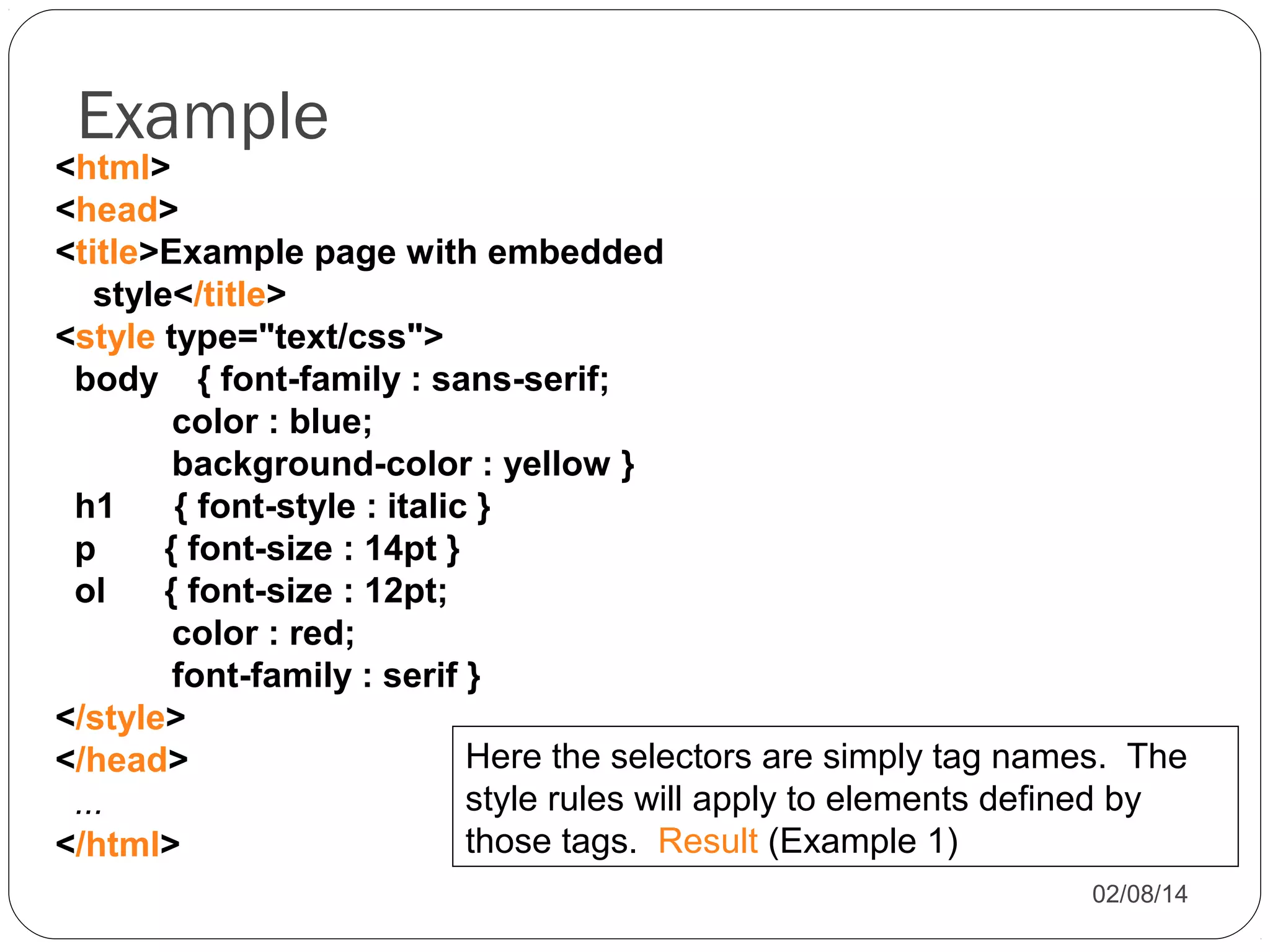
Example

<html>
<head>
<title>Example page with embedded
style</title>
<style type="text/css">
body { font-family : sans-serif;
color : blue;
background-color : yellow }
h1
{ font-style : italic }
p
{ font-size : 14pt }
ol
{ font-size : 12pt;
color : red;
font-family : serif }
</style>
Here the selectors are simply tag names. The
</head>
style rules will apply to elements defined by
...
those tags. Result (Example 1)
</html>
02/08/14
Adding styles to pages
3.

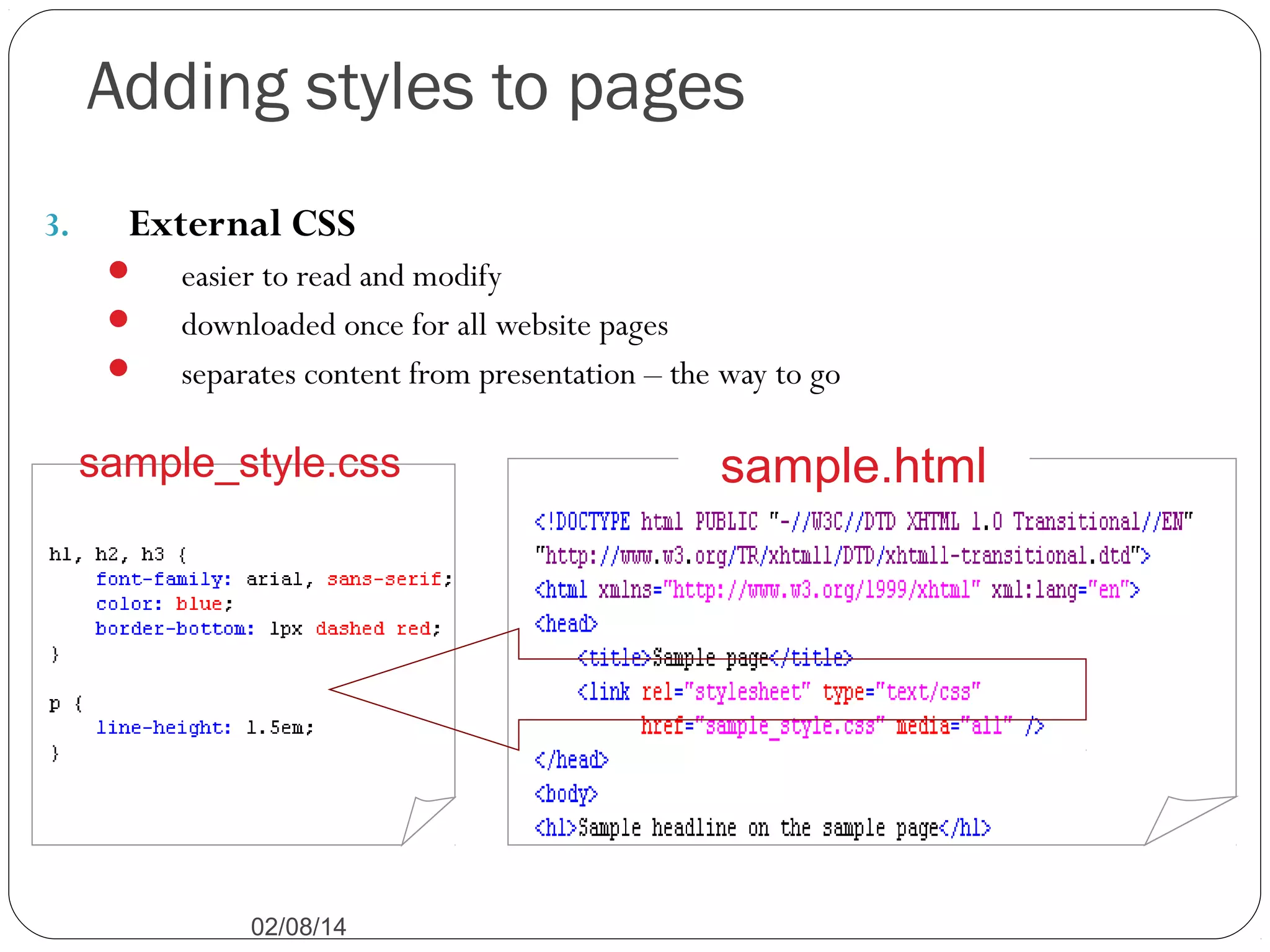
External CSS




easier to read and modify
downloaded once for all website pages
separates content from presentation – the way to go

sample_style.css

02/08/14

sample.html
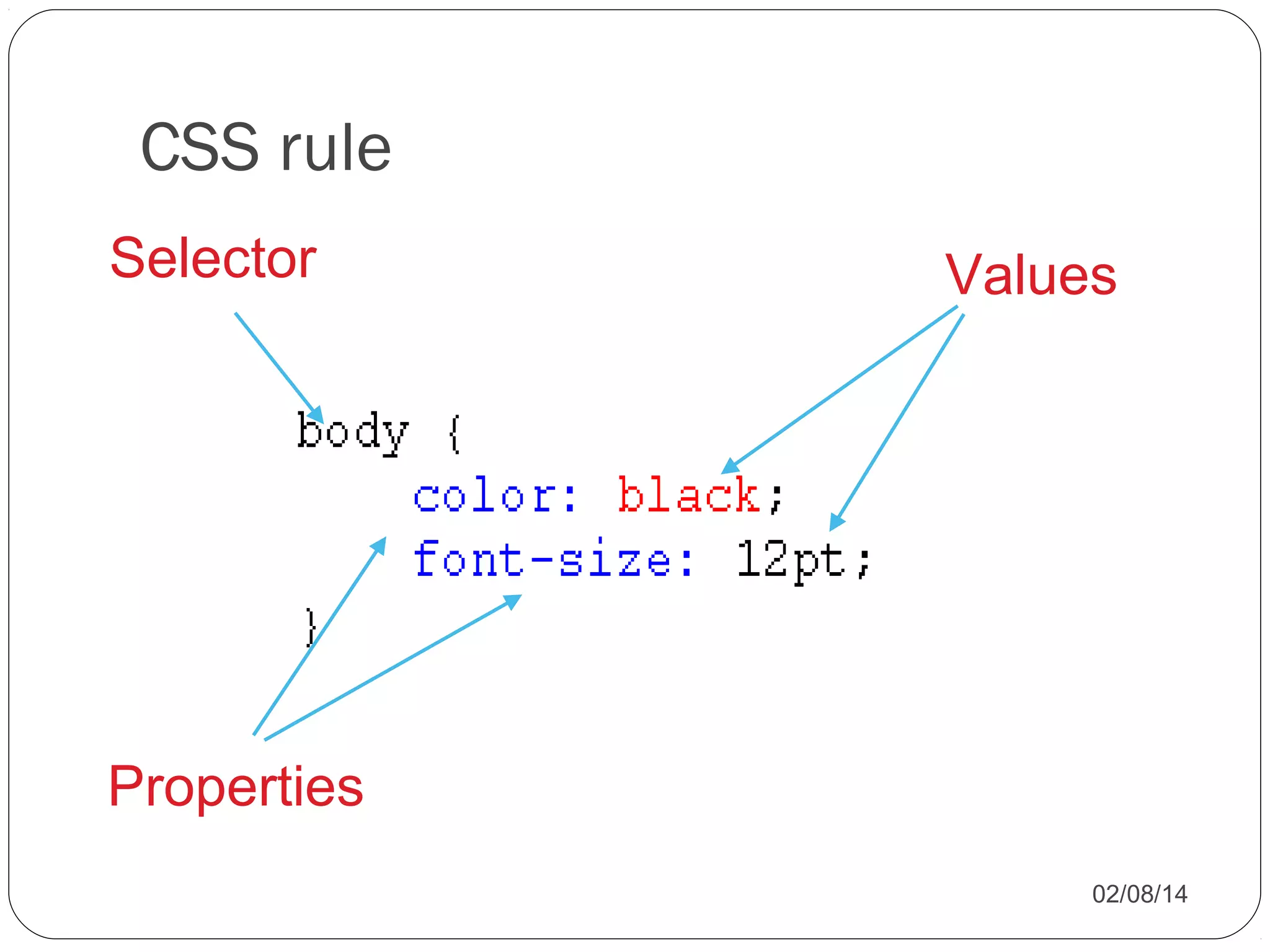
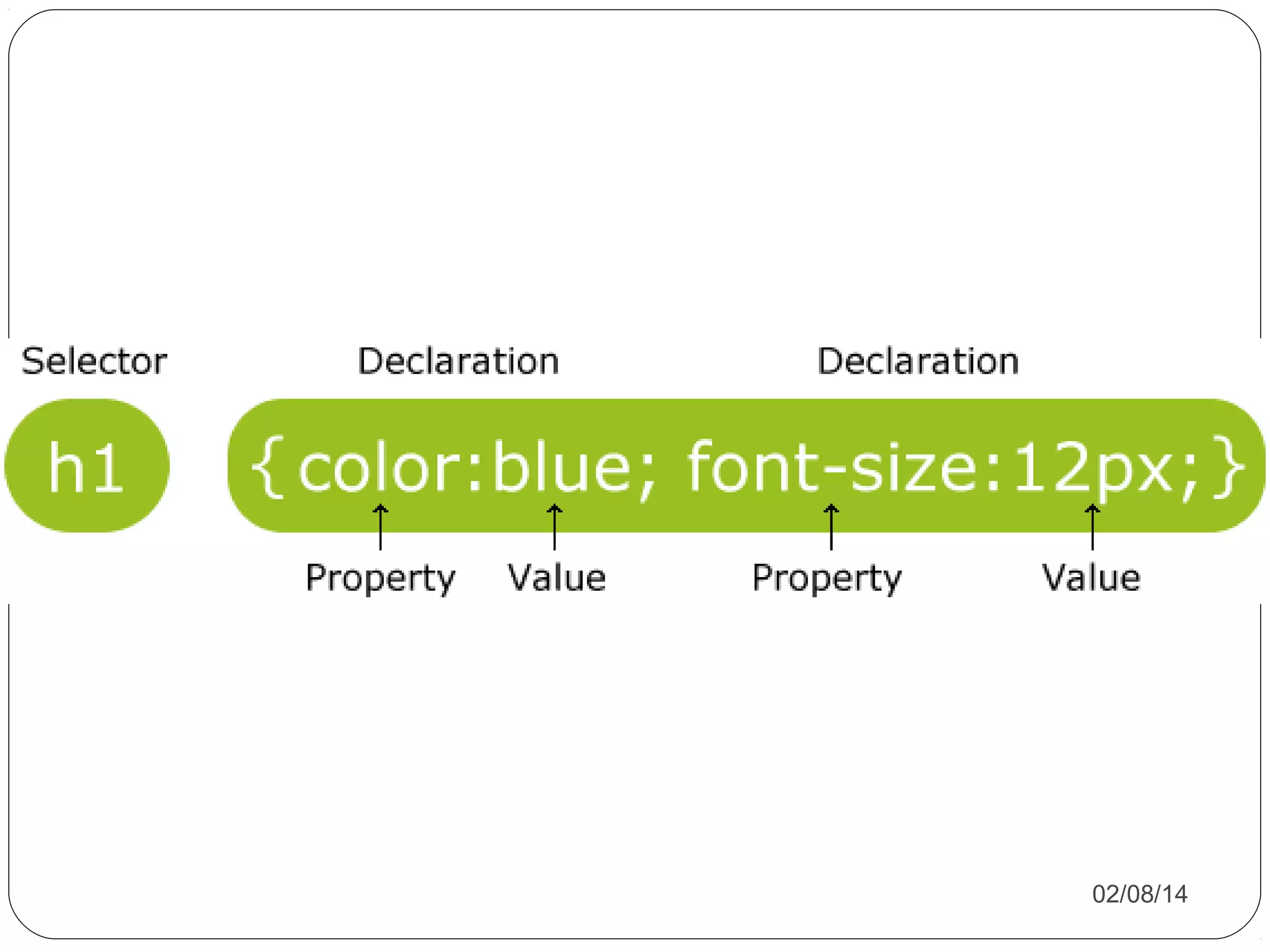
CSS rule
Selector

Values

Properties
02/08/14
02/08/14
Inheritance
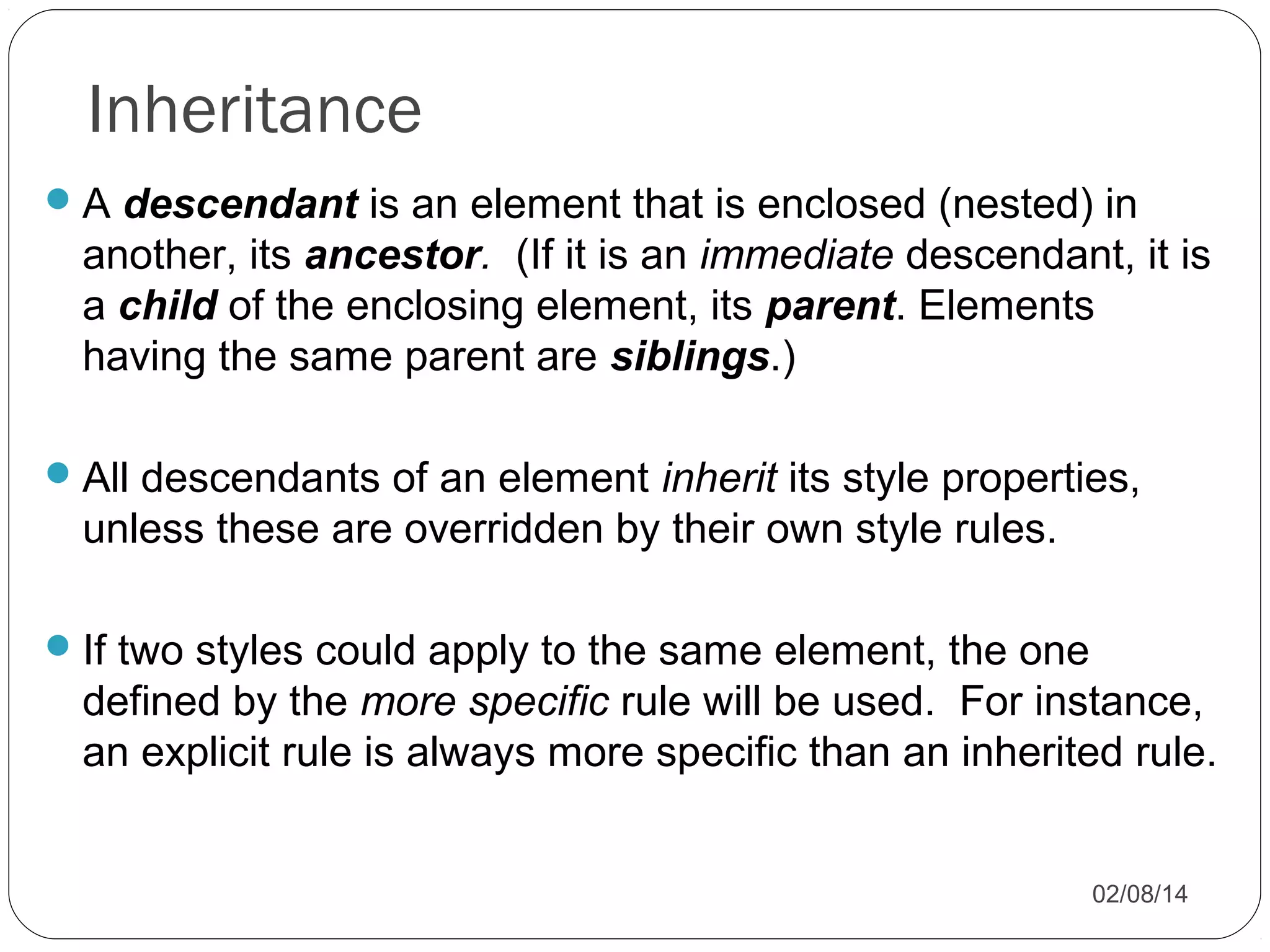
 A descendant is an element that is enclosed (nested) in

another, its ancestor. (If it is an immediate descendant, it is
a child of the enclosing element, its parent. Elements
having the same parent are siblings.)
 All descendants of an element inherit its style properties,

unless these are overridden by their own style rules.
 If two styles could apply to the same element, the one

defined by the more specific rule will be used. For instance,
an explicit rule is always more specific than an inherited rule.
02/08/14
Inheritance in CSS
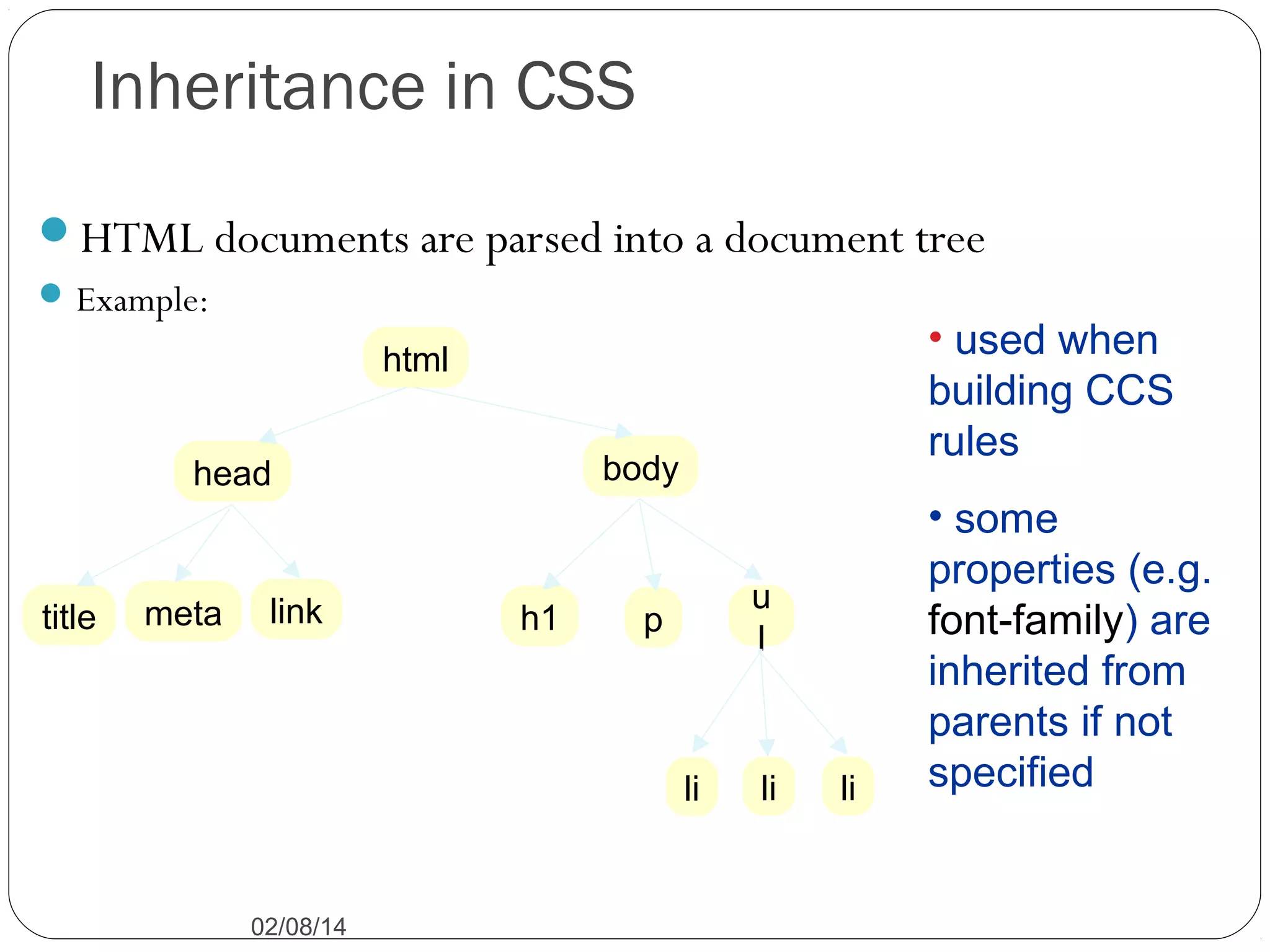
HTML documents are parsed into a document tree
 Example:

• used when
building CCS
rules

html
body

head

title

meta

link

h1

u
l

p

li

02/08/14

li

li

• some
properties (e.g.
font-family) are
inherited from
parents if not
specified
02/08/14

Css class-01

  • 1.
    Md. Ali Hosssain. WebDesigner. Jr. Instructor, Graphic Arts Innstitute. Email:Students.gai@gmail.com Phone:01731402303 02/08/14
  • 2.
    CSS? Cascading Style Sheets CSSis a style sheet language used to determine the formatting of an HTML document. Before we had CSS (and before it was widely adopted) all of this formatting information was embedded directly in the document- either in the form of attributes like width or bgcolor (background color) or in the form of purely presentational tags like font. Combined with the abuse of the table tag to create complicated layouts, the landscape for layout and design on the web was an unmanageable mess. CSS fixed all that (kind of.) Using separate style sheets for an entire site, leveraging semantic markup and identifiers like ids (for unique page elements) and classes (for multiple, like elements) a developer can apply styles across a whole site while updating a single (cacheable) file. 02/08/14
  • 3.
    Enter CSS (Thetimeline) CSS1 December 1996 CSS 2 Became a W3C Recommendation in May 1998 CSS 3 CSS level 3 has been under development since December 15, 2005 02/08/14
  • 4.
    CSS Versions  CSS1  Font properties such as typeface and emphasis  Color of text, backgrounds, and other elements  Text attributes such as spacing between words, letters, and lines of text  Alignment of text, images, tables and other elements  Margin, border, padding, and positioning for most elements  Unique identification and generic classification of groups of attributes  CSS2 includes a number of new capabilities like  absolute, relative, and fixed positioning of elements and z-index,  the concept of media types  support for aural style sheets and bidirectional text  new font properties such as shadows. 02/08/14
  • 5.
    CSS Versions  CSS3 Modulesinclude: Borders (border-radius, box-shadow) Backgrounds (multiple backgrounds) Color (HSL colors, HSLA colors, opacity, RGBA colors) Also: media queries multi-column layout Web fonts 02/08/14
  • 6.
    CSS Tips andTricks for Designing Accessible Websites 02/08/14
  • 7.
    Objectives Understand the benefitsof CSS Understand principles of liquid design and how it relates to accessibility Demonstrate simple techniques for using CSS to make websites more accessible List some useful resources 02/08/14
  • 8.
    Benefits of CSS CSSHelps Your Users…  Exercise greater control over how websites are presented.  Access websites on multiple media platforms: o o o o o Computer monitors Paper Projectors Screen readers for the blind Mobile phones 02/08/14
  • 9.
    CSS Helps You… Savetime by controlling the styles for your entire website with one file. Simplify your web documents. Reduce file sizes. 02/08/14
  • 10.
    Liquid Design Principles ofLiquid Design  Layout elements are given relative sizes (usually percentages).  The page scales to fit any view port, no matter the resolution, screen size, or text size.  The user does not need to use the horizontal scroll bar. 02/08/14
  • 11.
    Liquid Design andAccessibility Liquid design helps your page “degrade gracefully.” The page displays properly even if the user: o Changes text size or screen resolution. o Views the page on an extra large monitor. o Disables style sheets. 02/08/14
  • 12.
  • 13.
    Style Sheets Each elementon a page has a style defined for it. The style is defined by a set of attribute : value pairs. Style attributes can control: Typeface and font properties Background properties Box-related properties List properties 02/08/14
  • 14.
    Ways to definestyles  Default style: provides values for all element properties, unless you change it. (Note: user can customize browser to change defaults!)  Inline style: style is defined as an attribute of the element in- place. Use this for “one-off” or special styles.  Embedded style sheet: styles defined in the head portion of web page. Use this if you don’t have very many web pages, or for styles that are useful only for the given page.  External style sheet: styles defined in a separate file. Use this to centralize style definitions and provide uniformity across all pages of a web site. 02/08/14
  • 15.
    Adding styles topages 1. Inline CSS  handy, but don’t abuse it because it puts presentation back with the content 02/08/14
  • 16.
    Embedded Style Sheet <html> <head> <title>Pagewith embedded style</title> <style type="text/css"> selector { attribute : value ; attribute : value ... } selector { attribute : value ; attribute : value ... } ... •Style definitions go into a <style> element in document </style> head. </head> •Selector determines what elements the style rule applies to. </html> •Style definitions separated by ; are enclosed in { } 02/08/14
  • 17.
    Embedded Style Sheet(cont’d) <html> <head> <title>Page with embedded style</title> <style type="text/css"> selector { attribute : value ; attribute : value ... } selector { attribute : value ; attribute : value ... } ... </style> </head> •The type attribute can only be "text/css". (It is leaving room for future alternative style languages.) ... •Note: CSS is not HTML! </html> 02/08/14
  • 18.
    Example <html> <head> <title>Example page withembedded style</title> <style type="text/css"> body { font-family : sans-serif; color : blue; background-color : yellow } h1 { font-style : italic } p { font-size : 14pt } ol { font-size : 12pt; color : red; font-family : serif } </style> Here the selectors are simply tag names. The </head> style rules will apply to elements defined by ... those tags. Result (Example 1) </html> 02/08/14
  • 19.
    Adding styles topages 3. External CSS    easier to read and modify downloaded once for all website pages separates content from presentation – the way to go sample_style.css 02/08/14 sample.html
  • 20.
  • 21.
  • 22.
    Inheritance  A descendantis an element that is enclosed (nested) in another, its ancestor. (If it is an immediate descendant, it is a child of the enclosing element, its parent. Elements having the same parent are siblings.)  All descendants of an element inherit its style properties, unless these are overridden by their own style rules.  If two styles could apply to the same element, the one defined by the more specific rule will be used. For instance, an explicit rule is always more specific than an inherited rule. 02/08/14
  • 23.
    Inheritance in CSS HTMLdocuments are parsed into a document tree  Example: • used when building CCS rules html body head title meta link h1 u l p li 02/08/14 li li • some properties (e.g. font-family) are inherited from parents if not specified
  • 24.

Editor's Notes

  • #3 CSS is a language used to determine the formatting of an HTML document. Before we had CSS all of this information was encoded directly into the document. This was a mess. CSS fixed all that. Using separate style sheets for an entire site, leveraging semantic markup and identifiers like ids (for unique page elements) and classes (for multiple, like elements) a developer can apply styles across a whole site while updating a single (cacheable) file.