By : Anuj Kumar Singh
Introduction to CSS
1. Cascading Style Sheets, referred as CSS, is a simple design
language intended to simplify the process of making web pages
presentable.
2. CSS handles the look and feel of a web page. Using CSS, you can
control the color of the text, the style of fonts, the spacing between
paragraphs, how columns are sized and laid out, what background
images or colors are used, as well as a variety of other effects.
3. CSS is easy to learn and understand but it provides a powerful
control over the presentation of an HTML document. Most
commonly, CSS is combined with the markup languages HTML.
Advantages of CSS
1. CSS saves time: You can write CSS once and then reuse the same
sheet in multiple HTML pages.
2. Pages load faster: If you are using CSS, you do not need to write
HTML tag attributes every time. Just write one CSS rule of a tag
and apply it to all the occurrences of that tag.
3. Easy maintenance: To make a global change, simply change the
style, and all the elements in all the web pages will be updated
automatically.
4. Multiple Device Compatibility: Style sheets allow content to be
optimized for more than one type of device.
5. Global web standards: HTML attributes are being deprecated and it
is being recommended to use CSS.
Versions of CSS
1. CSS 1 (December 1996)
2. CSS 2 (May 1998)
3. CSS 3 (June 1999)
4. CSS 4 (March 2017)
Types of CSS
There are 3 types of CSS
1. External CSS
2. Internal (Embedded) CSS
3. Inline CSS
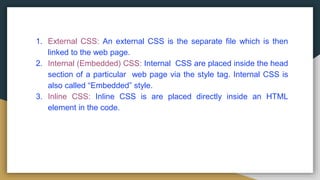
1. External CSS: An external CSS is the separate file which is then
linked to the web page.
2. Internal (Embedded) CSS: Internal CSS are placed inside the head
section of a particular web page via the style tag. Internal CSS is
also called “Embedded” style.
3. Inline CSS: Inline CSS is are placed directly inside an HTML
element in the code.
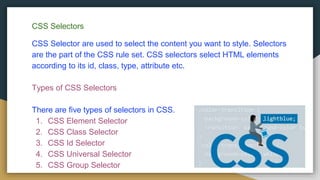
CSS Selectors
CSS Selector are used to select the content you want to style. Selectors
are the part of the CSS rule set. CSS selectors select HTML elements
according to its id, class, type, attribute etc.
Types of CSS Selectors
There are five types of selectors in CSS.
1. CSS Element Selector
2. CSS Class Selector
3. CSS Id Selector
4. CSS Universal Selector
5. CSS Group Selector
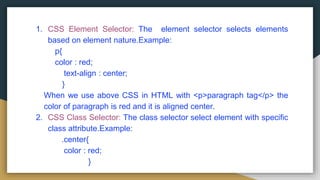
1. CSS Element Selector: The element selector selects elements
based on element nature.Example:
p{
color : red;
text-align : center;
}
When we use above CSS in HTML with <p>paragraph tag</p> the
color of paragraph is red and it is aligned center.
2. CSS Class Selector: The class selector select element with specific
class attribute.Example:
.center{
color : red;
}
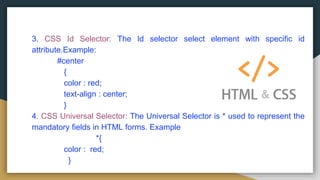
3. CSS Id Selector: The Id selector select element with specific id
attribute.Example:
#center
{
color : red;
text-align : center;
}
4. CSS Universal Selector: The Universal Selector is * used to represent the
mandatory fields in HTML forms. Example
*{
color : red;
}
5. CSS Group Selector:
You can group the Selectors to minimize the code. The Selectors are
separated by the comma.Example:
h1,h2,p,div
{
color : red;
text-align : center;
}
When the <h1></h1>, <h2></h2>, <p></p>, <div></div> tag is used in
HTML file the color of each content will be red and the text is aligned
to the center.
Example
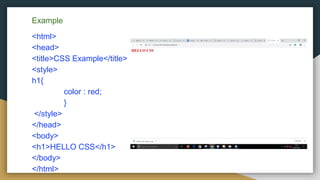
<html>
<head>
<title>CSS Example</title>
<style>
h1{
color : red;
}
</style>
</head>
<body>
<h1>HELLO CSS</h1>
</body>
</html>
THANK YOU

Css

  • 1.
    By : AnujKumar Singh
  • 2.
    Introduction to CSS 1.Cascading Style Sheets, referred as CSS, is a simple design language intended to simplify the process of making web pages presentable. 2. CSS handles the look and feel of a web page. Using CSS, you can control the color of the text, the style of fonts, the spacing between paragraphs, how columns are sized and laid out, what background images or colors are used, as well as a variety of other effects. 3. CSS is easy to learn and understand but it provides a powerful control over the presentation of an HTML document. Most commonly, CSS is combined with the markup languages HTML.
  • 3.
    Advantages of CSS 1.CSS saves time: You can write CSS once and then reuse the same sheet in multiple HTML pages. 2. Pages load faster: If you are using CSS, you do not need to write HTML tag attributes every time. Just write one CSS rule of a tag and apply it to all the occurrences of that tag. 3. Easy maintenance: To make a global change, simply change the style, and all the elements in all the web pages will be updated automatically. 4. Multiple Device Compatibility: Style sheets allow content to be optimized for more than one type of device. 5. Global web standards: HTML attributes are being deprecated and it is being recommended to use CSS.
  • 4.
    Versions of CSS 1.CSS 1 (December 1996) 2. CSS 2 (May 1998) 3. CSS 3 (June 1999) 4. CSS 4 (March 2017) Types of CSS There are 3 types of CSS 1. External CSS 2. Internal (Embedded) CSS 3. Inline CSS
  • 5.
    1. External CSS:An external CSS is the separate file which is then linked to the web page. 2. Internal (Embedded) CSS: Internal CSS are placed inside the head section of a particular web page via the style tag. Internal CSS is also called “Embedded” style. 3. Inline CSS: Inline CSS is are placed directly inside an HTML element in the code.
  • 6.
    CSS Selectors CSS Selectorare used to select the content you want to style. Selectors are the part of the CSS rule set. CSS selectors select HTML elements according to its id, class, type, attribute etc. Types of CSS Selectors There are five types of selectors in CSS. 1. CSS Element Selector 2. CSS Class Selector 3. CSS Id Selector 4. CSS Universal Selector 5. CSS Group Selector
  • 7.
    1. CSS ElementSelector: The element selector selects elements based on element nature.Example: p{ color : red; text-align : center; } When we use above CSS in HTML with <p>paragraph tag</p> the color of paragraph is red and it is aligned center. 2. CSS Class Selector: The class selector select element with specific class attribute.Example: .center{ color : red; }
  • 8.
    3. CSS IdSelector: The Id selector select element with specific id attribute.Example: #center { color : red; text-align : center; } 4. CSS Universal Selector: The Universal Selector is * used to represent the mandatory fields in HTML forms. Example *{ color : red; }
  • 9.
    5. CSS GroupSelector: You can group the Selectors to minimize the code. The Selectors are separated by the comma.Example: h1,h2,p,div { color : red; text-align : center; } When the <h1></h1>, <h2></h2>, <p></p>, <div></div> tag is used in HTML file the color of each content will be red and the text is aligned to the center.
  • 10.
    Example <html> <head> <title>CSS Example</title> <style> h1{ color :red; } </style> </head> <body> <h1>HELLO CSS</h1> </body> </html>
  • 11.