Md. Ali Hosssain.
Web Designer.
Jr. Instructor, Graphic Arts Innstitute.
Email:Students.gai@gmail.com
Phone:01731402303
HTML Multimedia

What is Multimedia?
Multimedia comes in many different formats. It can be almost anything
you can hear or see. Examples: Pictures, music, sound, videos,
records, films, animations, and more.
Modern Web pages have often embedded multimedia elements, and
modern browsers have support for various multimedia formats.
Multimedia Formats
Multimedia elements (like sounds or videos) are stored in media files.
Pictures are recognized by extensions like .gif, .png and .jpg.
Multimedia files also have their own formats with different extensions like:
.swf, .wav, .mp3, and .mp4.
The <object> Element
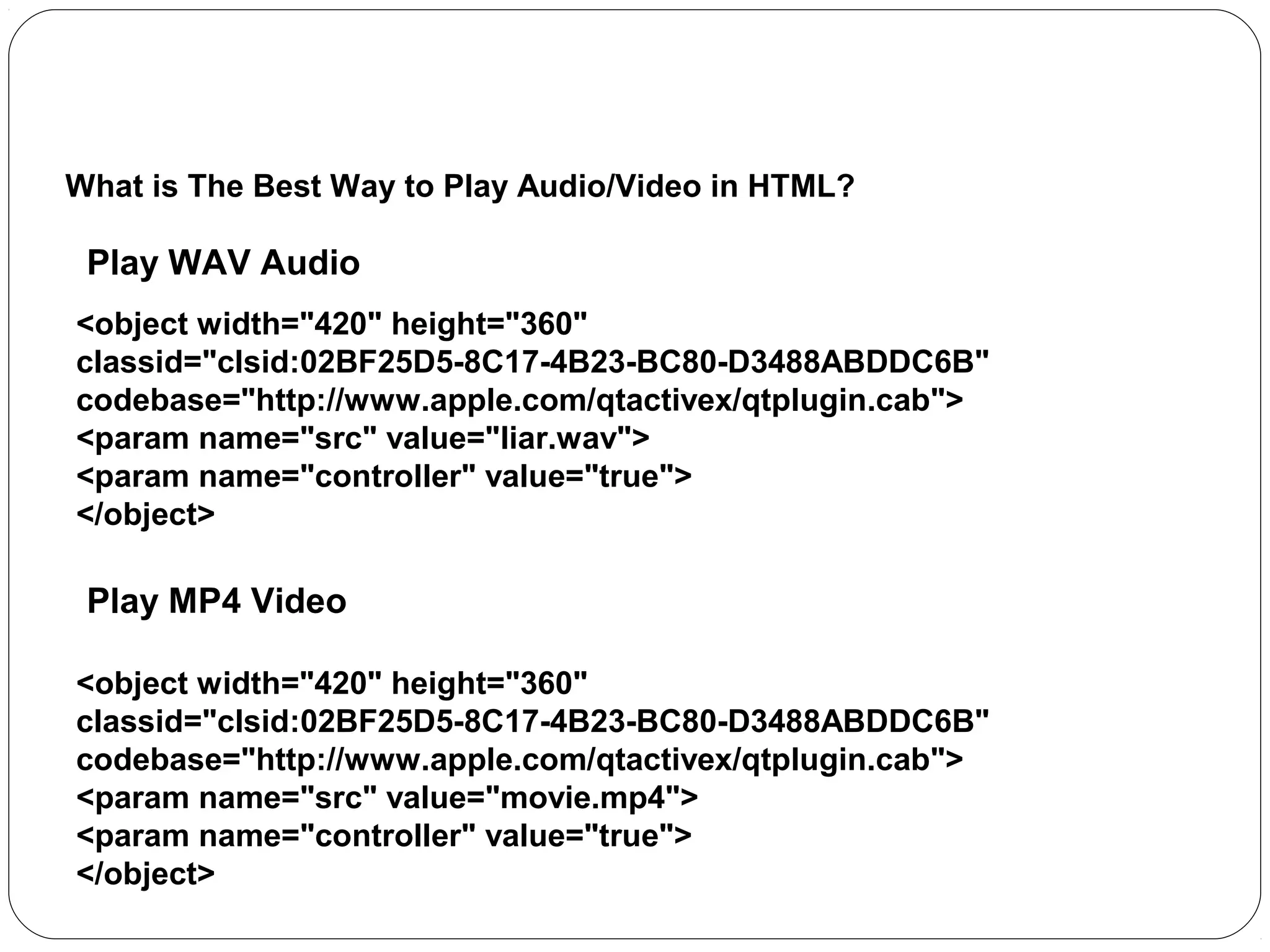
What is The Best Way to Play Audio/Video in HTML?

Play WAV Audio
<object width="420" height="360"
classid="clsid:02BF25D5-8C17-4B23-BC80-D3488ABDDC6B"
codebase="http://www.apple.com/qtactivex/qtplugin.cab">
<param name="src" value="liar.wav">
<param name="controller" value="true">
</object>

Play MP4 Video
<object width="420" height="360"
classid="clsid:02BF25D5-8C17-4B23-BC80-D3488ABDDC6B"
codebase="http://www.apple.com/qtactivex/qtplugin.cab">
<param name="src" value="movie.mp4">
<param name="controller" value="true">
</object>
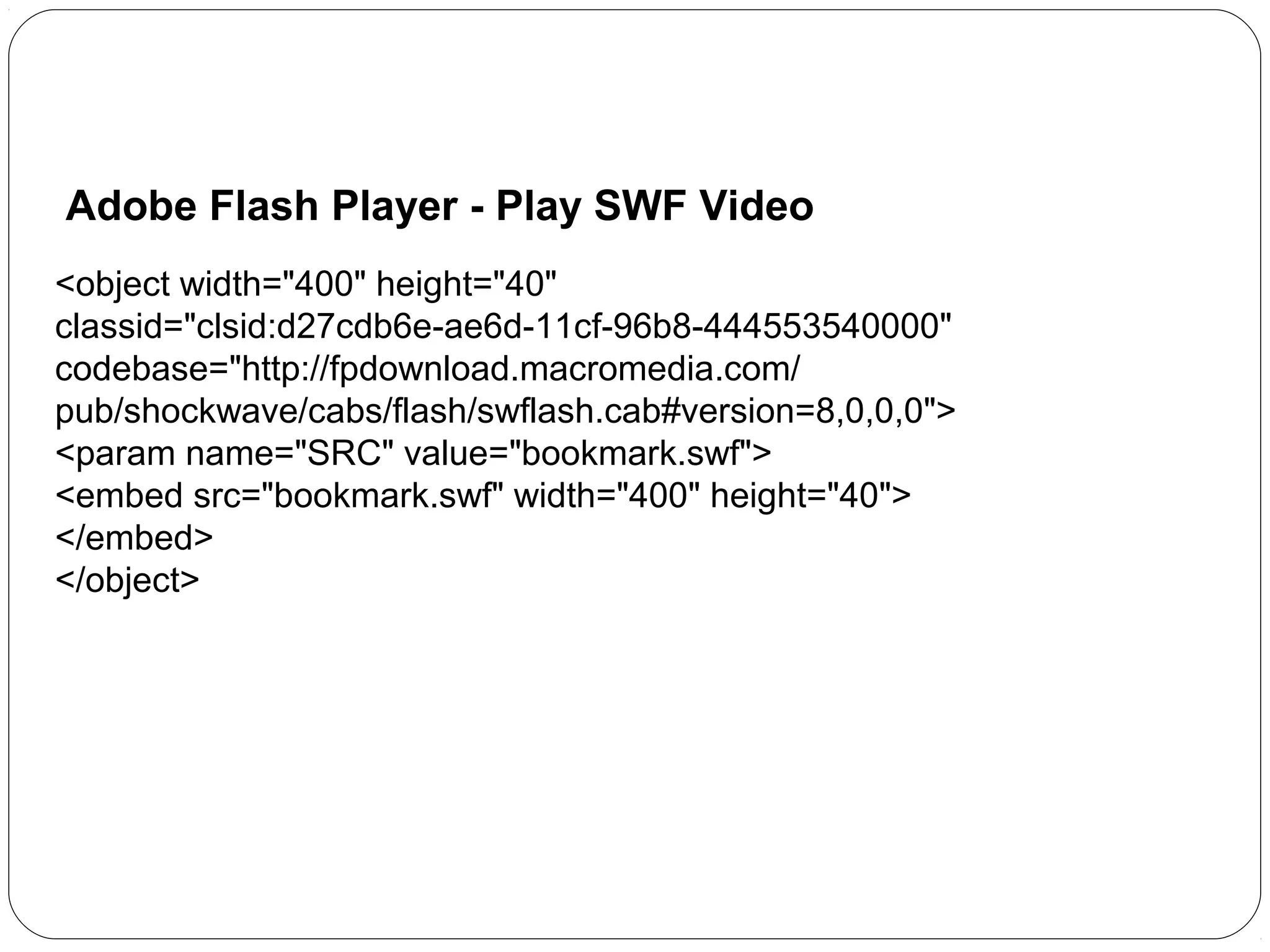
Adobe Flash Player - Play SWF Video
<object width="400" height="40"
classid="clsid:d27cdb6e-ae6d-11cf-96b8-444553540000"
codebase="http://fpdownload.macromedia.com/
pub/shockwave/cabs/flash/swflash.cab#version=8,0,0,0">
<param name="SRC" value="bookmark.swf">
<embed src="bookmark.swf" width="400" height="40">
</embed>
</object>
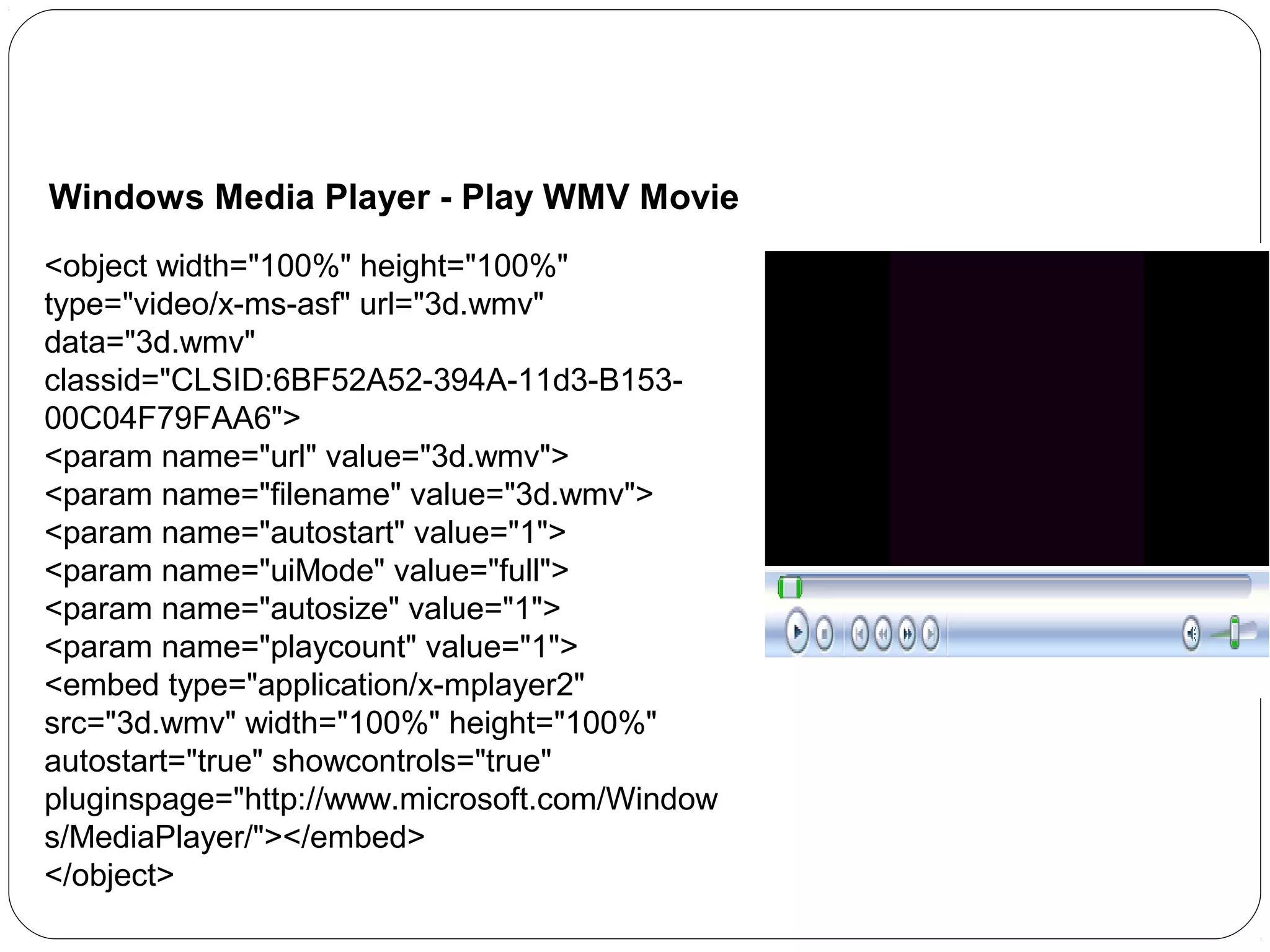
Windows Media Player - Play WMV Movie
<object width="100%" height="100%"
type="video/x-ms-asf" url="3d.wmv"
data="3d.wmv"
classid="CLSID:6BF52A52-394A-11d3-B15300C04F79FAA6">
<param name="url" value="3d.wmv">
<param name="filename" value="3d.wmv">
<param name="autostart" value="1">
<param name="uiMode" value="full">
<param name="autosize" value="1">
<param name="playcount" value="1">
<embed type="application/x-mplayer2"
src="3d.wmv" width="100%" height="100%"
autostart="true" showcontrols="true"
pluginspage="http://www.microsoft.com/Window
s/MediaPlayer/"></embed>
</object>
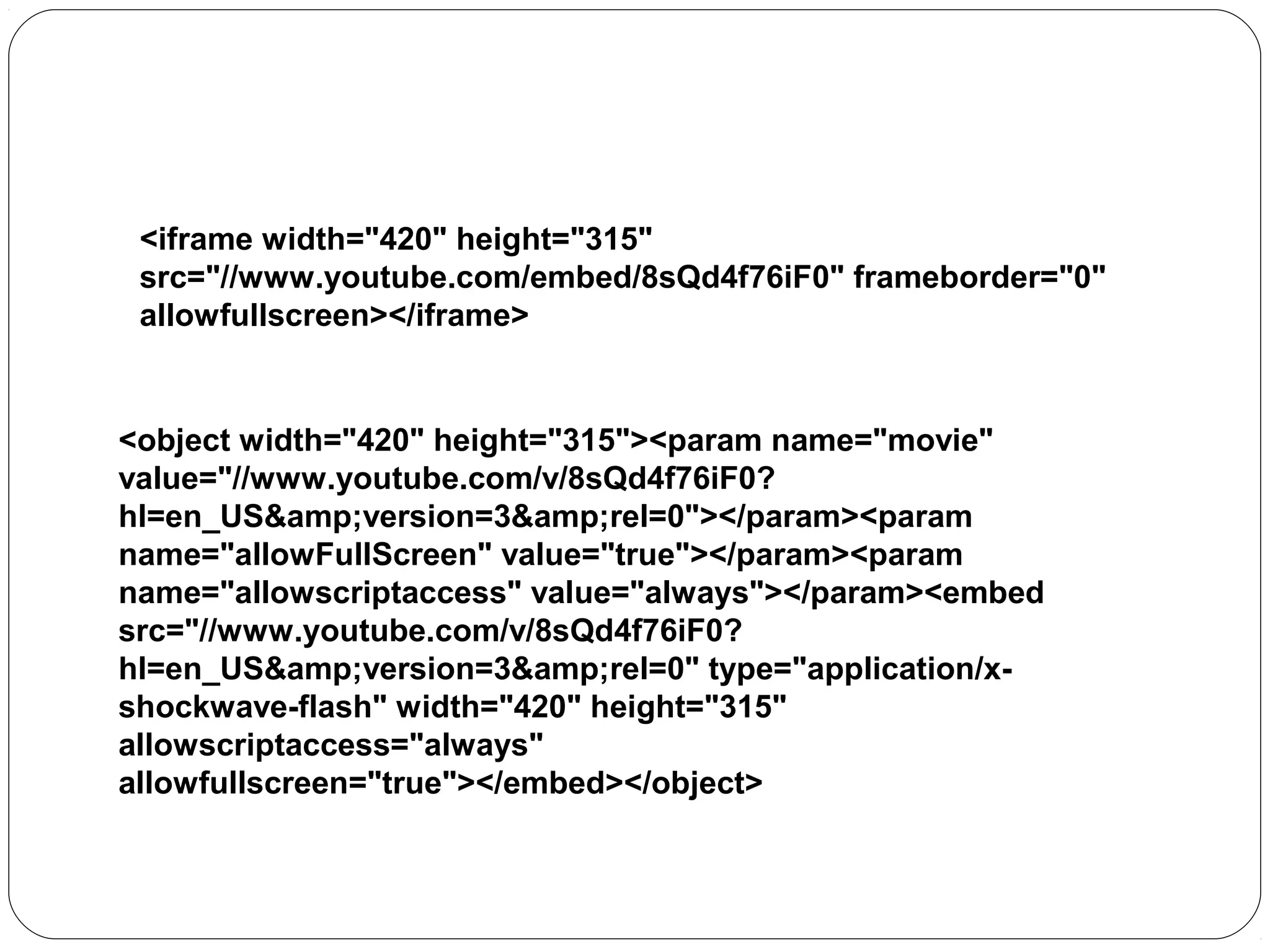
Playing a YouTube Video in HTML

<iframe width="420" height="315"
src="//www.youtube.com/embed/8sQd4f76iF0" frameborder="0"
allowfullscreen></iframe>

<object width="420" height="315"><param name="movie"
value="//www.youtube.com/v/8sQd4f76iF0?
hl=en_US&amp;version=3&amp;rel=0"></param><param
name="allowFullScreen" value="true"></param><param
name="allowscriptaccess" value="always"></param><embed
src="//www.youtube.com/v/8sQd4f76iF0?
hl=en_US&amp;version=3&amp;rel=0" type="application/xshockwave-flash" width="420" height="315"
allowscriptaccess="always"
allowfullscreen="true"></embed></object>
Playing a YouTube Video in HTML

<iframe width="420" height="315"
src="//www.youtube.com/embed/8sQd4f76iF0" frameborder="0"
allowfullscreen></iframe>

<object width="420" height="315"><param name="movie"
value="//www.youtube.com/v/8sQd4f76iF0?
hl=en_US&amp;version=3&amp;rel=0"></param><param
name="allowFullScreen" value="true"></param><param
name="allowscriptaccess" value="always"></param><embed
src="//www.youtube.com/v/8sQd4f76iF0?
hl=en_US&amp;version=3&amp;rel=0" type="application/xshockwave-flash" width="420" height="315"
allowscriptaccess="always"
allowfullscreen="true"></embed></object>

Httml flash

  • 1.
    Md. Ali Hosssain. WebDesigner. Jr. Instructor, Graphic Arts Innstitute. Email:Students.gai@gmail.com Phone:01731402303
  • 2.
    HTML Multimedia What isMultimedia? Multimedia comes in many different formats. It can be almost anything you can hear or see. Examples: Pictures, music, sound, videos, records, films, animations, and more. Modern Web pages have often embedded multimedia elements, and modern browsers have support for various multimedia formats. Multimedia Formats Multimedia elements (like sounds or videos) are stored in media files. Pictures are recognized by extensions like .gif, .png and .jpg. Multimedia files also have their own formats with different extensions like: .swf, .wav, .mp3, and .mp4.
  • 3.
    The <object> Element Whatis The Best Way to Play Audio/Video in HTML? Play WAV Audio <object width="420" height="360" classid="clsid:02BF25D5-8C17-4B23-BC80-D3488ABDDC6B" codebase="http://www.apple.com/qtactivex/qtplugin.cab"> <param name="src" value="liar.wav"> <param name="controller" value="true"> </object> Play MP4 Video <object width="420" height="360" classid="clsid:02BF25D5-8C17-4B23-BC80-D3488ABDDC6B" codebase="http://www.apple.com/qtactivex/qtplugin.cab"> <param name="src" value="movie.mp4"> <param name="controller" value="true"> </object>
  • 4.
    Adobe Flash Player- Play SWF Video <object width="400" height="40" classid="clsid:d27cdb6e-ae6d-11cf-96b8-444553540000" codebase="http://fpdownload.macromedia.com/ pub/shockwave/cabs/flash/swflash.cab#version=8,0,0,0"> <param name="SRC" value="bookmark.swf"> <embed src="bookmark.swf" width="400" height="40"> </embed> </object>
  • 5.
    Windows Media Player- Play WMV Movie <object width="100%" height="100%" type="video/x-ms-asf" url="3d.wmv" data="3d.wmv" classid="CLSID:6BF52A52-394A-11d3-B15300C04F79FAA6"> <param name="url" value="3d.wmv"> <param name="filename" value="3d.wmv"> <param name="autostart" value="1"> <param name="uiMode" value="full"> <param name="autosize" value="1"> <param name="playcount" value="1"> <embed type="application/x-mplayer2" src="3d.wmv" width="100%" height="100%" autostart="true" showcontrols="true" pluginspage="http://www.microsoft.com/Window s/MediaPlayer/"></embed> </object>
  • 6.
    Playing a YouTubeVideo in HTML <iframe width="420" height="315" src="//www.youtube.com/embed/8sQd4f76iF0" frameborder="0" allowfullscreen></iframe> <object width="420" height="315"><param name="movie" value="//www.youtube.com/v/8sQd4f76iF0? hl=en_US&amp;version=3&amp;rel=0"></param><param name="allowFullScreen" value="true"></param><param name="allowscriptaccess" value="always"></param><embed src="//www.youtube.com/v/8sQd4f76iF0? hl=en_US&amp;version=3&amp;rel=0" type="application/xshockwave-flash" width="420" height="315" allowscriptaccess="always" allowfullscreen="true"></embed></object>
  • 7.
    Playing a YouTubeVideo in HTML <iframe width="420" height="315" src="//www.youtube.com/embed/8sQd4f76iF0" frameborder="0" allowfullscreen></iframe> <object width="420" height="315"><param name="movie" value="//www.youtube.com/v/8sQd4f76iF0? hl=en_US&amp;version=3&amp;rel=0"></param><param name="allowFullScreen" value="true"></param><param name="allowscriptaccess" value="always"></param><embed src="//www.youtube.com/v/8sQd4f76iF0? hl=en_US&amp;version=3&amp;rel=0" type="application/xshockwave-flash" width="420" height="315" allowscriptaccess="always" allowfullscreen="true"></embed></object>